Curso Superior de Tecnologia em Redes de Computadores
                        Segurança da Informação
                         Prof. Leandro Almeida

                                 Roteiro – Proxy

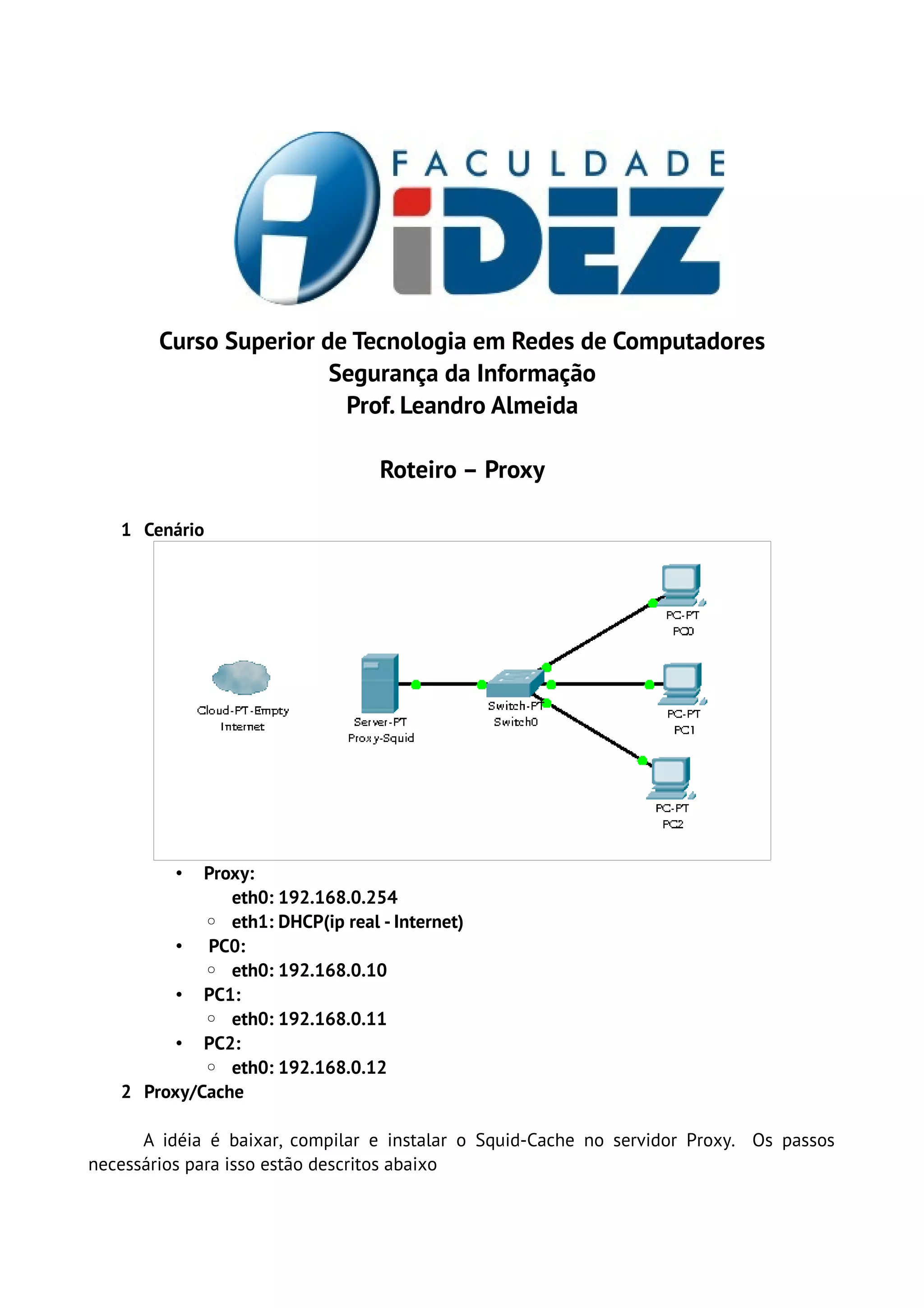
   1 Cenário


          • Proxy:
               eth0: 192.168.0.254
            ◦ eth1: DHCP(ip real - Internet)
         • PC0:
            ◦ eth0: 192.168.0.10
         • PC1:
            ◦ eth0: 192.168.0.11
         • PC2:
            ◦ eth0: 192.168.0.12
   2 Proxy/Cache

      A idéia é baixar, compilar e instalar o Squid-Cache no servidor Proxy. Os passos
necessários para isso estão descritos abaixo
#Instalar requisitos
      yum install gcc gcc­c++ wget perl

      #Download do pacote 
      wget http://www.squid­cache.org/Versions/v3/3.1/squid­3.1.19.tar.gz

      #Descompactar o pacote
      tar ­xvzf squid­3.1.19.tar.gz

      #Compilar e instalar
      ./configure ­­prefix=/opt/squid ­­with­logdir=/var/log/squid 
      ­­with­pidfile=/var/run/squid.pid –enable­storeio=ufs,aufs
      ­­enable­removal­policies=lru,heap ­­enable­icmp –enable­
      useragent­log ­­enable­referer­log ­­enable­cache­digests 
      ­­with­large­files

      make

      make install


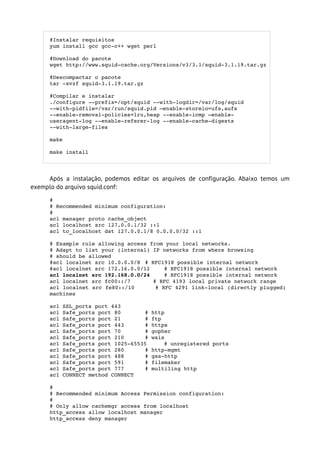
     Após a instalação, podemos editar os arquivos de configuração. Abaixo temos um
exemplo do arquivo squid.conf:
      # 
      # Recommended minimum configuration: 
      # 
      acl manager proto cache_object
      acl localhost src 127.0.0.1/32 ::1
      acl to_localhost dst 127.0.0.1/8 0.0.0.0/32 ::1

      # Example rule allowing access from your local networks. 
      # Adapt to list your (internal) IP networks from where browsing 
      # should be allowed 
      #acl localnet src 10.0.0.0/8 # RFC1918 possible internal network 
      #acl localnet src 172.16.0.0/12    # RFC1918 possible internal network 
      acl localnet src 192.168.0.0/24    # RFC1918 possible internal network 
      acl localnet src fc00::/7       # RFC 4193 local private network range 
      acl localnet src fe80::/10      # RFC 4291 link­local (directly plugged) 
      machines 

      acl SSL_ports port 443 
      acl Safe_ports port 80       # http 
      acl Safe_ports port 21       # ftp 
      acl Safe_ports port 443      # https 
      acl Safe_ports port 70       # gopher 
      acl Safe_ports port 210      # wais 
      acl Safe_ports port 1025­65535     # unregistered ports 
      acl Safe_ports port 280      # http­mgmt 
      acl Safe_ports port 488      # gss­http 
      acl Safe_ports port 591      # filemaker 
      acl Safe_ports port 777      # multiling http 
      acl CONNECT method CONNECT 

      # 
      # Recommended minimum Access Permission configuration: 
      #      
      # Only allow cachemgr access from localhost 
      http_access allow localhost manager 
      http_access deny manager 
 
    # Deny requests to certain unsafe ports 
    http_access deny !Safe_ports 

    # Deny CONNECT to other than secure SSL ports 
    http_access deny CONNECT !SSL_ports 

    # We strongly recommend the following be uncommented to protect innocent 
    # web applications running on the proxy server who think the only 
    # one who can access services on "localhost" is a local user 
    #http_access deny to_localhost 

    #      
    # INSERT YOUR OWN RULE(S) HERE TO ALLOW ACCESS FROM YOUR CLIENTS 
    # 
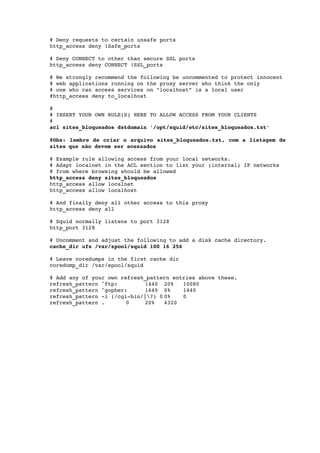
    acl sites_bloqueados dstdomain '/opt/squid/etc/sites_bloqueados.txt'

    #Obs: lembre de criar o arquivo sites_bloqueados.txt, com a listagem de  
    sites que não devem ser acessados

    # Example rule allowing access from your local networks. 
    # Adapt localnet in the ACL section to list your (internal) IP networks 
    # from where browsing should be allowed 
    http_access deny sites_bloqueados
    http_access allow localnet 
    http_access allow localhost 

    # And finally deny all other access to this proxy 
    http_access deny all 

    # Squid normally listens to port 3128 
    http_port 3128 

    # Uncomment and adjust the following to add a disk cache directory. 
    cache_dir ufs /var/spool/squid 100 16 256 

    # Leave coredumps in the first cache dir 
    coredump_dir /var/spool/squid 

    # Add any of your own refresh_pattern entries above these. 
    refresh_pattern ^ftp:        1440 20%    10080 
    refresh_pattern ^gopher:     1440 0%     1440 
    refresh_pattern ­i (/cgi­bin/|?) 0 0%   0 
    refresh_pattern .       0    20%    4320

Unidade3 roteiro proxy

  • 1.
    Curso Superior deTecnologia em Redes de Computadores Segurança da Informação Prof. Leandro Almeida Roteiro – Proxy 1 Cenário • Proxy: eth0: 192.168.0.254 ◦ eth1: DHCP(ip real - Internet) • PC0: ◦ eth0: 192.168.0.10 • PC1: ◦ eth0: 192.168.0.11 • PC2: ◦ eth0: 192.168.0.12 2 Proxy/Cache A idéia é baixar, compilar e instalar o Squid-Cache no servidor Proxy. Os passos necessários para isso estão descritos abaixo
  • 2.
    #Instalar requisitos yum install gcc gcc­c++ wget perl #Download do pacote  wget http://www.squid­cache.org/Versions/v3/3.1/squid­3.1.19.tar.gz #Descompactar o pacote tar ­xvzf squid­3.1.19.tar.gz #Compilar e instalar ./configure ­­prefix=/opt/squid ­­with­logdir=/var/log/squid  ­­with­pidfile=/var/run/squid.pid –enable­storeio=ufs,aufs ­­enable­removal­policies=lru,heap ­­enable­icmp –enable­ useragent­log ­­enable­referer­log ­­enable­cache­digests  ­­with­large­files make make install Após a instalação, podemos editar os arquivos de configuração. Abaixo temos um exemplo do arquivo squid.conf: #  # Recommended minimum configuration:  #  acl manager proto cache_object acl localhost src 127.0.0.1/32 ::1 acl to_localhost dst 127.0.0.1/8 0.0.0.0/32 ::1 # Example rule allowing access from your local networks.  # Adapt to list your (internal) IP networks from where browsing  # should be allowed  #acl localnet src 10.0.0.0/8 # RFC1918 possible internal network  #acl localnet src 172.16.0.0/12 # RFC1918 possible internal network  acl localnet src 192.168.0.0/24 # RFC1918 possible internal network  acl localnet src fc00::/7       # RFC 4193 local private network range  acl localnet src fe80::/10      # RFC 4291 link­local (directly plugged)  machines  acl SSL_ports port 443  acl Safe_ports port 80 # http  acl Safe_ports port 21 # ftp  acl Safe_ports port 443 # https  acl Safe_ports port 70 # gopher  acl Safe_ports port 210 # wais  acl Safe_ports port 1025­65535 # unregistered ports  acl Safe_ports port 280 # http­mgmt  acl Safe_ports port 488 # gss­http  acl Safe_ports port 591 # filemaker  acl Safe_ports port 777 # multiling http  acl CONNECT method CONNECT  #  # Recommended minimum Access Permission configuration:  #   # Only allow cachemgr access from localhost  http_access allow localhost manager  http_access deny manager 
  • 3.
      # Deny requests to certain unsafe ports  http_access deny !Safe_ports  # Deny CONNECT to other than secure SSL ports  http_access deny CONNECT !SSL_ports  # We strongly recommend the following be uncommented to protect innocent  # web applications running on the proxy server who think the only  # one who can access services on "localhost" is a local user  #http_access deny to_localhost  #   # INSERT YOUR OWN RULE(S) HERE TO ALLOW ACCESS FROM YOUR CLIENTS  #  acl sites_bloqueados dstdomain '/opt/squid/etc/sites_bloqueados.txt' #Obs: lembre de criar o arquivo sites_bloqueados.txt, com a listagem de   sites que não devem ser acessados # Example rule allowing access from your local networks.  # Adapt localnet in the ACL section to list your (internal) IP networks  # from where browsing should be allowed  http_access deny sites_bloqueados http_access allow localnet  http_access allow localhost  # And finally deny all other access to this proxy  http_access deny all  # Squid normally listens to port 3128  http_port 3128  # Uncomment and adjust the following to add a disk cache directory.  cache_dir ufs /var/spool/squid 100 16 256  # Leave coredumps in the first cache dir  coredump_dir /var/spool/squid  # Add any of your own refresh_pattern entries above these.  refresh_pattern ^ftp: 1440 20% 10080  refresh_pattern ^gopher: 1440 0% 1440  refresh_pattern ­i (/cgi­bin/|?) 0 0% 0  refresh_pattern . 0 20% 4320