Installing Openstack Juno using RDO on Red Hat 7
The Environment
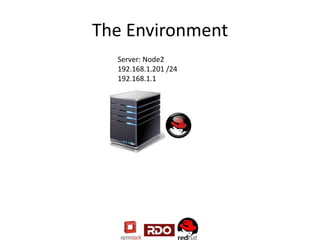
Server: Node2
192.168.1.201 /24
192.168.1.1
Things to look out for
• Network Manager is not support it must be disabled
– systemctl is-enabled NetworkManager
– systemctl disable NetworkManager
• Some repos appear to be missing after subscribed
– Subscription-manager repos –enable rhel-7-server-
optional-rpms
– Subscription-manager repos –enable rhel-7-server-extras-
rpms
Upon Packstack Completion
Look for these files:
• /root/keystonerc_admin -- contains user and
password for keystone
• /root/packstack-answers-20150109-
204802.txt -- Timestamp will differ
Quick Install Video
Command List
Prepare System
• subscription-manager register
• subscription-manager attach –auto
• subscription-manager repos --enable rhel-7-server-optional-rpms
• subscription-manager repos --enable rhel-7-server-extras-rpms
• yum repolist
• yum update all
DISABLE NetworkManager
• systemctl is-enabled NetworkManager
• systemctl disable NetworkManager
• Systemctl stop NetworkManager -- missed this in the video no wonder I saw the warning!!
• Systemctl restart network
• Echo “GATEWAY= 0.0.0.0” >> /etc/sysconfig/network
RDO Commands
Install final RPM
• yum install –y https://rdo.fedorapeople.org/rdo-release.rpm
• yum install –y openstack-packstack
Launch Packstack
• Packstack –allinone
Links
Guide Information
• QuickStart Guide : https://openstack.redhat.com/Quickstart
• Repos: https://openstack.redhat.com/Repositories
• Work arounds: https://openstack.redhat.com/Workarounds
Cheat Sheet
• Initv to systemd: http://goo.gl/yGhFXM
Juno Information
• https://wiki.openstack.org/wiki/ReleaseNotes/Juno

Installing OpenStack Juno using RDO on RHEL

  • 1.
    Installing Openstack Junousing RDO on Red Hat 7
  • 2.
  • 3.
    Things to lookout for • Network Manager is not support it must be disabled – systemctl is-enabled NetworkManager – systemctl disable NetworkManager • Some repos appear to be missing after subscribed – Subscription-manager repos –enable rhel-7-server- optional-rpms – Subscription-manager repos –enable rhel-7-server-extras- rpms
  • 4.
    Upon Packstack Completion Lookfor these files: • /root/keystonerc_admin -- contains user and password for keystone • /root/packstack-answers-20150109- 204802.txt -- Timestamp will differ
  • 5.
  • 6.
    Command List Prepare System •subscription-manager register • subscription-manager attach –auto • subscription-manager repos --enable rhel-7-server-optional-rpms • subscription-manager repos --enable rhel-7-server-extras-rpms • yum repolist • yum update all DISABLE NetworkManager • systemctl is-enabled NetworkManager • systemctl disable NetworkManager • Systemctl stop NetworkManager -- missed this in the video no wonder I saw the warning!! • Systemctl restart network • Echo “GATEWAY= 0.0.0.0” >> /etc/sysconfig/network
  • 7.
    RDO Commands Install finalRPM • yum install –y https://rdo.fedorapeople.org/rdo-release.rpm • yum install –y openstack-packstack Launch Packstack • Packstack –allinone
  • 8.
    Links Guide Information • QuickStartGuide : https://openstack.redhat.com/Quickstart • Repos: https://openstack.redhat.com/Repositories • Work arounds: https://openstack.redhat.com/Workarounds Cheat Sheet • Initv to systemd: http://goo.gl/yGhFXM Juno Information • https://wiki.openstack.org/wiki/ReleaseNotes/Juno

Editor's Notes

  • #4 Restarting networking did not clear the error from puppet apply, had to reboot