Installation of SNORT, APACHE, PHP, MYSQL and SnortReport. Presented By Ositadimma Maxwell Ejelike Bahman Radjabalipour
HARDWARE AND SOFTWARE Operating System: Windows 2003 Server Enterprise Edition and Microsoft Windows XP Hardware: Compaq 1600 Pentium III dual Processor Server and Pentium IV workstation Software Installed  Apache_1.3.24-win32-x86-src.msi  www.apache.org Php-4.3.0-Win32.zip  www.php.com Snort_243_Installer.exe  www.snort.org WinPcap_3_1.exe  http://www.winpcap.org Snortrules_snapshot_CURRENT [1].tar.gz  www.snort.org Snortreport-1.3.1.tar.gz  Jpgraph-1.20.3.tar.gz Gd-2.0.33.zip Mysql-4.0.17-win.zip Winrar
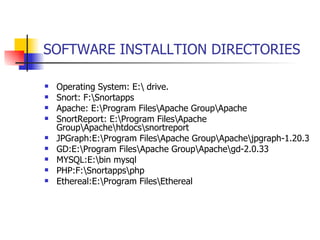
SOFTWARE INSTALLTION DIRECTORIES Operating System: E:\ drive. Snort: F:\Snortapps Apache: E:\Program Files\Apache Group\Apache SnortReport: E:\Program Files\Apache Group\Apache\htdocs\snortreport JPGraph:E:\Program Files\Apache Group\Apache\jpgraph-1.20.3 GD:E:\Program Files\Apache Group\Apache\gd-2.0.33 MYSQL:E:\bin mysql PHP:F:\Snortapps\php Ethereal:E:\Program Files\Ethereal
WINPCAP It captures packets from the network cables and throws them to snort  It’s a Windows version of libpcap used in Linux for running snort  The WinPcap gets information about the network adapters in the network.
SNORT Open sourced, lightweight, network intrusion detection system Uses easy to learn rules to detect and log the signatures of possible attacks  It can also be use as a Sniffer  It’s a free utility with active community support
MYSQL SQL based database software Most supported platform for storing snort alerts  Stores all IDS alerts triggered from our snort sensors. Snort can log directly to MYSQL natively, as the alerts come in.
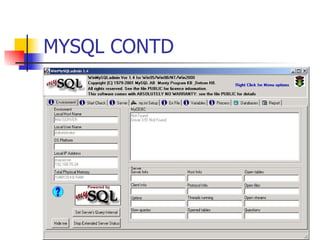
MYSQL CONTD
MYSQL CONTD. Winmysqladmin Edit my.ini file Ran winmysqladmin from a command prompt Bind MySQL to the system localhost IP address, we use 127.0.0.1 Set the communication port; it's 3306 for a typical MySQL installation. Set the key_buffer setting for snort data, we choose 64M
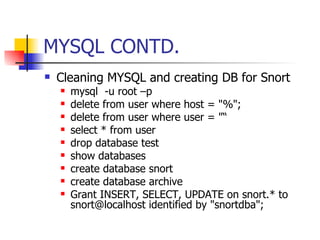
MYSQL CONTD. Cleaning MYSQL and creating DB for Snort mysql  -u root –p delete from user where host = "%"; delete from user where user = "“ select * from user drop database test show databases create database snort create database archive Grant INSERT, SELECT, UPDATE on snort.* to snort@localhost identified by "snortdba";
APACHE WEB SERVER Web Server of choice for most websites The sole purpose is for hosting the SnortReport web-based console
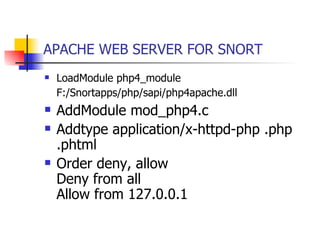
APACHE WEB SERVER FOR SNORT LoadModule php4_module F:/Snortapps/php/sapi/php4apache.dll   AddModule mod_php4.c  Addtype application/x-httpd-php .php .phtml  Order deny, allow  Deny from all  Allow from 127.0.0.1
PHP General-purpose scripting language for web development Support for a database-enabled web page  Provides support for SnortReport
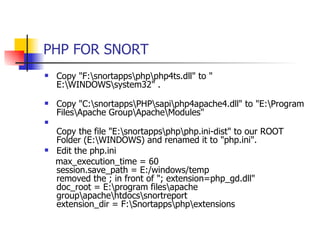
PHP FOR SNORT Copy "F:\snortapps\php\php4ts.dll" to " E:\WINDOWS\system32" . Copy "C:\snortapps\PHP\sapi\php4apache4.dll" to "E:\Program Files\Apache Group\Apache\Modules"  Copy the file "E:\snortapps\php\php.ini-dist" to our ROOT Folder (E:\WINDOWS) and renamed it to "php.ini".   Edit the php.ini max_execution_time = 60  session.save_path = E:/windows/temp  removed the ; in front of "; extension=php_gd.dll"  doc_root = E:\program files\apache group\apache\htdocs\snortreport extension_dir = F:\Snortapps\php\extensions
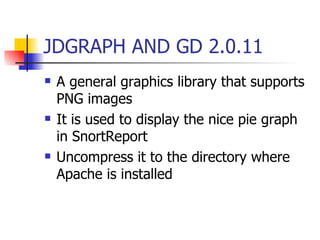
JDGRAPH AND GD 2.0.11 A general graphics library that supports PNG images  It is used to display the nice pie graph in SnortReport  Uncompress it to the directory where Apache is installed
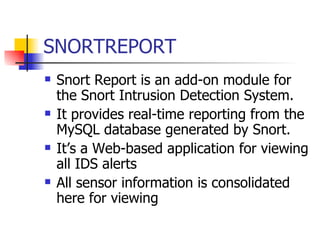
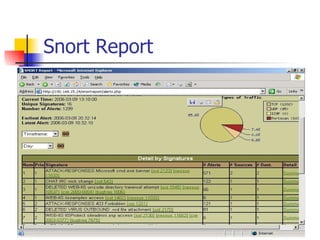
SNORTREPORT Snort Report is an add-on module for the Snort Intrusion Detection System.  It provides real-time reporting from the MySQL database generated by Snort.  It’s a Web-based application for viewing all IDS alerts All sensor information is consolidated here for viewing
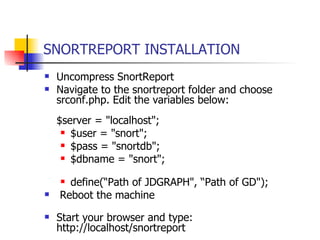
SNORTREPORT INSTALLATION Uncompress SnortReport Navigate to the snortreport folder and choose srconf.php. Edit the variables below:  $server = "localhost"; $user = "snort"; $pass = "snortdb"; $dbname = "snort"; define(“Path of JDGRAPH", “Path of GD"); Reboot the machine  Start your browser and type: http://localhost/snortreport
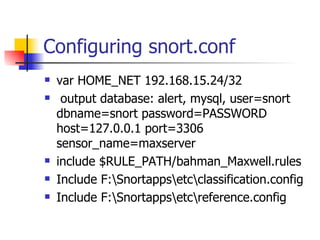
Configuring snort.conf var HOME_NET 192.168.15.24/32 output database: alert, mysql, user=snort dbname=snort password=PASSWORD host=127.0.0.1 port=3306 sensor_name=maxserver include $RULE_PATH/bahman_Maxwell.rules Include F:\Snortapps\etc\classification.config Include F:\Snortapps\etc\reference.config
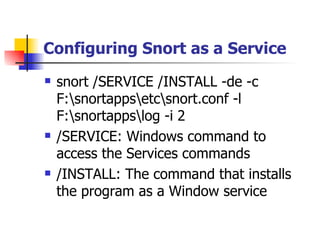
Configuring Snort as a Service snort /SERVICE /INSTALL -de -c F:\snortapps\etc\snort.conf -l F:\snortapps\log -i 2 /SERVICE: Windows command to access the Services commands /INSTALL: The command that installs the program as a Window service
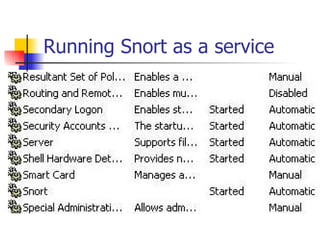
Running Snort as a service
Snort Report
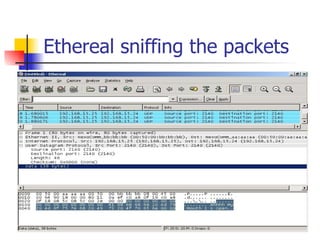
Ethereal sniffing the packets

SnortReport Presentation

  • 1.
    Installation of SNORT,APACHE, PHP, MYSQL and SnortReport. Presented By Ositadimma Maxwell Ejelike Bahman Radjabalipour
  • 2.
    HARDWARE AND SOFTWAREOperating System: Windows 2003 Server Enterprise Edition and Microsoft Windows XP Hardware: Compaq 1600 Pentium III dual Processor Server and Pentium IV workstation Software Installed Apache_1.3.24-win32-x86-src.msi www.apache.org Php-4.3.0-Win32.zip www.php.com Snort_243_Installer.exe www.snort.org WinPcap_3_1.exe http://www.winpcap.org Snortrules_snapshot_CURRENT [1].tar.gz www.snort.org Snortreport-1.3.1.tar.gz Jpgraph-1.20.3.tar.gz Gd-2.0.33.zip Mysql-4.0.17-win.zip Winrar
  • 3.
    SOFTWARE INSTALLTION DIRECTORIESOperating System: E:\ drive. Snort: F:\Snortapps Apache: E:\Program Files\Apache Group\Apache SnortReport: E:\Program Files\Apache Group\Apache\htdocs\snortreport JPGraph:E:\Program Files\Apache Group\Apache\jpgraph-1.20.3 GD:E:\Program Files\Apache Group\Apache\gd-2.0.33 MYSQL:E:\bin mysql PHP:F:\Snortapps\php Ethereal:E:\Program Files\Ethereal
  • 4.
    WINPCAP It capturespackets from the network cables and throws them to snort It’s a Windows version of libpcap used in Linux for running snort The WinPcap gets information about the network adapters in the network.
  • 5.
    SNORT Open sourced,lightweight, network intrusion detection system Uses easy to learn rules to detect and log the signatures of possible attacks It can also be use as a Sniffer It’s a free utility with active community support
  • 6.
    MYSQL SQL baseddatabase software Most supported platform for storing snort alerts Stores all IDS alerts triggered from our snort sensors. Snort can log directly to MYSQL natively, as the alerts come in.
  • 7.
  • 8.
    MYSQL CONTD. WinmysqladminEdit my.ini file Ran winmysqladmin from a command prompt Bind MySQL to the system localhost IP address, we use 127.0.0.1 Set the communication port; it's 3306 for a typical MySQL installation. Set the key_buffer setting for snort data, we choose 64M
  • 9.
    MYSQL CONTD. CleaningMYSQL and creating DB for Snort mysql -u root –p delete from user where host = "%"; delete from user where user = "“ select * from user drop database test show databases create database snort create database archive Grant INSERT, SELECT, UPDATE on snort.* to snort@localhost identified by "snortdba";
  • 10.
    APACHE WEB SERVERWeb Server of choice for most websites The sole purpose is for hosting the SnortReport web-based console
  • 11.
    APACHE WEB SERVERFOR SNORT LoadModule php4_module F:/Snortapps/php/sapi/php4apache.dll AddModule mod_php4.c Addtype application/x-httpd-php .php .phtml Order deny, allow Deny from all Allow from 127.0.0.1
  • 12.
    PHP General-purpose scriptinglanguage for web development Support for a database-enabled web page Provides support for SnortReport
  • 13.
    PHP FOR SNORTCopy "F:\snortapps\php\php4ts.dll" to " E:\WINDOWS\system32" . Copy "C:\snortapps\PHP\sapi\php4apache4.dll" to "E:\Program Files\Apache Group\Apache\Modules" Copy the file "E:\snortapps\php\php.ini-dist" to our ROOT Folder (E:\WINDOWS) and renamed it to "php.ini". Edit the php.ini max_execution_time = 60 session.save_path = E:/windows/temp removed the ; in front of "; extension=php_gd.dll" doc_root = E:\program files\apache group\apache\htdocs\snortreport extension_dir = F:\Snortapps\php\extensions
  • 14.
    JDGRAPH AND GD2.0.11 A general graphics library that supports PNG images It is used to display the nice pie graph in SnortReport Uncompress it to the directory where Apache is installed
  • 15.
    SNORTREPORT Snort Reportis an add-on module for the Snort Intrusion Detection System. It provides real-time reporting from the MySQL database generated by Snort. It’s a Web-based application for viewing all IDS alerts All sensor information is consolidated here for viewing
  • 16.
    SNORTREPORT INSTALLATION UncompressSnortReport Navigate to the snortreport folder and choose srconf.php. Edit the variables below: $server = "localhost"; $user = "snort"; $pass = "snortdb"; $dbname = "snort"; define(“Path of JDGRAPH", “Path of GD"); Reboot the machine Start your browser and type: http://localhost/snortreport
  • 17.
    Configuring snort.conf varHOME_NET 192.168.15.24/32 output database: alert, mysql, user=snort dbname=snort password=PASSWORD host=127.0.0.1 port=3306 sensor_name=maxserver include $RULE_PATH/bahman_Maxwell.rules Include F:\Snortapps\etc\classification.config Include F:\Snortapps\etc\reference.config
  • 18.
    Configuring Snort asa Service snort /SERVICE /INSTALL -de -c F:\snortapps\etc\snort.conf -l F:\snortapps\log -i 2 /SERVICE: Windows command to access the Services commands /INSTALL: The command that installs the program as a Window service
  • 19.
  • 20.
  • 21.