UML 2-OMG certification course (OCUP Fundamental-4) Instructor:  M.C. Ricardo Quintero
Interaction Diagrams The topics described in this section refer to the following metamodel areas: Package  Interactions::BasicInteractions Interactions Lifelines Messages The topic area constitutes 20 percent of the test.
Interactions Def.-  An interaction describes a  series of messages  that a selected set of  participants  exchange within a situation limited in time.
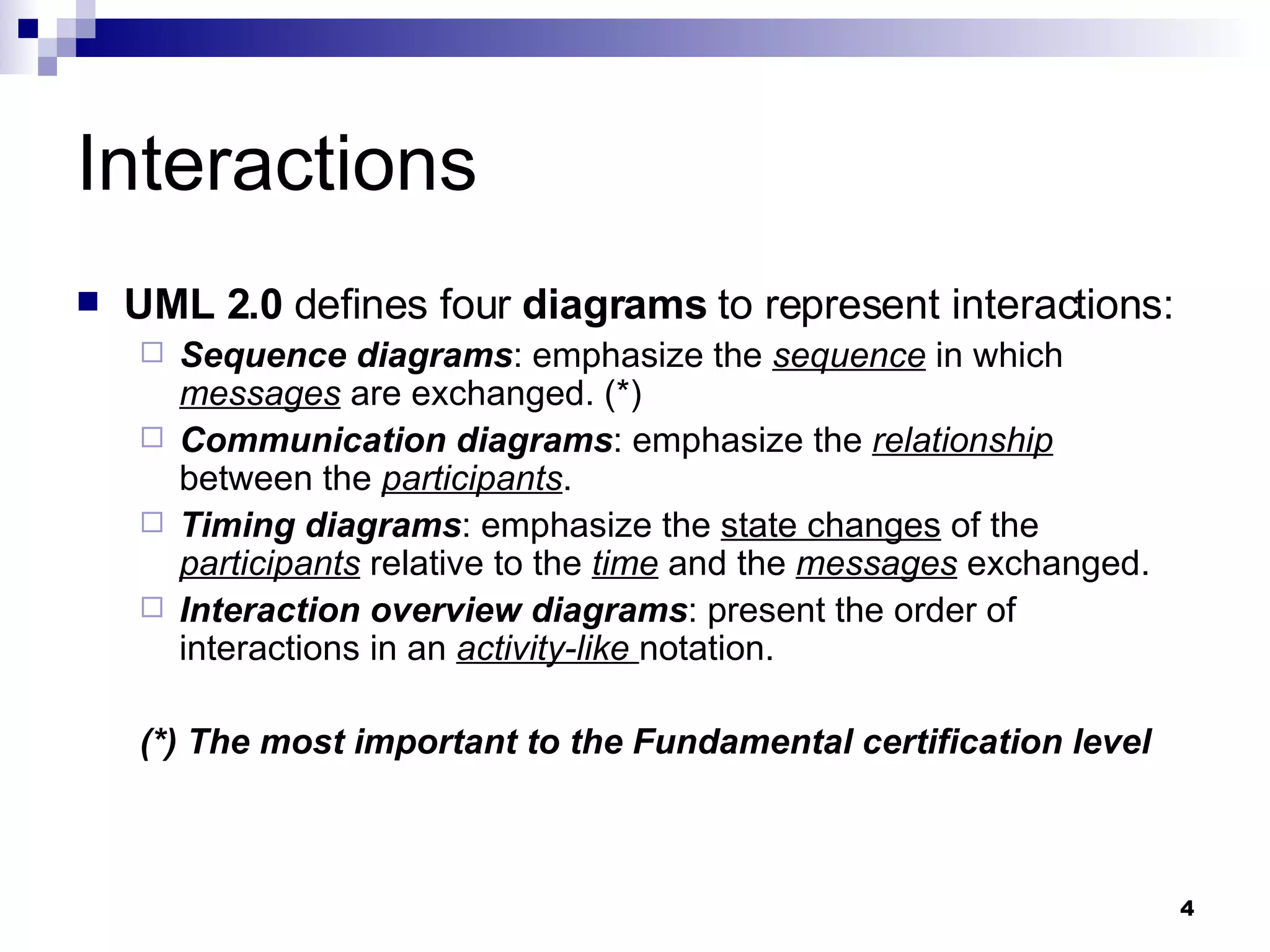
Interactions UML 2.0  defines four  diagrams  to represent interactions: Sequence diagrams : emphasize the  sequence  in which  messages  are exchanged. (*) Communication diagrams : emphasize the  relationship  between the  participants . Timing diagrams : emphasize the  state changes  of the  participants  relative to the  time  and the  messages  exchanged. Interaction overview diagrams : present the order of interactions in an  activity-like  notation. (*) The most important to the Fundamental certification level
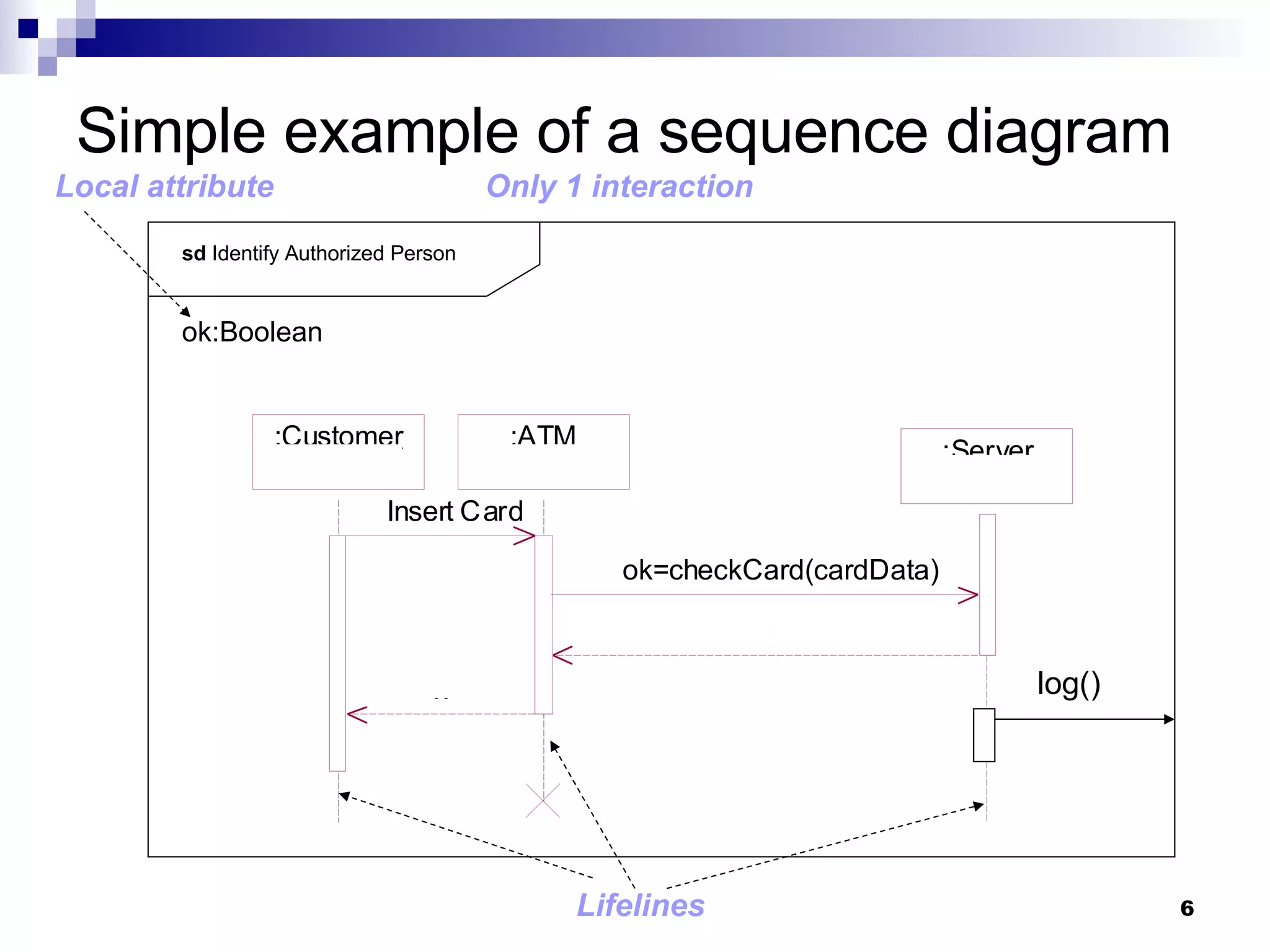
Notation & Semantics The  most important  aspect in  sequence diagrams  is  the time of messages . Each  participant is represented  by a  rectangle  and a  vertical dashed line  called  lifeline . Messages  are represented by  arrows  between lifelines. The  time  runs from top to bottom,  showing the time of message flows .
Simple example of a sequence diagram sd  Identify Authorized Person log() ok:Boolean Lifelines Only 1 interaction Local attribute
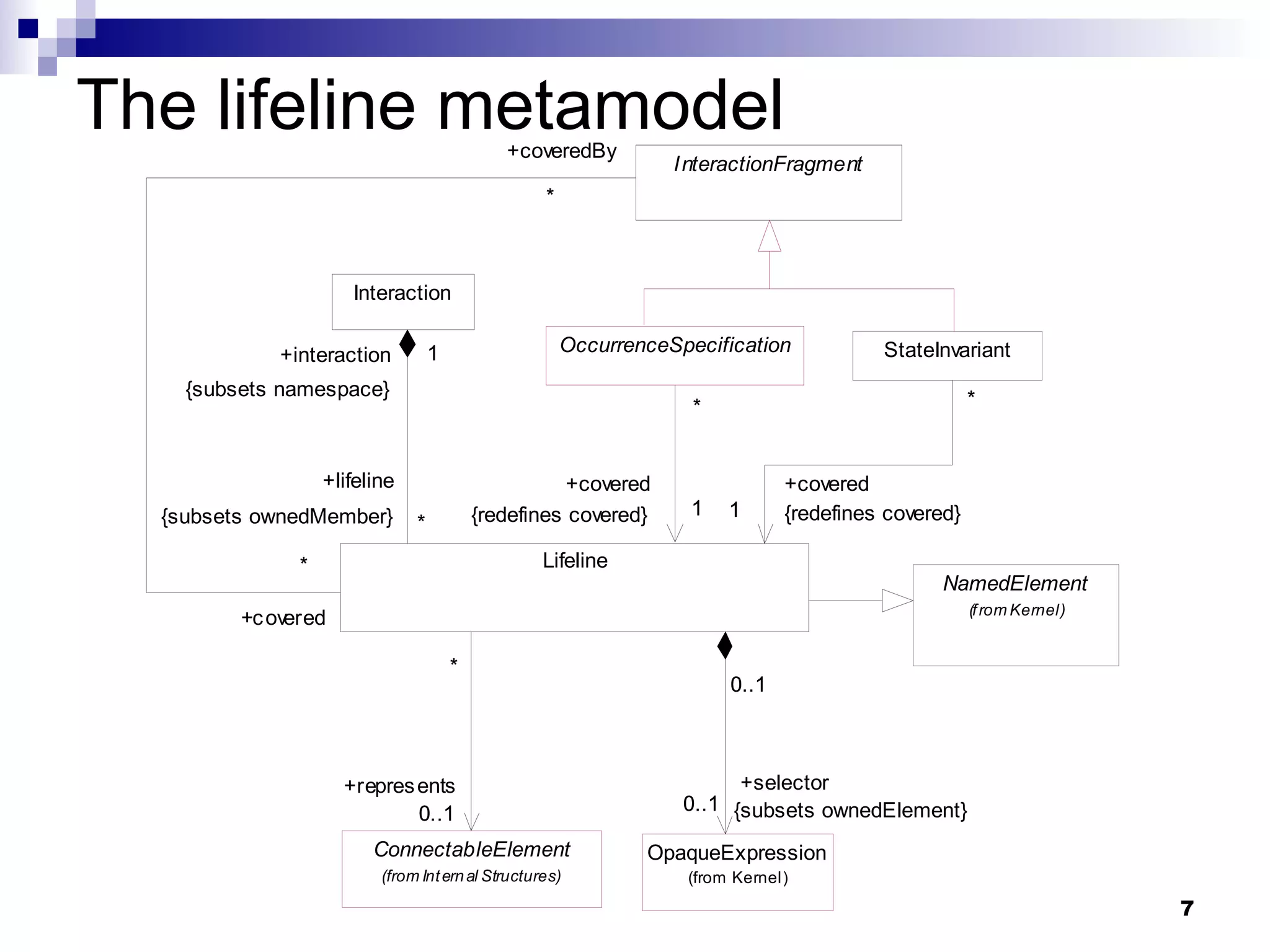
The lifeline metamodel
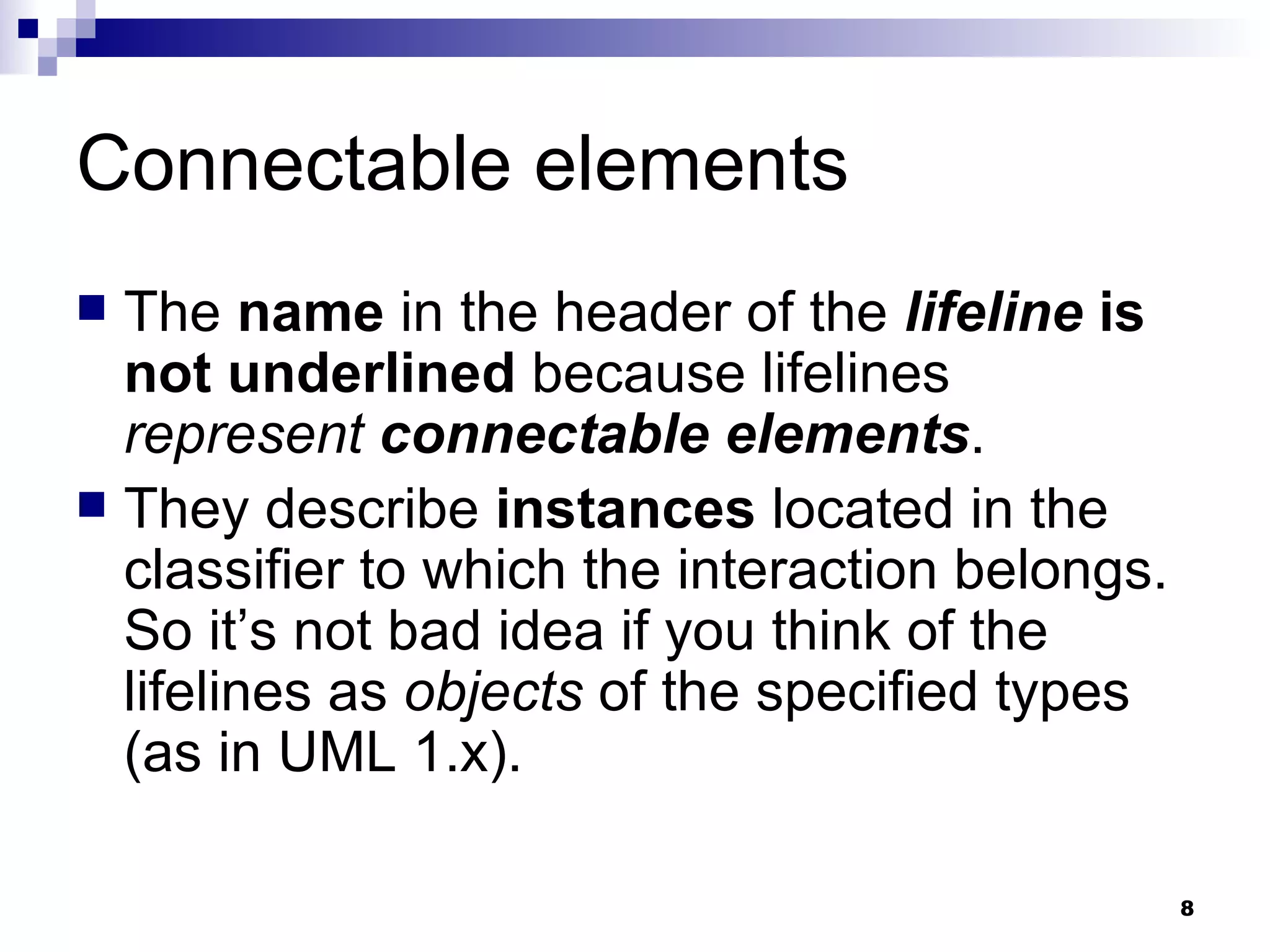
Connectable elements The  name  in the header of the  lifeline   is not underlined  because lifelines  represent   connectable elements . They describe  instances  located in the classifier to which the interaction belongs. So it’s not bad idea if you think of the lifelines as  objects  of the specified types (as in UML 1.x).
Multiobjects The header of a lifeline shows (optionally) the  element name , together with the  pertaining classifier  (name:type). A lifeline always represent exactly  one element  (so the  Multiobjects of 1.x are not permited ). Of course,  a lifeline can represent an element from a multivalued property .  In order  to select one specific element , you have to state a  selector . The header of lifeline can also show the keyword  self , which represents an instance of the classifier to which the interaction belongs
Lifelines & set types res[2]:BookingList :BookingList :Booking A set type Using a selector to select one element from a set type Multiobjects 1.x not permited
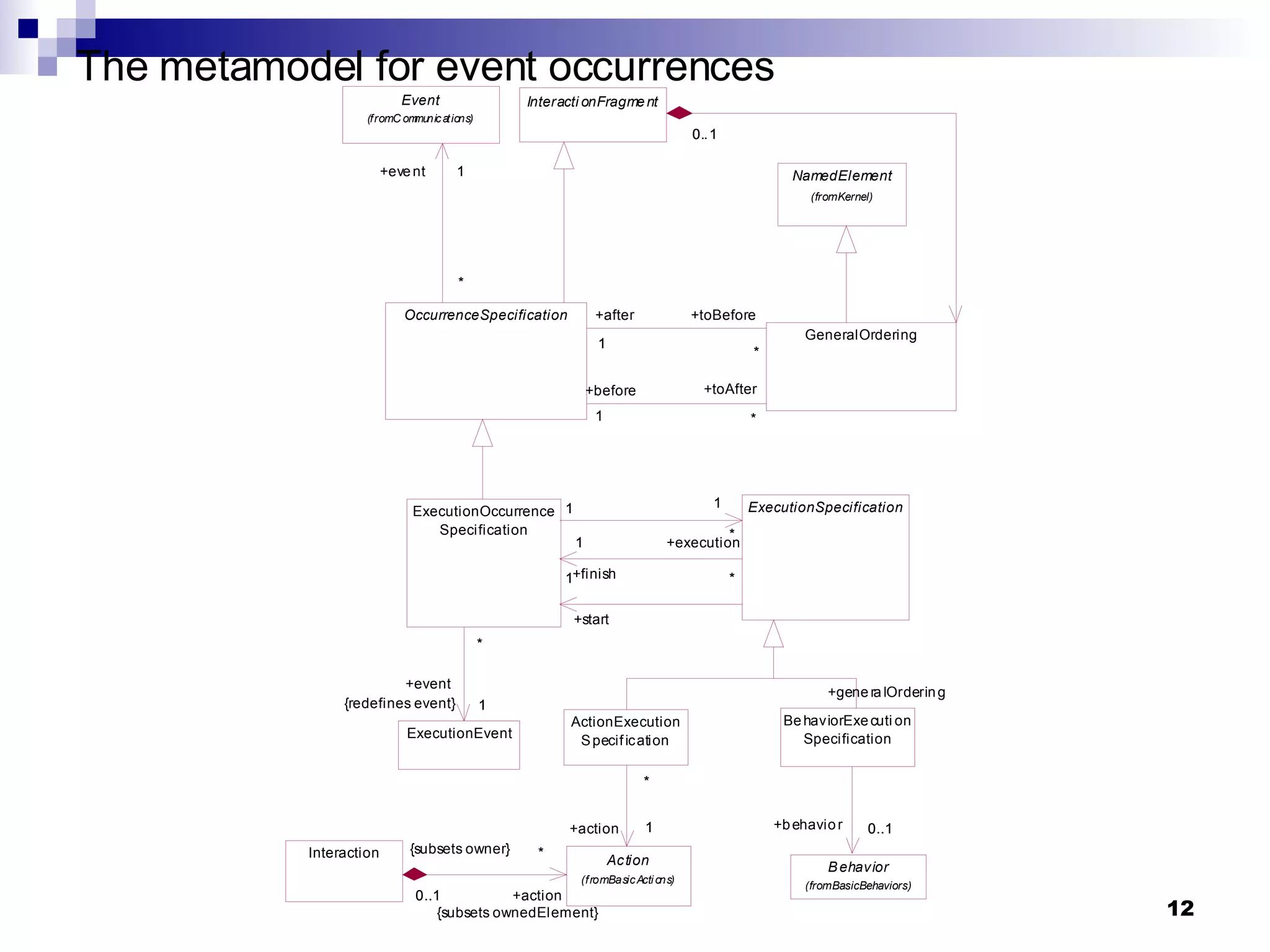
Execution occurrence When  messages are exchanged  between lifelines, then  a behavior  in the participating elements  has to be executed . This behavior is represented by  oblong rectangles  on the lifelines and represent the  execution occurrence . The  beginning  and the  end  of an  execution occurrence  are defined by  event occurrences . The  sending  and  receiving   of messages  determine the  beginning  and the  end  of an  execution occurrence .
The metamodel for event occurrences
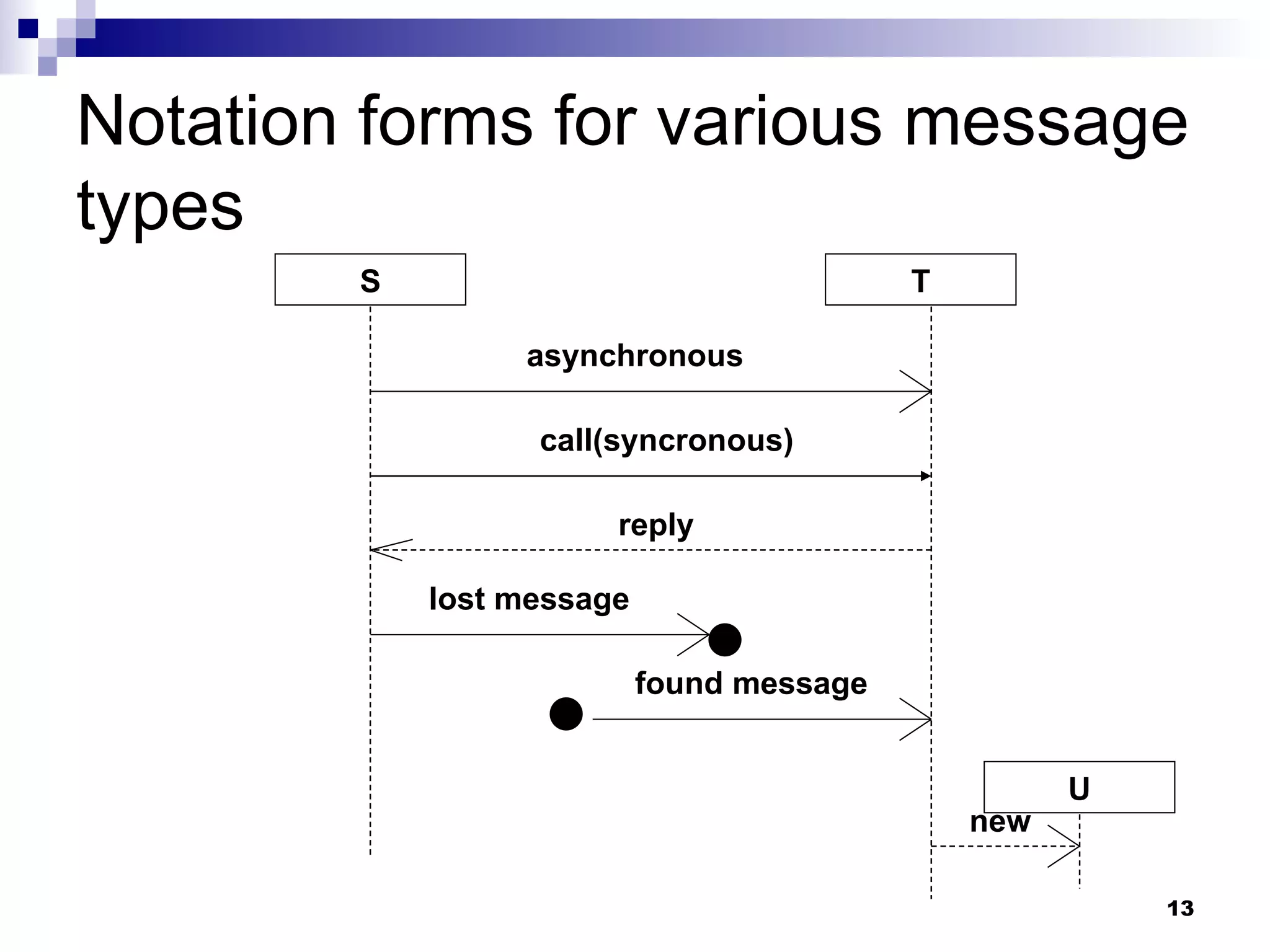
Notation forms for various message types S T asynchronous call(syncronous) reply lost message found message U new
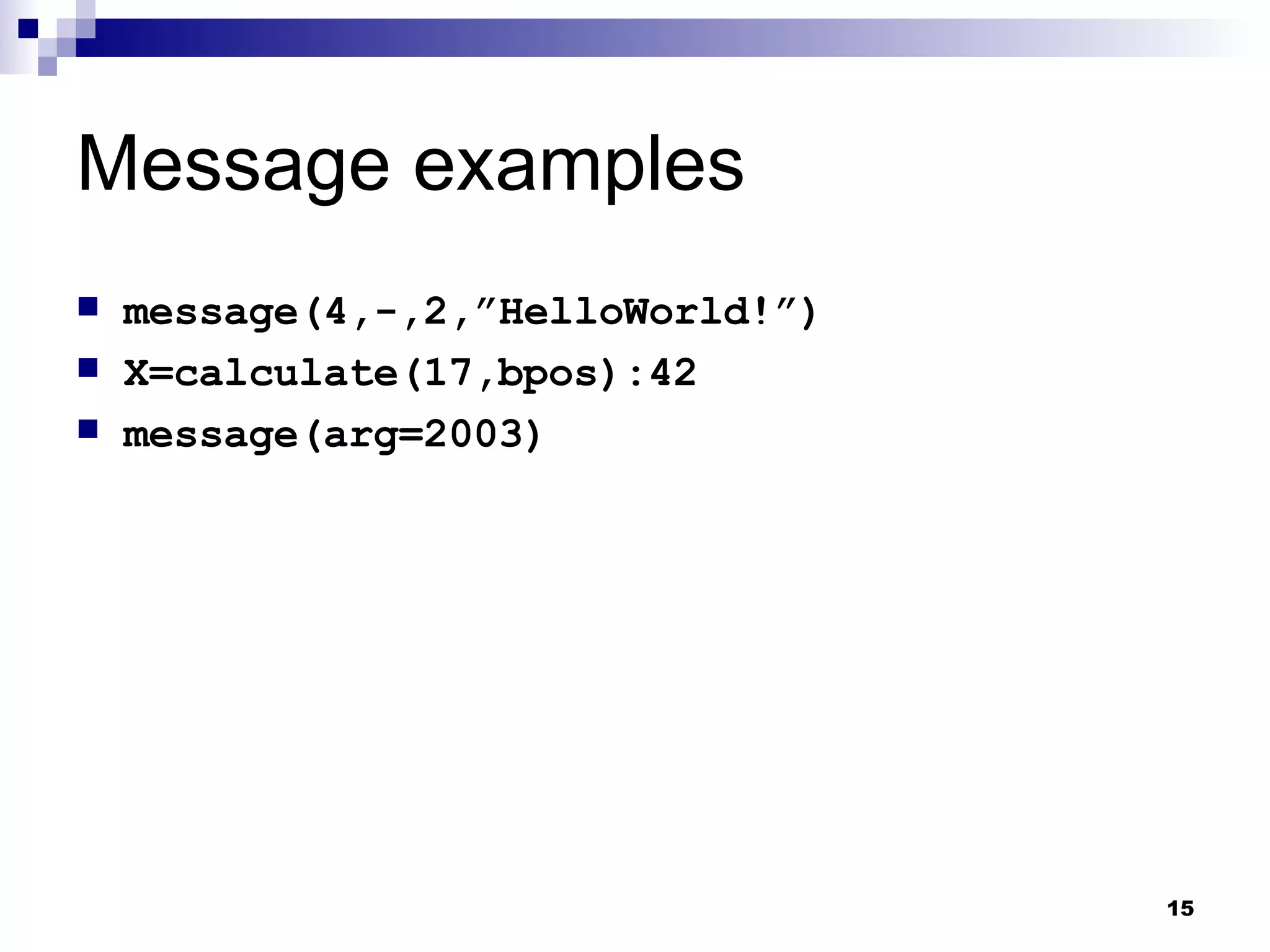
Message sintax [attribute=] name [(arguments)][:return value]|’*’ Where: attribute : can a be a local variable or an instance fo a lifeline. Is used only for synchronous messages with return values. name : the name of the called message or the name of the signal sent. Signal sending is always asynchronous. arguments : list of parameters, separated by commas. Sintax: [parameter=]value  (for  in  parameters) Attribute=output parameter[:output value]  (for  out ,  inout  or  return ) ‘ -’  (used when the value is unknown and when it doesn’t play a role for the interaction) Instead of the message you can specify an asterisk (*). It’s a kind of joker  for any message .
Message examples message(4,-,2,”HelloWorld!”) X=calculate(17,bpos):42 message(arg=2003)
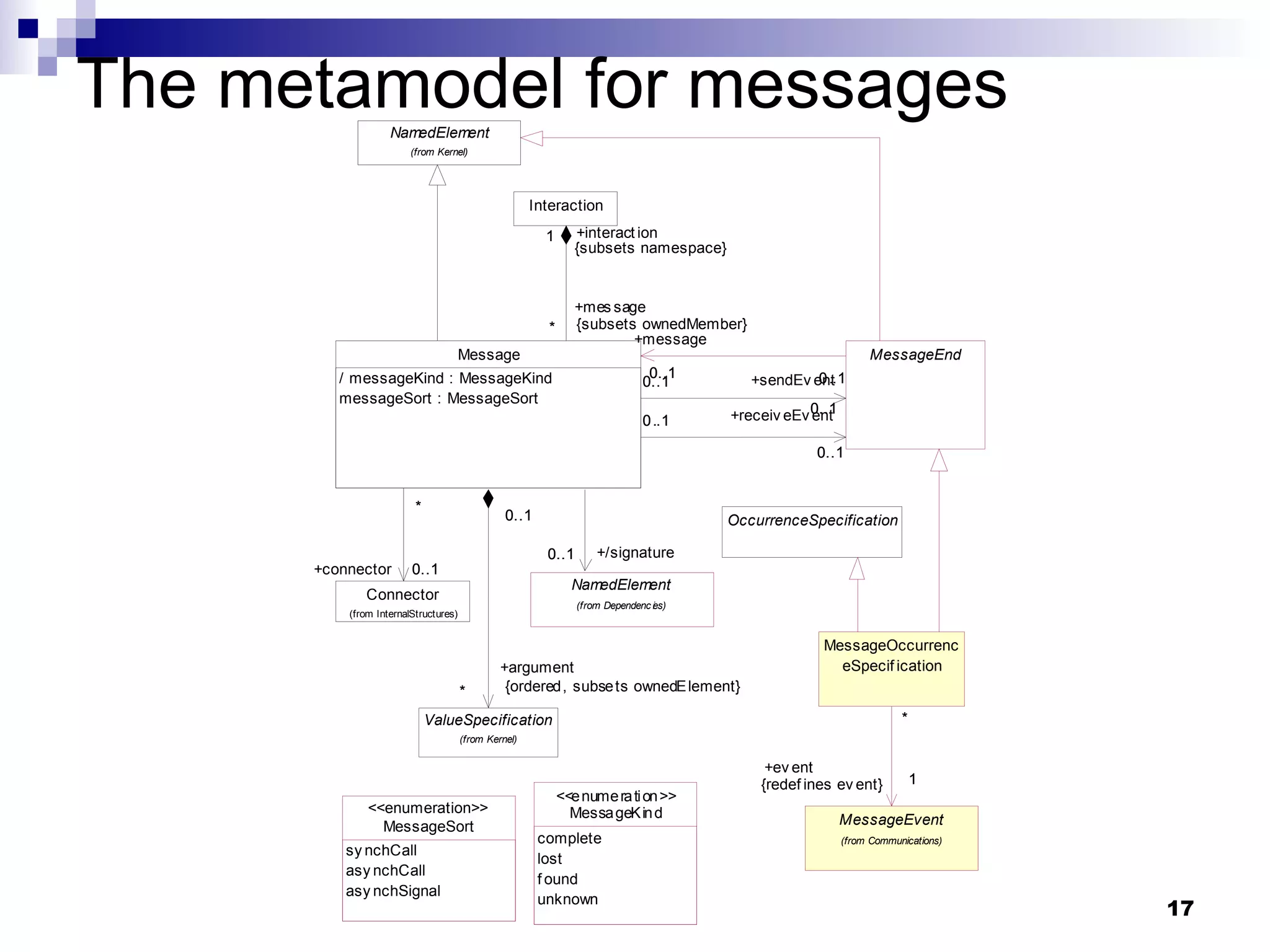
Destroying objects The  destruction of an object  is a special  event ocurrence  (see the metamodel).
The metamodel for messages
Event ocurrence: sending and receiving messages Event ocurrences  that arise immediately upon  sending and receiving messages  are  more important than a stop for the certification . Sending  is an  event , as is  Receiving . These events are used to  define the semantics of an interaction  that can be described by  two sets .
Event ocurrence: sending and receiving messages One set  contains the  valid sequences  of  send  and  receive  events. The  other set  contains  invalid sequences . All  remaining sequences  are  irrelevant  for the interaction.
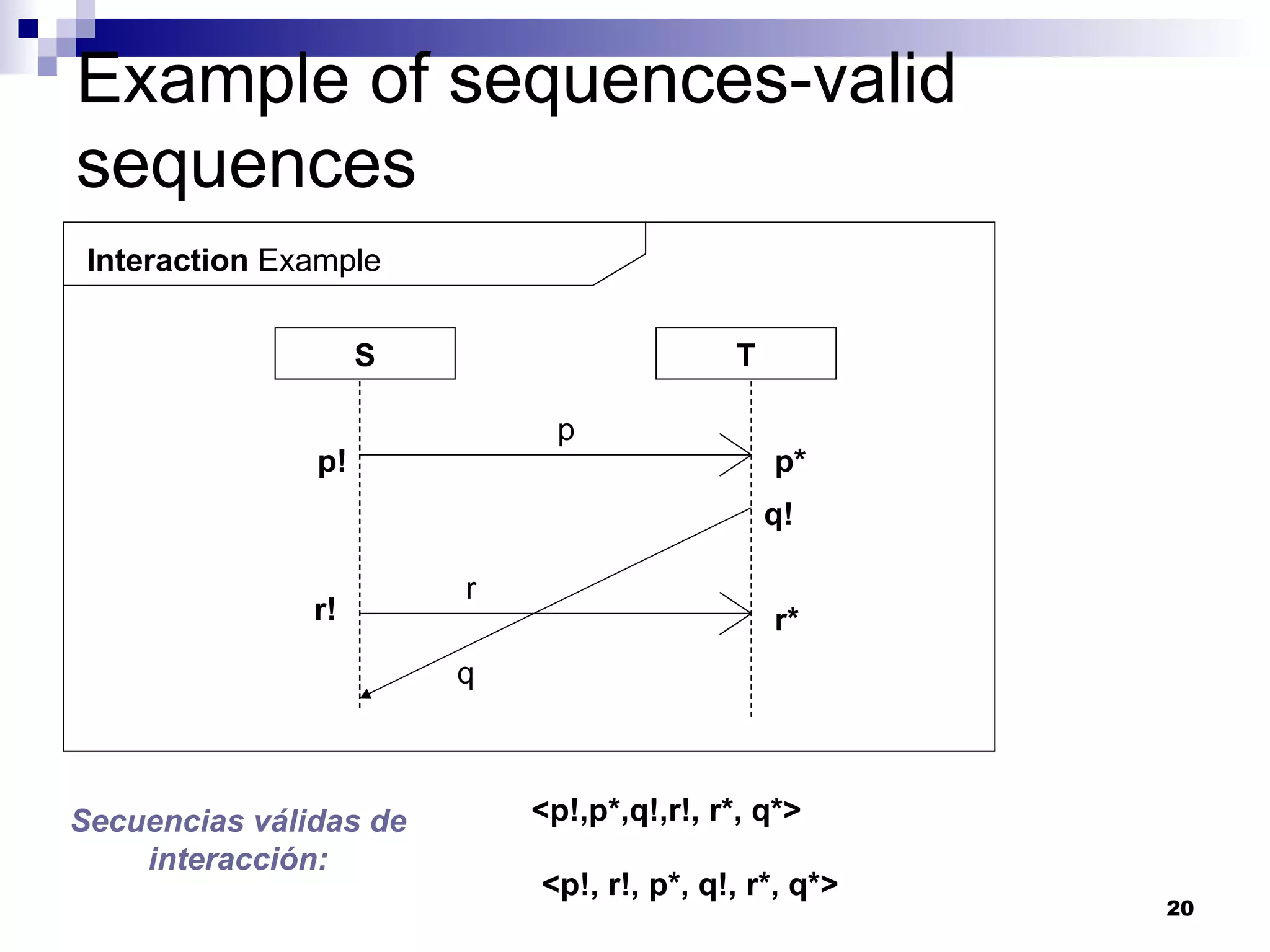
Example of sequences-valid sequences Interaction  Example S T p r p! p* q! r* r! q Secuencias válidas de interacción: <p!,p*,q!,r!, r*, q*> <p!, r!, p*, q!, r*, q*>
Rules to determine valid sequences Before  a receive event , there must always be the pertaining  send event first . The sequence along one lifeline is relevant . In contrast, the position of one event relative to an event on another lifeline is  insignifcant . Ex.-  Thought  event  r!  comes after  q! ,  r!  can nevertheless happen first.
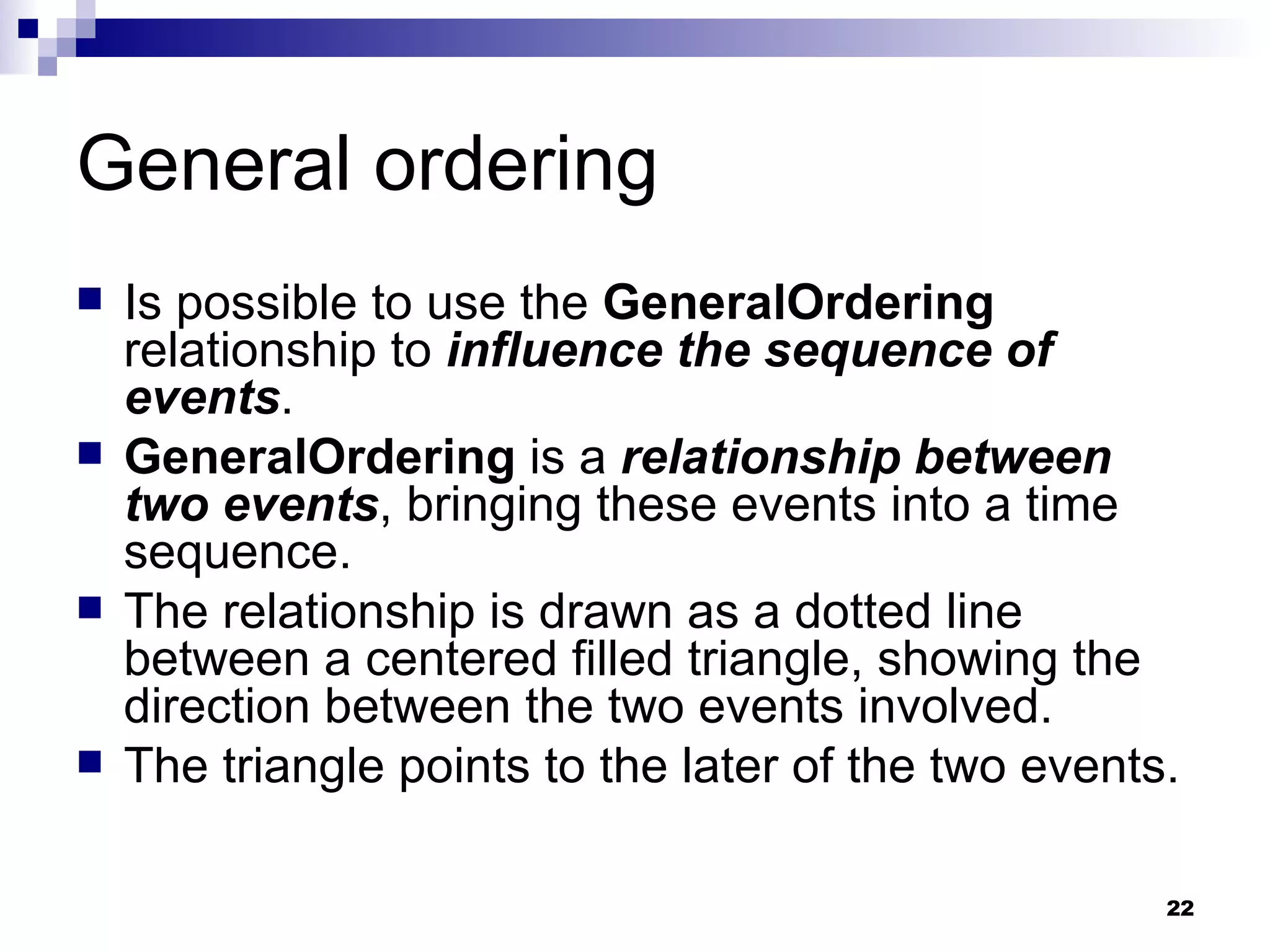
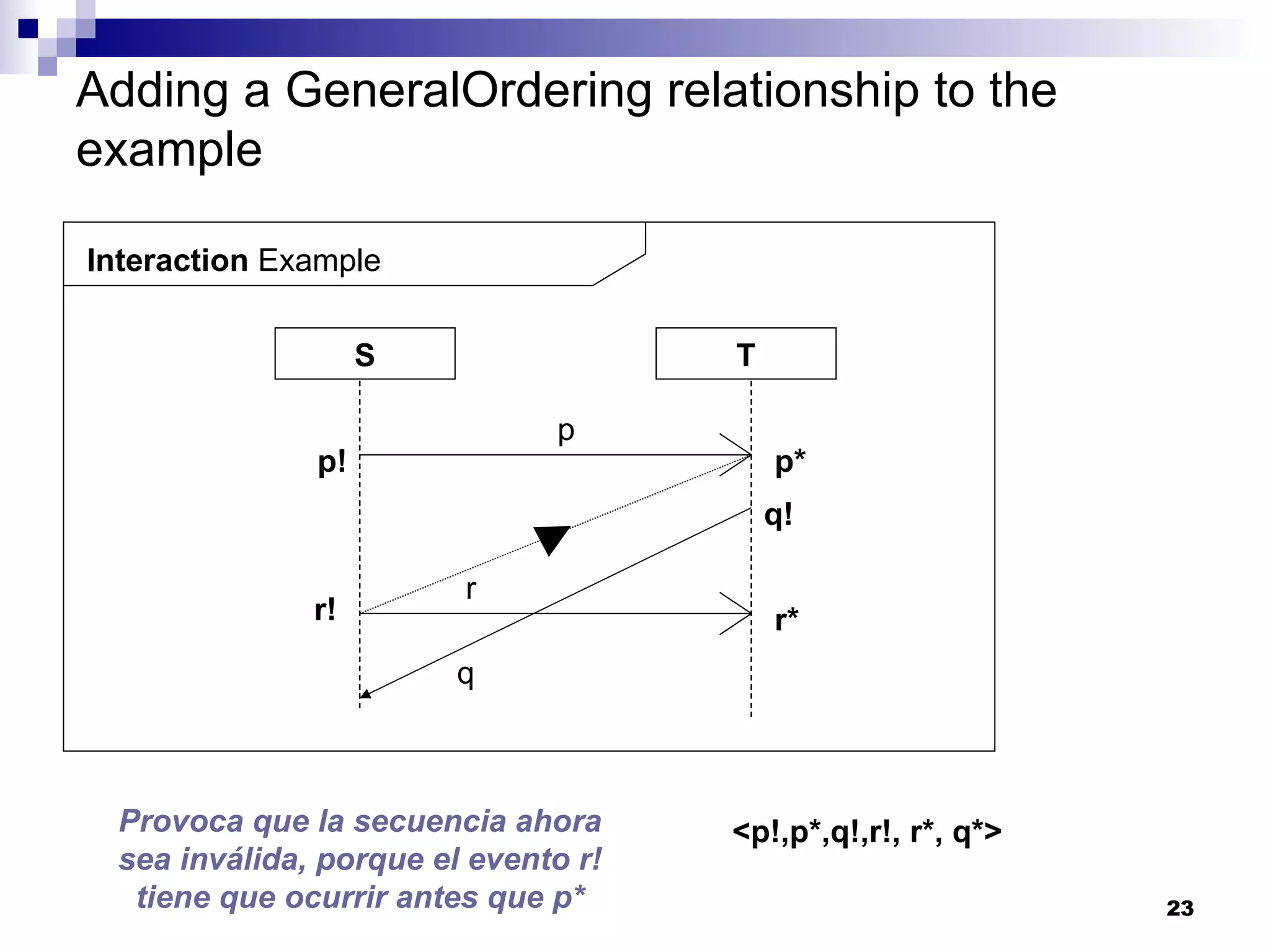
General ordering Is possible to use the  GeneralOrdering  relationship to  influence the sequence of events . GeneralOrdering  is a  relationship between two events , bringing these events into a time sequence. The relationship is drawn as a dotted line between a centered filled triangle, showing the direction between the two events involved. The triangle points to the later of the two events.
Adding a GeneralOrdering relationship to the example Interaction  Example S T p r p! p* q! r* r! q Provoca que la secuencia ahora sea inválida, porque el evento r! tiene que ocurrir antes que p* <p!,p*,q!,r!, r*, q*>
StateInvariant The exchange of messages can causes the  states of instances  represented by lifelines  to change . This can be denoted by  state invariants .
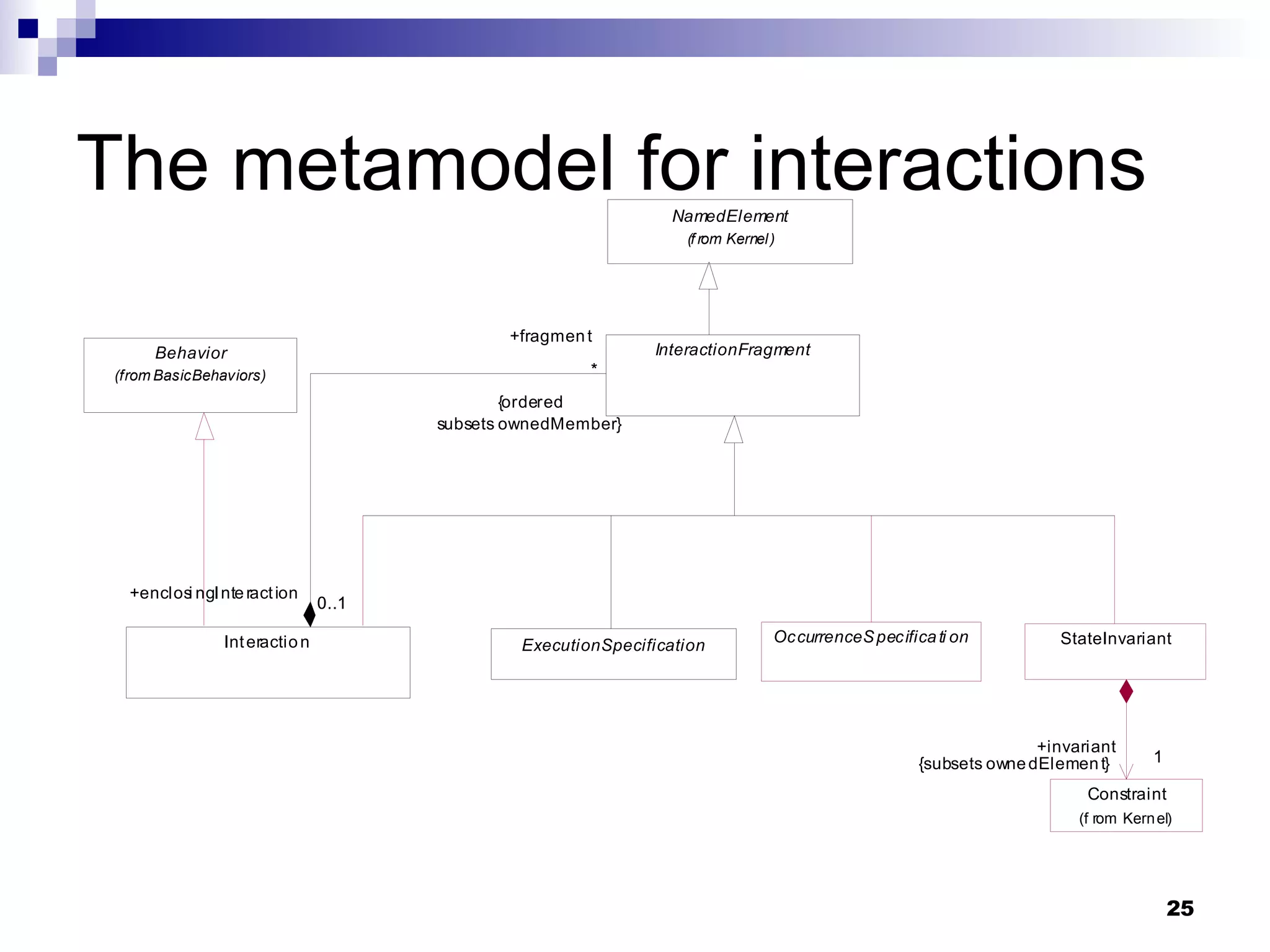
The metamodel for interactions
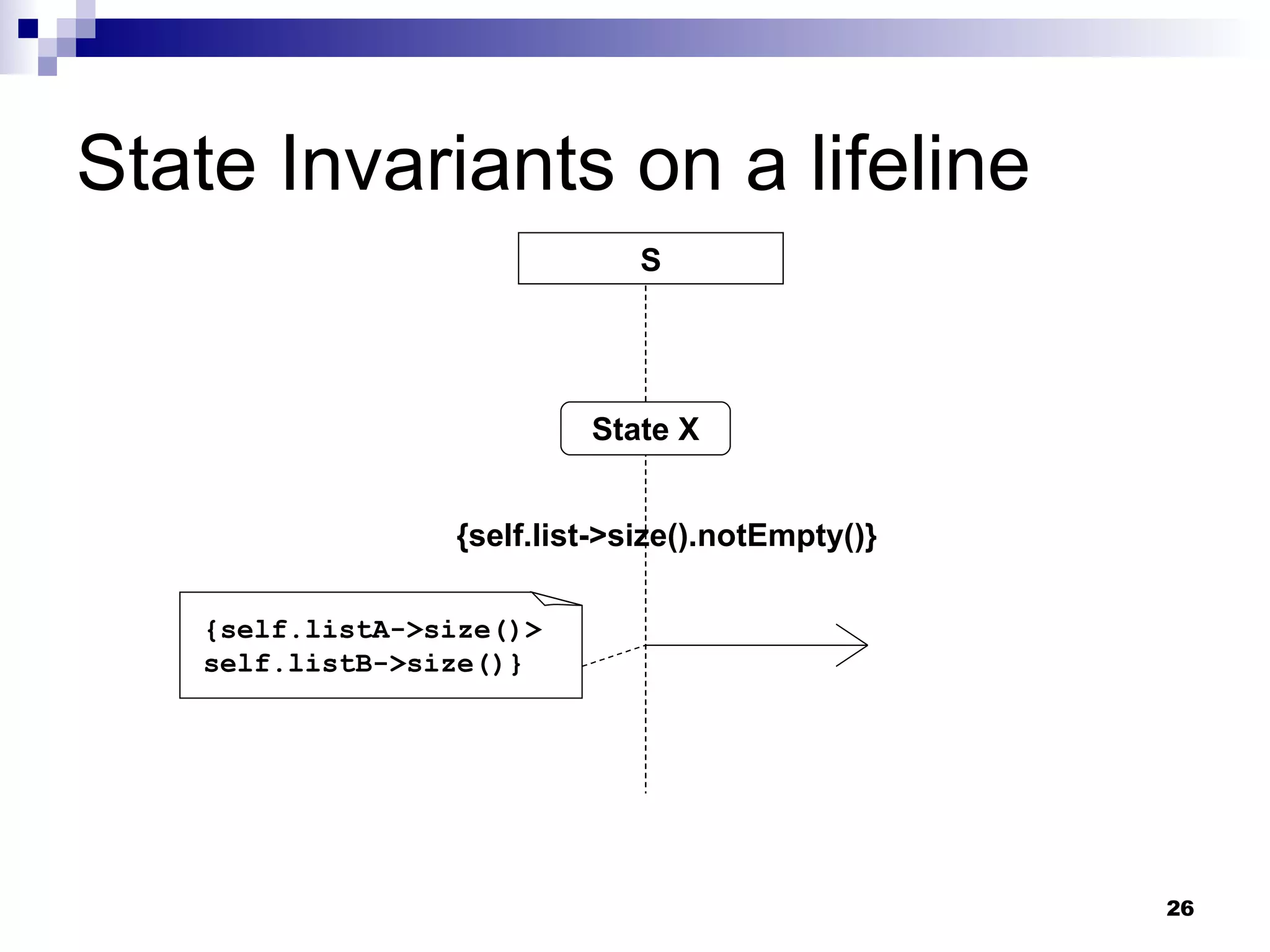
State Invariants on a lifeline S State X {self.list->size().notEmpty()} {self.listA->size()> self.listB->size()}
Structure of interactions The metamodel class  Interaction  owns the elements  Message  and  Lifeline . The abstract superclass of  Interaction  and other elements, such as  EventOcurrence , is  InteractionFragment . The entire structure of an interaction is formed by means of the  composite pattern .
Checklist: Interaction diagrams What is an interaction? What does a lifeline represent? What does  self  mean in a lifeline? What is an execution ocurrence? What types of message are there? What is a stop? What events are triggered by an exchange of messages?
Checklist: Interaction diagrams How is the semantics of an interaction defined? How many valid event sequences can an interaction have? What rules determine valide event sequences? What does the  GeneralOrdering  relationship express? What is a state invariant? How are state invariants denoted?
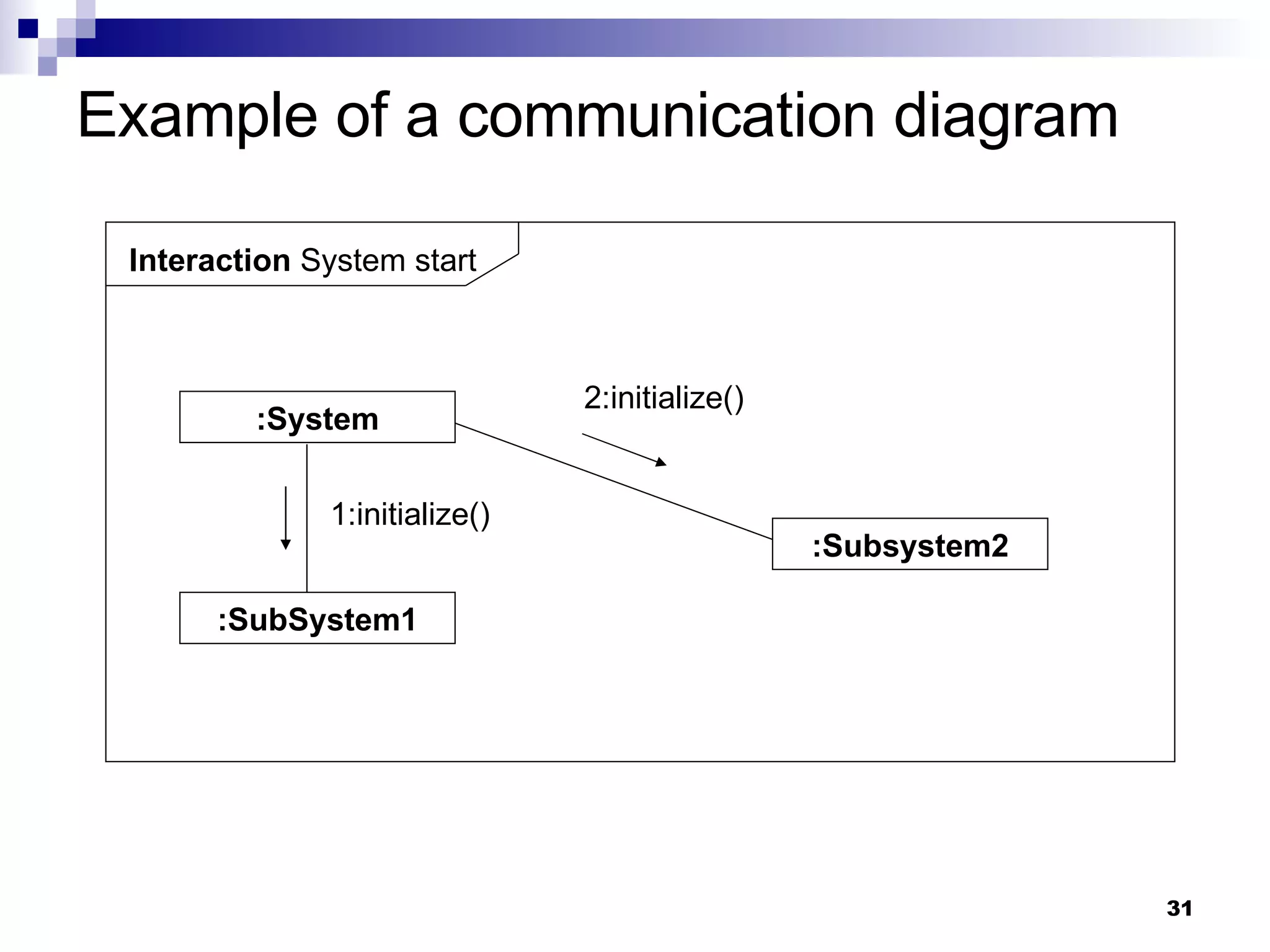
Diagramas de comunicación Emphasizes  the relationship of the participants  rather than the time sequence of the exchange of messages as in sequence diagrams.
Example of a communication diagram Interaction  System start :System :Subsystem2 :SubSystem1 2:initialize() 1:initialize()
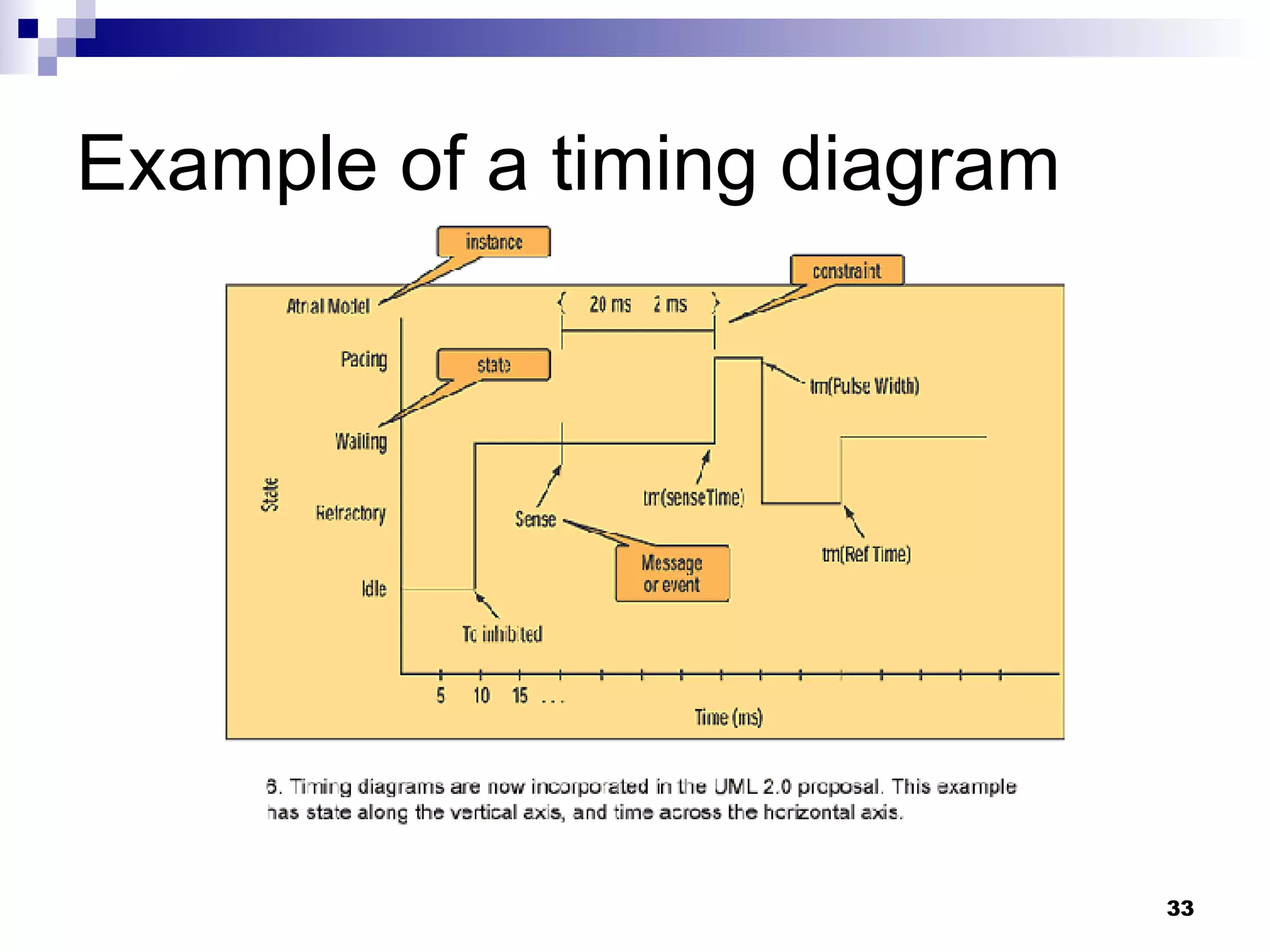
Timing diagram Is another view on the interaction model. It emphasizes timing aspects; in particular, the state change of the lifelines at specific times. The states are state invariants in the interaction model.
Example of a timing diagram
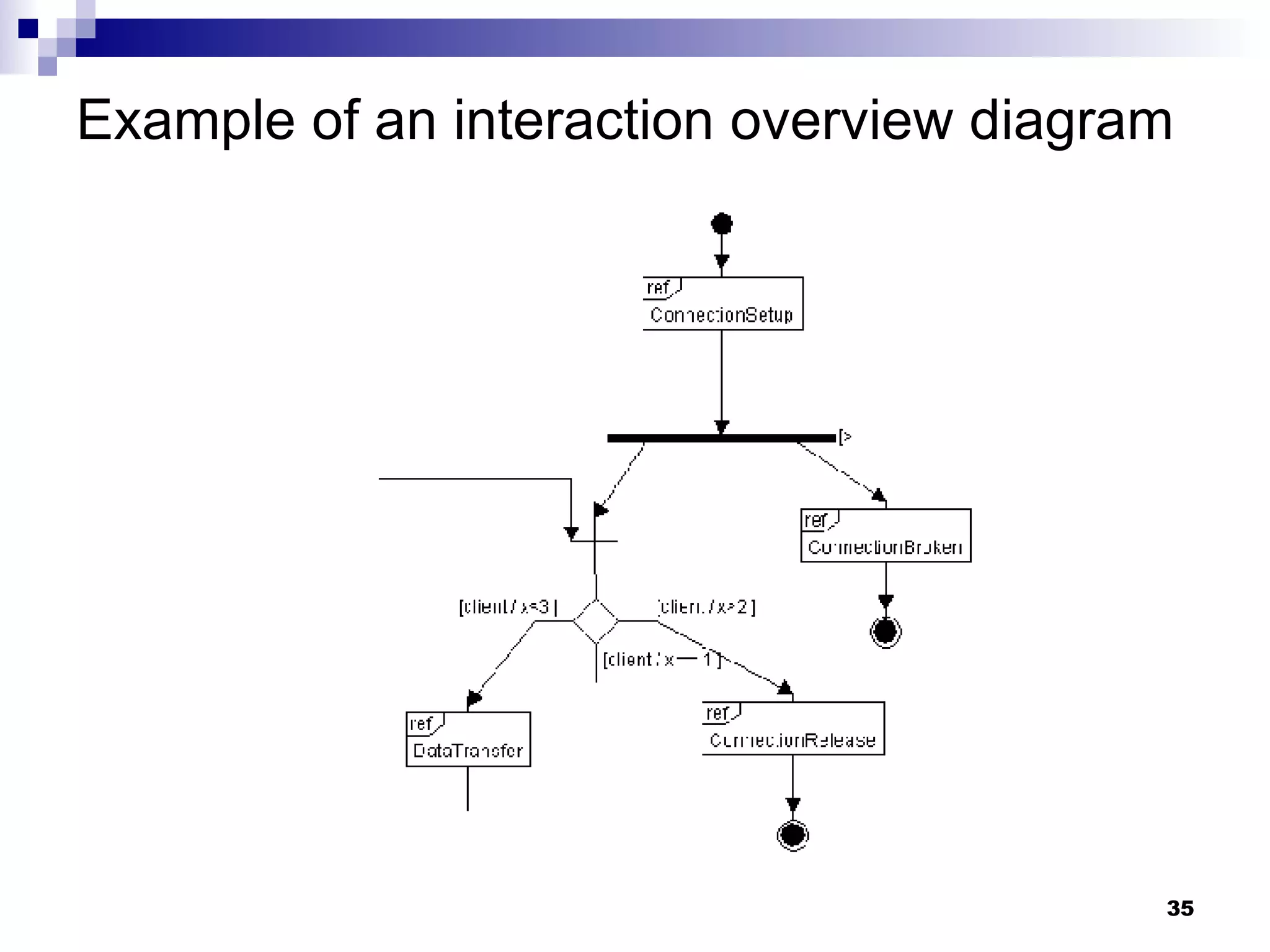
Interaction overview diagram It looks like an activity diagram. However it is an interaction diagram that uses the same notation. The  nodes are interactions or interaction uses . The diagram  specifies the executing order of interactions .
Example of an interaction overview diagram
Use cases The topics discussed in this section refer to the following areas of the metamodel: Package:  UseCases Actors Include and extend relationships The classifiers of a use case Other use case concepts This topic area constitutes 20 percent of the test.
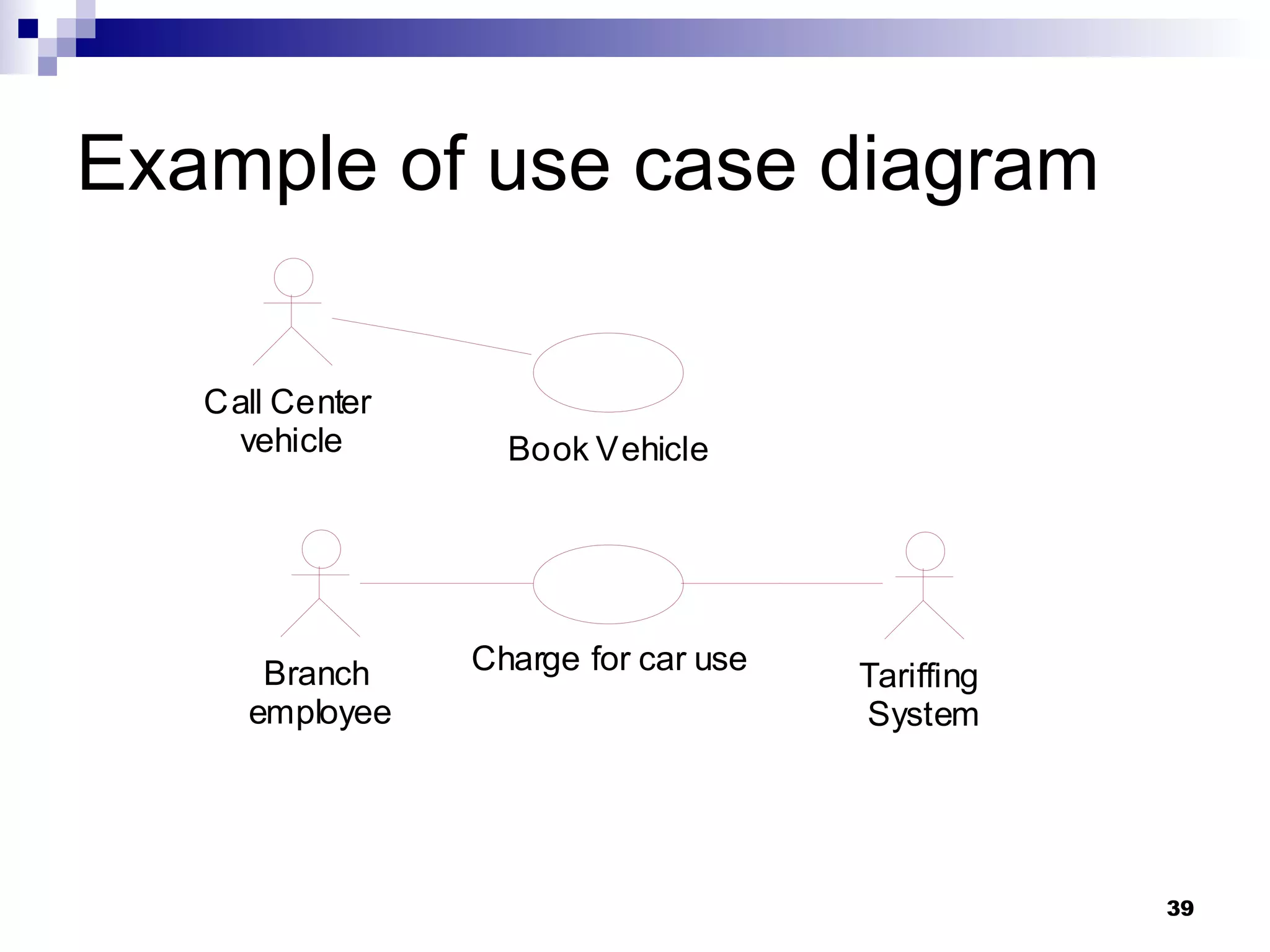
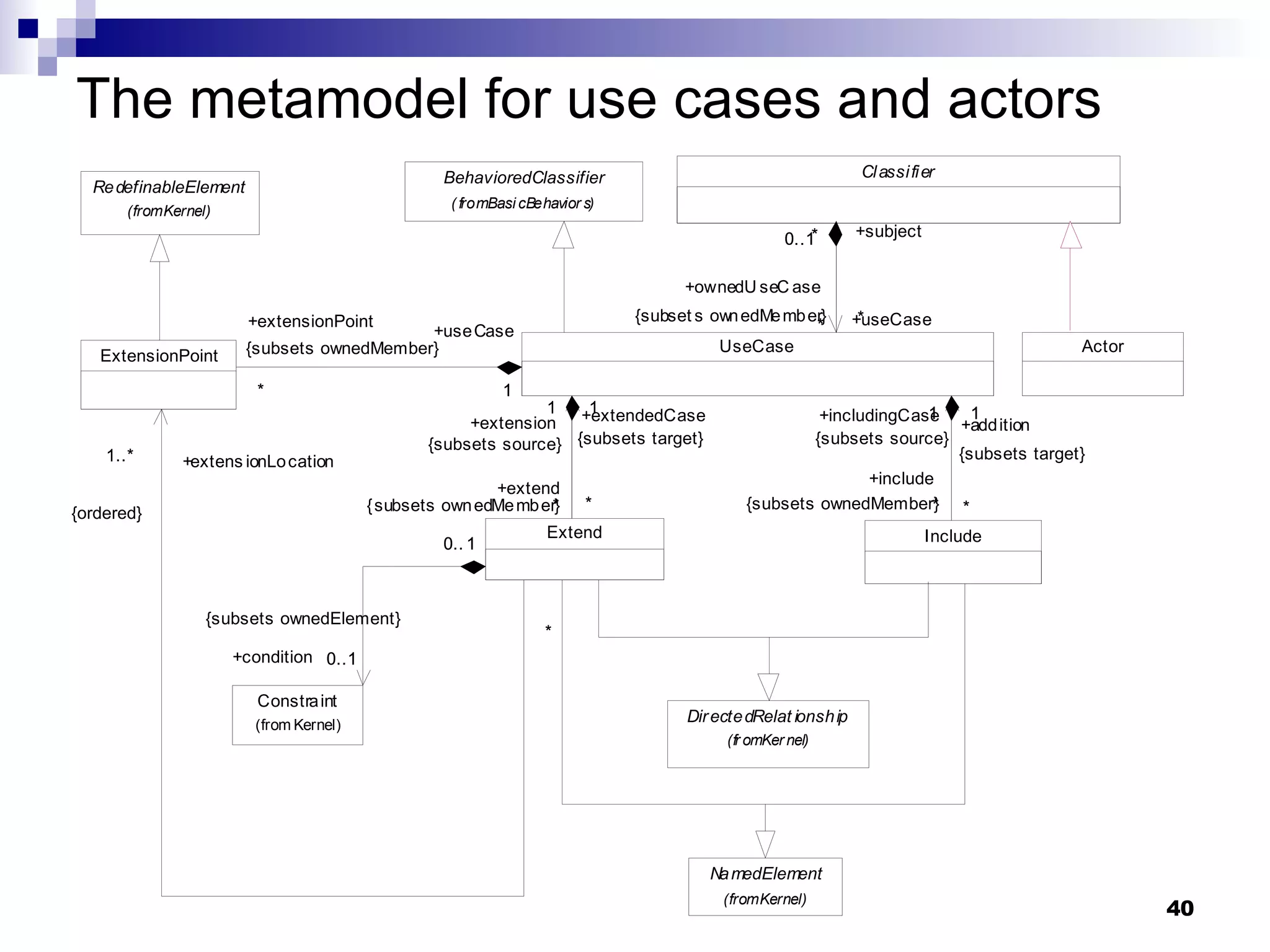
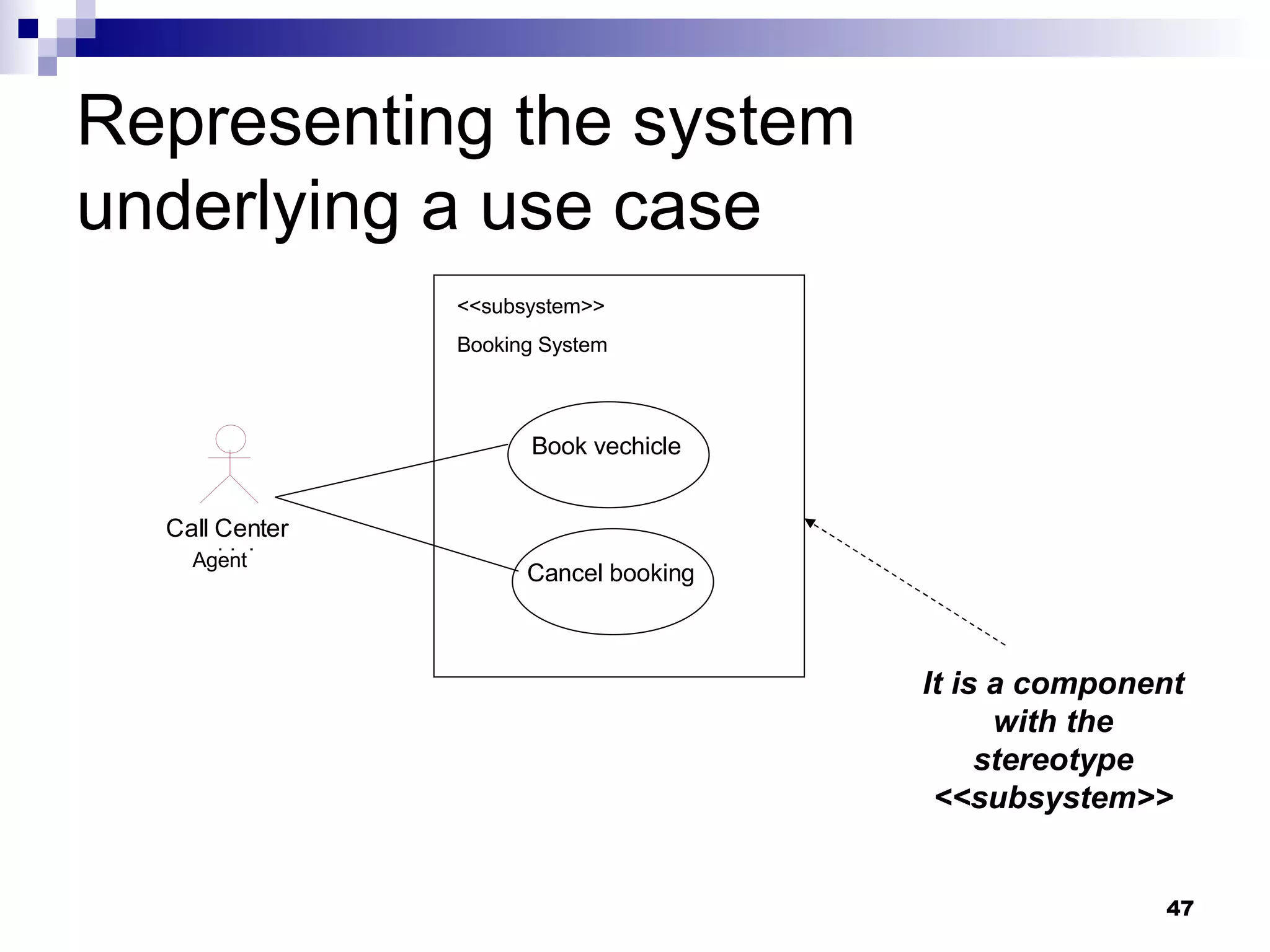
Use cases & Actors Def. - A  use case  specifies a  set of actions  that are executed by a  system  or  subject  and that lead to a  result . An  actor  is a  role  outside the system or subject of the pertaining use case that interacts with the system in the context of the use case.
Notation & Semantics A  use case diagram  describes the  relationships  among a set of  use cases  and the  actors  participating in these use cases. The diagram does not show sequence flow (though is possible define it textually or by activity diagrams)
Example of use case diagram
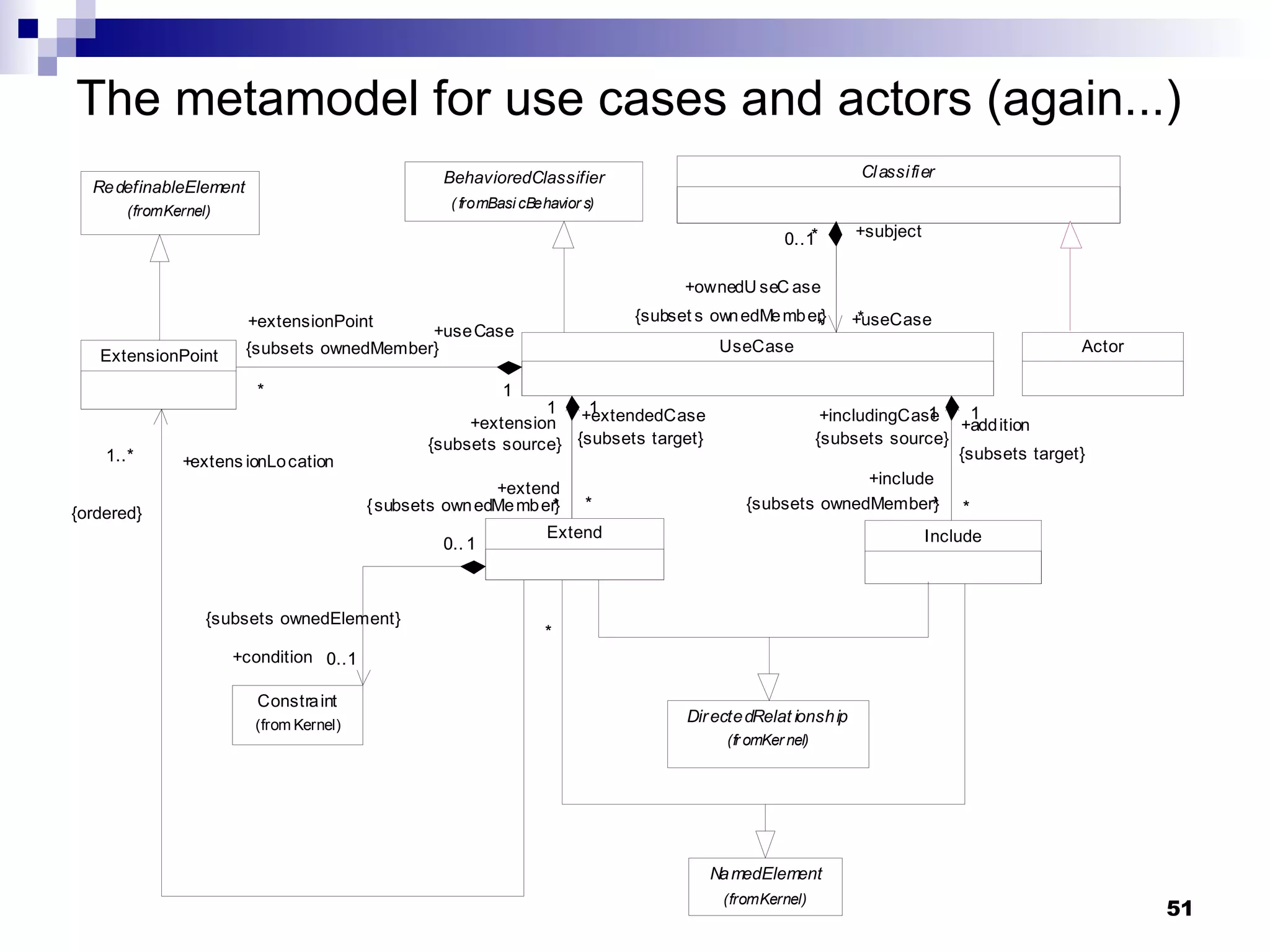
The metamodel for use cases and actors
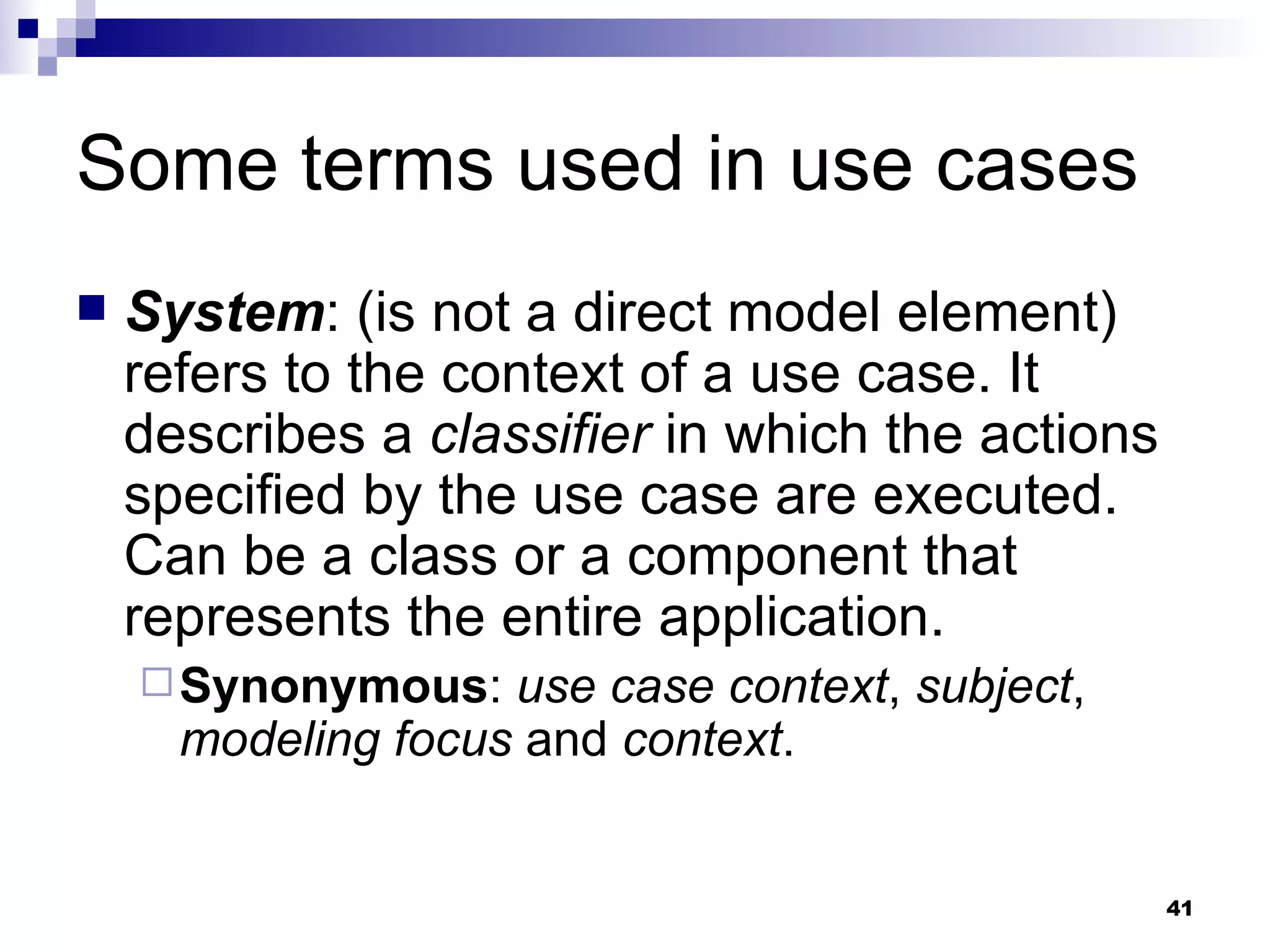
Some terms used in use cases System : (is not a direct model element) refers to the context of a use case. It describes a  classifier  in which the actions specified by the use case are executed. Can be a class or a component that represents the entire application. Synonymous :  use case context ,  subject ,  modeling focus  and  context .
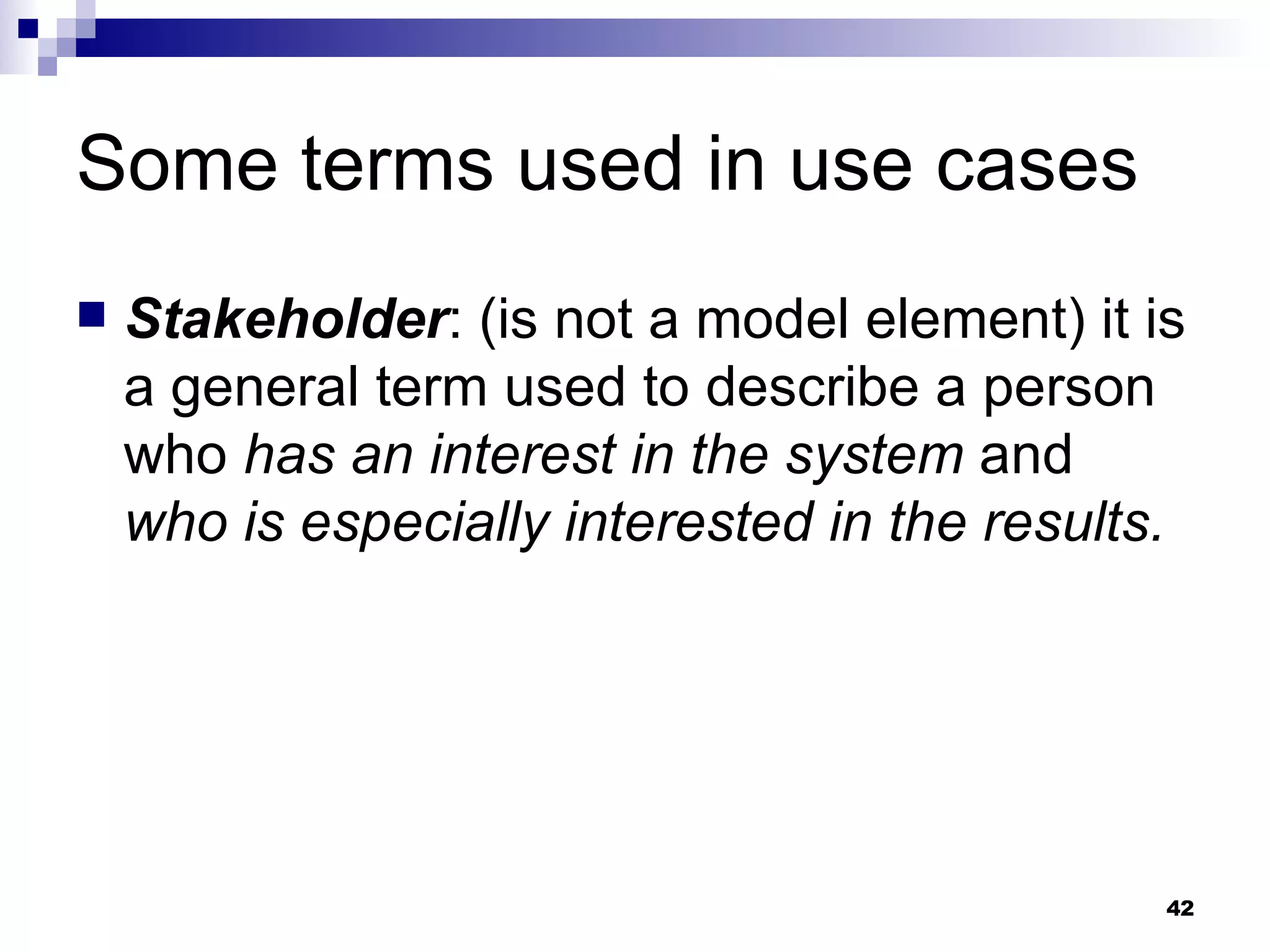
Some terms used in use cases Stakeholder : (is not a model element) it is a general term used to describe a person who  has an interest in the system  and  who is especially interested in the results.
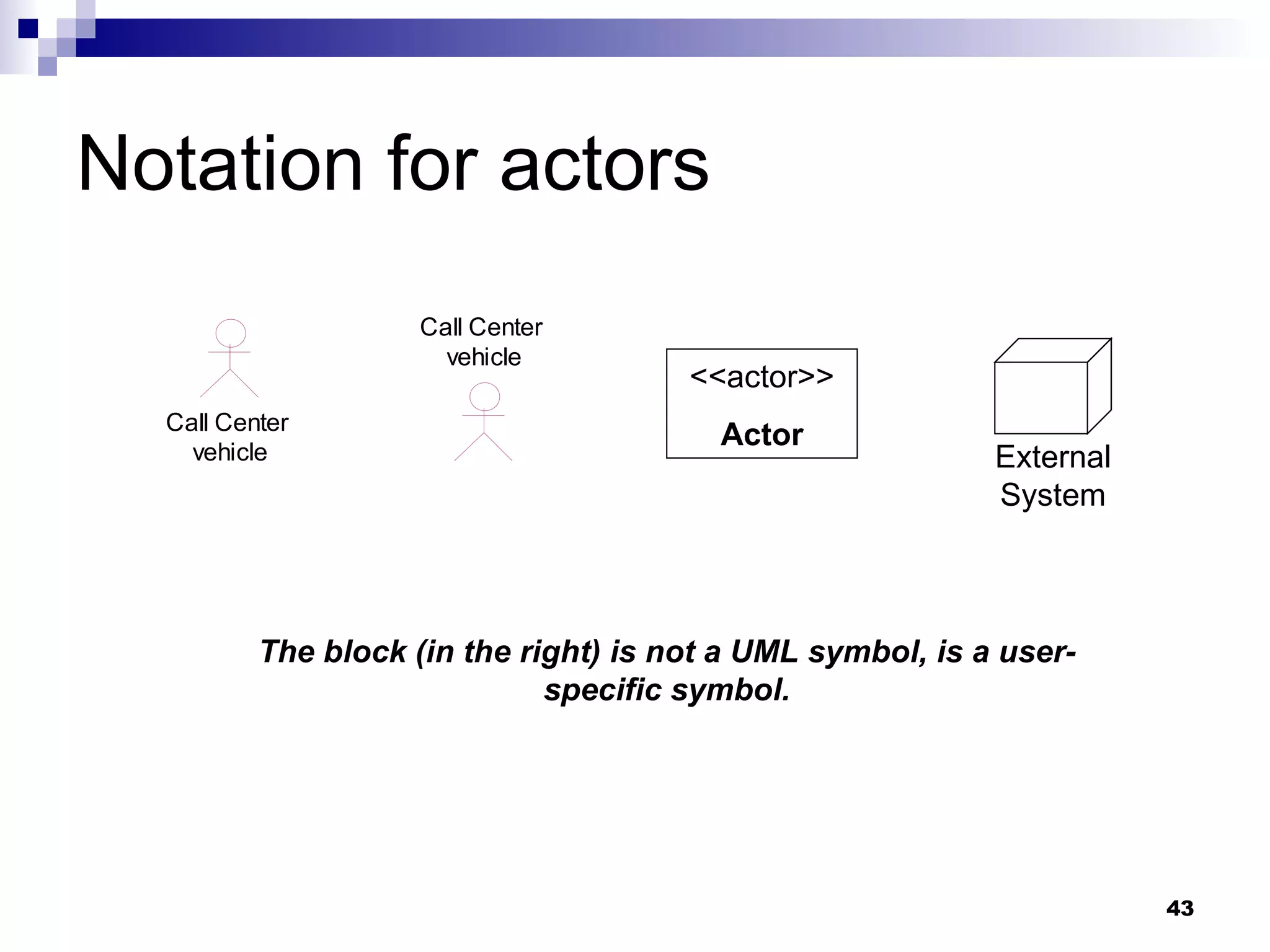
Notation for actors <<actor>> Actor External System The block (in the right) is not a UML symbol, is a user-specific symbol.
Associations A  simple association  is used to connect an  actor  and use  cases .  The association expresses a  communication path  between the  actor  and the  use case . Directed associations  are permitted. It is common for the navigation direction to  point from the active to the passive part  (from who initiated the communication).
Multiplicity Multiplicity  on the  side of the use case  specifies  how often this use case may be executed concurrently by the actor  (default=0..1). Multiplicity  on the  side of the actor , specifies  how many actors with the specified roles must or can participate in the use case  (default=1).
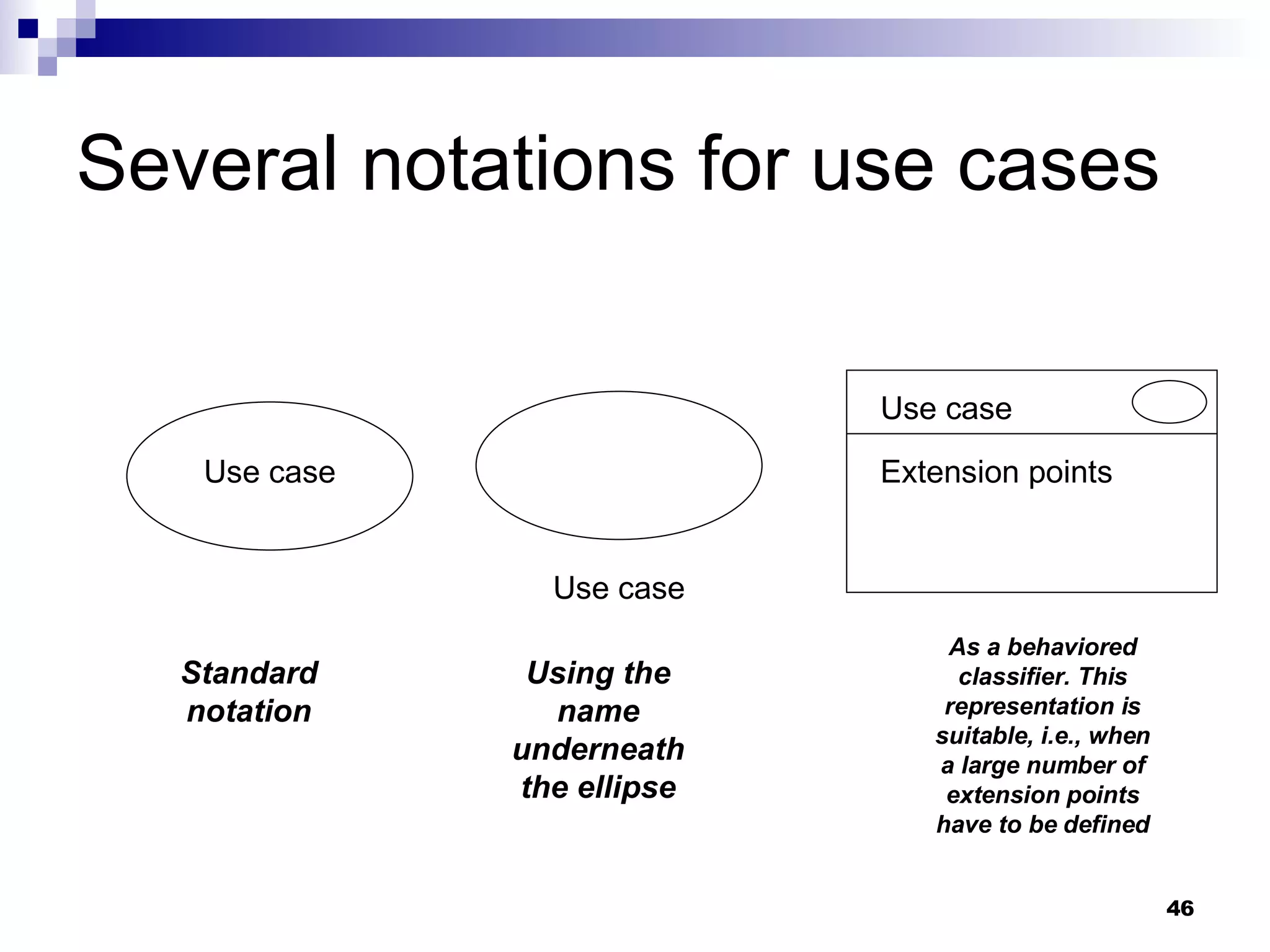
Several notations for use cases Use case Use case Use case Extension points Standard notation Using the name underneath the ellipse As a behaviored classifier. This representation is suitable, i.e., when a large number of extension points have to be defined
Representing the system underlying a use case <<subsystem>> Booking System Agent Book vechicle Cancel booking It is a component with the stereotype <<subsystem>>
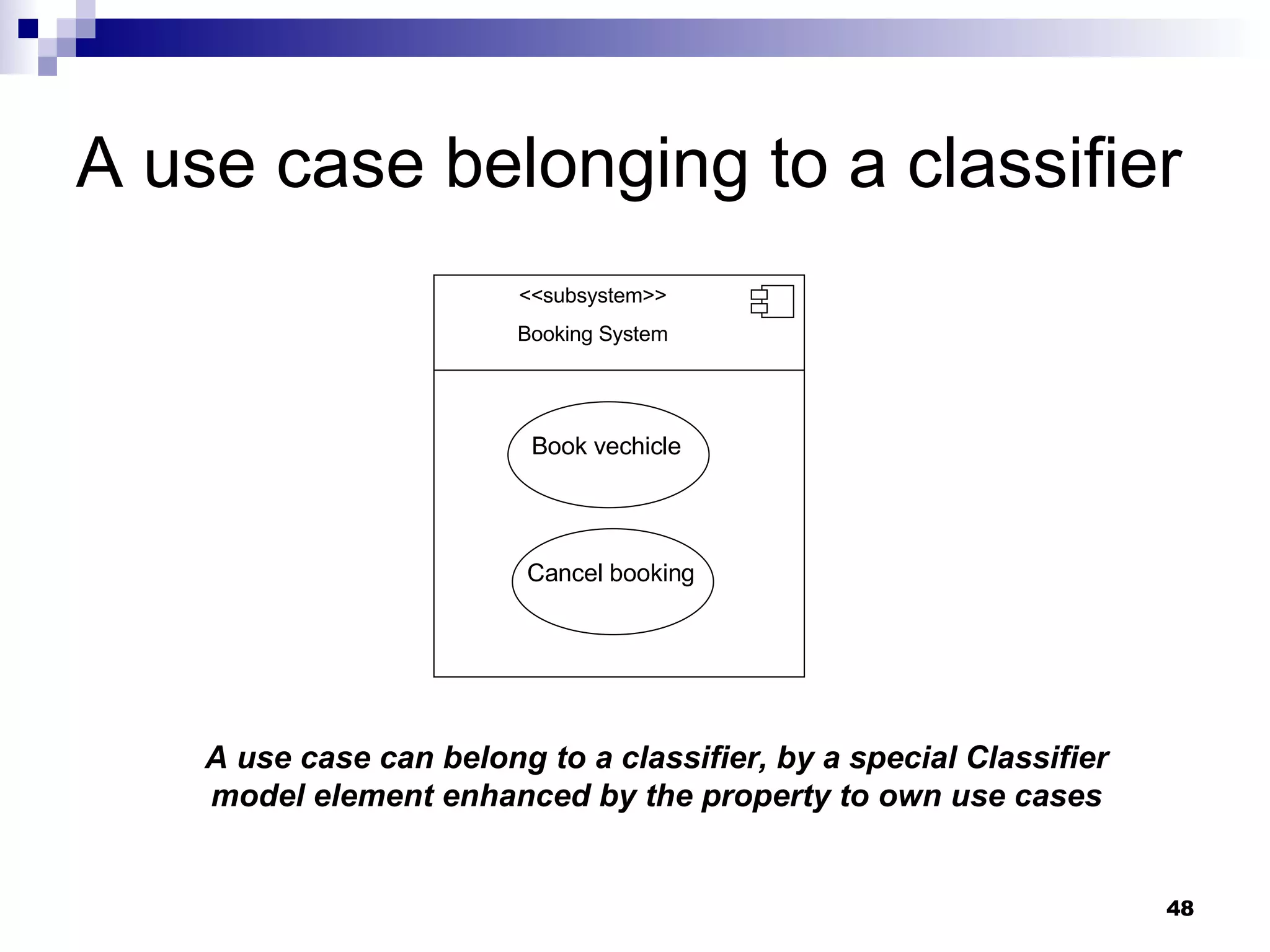
A use case belonging to a classifier <<subsystem>> Booking System Book vechicle Cancel booking A use case can belong to a classifier, by a special Classifier model element enhanced by the property to own use cases
Checklist: Actors & Use cases What is the subject of a use case? Can an actor be only a human user? Name the base class of an actor in the metamodel? Which notations are ther for an actor? Name tha base class of a use case in the metamodel? Which notations are there for a use case? Who can own a use case?
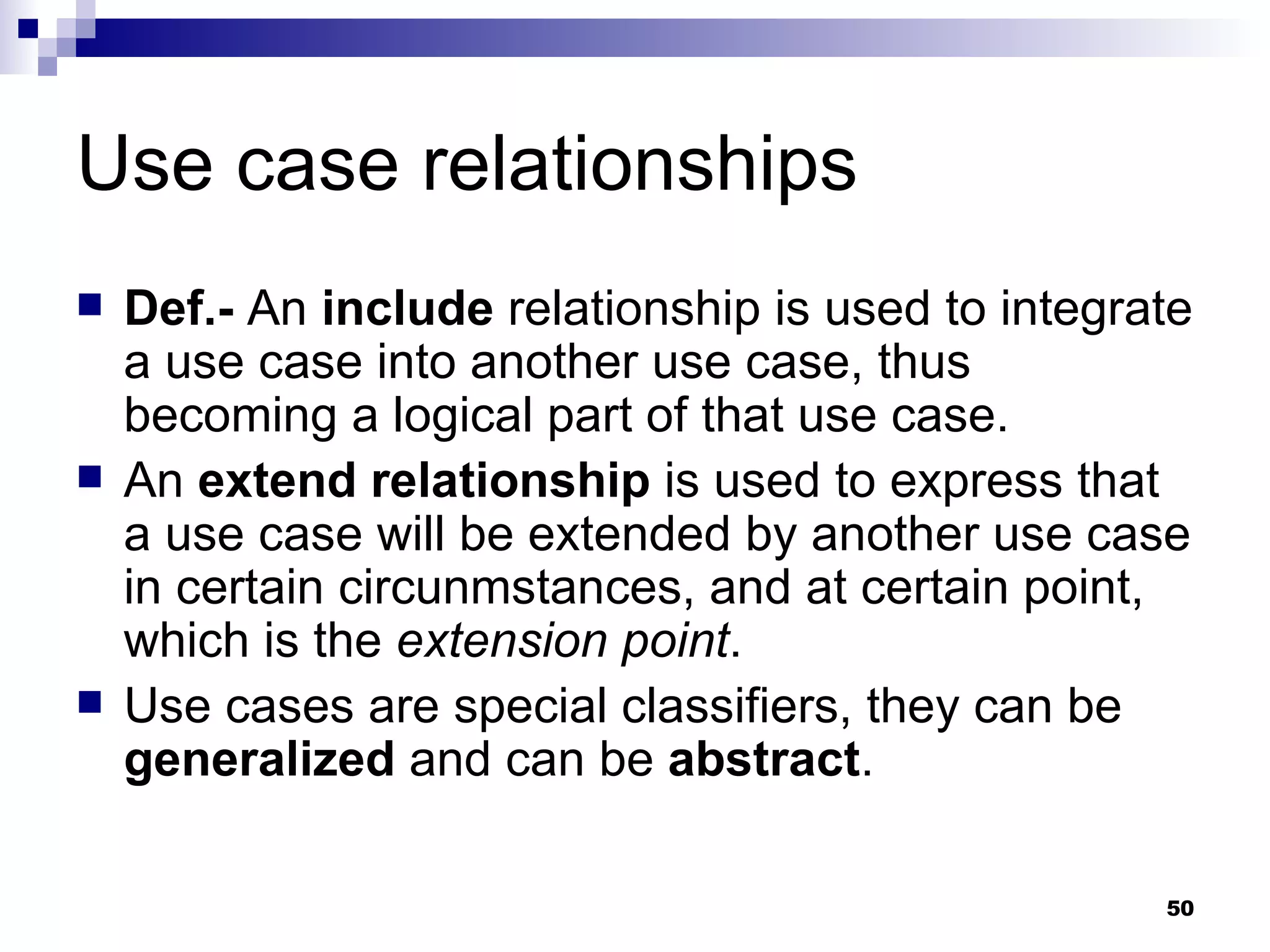
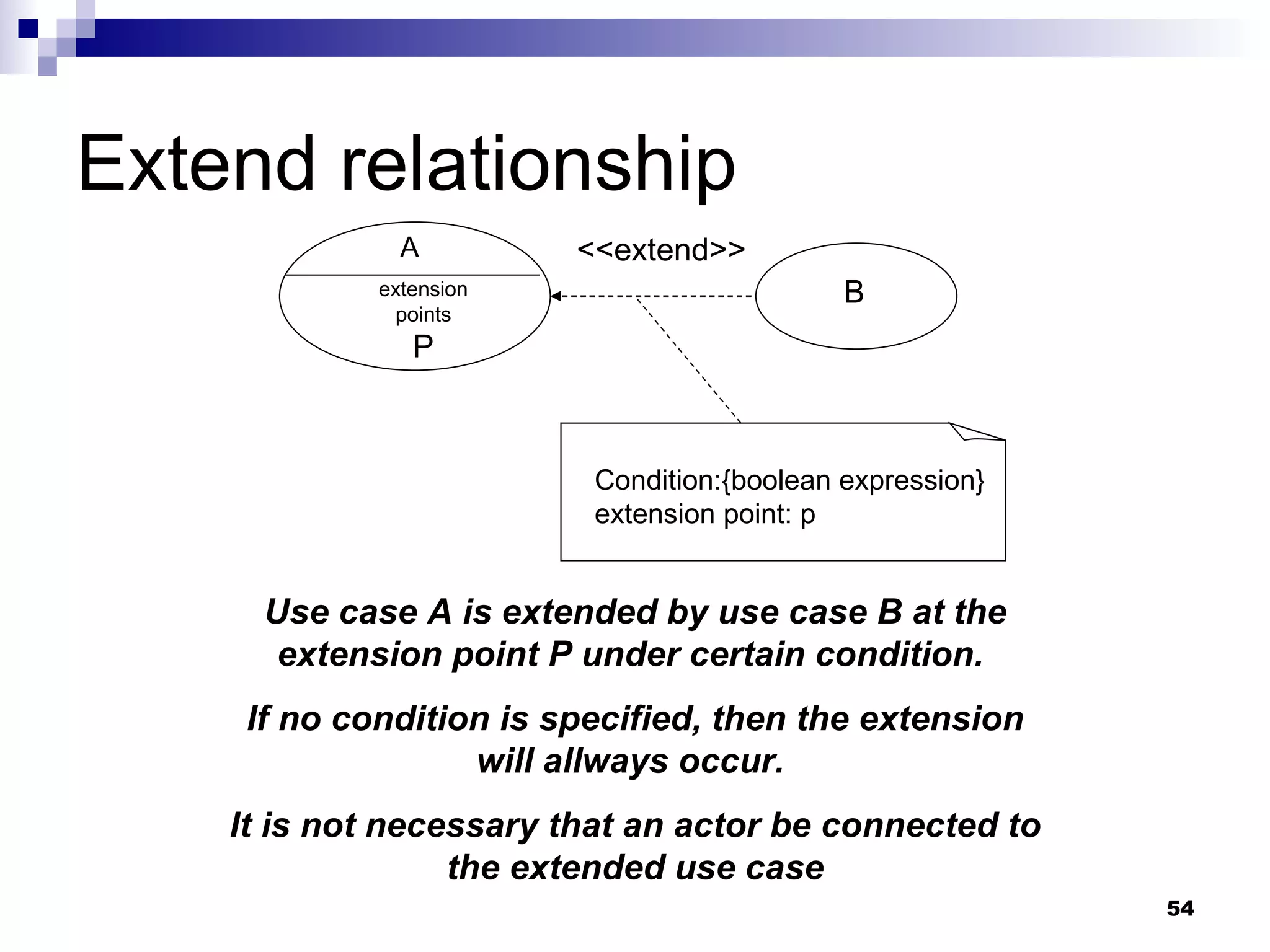
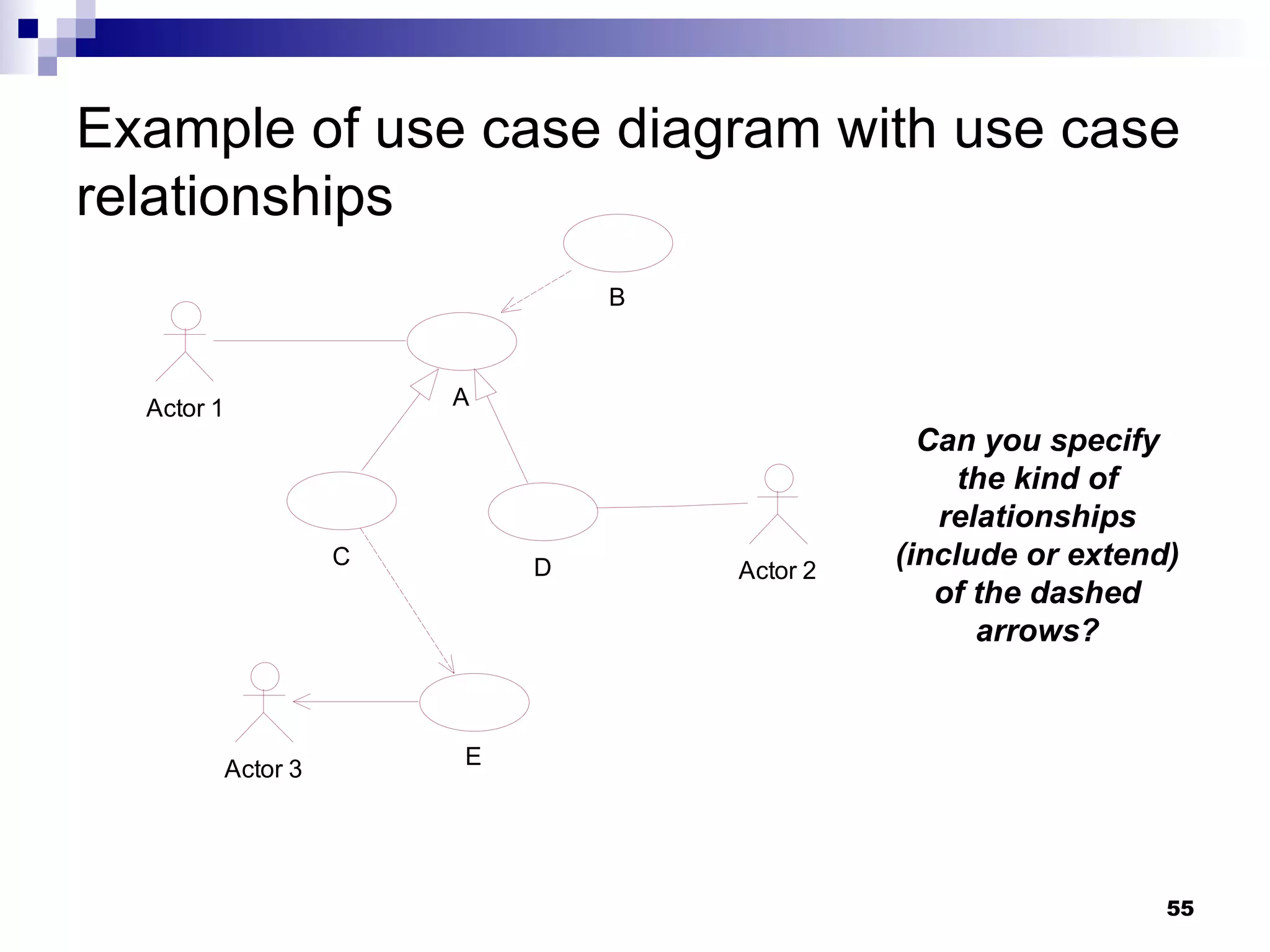
Use case relationships Def.-  An  include  relationship is used to integrate a use case into another use case, thus becoming a logical part of that use case. An  extend relationship  is used to express that a use case will be extended by another use case in certain circunmstances, and at certain point, which is the  extension point . Use cases are special classifiers, they can be  generalized  and can be  abstract .
The metamodel for use cases and actors (again...)
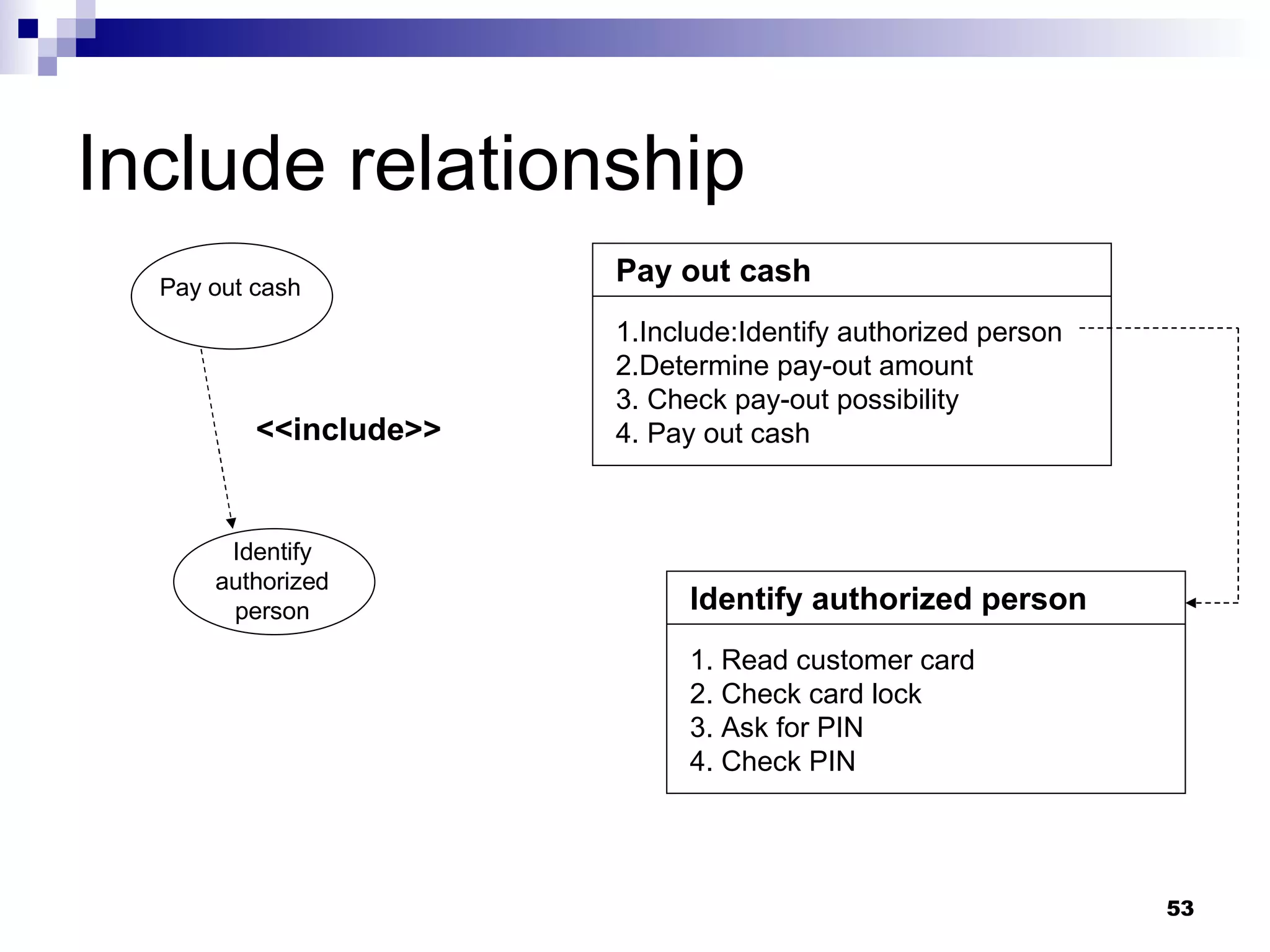
Include relationship Parts of use cases  that occur  identically  in several use cases can be swapped into  a separate use case , and then  include relationship  can be used to integrate the desired part in another use case. It is not necessary that an actor be connected to an included use case.
Include relationship Pay out cash Identify authorized person <<include>> Pay out cash 1.Include:Identify authorized person 2.Determine pay-out amount 3. Check pay-out possibility 4. Pay out cash Identify authorized person 1. Read customer card 2. Check card lock 3. Ask for PIN 4. Check PIN
Extend relationship A extension points P B <<extend>> Condition:{boolean expression} extension point: p Use case A is extended by use case B at the extension point P under certain condition.  If no condition is specified, then the extension will allways occur.  It is not necessary that an actor be connected to the extended use case
Example of use case diagram with use case relationships Can you specify the kind of relationships (include or extend) of the dashed arrows?
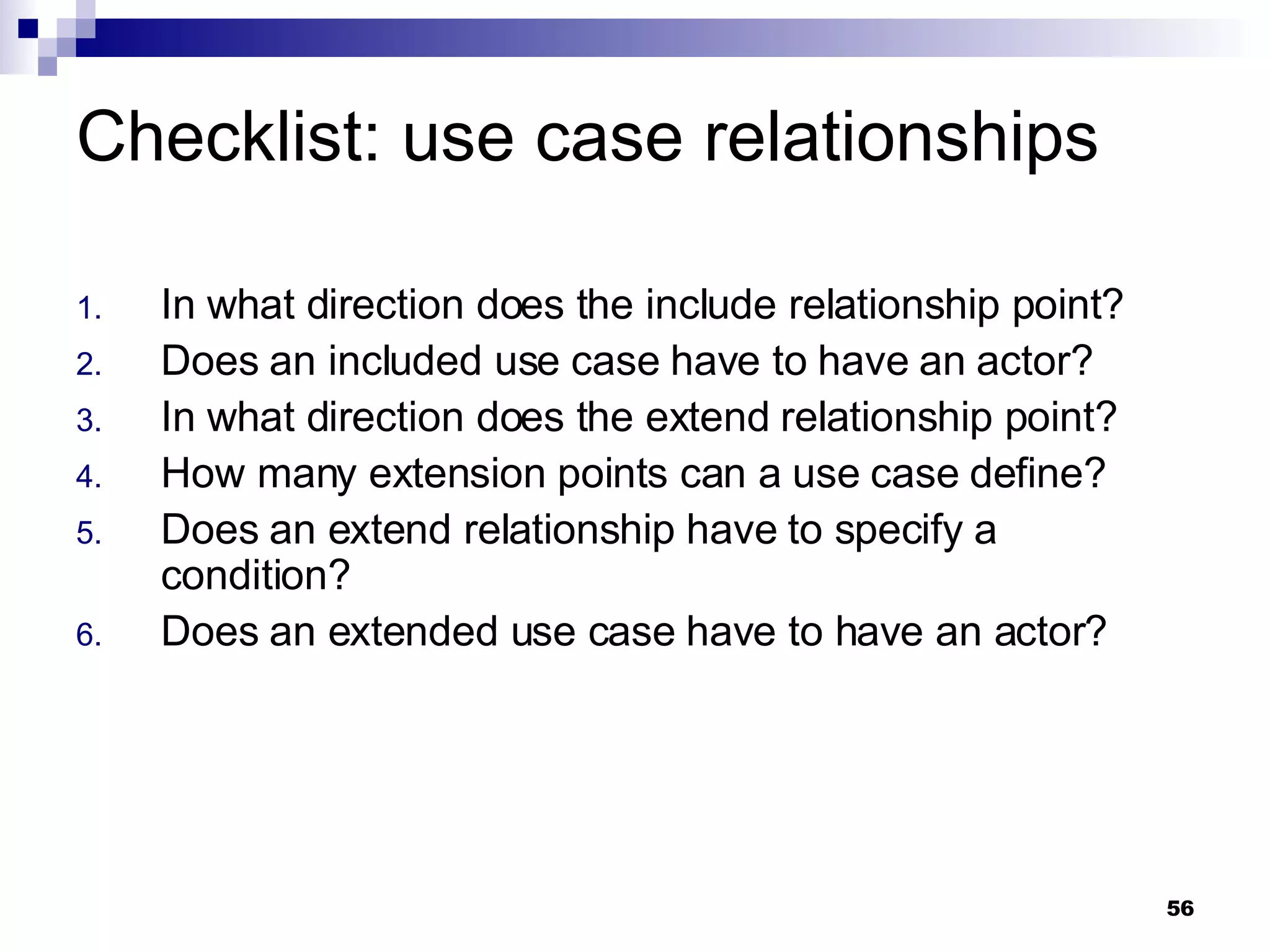
Checklist: use case relationships In what direction does the include relationship point? Does an included use case have to have an actor? In what direction does the extend relationship point? How many extension points can a use case define? Does an extend relationship have to specify a condition? Does an extended use case have to have an actor?

Uml Omg Fundamental Certification 5

  • 1.
    UML 2-OMG certificationcourse (OCUP Fundamental-4) Instructor: M.C. Ricardo Quintero
  • 2.
    Interaction Diagrams Thetopics described in this section refer to the following metamodel areas: Package Interactions::BasicInteractions Interactions Lifelines Messages The topic area constitutes 20 percent of the test.
  • 3.
    Interactions Def.- An interaction describes a series of messages that a selected set of participants exchange within a situation limited in time.
  • 4.
    Interactions UML 2.0 defines four diagrams to represent interactions: Sequence diagrams : emphasize the sequence in which messages are exchanged. (*) Communication diagrams : emphasize the relationship between the participants . Timing diagrams : emphasize the state changes of the participants relative to the time and the messages exchanged. Interaction overview diagrams : present the order of interactions in an activity-like notation. (*) The most important to the Fundamental certification level
  • 5.
    Notation & SemanticsThe most important aspect in sequence diagrams is the time of messages . Each participant is represented by a rectangle and a vertical dashed line called lifeline . Messages are represented by arrows between lifelines. The time runs from top to bottom, showing the time of message flows .
  • 6.
    Simple example ofa sequence diagram sd Identify Authorized Person log() ok:Boolean Lifelines Only 1 interaction Local attribute
  • 7.
  • 8.
    Connectable elements The name in the header of the lifeline is not underlined because lifelines represent connectable elements . They describe instances located in the classifier to which the interaction belongs. So it’s not bad idea if you think of the lifelines as objects of the specified types (as in UML 1.x).
  • 9.
    Multiobjects The headerof a lifeline shows (optionally) the element name , together with the pertaining classifier (name:type). A lifeline always represent exactly one element (so the Multiobjects of 1.x are not permited ). Of course, a lifeline can represent an element from a multivalued property . In order to select one specific element , you have to state a selector . The header of lifeline can also show the keyword self , which represents an instance of the classifier to which the interaction belongs
  • 10.
    Lifelines & settypes res[2]:BookingList :BookingList :Booking A set type Using a selector to select one element from a set type Multiobjects 1.x not permited
  • 11.
    Execution occurrence When messages are exchanged between lifelines, then a behavior in the participating elements has to be executed . This behavior is represented by oblong rectangles on the lifelines and represent the execution occurrence . The beginning and the end of an execution occurrence are defined by event occurrences . The sending and receiving of messages determine the beginning and the end of an execution occurrence .
  • 12.
    The metamodel forevent occurrences
  • 13.
    Notation forms forvarious message types S T asynchronous call(syncronous) reply lost message found message U new
  • 14.
    Message sintax [attribute=]name [(arguments)][:return value]|’*’ Where: attribute : can a be a local variable or an instance fo a lifeline. Is used only for synchronous messages with return values. name : the name of the called message or the name of the signal sent. Signal sending is always asynchronous. arguments : list of parameters, separated by commas. Sintax: [parameter=]value (for in parameters) Attribute=output parameter[:output value] (for out , inout or return ) ‘ -’ (used when the value is unknown and when it doesn’t play a role for the interaction) Instead of the message you can specify an asterisk (*). It’s a kind of joker for any message .
  • 15.
    Message examples message(4,-,2,”HelloWorld!”)X=calculate(17,bpos):42 message(arg=2003)
  • 16.
    Destroying objects The destruction of an object is a special event ocurrence (see the metamodel).
  • 17.
  • 18.
    Event ocurrence: sendingand receiving messages Event ocurrences that arise immediately upon sending and receiving messages are more important than a stop for the certification . Sending is an event , as is Receiving . These events are used to define the semantics of an interaction that can be described by two sets .
  • 19.
    Event ocurrence: sendingand receiving messages One set contains the valid sequences of send and receive events. The other set contains invalid sequences . All remaining sequences are irrelevant for the interaction.
  • 20.
    Example of sequences-validsequences Interaction Example S T p r p! p* q! r* r! q Secuencias válidas de interacción: <p!,p*,q!,r!, r*, q*> <p!, r!, p*, q!, r*, q*>
  • 21.
    Rules to determinevalid sequences Before a receive event , there must always be the pertaining send event first . The sequence along one lifeline is relevant . In contrast, the position of one event relative to an event on another lifeline is insignifcant . Ex.- Thought event r! comes after q! , r! can nevertheless happen first.
  • 22.
    General ordering Ispossible to use the GeneralOrdering relationship to influence the sequence of events . GeneralOrdering is a relationship between two events , bringing these events into a time sequence. The relationship is drawn as a dotted line between a centered filled triangle, showing the direction between the two events involved. The triangle points to the later of the two events.
  • 23.
    Adding a GeneralOrderingrelationship to the example Interaction Example S T p r p! p* q! r* r! q Provoca que la secuencia ahora sea inválida, porque el evento r! tiene que ocurrir antes que p* <p!,p*,q!,r!, r*, q*>
  • 24.
    StateInvariant The exchangeof messages can causes the states of instances represented by lifelines to change . This can be denoted by state invariants .
  • 25.
    The metamodel forinteractions
  • 26.
    State Invariants ona lifeline S State X {self.list->size().notEmpty()} {self.listA->size()> self.listB->size()}
  • 27.
    Structure of interactionsThe metamodel class Interaction owns the elements Message and Lifeline . The abstract superclass of Interaction and other elements, such as EventOcurrence , is InteractionFragment . The entire structure of an interaction is formed by means of the composite pattern .
  • 28.
    Checklist: Interaction diagramsWhat is an interaction? What does a lifeline represent? What does self mean in a lifeline? What is an execution ocurrence? What types of message are there? What is a stop? What events are triggered by an exchange of messages?
  • 29.
    Checklist: Interaction diagramsHow is the semantics of an interaction defined? How many valid event sequences can an interaction have? What rules determine valide event sequences? What does the GeneralOrdering relationship express? What is a state invariant? How are state invariants denoted?
  • 30.
    Diagramas de comunicaciónEmphasizes the relationship of the participants rather than the time sequence of the exchange of messages as in sequence diagrams.
  • 31.
    Example of acommunication diagram Interaction System start :System :Subsystem2 :SubSystem1 2:initialize() 1:initialize()
  • 32.
    Timing diagram Isanother view on the interaction model. It emphasizes timing aspects; in particular, the state change of the lifelines at specific times. The states are state invariants in the interaction model.
  • 33.
    Example of atiming diagram
  • 34.
    Interaction overview diagramIt looks like an activity diagram. However it is an interaction diagram that uses the same notation. The nodes are interactions or interaction uses . The diagram specifies the executing order of interactions .
  • 35.
    Example of aninteraction overview diagram
  • 36.
    Use cases Thetopics discussed in this section refer to the following areas of the metamodel: Package: UseCases Actors Include and extend relationships The classifiers of a use case Other use case concepts This topic area constitutes 20 percent of the test.
  • 37.
    Use cases &Actors Def. - A use case specifies a set of actions that are executed by a system or subject and that lead to a result . An actor is a role outside the system or subject of the pertaining use case that interacts with the system in the context of the use case.
  • 38.
    Notation & SemanticsA use case diagram describes the relationships among a set of use cases and the actors participating in these use cases. The diagram does not show sequence flow (though is possible define it textually or by activity diagrams)
  • 39.
    Example of usecase diagram
  • 40.
    The metamodel foruse cases and actors
  • 41.
    Some terms usedin use cases System : (is not a direct model element) refers to the context of a use case. It describes a classifier in which the actions specified by the use case are executed. Can be a class or a component that represents the entire application. Synonymous : use case context , subject , modeling focus and context .
  • 42.
    Some terms usedin use cases Stakeholder : (is not a model element) it is a general term used to describe a person who has an interest in the system and who is especially interested in the results.
  • 43.
    Notation for actors<<actor>> Actor External System The block (in the right) is not a UML symbol, is a user-specific symbol.
  • 44.
    Associations A simple association is used to connect an actor and use cases . The association expresses a communication path between the actor and the use case . Directed associations are permitted. It is common for the navigation direction to point from the active to the passive part (from who initiated the communication).
  • 45.
    Multiplicity Multiplicity on the side of the use case specifies how often this use case may be executed concurrently by the actor (default=0..1). Multiplicity on the side of the actor , specifies how many actors with the specified roles must or can participate in the use case (default=1).
  • 46.
    Several notations foruse cases Use case Use case Use case Extension points Standard notation Using the name underneath the ellipse As a behaviored classifier. This representation is suitable, i.e., when a large number of extension points have to be defined
  • 47.
    Representing the systemunderlying a use case <<subsystem>> Booking System Agent Book vechicle Cancel booking It is a component with the stereotype <<subsystem>>
  • 48.
    A use casebelonging to a classifier <<subsystem>> Booking System Book vechicle Cancel booking A use case can belong to a classifier, by a special Classifier model element enhanced by the property to own use cases
  • 49.
    Checklist: Actors &Use cases What is the subject of a use case? Can an actor be only a human user? Name the base class of an actor in the metamodel? Which notations are ther for an actor? Name tha base class of a use case in the metamodel? Which notations are there for a use case? Who can own a use case?
  • 50.
    Use case relationshipsDef.- An include relationship is used to integrate a use case into another use case, thus becoming a logical part of that use case. An extend relationship is used to express that a use case will be extended by another use case in certain circunmstances, and at certain point, which is the extension point . Use cases are special classifiers, they can be generalized and can be abstract .
  • 51.
    The metamodel foruse cases and actors (again...)
  • 52.
    Include relationship Partsof use cases that occur identically in several use cases can be swapped into a separate use case , and then include relationship can be used to integrate the desired part in another use case. It is not necessary that an actor be connected to an included use case.
  • 53.
    Include relationship Payout cash Identify authorized person <<include>> Pay out cash 1.Include:Identify authorized person 2.Determine pay-out amount 3. Check pay-out possibility 4. Pay out cash Identify authorized person 1. Read customer card 2. Check card lock 3. Ask for PIN 4. Check PIN
  • 54.
    Extend relationship Aextension points P B <<extend>> Condition:{boolean expression} extension point: p Use case A is extended by use case B at the extension point P under certain condition. If no condition is specified, then the extension will allways occur. It is not necessary that an actor be connected to the extended use case
  • 55.
    Example of usecase diagram with use case relationships Can you specify the kind of relationships (include or extend) of the dashed arrows?
  • 56.
    Checklist: use caserelationships In what direction does the include relationship point? Does an included use case have to have an actor? In what direction does the extend relationship point? How many extension points can a use case define? Does an extend relationship have to specify a condition? Does an extended use case have to have an actor?