Behavioral
Design Patterns
Lidan Hifi
Sagi Avasker
Amit Bedarshi
Foundations of software engineering, Fall 2015
Agenda
• What is Behavioral Design Pattern?
• Observer
• Mediator
• State
• Strategy
• Iterator
• Visitor
Behavioral Patterns
• Defines the communication between objects.
• Dynamic behavior (changeable in runtime)
using polymorphism.
• Objects are able to talk each other, and still
loosely coupled!
Behavioral Patterns
• Defines the communication between objects.
• Dynamic behavior (changeable in runtime)
using polymorphism.
• Objects are able to talk each other, and still
loosely coupled!
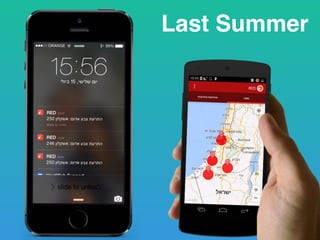
Last Summer
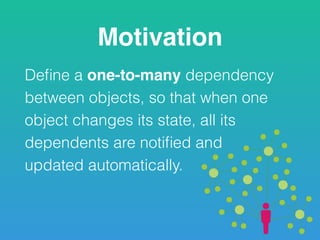
Motivation
Define a one-to-many dependency
between objects, so that when one
object changes its state, all its
dependents are notified and 

updated automatically.
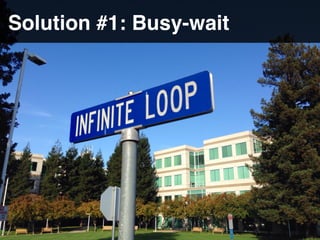
Solution #1: Busy-wait
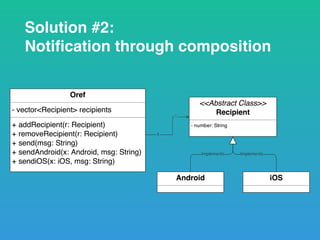
Solution #2:
Notification through composition
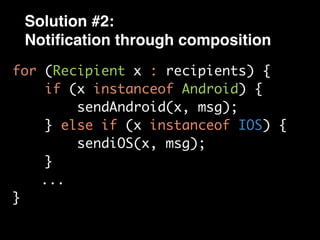
Solution #2:
Notification through composition
for (Recipient x : recipients) {
if (x instanceof Android) {
sendAndroid(x, msg);
} else if (x instanceof IOS) {
sendiOS(x, msg);
}
...
}
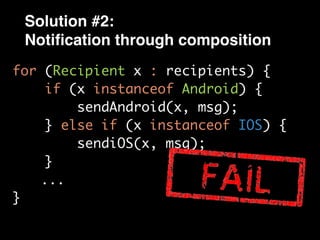
Solution #2:
Notification through composition
for (Recipient x : recipients) {
if (x instanceof Android) {
sendAndroid(x, msg);
} else if (x instanceof IOS) {
sendiOS(x, msg);
}
...
}
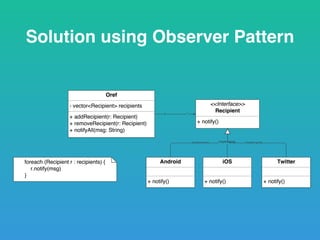
Solution using Observer Pattern
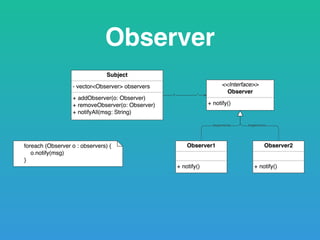
Observer
Examples
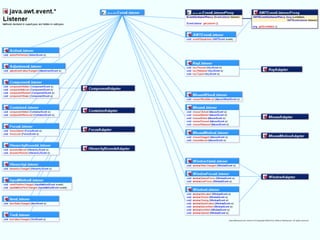
• Event Listeners
• C# Delegates (register a function, and invoke it
later)
Observer Demo
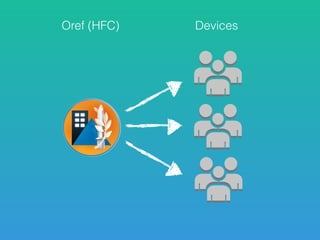
Oref (HFC) Devices
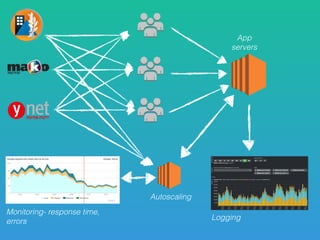
Monitoring- response time,
errors
App
servers
Autoscaling
Logging
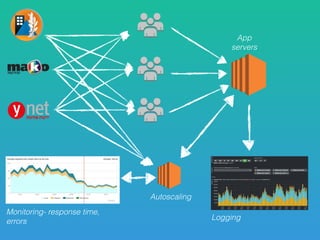
Logging
Monitoring- response time,
errors
App
servers
Autoscaling
Logging
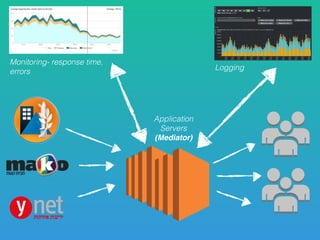
Monitoring- response time,
errors
Application
Servers
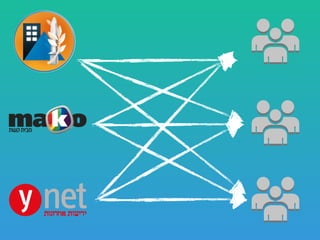
(Mediator)
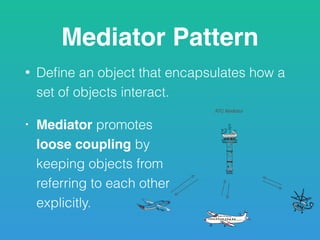
Mediator Pattern
• Define an object that encapsulates how a
set of objects interact.
• Mediator promotes 

loose coupling by 

keeping objects from 

referring to each other 

explicitly.
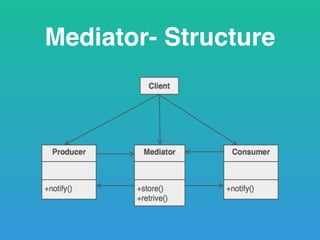
Mediator- Structure
Relationship
One-to-many
vs.
Many-to-many
Reusability
Responsibility
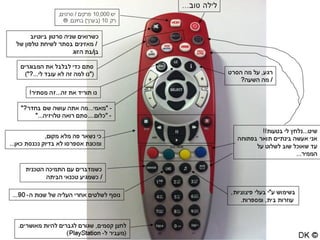
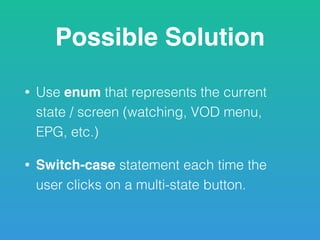
Possible Solution
• Use enum that represents the current
state / screen (watching, VOD menu,
EPG, etc.)
• Switch-case statement each time the
user clicks on a multi-state button.
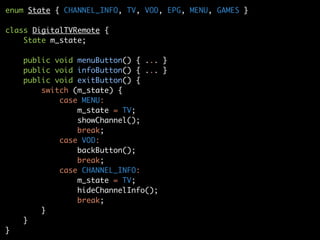
enum State { CHANNEL_INFO, TV, VOD, EPG, MENU, GAMES }
class DigitalTVRemote {
State m_state;
public void menuButton() { ... }
public void infoButton() { ... }
public void exitButton() {
switch (m_state) {
case MENU:
m_state = TV;
showChannel();
break;
case VOD:
backButton();
break;
case CHANNEL_INFO:
m_state = TV;
hideChannelInfo();
break;
}
}
}
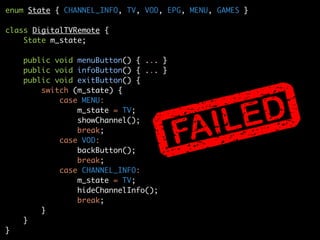
enum State { CHANNEL_INFO, TV, VOD, EPG, MENU, GAMES }
class DigitalTVRemote {
State m_state;
public void menuButton() { ... }
public void infoButton() { ... }
public void exitButton() {
switch (m_state) {
case MENU:
m_state = TV;
showChannel();
break;
case VOD:
backButton();
break;
case CHANNEL_INFO:
m_state = TV;
hideChannelInfo();
break;
}
}
}
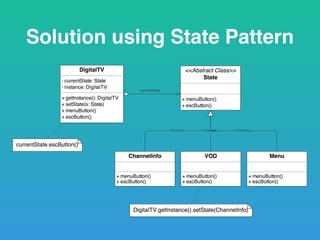
Solution using State Pattern
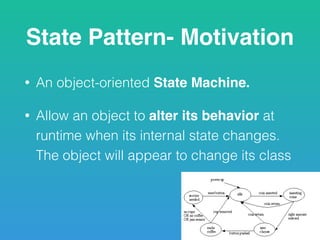
State Pattern- Motivation
• An object-oriented State Machine.
• Allow an object to alter its behavior at
runtime when its internal state changes.
The object will appear to change its class
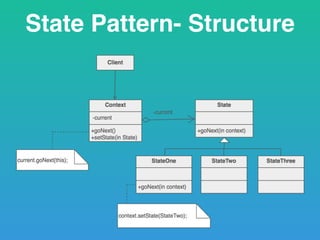
State Pattern- Structure
State- Pros & Cons
Pros:
• Provides an easy way to change the behavior of a
given object in runtime, based on its current state.
• Adding a new state is very easy.
Cons:
• Many classes which are not part of the system
design are added.
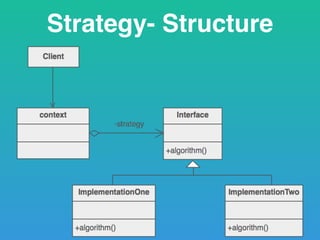
Strategy- Motivation
• Defines a family of algorithms, encapsulate
each one and make then interchangeable.
• Lets the algorithm vary independently from
the client that use it.
• Choose the preferred algorithm to solving the
problem, according to the current situation.
Strategy- Structure
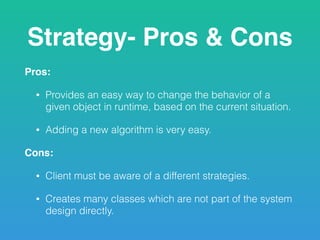
Strategy- Pros & Cons
Pros:
• Provides an easy way to change the behavior of a
given object in runtime, based on the current situation.
• Adding a new algorithm is very easy.
Cons:
• Client must be aware of a different strategies.
• Creates many classes which are not part of the system
design directly.
State
Changing
who changes the state?
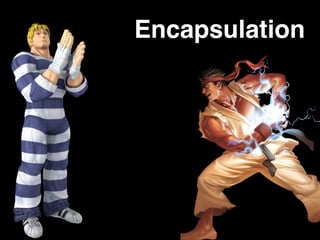
Encapsulation
When
to use
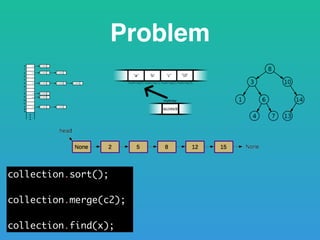
Problem
Problem
collection.sort();
collection.merge(c2);
collection.find(x);
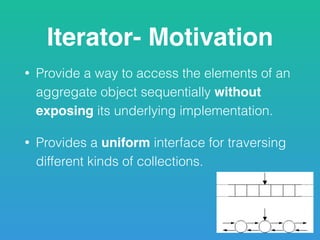
Iterator- Motivation
• Provide a way to access the elements of an
aggregate object sequentially without
exposing its underlying implementation.
• Provides a uniform interface for traversing
different kinds of collections.
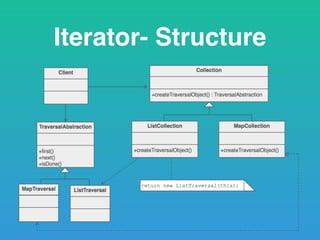
Iterator- Structure
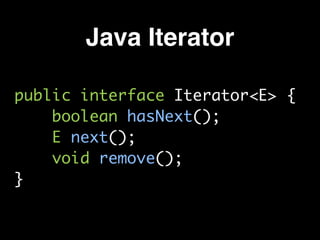
Java Iterator
public interface Iterator<E> {
boolean hasNext();
E next();
void remove();
}
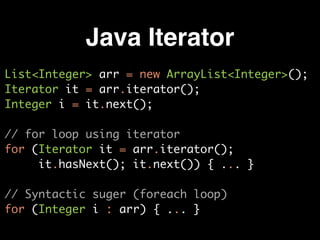
Java Iterator
List<Integer> arr = new ArrayList<Integer>();
Iterator it = arr.iterator();
Integer i = it.next();
// for loop using iterator
for (Iterator it = arr.iterator(); 

it.hasNext(); it.next()) { ... }
// Syntactic suger (foreach loop)
for (Integer i : arr) { ... }
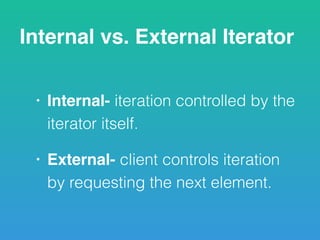
Internal vs. External Iterator
• Internal- iteration controlled by the
iterator itself.
• External- client controls iteration
by requesting the next element.
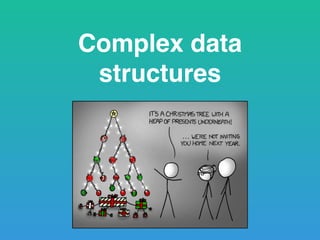
Complex data
structures
Elements in the collection
may be removed
Visitor
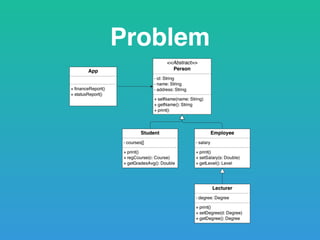
Problem
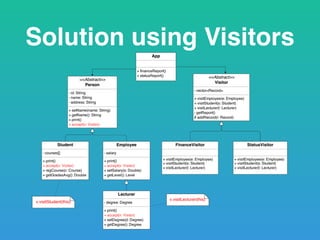
Solution using Visitors
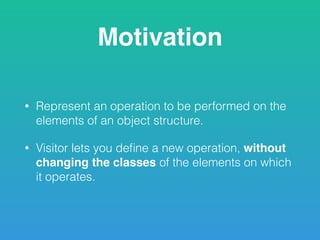
Motivation
• Represent an operation to be performed on the
elements of an object structure.
• Visitor lets you define a new operation, without
changing the classes of the elements on which
it operates.
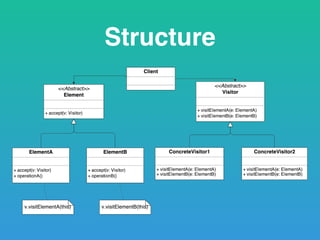
Structure
Visitor- Pros & Cons
Pros:
• Easy to add more services: just add a visitor
class.
Cons:
• Hard to add a new class to the original
hierarchy- need to change all the visitors!
Summary
• Observer
• Mediator
• State
• Strategy
• Iterator
• Visitor
Behavioral Design Patterns

Behavioral Design Patterns