UML 2.0
Collection of standards and guidelines for UML
diagrams
What is UML?
The Unified Modelling Language (UML) is a
family of graphical notations, that help in
describing and designing software systems
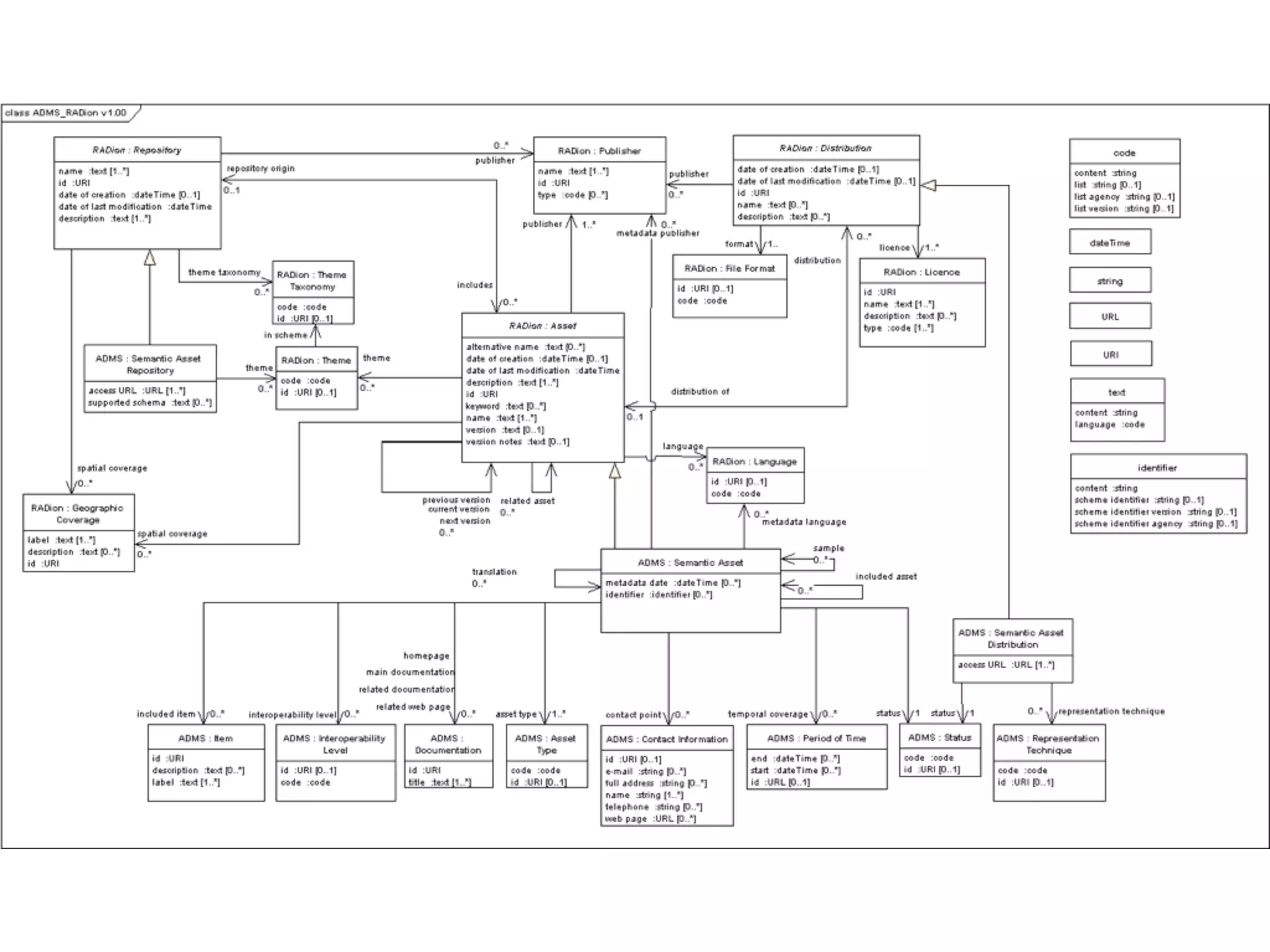
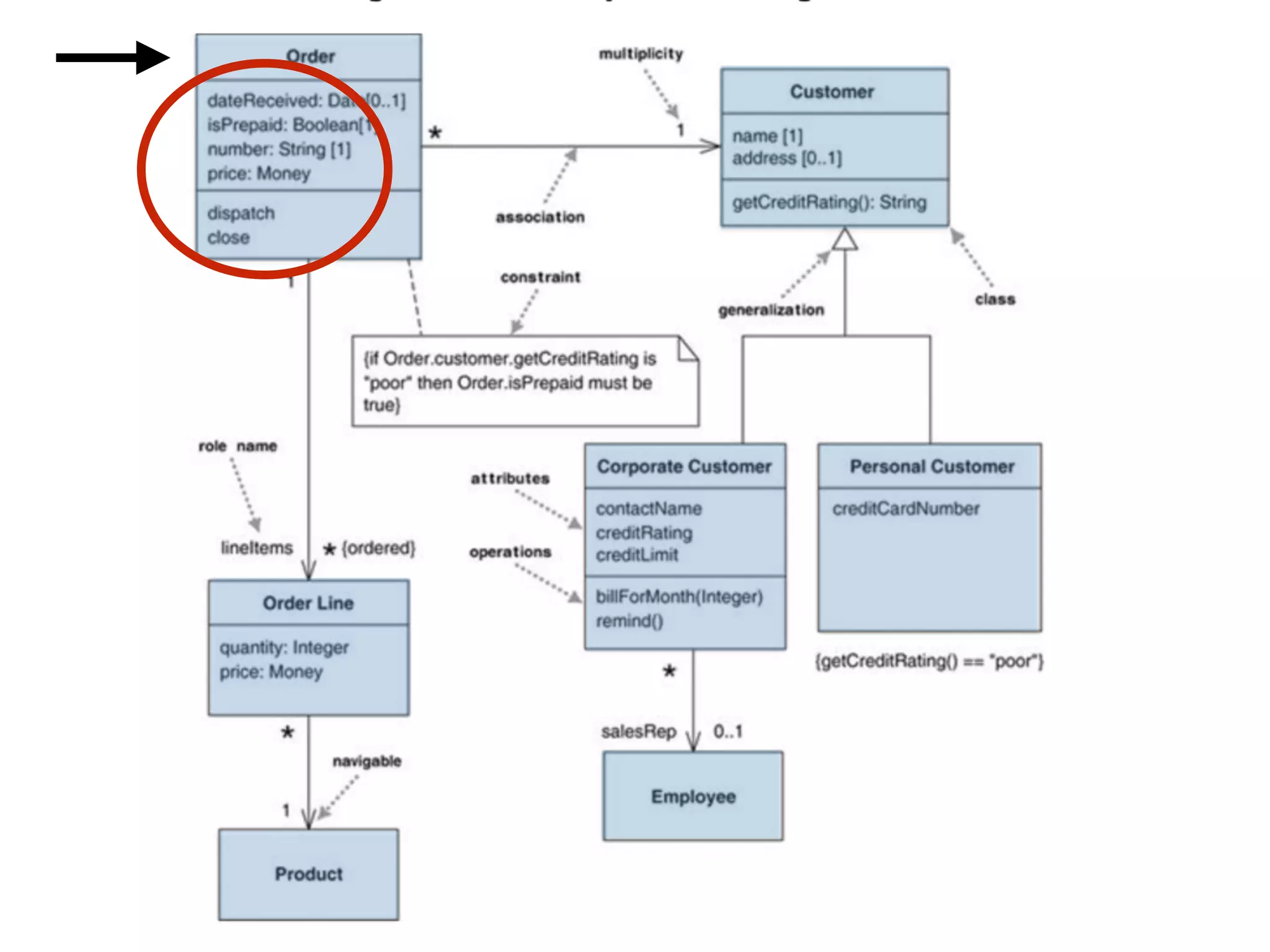
Examples:
Start with the UML
• Nobody understand or use all of UML.
• Use a small subset of the UML for you and your
colleagues.
• Concentrate first on Class and Sequence
Diagrams
UML Types
• Activity - Procedural and parallel behaviour
• Class - Class, features, relationships
• Communication - Interaction between objects
• Component - Structure and connections of components
• Composite Structure - Runtime decomposition of a class
• Deployment - Deployment of artefacts to notes
• Interaction overview - Mix of sequence and activity diagram
• Object - Example configurations of instances
• Package - Compile-time hierarchic structure
• Sequence - Interactions between objects; emphasis on sequence
• State machine - How events change an object over it’s life
• Timing - Interaction between objects; emphasis on timing
• Use case - How users interact with a system
Class Diagram
Describe objects and relationship types among them.
Attributes
visibility name: type multiplicity = default {property-string}public age: int [1..*] = 15 {readOnly}+ age: int [1..*] = 15 {readOnly}
public / private
attribute name
numeric | boolean | string…
1 | 0..1 | *
default value
{readOnly}
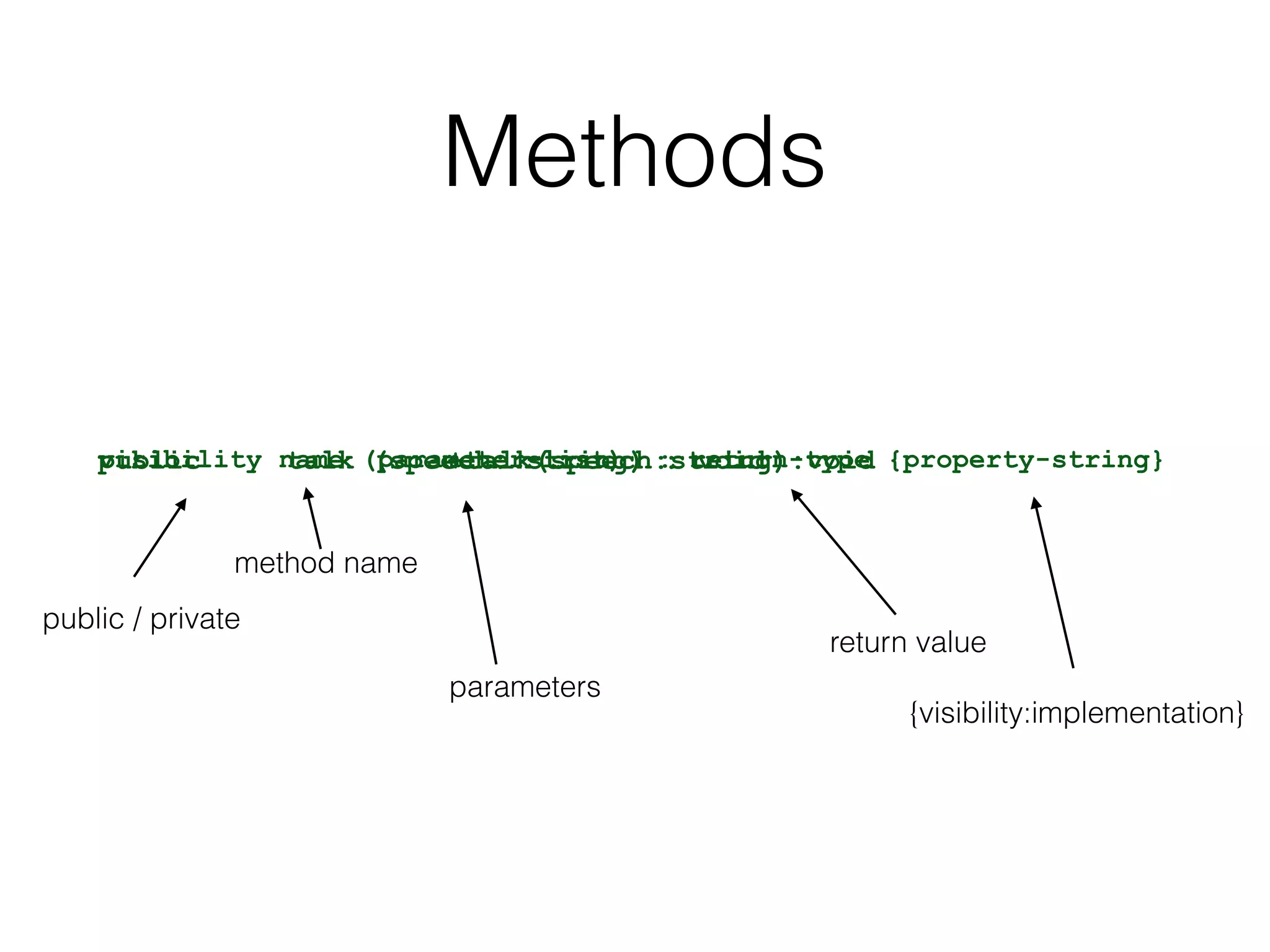
Methods
visibility name (parameter-list) : return-type {property-string}public talk (speech: string) : void+talk(speech:string):void
public / private
method name
parameters
return value
{visibility:implementation}
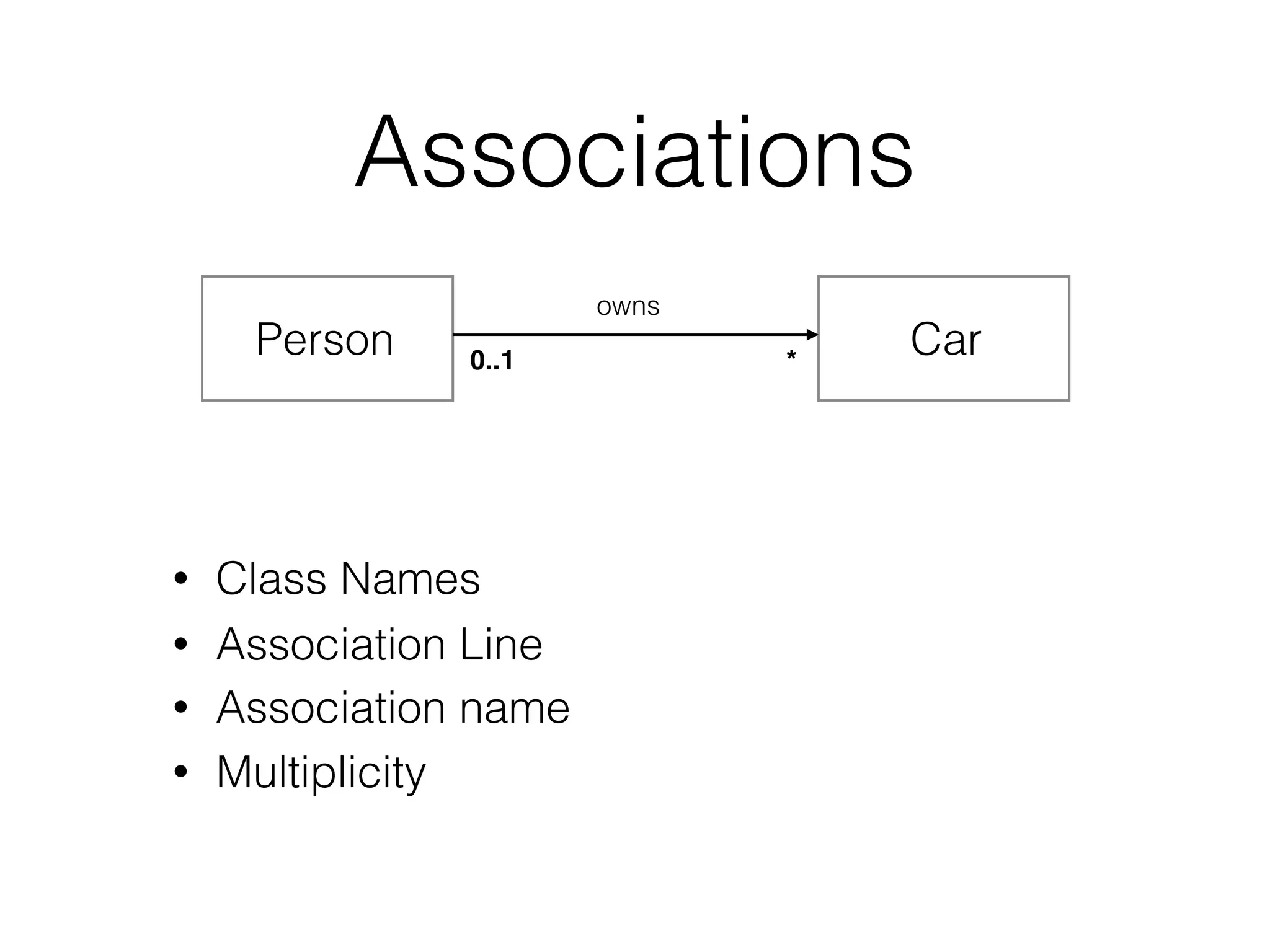
Associations
• Class Names
Person Car
• Association Line
• Association name
owns
• Multiplicity
0..1 *
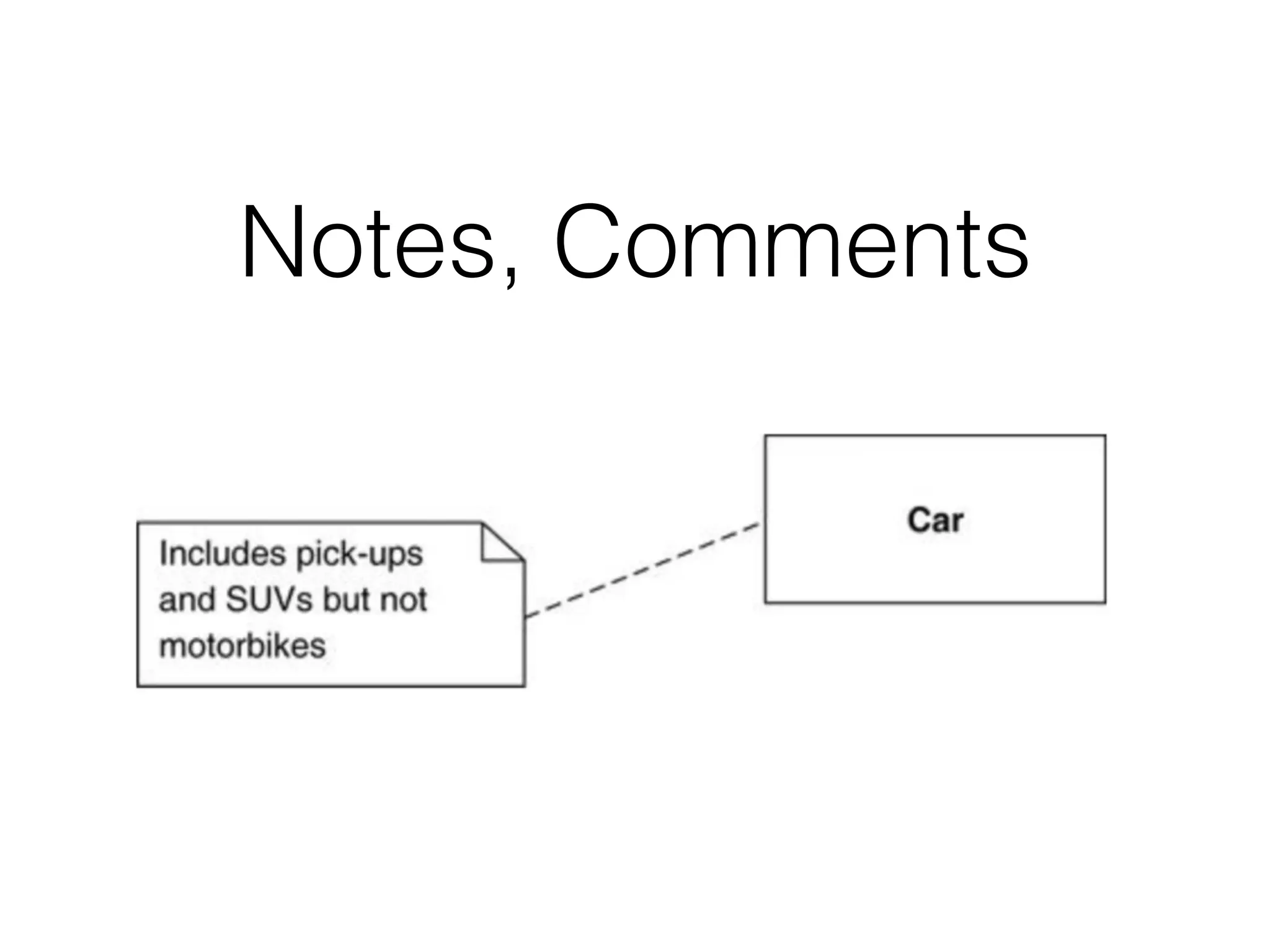
Notes, Comments
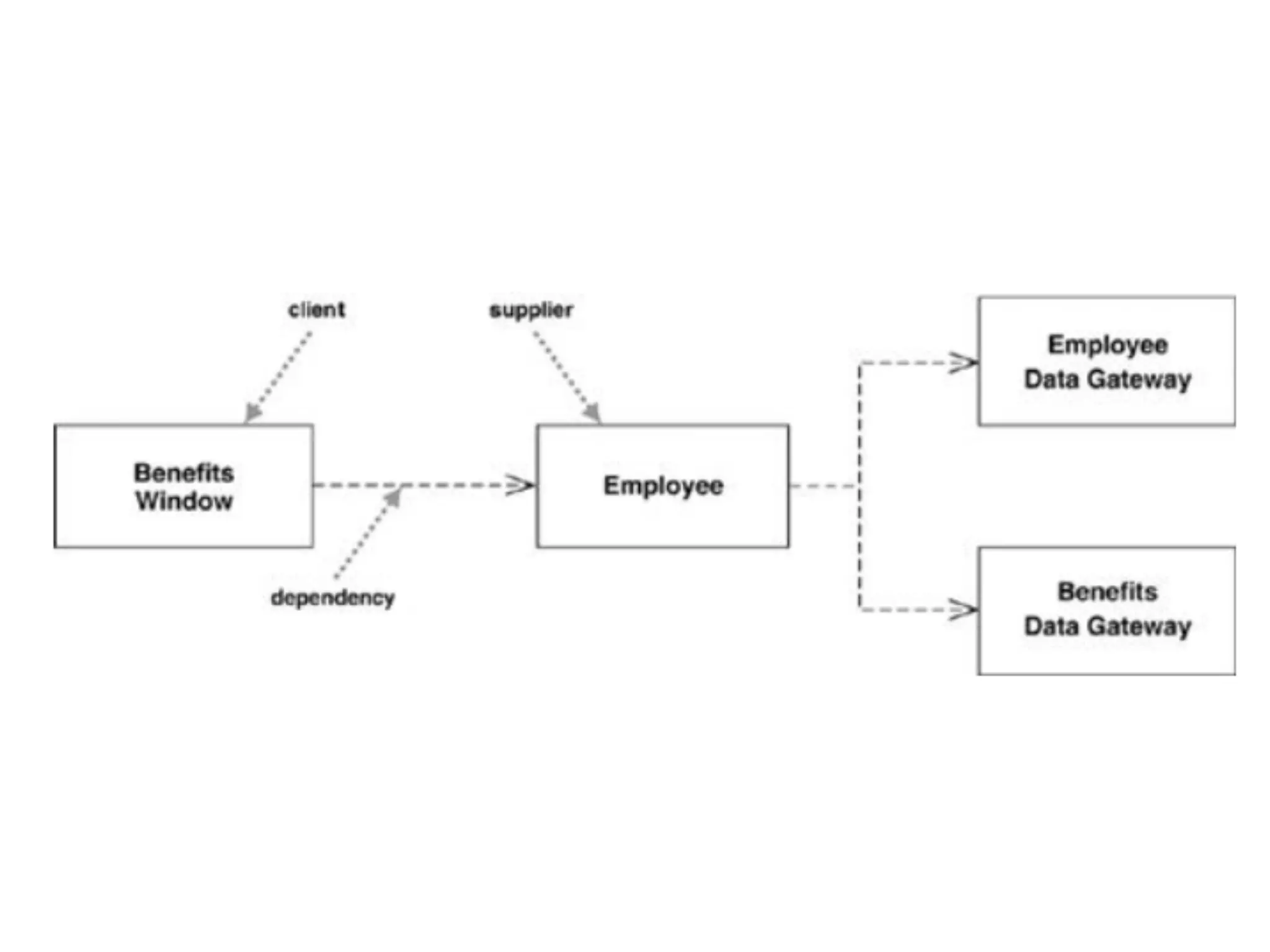
Dependency
• Use dependencies whenever you want to show
how changes in one element might alter other
elements.
• Dependency is in only one direction and goes from
the presentation class to the domain class.
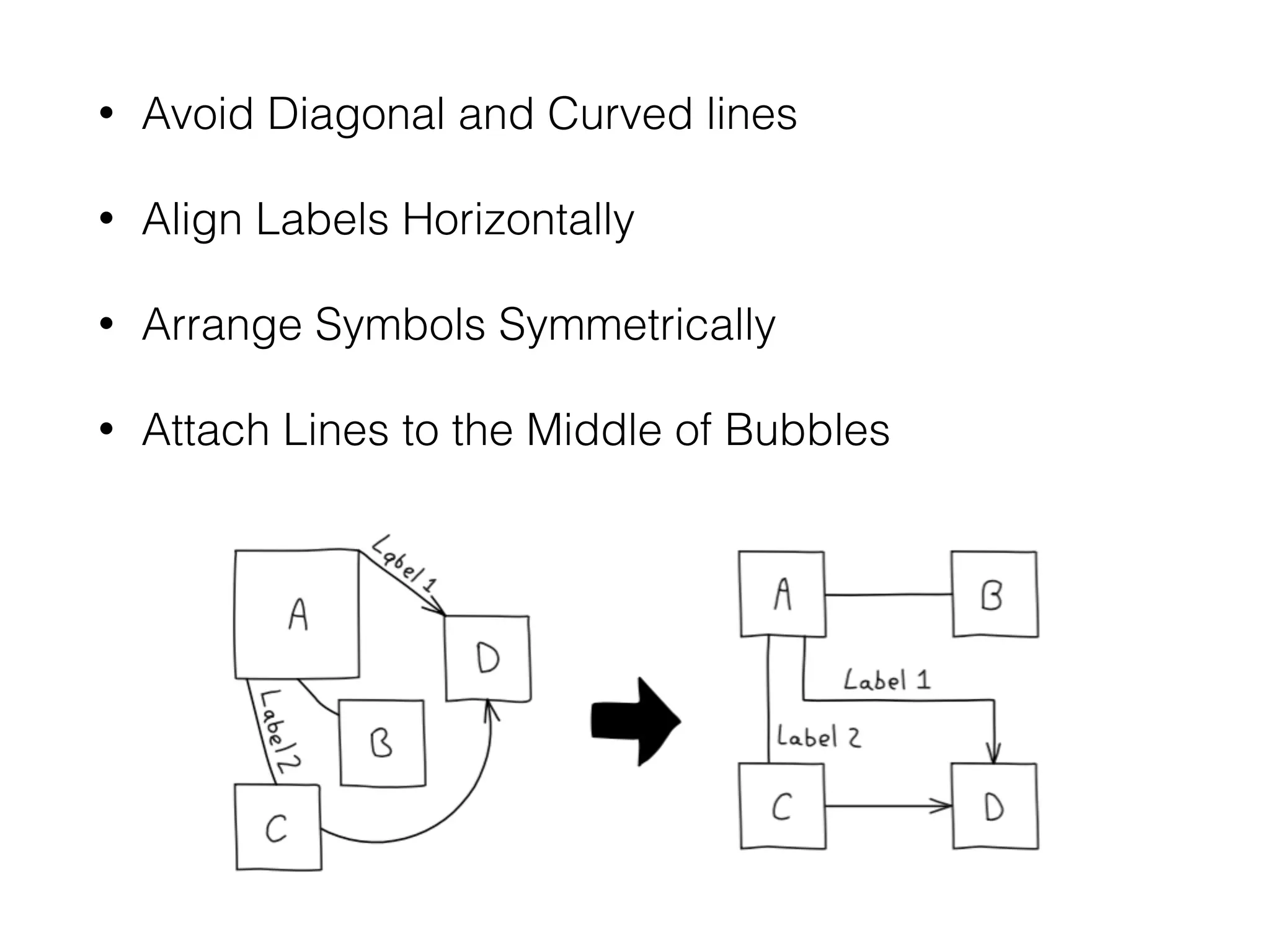
General Guidelines
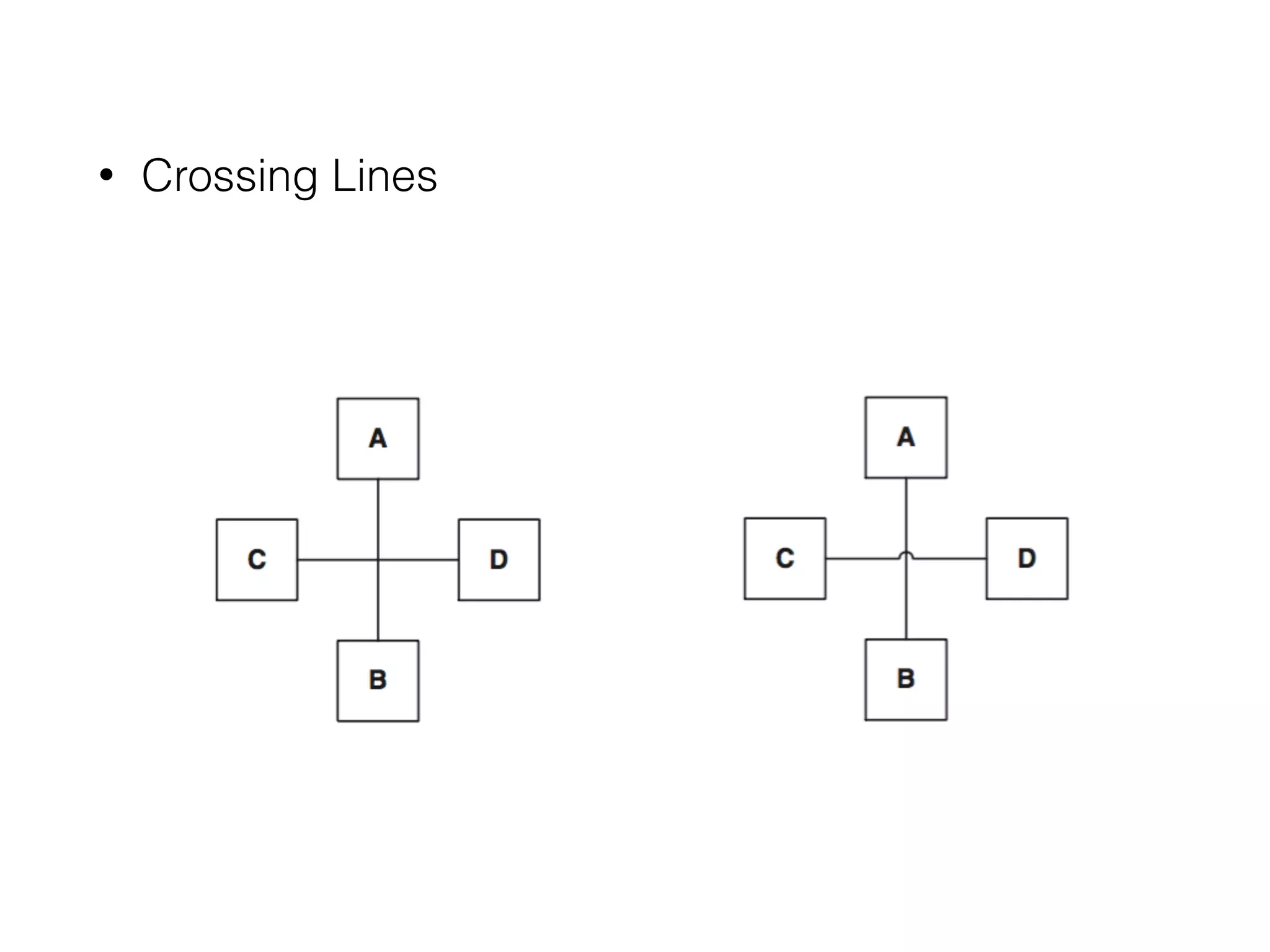
• Crossing Lines
• Avoid Diagonal and Curved lines
• Align Labels Horizontally
• Arrange Symbols Symmetrically
• Attach Lines to the Middle of Bubbles
• Organise Diagrams Left to Right, Top to Bottom
• Avoid Many Close Lines
• Provide a Notation Legends
Back to the Class
Diagrams
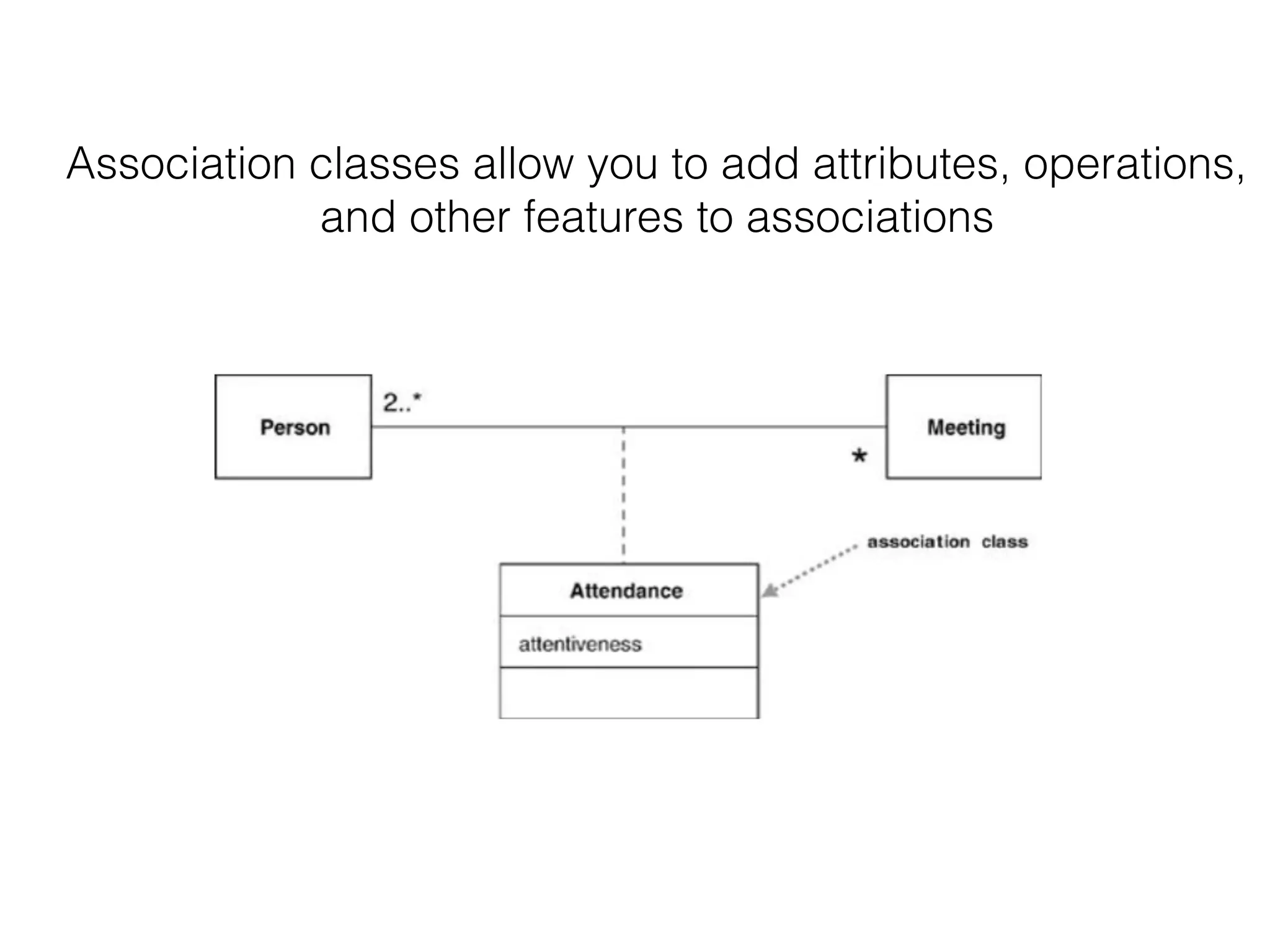
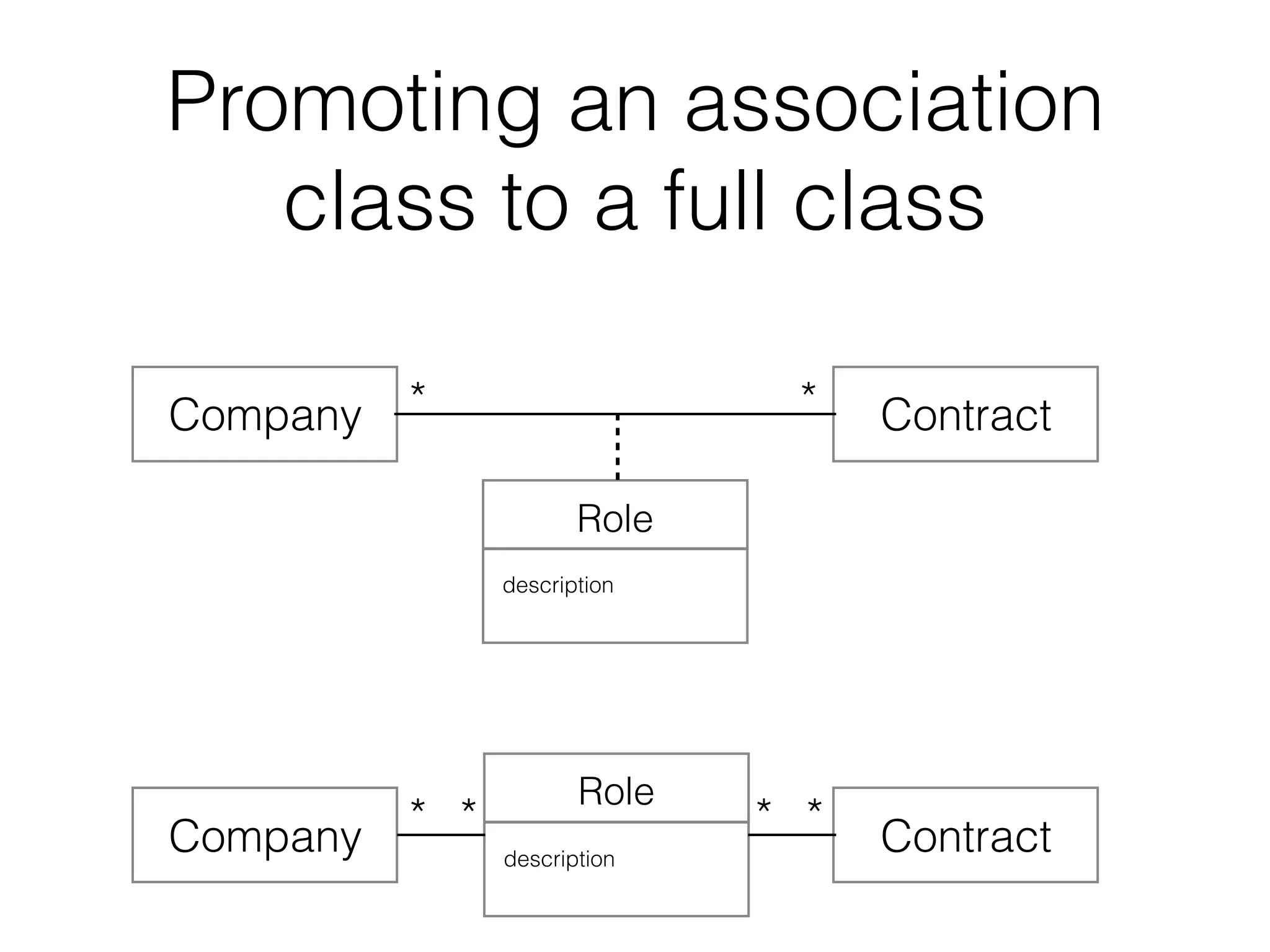
Association Class
Association classes allow you to add attributes, operations,
and other features to associations
Promoting an association
class to a full class
Company Contract
Role
description
Company Contract
Role
description
* *
* * * *
Sequence Diagrams
How groups of objects collaborate in some behaviour
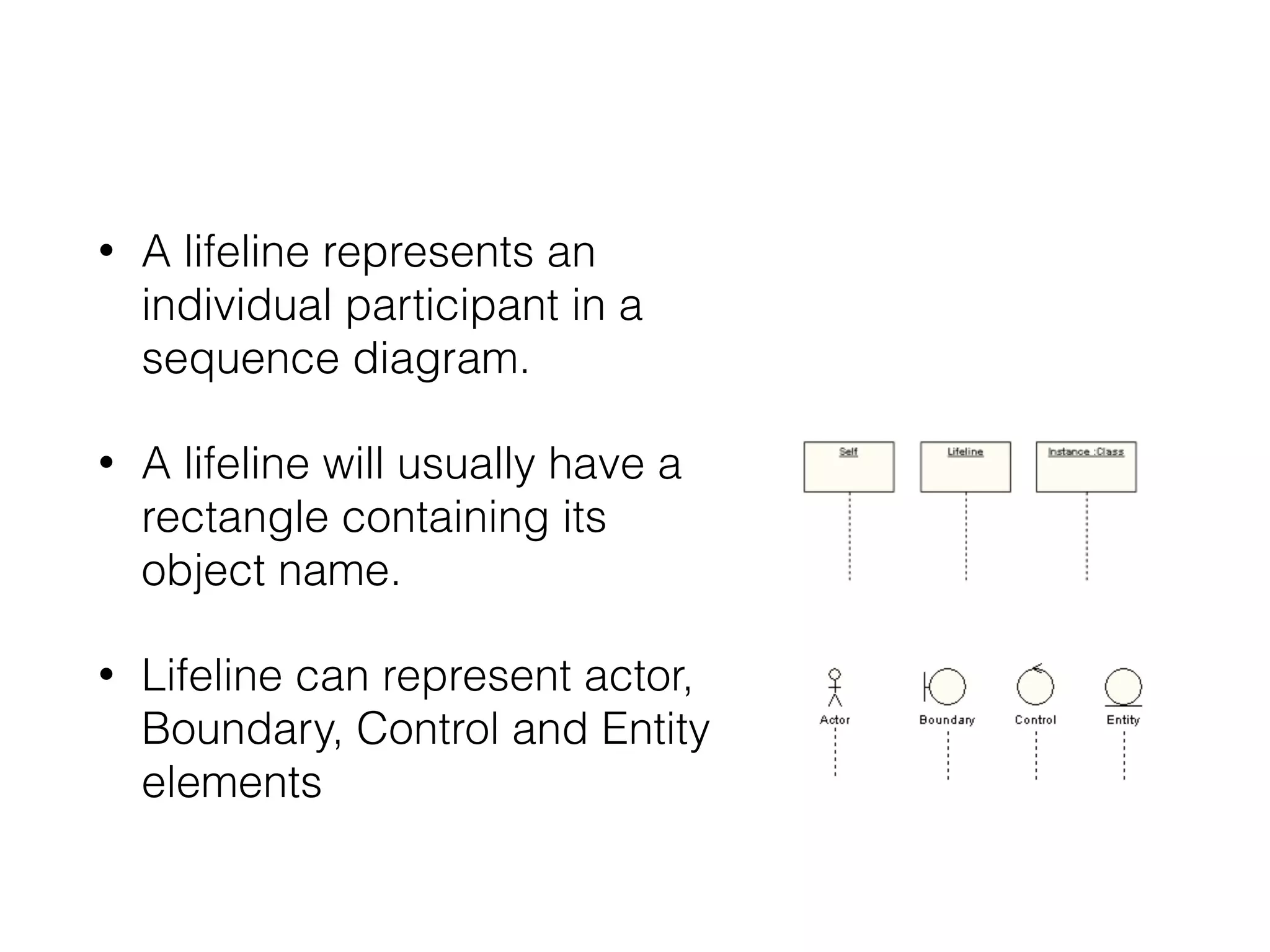
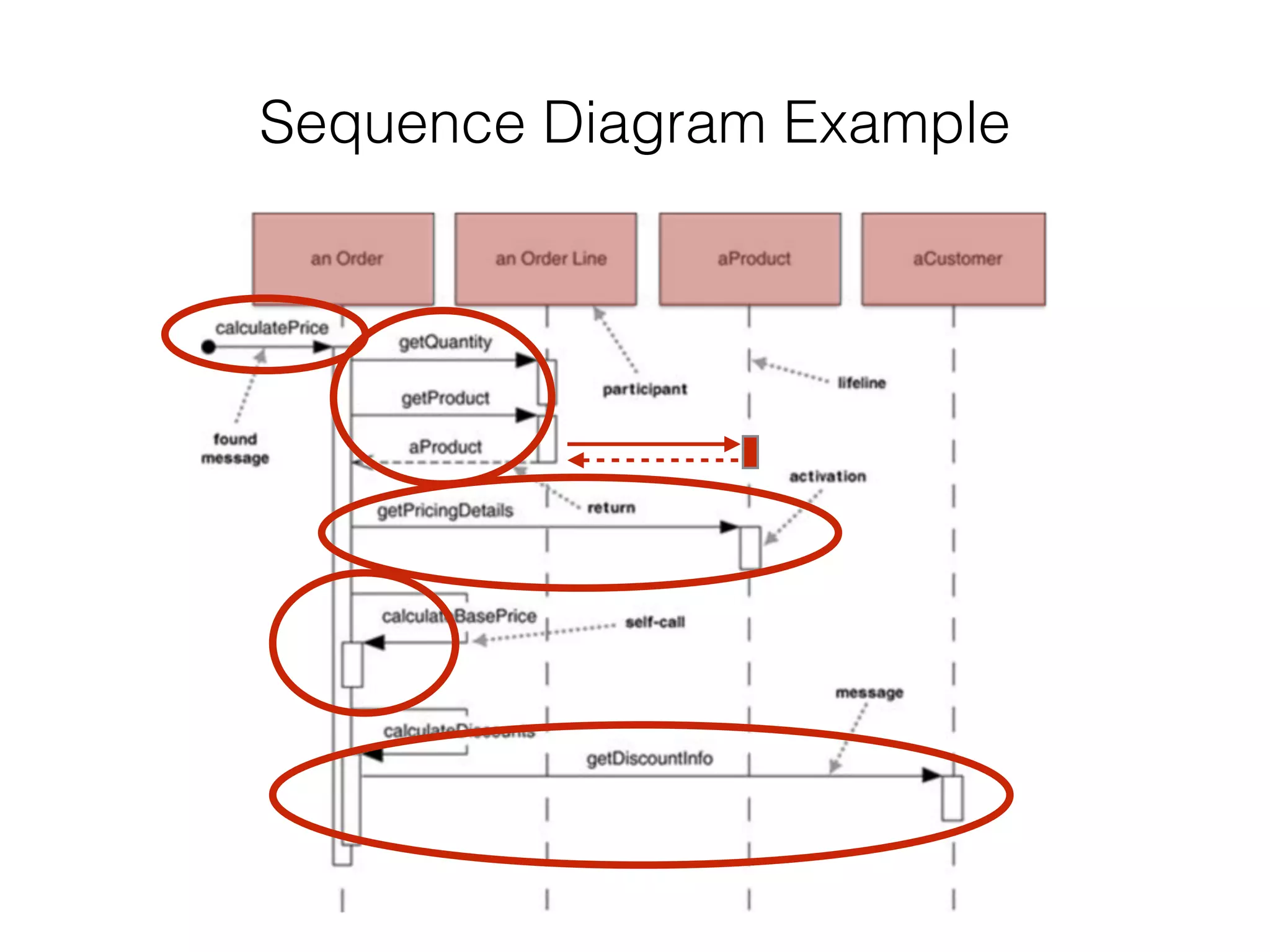
• A lifeline represents an
individual participant in a
sequence diagram.
• A lifeline will usually have a
rectangle containing its
object name.
• Lifeline can represent actor,
Boundary, Control and Entity
elements
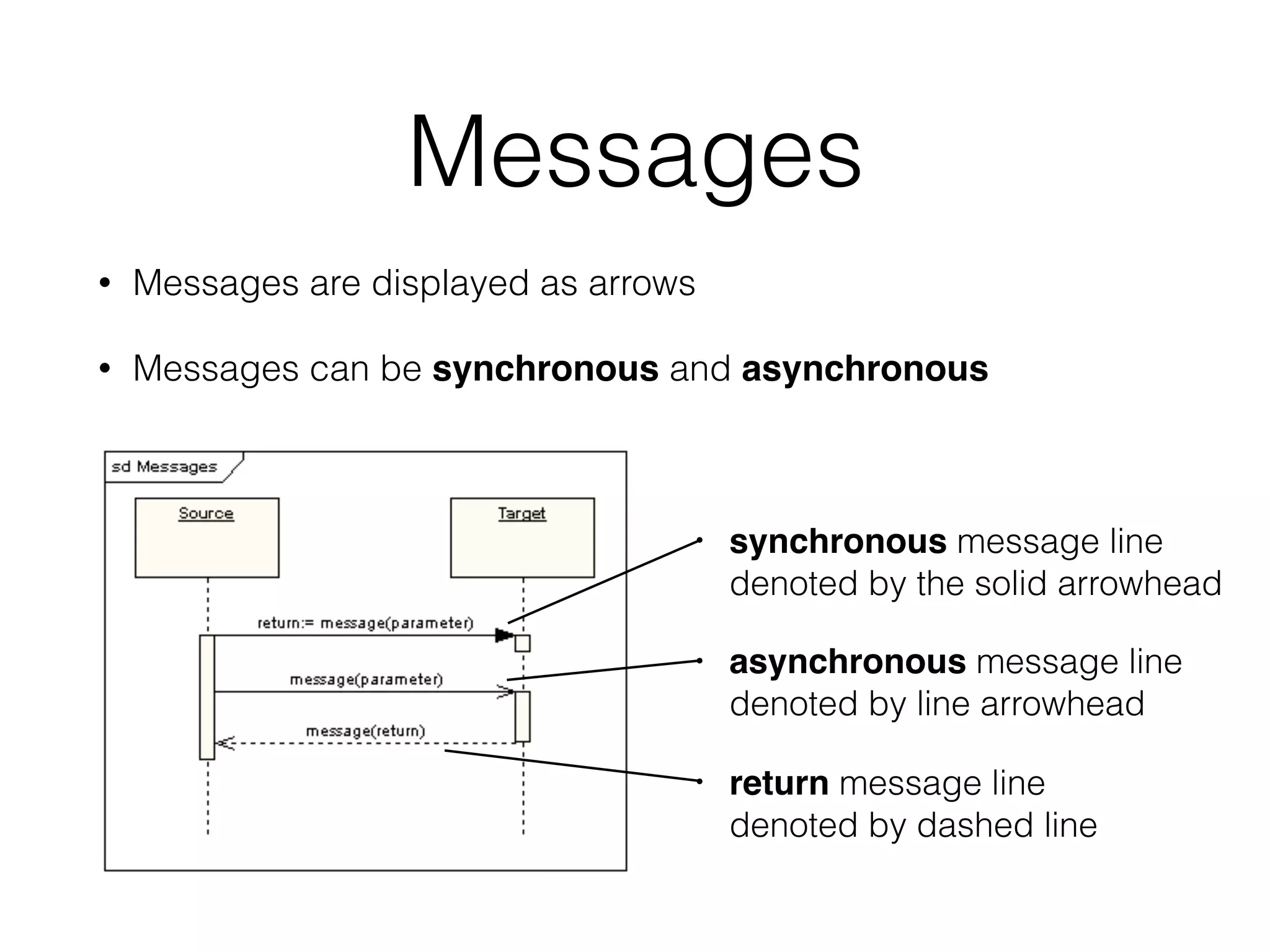
Messages
• Messages are displayed as arrows
• Messages can be synchronous and asynchronous
• synchronous message line

denoted by the solid arrowhead
• asynchronous message line 

denoted by line arrowhead
• return message line 

denoted by dashed line
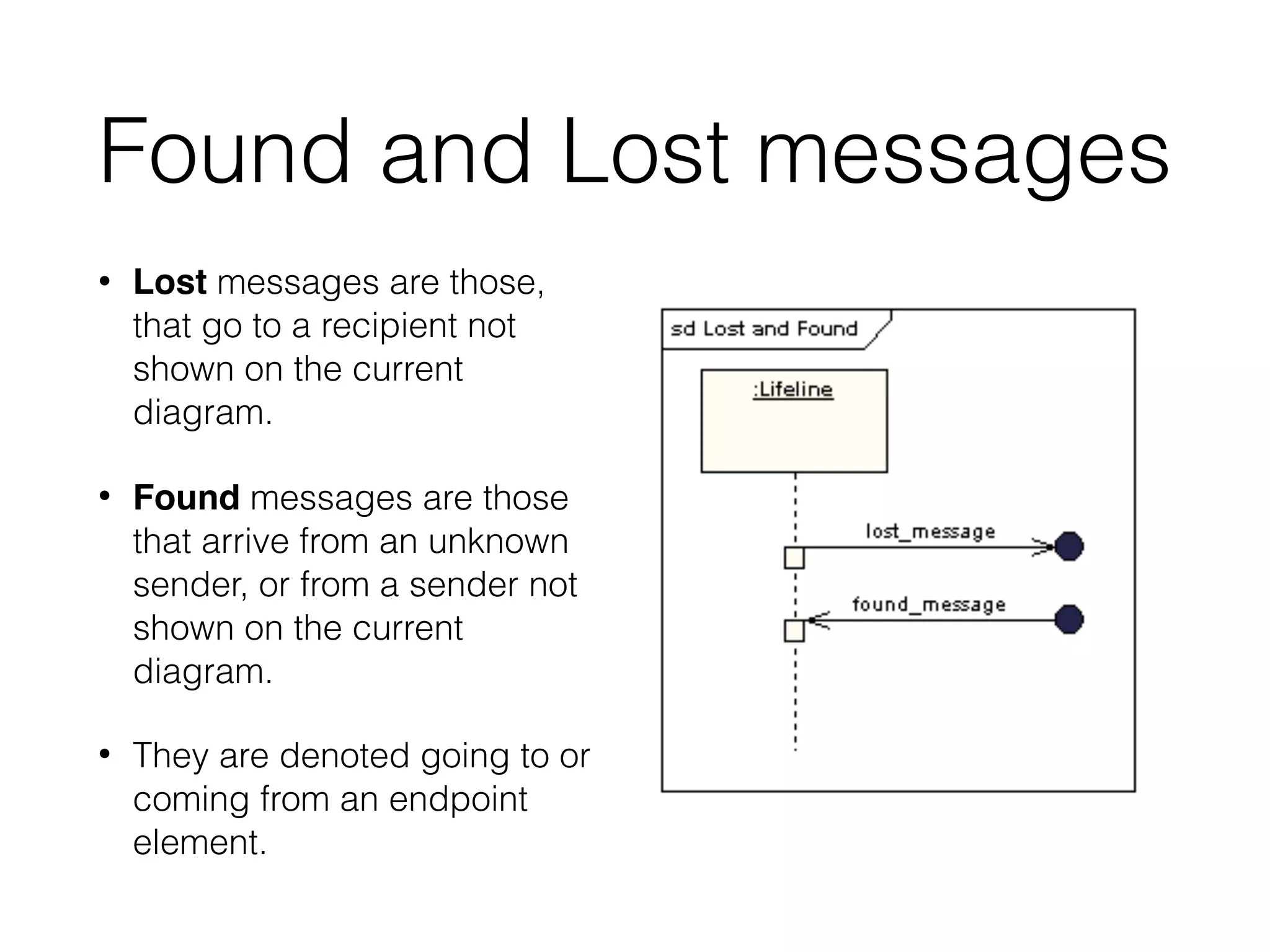
Found and Lost messages
• Lost messages are those,
that go to a recipient not
shown on the current
diagram.
• Found messages are those
that arrive from an unknown
sender, or from a sender not
shown on the current
diagram.
• They are denoted going to or
coming from an endpoint
element.
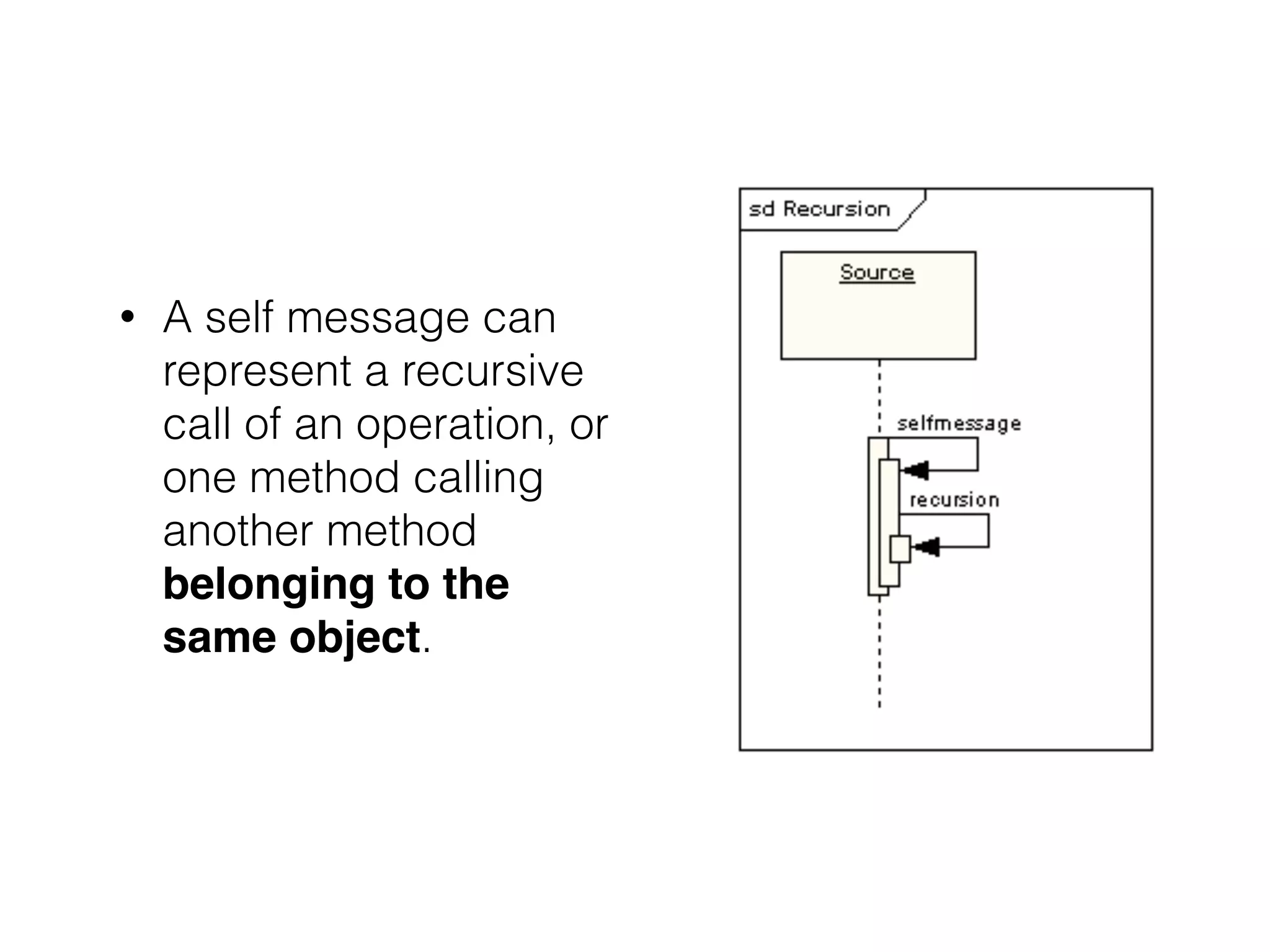
• A self message can
represent a recursive
call of an operation, or
one method calling
another method
belonging to the
same object.
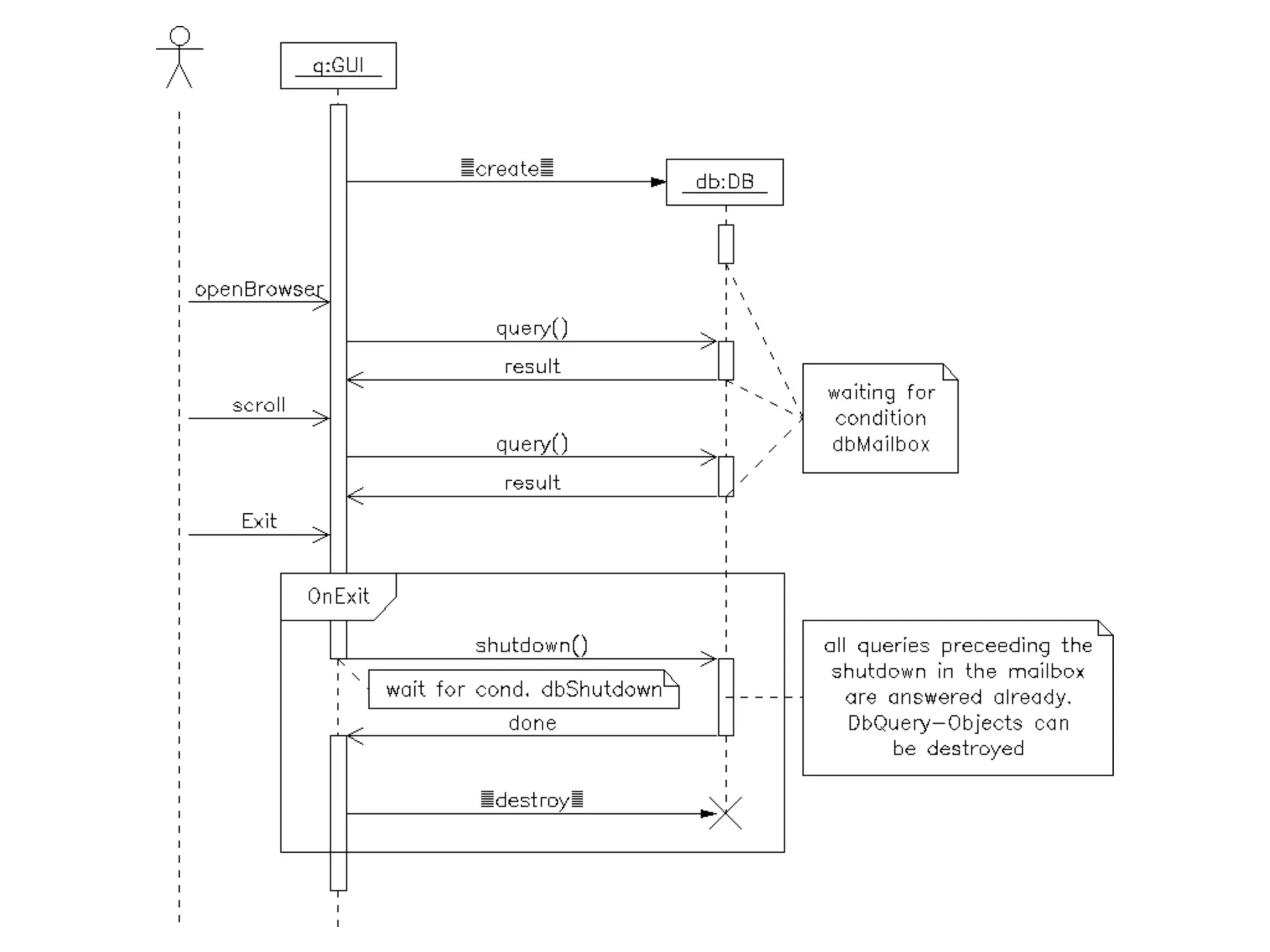
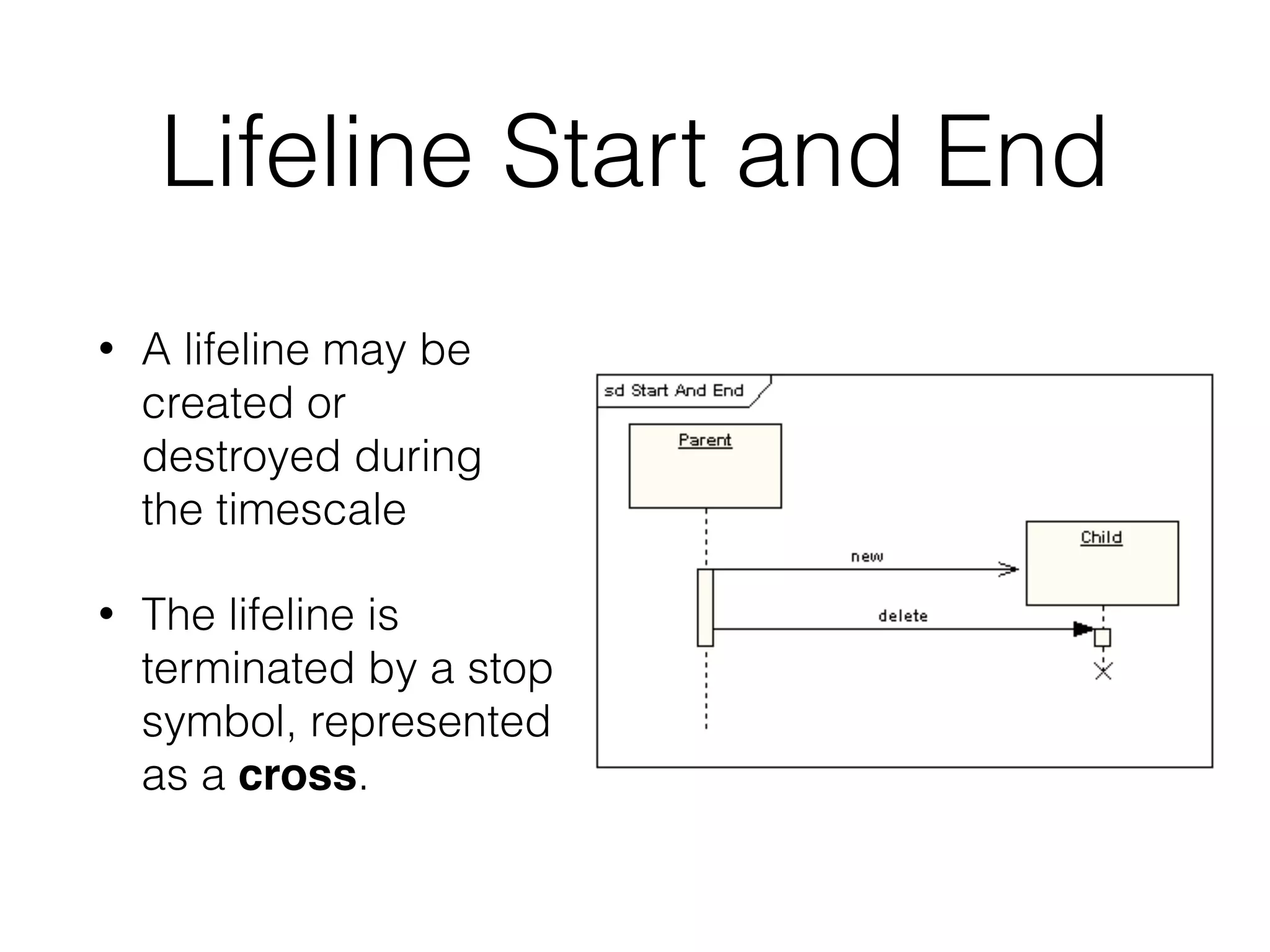
Lifeline Start and End
• A lifeline may be
created or
destroyed during
the timescale
• The lifeline is
terminated by a stop
symbol, represented
as a cross.
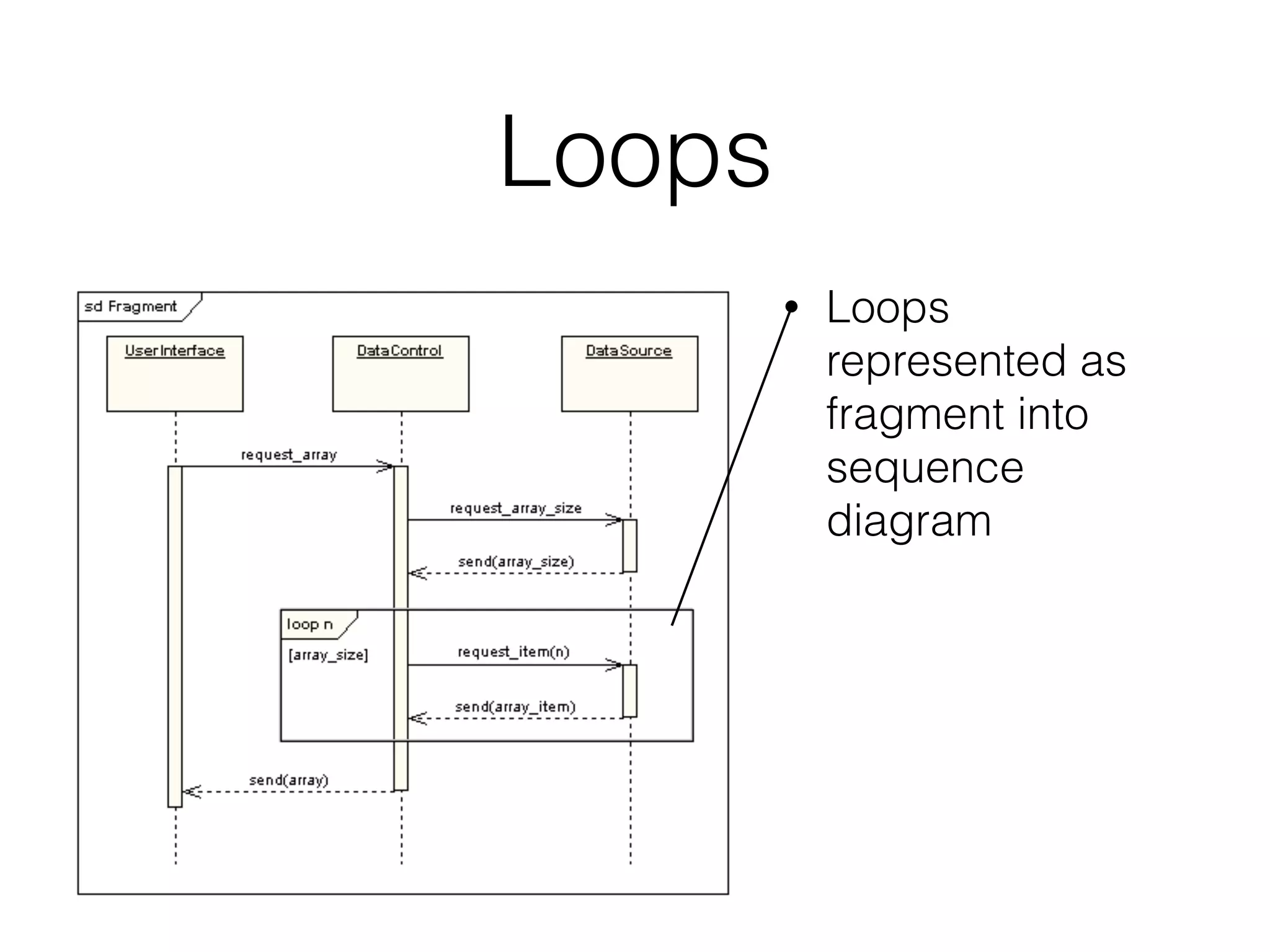
Loops
• Loops
represented as
fragment into
sequence
diagram
Sequence Diagram Example
Activity Diagram
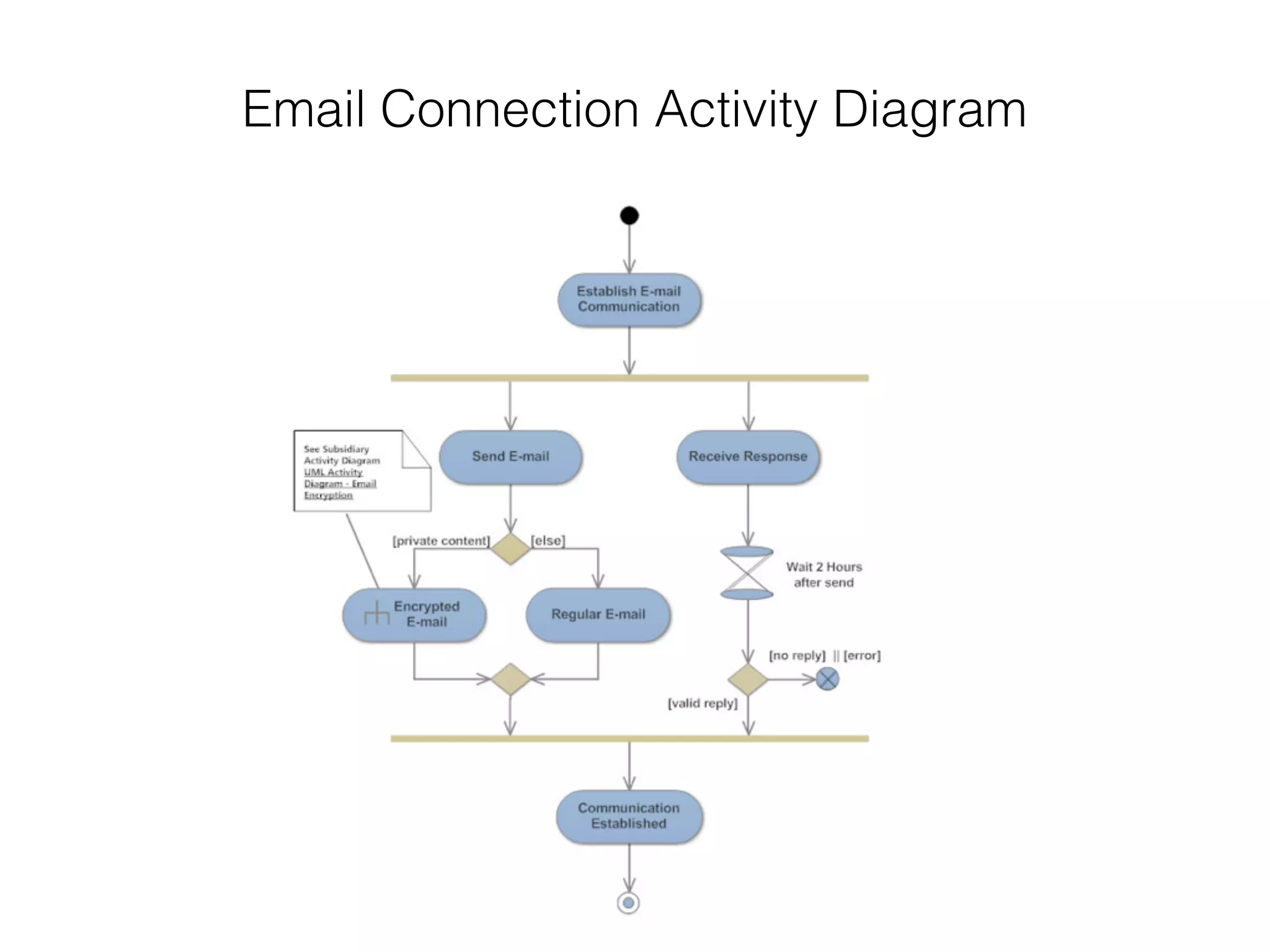
Email Connection Activity Diagram
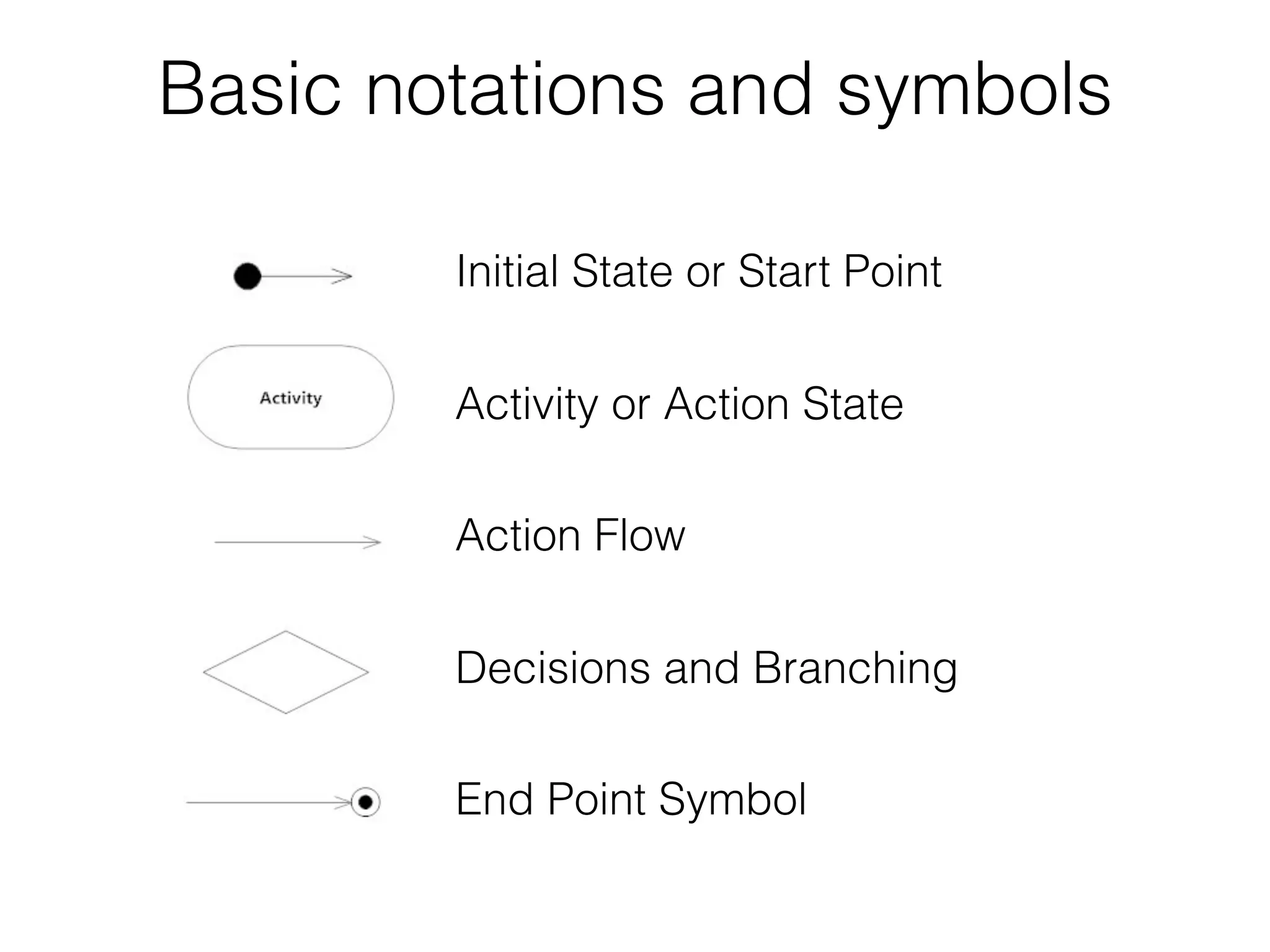
Basic notations and symbols
Initial State or Start Point
Activity or Action State
Action Flow
Decisions and Branching
End Point Symbol
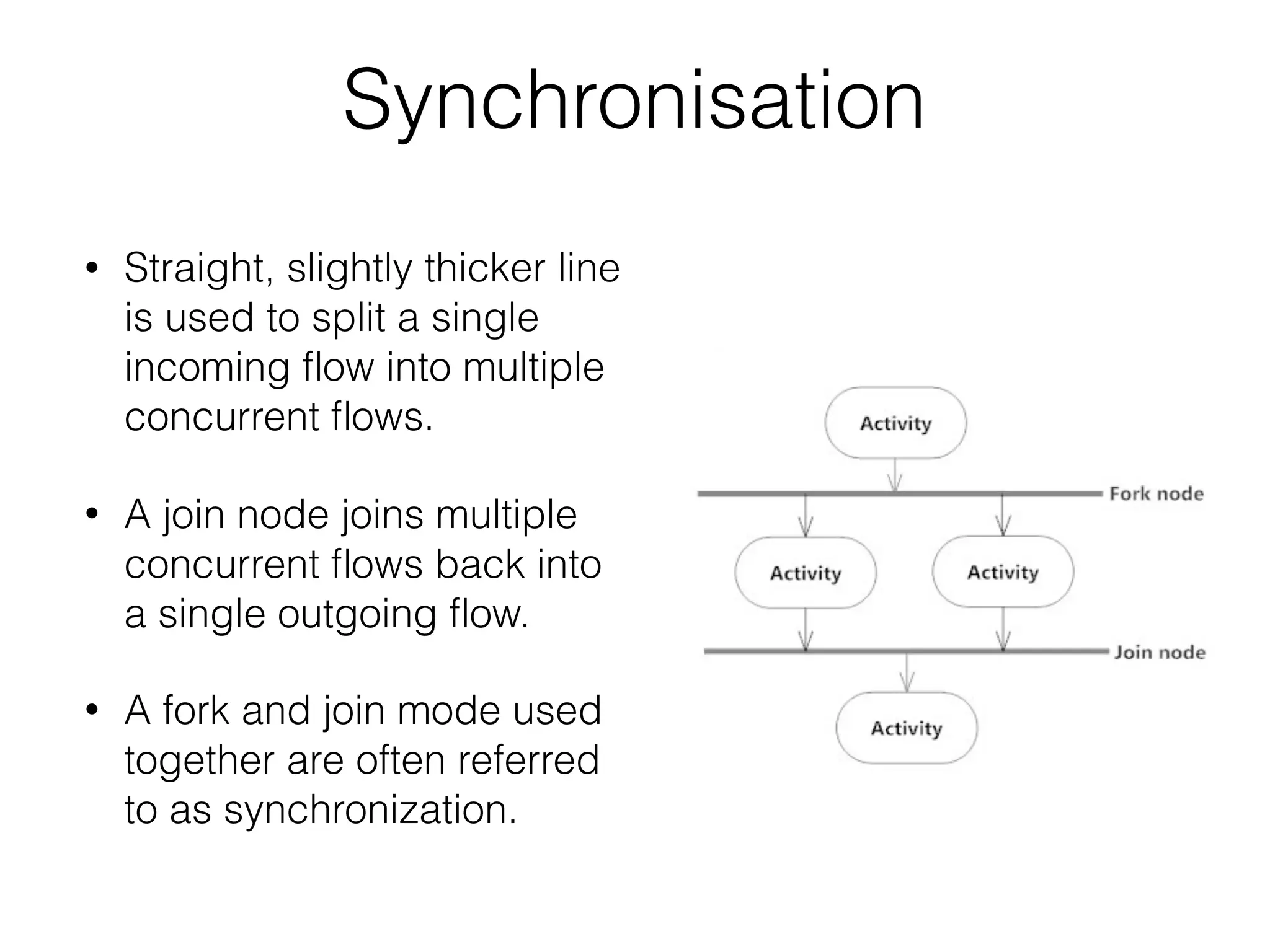
Synchronisation
• Straight, slightly thicker line
is used to split a single
incoming flow into multiple
concurrent flows.
• A join node joins multiple
concurrent flows back into
a single outgoing flow.
• A fork and join mode used
together are often referred
to as synchronization.
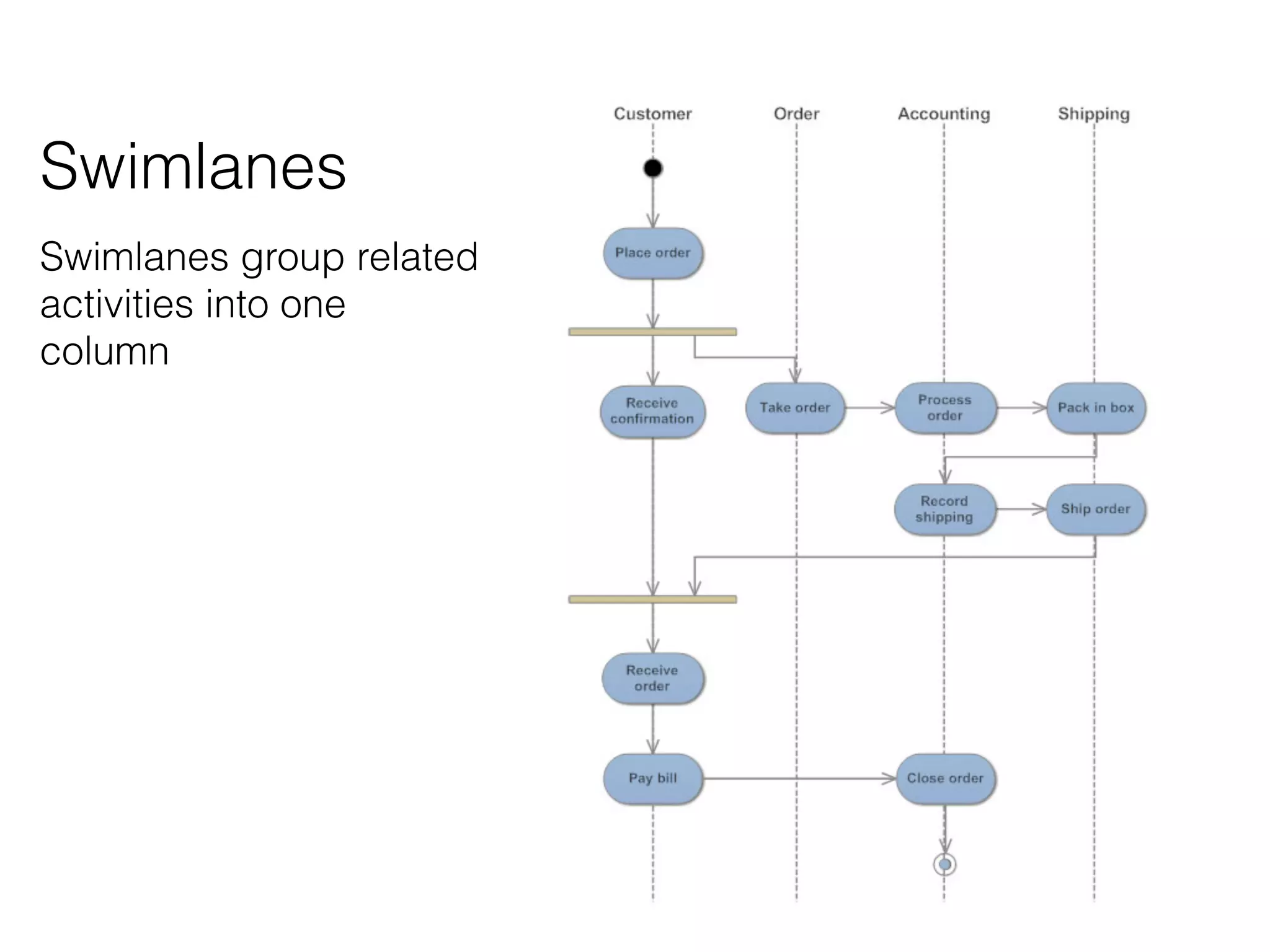
Swimlanes
Swimlanes group related
activities into one
column
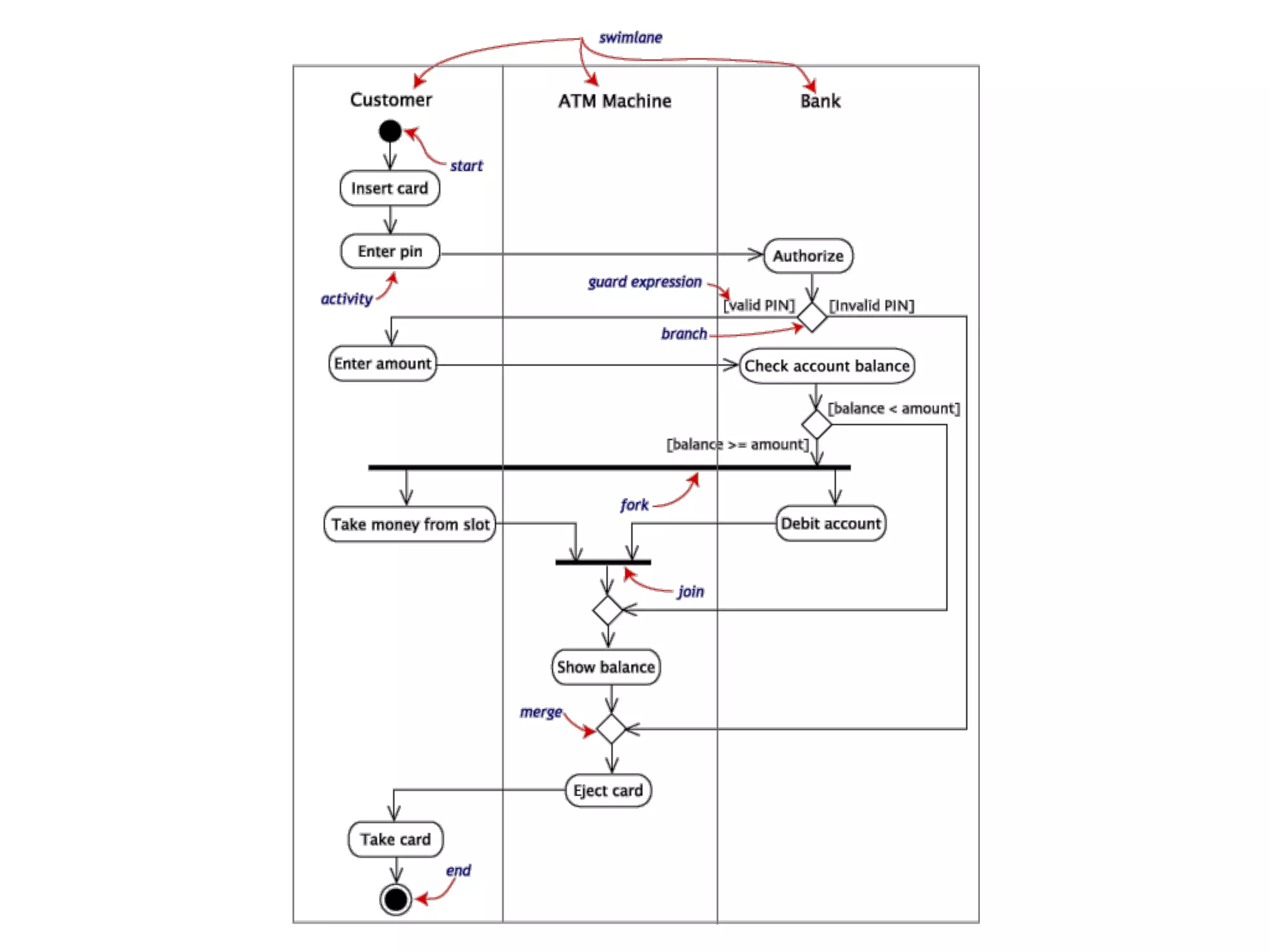
ATM Activity Diagram
Example
Sources
• The Elements of UML 2.0 Style - Scott W. Ambler
• Learning UML 2.0 - O’Reilly
• UML Distilled. A Brief Guide to the Standard Object
Modelling Language - Martin Fowler
• Sparx Systems - www.sparxsystems.com
Thanks for listening

UML

  • 1.
    UML 2.0 Collection ofstandards and guidelines for UML diagrams
  • 2.
    What is UML? TheUnified Modelling Language (UML) is a family of graphical notations, that help in describing and designing software systems
  • 3.
  • 6.
    Start with theUML • Nobody understand or use all of UML. • Use a small subset of the UML for you and your colleagues. • Concentrate first on Class and Sequence Diagrams
  • 7.
    UML Types • Activity- Procedural and parallel behaviour • Class - Class, features, relationships • Communication - Interaction between objects • Component - Structure and connections of components • Composite Structure - Runtime decomposition of a class • Deployment - Deployment of artefacts to notes • Interaction overview - Mix of sequence and activity diagram • Object - Example configurations of instances • Package - Compile-time hierarchic structure • Sequence - Interactions between objects; emphasis on sequence • State machine - How events change an object over it’s life • Timing - Interaction between objects; emphasis on timing • Use case - How users interact with a system
  • 8.
    Class Diagram Describe objectsand relationship types among them.
  • 10.
    Attributes visibility name: typemultiplicity = default {property-string}public age: int [1..*] = 15 {readOnly}+ age: int [1..*] = 15 {readOnly} public / private attribute name numeric | boolean | string… 1 | 0..1 | * default value {readOnly}
  • 11.
    Methods visibility name (parameter-list): return-type {property-string}public talk (speech: string) : void+talk(speech:string):void public / private method name parameters return value {visibility:implementation}
  • 12.
    Associations • Class Names PersonCar • Association Line • Association name owns • Multiplicity 0..1 *
  • 13.
  • 14.
    Dependency • Use dependencieswhenever you want to show how changes in one element might alter other elements. • Dependency is in only one direction and goes from the presentation class to the domain class.
  • 16.
  • 17.
  • 18.
    • Avoid Diagonaland Curved lines • Align Labels Horizontally • Arrange Symbols Symmetrically • Attach Lines to the Middle of Bubbles
  • 19.
    • Organise DiagramsLeft to Right, Top to Bottom • Avoid Many Close Lines • Provide a Notation Legends
  • 20.
    Back to theClass Diagrams Association Class
  • 21.
    Association classes allowyou to add attributes, operations, and other features to associations
  • 22.
    Promoting an association classto a full class Company Contract Role description Company Contract Role description * * * * * *
  • 23.
    Sequence Diagrams How groupsof objects collaborate in some behaviour
  • 24.
    • A lifelinerepresents an individual participant in a sequence diagram. • A lifeline will usually have a rectangle containing its object name. • Lifeline can represent actor, Boundary, Control and Entity elements
  • 25.
    Messages • Messages aredisplayed as arrows • Messages can be synchronous and asynchronous • synchronous message line
 denoted by the solid arrowhead • asynchronous message line 
 denoted by line arrowhead • return message line 
 denoted by dashed line
  • 26.
    Found and Lostmessages • Lost messages are those, that go to a recipient not shown on the current diagram. • Found messages are those that arrive from an unknown sender, or from a sender not shown on the current diagram. • They are denoted going to or coming from an endpoint element.
  • 27.
    • A selfmessage can represent a recursive call of an operation, or one method calling another method belonging to the same object.
  • 28.
    Lifeline Start andEnd • A lifeline may be created or destroyed during the timescale • The lifeline is terminated by a stop symbol, represented as a cross.
  • 29.
  • 30.
  • 31.
  • 32.
  • 33.
    Basic notations andsymbols Initial State or Start Point Activity or Action State Action Flow Decisions and Branching End Point Symbol
  • 34.
    Synchronisation • Straight, slightlythicker line is used to split a single incoming flow into multiple concurrent flows. • A join node joins multiple concurrent flows back into a single outgoing flow. • A fork and join mode used together are often referred to as synchronization.
  • 35.
  • 36.
  • 38.
    Sources • The Elementsof UML 2.0 Style - Scott W. Ambler • Learning UML 2.0 - O’Reilly • UML Distilled. A Brief Guide to the Standard Object Modelling Language - Martin Fowler • Sparx Systems - www.sparxsystems.com
  • 39.