Designing  Effective    Online  Interventions Dr. Michael Rost [email_address] www.latcomm.com/ blog www.michaelrostseminars.pbworks.com
What I’m  not  intending to do… … provide an exciting look at the  possibilities and potentials of computer  technology for education. Help you begin to  incorporate a wide variety of computer-based technology for both professional and instructional use.  Give you sense of all that is  possible using technology in teaching and concrete ideas about how to infuse technology into your teaching.  Blah, blah, blah.
What I  would  like to do… Explore practical methods of… • designing  (creating, selecting, adapting, ‘tasking’) • effective   (valid, practical, ‘accountable’, generative) • online   ( available anytime anywhere ) • interventions  (‘devices’, supplements, redirections) that fit specific needs  of your students
The plan… Explore  our own orientations toward technology Outline  research on online learning Identify  areas for supplementation & intervention Give  a quick review of “Best in Show” prototypes  Review  keys to successful online learning Entertain  Q & A, Q & Q
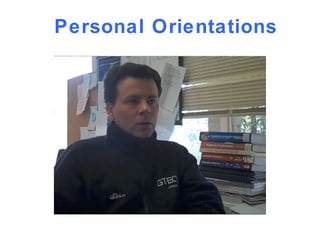
Personal Orientations
Personal Orientations Task:  What are 3 tools that are essential in  your  teaching? Explain reasons for your choices.
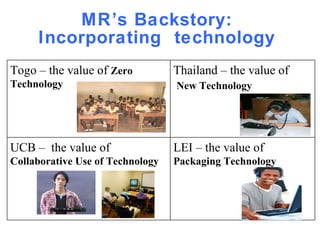
MR’s Backstory:  Incorporating  technology    Togo – the value of  Zero Technology Thailand – the value of New Technology UCB –  the value of  Collaborative Use of Technology LEI – the value of  Packaging Technology
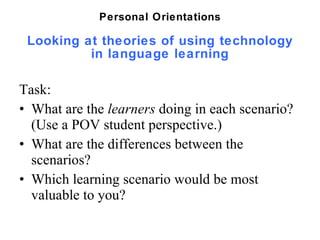
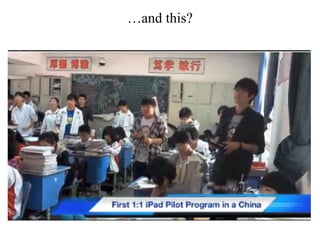
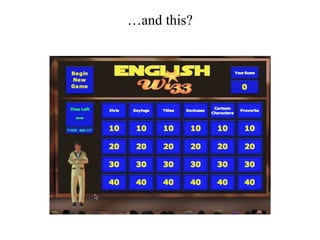
Looking at theories of using technology in language learning Task:  What are the  learners  doing in each scenario?  (Use a POV student perspective.) What are the differences between the scenarios? Which learning scenario would be most valuable to you?  Personal Orientations
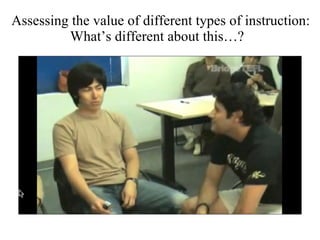
Assessing the value of different types of instruction: What’s different about this…?
… and this?
… and this?
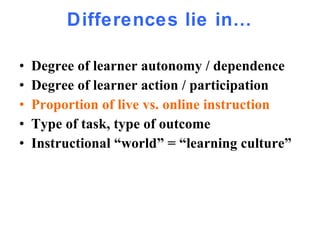
Differences lie in… Degree of learner autonomy / dependence Degree of learner action / participation Proportion of live vs. online instruction Type of task, type of outcome  Instructional “world” = “learning culture”
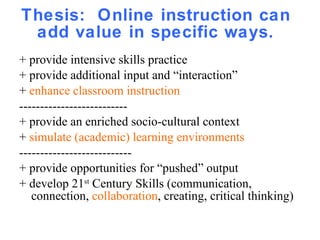
Thesis:  Online instruction can add value in specific ways. + provide intensive skills practice + provide additional input and “interaction” +  enhance classroom instruction  -------------------------- + provide an enriched socio-cultural context  +  simulate (academic) learning environments --------------------------- + provide opportunities for “pushed” output + develop 21 st  Century Skills (communication, connection,  collaboration , creating, critical thinking)
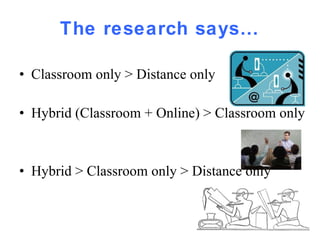
The research says… Classroom only > Distance only Hybrid (Classroom + Online) > Classroom only Hybrid > Classroom only > Distance only
Research Paradigms Input-Interaction Theory:  Is amount and type of input & interaction in l vs o courses equal?  Socio-cultural Theory:  How do online courses increase/decrease motivation?  Increase/decrease ‘connectedness’ to TLC?  Processing Theory:  How do online courses promote progressively deeper levels of processing?
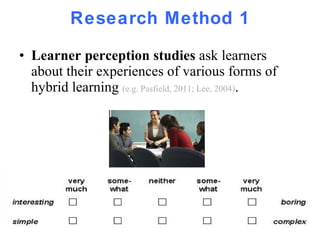
Research Method 1 Learner perception studies  ask learners about their experiences of various forms of hybrid learning  (e.g. Pasfield, 2011; Lee, 2004) .
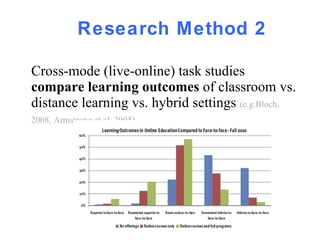
Research Method 2 Cross-mode (live-online) task studies  compare learning outcomes  of classroom vs. distance learning vs. hybrid settings   (e.g.Bloch, 2008, Armstrong et al, 2005) .
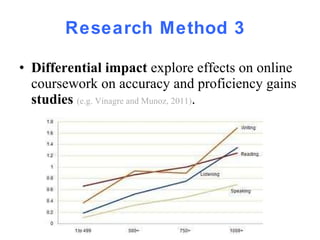
Research Method 3 Differential impact  explore effects on online coursework on accuracy and proficiency gains  studies  (e.g. Vinagre and Munoz, 2011) .
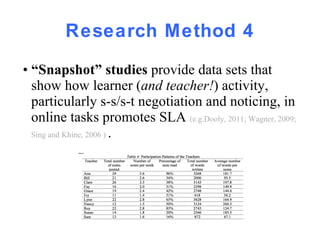
Research Method 4 •  “ Snapshot” studies  provide data sets that show how learner ( and teacher! ) activity, particularly s-s/s-t negotiation and noticing, in online tasks promotes SLA  (e.g.Dooly, 2011; Wagner, 2009; Sing and Khine, 2006 )  .
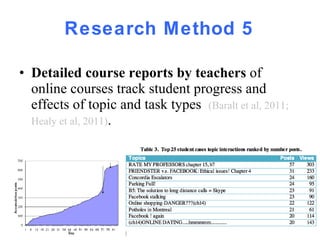
Research Method 5 Detailed course reports by teachers  of online courses track student progress and effects of topic and task types  (Baralt et al, 2011; Healy et al, 2011) .
The upshot:  Online learning alone is generally  not  as effective as classroom learning alone =>   Attempt to have  appropriate balance  of classroom to online. Online learning + Classroom learning is almost  always more effective  than classroom learning alone. => Find ways of supplementing classroom learning with online learning.
Differences in effect are due to:  teacher  involvement learner  strategy  training accountability  of Ss (record keeping) choice (and variety) of online  tools choice (and variety) of  content
The Challenge! Foundation Program: 12 months  to achieve:  - Intermediate language  proficiency in 4 skills - Readiness for  academic study  in the L2 - 21 st  Century  learning   skills
What kinds of interventions are needed? Goal 1:  Language Acquisition  •  Reading  = increase in speed/quantity, comprehension, semantic depth, strategy development •  Listening  = increase in speed/quantity, comprehension, semantic depth, strategy development •  Conversation =increase in accuracy, depth, participation strategies, presentation quality  •  Writing = increase in accuracy, semantic depth, appropriateness
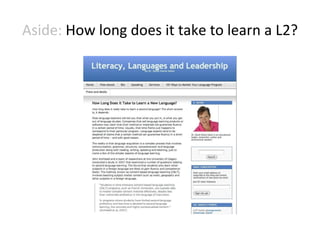
Aside:  How long does it take to learn a L2?
What kind of interventions are needed? Goal 2:  Academic Readiness •  Massive  Vocabulary  Growth •  Comprehension  of Lectures •  Participation  in Discussions •  Self Management  of Tasks and Goals
Aside:  What strategies lead to readiness?
What kind of interventions are possible? Goal 3:  21 st  Century Skills  •  Connection •  Communication  •  Collaborations •  Critical Thinking •  Creative Expression
Aside:  What are 21 st  Century Skills
Best in Show Language Acquisition Academic Preparation 21 st  Century Skills
Best in Class: Listening •  Broadcasts from the BBC  A range of audio and video broadcasts available for online streaming. www.bbc.co/uk/worldservice/BBC_English/progs.htm •  YouTube Selection  Selected YouTube videos, subtitled by members  http://yappr.com •  Free TV  Watch your favorite TV shows. Anytime. For free.  http://www.hulu.com/   •  English Language Listening Lounge  Massive number of  interesting interviews, tasks, vocabulary and cultural notes  www.elllo.org •  Awesome Stories  “The story place of the web”  Tell yours, listen to others’.  www.awesomestories.com
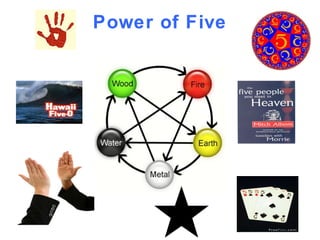
Power of Five
Best in Class: Grammar •  Grammarly   “ World’s most accurate grammar checker ” – checks written texts http://www.grammarly.com   •  Azar Grammar  Teacher-created worksheets on discrete grammar points www.azargrammar.com •  Many Things  Simple interactively scored activities, organized topically http://www.manythings.org/ •  Activities for ESL  Range of self-scoring quizzes  http://a4esl.org •  Listen and Write  Dictation practice, lots of dictation practice http://www.listen-and-write.com/
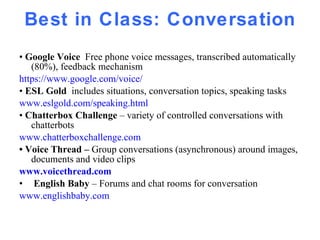
Best in Class: Conversation •  Google Voice  Free phone voice messages, transcribed automatically (80%), feedback mechanism https://www.google.com/voice/ •  ESL Gold  includes situations, conversation topics, speaking tasks www.eslgold.com/speaking.html •  Chatterbox Challenge  – variety of controlled conversations with chatterbots  www.chatterboxchallenge.com •  Voice Thread –  Group conversations (asynchronous) around images, documents and video clips www.voicethread .com English Baby  – Forums and chat rooms for conversation  www.englishbaby.com
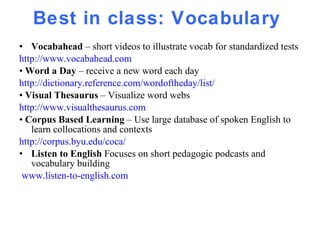
Best in class: Vocabulary  Vocabahead  – short videos to illustrate vocab for standardized tests http://www.vocabahead.com   •  Word a Day  – receive a new word each day http://dictionary.reference.com/wordoftheday/list/ •  Visual Thesaurus  – Visualize word webs  http://www.visualthesaurus.com •  Corpus Based Learning  – Use large database of spoken English to learn collocations and contexts http://corpus.byu.edu/coca/ Listen to English  Focuses on short pedagogic podcasts and vocabulary building www.listen-to-english.com
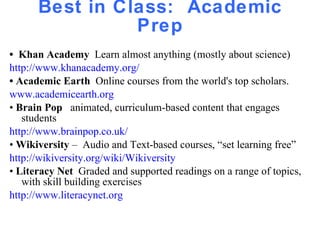
Best in Class:  Academic Prep •  Khan Academy  Learn almost anything (mostly about science) http://www.khanacademy.org/   •  Academic Earth  Online courses from the world's top scholars. www.academicearth.org •  Brain Pop  animated, curriculum-based content that engages students http://www.brainpop.co.uk/ •  Wikiversity  –  Audio and Text-based courses, “set learning free” http://wikiversity.org/wiki/Wikiversity •  Literacy Net  Graded and supported readings on a range of topics, with skill building exercises http://www.literacynet.org
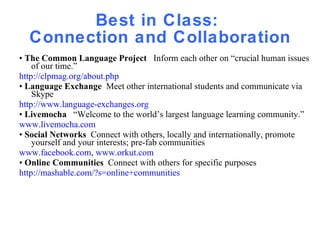
Best in Class:  Connection and Collaboration •  The Common Language Project  Inform each other on “crucial human issues of our time.” http://clpmag.org/about.php •  Language Exchange  Meet other international students and communicate via Skype http://www.language-exchanges.org •  Livemocha  “Welcome to the world’s largest language learning community.” www.livemocha.com •  Social Networks  Connect with others, locally and internationally, promote yourself and your interests; pre-fab communities www.facebook.com ,  www.orkut.com •  Online Communities  Connect with others for specific purposes http://mashable.com/?s=online+communities
Best in Class:  Critical Thinking TED  (Technology, Entertainment, Design)  Leading innovators, short illustrated talks   www.ted.com   Survey Monkey  Inquire about people’s opinions, analyze results (with e.g.  Compelling Conversations ) www.surveymonkey.com Critical Thinking Course  Students learn about claims, arguments, validity, conclusions  www.criticalthinkingcourse.com •  Qualia Soup  A YouTube channel discussing controversial topics and arguments http://www.youtube.com/watch?v=-h9XntsSEro&feature=relmfu •  Journal Writing Prompts  300 prompts for reflective journal writing http://creativewritingprompts.com
Best in Class:  Communication (Self-Expression) Write and record your own story  www.storycorps.org   Direct and post your own videos www.vimeo.com •  Assemble and narrate multimedia shows slideshows www.smilebox.com   www.animoto.com •  Share your own presentations www.slideshare.com •  Design original multimedia presentations http://prezi.com/
Learning Games •  The Experiential Learning Group  Offers listening games oriented for adults. www.experiential-learning-games.com/listeninggames.html •  ESL Games World  Flash-based games for lower levels http://www.eslgamesworld.com/   http://topwordgames.com/ •  Multiplayer Games (MMOG)  Interact with other players around the world  http://www.novelgames.com/multiplayerflashgames/ •  English Wizz  A Jeopardy style board game on over 300 world topics  www.englishwizz.com •  Free Thinking Games  A variety of critical thinking games www.freethinkinggames.com
Best in Class: Free Tools Skype  (+ Ecamm)  - record your conversations www.skype.com , www.ecamm.com Google Docs  - use spreadsheets to track students’ tasks http://docs.google.com •  Facebook   -  create a class page www.facebook.com •  Drop Box  keep a portfolio of student work https://www.dropbox.com •  i-Tunes  Post and access audio, video, learning apps www.apple.com/itunes
Keys to Successful Online Interventions •  Compelling  Content •  Transparent  Navigation •  Learning  Strategy  Instruction  •  Adding Clear, Doable  Tasks •  Adding  Evaluation  (+/-,  Performance Scales ) •  Adding Learner  Feedback  (Likert Scales, “Yelp!” suggestions) •  Adding Learner  Presentations •  Keeping  Records  of learner performance (spreadsheets)… And the missing pieces: •  Learner Commitment and Trust •  Teacher Commitment, Confidence, and Belief
Thank you for your participation… … and collaboration Michael Rost [email_address] latcomm.com/blog michaelrostseminars.pbworks.com
Best in Class: Teacher Blogs English with Jennifer  http://englishwithjennifer.wordpress.com/ English Raven  http://jasonrenshaw.typepad.com/ ELT from A to Z http://scottthornbury.wordpress.com/ That’s Life  http://slife.dudeney.com •  TEFL Matters http://www.facebook.com/Marisa.Constantinides Critical mass elt  http://sjhannam.edublogs.org
If you have time to check out… Some References Healy, D. et al. (2011_ TESOL Technology Standards. TESOL. Horizon Project  http://horizon.wiki.nmc.org/About+The+Horizon+Project MSU Michigan State's Confucius Institute and MMOG for Chinese:  http://b2e.nitle.org/index.php/2007/01/26/massively_multiplayer_online_learning Thorne, S. L. (2009). 'Community', Semiotic Flows, and Mediated Contribution to Activity.  Language Teaching , 42(1): 81-94.  Thorne, S. L. & Reinhardt, J. (2008). “Bridging Activities,” New Media Literacies and Advanced Foreign Language Proficiency.  CALICO Journal,  25(3): 558-572.  Wesch, Michael (2011) The Machine is Us:  http://www.youtube.com/watch?v=6gmP4nk0EOE&eurl =
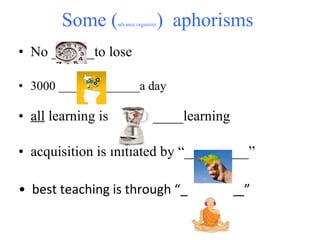
Some ( advance organizer )  aphorisms  No ______to lose  3000 _____________a day •  all  learning is __________learning •  acquisition is initiated by “_________”  •  best teaching is through “_________”

HTC Presentation Version 1

  • 1.
    Designing Effective Online Interventions Dr. Michael Rost [email_address] www.latcomm.com/ blog www.michaelrostseminars.pbworks.com
  • 2.
    What I’m not intending to do… … provide an exciting look at the possibilities and potentials of computer technology for education. Help you begin to incorporate a wide variety of computer-based technology for both professional and instructional use. Give you sense of all that is possible using technology in teaching and concrete ideas about how to infuse technology into your teaching. Blah, blah, blah.
  • 3.
    What I would like to do… Explore practical methods of… • designing (creating, selecting, adapting, ‘tasking’) • effective (valid, practical, ‘accountable’, generative) • online ( available anytime anywhere ) • interventions (‘devices’, supplements, redirections) that fit specific needs of your students
  • 4.
    The plan… Explore our own orientations toward technology Outline research on online learning Identify areas for supplementation & intervention Give a quick review of “Best in Show” prototypes Review keys to successful online learning Entertain Q & A, Q & Q
  • 5.
  • 6.
    Personal Orientations Task: What are 3 tools that are essential in your teaching? Explain reasons for your choices.
  • 7.
    MR’s Backstory: Incorporating technology Togo – the value of Zero Technology Thailand – the value of New Technology UCB – the value of Collaborative Use of Technology LEI – the value of Packaging Technology
  • 8.
    Looking at theoriesof using technology in language learning Task: What are the learners doing in each scenario? (Use a POV student perspective.) What are the differences between the scenarios? Which learning scenario would be most valuable to you? Personal Orientations
  • 9.
    Assessing the valueof different types of instruction: What’s different about this…?
  • 10.
  • 11.
  • 12.
    Differences lie in…Degree of learner autonomy / dependence Degree of learner action / participation Proportion of live vs. online instruction Type of task, type of outcome Instructional “world” = “learning culture”
  • 13.
    Thesis: Onlineinstruction can add value in specific ways. + provide intensive skills practice + provide additional input and “interaction” + enhance classroom instruction -------------------------- + provide an enriched socio-cultural context + simulate (academic) learning environments --------------------------- + provide opportunities for “pushed” output + develop 21 st Century Skills (communication, connection, collaboration , creating, critical thinking)
  • 14.
    The research says…Classroom only > Distance only Hybrid (Classroom + Online) > Classroom only Hybrid > Classroom only > Distance only
  • 15.
    Research Paradigms Input-InteractionTheory: Is amount and type of input & interaction in l vs o courses equal? Socio-cultural Theory: How do online courses increase/decrease motivation? Increase/decrease ‘connectedness’ to TLC? Processing Theory: How do online courses promote progressively deeper levels of processing?
  • 16.
    Research Method 1Learner perception studies ask learners about their experiences of various forms of hybrid learning (e.g. Pasfield, 2011; Lee, 2004) .
  • 17.
    Research Method 2Cross-mode (live-online) task studies compare learning outcomes of classroom vs. distance learning vs. hybrid settings (e.g.Bloch, 2008, Armstrong et al, 2005) .
  • 18.
    Research Method 3Differential impact explore effects on online coursework on accuracy and proficiency gains studies (e.g. Vinagre and Munoz, 2011) .
  • 19.
    Research Method 4• “ Snapshot” studies provide data sets that show how learner ( and teacher! ) activity, particularly s-s/s-t negotiation and noticing, in online tasks promotes SLA (e.g.Dooly, 2011; Wagner, 2009; Sing and Khine, 2006 ) .
  • 20.
    Research Method 5Detailed course reports by teachers of online courses track student progress and effects of topic and task types (Baralt et al, 2011; Healy et al, 2011) .
  • 21.
    The upshot: Online learning alone is generally not as effective as classroom learning alone => Attempt to have appropriate balance of classroom to online. Online learning + Classroom learning is almost always more effective than classroom learning alone. => Find ways of supplementing classroom learning with online learning.
  • 22.
    Differences in effectare due to: teacher involvement learner strategy training accountability of Ss (record keeping) choice (and variety) of online tools choice (and variety) of content
  • 23.
    The Challenge! FoundationProgram: 12 months to achieve: - Intermediate language proficiency in 4 skills - Readiness for academic study in the L2 - 21 st Century learning skills
  • 24.
    What kinds ofinterventions are needed? Goal 1: Language Acquisition • Reading = increase in speed/quantity, comprehension, semantic depth, strategy development • Listening = increase in speed/quantity, comprehension, semantic depth, strategy development • Conversation =increase in accuracy, depth, participation strategies, presentation quality • Writing = increase in accuracy, semantic depth, appropriateness
  • 25.
    Aside: Howlong does it take to learn a L2?
  • 26.
    What kind ofinterventions are needed? Goal 2: Academic Readiness • Massive Vocabulary Growth • Comprehension of Lectures • Participation in Discussions • Self Management of Tasks and Goals
  • 27.
    Aside: Whatstrategies lead to readiness?
  • 28.
    What kind ofinterventions are possible? Goal 3: 21 st Century Skills • Connection • Communication • Collaborations • Critical Thinking • Creative Expression
  • 29.
    Aside: Whatare 21 st Century Skills
  • 30.
    Best in ShowLanguage Acquisition Academic Preparation 21 st Century Skills
  • 31.
    Best in Class:Listening •  Broadcasts from the BBC A range of audio and video broadcasts available for online streaming. www.bbc.co/uk/worldservice/BBC_English/progs.htm • YouTube Selection Selected YouTube videos, subtitled by members http://yappr.com • Free TV Watch your favorite TV shows. Anytime. For free. http://www.hulu.com/ • English Language Listening Lounge Massive number of interesting interviews, tasks, vocabulary and cultural notes www.elllo.org • Awesome Stories “The story place of the web” Tell yours, listen to others’. www.awesomestories.com
  • 32.
  • 33.
    Best in Class:Grammar • Grammarly “ World’s most accurate grammar checker ” – checks written texts http://www.grammarly.com • Azar Grammar Teacher-created worksheets on discrete grammar points www.azargrammar.com • Many Things Simple interactively scored activities, organized topically http://www.manythings.org/ • Activities for ESL Range of self-scoring quizzes http://a4esl.org • Listen and Write Dictation practice, lots of dictation practice http://www.listen-and-write.com/
  • 34.
    Best in Class:Conversation • Google Voice Free phone voice messages, transcribed automatically (80%), feedback mechanism https://www.google.com/voice/ • ESL Gold includes situations, conversation topics, speaking tasks www.eslgold.com/speaking.html •  Chatterbox Challenge – variety of controlled conversations with chatterbots www.chatterboxchallenge.com •  Voice Thread – Group conversations (asynchronous) around images, documents and video clips www.voicethread .com English Baby – Forums and chat rooms for conversation www.englishbaby.com
  • 35.
    Best in class:Vocabulary Vocabahead – short videos to illustrate vocab for standardized tests http://www.vocabahead.com • Word a Day – receive a new word each day http://dictionary.reference.com/wordoftheday/list/ • Visual Thesaurus – Visualize word webs http://www.visualthesaurus.com • Corpus Based Learning – Use large database of spoken English to learn collocations and contexts http://corpus.byu.edu/coca/ Listen to English Focuses on short pedagogic podcasts and vocabulary building www.listen-to-english.com
  • 36.
    Best in Class: Academic Prep • Khan Academy Learn almost anything (mostly about science) http://www.khanacademy.org/ • Academic Earth Online courses from the world's top scholars. www.academicearth.org • Brain Pop animated, curriculum-based content that engages students http://www.brainpop.co.uk/ • Wikiversity – Audio and Text-based courses, “set learning free” http://wikiversity.org/wiki/Wikiversity • Literacy Net Graded and supported readings on a range of topics, with skill building exercises http://www.literacynet.org
  • 37.
    Best in Class: Connection and Collaboration • The Common Language Project Inform each other on “crucial human issues of our time.” http://clpmag.org/about.php • Language Exchange Meet other international students and communicate via Skype http://www.language-exchanges.org • Livemocha “Welcome to the world’s largest language learning community.” www.livemocha.com • Social Networks Connect with others, locally and internationally, promote yourself and your interests; pre-fab communities www.facebook.com , www.orkut.com • Online Communities Connect with others for specific purposes http://mashable.com/?s=online+communities
  • 38.
    Best in Class: Critical Thinking TED (Technology, Entertainment, Design) Leading innovators, short illustrated talks www.ted.com Survey Monkey Inquire about people’s opinions, analyze results (with e.g. Compelling Conversations ) www.surveymonkey.com Critical Thinking Course Students learn about claims, arguments, validity, conclusions www.criticalthinkingcourse.com • Qualia Soup A YouTube channel discussing controversial topics and arguments http://www.youtube.com/watch?v=-h9XntsSEro&feature=relmfu • Journal Writing Prompts 300 prompts for reflective journal writing http://creativewritingprompts.com
  • 39.
    Best in Class: Communication (Self-Expression) Write and record your own story www.storycorps.org Direct and post your own videos www.vimeo.com • Assemble and narrate multimedia shows slideshows www.smilebox.com www.animoto.com • Share your own presentations www.slideshare.com • Design original multimedia presentations http://prezi.com/
  • 40.
    Learning Games • The Experiential Learning Group Offers listening games oriented for adults. www.experiential-learning-games.com/listeninggames.html • ESL Games World Flash-based games for lower levels http://www.eslgamesworld.com/ http://topwordgames.com/ • Multiplayer Games (MMOG) Interact with other players around the world http://www.novelgames.com/multiplayerflashgames/ • English Wizz A Jeopardy style board game on over 300 world topics www.englishwizz.com • Free Thinking Games A variety of critical thinking games www.freethinkinggames.com
  • 41.
    Best in Class:Free Tools Skype (+ Ecamm) - record your conversations www.skype.com , www.ecamm.com Google Docs - use spreadsheets to track students’ tasks http://docs.google.com • Facebook - create a class page www.facebook.com • Drop Box keep a portfolio of student work https://www.dropbox.com • i-Tunes Post and access audio, video, learning apps www.apple.com/itunes
  • 42.
    Keys to SuccessfulOnline Interventions • Compelling Content • Transparent Navigation • Learning Strategy Instruction • Adding Clear, Doable Tasks • Adding Evaluation (+/-, Performance Scales ) • Adding Learner Feedback (Likert Scales, “Yelp!” suggestions) • Adding Learner Presentations • Keeping Records of learner performance (spreadsheets)… And the missing pieces: •  Learner Commitment and Trust • Teacher Commitment, Confidence, and Belief
  • 43.
    Thank you foryour participation… … and collaboration Michael Rost [email_address] latcomm.com/blog michaelrostseminars.pbworks.com
  • 44.
    Best in Class:Teacher Blogs English with Jennifer http://englishwithjennifer.wordpress.com/ English Raven http://jasonrenshaw.typepad.com/ ELT from A to Z http://scottthornbury.wordpress.com/ That’s Life http://slife.dudeney.com • TEFL Matters http://www.facebook.com/Marisa.Constantinides Critical mass elt http://sjhannam.edublogs.org
  • 45.
    If you havetime to check out… Some References Healy, D. et al. (2011_ TESOL Technology Standards. TESOL. Horizon Project http://horizon.wiki.nmc.org/About+The+Horizon+Project MSU Michigan State's Confucius Institute and MMOG for Chinese: http://b2e.nitle.org/index.php/2007/01/26/massively_multiplayer_online_learning Thorne, S. L. (2009). 'Community', Semiotic Flows, and Mediated Contribution to Activity. Language Teaching , 42(1): 81-94. Thorne, S. L. & Reinhardt, J. (2008). “Bridging Activities,” New Media Literacies and Advanced Foreign Language Proficiency. CALICO Journal, 25(3): 558-572. Wesch, Michael (2011) The Machine is Us: http://www.youtube.com/watch?v=6gmP4nk0EOE&eurl =
  • 46.
    Some ( advanceorganizer ) aphorisms No ______to lose 3000 _____________a day • all learning is __________learning • acquisition is initiated by “_________” •  best teaching is through “_________”