Learning in Networks
   of Knowledge
             Judy O’Connell


     State Library of NSW   April 18, 2013
Today’s novelty is
 tomorrow’s norm


Make a wish!
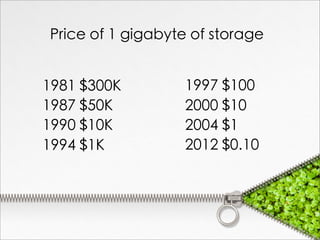
Price of 1 gigabyte of storage


1981 $300K        1997 $100
1987 $50K         2000 $10
1990 $10K         2004 $1
1994 $1K          2012 $0.10
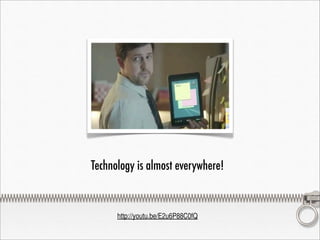
Technology is almost everywhere!


      http://youtu.be/E2u6P88C0fQ
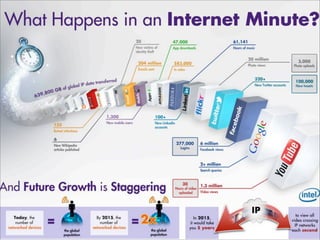
We live in a connected
world. Nearly two
billion people connect
to the internet, share
information and
communicate over
blogs, Wikis, social
networks and a host of
other media.
Anything imaginable is
capable of being
connected to the
network, become
intelligent offering
almost endless
possibilities.
We already have
internet devices
attached to our ears,
and some even have
embedded devices
connected to their
doctors.
“Internet of Things”

  2020
fifty billion devices connected to the
internet.

people and objects able to
connect to the Internet at anytime
from anywhere.
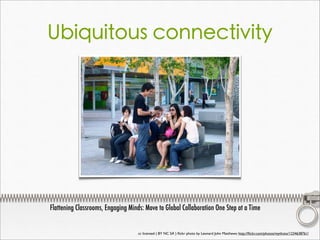
Ubiquitous connectivity


Flattening Classrooms, Engaging Minds: Move to Global Collaboration One Step at a Time


                                    cc licensed ( BY NC SA ) flickr photo by Leonard John Matthews: http://flickr.com/photos/mythoto/1234638761/
Ubiquitous connectivity


More content and streams of
data - all of these changes into
online environments require an
equivalent shift in our
understandings of online needs
and capabilities.
The question is.....?
How does technology impact the way students
              need to learn?
                   cc licensed ( BY NC SA ) flickr photo by fatboyke (Luc): http://flickr.com/photos/fatboyke/2984569992/
Interfaces for discovery
What do we expect of
technology?
How can we create better
experiences?
More content, streams of data,
topic structures, (theoretically)
better quality - all of these in
online environments
require an equivalent shift in
our online capabilities.
How do we help them.....?


  1. Find the right thing
  2. Get the best summary
  3. Go broader and deeper
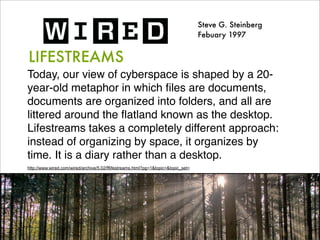
Steve G. Steinberg
                                                                                    Febuary 1997


LIFESTREAMS
Today, our view of cyberspace is shaped by a 20-
year-old metaphor in which files are documents,
documents are organized into folders, and all are
littered around the flatland known as the desktop.
Lifestreams takes a completely different approach:
instead of organizing by space, it organizes by
time. It is a diary rather than a desktop.
http://www.wired.com/wired/archive/5.02/fflifestreams.html?pg=1&topic=&topic_set=
David Gelernter
                         February 2013


The End of the Web, Search, and
       Computer as We Know It


http://www.wired.com/opinion/2013/02/the-end-of-the-web-computers-and-search-as-we-know-it/
David Gelernter
                      February 2013


This LIFESTREAM — a
heterogeneous, content-searchable,
real-time messaging stream — arrived
in the form of blog posts and RSS
feeds, Twitter and other chatstreams,
and Facebook walls and timelines.
David Gelernter
                        February 2013


Today, the most important function of
the internet is to deliver the latest
information, to tell us what’s happening
right now. Whether tweet or timeline,
all are time-ordered streams designed
to tell you what’s new.
The answer is....


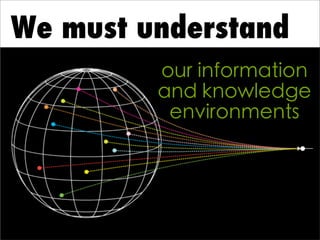
We must be
We must understand
         our information
         and knowledge
          environments
A   BIG information world
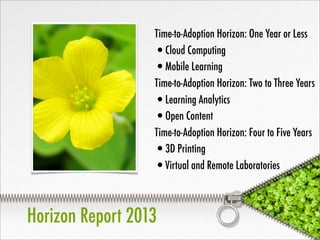
Time-to-Adoption Horizon: One Year or Less
                  •Cloud Computing
                  •Mobile Learning
                  Time-to-Adoption Horizon: Two to Three Years
                  •Learning Analytics
                  •Open Content
                  Time-to-Adoption Horizon: Four to Five Years
                  •3D Printing
                  •Virtual and Remote Laboratories


Horizon Report 2013
So many examples of
   big data pools
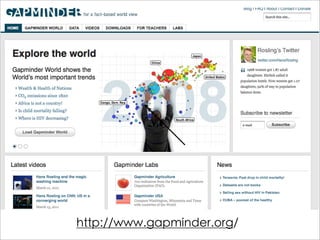
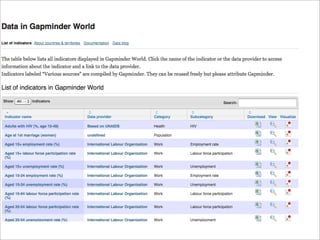
http://www.gapminder.org/
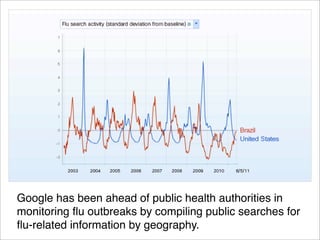
Google has been ahead of public health authorities in
monitoring flu outbreaks by compiling public searches for
flu-related information by geography. 
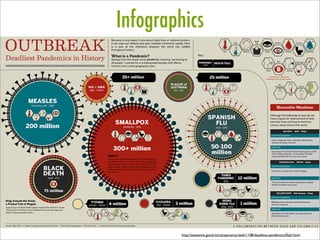
Infographics


        http://awesome.good.is/transparency/web/1108/deadliest-pandemics/flash.html
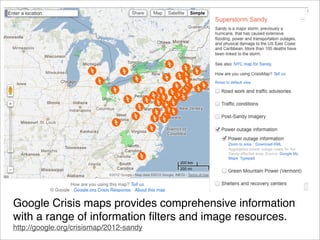
Google Crisis maps provides comprehensive information
with a range of information filters and image resources.
http://google.org/crisismap/2012-sandy
It’s not about devices, it’s
   about organising and
      thinking with
        technology!
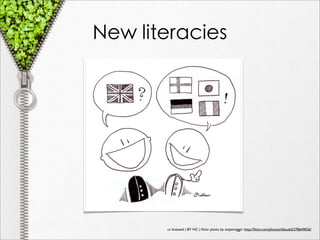
New literacies


       cc licensed ( BY NC ) flickr photo by zinjixmaggir: http://flickr.com/photos/dilaudid/278649026/
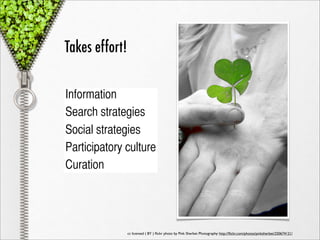
Takes effort!

Information
Search strategies
Social strategies
Participatory culture
Curation


                cc licensed ( BY ) flickr photo by Pink Sherbet Photography: http://flickr.com/photos/pinksherbet/250674121/
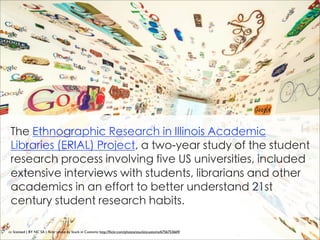
The Ethnographic Research in Illinois Academic
 Libraries (ERIAL) Project, a two-year study of the student
 research process involving five US universities, included
 extensive interviews with students, librarians and other
 academics in an effort to better understand 21st
 century student research habits.

cc licensed ( BY NC SA ) flickr photo by Stuck in Customs: http://flickr.com/photos/stuckincustoms/6756753669/
“The students surveyed often looked
in journals or databases unsuited to
their field of study and displayed a
poor understanding of how to refine
search results”.


  “While the interface of Google and other similar search
  engines might be more intuitive, what’s going on behind
  the scenes isn’t intuitive at all, and very few students had a
  clear conception of how search engines work. This lack of
  understanding compounds the problem of building an
  effective search strategy.”
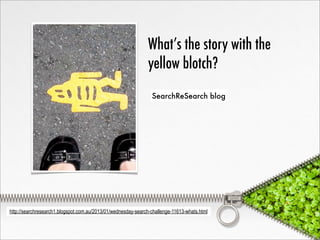
What’s the story with the
                                                              yellow blotch?
                                                                SearchReSearch blog


http://searchresearch1.blogspot.com.au/2013/01/wednesday-search-challenge-11613-whats.html
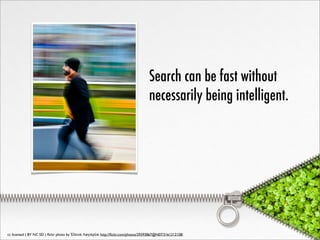
Search can be fast without
                                                                                   necessarily being intelligent.


cc licensed ( BY NC SD ) flickr photo by Έλενα Λαγαρία: http://flickr.com/photos/29393867@N07/3161212158/
When a technology focus subverts
  students’ conversation and
  development of critical thinking skills (and
  their ability to evaluate and analyse the
  information at hand), the mental
  processes that change knowledge from
  information to concept are not learned.


Bomar, S. (2010). A School-Wide Instructional Framework for Evaluating Sources. Knowledge Quest, 38(3),

    72-75.
By demonstrating how to connect a
database information repository (such
as EBSCO, Gale, or JStor) or a local
library service with Google Scholar, we
are helping students broaden the
scope of their information seeking,
while at the same time refining the
quality of the information response.


  Database tutorials
  Advanced search training
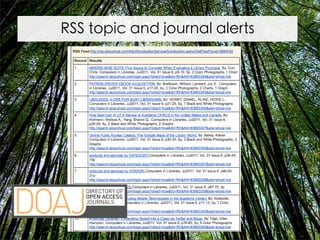
RSS topic and journal alerts
Learn about the latest
  additions to search so as
  to get the most out of
  Google.
http://www.google.com/insidesearch/features/


    Because Google is where
    everyone starts!
Once foundational
practices are in place,
add to the toolkit and
   build into critical
learning experiences.
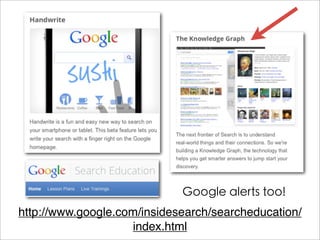
Google alerts too!
http://www.google.com/insidesearch/searcheducation/
                    index.html
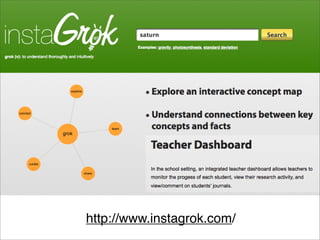
http://www.instagrok.com/
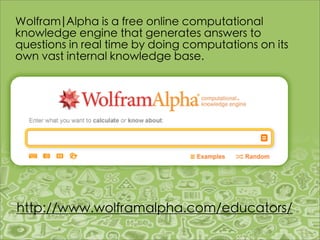
Wolfram|Alpha is a free online computational
knowledge engine that generates answers to
questions in real time by doing computations on its
own vast internal knowledge base.


http://www.wolframalpha.com/educators/
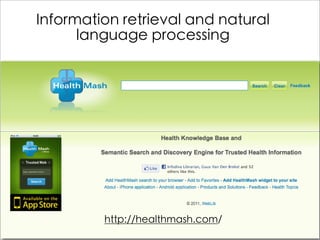
Information retrieval and natural
      language processing


         http://healthmash.com/
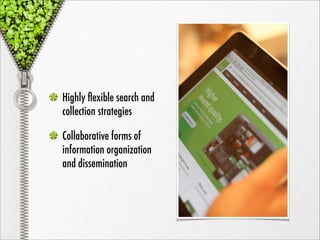
Highly flexible search and
collection strategies

Collaborative forms of
information organization
and dissemination
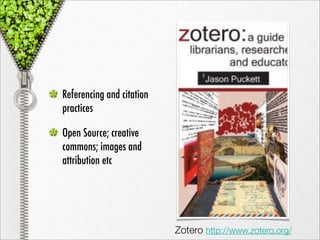
Referencing and citation
practices

Open Source; creative
commons; images and
attribution etc


                           Zotero http://www.zotero.org/
Top 100 tools for learning
                                                                                       http://c4lpt.co.uk/top100tools/


cc licensed ( BY NC SA ) flickr photo by ecstaticist: http://flickr.com/photos/ecstaticist/395737939/
Learn to work strategically

                                                                                                        Knowledge 2.0


                 http://bit.ly/knowledge2
cc licensed ( BY NC SA ) flickr photo by ecstaticist: http://flickr.com/photos/ecstaticist/395737939/
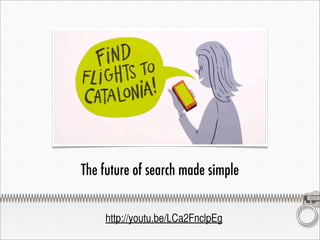
The future of search made simple


    http://youtu.be/LCa2FnclpEg
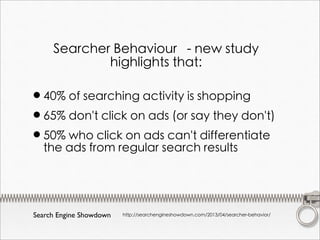
Searcher Behaviour - new study
             highlights that:

•40% of searching activity is shopping
•65% don't click on ads (or say they don't)
•50%ads from regular searchdifferentiate
 the
     who click on ads can't
                               results


Search Engine Showdown   http://searchengineshowdown.com/2013/04/searcher-behavior/
Learning in Networks
   of Knowledge
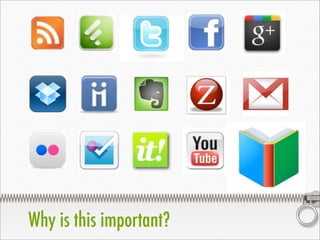
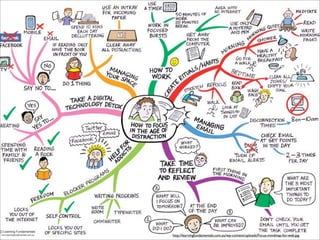
Why is this important?
http://learningfundamentals.com.au/wp-content/uploads/Focus-mindmap-for-web.jpg
Deciphering student search
                                                                             behaviour
                                                                              OCLC research:
                                                                              learning motivations and
                                                                              information-seeking
                                                                              behaviours across
                                                                              education stages


White, D.S., and Connaway, L.S. 2011. Visitors and Residents: What Motivates Engagement with the Digital
Information Environment.
www.oclc.org/research/activities/vandr
Deciphering student search behaviour

Information-seeking behaviours are converging
across personal and institutional spheres, as a
combined effect of the social web, cloud-based
applications and the multi-tab environment.
He observes: ‘A lot of the students we interviewed
do their research on Wikipedia or syllabus-based
websites and have an adjacent tab open on
Facebook. They flit between the two, occupying
personal and institutional spaces simultaneously,
and gather information from outside the institutional
context as well as within it.’
Characteristics of a successful student
   Create a community
   Collaborate with peers
   Diligent with deadlines
   Look for and leverage tools
   Tools to optimize learning
   Critical thinking via
   knowledge networks
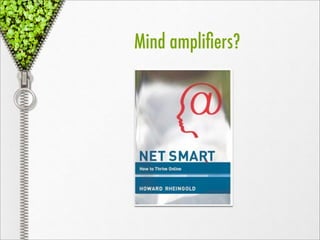
Mind amplifiers?
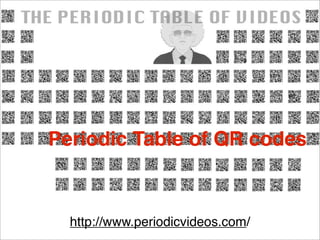
Periodic Table of QR codes


  http://www.periodicvideos.com/
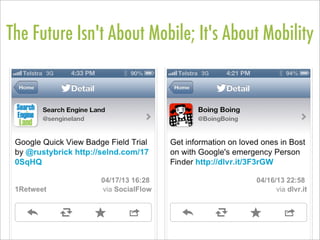
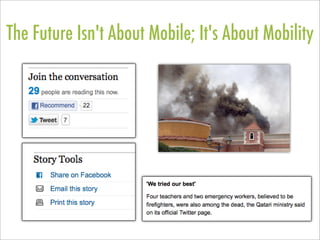
The Future Isn't About Mobile; It's About Mobility
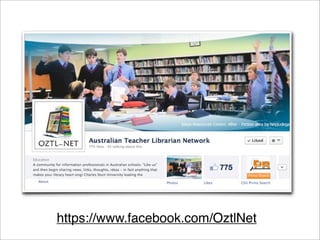
https://www.facebook.com/OztlNet
[learning] self
	
 Personal web tools – used for
   tracking our life and powering
   our information organisation e.g.
   photos to Facebook, pictures to
   Flickr, photos to Twitter.

Social recommendation services
- Amazon, Book Depository
[learning] self
	
 Personal learning environment –
   relying on the people we connect
   with through social networks and
   collaborative tools e.g. Twitter,
   Yammer.

	
 Personal learning network – knowing
   where or to whom to connect and
   find professional content.
[learning] self
	
 Cloud computing - utilising open access
   between sources and devices e.g. Edmodo,
   Evernote, Diigo.

Mixed reality – adopting e-devices and
augmented reality e.g. ebooks, QRcodes,
Layar browser.

Content curation - utilising web services to
filter and disseminate resources, news, and
knowledge prompts.
[information] self

Microblogging
Social bookmarking and tagging
Collaborative writing
Information management - e.g. Zotero, Endnote, Easybib
Information capture on multiple devices - e.g. Evernote
Library resources, databases all used for information
   collection, RSS topic and journal alerts
Aggregators and start pages
Online storage for access across multiple platforms
[information] self

         Evernote               http://evernote.com/


         Digging into digital research
         http://heyjude.wordpress.com/2011/05/06/digging-into-
         research/


         Lucacept – Jenny Luca– Evernote for
         students
         http://jennyluca.com/2011/06/26/explaining-evernote/
[team] self


 http://hojoki.com
Learning in
Networks of     [team]
Knowledge      [social]
            [learning]
         [information]
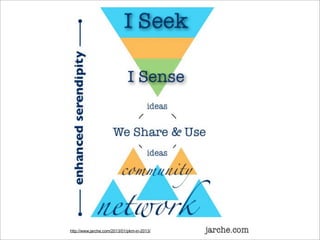
http://www.jarche.com/2013/01/pkm-in-2013/
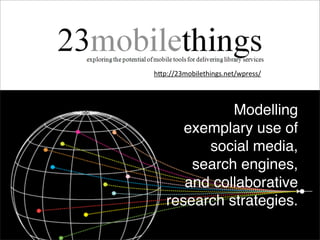
h"p://23mobilethings.net/wpress/


             Modelling
      exemplary use of
         social media,
       search engines,
      and collaborative
   research strategies.
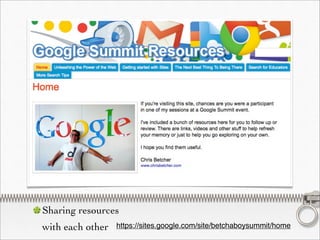
Sharing resources
with each other   https://sites.google.com/site/betchaboysummit/home
Sharing resources
                    http://sdst.libguides.com/index.php
with each other
Anything from
                                   Angry Birds
                                                    to
                                      Building a
                                         PLN


Sharing resources   http://www.livebinders.com/play/play_or_edit?id=142880
with each other     http://www.livebinders.com/play/play_or_edit?id=288178
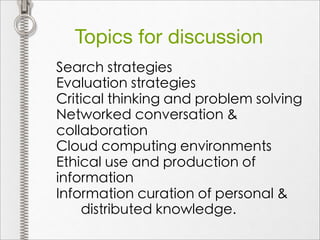
Topics for discussion
Search strategies
Evaluation strategies
Critical thinking and problem solving
Networked conversation &
collaboration
Cloud computing environments
Ethical use and production of
information
Information curation of personal &
    distributed knowledge.
Today’s novelty
IS today’s norm


Don’t wish -
       DO!
heyjudeonline


Judy O’Connell


http://judyoconnell.com


Judy O’Connell

Learning in Networks of Knowledge

  • 1.
    Learning in Networks of Knowledge Judy O’Connell State Library of NSW April 18, 2013
  • 2.
    Today’s novelty is tomorrow’s norm Make a wish!
  • 4.
    Price of 1gigabyte of storage 1981 $300K 1997 $100 1987 $50K 2000 $10 1990 $10K 2004 $1 1994 $1K 2012 $0.10
  • 5.
    Technology is almosteverywhere! http://youtu.be/E2u6P88C0fQ
  • 7.
    We live ina connected world. Nearly two billion people connect to the internet, share information and communicate over blogs, Wikis, social networks and a host of other media.
  • 8.
    Anything imaginable is capableof being connected to the network, become intelligent offering almost endless possibilities.
  • 9.
    We already have internetdevices attached to our ears, and some even have embedded devices connected to their doctors.
  • 10.
    “Internet of Things” 2020 fifty billion devices connected to the internet. people and objects able to connect to the Internet at anytime from anywhere.
  • 11.
    Ubiquitous connectivity Flattening Classrooms,Engaging Minds: Move to Global Collaboration One Step at a Time cc licensed ( BY NC SA ) flickr photo by Leonard John Matthews: http://flickr.com/photos/mythoto/1234638761/
  • 12.
    Ubiquitous connectivity More contentand streams of data - all of these changes into online environments require an equivalent shift in our understandings of online needs and capabilities.
  • 13.
  • 14.
    How does technologyimpact the way students need to learn? cc licensed ( BY NC SA ) flickr photo by fatboyke (Luc): http://flickr.com/photos/fatboyke/2984569992/
  • 15.
    Interfaces for discovery Whatdo we expect of technology? How can we create better experiences?
  • 16.
    More content, streamsof data, topic structures, (theoretically) better quality - all of these in online environments require an equivalent shift in our online capabilities.
  • 17.
    How do wehelp them.....? 1. Find the right thing 2. Get the best summary 3. Go broader and deeper
  • 18.
    Steve G. Steinberg Febuary 1997 LIFESTREAMS Today, our view of cyberspace is shaped by a 20- year-old metaphor in which files are documents, documents are organized into folders, and all are littered around the flatland known as the desktop. Lifestreams takes a completely different approach: instead of organizing by space, it organizes by time. It is a diary rather than a desktop. http://www.wired.com/wired/archive/5.02/fflifestreams.html?pg=1&topic=&topic_set=
  • 19.
    David Gelernter February 2013 The End of the Web, Search, and Computer as We Know It http://www.wired.com/opinion/2013/02/the-end-of-the-web-computers-and-search-as-we-know-it/
  • 20.
    David Gelernter February 2013 This LIFESTREAM — a heterogeneous, content-searchable, real-time messaging stream — arrived in the form of blog posts and RSS feeds, Twitter and other chatstreams, and Facebook walls and timelines.
  • 21.
    David Gelernter February 2013 Today, the most important function of the internet is to deliver the latest information, to tell us what’s happening right now. Whether tweet or timeline, all are time-ordered streams designed to tell you what’s new.
  • 22.
  • 23.
    We must understand our information and knowledge environments
  • 27.
    A BIG information world
  • 28.
    Time-to-Adoption Horizon: OneYear or Less •Cloud Computing •Mobile Learning Time-to-Adoption Horizon: Two to Three Years •Learning Analytics •Open Content Time-to-Adoption Horizon: Four to Five Years •3D Printing •Virtual and Remote Laboratories Horizon Report 2013
  • 29.
    So many examplesof big data pools
  • 30.
  • 33.
    Google has beenahead of public health authorities in monitoring flu outbreaks by compiling public searches for flu-related information by geography. 
  • 34.
    Infographics http://awesome.good.is/transparency/web/1108/deadliest-pandemics/flash.html
  • 35.
    Google Crisis mapsprovides comprehensive information with a range of information filters and image resources. http://google.org/crisismap/2012-sandy
  • 36.
    It’s not aboutdevices, it’s about organising and thinking with technology!
  • 37.
    New literacies cc licensed ( BY NC ) flickr photo by zinjixmaggir: http://flickr.com/photos/dilaudid/278649026/
  • 38.
    Takes effort! Information Search strategies Socialstrategies Participatory culture Curation cc licensed ( BY ) flickr photo by Pink Sherbet Photography: http://flickr.com/photos/pinksherbet/250674121/
  • 39.
    The Ethnographic Researchin Illinois Academic Libraries (ERIAL) Project, a two-year study of the student research process involving five US universities, included extensive interviews with students, librarians and other academics in an effort to better understand 21st century student research habits. cc licensed ( BY NC SA ) flickr photo by Stuck in Customs: http://flickr.com/photos/stuckincustoms/6756753669/
  • 40.
    “The students surveyedoften looked in journals or databases unsuited to their field of study and displayed a poor understanding of how to refine search results”. “While the interface of Google and other similar search engines might be more intuitive, what’s going on behind the scenes isn’t intuitive at all, and very few students had a clear conception of how search engines work. This lack of understanding compounds the problem of building an effective search strategy.”
  • 41.
    What’s the storywith the yellow blotch? SearchReSearch blog http://searchresearch1.blogspot.com.au/2013/01/wednesday-search-challenge-11613-whats.html
  • 42.
    Search can befast without necessarily being intelligent. cc licensed ( BY NC SD ) flickr photo by Έλενα Λαγαρία: http://flickr.com/photos/29393867@N07/3161212158/
  • 43.
    When a technologyfocus subverts students’ conversation and development of critical thinking skills (and their ability to evaluate and analyse the information at hand), the mental processes that change knowledge from information to concept are not learned. Bomar, S. (2010). A School-Wide Instructional Framework for Evaluating Sources. Knowledge Quest, 38(3), 72-75.
  • 44.
    By demonstrating howto connect a database information repository (such as EBSCO, Gale, or JStor) or a local library service with Google Scholar, we are helping students broaden the scope of their information seeking, while at the same time refining the quality of the information response. Database tutorials Advanced search training
  • 45.
    RSS topic andjournal alerts
  • 46.
    Learn about thelatest additions to search so as to get the most out of Google. http://www.google.com/insidesearch/features/ Because Google is where everyone starts!
  • 47.
    Once foundational practices arein place, add to the toolkit and build into critical learning experiences.
  • 48.
  • 49.
  • 50.
    Wolfram|Alpha is afree online computational knowledge engine that generates answers to questions in real time by doing computations on its own vast internal knowledge base. http://www.wolframalpha.com/educators/
  • 51.
    Information retrieval andnatural language processing http://healthmash.com/
  • 52.
    Highly flexible searchand collection strategies Collaborative forms of information organization and dissemination
  • 53.
    Referencing and citation practices OpenSource; creative commons; images and attribution etc Zotero http://www.zotero.org/
  • 54.
    Top 100 toolsfor learning http://c4lpt.co.uk/top100tools/ cc licensed ( BY NC SA ) flickr photo by ecstaticist: http://flickr.com/photos/ecstaticist/395737939/
  • 55.
    Learn to workstrategically Knowledge 2.0 http://bit.ly/knowledge2 cc licensed ( BY NC SA ) flickr photo by ecstaticist: http://flickr.com/photos/ecstaticist/395737939/
  • 56.
    The future ofsearch made simple http://youtu.be/LCa2FnclpEg
  • 57.
    Searcher Behaviour -new study highlights that: •40% of searching activity is shopping •65% don't click on ads (or say they don't) •50%ads from regular searchdifferentiate the who click on ads can't results Search Engine Showdown http://searchengineshowdown.com/2013/04/searcher-behavior/
  • 58.
  • 59.
    Why is thisimportant?
  • 60.
  • 61.
    Deciphering student search behaviour OCLC research: learning motivations and information-seeking behaviours across education stages White, D.S., and Connaway, L.S. 2011. Visitors and Residents: What Motivates Engagement with the Digital Information Environment. www.oclc.org/research/activities/vandr
  • 62.
    Deciphering student searchbehaviour Information-seeking behaviours are converging across personal and institutional spheres, as a combined effect of the social web, cloud-based applications and the multi-tab environment. He observes: ‘A lot of the students we interviewed do their research on Wikipedia or syllabus-based websites and have an adjacent tab open on Facebook. They flit between the two, occupying personal and institutional spaces simultaneously, and gather information from outside the institutional context as well as within it.’
  • 63.
    Characteristics of asuccessful student Create a community Collaborate with peers Diligent with deadlines Look for and leverage tools Tools to optimize learning Critical thinking via knowledge networks
  • 64.
  • 67.
    Periodic Table ofQR codes http://www.periodicvideos.com/
  • 70.
    The Future Isn'tAbout Mobile; It's About Mobility
  • 71.
    The Future Isn'tAbout Mobile; It's About Mobility
  • 72.
  • 73.
    [learning] self Personalweb tools – used for tracking our life and powering our information organisation e.g. photos to Facebook, pictures to Flickr, photos to Twitter. Social recommendation services - Amazon, Book Depository
  • 74.
    [learning] self Personallearning environment – relying on the people we connect with through social networks and collaborative tools e.g. Twitter, Yammer. Personal learning network – knowing where or to whom to connect and find professional content.
  • 75.
    [learning] self Cloudcomputing - utilising open access between sources and devices e.g. Edmodo, Evernote, Diigo. Mixed reality – adopting e-devices and augmented reality e.g. ebooks, QRcodes, Layar browser. Content curation - utilising web services to filter and disseminate resources, news, and knowledge prompts.
  • 76.
    [information] self Microblogging Social bookmarkingand tagging Collaborative writing Information management - e.g. Zotero, Endnote, Easybib Information capture on multiple devices - e.g. Evernote Library resources, databases all used for information collection, RSS topic and journal alerts Aggregators and start pages Online storage for access across multiple platforms
  • 77.
    [information] self Evernote http://evernote.com/ Digging into digital research http://heyjude.wordpress.com/2011/05/06/digging-into- research/ Lucacept – Jenny Luca– Evernote for students http://jennyluca.com/2011/06/26/explaining-evernote/
  • 78.
  • 79.
    Learning in Networks of [team] Knowledge [social] [learning] [information]
  • 80.
  • 82.
    h"p://23mobilethings.net/wpress/ Modelling exemplary use of social media, search engines, and collaborative research strategies.
  • 83.
    Sharing resources with eachother https://sites.google.com/site/betchaboysummit/home
  • 84.
    Sharing resources http://sdst.libguides.com/index.php with each other
  • 85.
    Anything from Angry Birds to Building a PLN Sharing resources http://www.livebinders.com/play/play_or_edit?id=142880 with each other http://www.livebinders.com/play/play_or_edit?id=288178
  • 86.
    Topics for discussion Searchstrategies Evaluation strategies Critical thinking and problem solving Networked conversation & collaboration Cloud computing environments Ethical use and production of information Information curation of personal & distributed knowledge.
  • 87.
    Today’s novelty IS today’snorm Don’t wish - DO!
  • 88.