Introduction to device management in Linux By Unnikrishnan [email_address]
Modern distributions They are user friendly Able to identify the hardware automatically They have the ability to identify the hw type They can run the curresponding application
Past to present Old Linux distros were not at a stage to auto identify the hw Human help was needed Mknod was our friend
How they are doing this ?
Udev, HAL and Dbus Linux kernel is capable of adding or removing any device to running system.  Udev creates device nodes and loads the device driver.  HAL collects the device properties and helps the desktop applications to handle them.  Dbus provides the system bus for inter process communication.
Udev Kernel identifies the device and sends the devie information over netlink Udev collects the device information from netlink Udev creates the dedvice node in /dev Loads the device driver for the device.
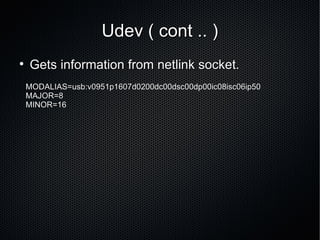
Udev ( cont .. ) Gets information from netlink socket.  MODALIAS=usb:v0951p1607d0200dc00dsc00dp00ic08isc06ip50 MAJOR=8 MINOR=16
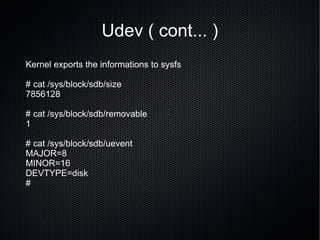
Udev ( cont... ) Kernel exports the informations to sysfs # cat /sys/block/sdb/size  7856128 # cat /sys/block/sdb/removable  1 # cat /sys/block/sdb/uevent  MAJOR=8 MINOR=16 DEVTYPE=disk #
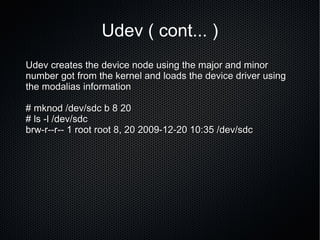
Udev ( cont... ) Udev creates the device node using the major and minor number got from the kernel and loads the device driver using the modalias information # mknod /dev/sdc b 8 20 # ls -l /dev/sdc  brw-r--r-- 1 root root 8, 20 2009-12-20 10:35 /dev/sdc
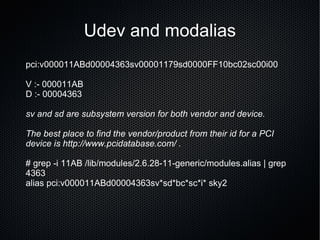
Udev and modalias pci:v000011ABd00004363sv00001179sd0000FF10bc02sc00i00 V :- 000011AB D :- 00004363 sv and sd are subsystem version for both vendor and device. The best place to find the vendor/product from their id for a PCI device is http://www.pcidatabase.com/ .  # grep -i 11AB /lib/modules/2.6.28-11-generic/modules.alias | grep 4363 alias pci:v000011ABd00004363sv*sd*bc*sc*i* sky2
Dbus wire protocol for exposing a typical object-oriented language/framework to other applications Provides interprocess communication channel Exports device information to HAL deamon from Udev
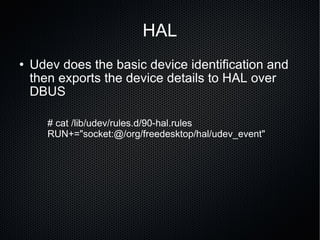
HAL Udev does the basic device identification and then exports the device details to HAL over DBUS # cat /lib/udev/rules.d/90-hal.rules  RUN+="socket:@/org/freedesktop/hal/udev_event"
Working of HAL HAL gets the device information from UDEV events and it also extract information from other sources like file system.  It creates a XML representation of the device informations.  The XML device info contains key value pair along with udi
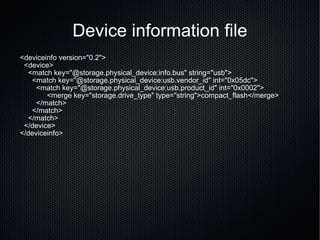
Device information file <deviceinfo version=&quot;0.2&quot;> <device> <match key=&quot;@storage.physical_device:info.bus&quot; string=&quot;usb&quot;> <match key=&quot;@storage.physical_device:usb.vendor_id&quot; int=&quot;0x05dc&quot;> <match key=&quot;@storage.physical_device:usb.product_id&quot; int=&quot;0x0002&quot;>   <merge key=&quot;storage.drive_type&quot; type=&quot;string&quot;>compact_flash</merge> </match> </match> </match> </device> </deviceinfo>
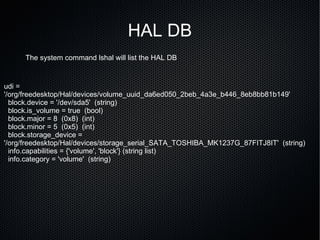
HAL DB The system command lshal will list the HAL DB udi = '/org/freedesktop/Hal/devices/volume_uuid_da6ed050_2beb_4a3e_b446_8eb8bb81b149' block.device = '/dev/sda5'  (string) block.is_volume = true  (bool) block.major = 8  (0x8)  (int) block.minor = 5  (0x5)  (int) block.storage_device = '/org/freedesktop/Hal/devices/storage_serial_SATA_TOSHIBA_MK1237G_87FITJ8IT'  (string) info.capabilities = {'volume', 'block'} (string list) info.category = 'volume'  (string)
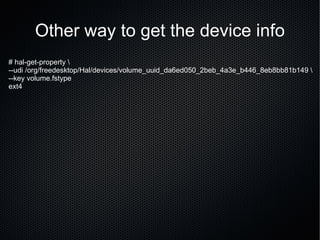
Other way to get the device info # hal-get-property \ --udi /org/freedesktop/Hal/devices/volume_uuid_da6ed050_2beb_4a3e_b446_8eb8bb81b149 \ --key volume.fstype ext4
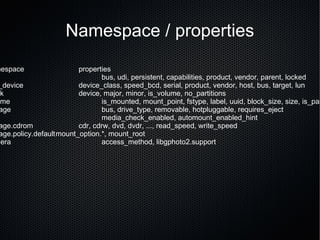
Namespace / properties namespace properties info bus, udi, persistent, capabilities, product, vendor, parent, locked usb_device device_class, speed_bcd, serial, product, vendor, host, bus, target, lun block device, major, minor, is_volume, no_partitions volume is_mounted, mount_point, fstype, label, uuid, block_size, size, is_partition storage bus, drive_type, removable, hotpluggable, requires_eject media_check_enabled, automount_enabled_hint storage.cdrom cdr, cdrw, dvd, dvdr, ..., read_speed, write_speed storage.policy.default mount_option.*, mount_root camera access_method, libgphoto2.support
Desktop application and HAL HAL exports all the device informations to desktop application like  GNOME volume manager That helps it to mount the device to the file system.
?

Udev

  • 1.
    Introduction to devicemanagement in Linux By Unnikrishnan [email_address]
  • 2.
    Modern distributions Theyare user friendly Able to identify the hardware automatically They have the ability to identify the hw type They can run the curresponding application
  • 3.
    Past to presentOld Linux distros were not at a stage to auto identify the hw Human help was needed Mknod was our friend
  • 4.
    How they aredoing this ?
  • 5.
    Udev, HAL andDbus Linux kernel is capable of adding or removing any device to running system. Udev creates device nodes and loads the device driver. HAL collects the device properties and helps the desktop applications to handle them. Dbus provides the system bus for inter process communication.
  • 6.
    Udev Kernel identifiesthe device and sends the devie information over netlink Udev collects the device information from netlink Udev creates the dedvice node in /dev Loads the device driver for the device.
  • 7.
    Udev ( cont.. ) Gets information from netlink socket. MODALIAS=usb:v0951p1607d0200dc00dsc00dp00ic08isc06ip50 MAJOR=8 MINOR=16
  • 8.
    Udev ( cont...) Kernel exports the informations to sysfs # cat /sys/block/sdb/size 7856128 # cat /sys/block/sdb/removable 1 # cat /sys/block/sdb/uevent MAJOR=8 MINOR=16 DEVTYPE=disk #
  • 9.
    Udev ( cont...) Udev creates the device node using the major and minor number got from the kernel and loads the device driver using the modalias information # mknod /dev/sdc b 8 20 # ls -l /dev/sdc brw-r--r-- 1 root root 8, 20 2009-12-20 10:35 /dev/sdc
  • 10.
    Udev and modaliaspci:v000011ABd00004363sv00001179sd0000FF10bc02sc00i00 V :- 000011AB D :- 00004363 sv and sd are subsystem version for both vendor and device. The best place to find the vendor/product from their id for a PCI device is http://www.pcidatabase.com/ . # grep -i 11AB /lib/modules/2.6.28-11-generic/modules.alias | grep 4363 alias pci:v000011ABd00004363sv*sd*bc*sc*i* sky2
  • 11.
    Dbus wire protocolfor exposing a typical object-oriented language/framework to other applications Provides interprocess communication channel Exports device information to HAL deamon from Udev
  • 12.
    HAL Udev doesthe basic device identification and then exports the device details to HAL over DBUS # cat /lib/udev/rules.d/90-hal.rules RUN+=&quot;socket:@/org/freedesktop/hal/udev_event&quot;
  • 13.
    Working of HALHAL gets the device information from UDEV events and it also extract information from other sources like file system. It creates a XML representation of the device informations. The XML device info contains key value pair along with udi
  • 14.
    Device information file<deviceinfo version=&quot;0.2&quot;> <device> <match key=&quot;@storage.physical_device:info.bus&quot; string=&quot;usb&quot;> <match key=&quot;@storage.physical_device:usb.vendor_id&quot; int=&quot;0x05dc&quot;> <match key=&quot;@storage.physical_device:usb.product_id&quot; int=&quot;0x0002&quot;> <merge key=&quot;storage.drive_type&quot; type=&quot;string&quot;>compact_flash</merge> </match> </match> </match> </device> </deviceinfo>
  • 15.
    HAL DB Thesystem command lshal will list the HAL DB udi = '/org/freedesktop/Hal/devices/volume_uuid_da6ed050_2beb_4a3e_b446_8eb8bb81b149' block.device = '/dev/sda5' (string) block.is_volume = true (bool) block.major = 8 (0x8) (int) block.minor = 5 (0x5) (int) block.storage_device = '/org/freedesktop/Hal/devices/storage_serial_SATA_TOSHIBA_MK1237G_87FITJ8IT' (string) info.capabilities = {'volume', 'block'} (string list) info.category = 'volume' (string)
  • 16.
    Other way toget the device info # hal-get-property \ --udi /org/freedesktop/Hal/devices/volume_uuid_da6ed050_2beb_4a3e_b446_8eb8bb81b149 \ --key volume.fstype ext4
  • 17.
    Namespace / propertiesnamespace properties info bus, udi, persistent, capabilities, product, vendor, parent, locked usb_device device_class, speed_bcd, serial, product, vendor, host, bus, target, lun block device, major, minor, is_volume, no_partitions volume is_mounted, mount_point, fstype, label, uuid, block_size, size, is_partition storage bus, drive_type, removable, hotpluggable, requires_eject media_check_enabled, automount_enabled_hint storage.cdrom cdr, cdrw, dvd, dvdr, ..., read_speed, write_speed storage.policy.default mount_option.*, mount_root camera access_method, libgphoto2.support
  • 18.
    Desktop application andHAL HAL exports all the device informations to desktop application like GNOME volume manager That helps it to mount the device to the file system.
  • 19.