Working Remotely Rocks!
(via SSH)
Kent Chen
Kent Chen (chenkaie)	

chenkaie@gmail.com	

http://chenkaie.blogspot.com	

@chenkaie on GitHub	

@chenkaie on SlideShare	

@chenkaie on LinkedIn	

@chenkaie on Twitter	

@+KentChenAtGoogle on Google+
你是否曾經

幻想

過以下畫面
Have you ever dreamed of a
scene as the following…
© Flickr/veader
Working at
Starbucks
© Flickr/willsteward
Working at
Coffee Shop
© Flickr/kinetic
Working at 	

the Beach
© Flickr/kinetic
Working at 	

the Beach
© 37signals Works Remotely
Working at 	

Your Sweet House
Working at 	

White
House
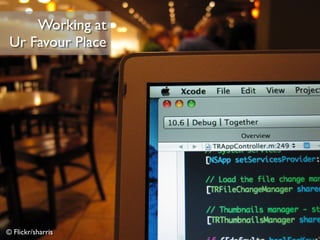
© Flickr/sharris
Working at 	

Ur Favour Place
很不幸
並非談那類的

遠距辦工
Unfortunately, NOT talking that type of
“Working Remotely”
We Work Remotely	

https://weworkremotely.com/
不願面對的

真相
An Inconvenient TRUTH
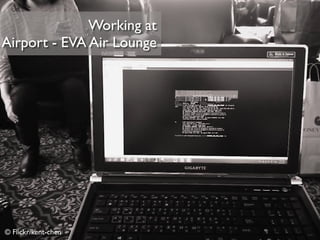
© Flickr/kent-chen
Working at 	

Airport - EVA Air Lounge
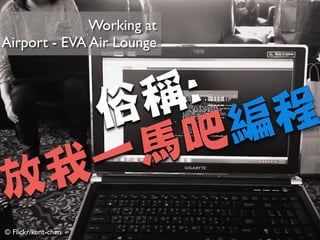
© Flickr/kent-chen
Working at 	

Airport - EVA Air Lounge
俗稱:

放我一馬吧編程
當然偶有

小確幸

的一面
Small happiness sometimes.
小弟的一些

親身經驗
Personal remote development
experience
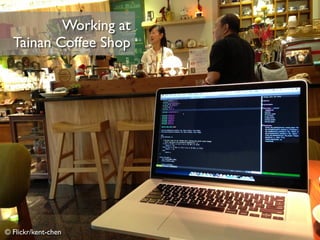
© Flickr/kent-chen
Working at 	

Tainan Coffee Shop
© Flickr/kent-chen
Working at 	

Tainan Coffee Shop
俗稱:

咖啡因編程
© Flickr/kent-chen
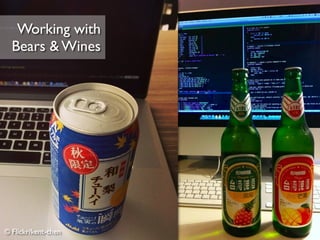
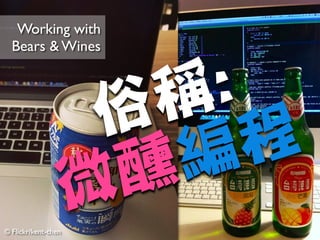
Working with 	

Bears  Wines
© Flickr/kent-chen
Working with 	

Bears  Wines
俗稱:

微醺編程
遠距辦公

の工作狂?
An Working Remotely Workaholic?
並非

完全

如此
Not exactly, some reasons…
臨時

私事處理
Some urgent personal affairs
疲勞轟炸の會議

精神不繼
Exhausted whole day long meeting
客戶

工作時間配合
Meet customers’ work time
哥現在就是

不想寫程式
I just don’t want to coding NOW
自我能力

精進
Self Enhancement
在家寫程式

我就是覺得

超爽der~~
I feel so productive 	

when coding at home
那個來來來...?!
Whatever…
身為一個

嵌入式系統

軟韌體工程師
Being an Embedded System Engineer
我想身上帶塊

開發版

也是合情合理的
You need an EVM board /
Development Board on hand
所以...

我得搞一塊
開發版回家
So… I have to bring an EVM
board home for dev
並且搞定完整的

開發環境
And setup a whole development
environment including S/W  H/W
只是為了解
某個鳥 bug
For fixing some a minor issue
或是接續

追到一半

的問題
Or for tracing an on-going
unfixed issue
.
..
...
那未免也太

搞肛

了吧
That’s a bit too bothersome
and time-consuming
容我介紹一下

可行作法
A feasible approach sharing
若能無縫接軌

回內網的

開發除錯環境
What if we can resume last 	

develop/debugging session in the office
那就搞定

一半了
That’s ALMOST done
內網通常無法由

外部主機連進去
Intranet server generally cannot
login from a client through internet
我指「通常」

Orz
I mean “Generally”…
若是被駭了

植入後門
(另當別論)
If been Hacked, plant a backdoor	

That’s another matter
常見方法

VPN

虛擬私人網路
VPN is a common feasible solution 	

if available
或者是簡易好用的

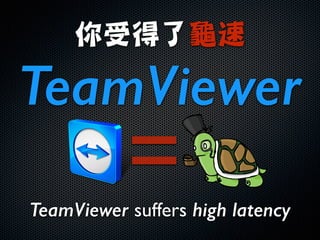
TeamViewer
TeamViewer is also feasible
你受得了龜速

TeamViewer
TeamViewer suffers high latency
=
你受得了龜速

TeamViewer
TeamViewer suffers high latency
=
天下武功

無堅不破

唯快不破
FAST - short network latency is a
MUST for basic development env.
對程師設計師而言

「快」

使用者體驗:贊
FAST: Great UX for programmer

建立反向	

SSH Tunnel
可以幹許多

有趣的壞事
Well-known Reverse SSH Tunnel
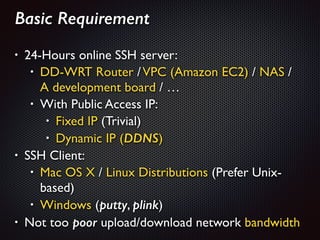
Basic Requirement
!
• 24-Hours online SSH server: 	

• DD-WRT Router /VPC (Amazon EC2) / NAS / 

A development board / …	

• With Public Access IP: 	

• Fixed IP (Trivial)	

• Dynamic IP (DDNS)	

• SSH Client:	

• Mac OS X / Linux Distributions (Prefer Unix-
based)	

• Windows (putty, plink)	

• Not too poor upload/download network bandwidth
至於打通手法	

Goolge it, BJ4
Lots of tutorial, no explanation	

“Remote Port Forwarding” on 22
Ref: http://josephj.com/entry.php?id=312
我只能說: 建議搭配服用	

“Autossh / expect”

“SSH Public Key Authentication”
效果加乘
Employ with “autossh / expect”
to get persistent connection
需要	

Customer Support
請撥底下分機

0800-092-000
If you need help, please call me
透過該

暗黑魔法

打通後
Once successfully setup a 	

Reverse SSH Tunnel
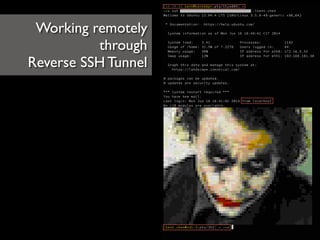
Working remotely	

through	

Reverse SSH Tunnel
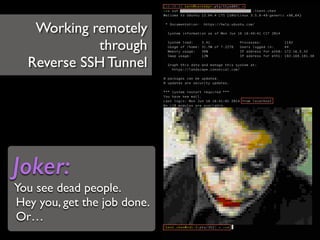
Working remotely	

through	

Reverse SSH Tunnel
Joker:
You see dead people.	

Hey you, get the job done.	

Or…
強烈建議轉職為

CLI 職人

Command-Line Interface
Strongly suggested to be addicted to 	

CLI operation on all you development jobs
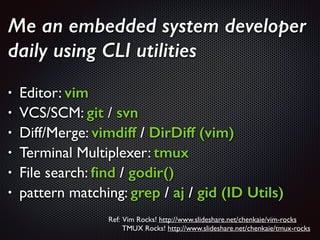
Me an embedded system developer
daily using CLI utilities
!
• Editor: vim	

• VCS/SCM: git / svn	

• Diff/Merge: vimdiff / DirDiff (vim)	

• Terminal Multiplexer: tmux
• File search: find / godir()	

• pattern matching: grep / aj / gid (ID Utils)
Ref: Vim Rocks! http://www.slideshare.net/chenkaie/vim-rocks 	

TMUX Rocks! http://www.slideshare.net/chenkaie/tmux-rocks
CLI 職人(魔人)

遠距開發

益處多多
An amazing lot of advantages 	

if you dev remotely with pure CLI
!
優點一
Pros 1
頻寬需求低

反應速度快
Lower bandwidth demand	

Instant keystroke response
!
優點二
Pros 2
「終端复用器 tmux」

+

「命令列魔人 CLI」
With the assistance of 	

terminal multiplexer: tmux  CLI
任意地點、任意終端

一致性

不間斷完整開發環境
Consistent  Persistent development
environment from any location any client
!
優點三
Pros 3
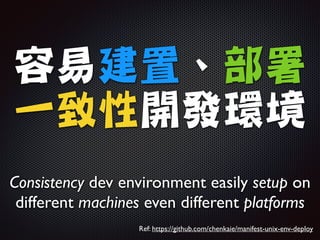
容易建置、部署

一致性開發環境
Consistency dev environment easily setup on
different machines even different platforms
Ref: https://github.com/chenkaie/manifest-unix-env-deploy
有時候會需要存取

內網服務
Sometimes you have demands to
access other intranet service
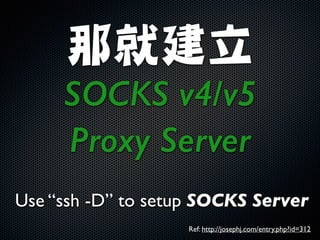
那就建立	

SOCKS v4/v5
Proxy Server
Use “ssh -D” to setup SOCKS Server
Ref: http://josephj.com/entry.php?id=312
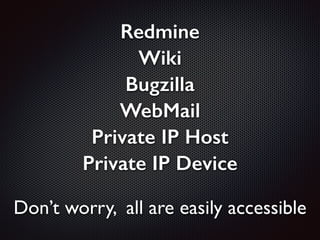
Redmine
Wiki
Bugzilla
WebMail
Private IP Host
Private IP Device
Don’t worry, all are easily accessible
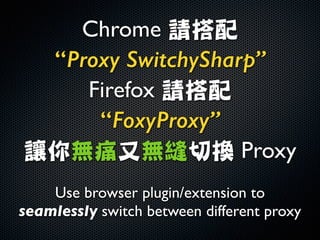
Chrome 請搭配	

“Proxy SwitchySharp”
Firefox 請搭配	

“FoxyProxy”
讓你無痛又無縫切換 Proxy
Use browser plugin/extension to
seamlessly switch between different proxy
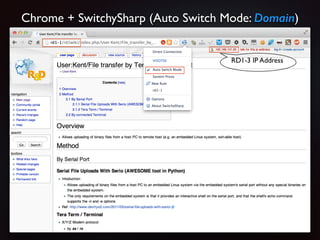
Chrome + SwitchySharp (Auto Switch Mode: Domain)
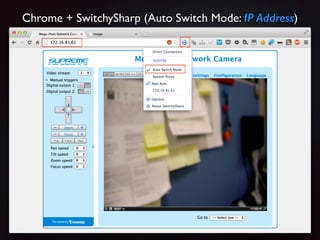
Chrome + SwitchySharp (Auto Switch Mode: IP Address)
有人提問:

啊…那個純CLI下

Streaming 怎麼連勒
How to connect rtsp streaming
under CLI mode
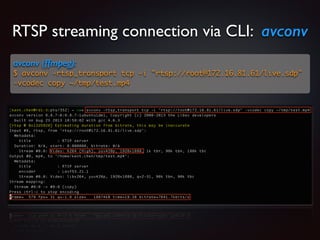
RTSP streaming connection via CLI: avconv
avconv (ffmpeg):
$ avconv -rtsp_transport tcp -i rtsp://root@172.16.81.61/live.sdp
-vcodec copy ~/tmp/test.mp4
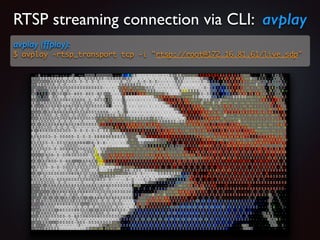
RTSP streaming connection via CLI: avplay
avplay (ffplay):
$ avplay -rtsp_transport tcp -i rtsp://root@172.16.81.61/live.sdp
又有人說:

嵌入式系統開發

沒 Console 可用

說得過嗎(翻桌)
Embedded System development	

w/o Console?!
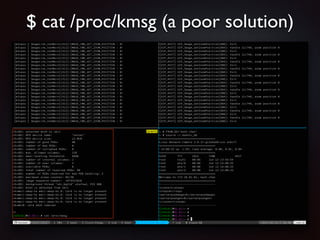
$ cat /proc/kmsg (a poor solution)
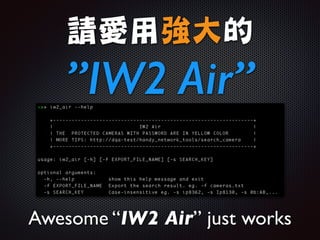
路人甲說:

沒有 IW2 可用

怎麼找 IP Camera 勒
How to search a IP Cam 	

without IW2
請愛用強大的

”IW2 Air”
Awesome “IW2 Air” just works
最後有人忍不住說:

哥就是要視窗操作啦
Desktop / X-Window
I just want to use 	

GUI desktop environment
好懷念菸酒生時期透過

Windows遠端桌面

連回LAB的低延遲速度感
Low latency remote control experience
on “Microsoft Remote Desktop”
往事只能回味

真的回不去了嗎?
“Microsoft Remote Desktop”	

No longer available under NAT?
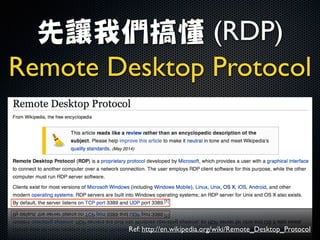
先讓我們搞懂 (RDP)

Remote Desktop Protocol 	

Ref: http://en.wikipedia.org/wiki/Remote_Desktop_Protocol
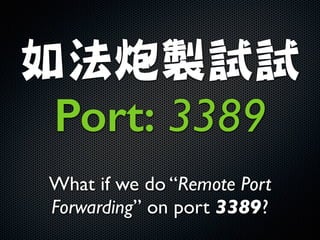
如法炮製試試	

Port: 3389
What if we do “Remote Port
Forwarding” on port 3389?
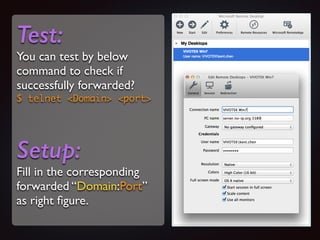
Test:
You can test by below
command to check if
successfully forwarded?	

$ telnet Domain port	
!
Setup:
Fill in the corresponding
forwarded “Domain:Port”
as right figure.
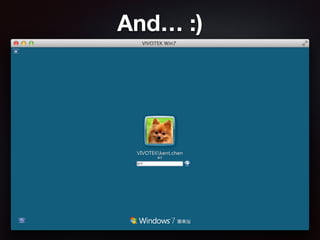
And… :)
原理就是這麼簡單

若有其它需求請

如法炮製
Follow above example to	

Forward Any Port you want
Reference
Remote Development	

http://crosbymichael.com/remote-development.html	

Why We (Still) Believe in Working Remotely	

http://blog.stackoverflow.com/2013/02/why-we-still-believe-in-
working-remotely/	

37signals Works Remotely	

http://37signals.com/remote/	

Coffitivity - IncreaseYour Creativity!	

http://www.coffitivity.com/
Reference
反向建⽴立 SSH Tunnel、免VPN 連回公司	

http://josephj.com/entry.php?id=312	

Mosh (mobile shell)	

http://mosh.mit.edu/	

Vim Rocks!	

http://www.slideshare.net/chenkaie/vim-rocks	

TMUX Rocks!	

http://www.slideshare.net/chenkaie/tmux-rocks	

subversion-scripts (Throw away TortoiseSVN)	

https://github.com/chenkaie/Tools/tree/master/subversion-scripts

Working Remotely (via SSH) Rocks!