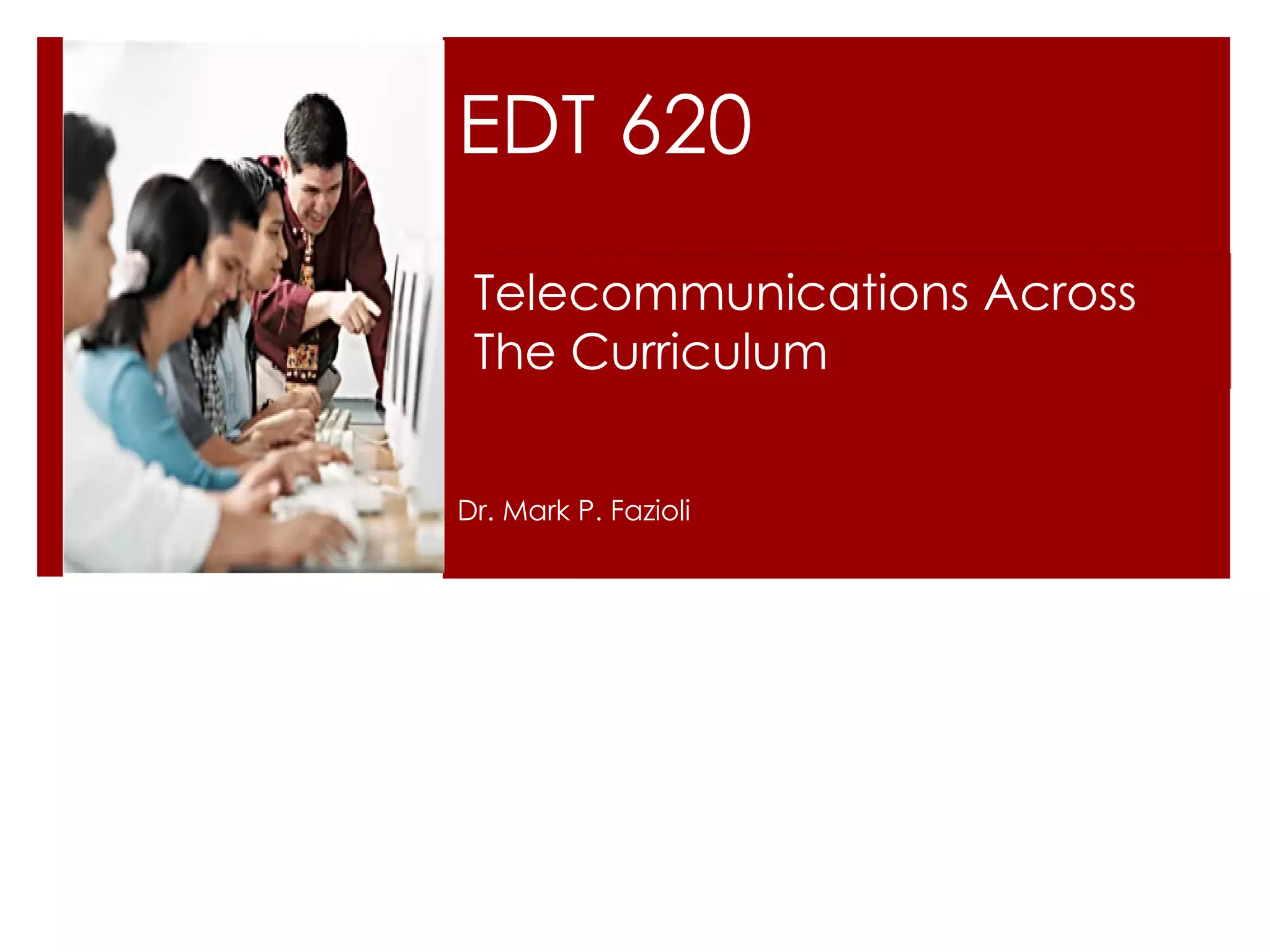
EDT 620 Dr. Mark P. Fazioli Telecommunications Across  The Curriculum
Syllabus Overview Contact information on syllabus Office hours by appointment only Texts: Required : Web 2.0: How-to for educators (2010). Soloman, G., & Schrum, L. Kindle Edition Available Recommended: Integrating technology for meaningful learning. (2004). Grabe, M., & Grabe, C.
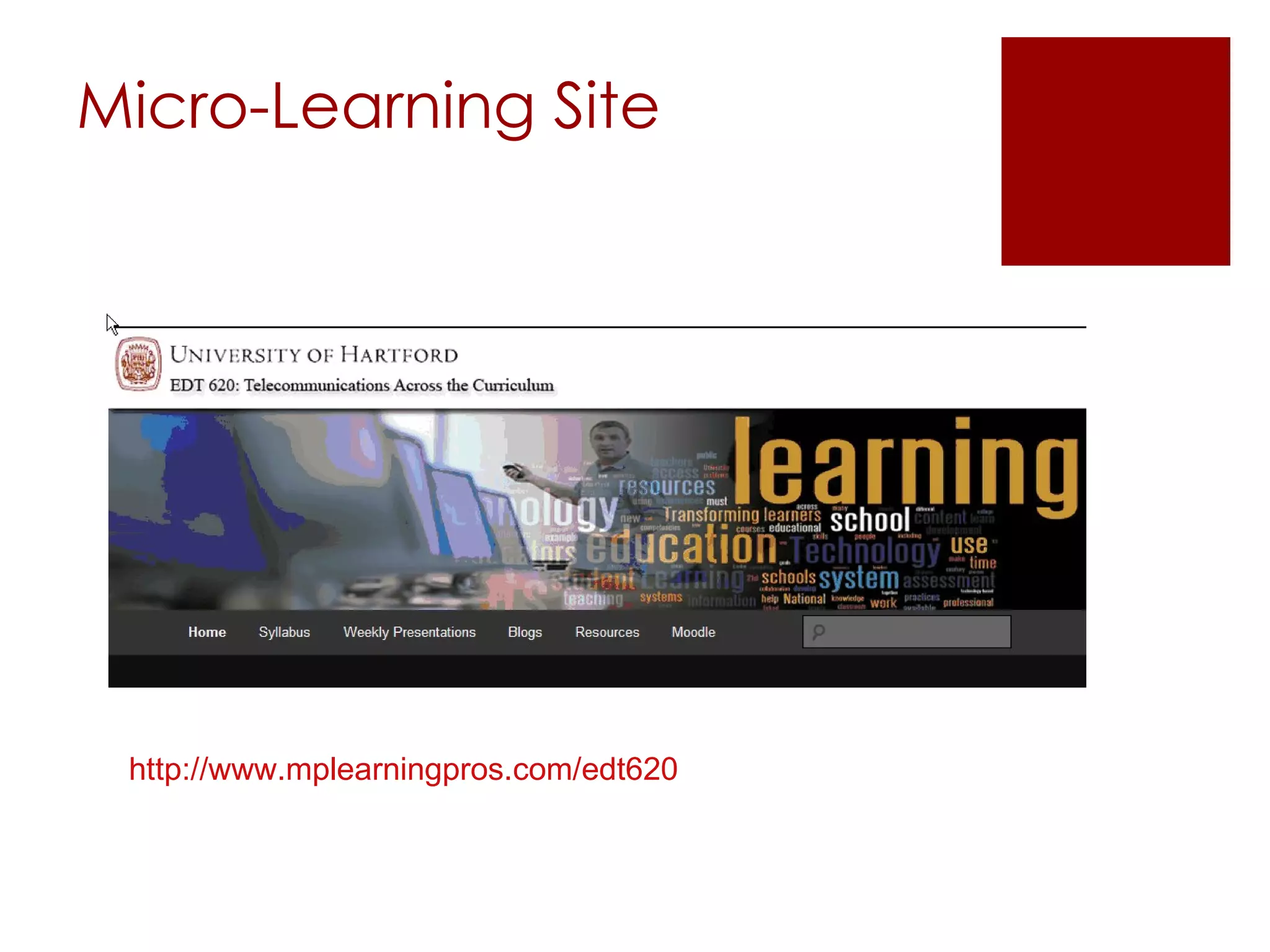
Micro-Learning Site http://www.mplearningpros.com/edt620
Project Overview UBD Instructional Plan   Due 2/16 Educational Internet Portfolio Repository of resources to support teaching & learning Multiple parts you’ll work on throughout the semester Due on last class
UBD - Plan Understanding By Design Stage 1 – Desired Results Understandings and Essential Questions Stage 2 – Assessment Evidence Performance Task(s) other Evidence Stage 2 - Learning Plan
Project—Part 1 WebQuest What is it? Uses the Internet as main resource to learn a topic or subject area Find samples at  WebQuest.org  Build a WebQuest using  zunal.com Sign up for a FREE account Walks you through process, step-by-step Be sure to save the URL for your PowerPoint
Project—Part 2 Learning Objects What is it? A mini instructional lesson that concentrates on one area i.e.—frog dissection, adding fractions, etc. Locate learning objects using  Merlot  or  Nottingham
Project—Part 3 Online video Videos to enhance student learning and understanding of a topic Several locations listed in syllabus; you may find other sites that are useful as well
Project—Part 4 Blog What is it? Weblog to share thoughts, ideas, content Websites to set one up found in syllabus i.e.  Blogger  and Wordpress
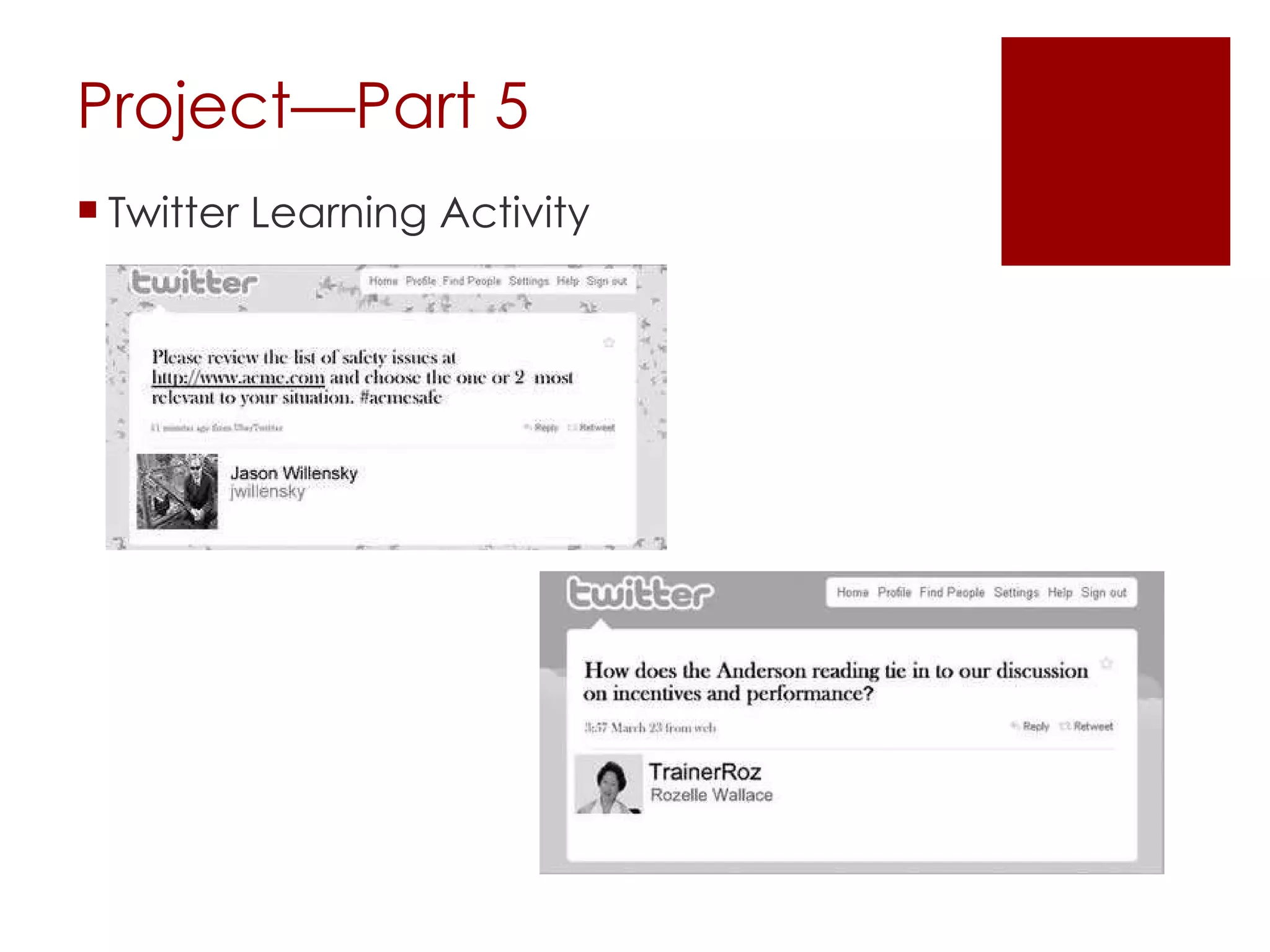
Project—Part 5 Twitter Learning Activity
Project—Part 6 Del.icio.us links What is it? Social bookmarking site Allows you to save Favorites on the web, instead of locally Sign up FREE at  delicious.com
Project—Part 7 Wiki What is it? Webpage allowing authors to collaborate on topics Most famous one: Wikipedia Websites to set one up in syllabus ( wikispaces , wiki, etc.)
Project—Part 8 Educational game Digital natives learn through gaming Search Internet for free learning games
Project—Part 9 Productivity Applications Activities Google Doc  Mind Map Google Earth Slide Share Podcast
What is the Internet? A network of networks  800 million users worldwide Operating in an agreed-on manner. TCP/IP IP Number - unique computer address - 134.129.172.88 Domain name - word equivalent to IP number - grabe.psych.und.nodak.edu
Internet Timeline of Events August 6, 1991 Tim Berners Lee, scientist at CERN, introduces World Wide Web project November 1992 26 Web Servers online April 22, 1993 Mosaic, first web browser to run windows, released April 30, 1993 CERN announces that World Wide Web is open and can be used by anyone—a decision credited for the rapid growth of the WWW
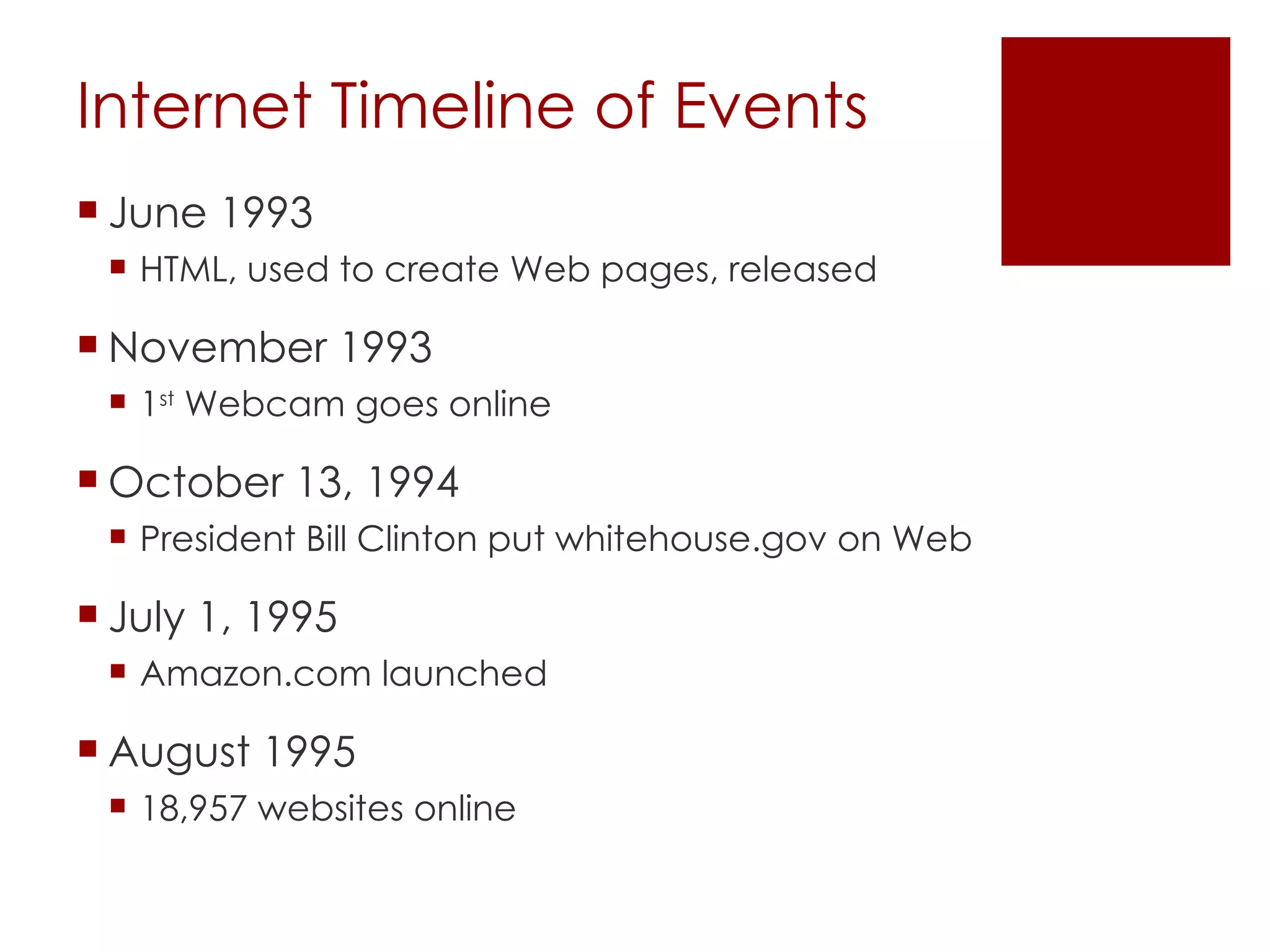
Internet Timeline of Events June 1993 HTML, used to create Web pages, released November 1993 1 st  Webcam goes online October 13, 1994 President Bill Clinton put whitehouse.gov on Web July 1, 1995 Amazon.com launched August 1995 18,957 websites online
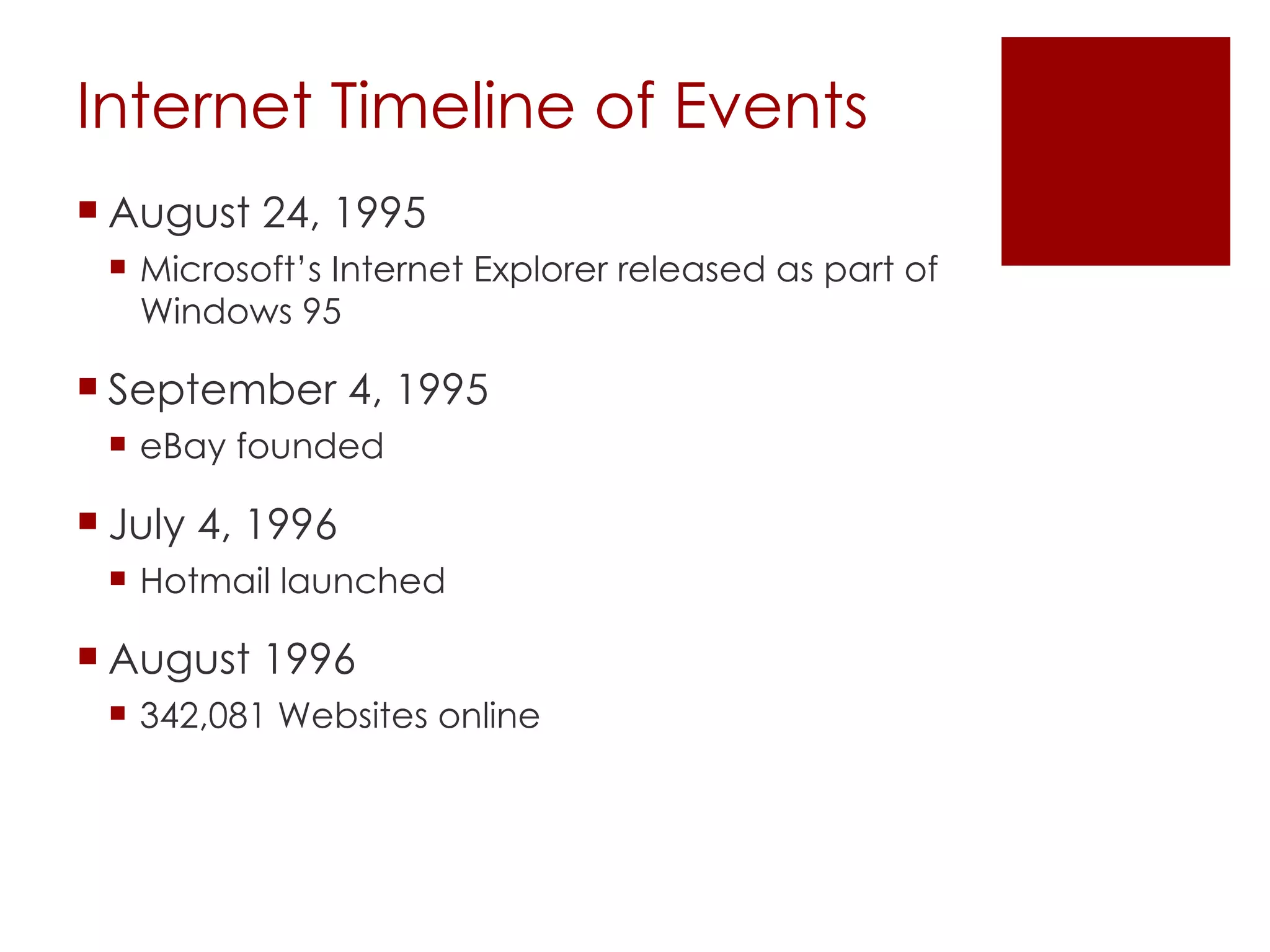
Internet Timeline of Events August 24, 1995 Microsoft’s Internet Explorer released as part of Windows 95 September 4, 1995 eBay founded July 4, 1996 Hotmail launched August 1996 342,081 Websites online
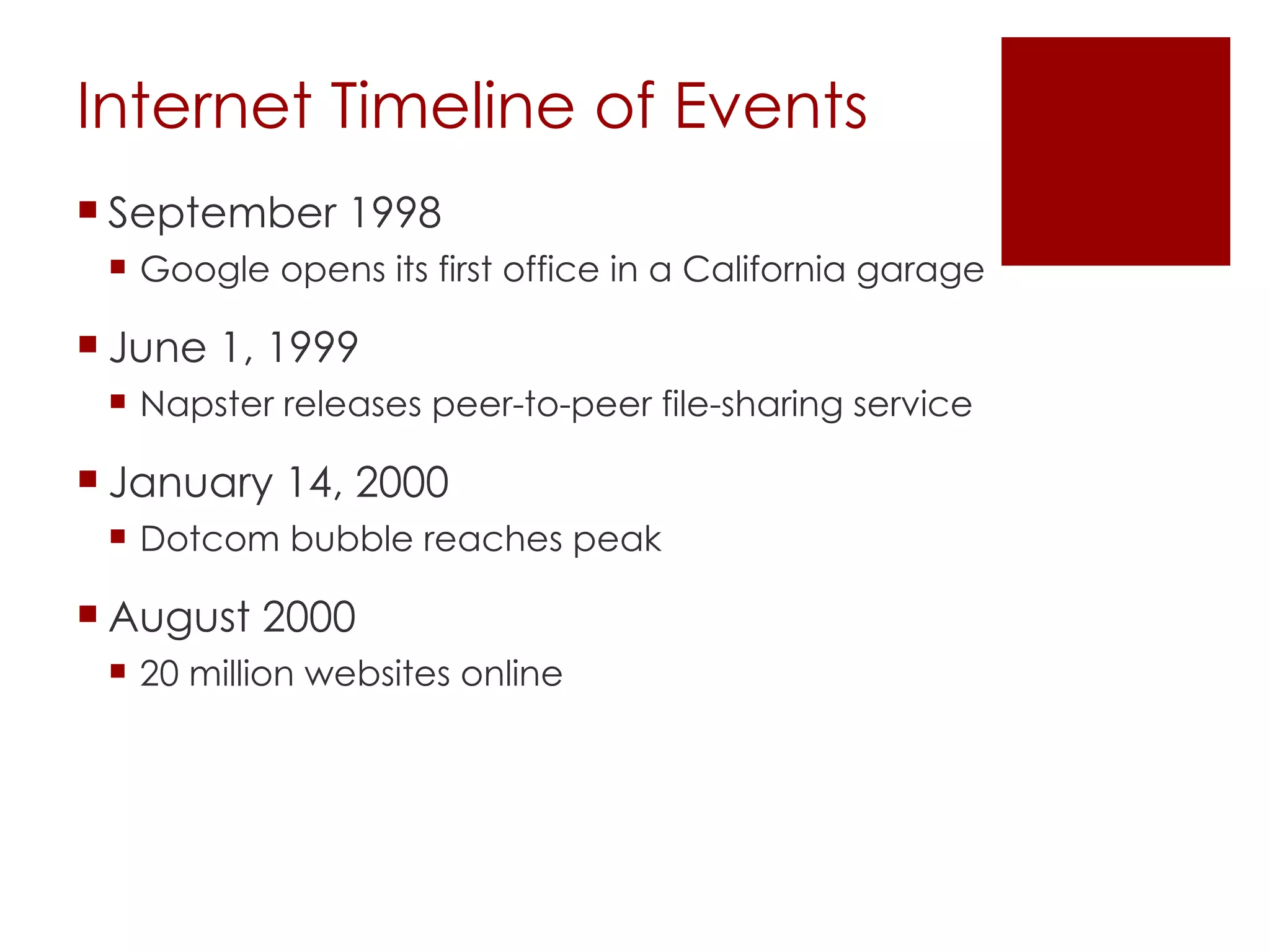
Internet Timeline of Events September 1998 Google opens its first office in a California garage June 1, 1999 Napster releases peer-to-peer file-sharing service January 14, 2000 Dotcom bubble reaches peak August 2000 20 million websites online
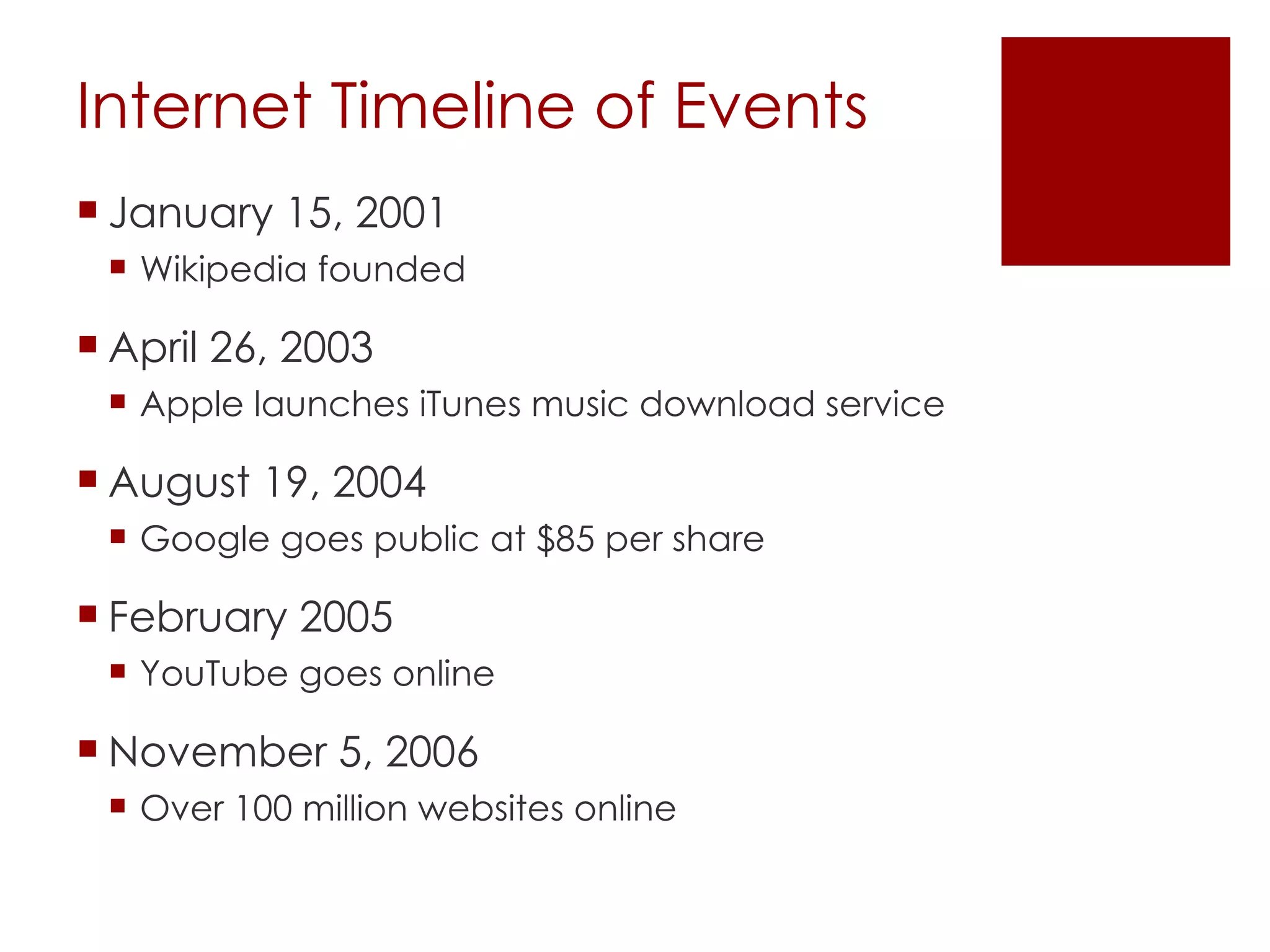
Internet Timeline of Events January 15, 2001 Wikipedia founded April 26, 2003 Apple launches iTunes music download service August 19, 2004 Google goes public at $85 per share February 2005 YouTube goes online November 5, 2006 Over 100 million websites online
Internet as a Tool Tool for  communication  - exchange information with others Tool for  inquiry  - search for resources to solve information problems Tool for  construction  - outlet for  products summarizing learning experience
Uniqueness of the Web Allows Internet resources to be connected through links Allows online integration of media types - multimedia
Web Browser Used to connect to server Build web pages by interpreting HTML tags Instructions for assembling page components Integrate file types Text size and style Links to connections  designed by page author Copyright © Houghton Mifflin Company. All rights reserved. 6-
Keeping Track of Useful Resources Browser can store a list of sites identified by user Bookmarks or Favorites List can be organized and annotated List can be searched List can be exported
Web Browser Several formats Portable Document Format (PDF) Virtual Reality Markup Language (VRML) Options expanded through plug-ins Quicktime audio/video RealPlayer audio/video Flash Streaming Video/audio delivery system Do not have to download entire file  before presenting Some protection for media provider
Locating Useful Information Web offers more than 3.1 billion web sites with an average of 441 pages of information Two distinct approaches to locating information Browsing Searching
Browsing Follow hierarchical series of topics and subtopics to locate specific information Example - Yahoo! Copyright © Houghton Mifflin Company. All rights reserved. 6-
Searching Send query to online database After hits are generated, differ in method by which hits are prioritized for presentation Example - Google
Browsing and Searching Commercial sites combine approaches Search within selected topic or subtopic
Search Engines Gather Different Information Data stored will influence what will surface as priority sites Example - Google How many other web pages link to a web page?  Popularity assumed to imply greater  value Copyright © Houghton Mifflin Company. All rights reserved. 6-
Conducting A Search Current search sites are very easy to use Built to prioritize useful sites Ease of use my discourage exploration of advanced features Get by without learning to improve  efficiency
Categories of Web Resources Online Tutorials - designed for independent learning Instructional Resources - learning activity assuming teacher will implement and evaluate Primary Source - raw information resources of potential value
Using The Web For Primary Sources Example of information problem solving Locate information Interpret information Apply information
Big Six -A Model of Information Problem Solving Task definition Information-seeking Location and access Use information Synthesis Evaluation
Big Six and The Web Information seeking - Is the web an appropriate source? Location and Access - Are skills required to use search engine or directory present? Using information - Can learner extract information from appropriate sources?
Editorial Review & Screening of Internet Resources Use database of reviewed sites - e.g., Ask Jeeves for Kids Use resources from educational portal - e.g., Blue Web’n Primary sources from reputable sources - e.g., National Weather Service Develop evaluation skills of learner
Making Decisions - Evaluating Online Sources Author with appropriate credentials identified Bias/credibility of sponsoring organization? Differentiate personal opinion from data-based presentation  Site linked TO credible sites Site linked FROM credible sites Learner should use multiple sources
Scaffolding Web  Explorations Support student effort in taking on challenging task Locate useful sources What should be learned from a source
21 st  Century Skills The content knowledge and applied skills that today’s students need to master to thrive in a continually evolving workplace and society.
21 st  Century Skills Digital age literacy Inventive thinking Effective communication High Productivity Four areas of applied skills that students must excel:
21 st  Century Teaching Skills Integrate creativity and innovation Instructional Strategies Instructional Models  Technology for learning Mobile learning?
Discussion Points In your judgment, which of the 21 st -century skills are the most import to teach? If you the authority to transform your workplace into a 21 st -century place of learning. What changes would you make, and what would a typical day look like once you made those changes?
Mobile Technologies Smart Phones How has your cell phone changed the way you communicate with others?  Which features are the most important to you and why? How would those features be used for learning?
Mobile Technologies Tablets and Netbooks What is your site or district policy on allowing students  to bring and connect personal mobile devices? What are the pros and cons on allowing students to bring and use personal mobile devices in the classroom? Is it reason to ask parents to purchase tablets or netbooks for their children for school work both in the classroom and outside?
Mobile Technologies MP3 Players What is your site or district policy on allowing students  to bring and use MP3 players? What are the pros and cons on allowing students to bring and use MP3 players in the classroom? What are some ideas that MP3 players can be used to promote learning?
The End

U hart class1

  • 1.
    EDT 620 Dr.Mark P. Fazioli Telecommunications Across The Curriculum
  • 2.
    Syllabus Overview Contactinformation on syllabus Office hours by appointment only Texts: Required : Web 2.0: How-to for educators (2010). Soloman, G., & Schrum, L. Kindle Edition Available Recommended: Integrating technology for meaningful learning. (2004). Grabe, M., & Grabe, C.
  • 3.
  • 4.
    Project Overview UBDInstructional Plan Due 2/16 Educational Internet Portfolio Repository of resources to support teaching & learning Multiple parts you’ll work on throughout the semester Due on last class
  • 5.
    UBD - PlanUnderstanding By Design Stage 1 – Desired Results Understandings and Essential Questions Stage 2 – Assessment Evidence Performance Task(s) other Evidence Stage 2 - Learning Plan
  • 6.
    Project—Part 1 WebQuestWhat is it? Uses the Internet as main resource to learn a topic or subject area Find samples at WebQuest.org Build a WebQuest using zunal.com Sign up for a FREE account Walks you through process, step-by-step Be sure to save the URL for your PowerPoint
  • 7.
    Project—Part 2 LearningObjects What is it? A mini instructional lesson that concentrates on one area i.e.—frog dissection, adding fractions, etc. Locate learning objects using Merlot or Nottingham
  • 8.
    Project—Part 3 Onlinevideo Videos to enhance student learning and understanding of a topic Several locations listed in syllabus; you may find other sites that are useful as well
  • 9.
    Project—Part 4 BlogWhat is it? Weblog to share thoughts, ideas, content Websites to set one up found in syllabus i.e. Blogger and Wordpress
  • 10.
    Project—Part 5 TwitterLearning Activity
  • 11.
    Project—Part 6 Del.icio.uslinks What is it? Social bookmarking site Allows you to save Favorites on the web, instead of locally Sign up FREE at delicious.com
  • 12.
    Project—Part 7 WikiWhat is it? Webpage allowing authors to collaborate on topics Most famous one: Wikipedia Websites to set one up in syllabus ( wikispaces , wiki, etc.)
  • 13.
    Project—Part 8 Educationalgame Digital natives learn through gaming Search Internet for free learning games
  • 14.
    Project—Part 9 ProductivityApplications Activities Google Doc Mind Map Google Earth Slide Share Podcast
  • 15.
    What is theInternet? A network of networks 800 million users worldwide Operating in an agreed-on manner. TCP/IP IP Number - unique computer address - 134.129.172.88 Domain name - word equivalent to IP number - grabe.psych.und.nodak.edu
  • 16.
    Internet Timeline ofEvents August 6, 1991 Tim Berners Lee, scientist at CERN, introduces World Wide Web project November 1992 26 Web Servers online April 22, 1993 Mosaic, first web browser to run windows, released April 30, 1993 CERN announces that World Wide Web is open and can be used by anyone—a decision credited for the rapid growth of the WWW
  • 17.
    Internet Timeline ofEvents June 1993 HTML, used to create Web pages, released November 1993 1 st Webcam goes online October 13, 1994 President Bill Clinton put whitehouse.gov on Web July 1, 1995 Amazon.com launched August 1995 18,957 websites online
  • 18.
    Internet Timeline ofEvents August 24, 1995 Microsoft’s Internet Explorer released as part of Windows 95 September 4, 1995 eBay founded July 4, 1996 Hotmail launched August 1996 342,081 Websites online
  • 19.
    Internet Timeline ofEvents September 1998 Google opens its first office in a California garage June 1, 1999 Napster releases peer-to-peer file-sharing service January 14, 2000 Dotcom bubble reaches peak August 2000 20 million websites online
  • 20.
    Internet Timeline ofEvents January 15, 2001 Wikipedia founded April 26, 2003 Apple launches iTunes music download service August 19, 2004 Google goes public at $85 per share February 2005 YouTube goes online November 5, 2006 Over 100 million websites online
  • 21.
    Internet as aTool Tool for communication - exchange information with others Tool for inquiry - search for resources to solve information problems Tool for construction - outlet for products summarizing learning experience
  • 22.
    Uniqueness of theWeb Allows Internet resources to be connected through links Allows online integration of media types - multimedia
  • 23.
    Web Browser Usedto connect to server Build web pages by interpreting HTML tags Instructions for assembling page components Integrate file types Text size and style Links to connections designed by page author Copyright © Houghton Mifflin Company. All rights reserved. 6-
  • 24.
    Keeping Track ofUseful Resources Browser can store a list of sites identified by user Bookmarks or Favorites List can be organized and annotated List can be searched List can be exported
  • 25.
    Web Browser Severalformats Portable Document Format (PDF) Virtual Reality Markup Language (VRML) Options expanded through plug-ins Quicktime audio/video RealPlayer audio/video Flash Streaming Video/audio delivery system Do not have to download entire file before presenting Some protection for media provider
  • 26.
    Locating Useful InformationWeb offers more than 3.1 billion web sites with an average of 441 pages of information Two distinct approaches to locating information Browsing Searching
  • 27.
    Browsing Follow hierarchicalseries of topics and subtopics to locate specific information Example - Yahoo! Copyright © Houghton Mifflin Company. All rights reserved. 6-
  • 28.
    Searching Send queryto online database After hits are generated, differ in method by which hits are prioritized for presentation Example - Google
  • 29.
    Browsing and SearchingCommercial sites combine approaches Search within selected topic or subtopic
  • 30.
    Search Engines GatherDifferent Information Data stored will influence what will surface as priority sites Example - Google How many other web pages link to a web page? Popularity assumed to imply greater value Copyright © Houghton Mifflin Company. All rights reserved. 6-
  • 31.
    Conducting A SearchCurrent search sites are very easy to use Built to prioritize useful sites Ease of use my discourage exploration of advanced features Get by without learning to improve efficiency
  • 32.
    Categories of WebResources Online Tutorials - designed for independent learning Instructional Resources - learning activity assuming teacher will implement and evaluate Primary Source - raw information resources of potential value
  • 33.
    Using The WebFor Primary Sources Example of information problem solving Locate information Interpret information Apply information
  • 34.
    Big Six -AModel of Information Problem Solving Task definition Information-seeking Location and access Use information Synthesis Evaluation
  • 35.
    Big Six andThe Web Information seeking - Is the web an appropriate source? Location and Access - Are skills required to use search engine or directory present? Using information - Can learner extract information from appropriate sources?
  • 36.
    Editorial Review &Screening of Internet Resources Use database of reviewed sites - e.g., Ask Jeeves for Kids Use resources from educational portal - e.g., Blue Web’n Primary sources from reputable sources - e.g., National Weather Service Develop evaluation skills of learner
  • 37.
    Making Decisions -Evaluating Online Sources Author with appropriate credentials identified Bias/credibility of sponsoring organization? Differentiate personal opinion from data-based presentation Site linked TO credible sites Site linked FROM credible sites Learner should use multiple sources
  • 38.
    Scaffolding Web Explorations Support student effort in taking on challenging task Locate useful sources What should be learned from a source
  • 39.
    21 st Century Skills The content knowledge and applied skills that today’s students need to master to thrive in a continually evolving workplace and society.
  • 40.
    21 st Century Skills Digital age literacy Inventive thinking Effective communication High Productivity Four areas of applied skills that students must excel:
  • 41.
    21 st Century Teaching Skills Integrate creativity and innovation Instructional Strategies Instructional Models Technology for learning Mobile learning?
  • 42.
    Discussion Points Inyour judgment, which of the 21 st -century skills are the most import to teach? If you the authority to transform your workplace into a 21 st -century place of learning. What changes would you make, and what would a typical day look like once you made those changes?
  • 43.
    Mobile Technologies SmartPhones How has your cell phone changed the way you communicate with others? Which features are the most important to you and why? How would those features be used for learning?
  • 44.
    Mobile Technologies Tabletsand Netbooks What is your site or district policy on allowing students to bring and connect personal mobile devices? What are the pros and cons on allowing students to bring and use personal mobile devices in the classroom? Is it reason to ask parents to purchase tablets or netbooks for their children for school work both in the classroom and outside?
  • 45.
    Mobile Technologies MP3Players What is your site or district policy on allowing students to bring and use MP3 players? What are the pros and cons on allowing students to bring and use MP3 players in the classroom? What are some ideas that MP3 players can be used to promote learning?
  • 46.