



Dr Hiran Amarasekera
Department of Forestry and Environmental Science
University of Sri Jayewardenepura
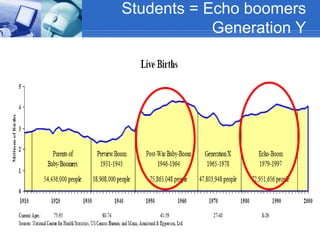
Students = Echo boomers
Generation Y
Y)
 Up to 80 Million “Echo Boomers” (Generation Y)
 These are the children of the “Baby Boomers”
 entrepreneurial, global
 best educated; both men and women
 computers are a primary language
 Mobile phones, sms are common
 They grow up with economic prosperity
 They are not afraid of challenging managers
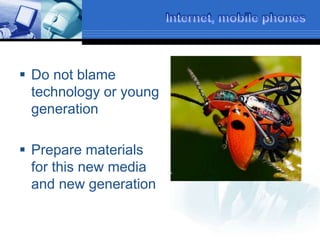
 Do not blame
technology or young
generation
 Prepare materials
for this new media
and new generation
World is flat
A book by Thomas Friedman
 1989 PC – Windows – individual contenet
creation
 1995 Internet – email – browser – fiber
optics
 Work Flow collaboration – individual
content uploading
 Web applications
 Open-sourcing (free knowledge)
 Out-sourcing
World is flat
A book by Thomas Friedman
 Web applications – gmail, fickr, google
docs
 Open-sourcing (free knowledge)
 Out-sourcing
http://academicearth.org/lectures/the-world-is-flat
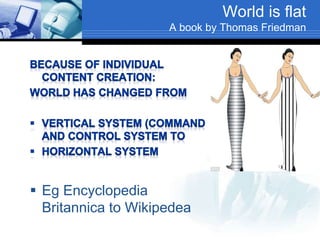
World is flat
A book by Thomas Friedman
 Eg Encyclopedia
Britannica to Wikipedea
Three rules in the flat world
 Whatever can be done will be done
eg. By Sabaragamuwa and USJ
 Individual imagination matters
 Learn to collaborate
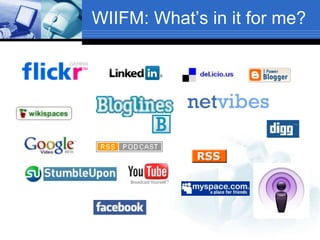
WIIFM: What’s in it for me?
1. Traditional web and web 2.0
2. Key web 2.0 applications/ services
3. Popular sites for learning
4. Starting collaborative web sites
Have you used?
 Google
 Blogging – blogger, wordpress
 Wiki – wikipedia, wikispaces
 Mutimedia sharing – flickr, youtube
 Podcasting – itunes
 VLE s – moodle, blackboard. webCT
 Social Bookmarking – delicious, digg
 Social Networking – hi5, facebook,
linkedin
WIIFM: What’s in it for me?
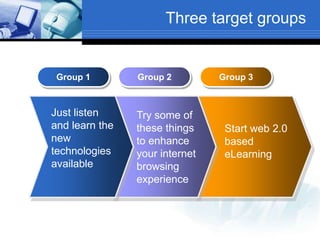
Three target groups
Group 1 Group 2 Group 3
Just listen
and learn the
new
technologies
available
Try some of
these things
to enhance
your internet
browsing
experience
Start web 2.0
based
eLearning
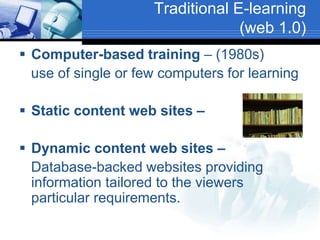
Traditional E-learning
(web 1.0)
 Computer-based training – (1980s)
use of single or few computers for learning
 Static content web sites –
 Dynamic content web sites –
Database-backed websites providing
information tailored to the viewers
particular requirements.
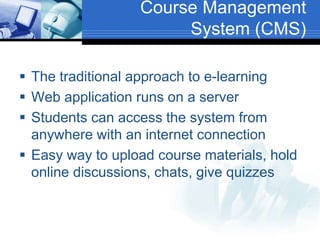
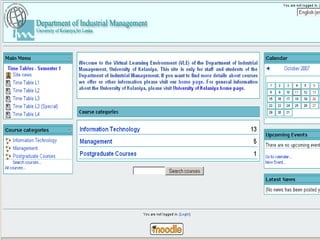
Course Management
System (CMS)
 The traditional approach to e-learning
 Web application runs on a server
 Students can access the system from
anywhere with an internet connection
 Easy way to upload course materials, hold
online discussions, chats, give quizzes
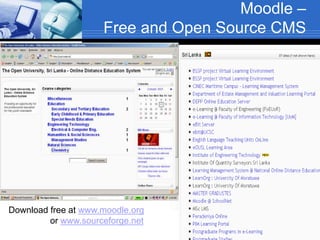
Moodle –
Free and Open Source CMS
Download free at www.moodle.org
or www.sourceforge.net
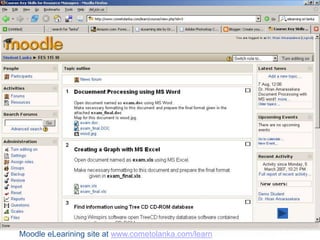
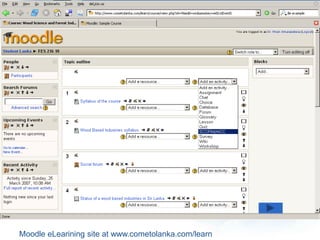
Moodle eLearining site at www.cometolanka.com/learn
Web 2.0
 Traditional web - merely browsing the
internet after searching search engines
 Web 2.0 - User generated content
 Users can contribute and shape the
content of the web by means of blog
posts, podcasts, wikis, sharing photos and
videos
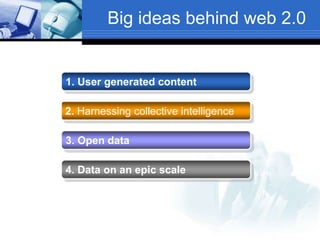
Big ideas behind web 2.0
1. User generated content
2. Harnessing collective intelligence
3. Open data
4. Data on an epic scale
E-learning 2.0 – New
approach to eLearning
 coined by Stephen Downes
 Use of tools and web services - such as
blogs, wikis, and other social software - to
support the creation of learning
communities.
E-learning 2.0
 Learning is centered around the interests
of the learner
 This learning is immersive – learning by
doing
 The computer connects the student to the
rest of the world
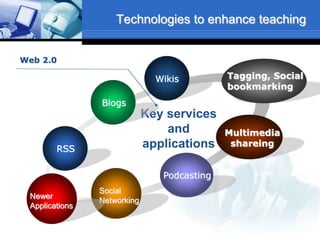
Technologies to enhance teaching
Wikis Tagging, Social
bookmarking
Key services
and
applications
Web 2.0
RSS
Blogs
Multimedia
shareing
Podcasting
Social
Networking
Newer
Applications
Blogging - web log publishing
 Blog is an abbreviated version of "weblog“
 website that contains diary- type written
material, links or photos being posted all the
time, usually by one individual, on a personal
basis
 Blogging is increasingly used in education
(both in school and university), because it is
easy to publish.
 Facilitate feedback, by letting readers add
comments
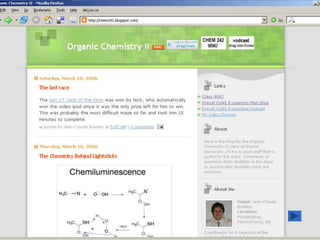
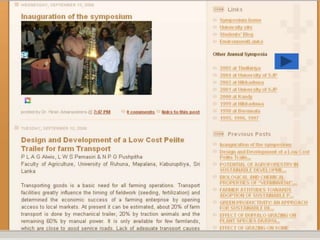
Example blog sites
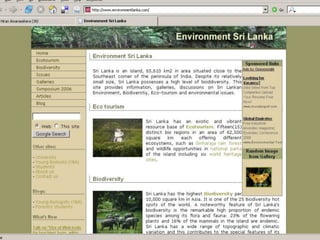
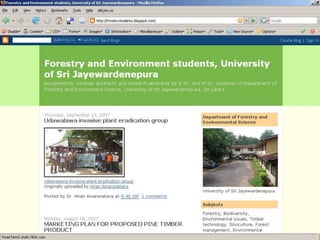
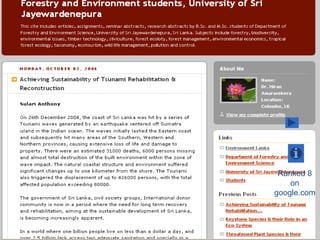
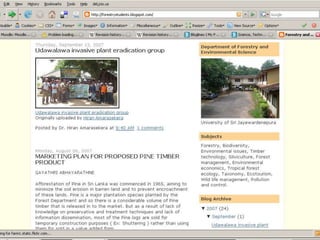
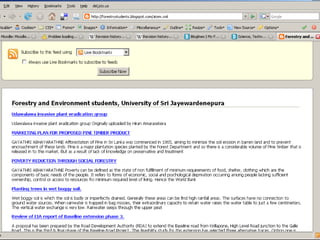
 http://environmentlanka.blogspot.com
 http://forestrystudents.blogspot.com
 http://forestrysymposium2005.blogspot.com
 http://classblogmeister.com/blog.php?blog
ger_id=99657
Ranked 8
on
google.com
Blog software
-obtain a free blog
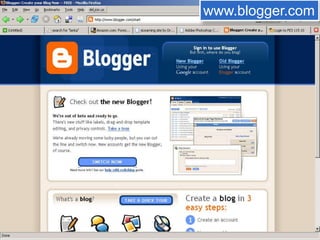
www.blogger.com
www.wordpress.com
www.edublogs.org
www.classblogmeister.com
www.blogger.com
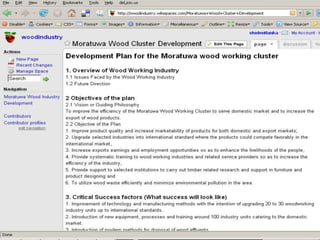
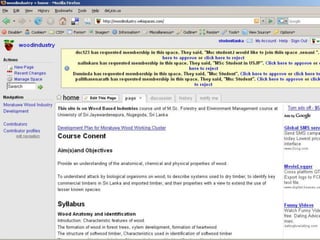
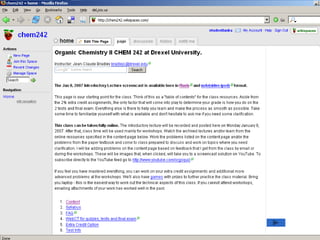
Wikis
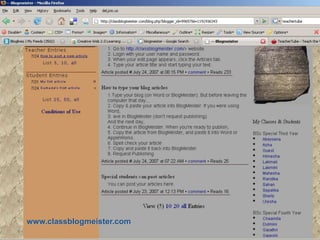
www.classblogmeister.com
Wikis
 Web sites that can be collaboratively
updated using only a web browser.
 Enable group development of ideas and
information sources.
 Eg Wikipedia (http://wikipedia.org).
 Start your own wiki for your class for free
at www.wikispaces.com
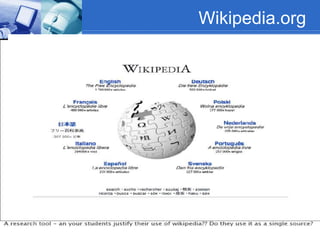
Wikipedia.org
wikipedia.org
online encyclopedia
 read articles on “any” subject, and also
can edit them.
 Wikipedia is not a source so reliable you
can cite it in real academic papers.
 However, it has wealth of information -
more than a million user-written articles
 good starting point for research on new
topics.
Multimedia Sharing
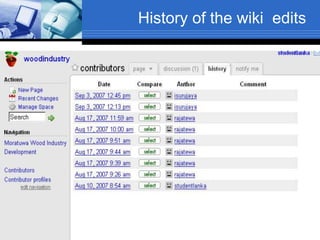
History of the wiki edits
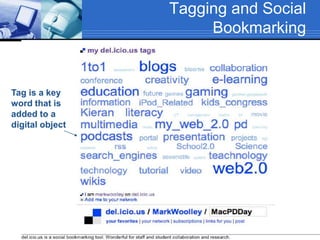
Tagging and Social
Bookmarking
Tag is a key
word that is
added to a
digital object
Social Bookmarking – Find
new web sites
 Search engines like Google can find
material using keywords
 Social Bookmarking allow users to
highlight their best sites
 Sharing bookmarks
 Provide you the collective intelligence of
other users
 Help you find things that you never knew
existing, but wished you did.
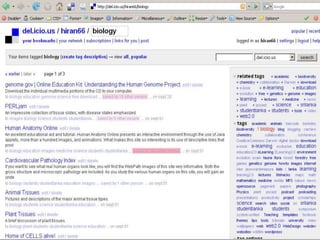
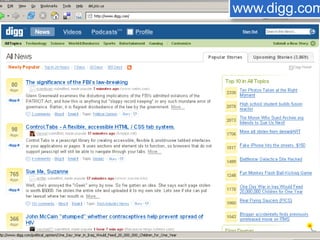
Social Bookmarking sites
 http://del.icio.us
http://www.digg.com
http://stumbleupon.com
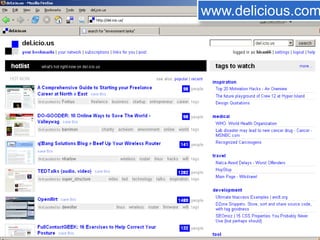
www.delicious.com
www.digg.com
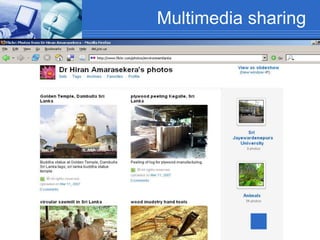
Multimedia sharing
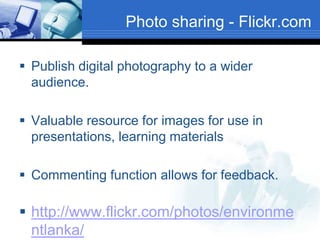
Photo sharing - Flickr.com
 Publish digital photography to a wider
audience.
 Valuable resource for images for use in
presentations, learning materials
 Commenting function allows for feedback.
 http://www.flickr.com/photos/environme
ntlanka/
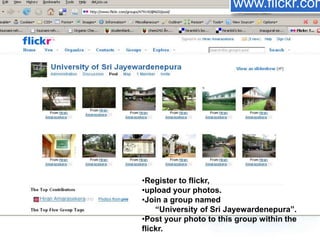
•Register to flickr,
•upload your photos.
•Join a group named
“University of Sri Jayewardenepura”.
•Post your photo to this group within the
flickr.
www.flickr.com
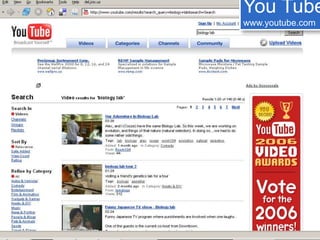
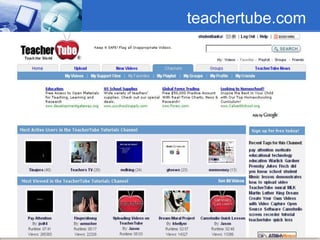
 Webcasts and videocasts
 streaming video on the internet.
youtube.com video.google.com
Video Sharing
You Tube
www.youtube.com
teachertube.com
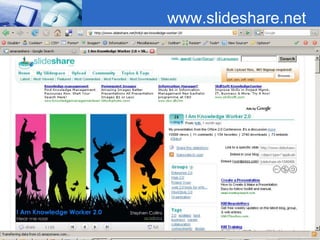
www.slideshare.net
Screencasting
 Record your presentation and upload to
slideshare.net
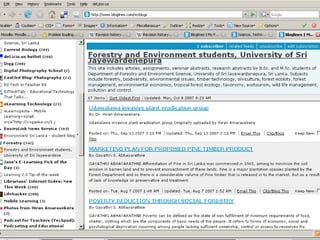
RSS feedsRSS feeds
RSS Feeds
 Rich Site Summary or Really Simple
Syndication
 allows users to subscribe to websites that
provide RSS feeds such as blogs and
news sites
 When new content is added, a software
program called an aggregator
automatically pulls in the feeds.
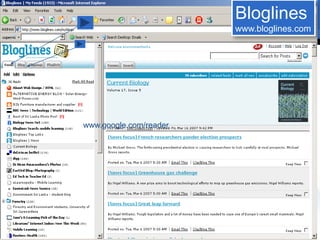
 Common news aggregator is Bloglines at
www.bloglines.com.
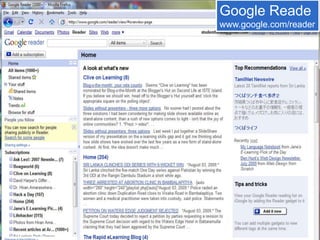
www.google.com/reader
Bloglines
www.bloglines.com
Google Reade
www.google.com/reader
Educational applications of
RSS Feeds
 Professional Development
keep-up-to-date on a wide variety of subjects from leading experts in the field. You
get closer to the leading edge of what is going on the particular field.
 Time Saving
You can track more information in a shorter period of time. Now you do not have to
spend a large amount of time surfing the internet for topic specific content.
 Information coming from contrasting sources
You could subscribe to feeds from different parts of the news world about a current
event in the news to compare and contrast the information and/or to check to see if
there were any biases.
 Sharing what you are doing with other educators
Any teacher can share information with thousands of other teachers using a blog or
webpage with RSS technology.
RSS feeds will have a major impact on the
way we receive our information in the
future.
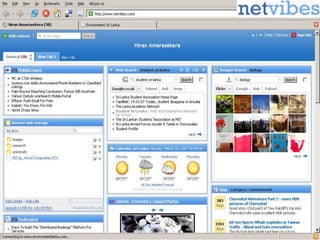
Start Pages
 Start pages provide a desktop that can
host all of a user's most common Web
information such as news, weather, e-mail,
RSS feeds, and more, all in a single user-
controlled Web page.
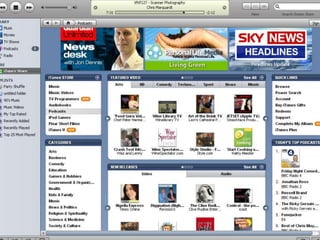
Podcasts
Podcasting
 Distribution of audio files on the web
 This has become a popular technology in
education, because it provides a way of
distributing educational content to
learners.
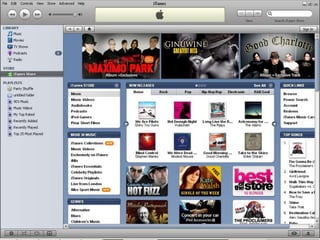
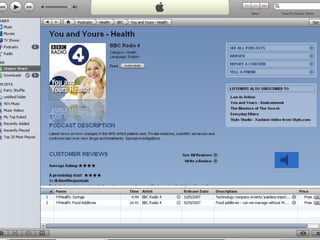
Tools for podcasting
 You need iPod software
 Download at www.apple.com/itunes
 Goto iTunes Music Store from within
iTunes
 Click on Podcasts
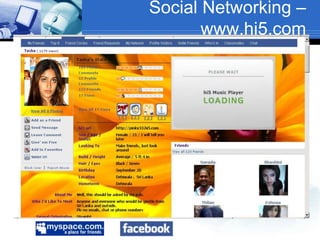
Social Networking –
www.hi5.com
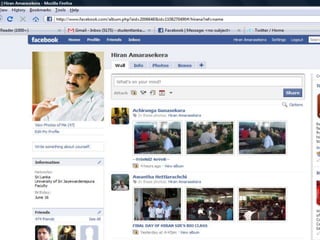
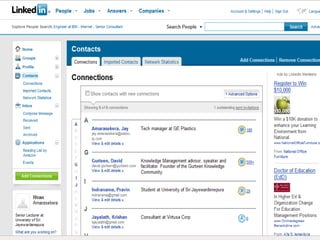
Professional social network
Other web 2.0 applications
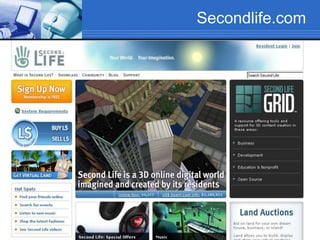
 3d Virtual reality site
http://www.secondlife.com
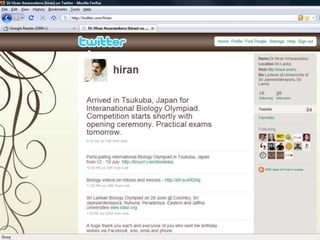
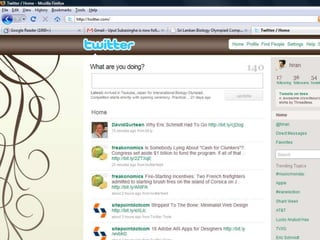
 Post things you do
http://www.twitter.com
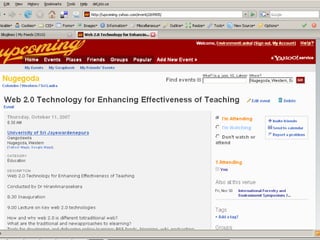
 Post or find events
http://www.upcoming.org
Secondlife.com
Top sites for enhance
teaching and learning
 Lots of internet resources that can give
you a quality education every day, free
knowledge is available all around us.
free audio and video lessons
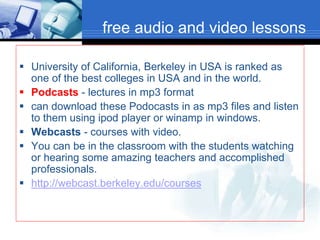
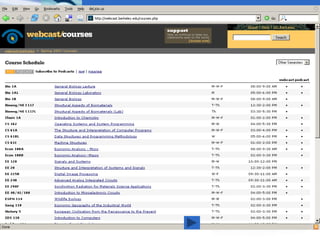
 University of California, Berkeley in USA is ranked as
one of the best colleges in USA and in the world.
 Podcasts - lectures in mp3 format
 can download these Podocasts in as mp3 files and listen
to them using ipod player or winamp in windows.
 Webcasts - courses with video.
 You can be in the classroom with the students watching
or hearing some amazing teachers and accomplished
professionals.
 http://webcast.berkeley.edu/courses
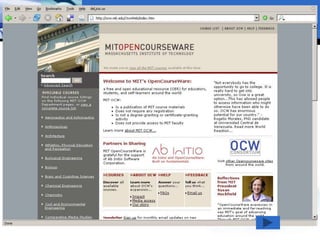
MIT Open Courseware –
free online courses
 MIT web site gives away course materials,
including syllabi, lectures, assignments
and reading materials free.
 free and open educational resource (OER)
for educators, students, and self-learners
around the world.
 http://ocw.mit.edu
google.com
 most accurate, and widely accepted search engine
today.
 Other online software
 Google images (search images)
 Google video (search and download videos for free)
 email (with Gmail),
 cartography (Google Maps),
 literature (Google Book Search)
 Google Earth, an incredibly detailed virtual globe.
 Picasa (photo browsing and editing)
 google desktop search (good search engine to search
your personal computer)
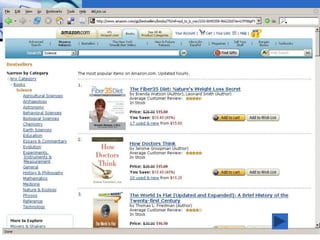
Amazon.com
 Online retailer of mainly books, CDs,
VCDs
 Considered as the earth's biggest
bookstore, you can order books if you
have a credit card.
 You can browse through the world's most
popular books in any subject and become
reader of the very recent books published.
Sourceforge.net
 Freeware Applications
 Free and Open Source Software (FOSS)
is becoming very popular, most often as
Microsoft alternatives.
 Mozilla Firefox browser is accepted as
better product than MS Internet explorer.
 contains lots of free software.
100+ Free Websites to find out about
Anything and Everything by Jane Hart
Things you can try
 Create a blog at blogger.com
 Create a wiki at wikispaces.com
 Get your RSS feeds using
www.bloglines.com
 Or google reader www.google.com/reader
Things you can try
 Share your photos at www.flickr.com
 Create your profile at www.linkedin.com
 Find new web sites using http://del.icio.us
or www.digg.com
 Download podcasts and webcasts for
lectures
 Setup start page to www.netvibes.com
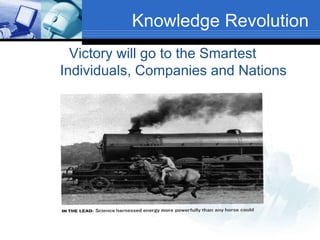
Knowledge Revolution
Victory will go to the Smartest
Individuals, Companies and Nations

Use of web 2.0 tools for E-Learning

  • 1.
    Dr Hiran Amarasekera Departmentof Forestry and Environmental Science University of Sri Jayewardenepura
  • 7.
    Students = Echoboomers Generation Y
  • 9.
    Y)  Up to80 Million “Echo Boomers” (Generation Y)  These are the children of the “Baby Boomers”  entrepreneurial, global  best educated; both men and women  computers are a primary language  Mobile phones, sms are common  They grow up with economic prosperity  They are not afraid of challenging managers
  • 10.
     Do notblame technology or young generation  Prepare materials for this new media and new generation
  • 11.
    World is flat Abook by Thomas Friedman  1989 PC – Windows – individual contenet creation  1995 Internet – email – browser – fiber optics  Work Flow collaboration – individual content uploading  Web applications  Open-sourcing (free knowledge)  Out-sourcing
  • 12.
    World is flat Abook by Thomas Friedman  Web applications – gmail, fickr, google docs  Open-sourcing (free knowledge)  Out-sourcing http://academicearth.org/lectures/the-world-is-flat
  • 13.
    World is flat Abook by Thomas Friedman  Eg Encyclopedia Britannica to Wikipedea
  • 14.
    Three rules inthe flat world  Whatever can be done will be done eg. By Sabaragamuwa and USJ  Individual imagination matters  Learn to collaborate
  • 15.
    WIIFM: What’s init for me? 1. Traditional web and web 2.0 2. Key web 2.0 applications/ services 3. Popular sites for learning 4. Starting collaborative web sites
  • 16.
    Have you used? Google  Blogging – blogger, wordpress  Wiki – wikipedia, wikispaces  Mutimedia sharing – flickr, youtube  Podcasting – itunes  VLE s – moodle, blackboard. webCT  Social Bookmarking – delicious, digg  Social Networking – hi5, facebook, linkedin
  • 17.
  • 18.
    Three target groups Group1 Group 2 Group 3 Just listen and learn the new technologies available Try some of these things to enhance your internet browsing experience Start web 2.0 based eLearning
  • 19.
    Traditional E-learning (web 1.0) Computer-based training – (1980s) use of single or few computers for learning  Static content web sites –  Dynamic content web sites – Database-backed websites providing information tailored to the viewers particular requirements.
  • 21.
    Course Management System (CMS) The traditional approach to e-learning  Web application runs on a server  Students can access the system from anywhere with an internet connection  Easy way to upload course materials, hold online discussions, chats, give quizzes
  • 22.
    Moodle – Free andOpen Source CMS Download free at www.moodle.org or www.sourceforge.net
  • 24.
    Moodle eLearining siteat www.cometolanka.com/learn
  • 25.
    Moodle eLearining siteat www.cometolanka.com/learn
  • 27.
    Web 2.0  Traditionalweb - merely browsing the internet after searching search engines  Web 2.0 - User generated content  Users can contribute and shape the content of the web by means of blog posts, podcasts, wikis, sharing photos and videos
  • 28.
    Big ideas behindweb 2.0 1. User generated content 2. Harnessing collective intelligence 3. Open data 4. Data on an epic scale
  • 29.
    E-learning 2.0 –New approach to eLearning  coined by Stephen Downes  Use of tools and web services - such as blogs, wikis, and other social software - to support the creation of learning communities.
  • 30.
    E-learning 2.0  Learningis centered around the interests of the learner  This learning is immersive – learning by doing  The computer connects the student to the rest of the world
  • 31.
    Technologies to enhanceteaching Wikis Tagging, Social bookmarking Key services and applications Web 2.0 RSS Blogs Multimedia shareing Podcasting Social Networking Newer Applications
  • 32.
    Blogging - weblog publishing  Blog is an abbreviated version of "weblog“  website that contains diary- type written material, links or photos being posted all the time, usually by one individual, on a personal basis  Blogging is increasingly used in education (both in school and university), because it is easy to publish.  Facilitate feedback, by letting readers add comments
  • 33.
    Example blog sites http://environmentlanka.blogspot.com  http://forestrystudents.blogspot.com  http://forestrysymposium2005.blogspot.com  http://classblogmeister.com/blog.php?blog ger_id=99657
  • 35.
  • 38.
    Blog software -obtain afree blog www.blogger.com www.wordpress.com www.edublogs.org www.classblogmeister.com
  • 39.
  • 40.
  • 41.
    Wikis  Web sitesthat can be collaboratively updated using only a web browser.  Enable group development of ideas and information sources.  Eg Wikipedia (http://wikipedia.org).  Start your own wiki for your class for free at www.wikispaces.com
  • 42.
  • 43.
    wikipedia.org online encyclopedia  readarticles on “any” subject, and also can edit them.  Wikipedia is not a source so reliable you can cite it in real academic papers.  However, it has wealth of information - more than a million user-written articles  good starting point for research on new topics.
  • 46.
  • 48.
    History of thewiki edits
  • 50.
    Tagging and Social Bookmarking Tagis a key word that is added to a digital object
  • 51.
    Social Bookmarking –Find new web sites  Search engines like Google can find material using keywords  Social Bookmarking allow users to highlight their best sites  Sharing bookmarks  Provide you the collective intelligence of other users  Help you find things that you never knew existing, but wished you did.
  • 52.
    Social Bookmarking sites http://del.icio.us http://www.digg.com http://stumbleupon.com
  • 53.
  • 55.
  • 56.
  • 57.
    Photo sharing -Flickr.com  Publish digital photography to a wider audience.  Valuable resource for images for use in presentations, learning materials  Commenting function allows for feedback.  http://www.flickr.com/photos/environme ntlanka/
  • 58.
    •Register to flickr, •uploadyour photos. •Join a group named “University of Sri Jayewardenepura”. •Post your photo to this group within the flickr. www.flickr.com
  • 59.
     Webcasts andvideocasts  streaming video on the internet. youtube.com video.google.com Video Sharing
  • 60.
  • 61.
  • 62.
  • 63.
    Screencasting  Record yourpresentation and upload to slideshare.net
  • 64.
  • 65.
    RSS Feeds  RichSite Summary or Really Simple Syndication  allows users to subscribe to websites that provide RSS feeds such as blogs and news sites  When new content is added, a software program called an aggregator automatically pulls in the feeds.  Common news aggregator is Bloglines at www.bloglines.com.
  • 66.
  • 67.
  • 71.
    Educational applications of RSSFeeds  Professional Development keep-up-to-date on a wide variety of subjects from leading experts in the field. You get closer to the leading edge of what is going on the particular field.  Time Saving You can track more information in a shorter period of time. Now you do not have to spend a large amount of time surfing the internet for topic specific content.  Information coming from contrasting sources You could subscribe to feeds from different parts of the news world about a current event in the news to compare and contrast the information and/or to check to see if there were any biases.  Sharing what you are doing with other educators Any teacher can share information with thousands of other teachers using a blog or webpage with RSS technology. RSS feeds will have a major impact on the way we receive our information in the future.
  • 72.
    Start Pages  Startpages provide a desktop that can host all of a user's most common Web information such as news, weather, e-mail, RSS feeds, and more, all in a single user- controlled Web page.
  • 74.
  • 75.
    Podcasting  Distribution ofaudio files on the web  This has become a popular technology in education, because it provides a way of distributing educational content to learners.
  • 76.
    Tools for podcasting You need iPod software  Download at www.apple.com/itunes  Goto iTunes Music Store from within iTunes  Click on Podcasts
  • 80.
  • 82.
  • 83.
    Other web 2.0applications  3d Virtual reality site http://www.secondlife.com  Post things you do http://www.twitter.com  Post or find events http://www.upcoming.org
  • 84.
  • 88.
    Top sites forenhance teaching and learning  Lots of internet resources that can give you a quality education every day, free knowledge is available all around us.
  • 89.
    free audio andvideo lessons  University of California, Berkeley in USA is ranked as one of the best colleges in USA and in the world.  Podcasts - lectures in mp3 format  can download these Podocasts in as mp3 files and listen to them using ipod player or winamp in windows.  Webcasts - courses with video.  You can be in the classroom with the students watching or hearing some amazing teachers and accomplished professionals.  http://webcast.berkeley.edu/courses
  • 91.
    MIT Open Courseware– free online courses  MIT web site gives away course materials, including syllabi, lectures, assignments and reading materials free.  free and open educational resource (OER) for educators, students, and self-learners around the world.  http://ocw.mit.edu
  • 93.
    google.com  most accurate,and widely accepted search engine today.  Other online software  Google images (search images)  Google video (search and download videos for free)  email (with Gmail),  cartography (Google Maps),  literature (Google Book Search)  Google Earth, an incredibly detailed virtual globe.  Picasa (photo browsing and editing)  google desktop search (good search engine to search your personal computer)
  • 94.
    Amazon.com  Online retailerof mainly books, CDs, VCDs  Considered as the earth's biggest bookstore, you can order books if you have a credit card.  You can browse through the world's most popular books in any subject and become reader of the very recent books published.
  • 96.
    Sourceforge.net  Freeware Applications Free and Open Source Software (FOSS) is becoming very popular, most often as Microsoft alternatives.  Mozilla Firefox browser is accepted as better product than MS Internet explorer.  contains lots of free software.
  • 97.
    100+ Free Websitesto find out about Anything and Everything by Jane Hart
  • 98.
    Things you cantry  Create a blog at blogger.com  Create a wiki at wikispaces.com  Get your RSS feeds using www.bloglines.com  Or google reader www.google.com/reader
  • 99.
    Things you cantry  Share your photos at www.flickr.com  Create your profile at www.linkedin.com  Find new web sites using http://del.icio.us or www.digg.com  Download podcasts and webcasts for lectures  Setup start page to www.netvibes.com
  • 100.
    Knowledge Revolution Victory willgo to the Smartest Individuals, Companies and Nations