Types of Files in Linux
Amar Jukuntla
LINUX | Amar Jukuntla | Assistant Professor | CSE 1
Content
• Recap
• Linux Files
• Ordinary or Regular File
• Directory
• Character special file
• Block special file
• Symbolic link
• Named pipe
• Socket
• Summary
LINUX | Amar Jukuntla | Assistant Professor | CSE 2
Recap
• Absolute Path
• Relative Path
• Linux Operating System
• Directory
LINUX | Amar Jukuntla | Assistant Professor | CSE 3
Linux Files
• Types of files
• Regular Files
• Directory Files
• Link
• Special Files
• Socket
• Pipe
LINUX | Amar Jukuntla | Assistant Professor | CSE 4
Regular File
• Regular files are called normal files or ordinary files.
• A large majority of the files found on UNIX and Linux systems are
ordinary files.
• Ordinary files contain ASCII (human-readable) text, executable
program binaries, program data, and more.
• Regular files start with - .
LINUX | Amar Jukuntla | Assistant Professor | CSE 5
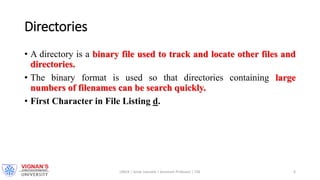
Directories
• A directory is a binary file used to track and locate other files and
directories.
• The binary format is used so that directories containing large
numbers of filenames can be search quickly.
• First Character in File Listing d.
LINUX | Amar Jukuntla | Assistant Professor | CSE 6
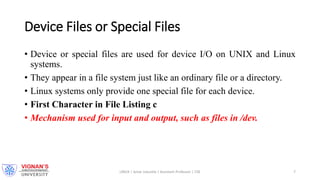
Device Files or Special Files
• Device or special files are used for device I/O on UNIX and Linux
systems.
• They appear in a file system just like an ordinary file or a directory.
• Linux systems only provide one special file for each device.
• First Character in File Listing c
• Mechanism used for input and output, such as files in /dev.
LINUX | Amar Jukuntla | Assistant Professor | CSE 7
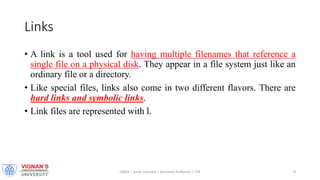
Links
• A link is a tool used for having multiple filenames that reference a
single file on a physical disk. They appear in a file system just like an
ordinary file or a directory.
• Like special files, links also come in two different flavors. There are
hard links and symbolic links.
• Link files are represented with l.
LINUX | Amar Jukuntla | Assistant Professor | CSE 8
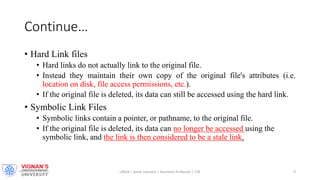
Continue…
• Hard Link files
• Hard links do not actually link to the original file.
• Instead they maintain their own copy of the original file's attributes (i.e.
location on disk, file access permissions, etc.).
• If the original file is deleted, its data can still be accessed using the hard link.
• Symbolic Link Files
• Symbolic links contain a pointer, or pathname, to the original file.
• If the original file is deleted, its data can no longer be accessed using the
symbolic link, and the link is then considered to be a stale link.
LINUX | Amar Jukuntla | Assistant Professor | CSE 9
Pipes
• A special file that allows processes to communicate with each other
without using network socket semantics.
• Pipes are tools that allow two or more system processes to
communicate with each other using a file that acts as a pipe between
them.
• This type of communication is known as inter process communication
, or IPC for short.
• Pipes are represented with p.
LINUX | Amar Jukuntla | Assistant Professor | CSE 10
Sockets
• Sockets are also tools used for inter process communication.
• The difference between sockets and pipes is that sockets will facilitate
communication between processes running on different systems,
or over the network.
• A special file that provides inter-process networking protected by the
file system’s access control.
• Sockets are represented with s.
LINUX | Amar Jukuntla | Assistant Professor | CSE 11
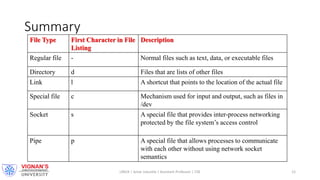
Summary
File Type First Character in File
Listing
Description
Regular file - Normal files such as text, data, or executable files
Directory d Files that are lists of other files
Link l A shortcut that points to the location of the actual file
Special file c Mechanism used for input and output, such as files in
/dev
Socket s A special file that provides inter-process networking
protected by the file system’s access control
Pipe p A special file that allows processes to communicate
with each other without using network socket
semantics
LINUX | Amar Jukuntla | Assistant Professor | CSE 12

Types of files

  • 1.
    Types of Filesin Linux Amar Jukuntla LINUX | Amar Jukuntla | Assistant Professor | CSE 1
  • 2.
    Content • Recap • LinuxFiles • Ordinary or Regular File • Directory • Character special file • Block special file • Symbolic link • Named pipe • Socket • Summary LINUX | Amar Jukuntla | Assistant Professor | CSE 2
  • 3.
    Recap • Absolute Path •Relative Path • Linux Operating System • Directory LINUX | Amar Jukuntla | Assistant Professor | CSE 3
  • 4.
    Linux Files • Typesof files • Regular Files • Directory Files • Link • Special Files • Socket • Pipe LINUX | Amar Jukuntla | Assistant Professor | CSE 4
  • 5.
    Regular File • Regularfiles are called normal files or ordinary files. • A large majority of the files found on UNIX and Linux systems are ordinary files. • Ordinary files contain ASCII (human-readable) text, executable program binaries, program data, and more. • Regular files start with - . LINUX | Amar Jukuntla | Assistant Professor | CSE 5
  • 6.
    Directories • A directoryis a binary file used to track and locate other files and directories. • The binary format is used so that directories containing large numbers of filenames can be search quickly. • First Character in File Listing d. LINUX | Amar Jukuntla | Assistant Professor | CSE 6
  • 7.
    Device Files orSpecial Files • Device or special files are used for device I/O on UNIX and Linux systems. • They appear in a file system just like an ordinary file or a directory. • Linux systems only provide one special file for each device. • First Character in File Listing c • Mechanism used for input and output, such as files in /dev. LINUX | Amar Jukuntla | Assistant Professor | CSE 7
  • 8.
    Links • A linkis a tool used for having multiple filenames that reference a single file on a physical disk. They appear in a file system just like an ordinary file or a directory. • Like special files, links also come in two different flavors. There are hard links and symbolic links. • Link files are represented with l. LINUX | Amar Jukuntla | Assistant Professor | CSE 8
  • 9.
    Continue… • Hard Linkfiles • Hard links do not actually link to the original file. • Instead they maintain their own copy of the original file's attributes (i.e. location on disk, file access permissions, etc.). • If the original file is deleted, its data can still be accessed using the hard link. • Symbolic Link Files • Symbolic links contain a pointer, or pathname, to the original file. • If the original file is deleted, its data can no longer be accessed using the symbolic link, and the link is then considered to be a stale link. LINUX | Amar Jukuntla | Assistant Professor | CSE 9
  • 10.
    Pipes • A specialfile that allows processes to communicate with each other without using network socket semantics. • Pipes are tools that allow two or more system processes to communicate with each other using a file that acts as a pipe between them. • This type of communication is known as inter process communication , or IPC for short. • Pipes are represented with p. LINUX | Amar Jukuntla | Assistant Professor | CSE 10
  • 11.
    Sockets • Sockets arealso tools used for inter process communication. • The difference between sockets and pipes is that sockets will facilitate communication between processes running on different systems, or over the network. • A special file that provides inter-process networking protected by the file system’s access control. • Sockets are represented with s. LINUX | Amar Jukuntla | Assistant Professor | CSE 11
  • 12.
    Summary File Type FirstCharacter in File Listing Description Regular file - Normal files such as text, data, or executable files Directory d Files that are lists of other files Link l A shortcut that points to the location of the actual file Special file c Mechanism used for input and output, such as files in /dev Socket s A special file that provides inter-process networking protected by the file system’s access control Pipe p A special file that allows processes to communicate with each other without using network socket semantics LINUX | Amar Jukuntla | Assistant Professor | CSE 12