Twitter tactics to increase
engagement at your event
Kate Lindsay, Academic IT Services
@KTDigital | @ACITOxford
@WW1lit | @RunCoCo | @WW1C
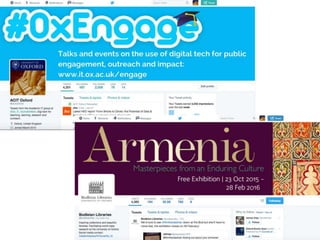
#OxEngage
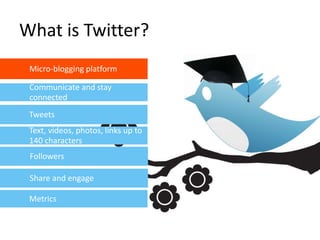
What is Twitter?
Micro-blogging platform
Communicate and stay
connected
Metrics
Tweets
Source: CEB Tower 2014
Text, videos, photos, links up to
140 characters
Share and engage
Followers
http://www.ox.ac.uk/public-affairs/social-
media-hub
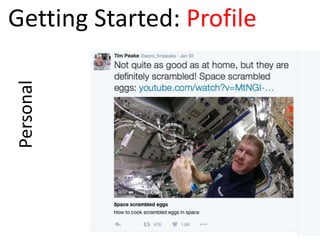
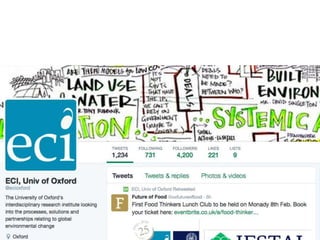
PersonalGetting Started: Profile
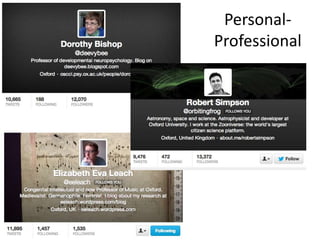
Personal-
Professional
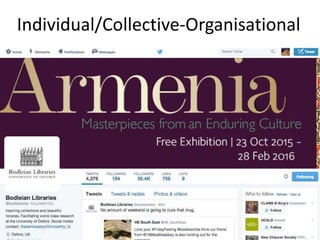
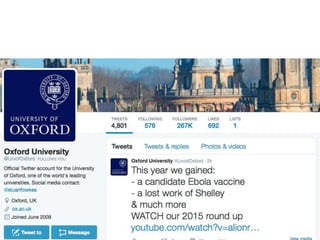
Individual/Collective-Organisational
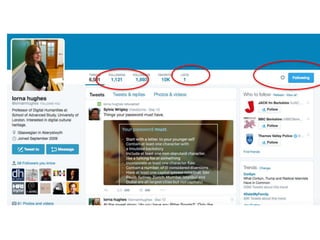
Getting Started: Following
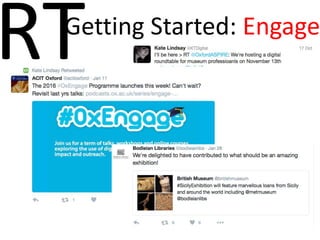
RTGetting Started: Engage
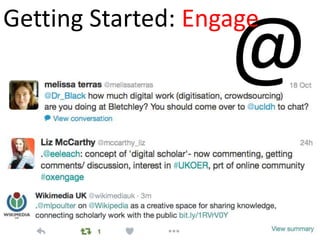
@
Getting Started: Engage
#
Getting Started: Engage
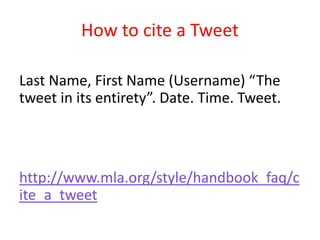
How to cite a Tweet
Last Name, First Name (Username) “The
tweet in its entirety”. Date. Time. Tweet.
http://www.mla.org/style/handbook_faq/c
ite_a_tweet
Aims and Objectives
Awareness
Engagement
Energy
Audience
• Those attending the conference
• Those who couldn’t attend the conference
• Influencers who can help you meet new
prospects after the conference
Conference Engagement
Levels
Before
Before: Ensure people can
get online
Before: Allocate roles
• Assign one person to be in charge of social
media for the event
• Assign one Twitter account to be the
official reporting channel
• Recruit advocates
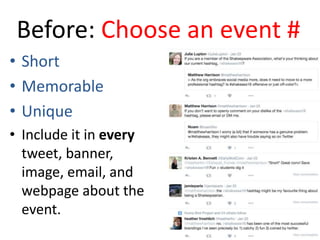
Before: Choose an event #
• Short
• Memorable
• Unique
• Include it in every
tweet, banner,
image, email, and
webpage about the
event.
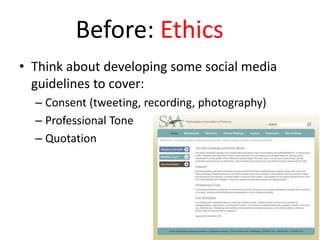
Before: Ethics
• Think about developing some social media
guidelines to cover:
– Consent (tweeting, recording, photography)
– Professional Tone
– Quotation
Before: Collect info
• Twitter handle of speakers, their
organisations and projects (follow them!)
• Create a Twitter list of delegates
• Source images of speakers, venue, project
etc.
Before: Create buzz!
• Tweet! Announce speakers, include
reminders, highlights, behind the scenes
• Include the official hashtag
• Mix up your approach to crafting tweets
• Have a consistent and timely presence
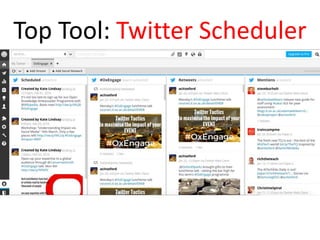
Top Tool: Twitter Scheduler
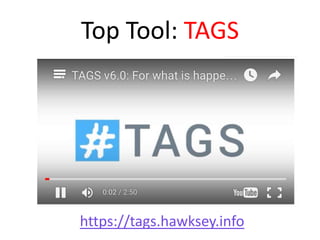
Top Tool: TAGS
https://tags.hawksey.info
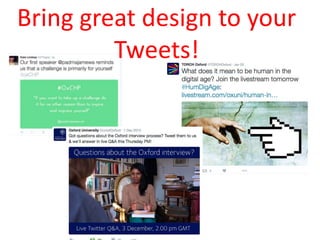
Bring great design to your
Tweets!
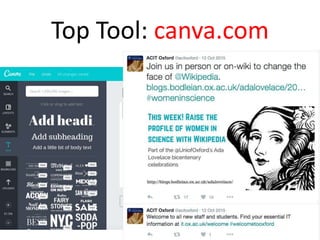
Top Tool: canva.com
Before: Author tweets that
will go out during the event
• …but don’t schedule them!
• Save in draft*, in a spreadsheet /
google doc/ word doc – check
character length, shorten urls etc.
• Can include speaker introductions,
links to content, announcements etc.
* https://mashe.hawksey.info/2014/10/twtrservice-example-easytweetsheet-
lets-you-send-tweets-from-google-sheet
During
During: Use the event #
• In every single live tweet
• Keep an eye out for rogue hashtags so you
can interact with those tweeters, and
promote the official hashtag
• Display the hashtag wherever you can,
regularly
During: Tweet
• Listen out for soundbites and tweet them
• Tweet as quickly as you can, the first tweet
with any given quote is usually the most
retweeted!
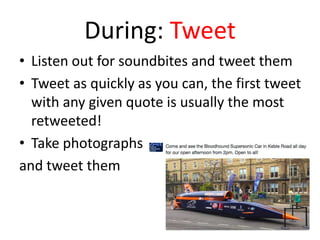
• Take photographs
and tweet them
During: Engage
• Monitor the conference #
• Follow attendees and welcome them, add
them to your Twitter List.
• Reference speakers using their Twitter handle
• Gain real-time feedback
During: Run Q&A
Sessions
• Work particularly well for panel sessions
• Pick a time and get the word out
• Retweet Questions
• Instead of answering with @name it start it
with a .@name or a word.
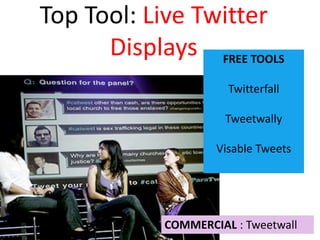
Top Tool: Live Twitter
Displays FREE TOOLS
Twitterfall
Tweetwally
Visable Tweets
COMMERCIAL : Tweetwall
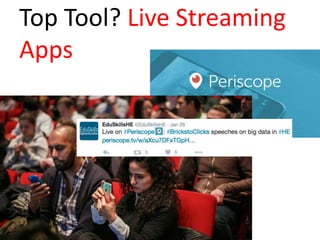
Top Tool? Live Streaming
Apps
After
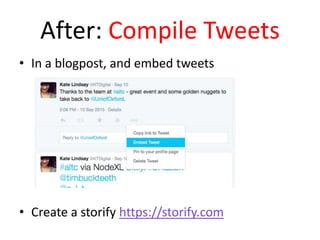
After: Compile Tweets
• In a blogpost, and embed tweets
• Create a storify https://storify.com
After: Keep Engaging
• People will still be tweeting about your
conference, even when it is over
• They may have questions and feedback
• Respond, to both positive and negative
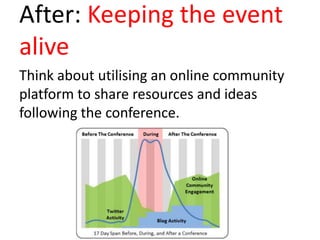
After: Keeping the event
alive
Think about utilising an online community
platform to share resources and ideas
following the conference.
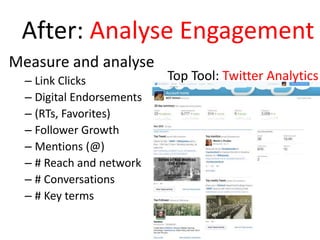
After: Analyse Engagement
Measure and analyse
– Link Clicks
– Digital Endorsements
– (RTs, Favorites)
– Follower Growth
– Mentions (@)
– # Reach and network
– # Conversations
– # Key terms
Top Tool: Twitter Analytics
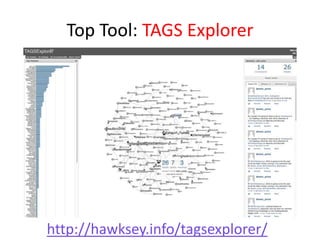
Top Tool: TAGS Explorer
http://hawksey.info/tagsexplorer/
Summary
Top Tips
• Create an event hashtag
• Think about your audiences
• Engage before, during and
after the event
• Use images and video
• Keep a record
Top Tools
• Scheduler
– Hootsuite
• Content Author
– Canva.com
• Tweet Archive
– TAGS
• Analyis
– Twitter Analytics
– TAGS Explorer

Twitter tactics to increase engagement at your event

Editor's Notes

  • #2  For delegates and organizers alike, the presence of Twitter and live-tweeting has become a fixture at most conferences, events, webinars, and even lectures. This lunchtime talk will look at how we can capitalise on this, and make sure you are getting the most out of using Twitter as part of your event. And to capitalize on it, many event organizers have figured out they need to assign a person or even a team of people to run social media at their events so it runs smoothly.
  • #3 It’s worthwhile doing a very quick refesher on Twitters basic functionality. It’s always a hard balance in these 1 hr sessions on how much depth we should dedicate to looking at how to use twitter itself and how much to dedicate to the more strategic areas. I’m going to go over what Twitter does for 10 minutes, but if you have more questions do drop me a line or catch me afterwards.
  • #4 Twitter, the micro-blogging online social networking service has been in existence since 2006. Whose users are asked to respond to the simple question \What’s happening’ It’s not always easy to see the value in answering this simple question, especially in an environment where we are used to explaining complex ideas in 5000 word journal articles or 80 000 word books. - Device-agnostic - Real-time - Everything is immediate and everything is relevant now. A Social network (you don’t have to listen to the noise of the world, just what the people you are interested in are saying) It’s public
  • #6 Replace with Tim Peak
  • #7 Of course Tim’s profile is really a personal-professional account and that is what we have mostly here at Oxford
  • #8 Able to tie a face and a name to the account to help build a community around it. All of the tweets coming out will still be about the organisation, with the exception of a few spice of life tweets to add some flair and personality. However, it will still be very clear that the person tweeting is doing so on behalf of the organisation and that’s their reason for being there. It is in no way seen as a personal Twitter account.
  • #10 Very clear remit.
  • #11 A core way that Twitter can enhance your academic work is by connecting you to people who share your interests and share relevant content such as papers, articles, new stories, blogs etc. Start by identifying a few people that look interesting to follow, and see whether you enjoy the Twitter experience. Following someone is kind of an endorsement Use a free text search for areas you are interested in and go from there
  • #12 Follow the trails that Twitter provides for you
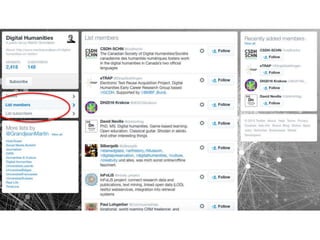
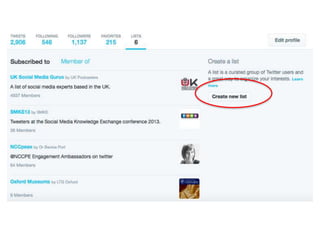
  • #14 One of the best ways to make following a lot of people on Twitter not so overwhelming is by organizing your contacts into lists, with each falling into a specific category that will make it simple to browse. My recommendation would be to keep the number of people you follow restricted, and use lists, especially if you want to follow more. Getting fed up with tweets from someone you’re following? You can just unfollow them. They don’t get a message about this, so you can do it without embarrassment.
  • #15  There are two standard ways to retweet – adding “RT @Twittername” at the start of the tweet,  and adding “via @Twittername” at the end of the tweet. Either is acceptable, but the latter takes up more valuable “character real estate” — it’s longer, so you can fit less into the retweet. It is acceptable to change spellings of words to make a retweet fit the character limit. You can also use Twitter’s built-in retweet button, but this is a newer feature has not been adopted by everyone,  and it’s not the ideal way to retweet as it seems less “personal.” You can personalize retweets by adding a comment at the beginning or end.
  • #16 There is no point Tweeting unless you have the followers to tweet to. And one way to draw them in is to make them part of your tweets and talk directly to them. You may have direct things to say to other tweeters or you may want to reference them, you do this by using the @ symbol followed by username. Why use .@username? Without it, your Tweets beginning with @someName will NOT show up to your ALL of your followers, UNLESS they happen to follow both you and the person you are replying to.  The logic is that by only showing replies to those who follow you and the person you're  engaging, innocent bystanders who are not interested in your conversation will not have to see it. So if you want everyone to see the reply you are making, adding the period "." just before the "@" symbol will trick Twitter into displaying your tweet to everyone that is following you. http://shoqvalue.com/what-does-dot-atsign-mean-on-twitter
  • #17  A hashtag is simply a way for people to search for tweets that have a common topic. Hash tags are generally used for Topics Group Activities / events Online conventions #tbt #ff Asides The first thing you would do is a basic Twitter search to see if a related term already exists. These days, odds are it does. In fact, I’ve been trying to think of something so obscure that one doesn’t exist (#underwaterbasketweaving, anyone?) and haven’t had success yet! Probably the only reason you would need to create a new one nowadays would be for the group activities category – such as an event
  • #20 Raise the profile of your research programme, unit or activiy Raise awareness of core aims Engagement Unlike the other “major” social media platforms, Twitter makes your posts visible to people who aren’t already in your audience, providing an opportunity for you to meet new prospects and influencers. Energy – if used well, Twitter can create a buzz and an extension of what is already happening in the physical environment. It can be fun, and lead to connections and future collaborations that go beyond the event end.
  • #21 If you are tweeting for a conference or other event, it’s easy to forget that you aren’t just talking to the attendees. You can also provide content for those who couldn’t make it. Give them the experience of being there. It’s also a great idea to use Twitter to make friends with speakers, bloggers, and other important influencers at the conference. Share their tweets and engage with them. If possible, try to meet them in person. Twitter is great, but nothing compares to good old fashioned face-to-face relationship building.
  • #25 Assign one person to be in charge of social media for the event Assign one Twitter account to be the official reporting channel Recruit some key advocates – usually people from within your organisation, who are happy to live tweet from their own perspective and Twitter accounts.
  • #26 Event Hashtags: Nearly every event (esp conferences) these days has a hashtag, which creates a short-term community within Twitter that’s filled with people in your target audience. The hashtag is an extension of your event, and should reflect it.
  • #27 Conference Hashtags: Nearly every conference these days has a hashtag, which creates a short-term community within Twitter that’s filled with people in your target audience.
  • #28 Can do this in a spreadsheet
  • #29 Schedule tweets leading up to the event that include the official hashtag. These tweets can announce event speakers, remind people to register or buy a ticket (include a shortened link), and count down until the event begins. This will save you time and effort, and ensures you remember to keep tweeting regularly about the event as it nears.
  • #31 For busy marketers, the ability to schedule some social content at the beginning of the week has been a godsend. Scheduling tweets not only enables you to build a consistent presence on Twitter, but it also allows you to test timing and publish your messages when they are most likely to attract clicks and retweets. The risk with bulk scheduling, however, is that your Twitter stream becomes robotic, predictable, and uninteresting -- a fate no inbound marketer wants. Here are a few ways to avoid Tweet monotony while still keeping some sanity in your schedule.  
  • #32 TAGS is a free Google Sheet template which lets you setup and run automated collection of search results from Twitter. https://tags.hawksey.info/
  • #33 This is a huge but seriously underutilized opportunity for savvy event organisers and communicaoers to make their tweets pop with visually-interesting photos and videos. According to Twitter’s Media Blog, photo posts get 35% more engagement than standard tweets.
  • #35 Use Canva's drag-and-drop feature and professional layouts to design consistently stunning social media graphics.
  • #36 …but don’t schedule them! (risks authenticity)
  • #38 , – powerpoint, live feed, delegate packs
  • #39 Use your quote template. When you hear a great quote from a speaker, or "tweetable takeaway" (as in, a key takeaway that can be abbreviated to less than 140 characters), all you have to do is type it up in a tweet and ship it out to the world. Your followers will see the tweet, and so will everyone following the event hashtag -- and people can retweet, favorite, or reply to you.  Make sure you use the speakers Twitter handle
  • #40 Look out for questions you can answer, positive comments you can respond to (or favorite, or retweet), and negative feedback you can address
  • #41 Asking delegates to Tweet their questions for speakers or a panel discussion can ensure that the key issues are being discussed and you are meeting your delegates’ objectives.
  • #42 Twitter Fontanta and Twitterfall are free to use and allows you to create a slideshow of tweets using any of Twitter’s search operators. http://tweetwall.com/tour Tweetwall - Billing itself as "the best Tweetwall in the world," this service has a lot of options including: tweet moderation, event analytics, and an almost unreal speed when it comes to pulling in tweets. Tweetwall offers a 15% discount for higher education clients. The service has a per-day pricing structure for an event.
  • #43 most conferences and events think that having a hashtag and a big screen that displays live tweets means they’ve leveraged social & digital. . Periscope takes real-time to a new level, allowing anyone to share a live broadcast of their life. By default, the broadcast is public, and anyone can hop on, ask questions, or tap the screen to send hearts of appreciation. Faculty, postdocs and graduate students may, for good and/or bad, be increasingly live streamed in their sessions. Who knows, for example, who's just taking a photograph of a session or else live-streaming an entire talk. How will speakers message out their desire not to be recorded? Do associations need to "ask speakers to explicitly label if they don't want content tweeted" (or periscoped) or put symbols on slides "with data not for dissemination"? Will streaming enhance access to sessions for those with limited resources to travel all the way to expensive cities, and/or will it enhance anxiety re. missing out (assuming the streamed sessions are indeed high quality)? And will this phenomenon ramp up the use of Twitter in academia?
  • #46 Chances are, people will still be tweeting about your event when it's over. They might have questions about where to find session recordings, or they might tweet feedback for how they think it went. Respond to these tweets, both positive and negative.
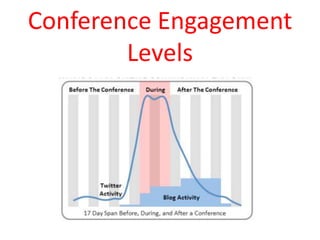
  • #47 Engagement After the Conference Twitter: There is a big drop off in conference–related Twitter activity in the days following the end of the conference. Twitter activity gradually tapers off over the next week. Email: Attendees receive thank you emails and evaluation surveys from organizers. Blogs: Attendees with blogs write conference recaps, summaries of takeaways, and posts about trends and impressions. You'll usually see a flock of blog posts within a week of the conference, though only the most news-breaking and controversial posts receive many comments or spur additional blog posts. One of the major reasons that organizations hold conferences is to use the momentum coming out of the conference to increase engagement in upcoming initiatives or in the overall organization. If the conversations among attendees die when the conference ends, where do the ideas go? Where is the momentum? Where is the community? Attendees may have enjoyed the 2-3 days out of the office and brought great ideas back to their day-to-day business, but the organization that hosted the conference does not see a sustainable boost in engagement.
  • #48 Chances are, people will still be tweeting about your event when it's over. They might have questions about where to find session recordings, or they might tweet feedback for how they think it went. Respond to these tweets, both positive and negative.
  • #49 Look at what went on with your hashtag A interface to the TAGS spreadsheet which starts presenting some of the visual story, with interactivity to let you drilldown into the data