



The Aptos Chamber of Commerce
        Winter Seminar Series
     Twitter for Business!

          with
     Karen Kefauver


   www.karenkefauver.com
Resources - After the Talk
•   Karen’s Blog: www.socialmediawithkaren.blogspot.com

•   Karen’s Facebook Business page:
    www.facebook.com/karen.kefauver.business

•   Website: www.karenkefauver.com

•   Email: Karen@KarenKefauver.com
Facebook Stats

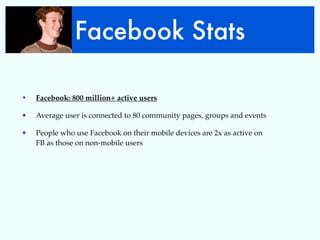
•   Facebook: 800 million+ active users

•   Average user is connected to 80 community pages, groups and events

•   People who use Facebook on their mobile devices are 2x as active on
    FB as those on non-mobile users
Twitter Stats

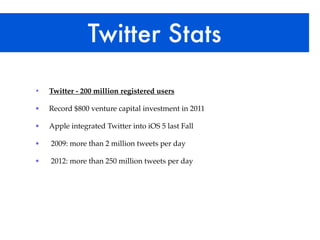
•   Twitter - 200 million registered users

•   Record $800 venture capital investment in 2011

•   Apple integrated Twitter into iOS 5 last Fall

•   2009: more than 2 million tweets per day

•   2012: more than 250 million tweets per day
LinkedIn Stats
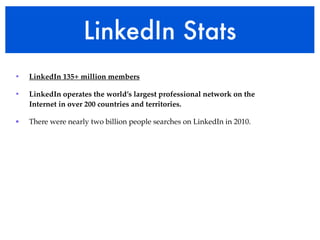
•   LinkedIn 135+ million members

•   LinkedIn operates the world’s largest professional network on the
    Internet in over 200 countries and territories.

•   There were nearly two billion people searches on LinkedIn in 2010.
Google+ Stats

•   Google+ 62+ million users

•   Adding 625,000 new users per day.

•   Prediction: 400 million users by end of 2012.
You Tube Stats


•   800M unique users visit YouTube/month

•   Over 3 billion videos are viewed a day

•   YouTube's demographic is broad: 18-54 years old
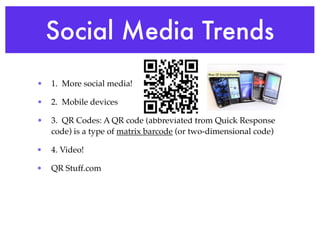
Social Media Trends
•   1.  More social media!

•   2.  Mobile devices

•   3. QR Codes: A QR code (abbreviated from Quick Response
    code) is a type of matrix barcode (or two-dimensional code)

•   4. Video!

•   QR Stuff.com
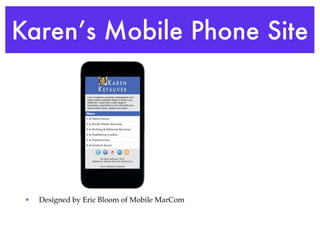
Karen’s Mobile Phone Site


 •   Designed by Eric Bloom of Mobile MarCom
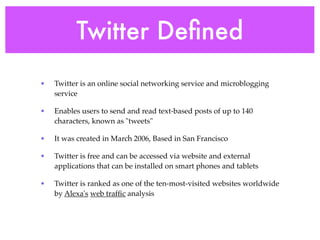
Twitter Defined
•   Twitter is an online social networking service and microblogging
    service

•   Enables users to send and read text-based posts of up to 140
    characters, known as "tweets"

•   It was created in March 2006, Based in San Francisco

•   Twitter is free and can be accessed via website and external
    applications that can be installed on smart phones and tablets

•   Twitter is ranked as one of the ten-most-visited websites worldwide
    by Alexa's web traffic analysis
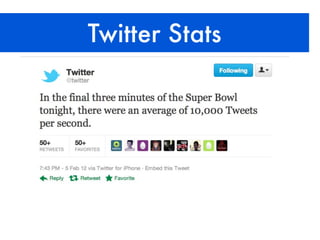
Twitter Stats
Twitter Stats

•   2008: Twitter’s largest spike in Tweets per second (TPS) during the
    Super Bowl was just 27.

•   2011: Fans sent 4,064 TPS, which was the highest TPS for any sporting
    event at that time.

•   2012: TPS peak was 12,233 Tweets. Madonna! avg. 8,000 TPS
Why Use Twitter
•   1. Research Tool - Use Twitter as search function the way
    people use Google to search

•   2. Branding - Get your Brand in Twitter universe: it’s like
    having a billboard on a busy virtual intersection.

•   3. Collaboration and Networking - Twitter opens new
    relationships, cements existing ones

•   4. Direct Traffic to your websites/Facebook etc.

•   5. Have your message spread thru Retweets

•   6. Customer service
How to Use Twitter
•   Share Expertise to Build Credibility

•   Provide selected highlights from a conference or event

•   Share photos (Twitpic makes it easy) of conferences, travel,
    product

•   Report industry, company, world and other news that’s
    related to your business, together with some commentary

•   Link to articles and content posted elsewhere with a summary
    of why it’s valuable
How to Use Twitter
•   Feed your Twitter tweets into other social networks

•   Research prospects before meeting them

•   Link to articles and content posted elsewhere with a summary
    of why it’s valuable

•   Network to find new clients or land a new job

•   Respond to tweets talking about you and your brand
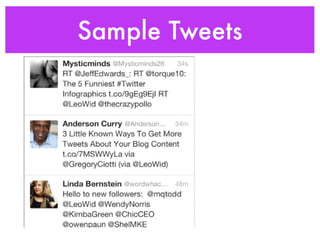
Sample Tweets
Twitter Glossary
•   @ SIGN The @ sign is used to call out usernames in Tweets, like this:
    Hello @Twitter! When a username is preceded by the @ sign, it
    becomes a link to a Twitter profile.

•   A mention is any Twitter update that contains an @username
    anywhere in the body of the Tweet. @Karenkefauver

•   # HASHTAG The # symbol, called a hashtag, is used to mark
    keywords or topics in a Tweet. It categorize messages. #SuperBowl
    (Best practice - no more than 3 hashtags per Tweet)

•   # Clicking on a hashtagged word in any message shows you all other
    Tweets in that category
Twitter Glossary

•   Follow - To follow someone on Twitter is to subscribe to their Tweets
    or updates on the site.

•   Follower - A follower is another Twitter user who has followed you.

•   Following someone on Twitter means:

•   You are subscribing to their Tweets as a follower

•   Their updates will appear in your Tweets timeline

•   That person has permission to send you direct messages
Twitter Glossary

•   What are followers?

•   Followers are people who receive your Tweets. If someone follows
    you, they will:

•   Become your follower and will show up in your Followers list.

•   See your Tweets in their Tweets timeline, on their phone, or any third
    party application that they use.

•   If you follow someone, you are their follower.
Twitter Glossary

•   Twitter Lists - Curated groups of other Twitter users. Used to tie
    specific individuals into a group on your Twitter account. Displayed
    on the right side menu of your homepage.

•   Twitter Favorites - To favorite a Tweet means to mark it as one of your
    favorites by clicking the yellow star next to the message.

•   Trending Topics - A subject algorithmically determined to be one of
    the most popular on Twitter at the moment.
Twitter Profile Set Up
•   Set up your FREE account

•   Put a BIO on your profile

•   Put a photo on your profile

•   Put a link in your profile

•   TAKEAWAY: Fully Set Complete Your Profile
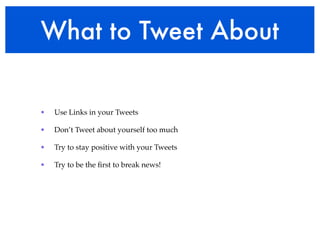
What to Tweet About


•   Use Links in your Tweets

•   Don’t Tweet about yourself too much

•   Try to stay positive with your Tweets

•   Try to be the first to break news!
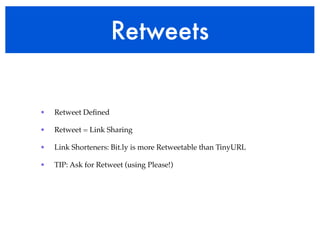
Retweets


•   Retweet Defined

•   Retweet = Link Sharing

•   Link Shorteners: Bit.ly is more Retweetable than TinyURL

•   TIP: Ask for Retweet (using Please!)
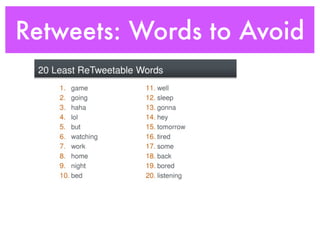
Retweets: Words to Avoid
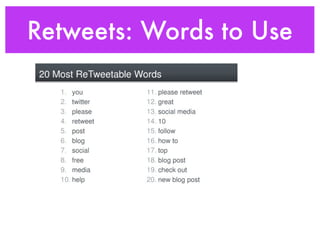
Retweets: Words to Use
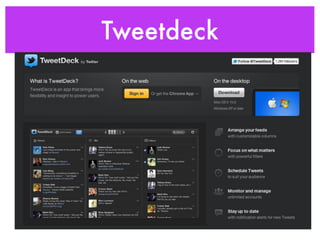
Tweetdeck
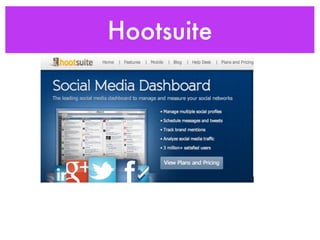
Hootsuite


•
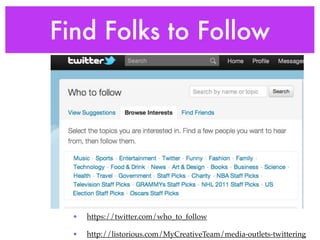
Find Folks to Follow


  •   https://twitter.com/who_to_follow

  •   http://listorious.com/MyCreativeTeam/media-outlets-twittering
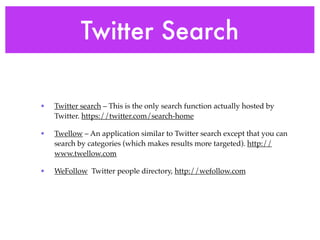
Twitter Search

•   Twitter search – This is the only search function actually hosted by
    Twitter. https://twitter.com/search-home

•   Twellow – An application similar to Twitter search except that you can
    search by categories (which makes results more targeted). http://
    www.twellow.com

•   WeFollow Twitter people directory, http://wefollow.com
Twitter Tips

•   1. Create a user-friendly Twitter ID (@yourname) or biz name

•   2. Search for people to follow

•   3. Learn the lingo. You’ll want to join the crowd

•   4. Add your Twitter ID to all of your signatures

•   5. Read the bio of those who follow you
Twitter Tips

•   6. Promote others and share your best information

•   7. Learn the etiquette

•   8. Find out who some of the big players are

•   9. Promote your Twitter handle!

•   10. Read 62 Ways to Use Twitter for Business

•   http://gigaom.com/collaboration/62-ways-to-use-twitter-for-
    business/
Promote Social Sites
•   Your website

•   Your business cards

•   Your storefront window

•   Your front desk

•   Print advertisements

•   Email signature

•   Newsletter, blog, other social media networks
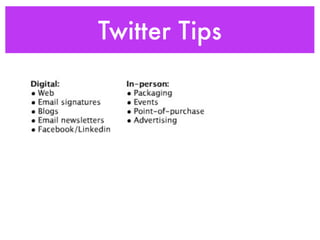
Twitter Tips
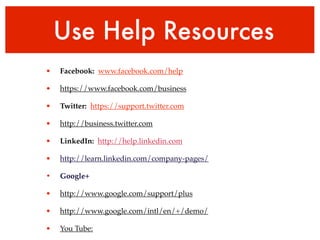
Use Help Resources
•   Facebook: www.facebook.com/help

•   https://www.facebook.com/business

•   Twitter: https://support.twitter.com

•   http://business.twitter.com

•   LinkedIn: http://help.linkedin.com

•   http://learn.linkedin.com/company-pages/

•   Google+

•   http://www.google.com/support/plus

•   http://www.google.com/intl/en/+/demo/

•   You Tube:
Thank YOU!

•   Aptos Chamber of Commerce: www.aptoschamber.com

•   Central Coast Small Business Development Center
    www.centralcoastsbdc.org
Contact Karen

•   I offer social media training and private
    consultations.

•   Email: karen@karenkefauver.com

•   Website: www.karenkefauver.com

•   Facebook: www.facebook.com/
    karen.kefauver.business

•   Social Media Blog:
    www.socialmediawithkaren.blogspot.com

•   Twitter: twitter.com/KarenKefauver

Twitter for Business Talk 2012

  • 1.
    The Aptos Chamberof Commerce Winter Seminar Series Twitter for Business! with Karen Kefauver www.karenkefauver.com
  • 2.
    Resources - Afterthe Talk • Karen’s Blog: www.socialmediawithkaren.blogspot.com • Karen’s Facebook Business page: www.facebook.com/karen.kefauver.business • Website: www.karenkefauver.com • Email: Karen@KarenKefauver.com
  • 3.
    Facebook Stats • Facebook: 800 million+ active users • Average user is connected to 80 community pages, groups and events • People who use Facebook on their mobile devices are 2x as active on FB as those on non-mobile users
  • 4.
    Twitter Stats • Twitter - 200 million registered users • Record $800 venture capital investment in 2011 • Apple integrated Twitter into iOS 5 last Fall • 2009: more than 2 million tweets per day • 2012: more than 250 million tweets per day
  • 5.
    LinkedIn Stats • LinkedIn 135+ million members • LinkedIn operates the world’s largest professional network on the Internet in over 200 countries and territories. • There were nearly two billion people searches on LinkedIn in 2010.
  • 6.
    Google+ Stats • Google+ 62+ million users • Adding 625,000 new users per day. • Prediction: 400 million users by end of 2012.
  • 7.
    You Tube Stats • 800M unique users visit YouTube/month • Over 3 billion videos are viewed a day • YouTube's demographic is broad: 18-54 years old
  • 8.
    Social Media Trends • 1.  More social media! • 2.  Mobile devices • 3. QR Codes: A QR code (abbreviated from Quick Response code) is a type of matrix barcode (or two-dimensional code) • 4. Video! • QR Stuff.com
  • 9.
    Karen’s Mobile PhoneSite • Designed by Eric Bloom of Mobile MarCom
  • 10.
    Twitter Defined • Twitter is an online social networking service and microblogging service • Enables users to send and read text-based posts of up to 140 characters, known as "tweets" • It was created in March 2006, Based in San Francisco • Twitter is free and can be accessed via website and external applications that can be installed on smart phones and tablets • Twitter is ranked as one of the ten-most-visited websites worldwide by Alexa's web traffic analysis
  • 11.
  • 12.
    Twitter Stats • 2008: Twitter’s largest spike in Tweets per second (TPS) during the Super Bowl was just 27. • 2011: Fans sent 4,064 TPS, which was the highest TPS for any sporting event at that time. • 2012: TPS peak was 12,233 Tweets. Madonna! avg. 8,000 TPS
  • 13.
    Why Use Twitter • 1. Research Tool - Use Twitter as search function the way people use Google to search • 2. Branding - Get your Brand in Twitter universe: it’s like having a billboard on a busy virtual intersection. • 3. Collaboration and Networking - Twitter opens new relationships, cements existing ones • 4. Direct Traffic to your websites/Facebook etc. • 5. Have your message spread thru Retweets • 6. Customer service
  • 14.
    How to UseTwitter • Share Expertise to Build Credibility • Provide selected highlights from a conference or event • Share photos (Twitpic makes it easy) of conferences, travel, product • Report industry, company, world and other news that’s related to your business, together with some commentary • Link to articles and content posted elsewhere with a summary of why it’s valuable
  • 15.
    How to UseTwitter • Feed your Twitter tweets into other social networks • Research prospects before meeting them • Link to articles and content posted elsewhere with a summary of why it’s valuable • Network to find new clients or land a new job • Respond to tweets talking about you and your brand
  • 16.
  • 17.
    Twitter Glossary • @ SIGN The @ sign is used to call out usernames in Tweets, like this: Hello @Twitter! When a username is preceded by the @ sign, it becomes a link to a Twitter profile. • A mention is any Twitter update that contains an @username anywhere in the body of the Tweet. @Karenkefauver • # HASHTAG The # symbol, called a hashtag, is used to mark keywords or topics in a Tweet. It categorize messages. #SuperBowl (Best practice - no more than 3 hashtags per Tweet) • # Clicking on a hashtagged word in any message shows you all other Tweets in that category
  • 18.
    Twitter Glossary • Follow - To follow someone on Twitter is to subscribe to their Tweets or updates on the site. • Follower - A follower is another Twitter user who has followed you. • Following someone on Twitter means: • You are subscribing to their Tweets as a follower • Their updates will appear in your Tweets timeline • That person has permission to send you direct messages
  • 19.
    Twitter Glossary • What are followers? • Followers are people who receive your Tweets. If someone follows you, they will: • Become your follower and will show up in your Followers list. • See your Tweets in their Tweets timeline, on their phone, or any third party application that they use. • If you follow someone, you are their follower.
  • 20.
    Twitter Glossary • Twitter Lists - Curated groups of other Twitter users. Used to tie specific individuals into a group on your Twitter account. Displayed on the right side menu of your homepage. • Twitter Favorites - To favorite a Tweet means to mark it as one of your favorites by clicking the yellow star next to the message. • Trending Topics - A subject algorithmically determined to be one of the most popular on Twitter at the moment.
  • 21.
    Twitter Profile SetUp • Set up your FREE account • Put a BIO on your profile • Put a photo on your profile • Put a link in your profile • TAKEAWAY: Fully Set Complete Your Profile
  • 22.
    What to TweetAbout • Use Links in your Tweets • Don’t Tweet about yourself too much • Try to stay positive with your Tweets • Try to be the first to break news!
  • 23.
    Retweets • Retweet Defined • Retweet = Link Sharing • Link Shorteners: Bit.ly is more Retweetable than TinyURL • TIP: Ask for Retweet (using Please!)
  • 24.
  • 25.
  • 26.
  • 27.
  • 28.
    Find Folks toFollow • https://twitter.com/who_to_follow • http://listorious.com/MyCreativeTeam/media-outlets-twittering
  • 29.
    Twitter Search • Twitter search – This is the only search function actually hosted by Twitter. https://twitter.com/search-home • Twellow – An application similar to Twitter search except that you can search by categories (which makes results more targeted). http:// www.twellow.com • WeFollow Twitter people directory, http://wefollow.com
  • 30.
    Twitter Tips • 1. Create a user-friendly Twitter ID (@yourname) or biz name • 2. Search for people to follow • 3. Learn the lingo. You’ll want to join the crowd • 4. Add your Twitter ID to all of your signatures • 5. Read the bio of those who follow you
  • 31.
    Twitter Tips • 6. Promote others and share your best information • 7. Learn the etiquette • 8. Find out who some of the big players are • 9. Promote your Twitter handle! • 10. Read 62 Ways to Use Twitter for Business • http://gigaom.com/collaboration/62-ways-to-use-twitter-for- business/
  • 32.
    Promote Social Sites • Your website • Your business cards • Your storefront window • Your front desk • Print advertisements • Email signature • Newsletter, blog, other social media networks
  • 33.
  • 34.
    Use Help Resources • Facebook: www.facebook.com/help • https://www.facebook.com/business • Twitter: https://support.twitter.com • http://business.twitter.com • LinkedIn: http://help.linkedin.com • http://learn.linkedin.com/company-pages/ • Google+ • http://www.google.com/support/plus • http://www.google.com/intl/en/+/demo/ • You Tube:
  • 35.
    Thank YOU! • Aptos Chamber of Commerce: www.aptoschamber.com • Central Coast Small Business Development Center www.centralcoastsbdc.org
  • 36.
    Contact Karen • I offer social media training and private consultations. • Email: karen@karenkefauver.com • Website: www.karenkefauver.com • Facebook: www.facebook.com/ karen.kefauver.business • Social Media Blog: www.socialmediawithkaren.blogspot.com • Twitter: twitter.com/KarenKefauver