














Cambridge Judge Business School
Getting started
on Twitter
David Reiner @TechPolicyMPhil
Georgina Cronin @senorcthulhu
Andrew Alexander @MrAndrew_A
MPhil in Technology Policy
Session objectives
• Understanding what Twitter is
• Exploring how to use Twitter effectively
• Start tweeting using your new account
• Gain confidence with Twitter terminology
• Discuss the pros and cons of using Twitter
• Learn how to write engaging tweets
• 20 Top Tips & Tricks
How many of you were on Twitter
prior to this course?
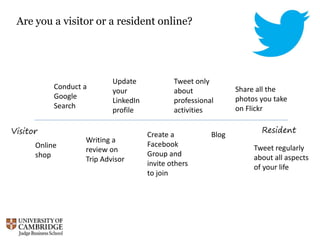
Visitor Resident
Are you a visitor or a resident online?
Conduct a
Google
Search
Writing a
review on
Trip Advisor
Tweet regularly
about all aspects
of your life
Tweet only
about
professional
activities
Create a
Facebook
Group and
invite others
to join
Blog
Online
shop
Share all the
photos you take
on Flickr
Update
your
LinkedIn
profile
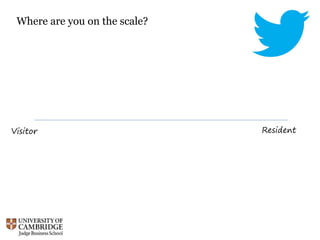
Visitor Resident
Where are you on the scale?
Twitter culture:
separating fact from fiction
(not just celebrities tweeting what they had for breakfast)
http://www.flickr.com/photos/tavopp/361730634/
Everyone has an opinion on Twitter...
https://www.flickr.com/photos/yourdon/4159766506/
In groups: one GOOD and one BAD thing
you’ve heard about Twitter
https://www.flickr.com/photos/gizmo333/10620404045/
What’s the point of Twitter?
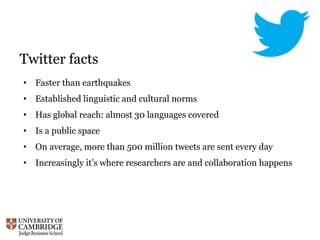
Twitter facts
• Faster than earthquakes
• Established linguistic and cultural norms
• Has global reach: almost 30 languages covered
• Is a public space
• On average, more than 500 million tweets are sent every day
• Increasingly it’s where researchers are and collaboration happens
Are you concerned about tweeting
because of the apparent dangers?
https://www.flickr.com/photos/mr_t_in_dc/7108362799/
Hands on
Your first tweets…
• Write that very first tweet
• Follow @TechPolicyMPhil
• Follow @CJBSInfolib
• Follow your neighbours
• Reply to a tweet
#Hashtags
• Established part of Twitter culture
• Can be bespoke, or established like #FF
• Used to identify the subject of a tweet
• Facilitates discovery
• Easy to overuse or get wrong #nowthatchersdead
#Hashtags
• Established part of Twitter culture
• Can be bespoke, or established like #FF
• Used to identify the subject of a tweet
• Facilitates discovery
• Easy to overuse or get wrong #nowthatchersdead
• Should be short and snappy
• Check for existing use of your hashtag
More tweets…
• Write a tweet with the hashtag #techpol16
• Tweet a link to the Tech Policy blog:
http://www.blogs.jbs.cam.ac.uk/techpolicymphil/
• Tweet an image
• ReTweet a tweet
• Favourite a tweet
Writing great tweets
• Embrace the informal
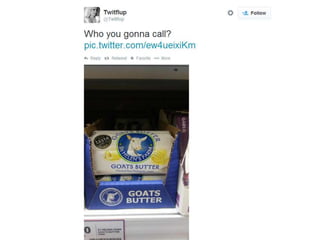
• Include a picture or link
• Thoughtful use of hashtags
• Well written; think about your voice
• Include others in the conversation
• Call to action
• What do you want the reader of your tweet to do next?
• Be in the moment / capture the social media zeitgeist
DM (Direct Mention)
• A private message between you and another tweeter
• You must both follow each other
• Accessible through the envelope icon
20 top tips & tricks
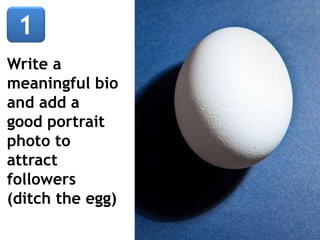
Write a
meaningful bio
and add a
good portrait
photo to
attract
followers
(ditch the egg)
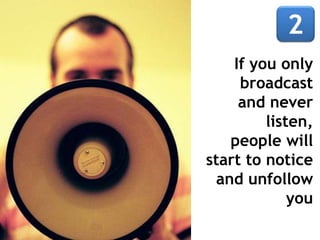
If you only
broadcast
and never
listen,
people will
start to notice
and unfollow
you
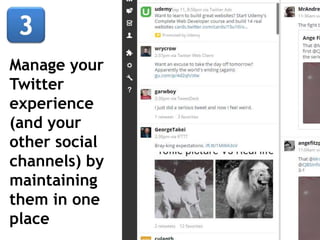
Manage your
Twitter
experience
(and your
other social
channels) by
maintaining
them in one
place
Use the search
facility to
locate topics
that interest
you and to
discover (and
follow) people
with similar
objectives
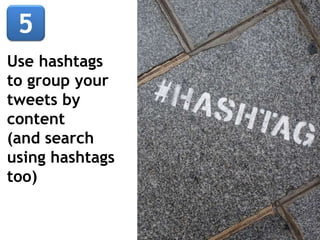
Use hashtags
to group your
tweets by
content
(and search
using hashtags
too)
Tweet useful
content –
news,
blogposts,
websites –
and offer
your own
take on their
value
Don’t be
tempted to
obtain
followers by
any quick
route, this
will not aid
your Twitter
presence
Tweet
regularly but
not too often,
people might
think you are
addicted
rather than
engaged
Take part in
Follow
Friday (#FF)
to promote
good people
to follow
and to find
new ones
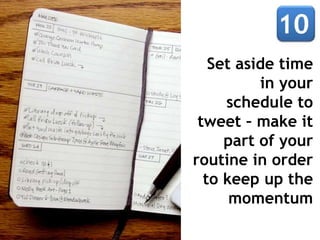
Set aside time
in your
schedule to
tweet – make it
part of your
routine in order
to keep up the
momentum
Maintain a
balance
between how
many people
you follow
and how
many follow
you
Engage in
conversations
and (good-
natured) debate
– this is the key
to getting value
out of Twitter
Invest your 140
characters with
wit, warmth
and character -
learn the art of
constructing
concise but
interesting
tweets
Show personality
and humour in
your tweets - no
one is going to
follow a Twitter
account that
could be run by a
robot
Retweet
other
peoples
tweets and
others will
retweet
yours in
return
Favourite
tweets that
you want to
come back
to explore
when you
have more
time
Tweet at
lunchtime and
between 4pm
and 5pm
when Twitter
is busiest and
they will be
seen
Set up
keyword
search alert
channels, so
that tweets
matching
your
interests are
gathered
Create lists in
order to
organise your
most valuable
followers into
areas of
interest so
you don't miss
their tweets
Don’t sit there
like a potato!
You get out of
Twitter what you
put in - tweet,
follow and
engage, and you
will be rewarded
for your efforts

Twitter for tech pol 2015

Editor's Notes

  • #7 photo credit: <a href="http://www.flickr.com/photos/tavopp/361730634/">tavopp</a> via <a href="http://photopin.com">photopin</a> <a href="http://creativecommons.org/licenses/by-nc/2.0/">cc</a>
  • #9 photo credit: <a href="http://www.flickr.com/photos/tavopp/361730634/">tavopp</a> via <a href="http://photopin.com">photopin</a> <a href="http://creativecommons.org/licenses/by-nc/2.0/">cc</a>
  • #10 photo credit: <a href="http://www.flickr.com/photos/tavopp/361730634/">tavopp</a> via <a href="http://photopin.com">photopin</a> <a href="http://creativecommons.org/licenses/by-nc/2.0/">cc</a>
  • #14 photo credit: <a href="http://www.flickr.com/photos/baboon/115446241/">baboon™</a> via <a href="http://photopin.com">photopin</a> <a href="http://creativecommons.org/licenses/by-nc/2.0/">cc</a>
  • #15 photo credit: <a href="http://www.flickr.com/photos/adikos/4444061098/">Adikos</a> via <a href="http://photopin.com">photopin</a> <a href="http://creativecommons.org/licenses/by/2.0/">cc</a>