




Thanks For Joining Us!
 Twitter is a free service that allows users to

publish short messages of 140 characters or
less. These messages are read by "followers"
— people who make a conscious decision to
subscribe to your messages and have them
delivered to their own Twitter home pages.
 The site will tell you that "Twitter is a service

for friends, family, and co-workers to
communicate and stay connected through
the exchange of quick, frequent answers to
one simple question: What are you doing?"
 You post is known as a "Tweet." In the social

media and social networking industry,
Twitter facilitates a process known as
microblogging.
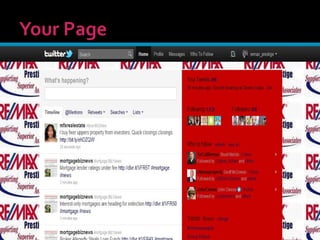
 Every user is identified by putting an "@" sign
in front of their name, like @remax_prestige
 You go to share common interests and ask

insightful questions, and, ideally, read the
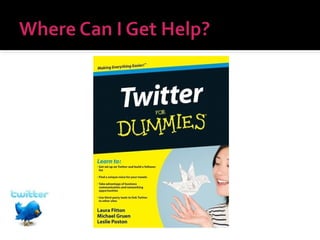
interesting answers you get back, says Laura
Fitton (@pistachio), co-author of Twitter For
Dummies
 Fitton says, Twitter is about "what has my

attention right now?" In fact, "The point of
Twitter is what do we have in common or are
we having some kind of shared experience."
 Use Twitter to keep people in their personal

life updated, Twitter has developed a
business following. People in a particular
industry (like real estate) often use Twitter to
keep up with news, opinion and happenings
in their field.
 We will show you how this information will
come to you.
 “Facebook is closed, Twitter is open.

Facebook is structured. Twitter is scattered.
Facebook is people you’ve known, and many
you might have wanted to forget; Twitter is
people you never knew, but might have
wanted to meet.”
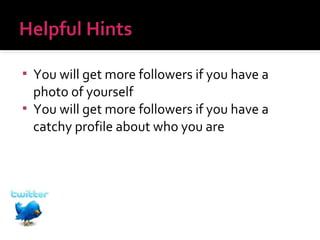
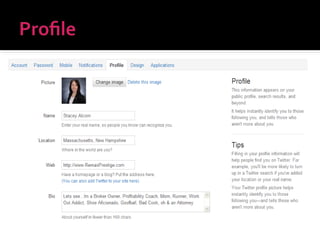
You will get more followers if you have a
photo of yourself
 You will get more followers if you have a
catchy profile about who you are

 "The people you choose to follow should

bring something compelling to your life,"
says Fitton. "I feel sad people think that it’s
important to follow a ton of random people
or have people with a lot of followers to be
important or get value from Twitter."
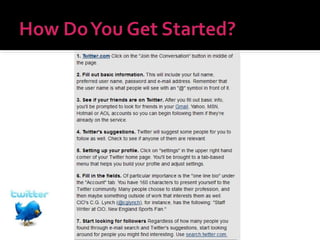
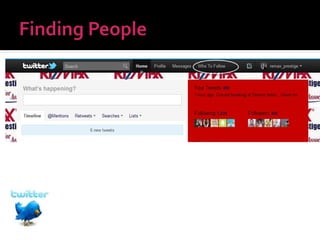
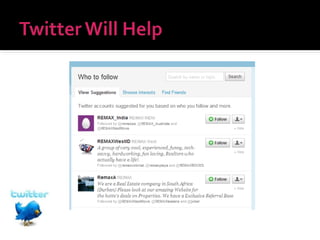
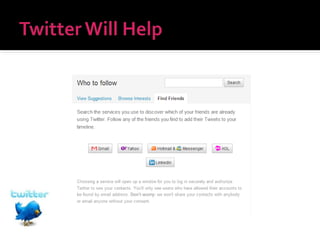
 When you sign up for Twitter, you will be

promoted to search for friends from your
Gmail or Yahoo Mail accounts
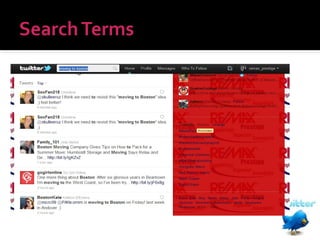
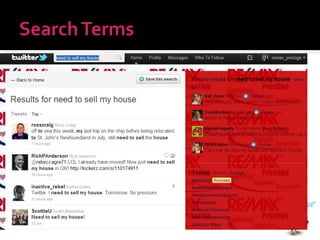
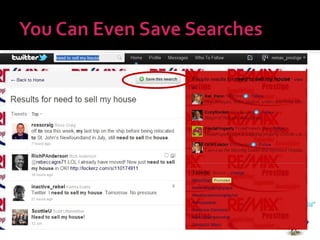
 Also, you can use Twitter's search tool to
look for people that might be twittering in
real estate
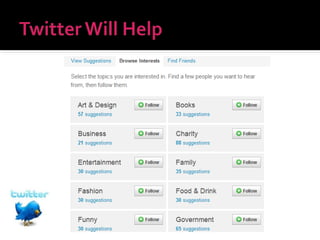
 You don't need to know people personally,

but they should relate to your interests. You
also might want to follow people publishing
links in our industry.
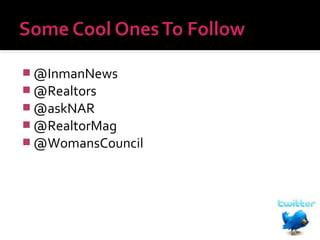
 @InmanNews
 @Realtors
 @askNAR
 @RealtorMag
 @WomansCouncil
 People will begin following you. Before you

follow back, make sure you're going to get
something substantive out of their tweet
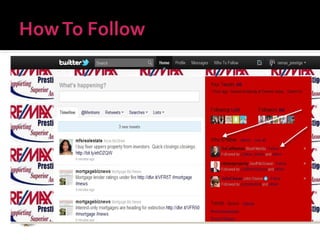
 With Twitter, information flows to you, in

contrast to more traditional mediums such as
a news website, where you must click around
and seek out information on your own. On
Twitter, after you select followers, the
information just comes to you.
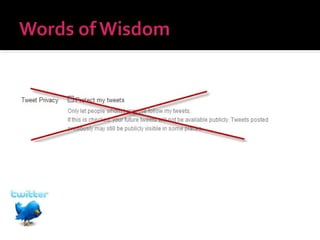
 It's important to remember that Twitter is a

publishing medium. In many cases, Tweets
can be picked up by Google. So remember
what you say, especially if you tend to talk
business over Twitter (as many people do).
 Because a Tweet is so short, it's even harder

than e-mail for people to pick up context or
tell when you're being sarcastic versus
serious, Fitton says.
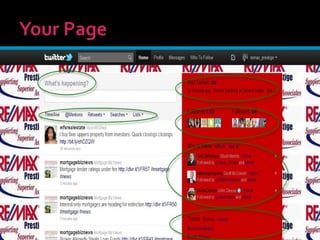
 There is a Replies tab that chronicles when

your friends decide to comment on your
message with one of their own. There is also
an archive tab that logs your updates and an
"everyone" tab that shows the updates of all
Twitter users (provided they made their feed
publicly accessible).
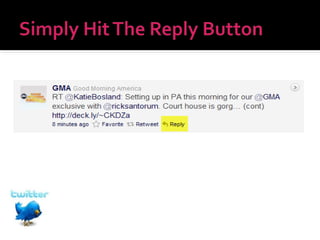
 Replies are the only way to get your message

to show up on their wall if you are not being
followed by that person
 Remember that if you Reply to someone, it

goes out to the entire Twitter world
 If you want to keep it confidential send a
DIRECT MESSAGE
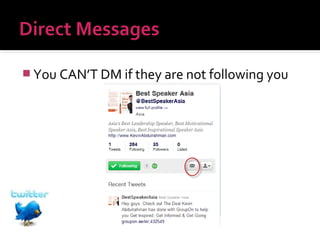
 You CAN’T DM if they are not following you
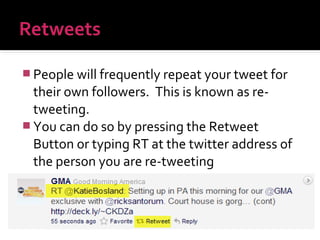
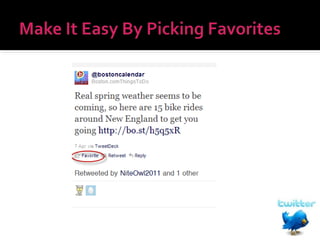
 People will frequently repeat your tweet for

their own followers. This is known as retweeting.
 You can do so by pressing the Retweet
Button or typing RT at the twitter address of
the person you are re-tweeting
 A Twitter App is a downloadable client

program that les you manage your updates
and Twitter feeds from your desktop, Ipad, or
Smartphone
 www.TweetDeck.com
 www.Twhirl.org
 www.HootSuite.com (my fav)
 Or simply www.Twitter.com
 Go to http://twitpic.com and it will allow you

to upload photos that you can tweet out!
 You can always tweet links…in fact most

people do tweet links to their blog, website,
or other stories
 What you must be mindful of is that the link
can eat up much of your 140 character word
count
 You should always shorten your links!
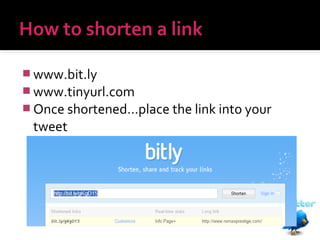
 www.bit.ly
 www.tinyurl.com
 Once shortened…place the link into your

tweet
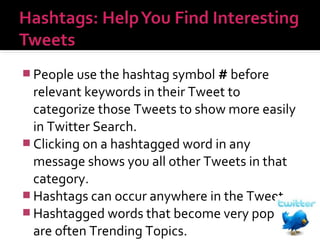
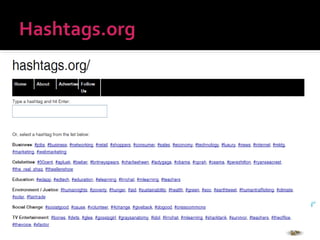
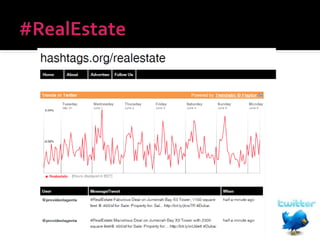
 People use the hashtag symbol # before

relevant keywords in their Tweet to
categorize those Tweets to show more easily
in Twitter Search.
 Clicking on a hashtagged word in any
message shows you all other Tweets in that
category.
 Hashtags can occur anywhere in the Tweet.
 Hashtagged words that become very popular
are often Trending Topics.
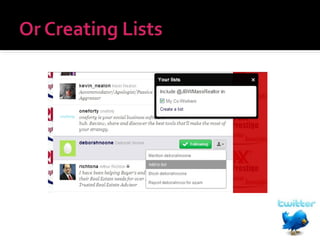
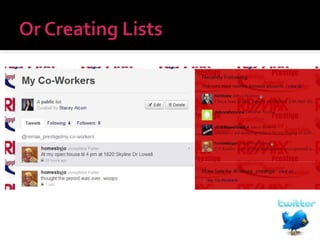
Keep a list of you Sphere of
Influence Tweeters and really
take your Pop Bys to the Next
Level!
 What’s going on in your day
 New listings
 Links to your blog
 Retweets of great articles
 What’s happening around town
 Countdowns
 Tweets to your FB pages
 News, weather, sports
 Anything
Thanks For Joining Us!

Twitter for real estate

  • 1.
  • 3.
     Twitter isa free service that allows users to publish short messages of 140 characters or less. These messages are read by "followers" — people who make a conscious decision to subscribe to your messages and have them delivered to their own Twitter home pages.
  • 4.
     The sitewill tell you that "Twitter is a service for friends, family, and co-workers to communicate and stay connected through the exchange of quick, frequent answers to one simple question: What are you doing?"
  • 5.
     You postis known as a "Tweet." In the social media and social networking industry, Twitter facilitates a process known as microblogging.  Every user is identified by putting an "@" sign in front of their name, like @remax_prestige
  • 6.
     You goto share common interests and ask insightful questions, and, ideally, read the interesting answers you get back, says Laura Fitton (@pistachio), co-author of Twitter For Dummies
  • 7.
     Fitton says,Twitter is about "what has my attention right now?" In fact, "The point of Twitter is what do we have in common or are we having some kind of shared experience."
  • 8.
     Use Twitterto keep people in their personal life updated, Twitter has developed a business following. People in a particular industry (like real estate) often use Twitter to keep up with news, opinion and happenings in their field.  We will show you how this information will come to you.
  • 9.
     “Facebook isclosed, Twitter is open. Facebook is structured. Twitter is scattered. Facebook is people you’ve known, and many you might have wanted to forget; Twitter is people you never knew, but might have wanted to meet.”
  • 13.
    You will getmore followers if you have a photo of yourself  You will get more followers if you have a catchy profile about who you are 
  • 19.
     "The peopleyou choose to follow should bring something compelling to your life," says Fitton. "I feel sad people think that it’s important to follow a ton of random people or have people with a lot of followers to be important or get value from Twitter."
  • 20.
     When yousign up for Twitter, you will be promoted to search for friends from your Gmail or Yahoo Mail accounts  Also, you can use Twitter's search tool to look for people that might be twittering in real estate
  • 21.
     You don'tneed to know people personally, but they should relate to your interests. You also might want to follow people publishing links in our industry.
  • 26.
     @InmanNews  @Realtors @askNAR  @RealtorMag  @WomansCouncil
  • 28.
     People willbegin following you. Before you follow back, make sure you're going to get something substantive out of their tweet
  • 29.
     With Twitter,information flows to you, in contrast to more traditional mediums such as a news website, where you must click around and seek out information on your own. On Twitter, after you select followers, the information just comes to you.
  • 30.
     It's importantto remember that Twitter is a publishing medium. In many cases, Tweets can be picked up by Google. So remember what you say, especially if you tend to talk business over Twitter (as many people do).
  • 31.
     Because aTweet is so short, it's even harder than e-mail for people to pick up context or tell when you're being sarcastic versus serious, Fitton says.
  • 32.
     There isa Replies tab that chronicles when your friends decide to comment on your message with one of their own. There is also an archive tab that logs your updates and an "everyone" tab that shows the updates of all Twitter users (provided they made their feed publicly accessible).
  • 34.
     Replies arethe only way to get your message to show up on their wall if you are not being followed by that person
  • 35.
     Remember thatif you Reply to someone, it goes out to the entire Twitter world  If you want to keep it confidential send a DIRECT MESSAGE
  • 36.
     You CAN’TDM if they are not following you
  • 37.
     People willfrequently repeat your tweet for their own followers. This is known as retweeting.  You can do so by pressing the Retweet Button or typing RT at the twitter address of the person you are re-tweeting
  • 39.
     A TwitterApp is a downloadable client program that les you manage your updates and Twitter feeds from your desktop, Ipad, or Smartphone  www.TweetDeck.com  www.Twhirl.org  www.HootSuite.com (my fav)  Or simply www.Twitter.com
  • 40.
     Go tohttp://twitpic.com and it will allow you to upload photos that you can tweet out!
  • 41.
     You canalways tweet links…in fact most people do tweet links to their blog, website, or other stories  What you must be mindful of is that the link can eat up much of your 140 character word count  You should always shorten your links!
  • 42.
     www.bit.ly  www.tinyurl.com Once shortened…place the link into your tweet
  • 43.
     People usethe hashtag symbol # before relevant keywords in their Tweet to categorize those Tweets to show more easily in Twitter Search.  Clicking on a hashtagged word in any message shows you all other Tweets in that category.  Hashtags can occur anywhere in the Tweet.  Hashtagged words that become very popular are often Trending Topics.
  • 50.
    Keep a listof you Sphere of Influence Tweeters and really take your Pop Bys to the Next Level!
  • 51.
     What’s goingon in your day  New listings  Links to your blog  Retweets of great articles  What’s happening around town  Countdowns  Tweets to your FB pages  News, weather, sports  Anything
  • 57.