Twitter Basics


Mary Hall, The Recessionista,
Twitter @Recessionista
http://www.therecessionista.com
The Recessionista www.therecessionista.com

                                                                            AUDIENCE:
                                                                      Geography* & Age Range**


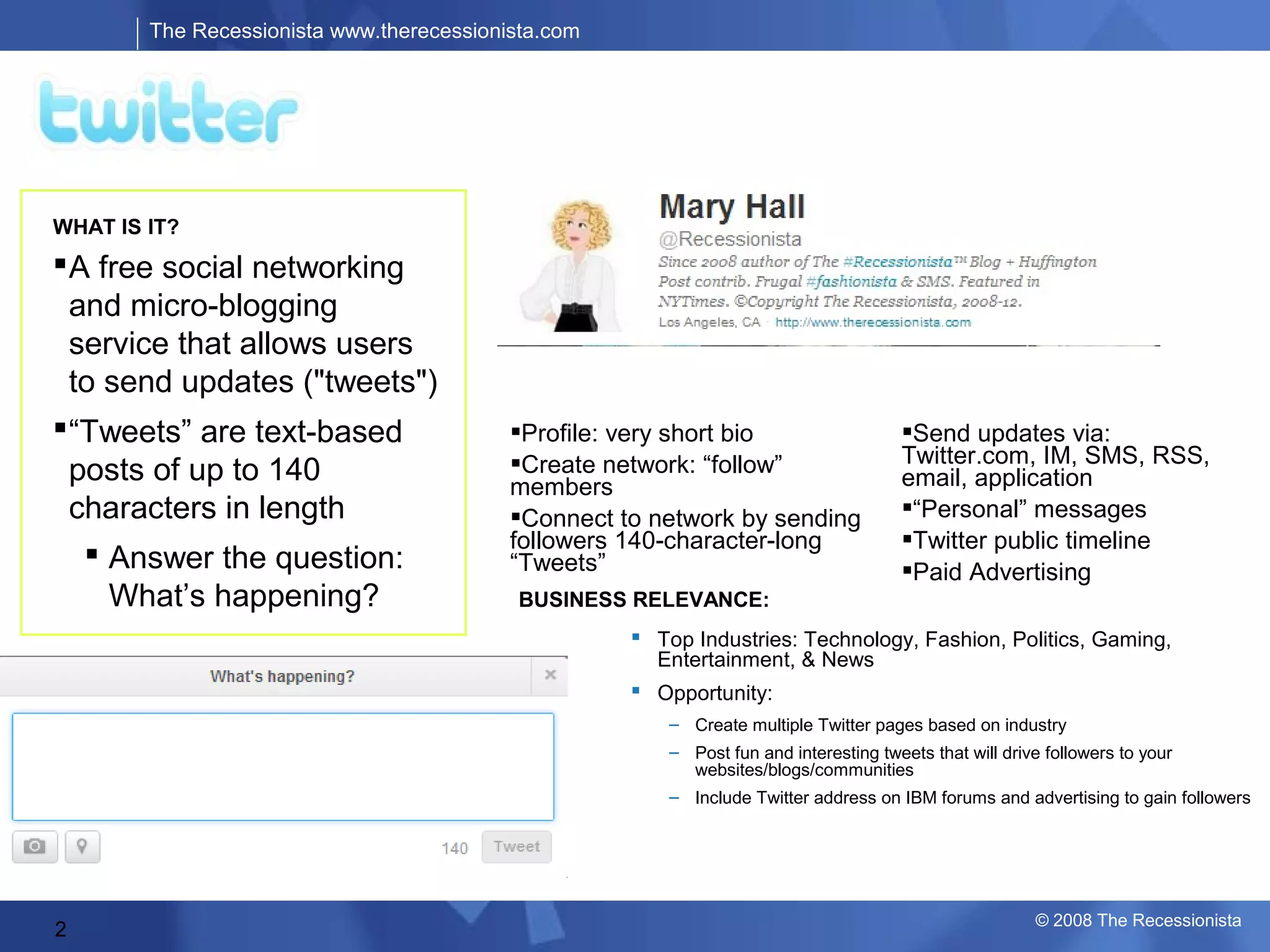
WHAT IS IT?
 A free social networking
  and micro-blogging
  service that allows users
  to send updates ("tweets")
 “Tweets” are text-based                  FEATURES: short bio
                                            Profile: very                                Send updates via:
                                           Create network: “follow”                     Twitter.com, IM, SMS, RSS,
  posts of up to 140                       members                                       email, application
  characters in length                     Connect to network by sending                “Personal” messages
                                           followers 140-character-long                  Twitter public timeline
    Answer the question:                  “Tweets”                                      Paid Advertising
     What’s happening?                      BUSINESS RELEVANCE:
                                                        Top Industries: Technology, Fashion, Politics, Gaming,
                                                         Entertainment, & News
                                                        Opportunity:
                                                           – Create multiple Twitter pages based on industry
                                                           – Post fun and interesting tweets that will drive followers to your
                                                             websites/blogs/communities
                                                           – Include Twitter address on IBM forums and advertising to gain followers
                                            OWNERSHIP:                         *Alexa Traffic Rankings, 2008
                                              Private: Independent            **Quantcast, June 2008


                                                                                                               © 2008 The Recessionista
2
The Recessionista www.therecessionista.com


Get Started With…                          https://twitter.com/
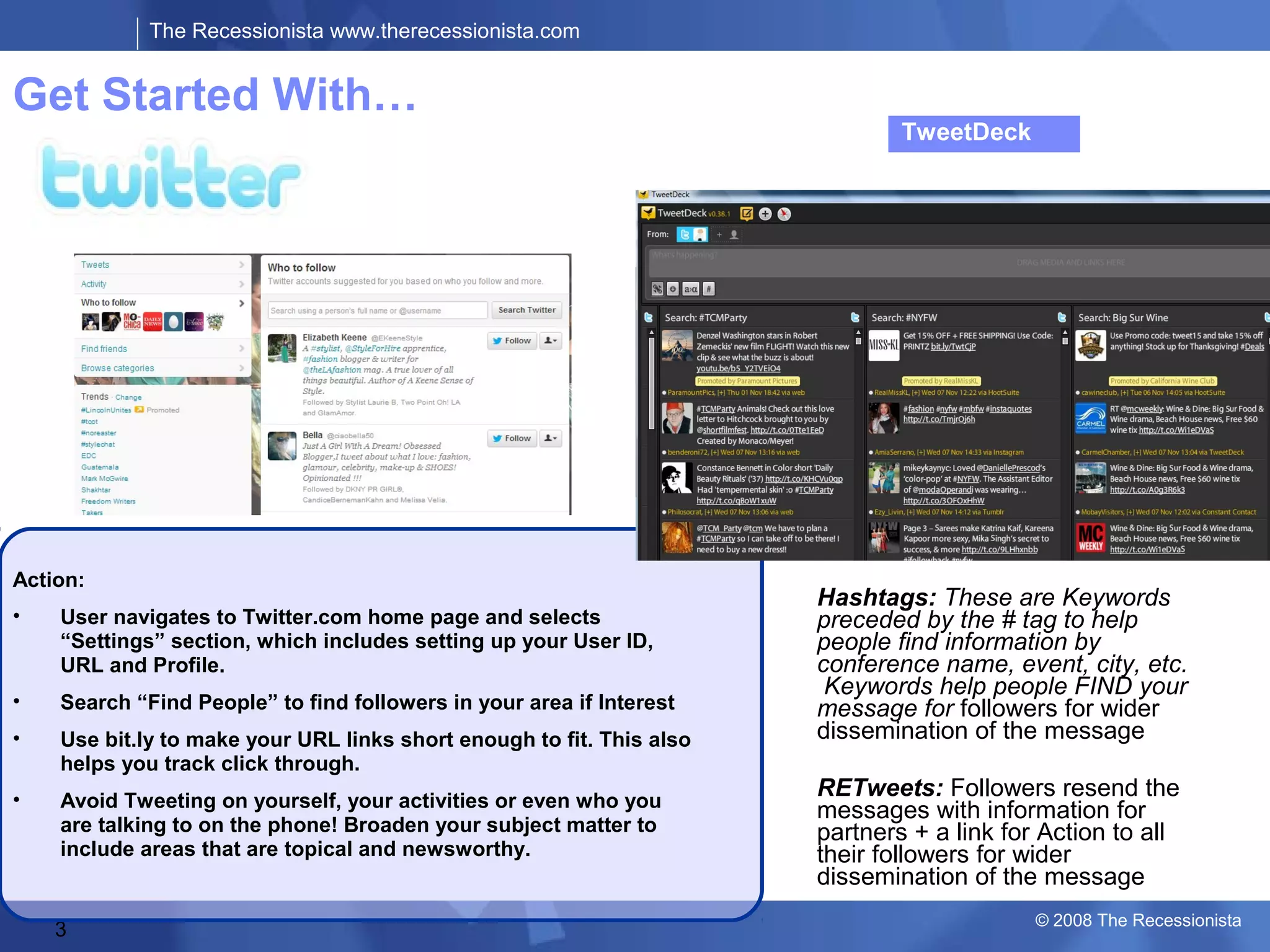
                                                                                   TweetDeck


                                                   Tweets: Messages
                                                   with Information for
                                                   Partners + a link for
                                                   Action


Action:
                                                                           Hashtags: These are Keywords
•   User navigates to Twitter.com home page and selects                    preceded by the # tag to help
    “Settings” section, which includes setting up your User ID,            people find information by
    URL and Profile.                                                       conference name, event, city, etc.
                                                                            Keywords help people FIND your
•   Search “Find People” to find followers in your area if Interest        message for followers for wider
•   Use bit.ly to make your URL links short enough to fit. This also       dissemination of the message
    helps you track click through.
•   Avoid Tweeting on yourself, your activities or even who you
                                                                           RETweets: Followers resend the
                                                                           messages with information for
    are talking to on the phone! Broaden your subject matter to            partners + a link for Action to all
    include areas that are topical and newsworthy.                         their followers for wider
                                                                           dissemination of the message
                                                                                                © 2008 The Recessionista
    3
The Recessionista www.therecessionista.com


Getting Started

  Step 1: Set up an account
  This part is easy.
  Go to http://twitter.com and click the big green “Get Started –
   Join!” button.
  On the resulting screen, enter the username you want, your
   desired password, your email address and complete the spam
   checker


                                                              © 2008 The Recessionista
The Recessionista www.therecessionista.com


Enter your profile information
   Twitter is, to a large extent, a social network. If you want people
    to want to connect to you, you’ll need to tell them a little bit
    about you. Nothing scary; nothing that will compromise yourself;
    just a little bit so people know who you are.
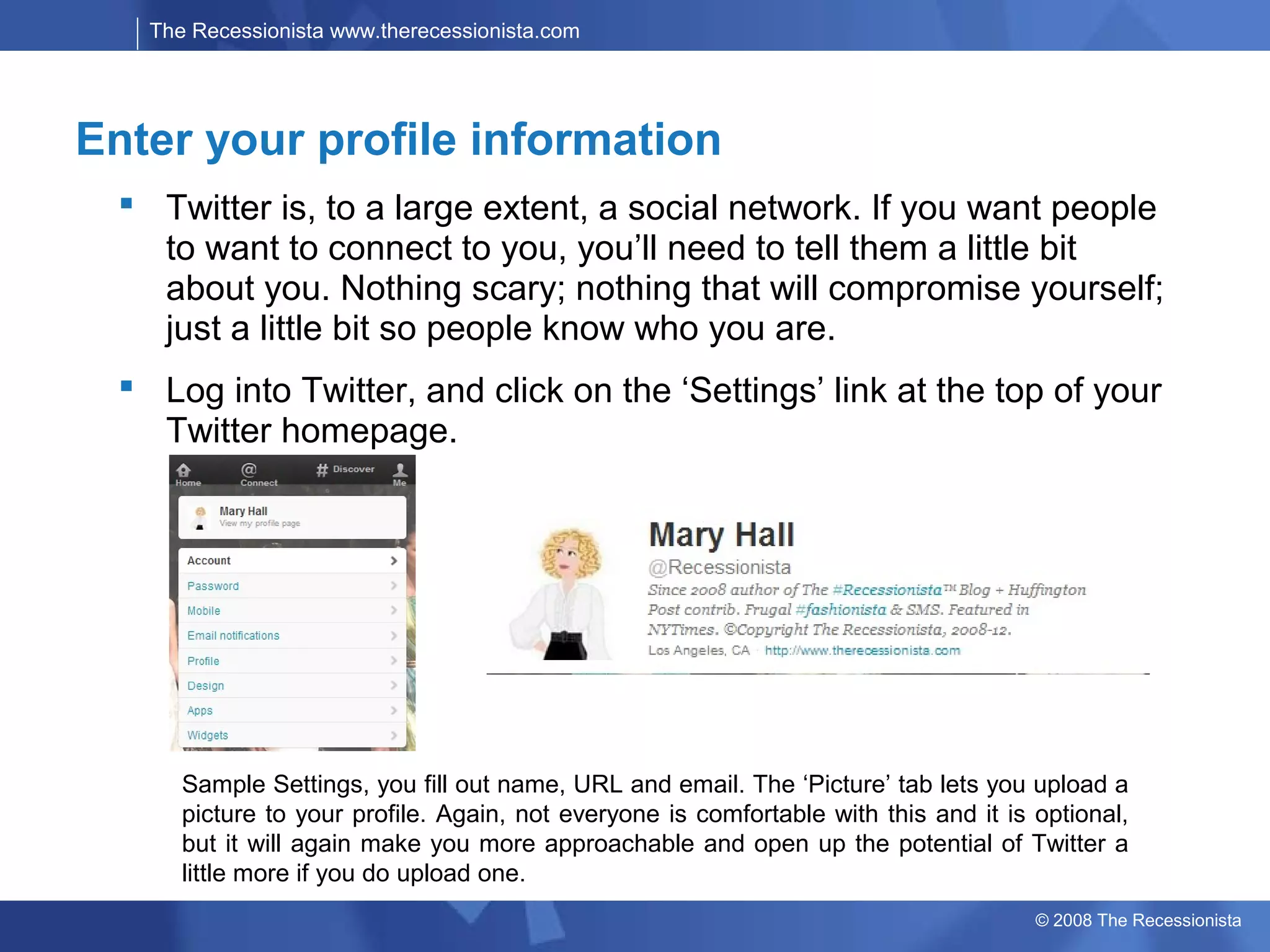
   Log into Twitter, and click on the ‘Settings’ link at the top of your
    Twitter homepage.


       Sample Settings, you fill out name, URL and email. The ‘Picture’ tab lets you upload a
       picture to your profile. Again, not everyone is comfortable with this and it is optional,
       but it will again make you more approachable and open up the potential of Twitter a
       little more if you do upload one.
                                                                                       © 2008 The Recessionista
The Recessionista www.therecessionista.com


Find some friends, aka Follows
  Search for people you know who are already using
   Twitter Click the ‘Find People’ link at the top of the screen.
   You’ll see three tabs:
  The first of these tabs lets you enter your email address(es)
   and searches your address book to see if anyone has
   associated any of those addresses with a Twitter account.
  Invite your friends to join The second tab lets you enter
   your friends’ email addresses to invite them to join Twitter.
  Search for new people to follow Unfortunately the ’search’
   tab is currently disabled. However, you can mimic this
   function to an extent by using http://search.twitter.com.
   Search for the city where you live to find other users who live
   close to you. Enter your career area to find business peers.
   Enter your hobbies to find people with shared interests. The
   list of potential things to search for goes on and on

                                                             © 2008 The Recessionista
The Recessionista www.therecessionista.com


Start Posting with just 140 Characters
  You’re all set! There are just a few more things to know before
   you can get tweeting.
  To post a regular message to all of your subscribers (aka.
   followers), just type it into the website/application and hit
   ‘post’/’send.’
  To send a message to someone publically, type “@” followed by
   their username, then the message. So, if I wanted to say hi to me
   (I’m lonely), I’d type “@Recessionista hi there!” These are known
   as “replies.”
  To send a private message to someone (aka. a direct message),
   type “d” then a space and then their username. So, to send me a
   direct message you would type “d Recessionista That’s a really
   long blog post on Twitter!” Note: you can only send direct
   messages to people who you follow, and who follow you. That
   means you won’t get them out-of-the-blue.

                                                             © 2008 The Recessionista
The Recessionista www.therecessionista.com


Start Posting with just 140 Characters
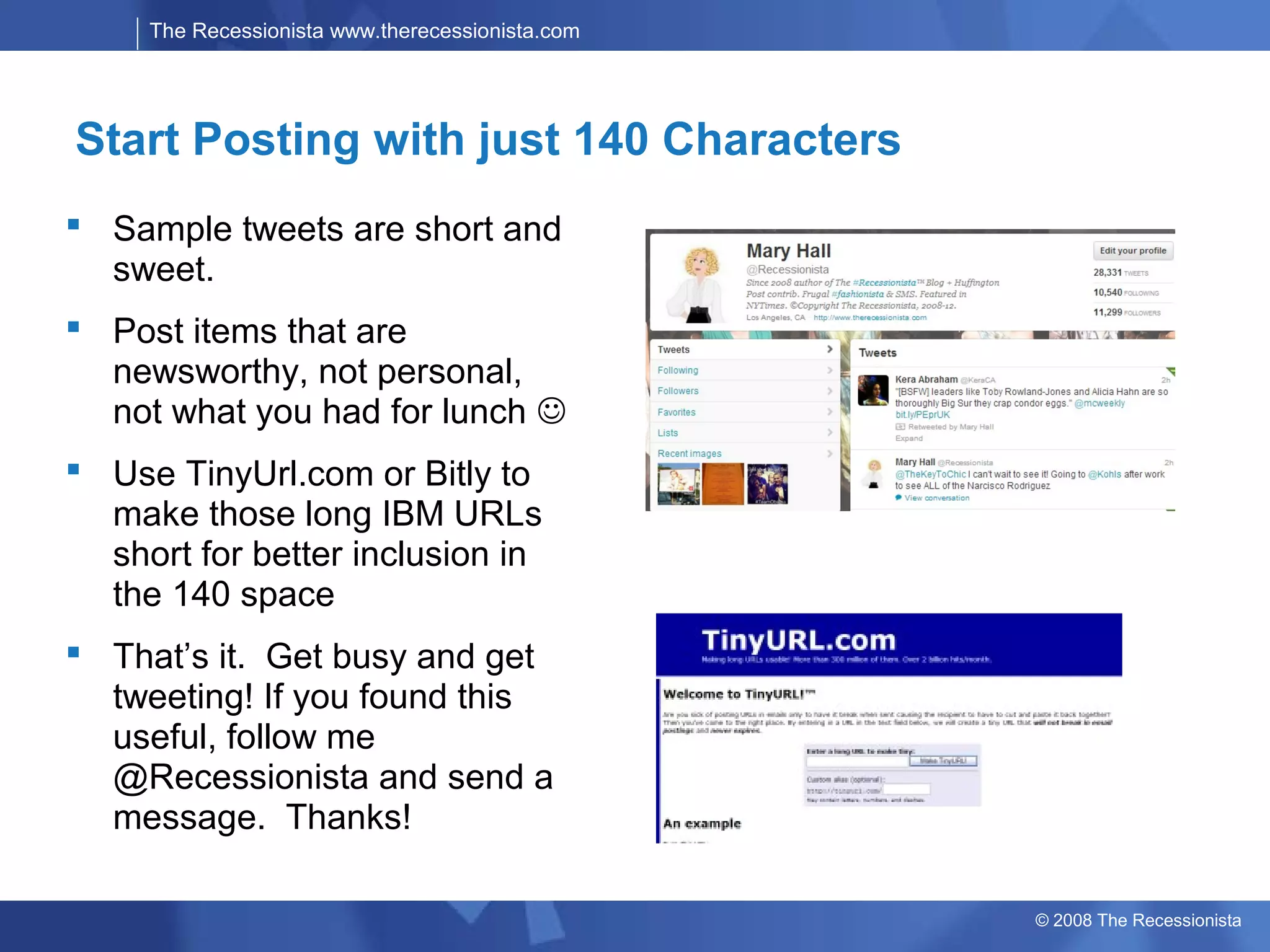
 Sample tweets are short and
  sweet.
 Post items that are
  newsworthy, not personal,
  not what you had for lunch 
 Use TinyUrl.com or Bitly to
  make those long IBM URLs
  short for better inclusion in
  the 140 space
 That’s it. Get busy and get
  tweeting! If you found this
  useful, follow me
  @Recessionista and send a
  message. Thanks!

                                                  © 2008 The Recessionista

Twitter Basics for Beginners

  • 1.
    Twitter Basics Mary Hall,The Recessionista, Twitter @Recessionista http://www.therecessionista.com
  • 2.
    The Recessionista www.therecessionista.com AUDIENCE: Geography* & Age Range** WHAT IS IT?  A free social networking and micro-blogging service that allows users to send updates ("tweets")  “Tweets” are text-based FEATURES: short bio Profile: very Send updates via: Create network: “follow” Twitter.com, IM, SMS, RSS, posts of up to 140 members email, application characters in length Connect to network by sending “Personal” messages followers 140-character-long Twitter public timeline  Answer the question: “Tweets” Paid Advertising What’s happening? BUSINESS RELEVANCE:  Top Industries: Technology, Fashion, Politics, Gaming, Entertainment, & News  Opportunity: – Create multiple Twitter pages based on industry – Post fun and interesting tweets that will drive followers to your websites/blogs/communities – Include Twitter address on IBM forums and advertising to gain followers OWNERSHIP: *Alexa Traffic Rankings, 2008  Private: Independent **Quantcast, June 2008 © 2008 The Recessionista 2
  • 3.
    The Recessionista www.therecessionista.com GetStarted With… https://twitter.com/ TweetDeck Tweets: Messages with Information for Partners + a link for Action Action: Hashtags: These are Keywords • User navigates to Twitter.com home page and selects preceded by the # tag to help “Settings” section, which includes setting up your User ID, people find information by URL and Profile. conference name, event, city, etc. Keywords help people FIND your • Search “Find People” to find followers in your area if Interest message for followers for wider • Use bit.ly to make your URL links short enough to fit. This also dissemination of the message helps you track click through. • Avoid Tweeting on yourself, your activities or even who you RETweets: Followers resend the messages with information for are talking to on the phone! Broaden your subject matter to partners + a link for Action to all include areas that are topical and newsworthy. their followers for wider dissemination of the message © 2008 The Recessionista 3
  • 4.
    The Recessionista www.therecessionista.com GettingStarted  Step 1: Set up an account  This part is easy.  Go to http://twitter.com and click the big green “Get Started – Join!” button.  On the resulting screen, enter the username you want, your desired password, your email address and complete the spam checker © 2008 The Recessionista
  • 5.
    The Recessionista www.therecessionista.com Enteryour profile information  Twitter is, to a large extent, a social network. If you want people to want to connect to you, you’ll need to tell them a little bit about you. Nothing scary; nothing that will compromise yourself; just a little bit so people know who you are.  Log into Twitter, and click on the ‘Settings’ link at the top of your Twitter homepage. Sample Settings, you fill out name, URL and email. The ‘Picture’ tab lets you upload a picture to your profile. Again, not everyone is comfortable with this and it is optional, but it will again make you more approachable and open up the potential of Twitter a little more if you do upload one. © 2008 The Recessionista
  • 6.
    The Recessionista www.therecessionista.com Findsome friends, aka Follows  Search for people you know who are already using Twitter Click the ‘Find People’ link at the top of the screen. You’ll see three tabs:  The first of these tabs lets you enter your email address(es) and searches your address book to see if anyone has associated any of those addresses with a Twitter account.  Invite your friends to join The second tab lets you enter your friends’ email addresses to invite them to join Twitter.  Search for new people to follow Unfortunately the ’search’ tab is currently disabled. However, you can mimic this function to an extent by using http://search.twitter.com. Search for the city where you live to find other users who live close to you. Enter your career area to find business peers. Enter your hobbies to find people with shared interests. The list of potential things to search for goes on and on © 2008 The Recessionista
  • 7.
    The Recessionista www.therecessionista.com StartPosting with just 140 Characters  You’re all set! There are just a few more things to know before you can get tweeting.  To post a regular message to all of your subscribers (aka. followers), just type it into the website/application and hit ‘post’/’send.’  To send a message to someone publically, type “@” followed by their username, then the message. So, if I wanted to say hi to me (I’m lonely), I’d type “@Recessionista hi there!” These are known as “replies.”  To send a private message to someone (aka. a direct message), type “d” then a space and then their username. So, to send me a direct message you would type “d Recessionista That’s a really long blog post on Twitter!” Note: you can only send direct messages to people who you follow, and who follow you. That means you won’t get them out-of-the-blue. © 2008 The Recessionista
  • 8.
    The Recessionista www.therecessionista.com StartPosting with just 140 Characters  Sample tweets are short and sweet.  Post items that are newsworthy, not personal, not what you had for lunch   Use TinyUrl.com or Bitly to make those long IBM URLs short for better inclusion in the 140 space  That’s it. Get busy and get tweeting! If you found this useful, follow me @Recessionista and send a message. Thanks! © 2008 The Recessionista