Universidad Autónoma de Chiriquí
Faculty of Humanities
School of English
Materials Development-Eng 420
Transparencies (OHP)
Professor: Marisol Barraza
Done by: Gantes & Montero
May 18th, 2016
1
Introduction
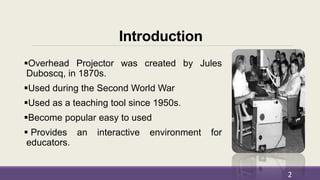
Overhead Projector was created by Jules
Duboscq, in 1870s.
Used during the Second World War
Used as a teaching tool since 1950s.
Become popular easy to used
 Provides an interactive environment for
educators.
2
Table of Contents
Definitions
Parts of the OHP
How the OHP can be used in different
instructional situations
Advantages of using OHP
Disadvantages of using OHP
Guideliness for use OHP
3
Table of Contents
Standards in using OHP
Designing OHP transparencies-basic
principles
Producing computer generated OHP materials
Display techniques
Tips for Effective use of OHP
Materials
Conclusion
Reference page
4
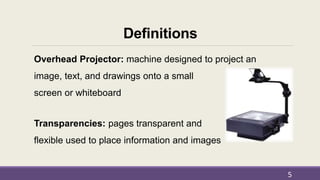
Definitions
Overhead Projector: machine designed to project an
image, text, and drawings onto a small
screen or whiteboard
Transparencies: pages transparent and
flexible used to place information and images
5
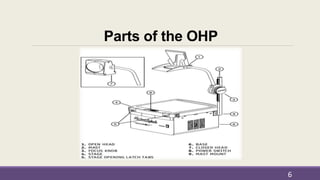
Parts of the OHP
6
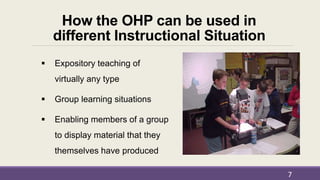
How the OHP can be used in
different Instructional Situation
 Expository teaching of
virtually any type
 Group learning situations
 Enabling members of a group
to display material that they
themselves have produced
7
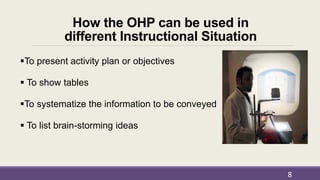
How the OHP can be used in
different Instructional Situation
To present activity plan or objectives
 To show tables
To systematize the information to be conveyed
 To list brain-storming ideas
8
Advantages of using OHP
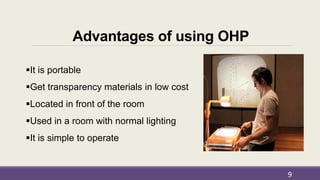
It is portable
Get transparency materials in low cost
Located in front of the room
Used in a room with normal lighting
It is simple to operate
9
Advantages of using OHP
 Used as a chalkboard or market board
 Modify transparencies during the presentation
 You can write without turning your back
 Maintain eye contact
 Audiences can follow handout or take notes
10
Disadvantages of using OHP
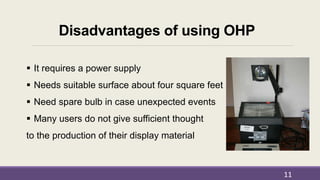
 It requires a power supply
 Needs suitable surface about four square feet
 Need spare bulb in case unexpected events
 Many users do not give sufficient thought
to the production of their display material
11
Disadvantages of using OHP
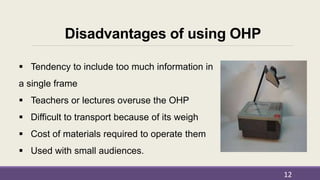
 Tendency to include too much information in
a single frame
 Teachers or lectures overuse the OHP
 Difficult to transport because of its weigh
 Cost of materials required to operate them
 Used with small audiences.
12
Guideliness-How to use the OHP
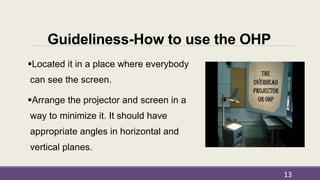
Located it in a place where everybody
can see the screen.
Arrange the projector and screen in a
way to minimize it. It should have
appropriate angles in horizontal and
vertical planes.
13
Guideliness-How to use the OHP
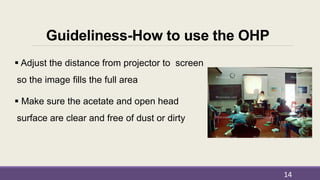
 Adjust the distance from projector to screen
so the image fills the full area
 Make sure the acetate and open head
surface are clear and free of dust or dirty
14
Standards in using OHP
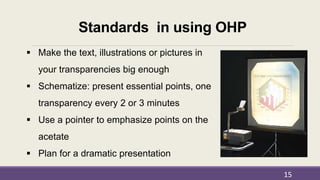
 Make the text, illustrations or pictures in
your transparencies big enough
 Schematize: present essential points, one
transparency every 2 or 3 minutes
 Use a pointer to emphasize points on the
acetate
 Plan for a dramatic presentation
15
Standards in using OHP
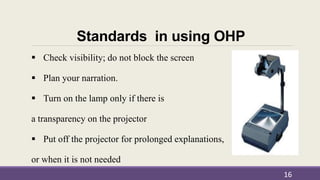
 Check visibility; do not block the screen
 Plan your narration.
 Turn on the lamp only if there is
a transparency on the projector
 Put off the projector for prolonged explanations,
or when it is not needed
16
Designing OHP transparencies-
basic principles
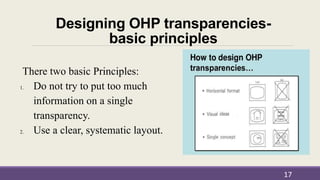
There two basic Principles:
1. Do not try to put too much
information on a single
transparency.
2. Use a clear, systematic layout.
17
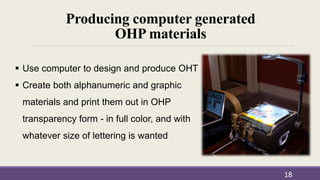
Producing computer generated
OHP materials
18
 Use computer to design and produce OHT
 Create both alphanumeric and graphic
materials and print them out in OHP
transparency form - in full color, and with
whatever size of lettering is wanted
Display Techniques
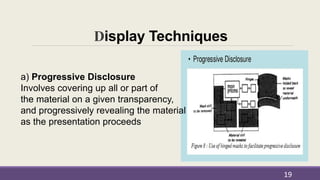
a) Progressive Disclosure
Involves covering up all or part of
the material on a given transparency,
and progressively revealing the material
as the presentation proceeds
19
Display techniques
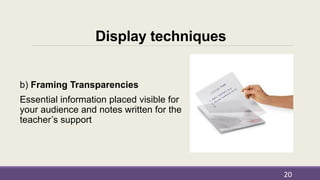
b) Framing Transparencies
Essential information placed visible for
your audience and notes written for the
teacher’s support
20
Display Techniques
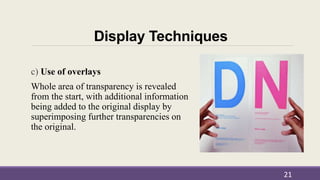
c) Use of overlays
Whole area of transparency is revealed
from the start, with additional information
being added to the original display by
superimposing further transparencies on
the original.
21
Display Techniques
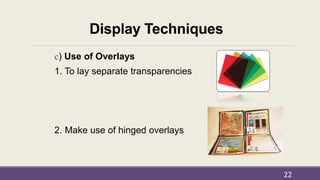
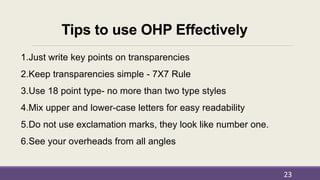
c) Use of Overlays
1. To lay separate transparencies
2. Make use of hinged overlays
22
Tips to use OHP Effectively
1.Just write key points on transparencies
2.Keep transparencies simple - 7X7 Rule
3.Use 18 point type- no more than two type styles
4.Mix upper and lower-case letters for easy readability
5.Do not use exclamation marks, they look like number one.
6.See your overheads from all angles
23
Tips to use OHP Effectively
24
7. Do not turn off all room lights
8. Turn projector lamp off during discussions
9. Never stand anything between the projection and screen
10.Give people time to read
11.Talk to your listeners not the screen
12. Before moving wait for period time to cool
Down - bulb may explode.
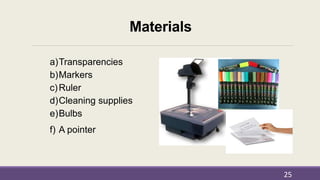
Materials
a)Transparencies
b)Markers
c)Ruler
d)Cleaning supplies
e)Bulbs
f) A pointer
25
Conclusion
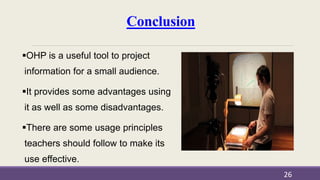
OHP is a useful tool to project
information for a small audience.
It provides some advantages using
it as well as some disadvantages.
There are some usage principles
teachers should follow to make its
use effective.
26
References
27
Aceret, R. (n.d.). The Overhead Projector: Advantages and Standards.
Educational Technology. Retrieved from http://ed-
tech124.blogspot.com/2013/08/the-overhead-projector-ohp.html
Corey, W. (1999).Overhead projector usage. Business and professional
toastmasters, club #1169. Retrieved from
http://regainthemagic.com/BPToastmasters/overhead.html
References
Ellington, H. (1987). A Guide to the use of the overhead projector. Teaching and
learning higher education. Retrieved from
http://files.eric.ed.gov/fulltext/ED289497.pdf
Mott, E. (1983). How to make transparencies for the overhead projector. Azcentral.
Retrieved from http://yourbusiness.azcentral.com/make-transparencies-overhead-
projector-1185.html
Sinan, C. (1991). Using overhead projector in the classroom: Advantages and
disadvantages. Csinan Blog. Retrieveed from
https://csinan.wordpress.com/2013/04/11/47/
28

Transparencies correct pp

  • 1.
    Universidad Autónoma deChiriquí Faculty of Humanities School of English Materials Development-Eng 420 Transparencies (OHP) Professor: Marisol Barraza Done by: Gantes & Montero May 18th, 2016 1
  • 2.
    Introduction Overhead Projector wascreated by Jules Duboscq, in 1870s. Used during the Second World War Used as a teaching tool since 1950s. Become popular easy to used  Provides an interactive environment for educators. 2
  • 3.
    Table of Contents Definitions Partsof the OHP How the OHP can be used in different instructional situations Advantages of using OHP Disadvantages of using OHP Guideliness for use OHP 3
  • 4.
    Table of Contents Standardsin using OHP Designing OHP transparencies-basic principles Producing computer generated OHP materials Display techniques Tips for Effective use of OHP Materials Conclusion Reference page 4
  • 5.
    Definitions Overhead Projector: machinedesigned to project an image, text, and drawings onto a small screen or whiteboard Transparencies: pages transparent and flexible used to place information and images 5
  • 6.
  • 7.
    How the OHPcan be used in different Instructional Situation  Expository teaching of virtually any type  Group learning situations  Enabling members of a group to display material that they themselves have produced 7
  • 8.
    How the OHPcan be used in different Instructional Situation To present activity plan or objectives  To show tables To systematize the information to be conveyed  To list brain-storming ideas 8
  • 9.
    Advantages of usingOHP It is portable Get transparency materials in low cost Located in front of the room Used in a room with normal lighting It is simple to operate 9
  • 10.
    Advantages of usingOHP  Used as a chalkboard or market board  Modify transparencies during the presentation  You can write without turning your back  Maintain eye contact  Audiences can follow handout or take notes 10
  • 11.
    Disadvantages of usingOHP  It requires a power supply  Needs suitable surface about four square feet  Need spare bulb in case unexpected events  Many users do not give sufficient thought to the production of their display material 11
  • 12.
    Disadvantages of usingOHP  Tendency to include too much information in a single frame  Teachers or lectures overuse the OHP  Difficult to transport because of its weigh  Cost of materials required to operate them  Used with small audiences. 12
  • 13.
    Guideliness-How to usethe OHP Located it in a place where everybody can see the screen. Arrange the projector and screen in a way to minimize it. It should have appropriate angles in horizontal and vertical planes. 13
  • 14.
    Guideliness-How to usethe OHP  Adjust the distance from projector to screen so the image fills the full area  Make sure the acetate and open head surface are clear and free of dust or dirty 14
  • 15.
    Standards in usingOHP  Make the text, illustrations or pictures in your transparencies big enough  Schematize: present essential points, one transparency every 2 or 3 minutes  Use a pointer to emphasize points on the acetate  Plan for a dramatic presentation 15
  • 16.
    Standards in usingOHP  Check visibility; do not block the screen  Plan your narration.  Turn on the lamp only if there is a transparency on the projector  Put off the projector for prolonged explanations, or when it is not needed 16
  • 17.
    Designing OHP transparencies- basicprinciples There two basic Principles: 1. Do not try to put too much information on a single transparency. 2. Use a clear, systematic layout. 17
  • 18.
    Producing computer generated OHPmaterials 18  Use computer to design and produce OHT  Create both alphanumeric and graphic materials and print them out in OHP transparency form - in full color, and with whatever size of lettering is wanted
  • 19.
    Display Techniques a) ProgressiveDisclosure Involves covering up all or part of the material on a given transparency, and progressively revealing the material as the presentation proceeds 19
  • 20.
    Display techniques b) FramingTransparencies Essential information placed visible for your audience and notes written for the teacher’s support 20
  • 21.
    Display Techniques c) Useof overlays Whole area of transparency is revealed from the start, with additional information being added to the original display by superimposing further transparencies on the original. 21
  • 22.
    Display Techniques c) Useof Overlays 1. To lay separate transparencies 2. Make use of hinged overlays 22
  • 23.
    Tips to useOHP Effectively 1.Just write key points on transparencies 2.Keep transparencies simple - 7X7 Rule 3.Use 18 point type- no more than two type styles 4.Mix upper and lower-case letters for easy readability 5.Do not use exclamation marks, they look like number one. 6.See your overheads from all angles 23
  • 24.
    Tips to useOHP Effectively 24 7. Do not turn off all room lights 8. Turn projector lamp off during discussions 9. Never stand anything between the projection and screen 10.Give people time to read 11.Talk to your listeners not the screen 12. Before moving wait for period time to cool Down - bulb may explode.
  • 25.
  • 26.
    Conclusion OHP is auseful tool to project information for a small audience. It provides some advantages using it as well as some disadvantages. There are some usage principles teachers should follow to make its use effective. 26
  • 27.
    References 27 Aceret, R. (n.d.).The Overhead Projector: Advantages and Standards. Educational Technology. Retrieved from http://ed- tech124.blogspot.com/2013/08/the-overhead-projector-ohp.html Corey, W. (1999).Overhead projector usage. Business and professional toastmasters, club #1169. Retrieved from http://regainthemagic.com/BPToastmasters/overhead.html
  • 28.
    References Ellington, H. (1987).A Guide to the use of the overhead projector. Teaching and learning higher education. Retrieved from http://files.eric.ed.gov/fulltext/ED289497.pdf Mott, E. (1983). How to make transparencies for the overhead projector. Azcentral. Retrieved from http://yourbusiness.azcentral.com/make-transparencies-overhead- projector-1185.html Sinan, C. (1991). Using overhead projector in the classroom: Advantages and disadvantages. Csinan Blog. Retrieveed from https://csinan.wordpress.com/2013/04/11/47/ 28