1
WHAT IS TO BE EXPLAINED..
INTRODUCTION TO THE
TECHNOLOGY
HOW IT WORKS ?
TOUCH SCREEN DIVERSITY
CONTROLERS USED
APPLICATIONS
CLOSING THOUGHTS
2
3
INTRODUCING THE TECHNOLOGY
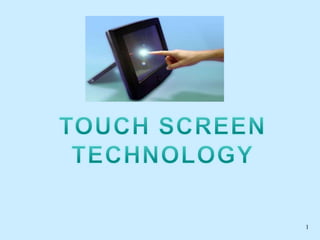
 A touch screen is an input device that allows users to
operate a PC by simply touching the display screen.
 The display screen has a sensitive glass overlay placed on
it and we could give the desired input by touching it.
 A touch screen is based on CRT (Cathode Ray Tube)
technology, that accepts direct onscreen input.
 The ability for direct onscreen input is facilitated by an
external (light pen) or an internal device (touch overlay
and controller) .
4
HOW DOES A TOUCHSCREEN WORK?
Main touch screen components:
 Touch sensor
 Controller
 Software driver
5
TOUCH SENSOR
 A touch screen sensor is a clear glass panel with a
touch responsive surface which is placed over a
display screen so that the responsive area of the
panel covers the viewable area of the display
screen.
 The sensor generally has an electrical current or
signal going through it and touching the screen
causes a voltage or signal change. This voltage
change is used to determine the location of the
touch to the screen
6
7
CONTROLLER
 The controller is a
small PC card that
connects between the
touch sensor and the
PHONE. It takes
information from the
touch sensor and
translates it into
information that
PHONE can
understand.
8
SOFTWARE DRIVER
 The driver is a software that allows the touch
screen and phone to work together. It tells the
operating system how to interpret the touch event
information that is sent from the controller.
 Most touch screen drivers today are a mouse-
emulation type driver. This makes touching the
screen the same as clicking your mouse at the
same location on the screen.
9
10
TOUCH SCREEN DIVERSITY
 Resistive Touch screen
 Surface wave Touch screen
 Capacitive Touch screen
*Surface capacitive
*Projected capacitive
 Near Field Imaging Touch screen
 Infrared Touch screen
11
RESISTIVE TOUCH SCREEN
1. Polyester Film .
2. Top Resistive Layer.
3. Conductive Transparent Metal Coating.
4. Bottom Resistive Layer .
5. Insulating Dots .
6. Glass Substrate
12
13
Continued…
 Resistive touch screen monitor is composed of a flexible
top layer and a rigid bottom layer separated by insulating
dots, attached to a touch screen controller.
 The inside surface of each of the two layers is coated with
a transparent metal oxide coating
 Pressing the flexible top sheet creates electrical contact
between the resistive layers, producing a switch closing in
the circuit.
 The controller gets the alternating voltages between the
two layers and converts them into the digital X and Y
coordinates of the activated area.
14
VS20UA CONTROLLER
 Supply Voltage
5.0V DC
 Maximum
Current
20mA (Pick)
 Resolution
12-bit
15
SURFACE WAVE TECHNOLOGY
 It has a transmitting and receiving transducers for both the
X and Y axes.
 The touchscreen controller sends a 5 MHz electrical signal
to the transmitting transducer, which converts the signal
into ultrasonic waves within the glass.
 These waves are directed across the front surface of the
touchscreen by an array of reflectors.
 Reflectors on the opposite side gather and direct the waves
to the receiving transducer, which reconverts them into an
electrical signal—a digital map of the touchscreen
16
Continued…
 When you touch the screen, you absorb a portion
of the wave traveling across it. The received signal
is then compared to the stored digital map, the
change recognized, and a coordinate calculated. .
The digitized coordinates are transmitted to the
computer for processing.
17
CAPACITIVE TOUCH SCREENS
Surface Capacitive
 It has a an uniform conductive coating on a glass
panel.
 During operation, electrodes around the panel's
edge evenly distribute a low voltage across the
conductive layer & creates an uniform electric
field.
 A finger touch draws current from each corner.
 Then the controller measures the ratio of the
current flow from the corners and calculates the
touch location
18
19
Projected Capacitive
Touch screen
3layers:-front and
back protective glass
provides optical and
strength enhancement
options & middle
layer consists of a
laminated sensor grid
of micro-fine wires
20
Continued…
 During a touch,
capacitance forms
between the finger
and the sensor
grid.
 The embedded
serial controller in
the touch screen
calculates touch
location
coordinates and
transmits them to
the phone for
processing.
21
APPLICATIONS..
 Public Information Displays:::
Tourism displays, Trade show display
 Customer Self-Services:::
Stores, Restaurants, ATMs, Airline ticket
terminals and Transportation hubs.
 More uses...
Digital jukeboxes, Computerized gaming, Student
Registration systems, Multimedia softwares ,
Scientific applications etc.
22
Advantage & Disadvantage
 Direct pointing to the
objects.
 Fast
 Finger or pen is usable
(No cable required)
 No keyboard necessary
 Suited to: novices,
application for
information retrieval etc
 Low precision by
using finger
 User has to sit or stand
closer to the screen
 The screen may be
covered more by using
hand
 No direct activation to
the selected function
23
CLOSING THOUGHTS
Though the touch screen technology
contains some limitations it’s very user
friendly, fast, accurate, easy for the novices
& fun to operate. It has been widely
accepted. And now by just modifying a
little it can replace the mouse and key board
completely in near future.
ANY QUESTION ?
24
25

Touchscreen

  • 1.
  • 2.
    WHAT IS TOBE EXPLAINED.. INTRODUCTION TO THE TECHNOLOGY HOW IT WORKS ? TOUCH SCREEN DIVERSITY CONTROLERS USED APPLICATIONS CLOSING THOUGHTS 2
  • 3.
    3 INTRODUCING THE TECHNOLOGY A touch screen is an input device that allows users to operate a PC by simply touching the display screen.  The display screen has a sensitive glass overlay placed on it and we could give the desired input by touching it.  A touch screen is based on CRT (Cathode Ray Tube) technology, that accepts direct onscreen input.  The ability for direct onscreen input is facilitated by an external (light pen) or an internal device (touch overlay and controller) .
  • 4.
    4 HOW DOES ATOUCHSCREEN WORK? Main touch screen components:  Touch sensor  Controller  Software driver
  • 5.
    5 TOUCH SENSOR  Atouch screen sensor is a clear glass panel with a touch responsive surface which is placed over a display screen so that the responsive area of the panel covers the viewable area of the display screen.  The sensor generally has an electrical current or signal going through it and touching the screen causes a voltage or signal change. This voltage change is used to determine the location of the touch to the screen
  • 6.
  • 7.
    7 CONTROLLER  The controlleris a small PC card that connects between the touch sensor and the PHONE. It takes information from the touch sensor and translates it into information that PHONE can understand.
  • 8.
    8 SOFTWARE DRIVER  Thedriver is a software that allows the touch screen and phone to work together. It tells the operating system how to interpret the touch event information that is sent from the controller.  Most touch screen drivers today are a mouse- emulation type driver. This makes touching the screen the same as clicking your mouse at the same location on the screen.
  • 9.
  • 10.
    10 TOUCH SCREEN DIVERSITY Resistive Touch screen  Surface wave Touch screen  Capacitive Touch screen *Surface capacitive *Projected capacitive  Near Field Imaging Touch screen  Infrared Touch screen
  • 11.
    11 RESISTIVE TOUCH SCREEN 1.Polyester Film . 2. Top Resistive Layer. 3. Conductive Transparent Metal Coating. 4. Bottom Resistive Layer . 5. Insulating Dots . 6. Glass Substrate
  • 12.
  • 13.
    13 Continued…  Resistive touchscreen monitor is composed of a flexible top layer and a rigid bottom layer separated by insulating dots, attached to a touch screen controller.  The inside surface of each of the two layers is coated with a transparent metal oxide coating  Pressing the flexible top sheet creates electrical contact between the resistive layers, producing a switch closing in the circuit.  The controller gets the alternating voltages between the two layers and converts them into the digital X and Y coordinates of the activated area.
  • 14.
    14 VS20UA CONTROLLER  SupplyVoltage 5.0V DC  Maximum Current 20mA (Pick)  Resolution 12-bit
  • 15.
    15 SURFACE WAVE TECHNOLOGY It has a transmitting and receiving transducers for both the X and Y axes.  The touchscreen controller sends a 5 MHz electrical signal to the transmitting transducer, which converts the signal into ultrasonic waves within the glass.  These waves are directed across the front surface of the touchscreen by an array of reflectors.  Reflectors on the opposite side gather and direct the waves to the receiving transducer, which reconverts them into an electrical signal—a digital map of the touchscreen
  • 16.
    16 Continued…  When youtouch the screen, you absorb a portion of the wave traveling across it. The received signal is then compared to the stored digital map, the change recognized, and a coordinate calculated. . The digitized coordinates are transmitted to the computer for processing.
  • 17.
    17 CAPACITIVE TOUCH SCREENS SurfaceCapacitive  It has a an uniform conductive coating on a glass panel.  During operation, electrodes around the panel's edge evenly distribute a low voltage across the conductive layer & creates an uniform electric field.  A finger touch draws current from each corner.  Then the controller measures the ratio of the current flow from the corners and calculates the touch location
  • 18.
  • 19.
    19 Projected Capacitive Touch screen 3layers:-frontand back protective glass provides optical and strength enhancement options & middle layer consists of a laminated sensor grid of micro-fine wires
  • 20.
    20 Continued…  During atouch, capacitance forms between the finger and the sensor grid.  The embedded serial controller in the touch screen calculates touch location coordinates and transmits them to the phone for processing.
  • 21.
    21 APPLICATIONS..  Public InformationDisplays::: Tourism displays, Trade show display  Customer Self-Services::: Stores, Restaurants, ATMs, Airline ticket terminals and Transportation hubs.  More uses... Digital jukeboxes, Computerized gaming, Student Registration systems, Multimedia softwares , Scientific applications etc.
  • 22.
    22 Advantage & Disadvantage Direct pointing to the objects.  Fast  Finger or pen is usable (No cable required)  No keyboard necessary  Suited to: novices, application for information retrieval etc  Low precision by using finger  User has to sit or stand closer to the screen  The screen may be covered more by using hand  No direct activation to the selected function
  • 23.
    23 CLOSING THOUGHTS Though thetouch screen technology contains some limitations it’s very user friendly, fast, accurate, easy for the novices & fun to operate. It has been widely accepted. And now by just modifying a little it can replace the mouse and key board completely in near future.
  • 24.
  • 25.