TOPIC 3: TEXTS
3.1 INTRODUCTION TO TEXT
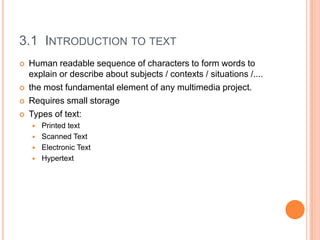
   Human readable sequence of characters to form words to
    explain or describe about subjects / contexts / situations /....
   the most fundamental element of any multimedia project.
   Requires small storage
   Types of text:
       Printed text
       Scanned Text
       Electronic Text
       Hypertext
3.1 INTRODUCTION TO TEXT
Font
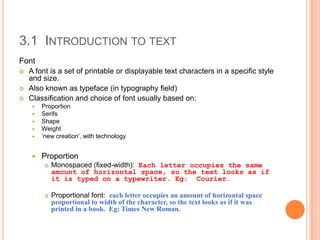
   A font is a set of printable or displayable text characters in a specific style
    and size.
   Also known as typeface (in typography field)
   Classification and choice of font usually based on:
        Proportion
        Serifs
        Shape
        Weight
        ‘new creation’, with technology


        Proportion
             Monospaced (fixed-width): Each letter occupies the same
              amount of horizontal space, so the text looks as if
              it is typed on a typewriter. Eg: Courier.

             Proportional font: each letter occupies an amount of horizontal space
              proportional to width of the character, so the text looks as if it was
              printed in a book. Eg: Times New Roman.
3.1 INTRODUCTION TO TEXT
   Serifs
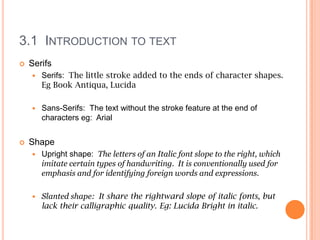
       Serifs: The little stroke added to the ends of character shapes.
        Eg Book Antiqua, Lucida

       Sans-Serifs: The text without the stroke feature at the end of
        characters eg: Arial


   Shape
       Upright shape: The letters of an Italic font slope to the right, which
        imitate certain types of handwriting. It is conventionally used for
        emphasis and for identifying foreign words and expressions.

       Slanted shape: It share the rightward slope of italic fonts, but
        lack their calligraphic quality. Eg: Lucida Bright in italic.
3.1 INTRODUCTION TO TEXT
   Weight
     Bold: Font with bold features. The thickness of the stroke
      making up the letters.
     Other: Ultra-bold, semi-bold, light and ultra-light


   ‘new creation’, with technology
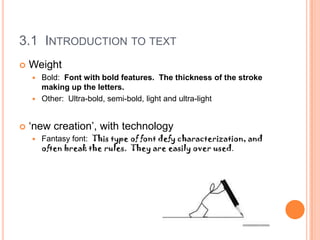
       Fantasy font: This type of font defy characterization, and
        often break the rules. They are easily over used.
3.1 INTRODUCTION TO TEXT
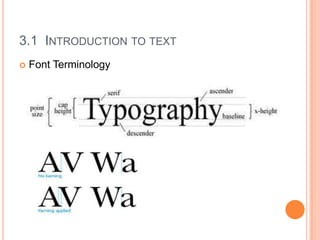
   Font Terminology
3.1 INTRODUCTION TO TEXT
   Software for Creating and Editing Text
       Ms Word
       Ms PowerPoint
       Adobe Photoshop
       Adobe Illustrator
       Adobe In design

Topic 3

  • 1.
  • 2.
    3.1 INTRODUCTION TOTEXT  Human readable sequence of characters to form words to explain or describe about subjects / contexts / situations /....  the most fundamental element of any multimedia project.  Requires small storage  Types of text:  Printed text  Scanned Text  Electronic Text  Hypertext
  • 3.
    3.1 INTRODUCTION TOTEXT Font  A font is a set of printable or displayable text characters in a specific style and size.  Also known as typeface (in typography field)  Classification and choice of font usually based on:  Proportion  Serifs  Shape  Weight  ‘new creation’, with technology  Proportion  Monospaced (fixed-width): Each letter occupies the same amount of horizontal space, so the text looks as if it is typed on a typewriter. Eg: Courier.  Proportional font: each letter occupies an amount of horizontal space proportional to width of the character, so the text looks as if it was printed in a book. Eg: Times New Roman.
  • 4.
    3.1 INTRODUCTION TOTEXT  Serifs  Serifs: The little stroke added to the ends of character shapes. Eg Book Antiqua, Lucida  Sans-Serifs: The text without the stroke feature at the end of characters eg: Arial  Shape  Upright shape: The letters of an Italic font slope to the right, which imitate certain types of handwriting. It is conventionally used for emphasis and for identifying foreign words and expressions.  Slanted shape: It share the rightward slope of italic fonts, but lack their calligraphic quality. Eg: Lucida Bright in italic.
  • 5.
    3.1 INTRODUCTION TOTEXT  Weight  Bold: Font with bold features. The thickness of the stroke making up the letters.  Other: Ultra-bold, semi-bold, light and ultra-light  ‘new creation’, with technology  Fantasy font: This type of font defy characterization, and often break the rules. They are easily over used.
  • 6.
    3.1 INTRODUCTION TOTEXT  Font Terminology
  • 7.
    3.1 INTRODUCTION TOTEXT  Software for Creating and Editing Text  Ms Word  Ms PowerPoint  Adobe Photoshop  Adobe Illustrator  Adobe In design