Introduction to Multimedia
FAST 1032
Chapter 3 : Text
Outline
 Importance of text in a multimedia
presentation.
 Understanding fonts and typefaces.
 Using text elements in a multimedia
presentation.
 Computers and text.
 Font editing and design tools.
 Multimedia and hypertext.
What is TEXT?
 Basic media for many multimedia
systems.
 Texts in the form of words, sentences and
paragraphs is used to communicate
thoughts, ideas and facts in nearly every
aspect of our lives.
What is TEXT?
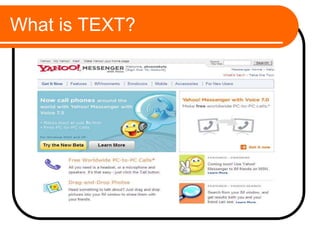
 Multimedia products depends on text for many
things:
 to explain how the application work.
 to guide the user in navigating through the
application.
What is TEXT?
What is TEXT?
 Texts consists of two structures:
 Linear
 Non-Linear
What is TEXT?
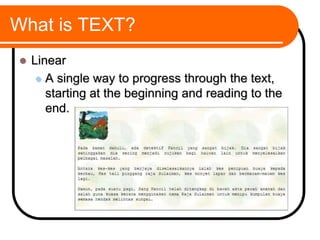
 Linear
 A single way to progress through the text,
starting at the beginning and reading to the
end.
What is TEXT?
 Non-Linear
 Multiple related sections of the text that are
connected to each other
 A user may then browse through the sections
of the text, jumping from one text section to
another.
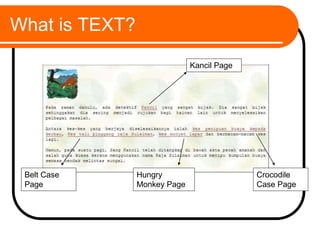
What is TEXT?
Kancil Page
Crocodile
Case Page
Belt Case
Page
Hungry
Monkey Page
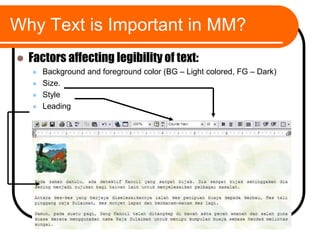
Why Text is Important in MM?
 Factors affecting legibility of text:
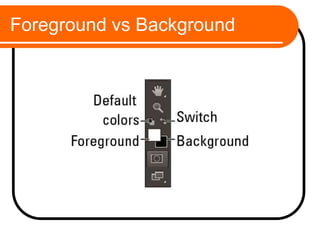
 Background and foreground color (BG – Light colored, FG – Dark)
 Size.
 Style
 Leading
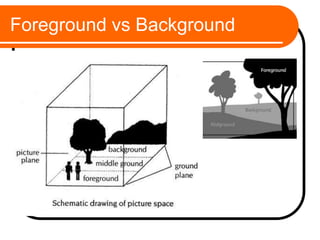
Foreground vs Background
Text Technology
 Based on creating letters, numbers and
special characters.
 Text elements can be categories into:
 Alphabet characters : A – Z
 Numbers : 0 – 9
 Special characters : Punctuation [. , ; ‘ …] ,
Sign or Symbols [* & ^ % $ £ ! / ~ # @ .…]
 Also known Character Sets
Text Technology
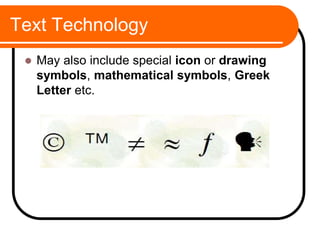
 May also include special icon or drawing
symbols, mathematical symbols, Greek
Letter etc.
Font VS Typefaces
 Is there a difference?
 How do we differentiate one with the other?
Font
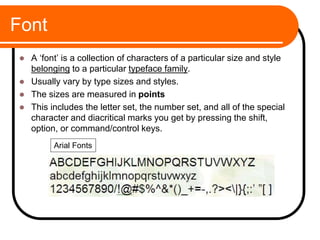
 A ‘font’ is a collection of characters of a particular size and style
belonging to a particular typeface family.
 Usually vary by type sizes and styles.
 The sizes are measured in points
 This includes the letter set, the number set, and all of the special
character and diacritical marks you get by pressing the shift,
option, or command/control keys.
Arial Fonts
Symbols and Icons
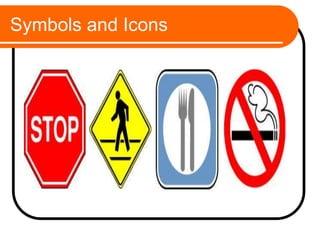
 Symbols are concentrated text in the form of
stand-alone graphic constructs.
 They are used to convey meaningful
messages.
 Symbols used to convey human emotions are
called emoticons.
 Icons are symbolic representations of objects
and processes.
Symbols and Icons
Typeface
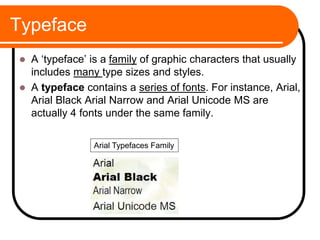
 A ‘typeface’ is a family of graphic characters that usually
includes many type sizes and styles.
 A typeface contains a series of fonts. For instance, Arial,
Arial Black Arial Narrow and Arial Unicode MS are
actually 4 fonts under the same family.
Arial Typefaces Family
Font and Typefaces
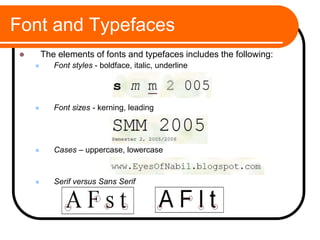
 The elements of fonts and typefaces includes the following:
 Font styles - boldface, italic, underline
 Font sizes - kerning, leading
 Cases – uppercase, lowercase
 Serif versus Sans Serif
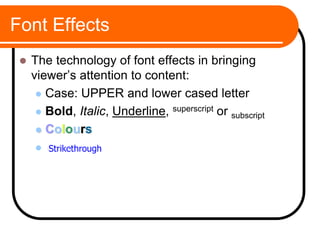
Font Effects
 The technology of font effects in bringing
viewer’s attention to content:
 Case: UPPER and lower cased letter
 Bold, Italic, Underline, superscript or subscript
 Colours
 b
Strikethrough
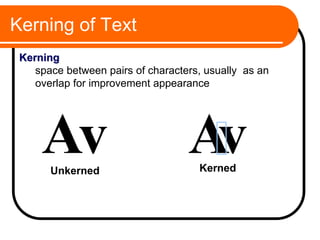
Kerning of Text
Av v
A
Unkerned Kerned
Kerning
space between pairs of characters, usually as an
overlap for improvement appearance
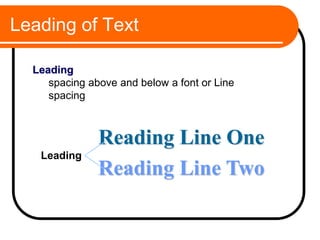
Leading of Text
Reading Line One
Reading Line Two
Leading
Leading
spacing above and below a font or Line
spacing
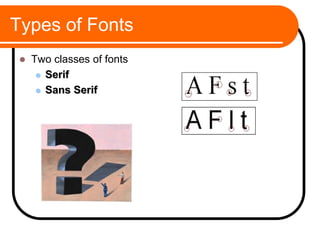
Types of Fonts
 Two classes of fonts
 Serif
 Sans Serif
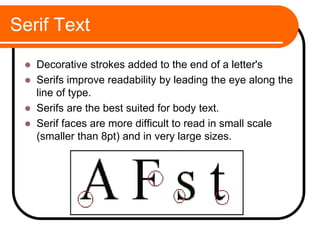
Serif Text
 Decorative strokes added to the end of a letter's
 Serifs improve readability by leading the eye along the
line of type.
 Serifs are the best suited for body text.
 Serif faces are more difficult to read in small scale
(smaller than 8pt) and in very large sizes.
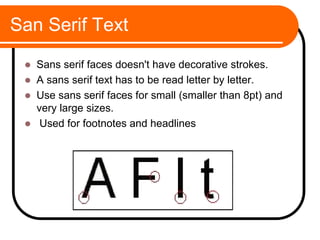
San Serif Text
 Sans serif faces doesn't have decorative strokes.
 A sans serif text has to be read letter by letter.
 Use sans serif faces for small (smaller than 8pt) and
very large sizes.
 Used for footnotes and headlines
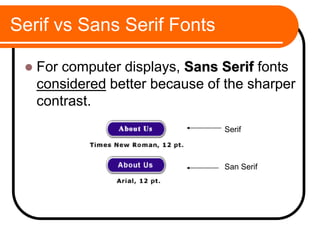
Serif vs Sans Serif Fonts
 For computer displays, Sans Serif fonts
considered better because of the sharper
contrast.
San Serif
Serif
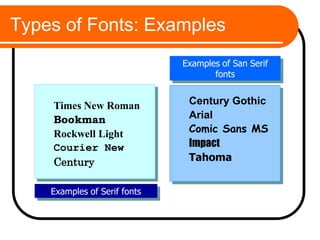
Types of Fonts: Examples
Times New Roman
Bookman
Rockwell Light
Courier New
Century
Examples of Serif fonts
Century Gothic
Arial
Comic Sans MS
Impact
Tahoma
Examples of San Serif
fonts
Using Text in Multimedia
 The text elements used in multimedia
are:
 Menus for navigation
 Interactive buttons
 Fields for reading
 HTML documents
 Symbols and icons
Using Text in Multimedia
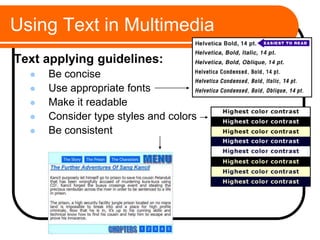
Text applying guidelines:
 Be concise
 Use appropriate fonts
 Make it readable
 Consider type styles and colors
 Be consistent
Font Editing and Design Tools
Text creating software:
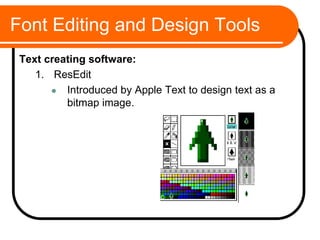
1. ResEdit
 Introduced by Apple Text to design text as a
bitmap image.
Font Editing and Design Tools
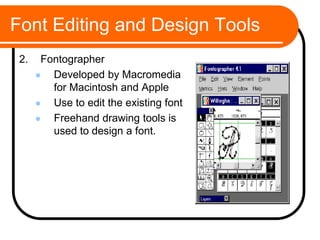
2. Fontographer
 Developed by Macromedia
for Macintosh and Apple
 Use to edit the existing font
 Freehand drawing tools is
used to design a font.
Font Editing and Design tools
 www.fontfoundry.com
 www.larabiefonts.com
 Fontlab
 Font Forge
 Bird Font
 Font Struct
 TypeLight
 Font Constructor
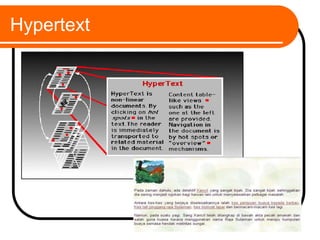
Hypertext
Advantages &
Disadvantages Using Text
 Advantages:
 Is relatively inexpensive to produce
 Present abstract ideas effectively
 Clarifies other media
 Provides confidentiality (password)
 Is easily changed or updated
Advantages &
Disadvantages Using Text
 Disadvantages:
 Is less memorable than other visual media
 Requires more attention from the user than other
media
 Can be cumbersome – not elegant in expression
Summary
 Multimedia applications and presentations invariably
rely to some extent on the use of text to convey their
message to users.
 Text has many characteristics that the developer can
modify to enhance the user expression.
 size, weight, typeface, style, colour, kerning,
tracking, etc.
 Just like any other media, it requires careful planning
and creativity.

Chapter 3 - Text.pptsdg

  • 1.
  • 2.
  • 3.
    Outline  Importance oftext in a multimedia presentation.  Understanding fonts and typefaces.  Using text elements in a multimedia presentation.  Computers and text.  Font editing and design tools.  Multimedia and hypertext.
  • 4.
    What is TEXT? Basic media for many multimedia systems.  Texts in the form of words, sentences and paragraphs is used to communicate thoughts, ideas and facts in nearly every aspect of our lives.
  • 5.
    What is TEXT? Multimedia products depends on text for many things:  to explain how the application work.  to guide the user in navigating through the application.
  • 6.
  • 7.
    What is TEXT? Texts consists of two structures:  Linear  Non-Linear
  • 8.
    What is TEXT? Linear  A single way to progress through the text, starting at the beginning and reading to the end.
  • 9.
    What is TEXT? Non-Linear  Multiple related sections of the text that are connected to each other  A user may then browse through the sections of the text, jumping from one text section to another.
  • 10.
    What is TEXT? KancilPage Crocodile Case Page Belt Case Page Hungry Monkey Page
  • 11.
    Why Text isImportant in MM?  Factors affecting legibility of text:  Background and foreground color (BG – Light colored, FG – Dark)  Size.  Style  Leading
  • 12.
  • 13.
  • 14.
    Text Technology  Basedon creating letters, numbers and special characters.  Text elements can be categories into:  Alphabet characters : A – Z  Numbers : 0 – 9  Special characters : Punctuation [. , ; ‘ …] , Sign or Symbols [* & ^ % $ £ ! / ~ # @ .…]  Also known Character Sets
  • 15.
    Text Technology  Mayalso include special icon or drawing symbols, mathematical symbols, Greek Letter etc.
  • 16.
    Font VS Typefaces Is there a difference?  How do we differentiate one with the other?
  • 17.
    Font  A ‘font’is a collection of characters of a particular size and style belonging to a particular typeface family.  Usually vary by type sizes and styles.  The sizes are measured in points  This includes the letter set, the number set, and all of the special character and diacritical marks you get by pressing the shift, option, or command/control keys. Arial Fonts
  • 18.
    Symbols and Icons Symbols are concentrated text in the form of stand-alone graphic constructs.  They are used to convey meaningful messages.  Symbols used to convey human emotions are called emoticons.  Icons are symbolic representations of objects and processes.
  • 19.
  • 20.
    Typeface  A ‘typeface’is a family of graphic characters that usually includes many type sizes and styles.  A typeface contains a series of fonts. For instance, Arial, Arial Black Arial Narrow and Arial Unicode MS are actually 4 fonts under the same family. Arial Typefaces Family
  • 21.
    Font and Typefaces The elements of fonts and typefaces includes the following:  Font styles - boldface, italic, underline  Font sizes - kerning, leading  Cases – uppercase, lowercase  Serif versus Sans Serif
  • 22.
    Font Effects  Thetechnology of font effects in bringing viewer’s attention to content:  Case: UPPER and lower cased letter  Bold, Italic, Underline, superscript or subscript  Colours  b Strikethrough
  • 23.
    Kerning of Text Avv A Unkerned Kerned Kerning space between pairs of characters, usually as an overlap for improvement appearance
  • 24.
    Leading of Text ReadingLine One Reading Line Two Leading Leading spacing above and below a font or Line spacing
  • 25.
    Types of Fonts Two classes of fonts  Serif  Sans Serif
  • 26.
    Serif Text  Decorativestrokes added to the end of a letter's  Serifs improve readability by leading the eye along the line of type.  Serifs are the best suited for body text.  Serif faces are more difficult to read in small scale (smaller than 8pt) and in very large sizes.
  • 27.
    San Serif Text Sans serif faces doesn't have decorative strokes.  A sans serif text has to be read letter by letter.  Use sans serif faces for small (smaller than 8pt) and very large sizes.  Used for footnotes and headlines
  • 28.
    Serif vs SansSerif Fonts  For computer displays, Sans Serif fonts considered better because of the sharper contrast. San Serif Serif
  • 29.
    Types of Fonts:Examples Times New Roman Bookman Rockwell Light Courier New Century Examples of Serif fonts Century Gothic Arial Comic Sans MS Impact Tahoma Examples of San Serif fonts
  • 30.
    Using Text inMultimedia  The text elements used in multimedia are:  Menus for navigation  Interactive buttons  Fields for reading  HTML documents  Symbols and icons
  • 31.
    Using Text inMultimedia Text applying guidelines:  Be concise  Use appropriate fonts  Make it readable  Consider type styles and colors  Be consistent
  • 32.
    Font Editing andDesign Tools Text creating software: 1. ResEdit  Introduced by Apple Text to design text as a bitmap image.
  • 33.
    Font Editing andDesign Tools 2. Fontographer  Developed by Macromedia for Macintosh and Apple  Use to edit the existing font  Freehand drawing tools is used to design a font.
  • 34.
    Font Editing andDesign tools  www.fontfoundry.com  www.larabiefonts.com  Fontlab  Font Forge  Bird Font  Font Struct  TypeLight  Font Constructor
  • 35.
  • 36.
    Advantages & Disadvantages UsingText  Advantages:  Is relatively inexpensive to produce  Present abstract ideas effectively  Clarifies other media  Provides confidentiality (password)  Is easily changed or updated
  • 37.
    Advantages & Disadvantages UsingText  Disadvantages:  Is less memorable than other visual media  Requires more attention from the user than other media  Can be cumbersome – not elegant in expression
  • 38.
    Summary  Multimedia applicationsand presentations invariably rely to some extent on the use of text to convey their message to users.  Text has many characteristics that the developer can modify to enhance the user expression.  size, weight, typeface, style, colour, kerning, tracking, etc.  Just like any other media, it requires careful planning and creativity.