Social Media for Research
David Phipps, PhD, MBA, Executive Director
Research & Innovation Services
York University
@researchimpact
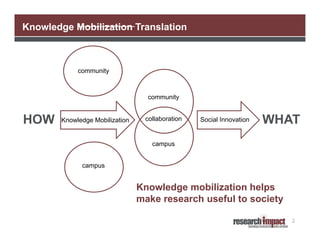
Knowledge Mobilization Translation

community

community

HOW

Knowledge Mobilization

collaboration

Social Innovation

WHAT

campus
campus

Knowledge mobilization helps
make research useful to society
2
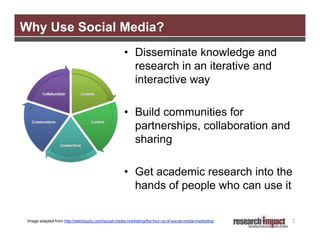
Why Use Social Media?
• Disseminate knowledge and
research in an iterative and
interactive way
• Build communities for
partnerships, collaboration and
sharing
• Get academic research into the
hands of people who can use it
Image adapted from http://webbiquity.com/social-media-marketing/the-four-cs-of-social-media-marketing/

3
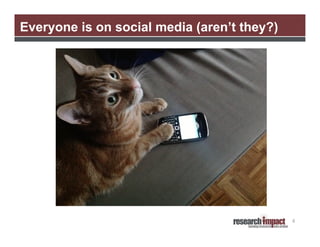
Everyone is on social media (aren’t they?)

4
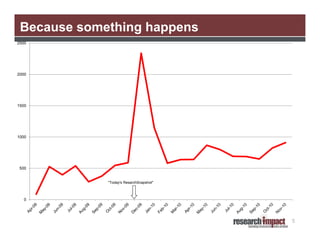
Because something happens
2500

2000

1500

1000

500

"Today's ResarchSnapshot"

0

5
Agenda
• What is Social Media?
• Overview of Select Tools
• Developing a Social Media Strategy
• Social Media and Grant Proposals

6
What is social media?

7
Social Media- Some Definitions
•

“A group of Internet based applications that build on the ideological and
technological foundations of Web 2.0, and that allow the creation and exchange
of user-generated content”

•

“Includes web-based and mobile technologies used to turn communication into
interactive dialogue”

•

“Online communications in which individuals shift fluidly and flexibly between
the role of audience and author. To do this, they use social software that
enables anyone without knowledge of coding, to post, comment on, share or
mash up content and to form communities around shared interests.”

Kaplan, A. M., & Haenlein, M. (2010).Users of the world, unite! The challenges and opportunities of social media. Business
Horizons,53(1), 59-68
Social media. (n.d.). In Wikipedia. Retrieved January 10, 2012, from http://en.wikipedia.org/wiki/Social_media
Thornley, J. (2008, April 8). What is “social media?”. Retrieved January 10, 2012 from ProPR blog http://propr.ca/2008/what-issocial-media/

8
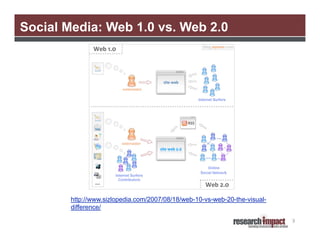
Social Media: Web 1.0 vs. Web 2.0

http://www.sizlopedia.com/2007/08/18/web-10-vs-web-20-the-visualdifference/
9
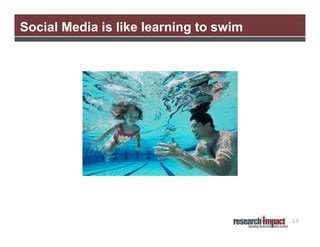
Social Media is like learning to swim

10
Overview of *select* tools

11
Blogging
• Allows you to share stories and information with
wider audience
• Way to promote research results, services, events
and activities
• Information you would put into a newsletter can go
into a blog
• Often a good way to get started using social media
• You don’t often get a lot of conversation with blogsit is more of a push type of communication

12
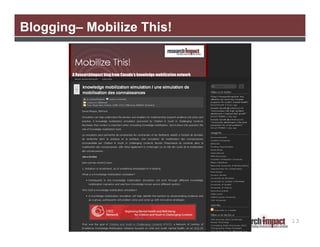
Blogging– Mobilize This!

13
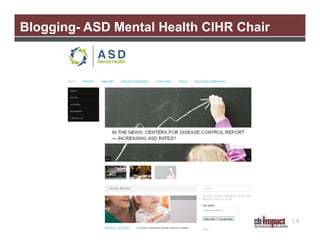
Blogging- ASD Mental Health CIHR Chair

14
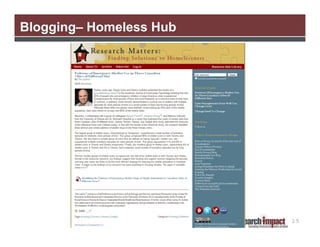
Blogging– Homeless Hub

15
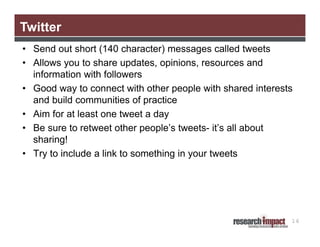
Twitter
• Send out short (140 character) messages called tweets
• Allows you to share updates, opinions, resources and
information with followers
• Good way to connect with other people with shared interests
and build communities of practice
• Aim for at least one tweet a day
• Be sure to retweet other people’s tweets- it’s all about
sharing!
• Try to include a link to something in your tweets

16
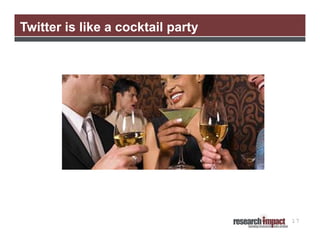
Twitter is like a cocktail party

17
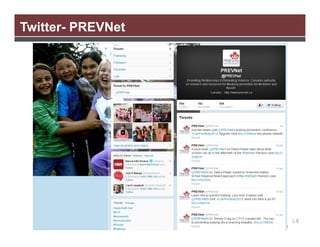
Twitter- PREVNet

18
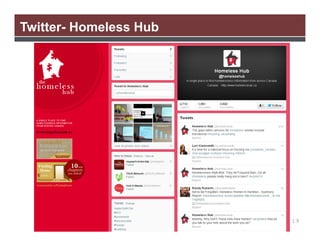
Twitter- Homeless Hub

19
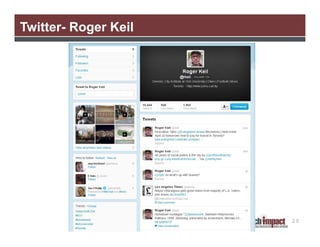
Twitter- Roger Keil

20
Facebook
• A fan page allows you to share updates, links, resources and
have discussions
• People can follow your updates and activities and post
questions or comments on your wall
• Includes facebook Insights which gives you some analytics
so you can see who is visiting your page
• Set up a vanity URL www.facebook.com/projectnamehere
• Set up a fan page and post updates there to keep it separate
from your personal facebook page
• If you decide to set up a facebook page, you need to post
daily and monitor for any comments
• If you are concerned about inappropriate comments, it is fine
to develop a policy that states that you will remove such
comments- post this on your About page

21
22
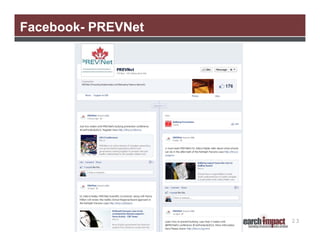
Facebook- PREVNet

23
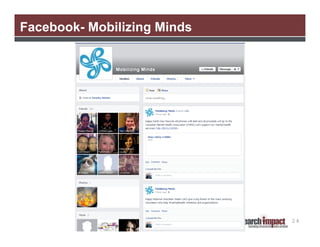
Facebook- Mobilizing Minds

24
LinkedIn
• Acts as an online resume or CV
• Allows you to connect with colleagues and
others in your field
• You can add your publications or projects to
your profile
• Good way to stay connected to people you
meet at conferences
• LinkedIn Groups are another way to
connect to others with similar interests
25
LinkedIn- Laurier Research Services

26
YouTube
• Videos are a great way to tell a research story
• Viewers are able to put a face to research
• You can create a channel for all of your
videos, as well as other favourited videos
• You can embed videos from YouTube onto
your blog or website easily
• Videos should not be longer than 3 minutes

27
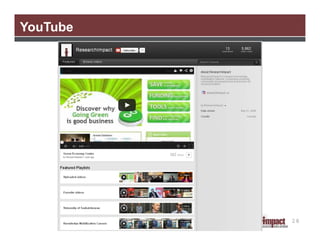
YouTube

28
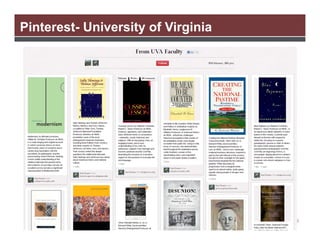
Pinterest- University of Virginia

29
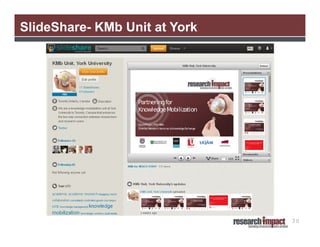
SlideShare- KMb Unit at York

30
Developing a social media strategy

31
Why Develop a Social Media Strategy?
Helps you:
• Avoid “shiny object” syndrome
• Plan in a thoughtful and strategic way
• Carefully consider what you will do before investing
time and resources
• Plan content and a schedule for releasing content
• Identify who will work on what when working in a
group setting
• Manage expectations

32
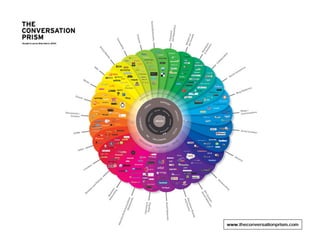
Social Media Landscape

33
Social Media Strategy Building
Need to consider:
• Team
• Primary Goals
• Audiences
• Current Conversation
• Selecting Tools
• Content
• Measuring Success
• Name and Design
• Evaluation
34
Team – who is going to do this?
• If you are working in a group setting, put together a
team of people to work on social media
• Identify the person or persons who will have primary
responsibility for populating, maintaining and
monitoring your site
• Ensure they have the time and enthusiasm to devote
to this project. List the team members
• Is this you?
35
Primary Goals
• What are you hoping to accomplish?
• Define your goal(s) for your social media presence
• Are you trying to communicate research results, find
partners to collaborate with, generally promote your
work?
• Keep in mind that you may want to do all of these
and may need to select a collection of tools
36
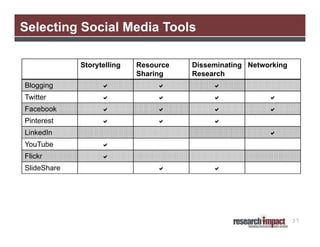
Selecting Social Media Tools
Storytelling

Resource
Sharing

Disseminating Networking
Research

Blogging







Twitter









Facebook









Pinterest







LinkedIn



YouTube



Flickr



SlideShare





37
Audiences
• Who do you hope to reach?
• Identifying your audiences will help you tailor your
content and also choose the right tool
• List your primary audiences

38
Hands On Exercise

Thinking of your work or project, work in pairs
and complete Sections 1-3 of the Developing a
Social Media Strategy Worksheet.

39
40
Current Conversation
• This is when the listening begins. Survey the social
media landscape for the “thought leaders” in your
field
• What are people already saying? Who is saying it?
What tools are they using?
• List the topics, people and sites that are leading the
conversations that are relevant to you
• This will help decide which tools to use and the type
of content to present
41
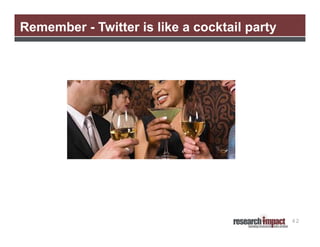
Remember - Twitter is like a cocktail party

42
• Now that you know your goals, audience and where
the current conversation is happening, you can start
thinking about which tools to use

Selecting Specific Tools

• At the beginning, it may be best to just pick a few
tools and concentrate on doing them well but you can
plan to add new ones in the future – pick the tools
your audience is already using
• Map out which tools you will use now and which you
will work towards using
43
Content
• What content will you share?
• Identify the content you already have to share, as
well as the content you plan to develop
• Is it primarily news updates, research developments,
or networking information? Photographs? Video?
• List the content you will be sharing via social media
• Also think about how often you will post content
44
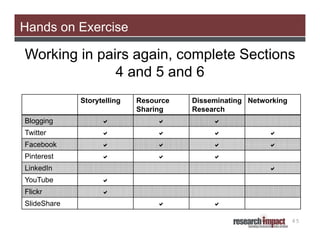
Hands on Exercise

Working in pairs again, complete Sections
4 and 5 and 6
Storytelling

Resource
Sharing

Disseminating Networking
Research

Blogging







Twitter









Facebook









Pinterest







LinkedIn



YouTube



Flickr



SlideShare




45
46
Measuring Success
• Determine how you will measure the success, or lack
of success, of your various social media tools
• Possible ways to measure include:
– Increased traffic to your website
– Better communication with prospective partners
– A new network of colleagues
– You can also count but remember that
engagement is more than just numbers
• List how you plan to measure each tool’s success,
and what you’ll use to track that success

47
Measuring Success
Tools you can use for tracking:
• Wordpress has built in analytics
• If you use twitter, you can use:
– TweetCounter, TweetStats or Klout to track
followers
– HootSuite also provides analytics
• Facebook has its Insights analytics
• If you pay for a professional account, you usually get
access to improved analytics and many tools offer a
discount to educational institutions like universities,
for example SlideShare
48
Name and Design
• Identify a simple and descriptive name for your profile
that clearly identifies your affiliation with your
university, research project or organization
• Do you already have a logo you can use? If not, do
you have a photo you can use as your logo?
• Try to use the same logo, photos and colour scheme
across all of your tools

49
Evaluation
• How will you know you are being successful?
• Set a timeline for when you will conduct an evaluation of your
tool’s success with your social media team members
• Consider:
– What’s working?
– What’s not working?
– Do we need to change anything?
– Are there any new tools we could be using?
• Ongoing evaluation should also be part of your strategy.
Define your timeline
50
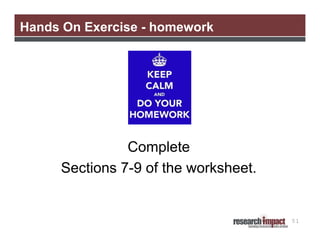
Hands On Exercise - homework

Complete
Sections 7-9 of the worksheet.

51
Grant proposals

52
Grant proposals
Things to keep in mind:
• Reserve research project naming rights on social media
• Develop a social media strategy before you start the research
project
– Stakeholders
– Social media channels stakeholders already use
– Blog instead of a newsletter

• Allocate money for developing videos, purchasing pro
accounts
• Make it someone’s job
• Social media strategy should support the knowledge
mobilization plan which should support the outcomes
statement and benefit to Canada (Australia?)
53
Resources

54
Resources
General Social Media
Bit.ly http://bit.ly
• URL shortener that lets you track who clicked on your links and creates a
QR code for your shortened link that you can add to print materials
Cambridge Community Television www.slideshare.net/cctvcambridge
• Good presentations on how to develop a social media strategy
The Conversation Prism www.theconversationprism.com
• Visual of many social media tools for various purposes
NameChk http://namechk.com/
• Let’s you see if your username is available on social networking sites
Nonprofit Social Network Benchmark Report 2012
http://nonprofitsocialnetworksurvey.com/index.php
• Report that summarizes how nonprofit organizations are using social
media and the top factors for success

55
Resources
General Social Media
Online Database of Social Media Policies
http://socialmediagovernance.com/policies.php
• Links to over 175 social media policies and guidelines in use by various
organizations, including many universities
SlideShare www.slideshare.net
• Post your presentations online and allows you to embed them on your
website
Vanderbilt University Social Media Handbook
http://web.vanderbilt.edu/resources/social-media-handbook/
• Very good resources on how to create a social media strategy and how to
start using various tools
York University Social Media Guidelines
http://www.yorku.ca/yorkweb/standards/documents/yu-social-mediastandards_may2012_r3.pdf

56
Resources
Facebook
HOW TO: Set up a facebook Page http://mashable.com/2011/05/22/how-tofacebook-page/
• Includes step by step instructions to set up a fan page
Twitter
10 Ways Researchers Can Use Twitter
http://www.networkedresearcher.co.uk/2011/08/03/10-ways-researcherscan-use-twitter/
Introduction to Social Media Measurement with HootSuite
http://www.slideshare.net/hootsuite/introduction-to-social-mediameasurement-with-hootsuite-7919595

57
Resources
Twitter
LSE Guide to Using twitter in University Research, Teaching and Impact
Activites http://blogs.lse.ac.uk/impactofsocialsciences/2011/09/29/twitterguide
TweetBackup http://tweetbackup.com
• Twitter doesn’t archive tweets but you can backup your tweets and export
them to Excel with this tool
TweetChat http://tweetchat.com/
• Allows you to have a tweetup, a kind of twitter “conference call”, using
hashtags. This tool with show only conversations with your chosen
hashtag
TweetStats http://tweetstats.com
• Show some statistics and analytics on your tweets. Also can create a word
cloud of all the words you tweet
58
Resources
Twitter
Twuffer http://twuffer.com/
• Allows to you schedule in tweets for a later time. Good to use if you are
going to be away or plan to tweet daily about a resource, eg.
ResearchSnapshots
Twitter Help Center http://support.twitter.com/
• Articles to get you started, as well as information about solving common
problems and how to report a violation
Using Twitter for Research https://www.martineve.com/2011/05/23/usingtwitter-for-research/
• A Prezi presentation outlining ways to use twitter aimed at researchers

59
David Phipps, Executive Director
Research & Innovation Services
dphipps@yorku.ca @researchimpact
Website
www.researchimpact.ca

SlideShare
www.slideshare.net/KMbYork

Twitter
twitter.com/KMbYork
twitter.com/researchimpact

YouTube
www.slideshare.net/KMbYork

Mobilize This! Blog
researchimpact.wordpress.com
O3 Space
researchimpact.othree.ca

Delicious
delicious.com/researchimpact

TICHR Social Media Workshop, Nov 9, 2013

  • 1.
    Social Media forResearch David Phipps, PhD, MBA, Executive Director Research & Innovation Services York University @researchimpact
  • 2.
    Knowledge Mobilization Translation community community HOW KnowledgeMobilization collaboration Social Innovation WHAT campus campus Knowledge mobilization helps make research useful to society 2
  • 3.
    Why Use SocialMedia? • Disseminate knowledge and research in an iterative and interactive way • Build communities for partnerships, collaboration and sharing • Get academic research into the hands of people who can use it Image adapted from http://webbiquity.com/social-media-marketing/the-four-cs-of-social-media-marketing/ 3
  • 4.
    Everyone is onsocial media (aren’t they?) 4
  • 5.
  • 6.
    Agenda • What isSocial Media? • Overview of Select Tools • Developing a Social Media Strategy • Social Media and Grant Proposals 6
  • 7.
  • 8.
    Social Media- SomeDefinitions • “A group of Internet based applications that build on the ideological and technological foundations of Web 2.0, and that allow the creation and exchange of user-generated content” • “Includes web-based and mobile technologies used to turn communication into interactive dialogue” • “Online communications in which individuals shift fluidly and flexibly between the role of audience and author. To do this, they use social software that enables anyone without knowledge of coding, to post, comment on, share or mash up content and to form communities around shared interests.” Kaplan, A. M., & Haenlein, M. (2010).Users of the world, unite! The challenges and opportunities of social media. Business Horizons,53(1), 59-68 Social media. (n.d.). In Wikipedia. Retrieved January 10, 2012, from http://en.wikipedia.org/wiki/Social_media Thornley, J. (2008, April 8). What is “social media?”. Retrieved January 10, 2012 from ProPR blog http://propr.ca/2008/what-issocial-media/ 8
  • 9.
    Social Media: Web1.0 vs. Web 2.0 http://www.sizlopedia.com/2007/08/18/web-10-vs-web-20-the-visualdifference/ 9
  • 10.
    Social Media islike learning to swim 10
  • 11.
  • 12.
    Blogging • Allows youto share stories and information with wider audience • Way to promote research results, services, events and activities • Information you would put into a newsletter can go into a blog • Often a good way to get started using social media • You don’t often get a lot of conversation with blogsit is more of a push type of communication 12
  • 13.
  • 14.
    Blogging- ASD MentalHealth CIHR Chair 14
  • 15.
  • 16.
    Twitter • Send outshort (140 character) messages called tweets • Allows you to share updates, opinions, resources and information with followers • Good way to connect with other people with shared interests and build communities of practice • Aim for at least one tweet a day • Be sure to retweet other people’s tweets- it’s all about sharing! • Try to include a link to something in your tweets 16
  • 17.
    Twitter is likea cocktail party 17
  • 18.
  • 19.
  • 20.
  • 21.
    Facebook • A fanpage allows you to share updates, links, resources and have discussions • People can follow your updates and activities and post questions or comments on your wall • Includes facebook Insights which gives you some analytics so you can see who is visiting your page • Set up a vanity URL www.facebook.com/projectnamehere • Set up a fan page and post updates there to keep it separate from your personal facebook page • If you decide to set up a facebook page, you need to post daily and monitor for any comments • If you are concerned about inappropriate comments, it is fine to develop a policy that states that you will remove such comments- post this on your About page 21
  • 22.
  • 23.
  • 24.
  • 25.
    LinkedIn • Acts asan online resume or CV • Allows you to connect with colleagues and others in your field • You can add your publications or projects to your profile • Good way to stay connected to people you meet at conferences • LinkedIn Groups are another way to connect to others with similar interests 25
  • 26.
  • 27.
    YouTube • Videos area great way to tell a research story • Viewers are able to put a face to research • You can create a channel for all of your videos, as well as other favourited videos • You can embed videos from YouTube onto your blog or website easily • Videos should not be longer than 3 minutes 27
  • 28.
  • 29.
  • 30.
  • 31.
    Developing a socialmedia strategy 31
  • 32.
    Why Develop aSocial Media Strategy? Helps you: • Avoid “shiny object” syndrome • Plan in a thoughtful and strategic way • Carefully consider what you will do before investing time and resources • Plan content and a schedule for releasing content • Identify who will work on what when working in a group setting • Manage expectations 32
  • 33.
  • 34.
    Social Media StrategyBuilding Need to consider: • Team • Primary Goals • Audiences • Current Conversation • Selecting Tools • Content • Measuring Success • Name and Design • Evaluation 34
  • 35.
    Team – whois going to do this? • If you are working in a group setting, put together a team of people to work on social media • Identify the person or persons who will have primary responsibility for populating, maintaining and monitoring your site • Ensure they have the time and enthusiasm to devote to this project. List the team members • Is this you? 35
  • 36.
    Primary Goals • Whatare you hoping to accomplish? • Define your goal(s) for your social media presence • Are you trying to communicate research results, find partners to collaborate with, generally promote your work? • Keep in mind that you may want to do all of these and may need to select a collection of tools 36
  • 37.
    Selecting Social MediaTools Storytelling Resource Sharing Disseminating Networking Research Blogging    Twitter     Facebook     Pinterest    LinkedIn  YouTube  Flickr  SlideShare   37
  • 38.
    Audiences • Who doyou hope to reach? • Identifying your audiences will help you tailor your content and also choose the right tool • List your primary audiences 38
  • 39.
    Hands On Exercise Thinkingof your work or project, work in pairs and complete Sections 1-3 of the Developing a Social Media Strategy Worksheet. 39
  • 40.
  • 41.
    Current Conversation • Thisis when the listening begins. Survey the social media landscape for the “thought leaders” in your field • What are people already saying? Who is saying it? What tools are they using? • List the topics, people and sites that are leading the conversations that are relevant to you • This will help decide which tools to use and the type of content to present 41
  • 42.
    Remember - Twitteris like a cocktail party 42
  • 43.
    • Now thatyou know your goals, audience and where the current conversation is happening, you can start thinking about which tools to use Selecting Specific Tools • At the beginning, it may be best to just pick a few tools and concentrate on doing them well but you can plan to add new ones in the future – pick the tools your audience is already using • Map out which tools you will use now and which you will work towards using 43
  • 44.
    Content • What contentwill you share? • Identify the content you already have to share, as well as the content you plan to develop • Is it primarily news updates, research developments, or networking information? Photographs? Video? • List the content you will be sharing via social media • Also think about how often you will post content 44
  • 45.
    Hands on Exercise Workingin pairs again, complete Sections 4 and 5 and 6 Storytelling Resource Sharing Disseminating Networking Research Blogging    Twitter     Facebook     Pinterest    LinkedIn  YouTube  Flickr  SlideShare   45
  • 46.
  • 47.
    Measuring Success • Determinehow you will measure the success, or lack of success, of your various social media tools • Possible ways to measure include: – Increased traffic to your website – Better communication with prospective partners – A new network of colleagues – You can also count but remember that engagement is more than just numbers • List how you plan to measure each tool’s success, and what you’ll use to track that success 47
  • 48.
    Measuring Success Tools youcan use for tracking: • Wordpress has built in analytics • If you use twitter, you can use: – TweetCounter, TweetStats or Klout to track followers – HootSuite also provides analytics • Facebook has its Insights analytics • If you pay for a professional account, you usually get access to improved analytics and many tools offer a discount to educational institutions like universities, for example SlideShare 48
  • 49.
    Name and Design •Identify a simple and descriptive name for your profile that clearly identifies your affiliation with your university, research project or organization • Do you already have a logo you can use? If not, do you have a photo you can use as your logo? • Try to use the same logo, photos and colour scheme across all of your tools 49
  • 50.
    Evaluation • How willyou know you are being successful? • Set a timeline for when you will conduct an evaluation of your tool’s success with your social media team members • Consider: – What’s working? – What’s not working? – Do we need to change anything? – Are there any new tools we could be using? • Ongoing evaluation should also be part of your strategy. Define your timeline 50
  • 51.
    Hands On Exercise- homework Complete Sections 7-9 of the worksheet. 51
  • 52.
  • 53.
    Grant proposals Things tokeep in mind: • Reserve research project naming rights on social media • Develop a social media strategy before you start the research project – Stakeholders – Social media channels stakeholders already use – Blog instead of a newsletter • Allocate money for developing videos, purchasing pro accounts • Make it someone’s job • Social media strategy should support the knowledge mobilization plan which should support the outcomes statement and benefit to Canada (Australia?) 53
  • 54.
  • 55.
    Resources General Social Media Bit.lyhttp://bit.ly • URL shortener that lets you track who clicked on your links and creates a QR code for your shortened link that you can add to print materials Cambridge Community Television www.slideshare.net/cctvcambridge • Good presentations on how to develop a social media strategy The Conversation Prism www.theconversationprism.com • Visual of many social media tools for various purposes NameChk http://namechk.com/ • Let’s you see if your username is available on social networking sites Nonprofit Social Network Benchmark Report 2012 http://nonprofitsocialnetworksurvey.com/index.php • Report that summarizes how nonprofit organizations are using social media and the top factors for success 55
  • 56.
    Resources General Social Media OnlineDatabase of Social Media Policies http://socialmediagovernance.com/policies.php • Links to over 175 social media policies and guidelines in use by various organizations, including many universities SlideShare www.slideshare.net • Post your presentations online and allows you to embed them on your website Vanderbilt University Social Media Handbook http://web.vanderbilt.edu/resources/social-media-handbook/ • Very good resources on how to create a social media strategy and how to start using various tools York University Social Media Guidelines http://www.yorku.ca/yorkweb/standards/documents/yu-social-mediastandards_may2012_r3.pdf 56
  • 57.
    Resources Facebook HOW TO: Setup a facebook Page http://mashable.com/2011/05/22/how-tofacebook-page/ • Includes step by step instructions to set up a fan page Twitter 10 Ways Researchers Can Use Twitter http://www.networkedresearcher.co.uk/2011/08/03/10-ways-researcherscan-use-twitter/ Introduction to Social Media Measurement with HootSuite http://www.slideshare.net/hootsuite/introduction-to-social-mediameasurement-with-hootsuite-7919595 57
  • 58.
    Resources Twitter LSE Guide toUsing twitter in University Research, Teaching and Impact Activites http://blogs.lse.ac.uk/impactofsocialsciences/2011/09/29/twitterguide TweetBackup http://tweetbackup.com • Twitter doesn’t archive tweets but you can backup your tweets and export them to Excel with this tool TweetChat http://tweetchat.com/ • Allows you to have a tweetup, a kind of twitter “conference call”, using hashtags. This tool with show only conversations with your chosen hashtag TweetStats http://tweetstats.com • Show some statistics and analytics on your tweets. Also can create a word cloud of all the words you tweet 58
  • 59.
    Resources Twitter Twuffer http://twuffer.com/ • Allowsto you schedule in tweets for a later time. Good to use if you are going to be away or plan to tweet daily about a resource, eg. ResearchSnapshots Twitter Help Center http://support.twitter.com/ • Articles to get you started, as well as information about solving common problems and how to report a violation Using Twitter for Research https://www.martineve.com/2011/05/23/usingtwitter-for-research/ • A Prezi presentation outlining ways to use twitter aimed at researchers 59
  • 60.
    David Phipps, ExecutiveDirector Research & Innovation Services dphipps@yorku.ca @researchimpact Website www.researchimpact.ca SlideShare www.slideshare.net/KMbYork Twitter twitter.com/KMbYork twitter.com/researchimpact YouTube www.slideshare.net/KMbYork Mobilize This! Blog researchimpact.wordpress.com O3 Space researchimpact.othree.ca Delicious delicious.com/researchimpact