Think like a librarianDatabase tips & tricksMILI 2009LeAnn Suchy, Metronetleann@metronet.lib.mn.ushttp://www.flickr.com/photos/fabi_k/3546466770/
Visible versus Invisible Web“Visible Web”  (often called “Surface Web”)Stuff you find via search engines like Google, Yahoo, Bing, etc.“Invisible Web” (often called “Hidden Web” or “Deep Web”)Things not searchable by regular search enginesSubscription databases
Visible WebLast year Google indexed its trillionth webpage (1 trillion unique URLs)Google has indexed about half of the Visible WebResults are relevancy rankedOver 200 factors determine relevancyPopularity is a large factorHits a page gets is another factor
Invisible WebInvisible Web is anywhere from 100 to 500 times bigger than the Visible Web (or even bigger?)Search engines like Google can’t index the Invisible Web because:Items found via a queryPasswords
Invisible Web is importantSearch engine relevancy rankings for Visible Web sometimes aren’t all that relevantSome tools to help navigate Visible Web to find better resources:Librarians Internet Index: http://lii.org/Infomine: http://infomine.ucr.edu/More for higher ed, but might be helpfulInvisible Web is way larger than Visible Web and has a lot more credible sources
How do I find Invisible Web?Think DATABASESDatabase through the government, libraries and state of MNDatabases through your schoolToday we’re focusing on:  ELM databases (ELM = Electronic Library for MN)
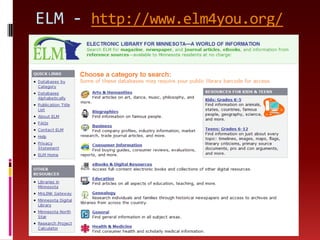
ELM - http://www.elm4you.org/
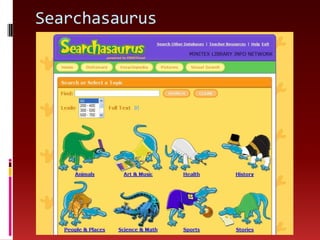
Searchasaurus
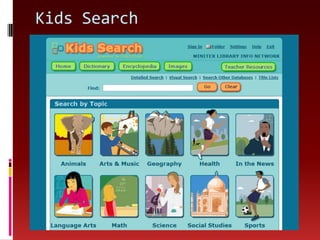
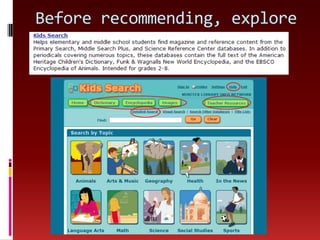
Kids Search
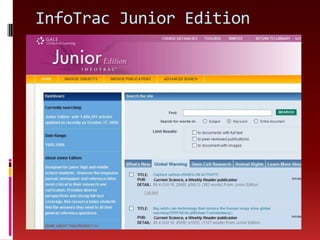
InfoTrac Junior Edition
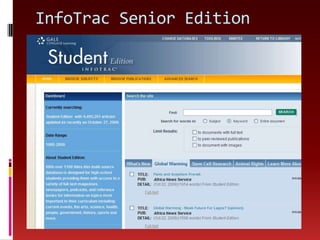
InfoTrac Senior Edition
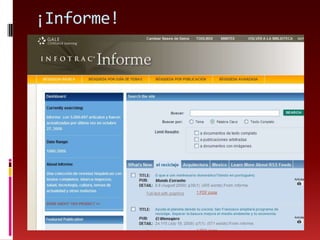
¡Informe!
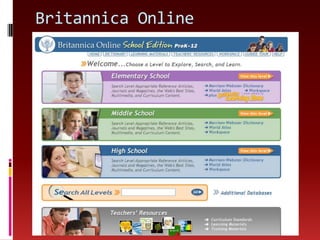
Britannica Online
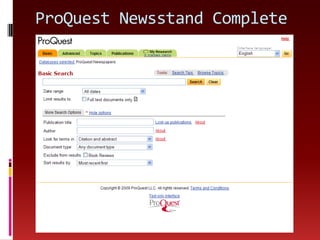
ProQuest Newsstand Complete
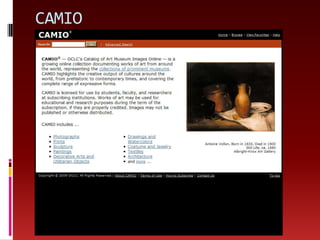
CAMIO
Many moreAlmost50 ELM databasesMore databases available through your school, so talk to your media specialistAnd now, think like a librarian…
Before recommending, exploreAsk these questions of the database:What type of content is provided?How many publications are included? Years?How frequently is it updated?What navigational tools are provided?Are there tutorials? A help section? Search tips?How are search results displayed?Can I save, email or print articles? RSS feeds?Which students would best be served by this? These questions and more are on Database Exploration Checklist
Before recommending, explore
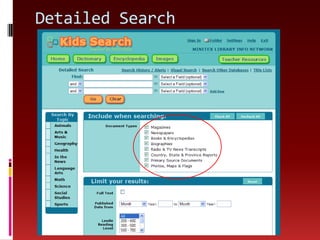
Detailed Search
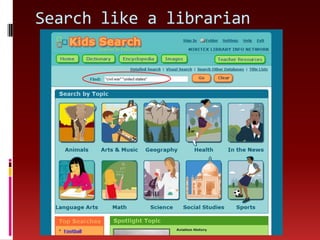
Search like a librarian
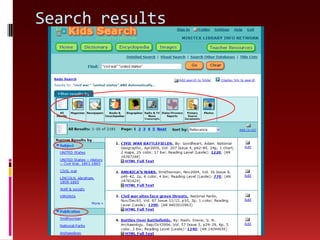
Search results
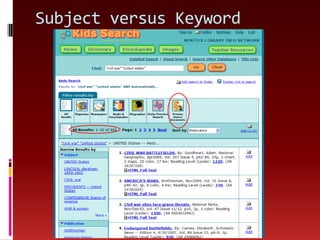
Subject versus Keyword
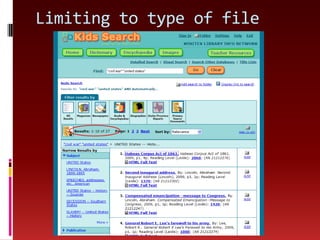
Limiting to type of file
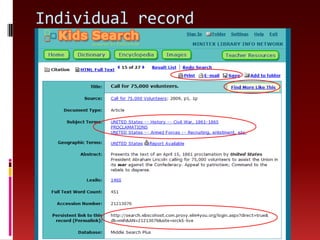
Individual record
Between now and our meetingCheck out the information under Month 3 in the wiki, including the Database Exploration Checklist worksheetGo into the ELM databases (or databases linked from your school library) and use the worksheet to analyze a couple databasesBlog about your experiences using the databasesWhen we meet in-person: Be ready to tell us about databases you think might be helpful for you and/or your students

Think Like A Librarian

  • 1.
    Think like alibrarianDatabase tips & tricksMILI 2009LeAnn Suchy, Metronetleann@metronet.lib.mn.ushttp://www.flickr.com/photos/fabi_k/3546466770/
  • 2.
    Visible versus InvisibleWeb“Visible Web” (often called “Surface Web”)Stuff you find via search engines like Google, Yahoo, Bing, etc.“Invisible Web” (often called “Hidden Web” or “Deep Web”)Things not searchable by regular search enginesSubscription databases
  • 3.
    Visible WebLast yearGoogle indexed its trillionth webpage (1 trillion unique URLs)Google has indexed about half of the Visible WebResults are relevancy rankedOver 200 factors determine relevancyPopularity is a large factorHits a page gets is another factor
  • 4.
    Invisible WebInvisible Webis anywhere from 100 to 500 times bigger than the Visible Web (or even bigger?)Search engines like Google can’t index the Invisible Web because:Items found via a queryPasswords
  • 5.
    Invisible Web isimportantSearch engine relevancy rankings for Visible Web sometimes aren’t all that relevantSome tools to help navigate Visible Web to find better resources:Librarians Internet Index: http://lii.org/Infomine: http://infomine.ucr.edu/More for higher ed, but might be helpfulInvisible Web is way larger than Visible Web and has a lot more credible sources
  • 6.
    How do Ifind Invisible Web?Think DATABASESDatabase through the government, libraries and state of MNDatabases through your schoolToday we’re focusing on: ELM databases (ELM = Electronic Library for MN)
  • 7.
  • 8.
  • 9.
  • 10.
  • 11.
  • 12.
  • 13.
  • 14.
  • 15.
  • 16.
    Many moreAlmost50 ELMdatabasesMore databases available through your school, so talk to your media specialistAnd now, think like a librarian…
  • 17.
    Before recommending, exploreAskthese questions of the database:What type of content is provided?How many publications are included? Years?How frequently is it updated?What navigational tools are provided?Are there tutorials? A help section? Search tips?How are search results displayed?Can I save, email or print articles? RSS feeds?Which students would best be served by this? These questions and more are on Database Exploration Checklist
  • 18.
  • 19.
  • 20.
    Search like alibrarian
  • 21.
  • 22.
  • 23.
  • 24.
  • 25.
    Between now andour meetingCheck out the information under Month 3 in the wiki, including the Database Exploration Checklist worksheetGo into the ELM databases (or databases linked from your school library) and use the worksheet to analyze a couple databasesBlog about your experiences using the databasesWhen we meet in-person: Be ready to tell us about databases you think might be helpful for you and/or your students