BIZ 2401 and the
Library
World of resources at your fingertips

Professor Traci Welch Moritz
Public Services Librarian/Assistant Professor
Heterick Memorial Library
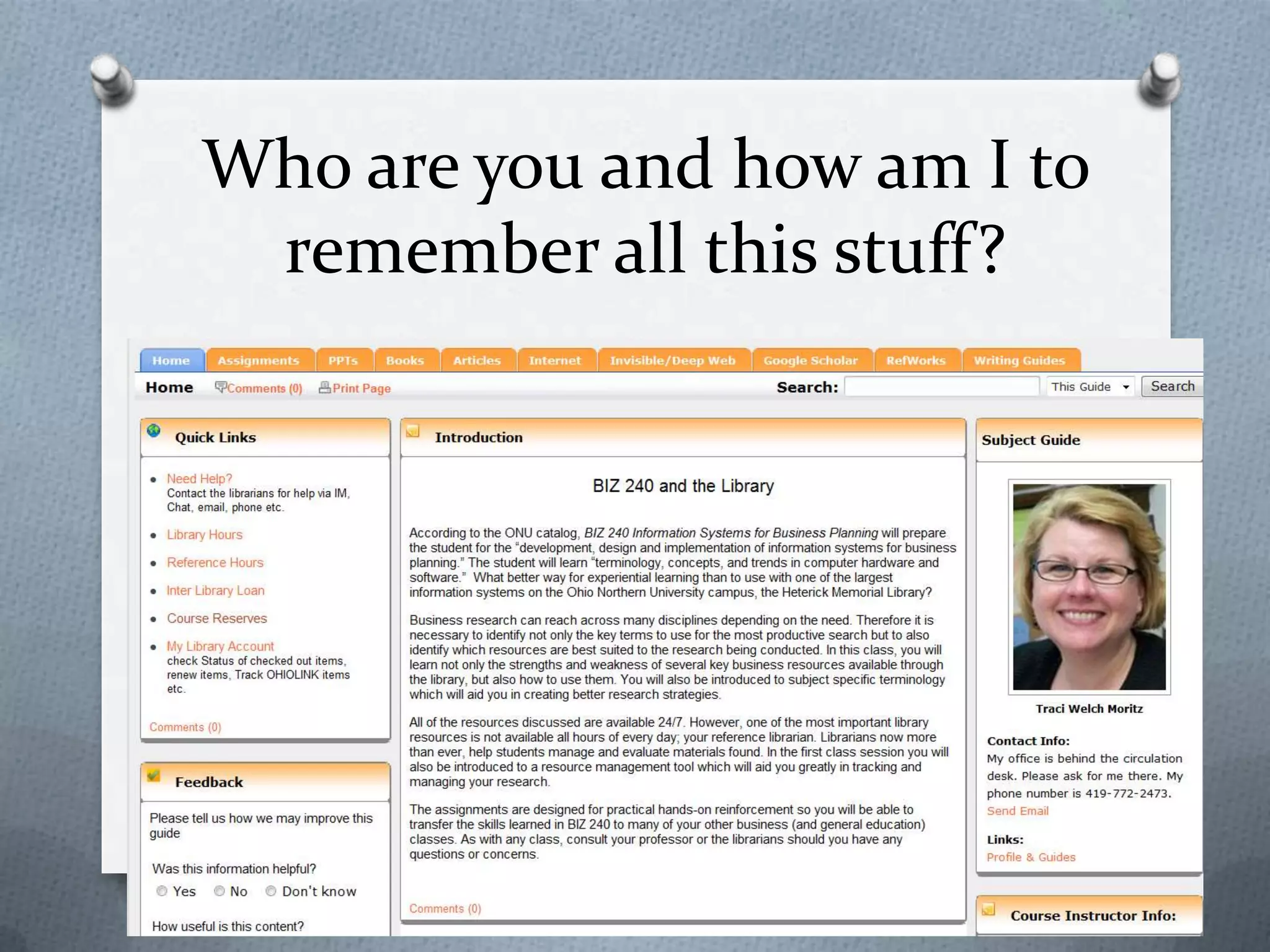
Who are you and how am I to
remember all this stuff?
Goals for Today
1. Overview of library information
systems
2. Specific tools for accessing
information
• Catalogs
• Databases
• Internet
• Bibliographic citation software
3. Accessing periodicals
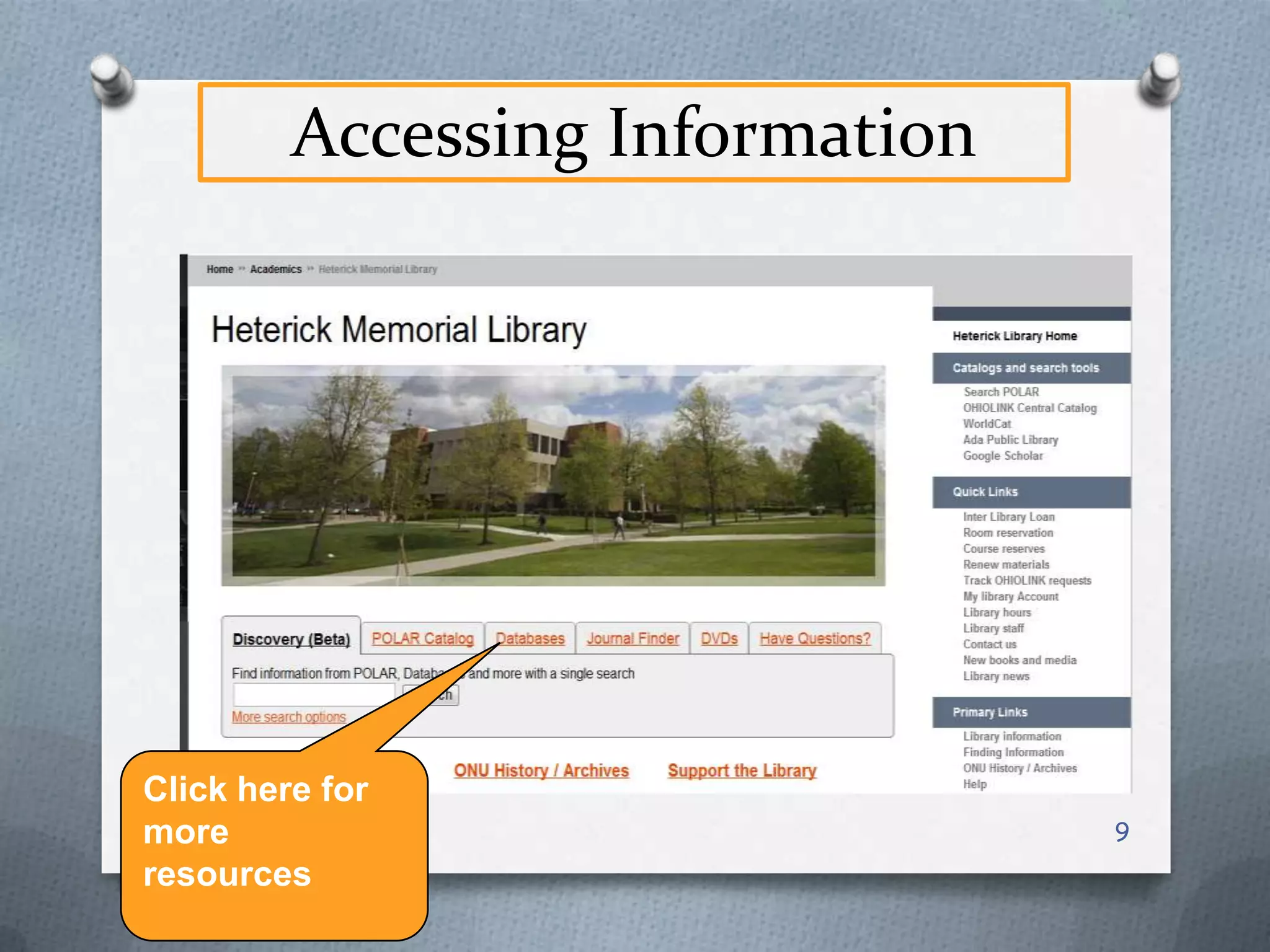
Accessing Information
O Catalogs – for locating

books, maps, musical scores, govt.
documents, etc.

O Databases – usually for locating

magazine and newspaper
articles, but may cover other
materials as well

O Internet – digital content, mostly in

the public domain (not commercial
materials)
Catalogs
O Massive collections of data which

allow for retrieval
O Organized
O Fully indexed
O Allows for sophisticated searching
O Target audience
O Shows access points
O Updated every second of every
day
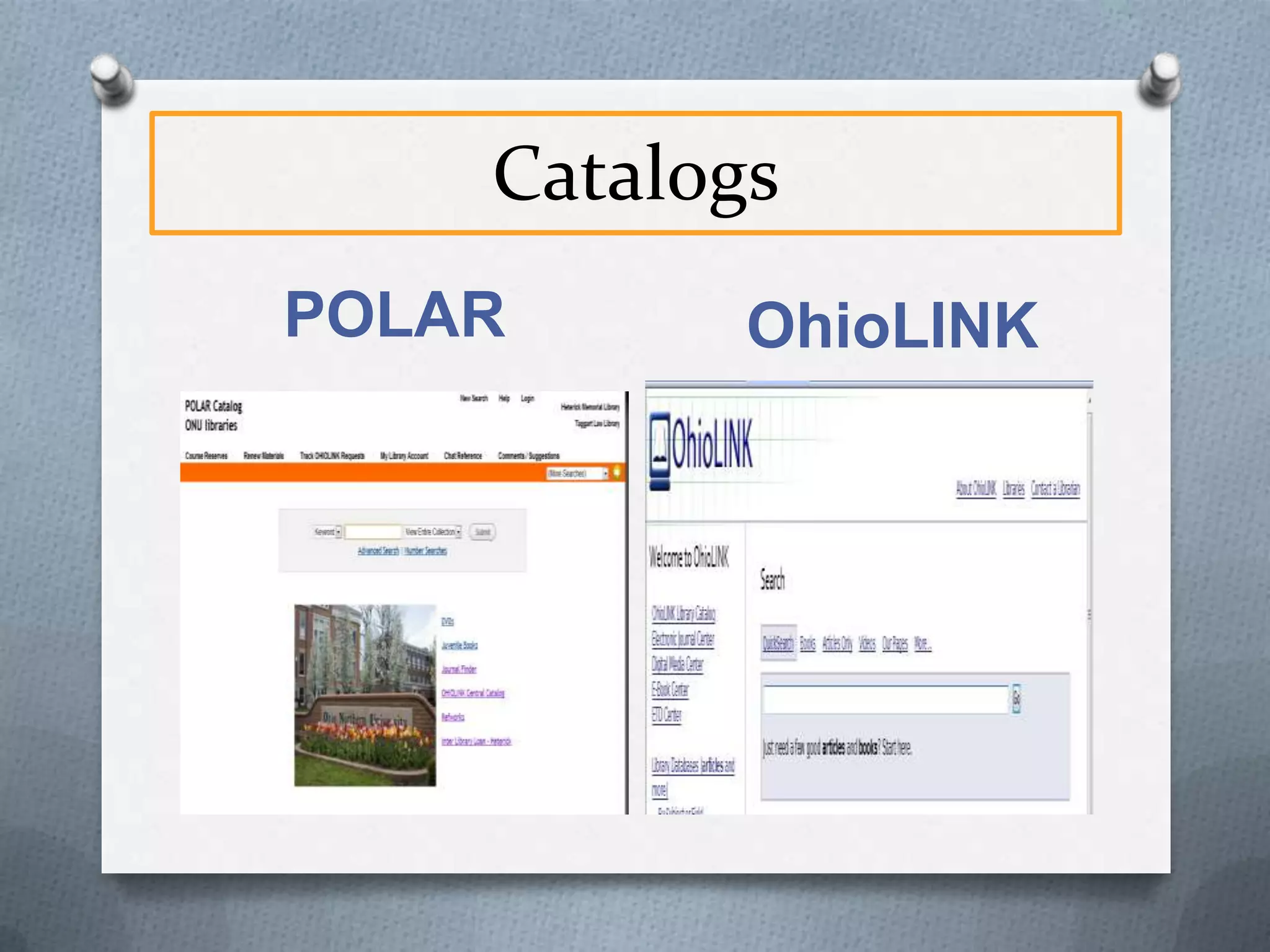
Catalogs
POLAR

OhioLINK
Databases
O Massive collections of data which allow for
O
O
O
O
O
O
O

retrieval
Organized
Fully indexed
Allows for sophisticated searching
Target audience
Selected content
Not free to the library but free to users
Updated periodically
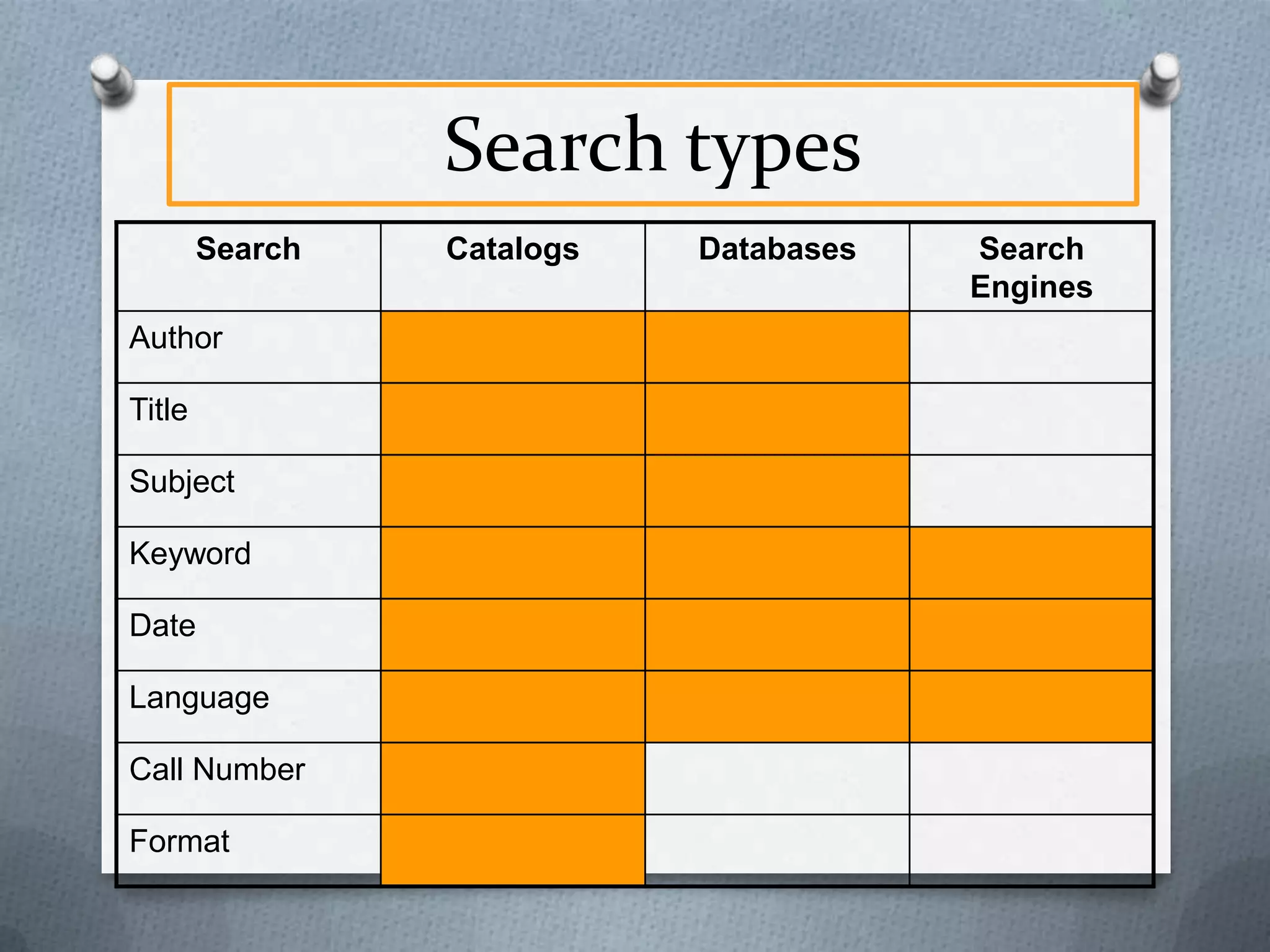
Search types
Search
Author
Title
Subject
Keyword
Date
Language
Call Number
Format

Catalogs

Databases

Search
Engines
Accessing Information

Click here for
more
resources

9
SEARCH
What is included?
O POLAR
O Article-level searching for all

EBSCO databases
O Article-level searching for a variety
of other databases: JSTOR,
Hoover’s, AccessPharmacy, etc.
O Title-level searching for most other
databases: IEEE, CIAO, Proquest
Nursing & Allied Health
O OhioLink central catalog
Results: Full Text, Polar
Results: OhioLink
Results: Find It @ ONU
Results: ILL
Facets: Limit Your Results
Things to Remember
O Facets are your Friend: After you

search, limit your results to what
you really want
O A tool not a solution: This is not
the solution to everything
O Ask the librarians for help
O There will still be some small
changes coming
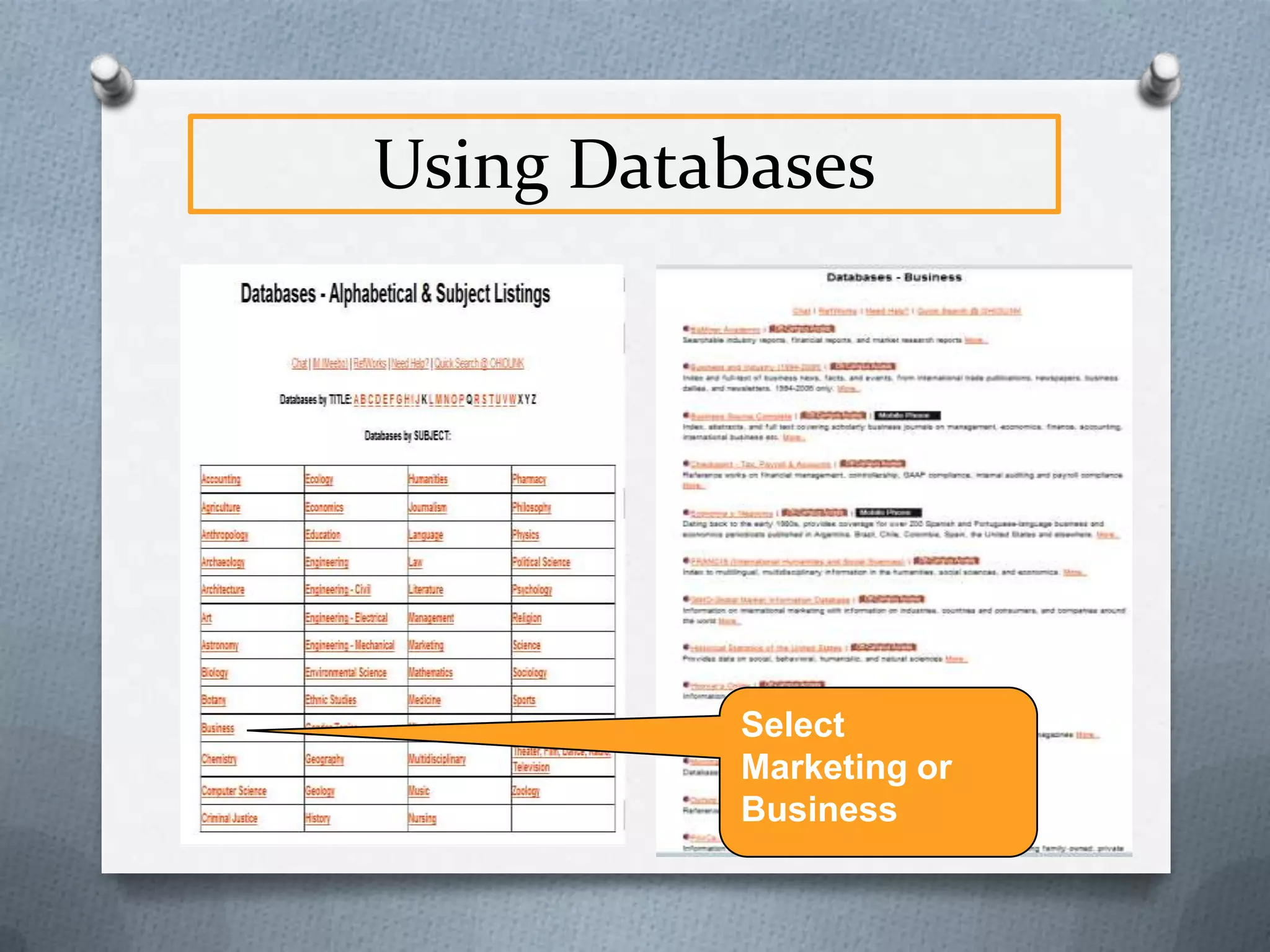
Using Databases
Select
Marketing or
Business
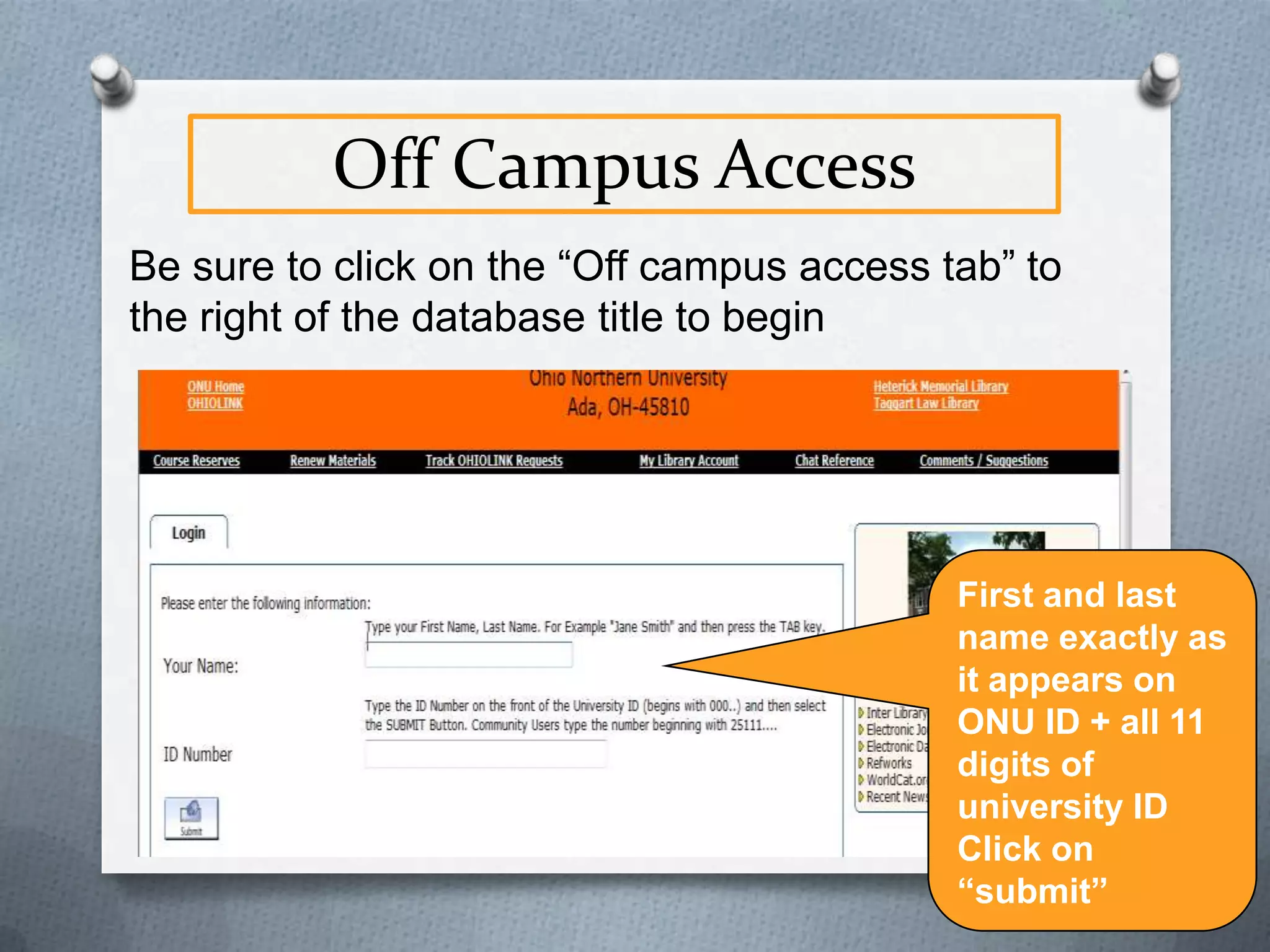
Off Campus Access
Be sure to click on the “Off campus access tab” to
the right of the database title to begin

First and last
name exactly as
it appears on
ONU ID + all 11
digits of
university ID
Click on
“submit”
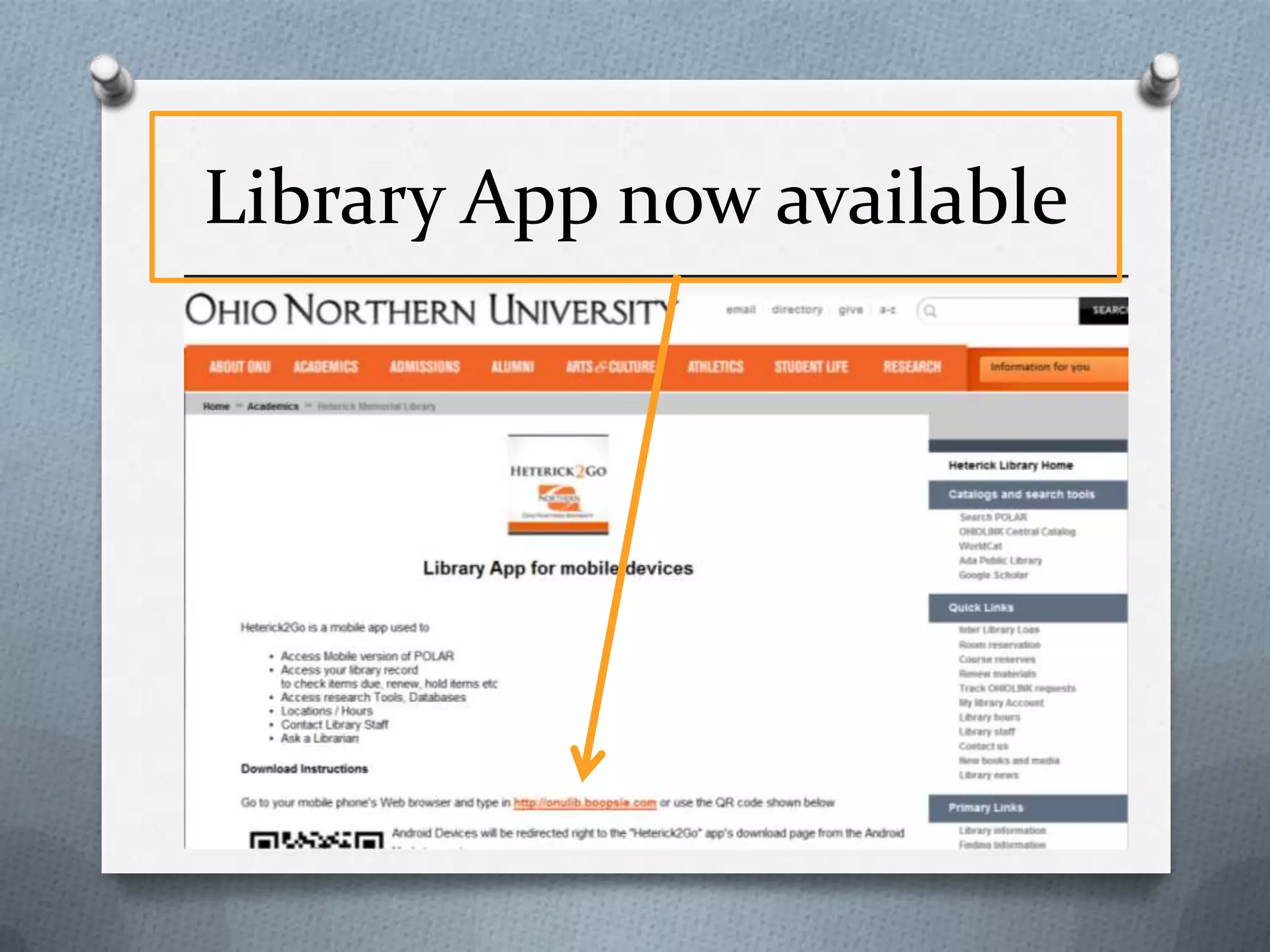
Library App now available
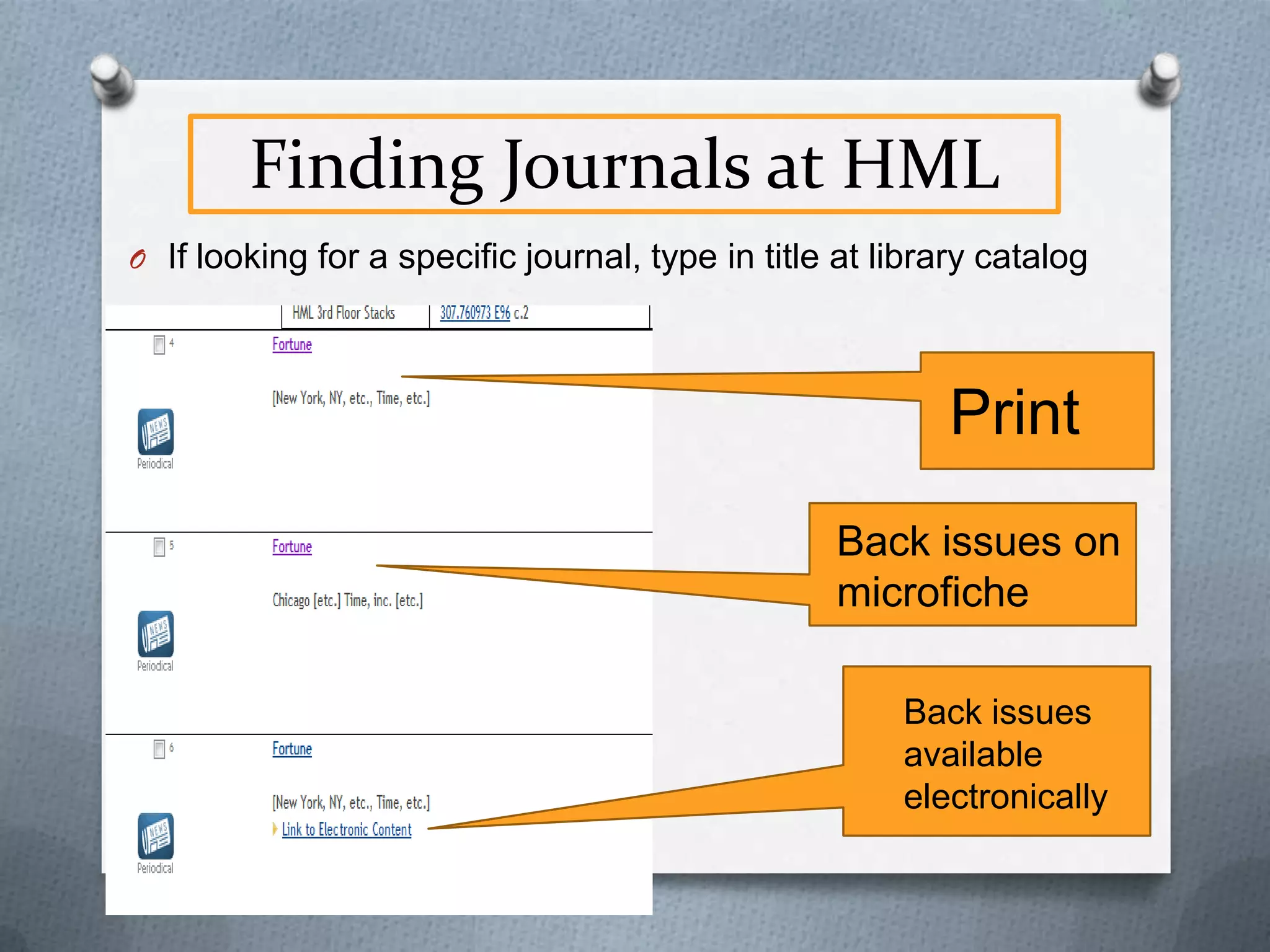
Finding Journals at HML
O If looking for a specific journal, type in title at library catalog

Print
Back issues on
microfiche
Back issues
available
electronically
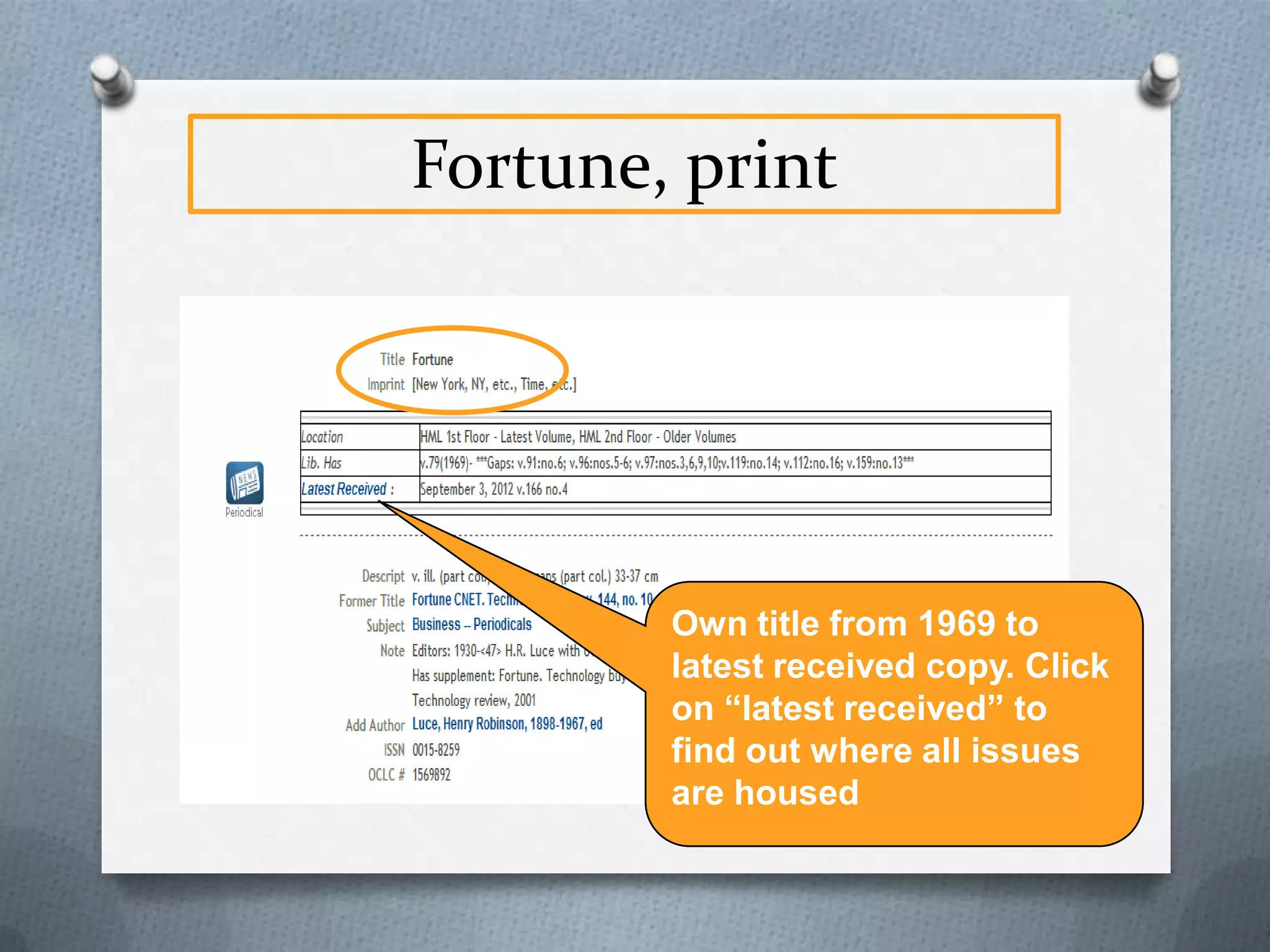
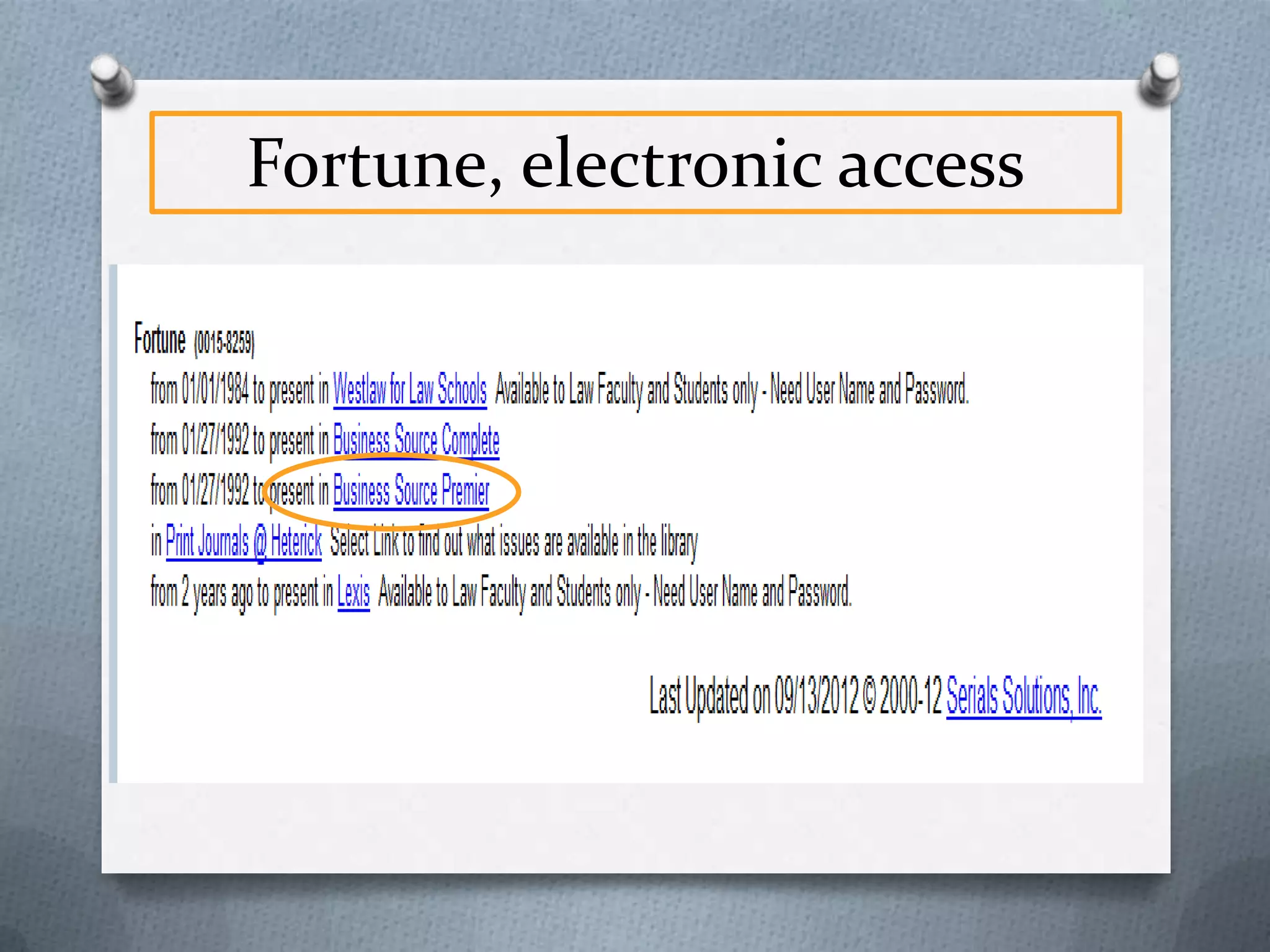
Fortune, print

Own title from 1969 to
latest received copy. Click
on “latest received” to
find out where all issues
are housed
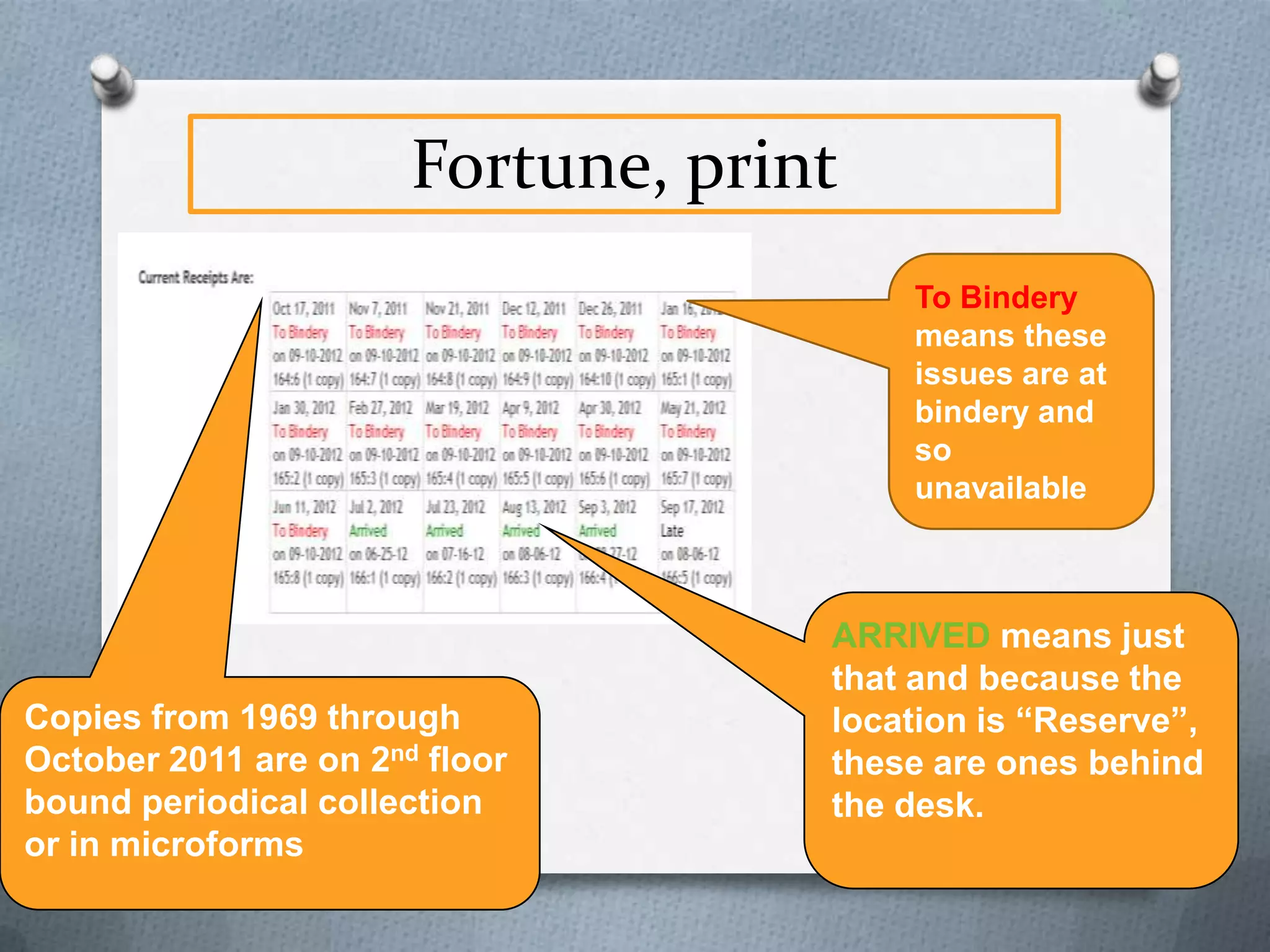
Fortune, print
BND PRP
means these
issues are at
bindery and so
unavailable

Copies from 1969 through
September 2010 are on 2nd
floor bound periodical
collection or in microforms

ARRIVED means just
that and because the
location is “Reserve”,
these are ones behind
the desk.
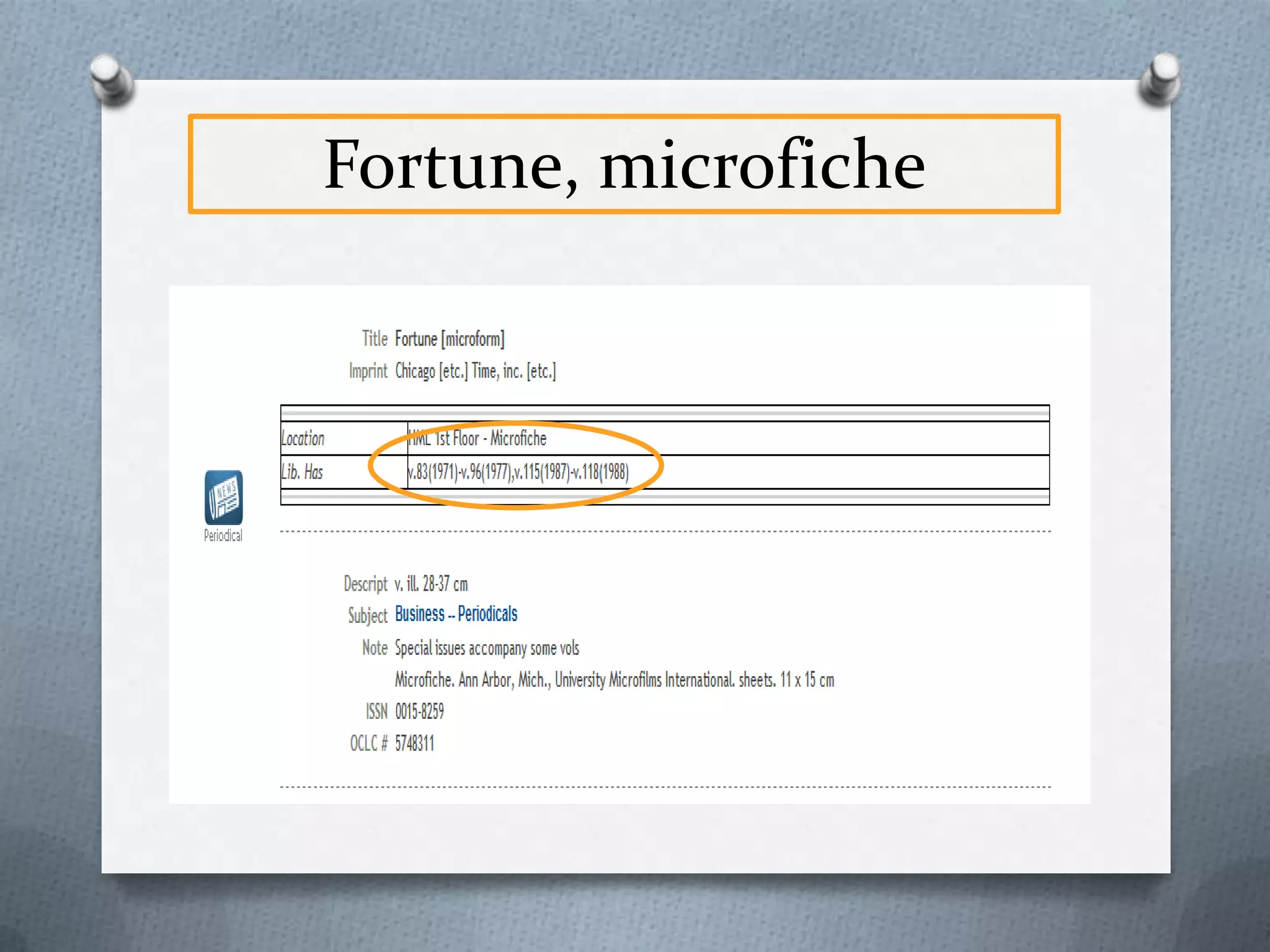
Fortune, microfiche
Fortune, electronic access
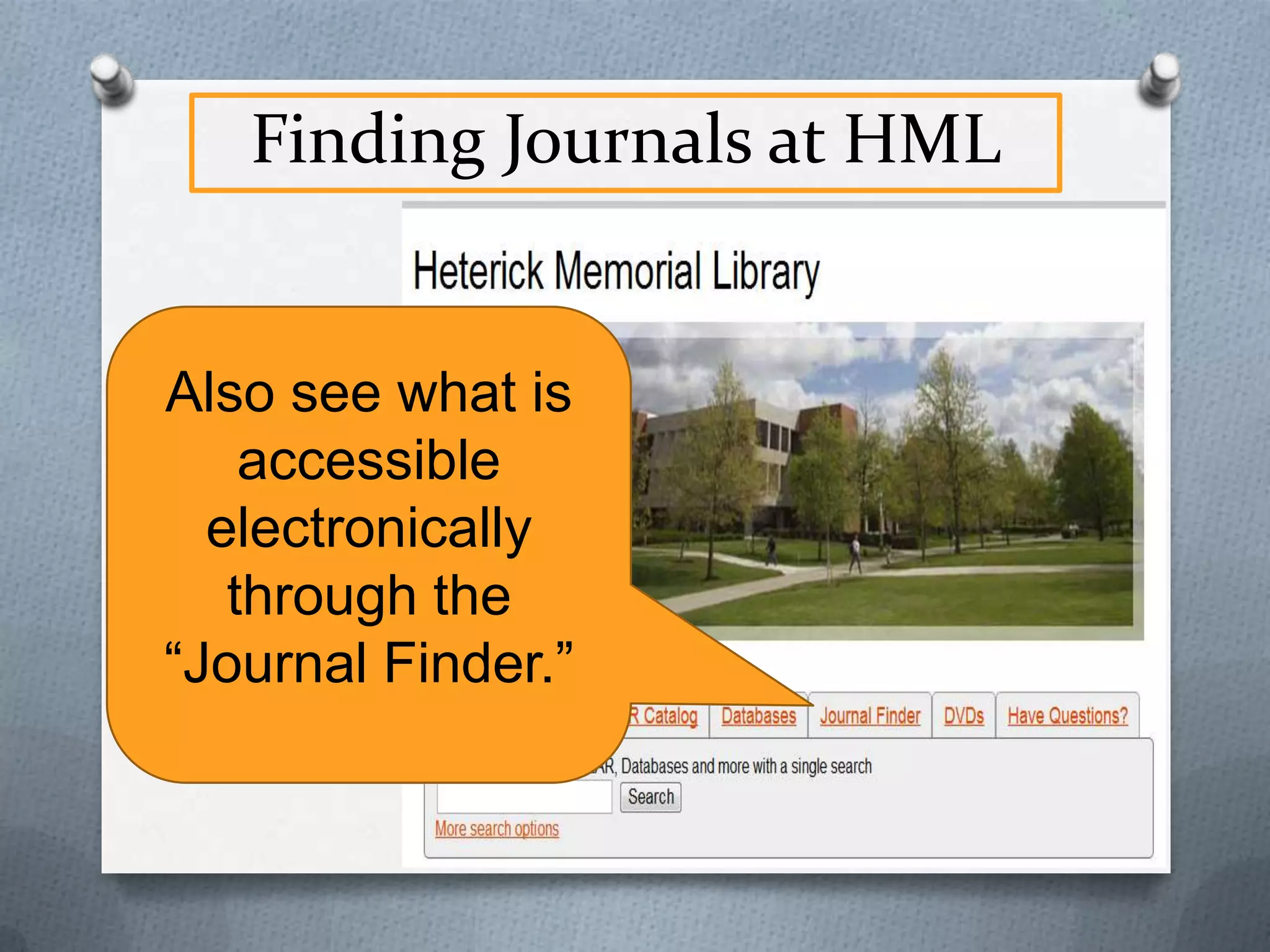
Finding Journals at HML
Also see what
is accessible
electronically
through the
“Electronic
Journal
Finder.”
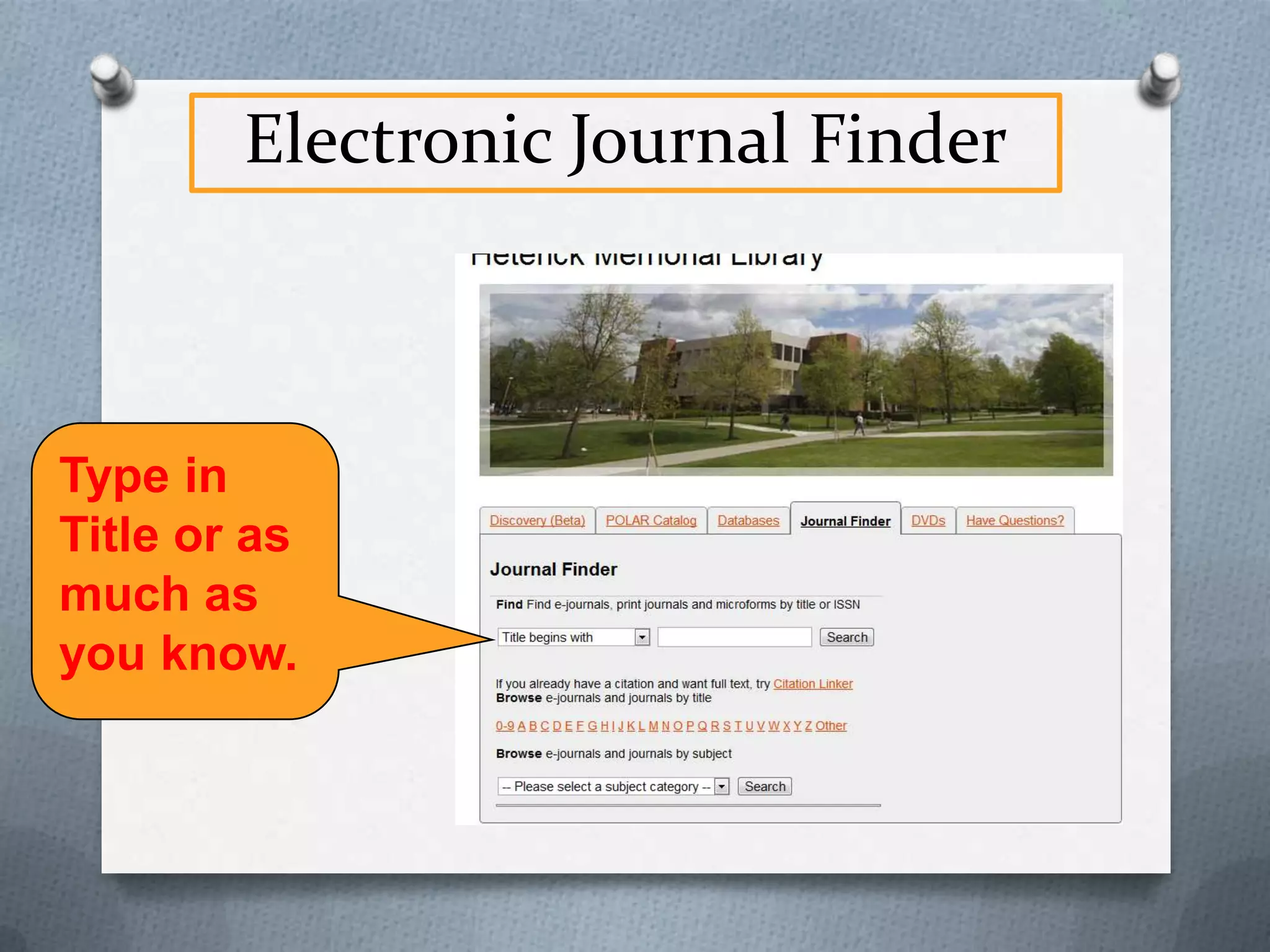
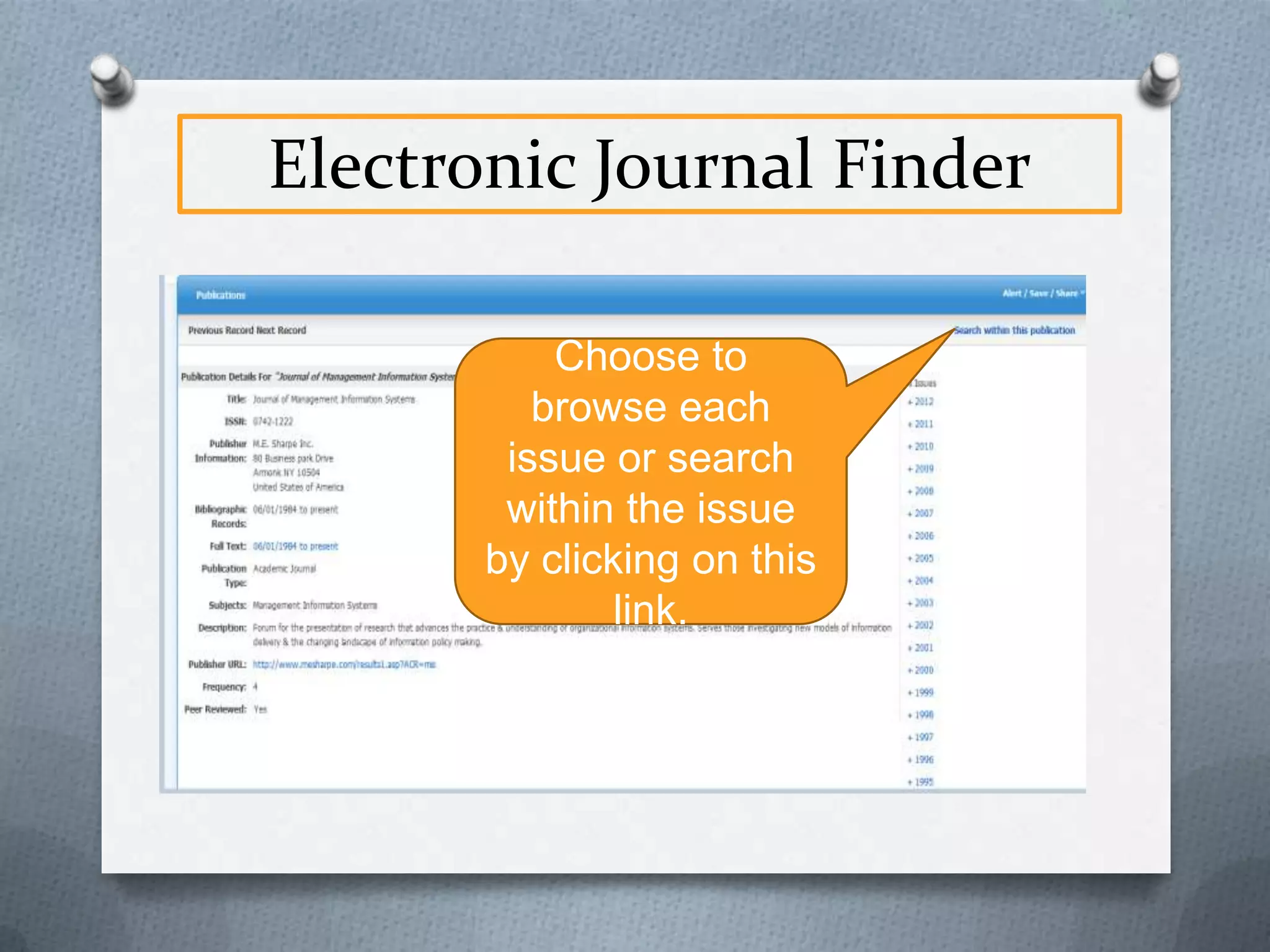
Electronic Journal Finder

Click on “Electronic
Journals” and type
in title or as much as
you know of it.
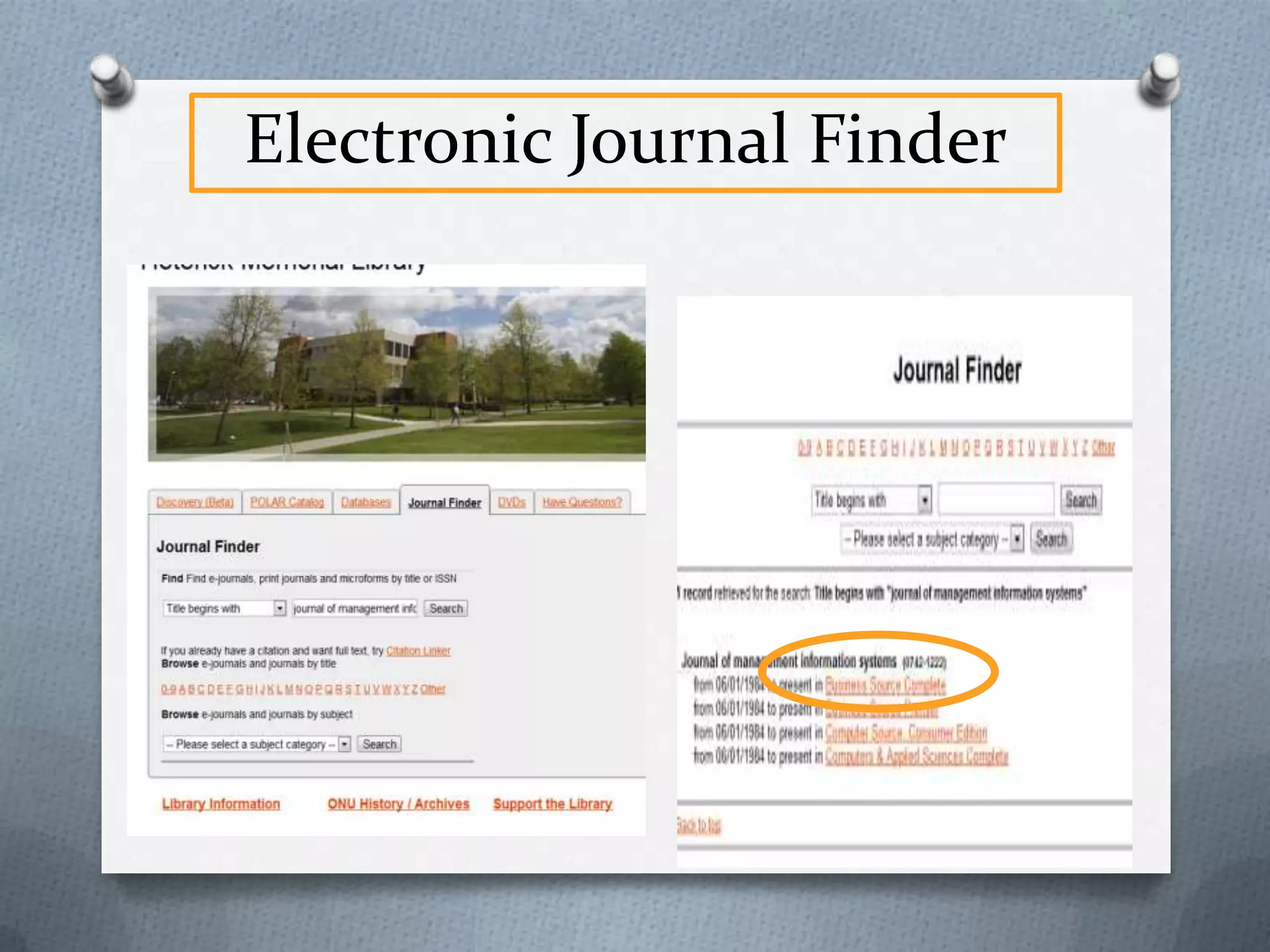
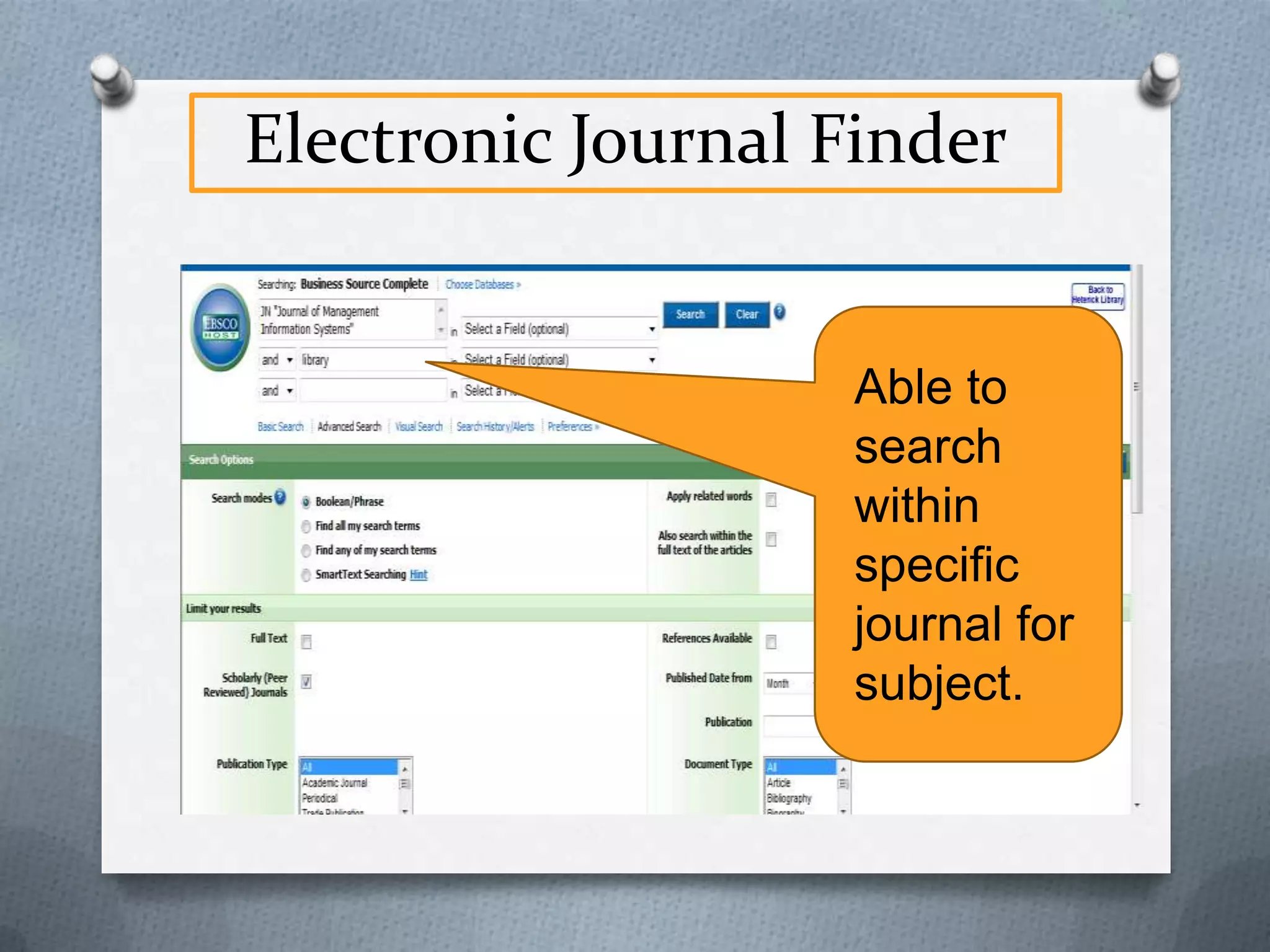
Electronic Journal Finder

Able to
search
within
specific
journal for
subject.
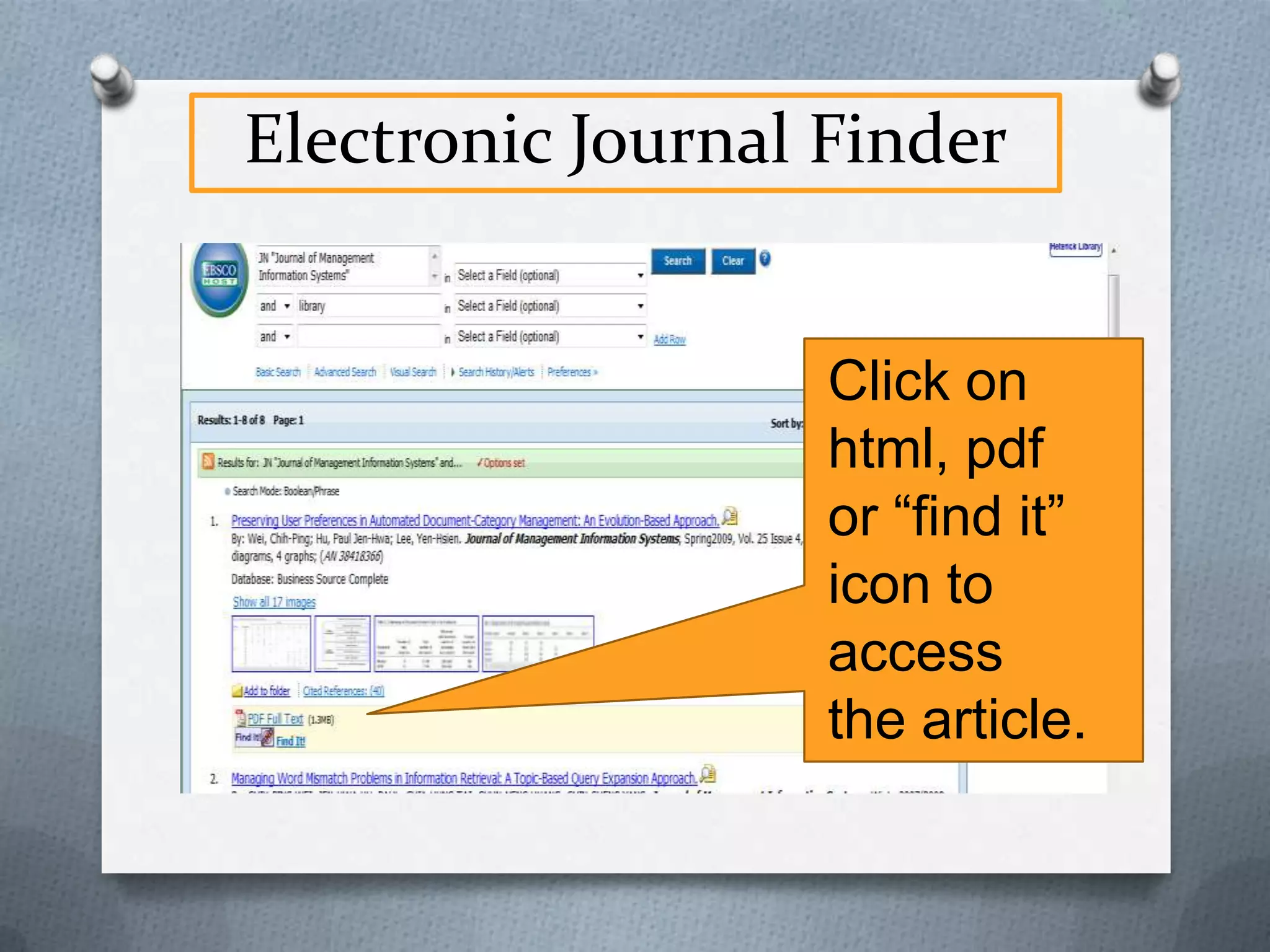
Electronic Journal Finder

Click on
html, pdf
or “find it”
icon to
access
the article.
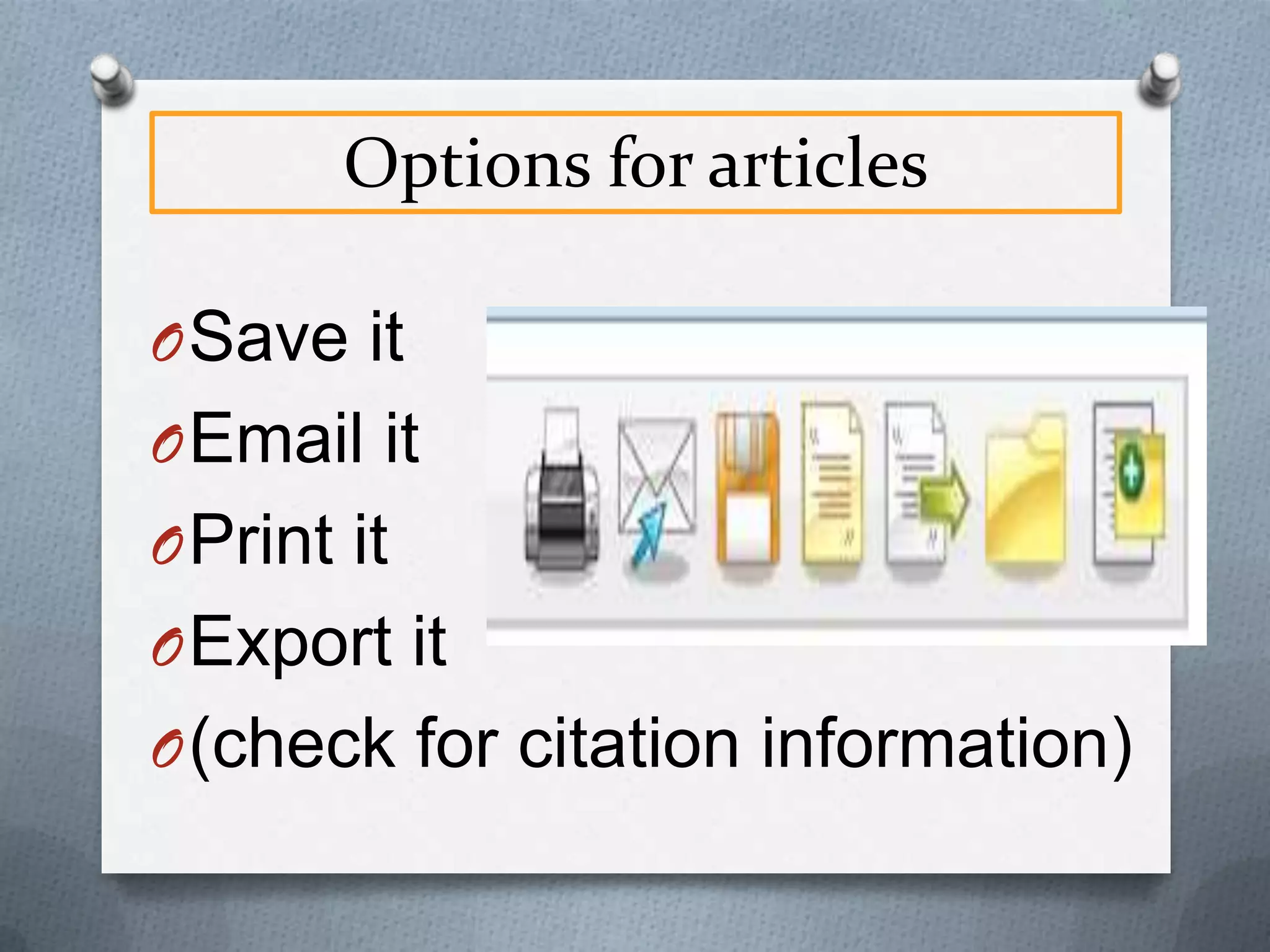
Options for articles
O Save it
O Email it
O Print it
O Export it
O (check for citation information)
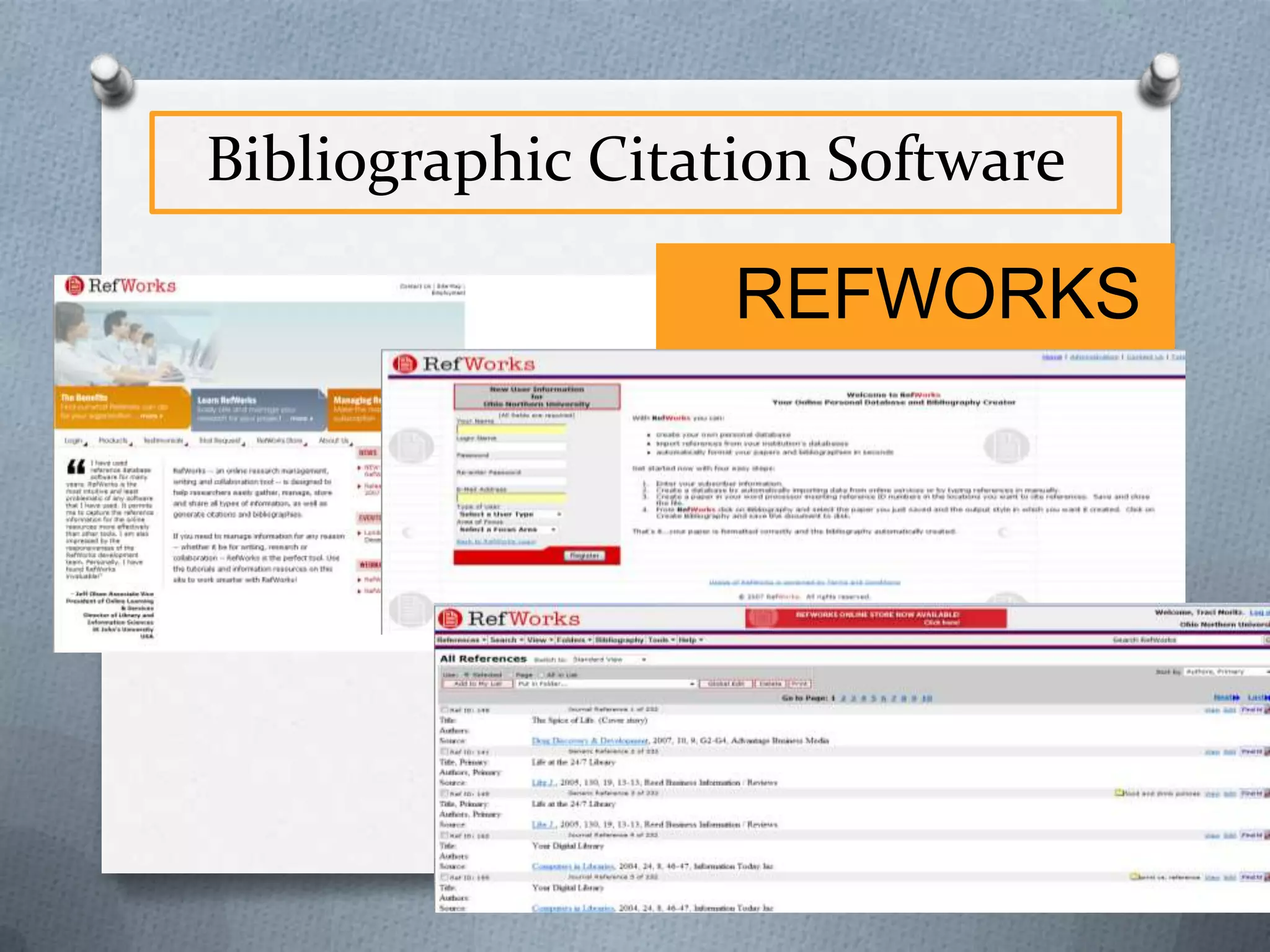
Bibliographic Citation Software

REFWORKS
Internet
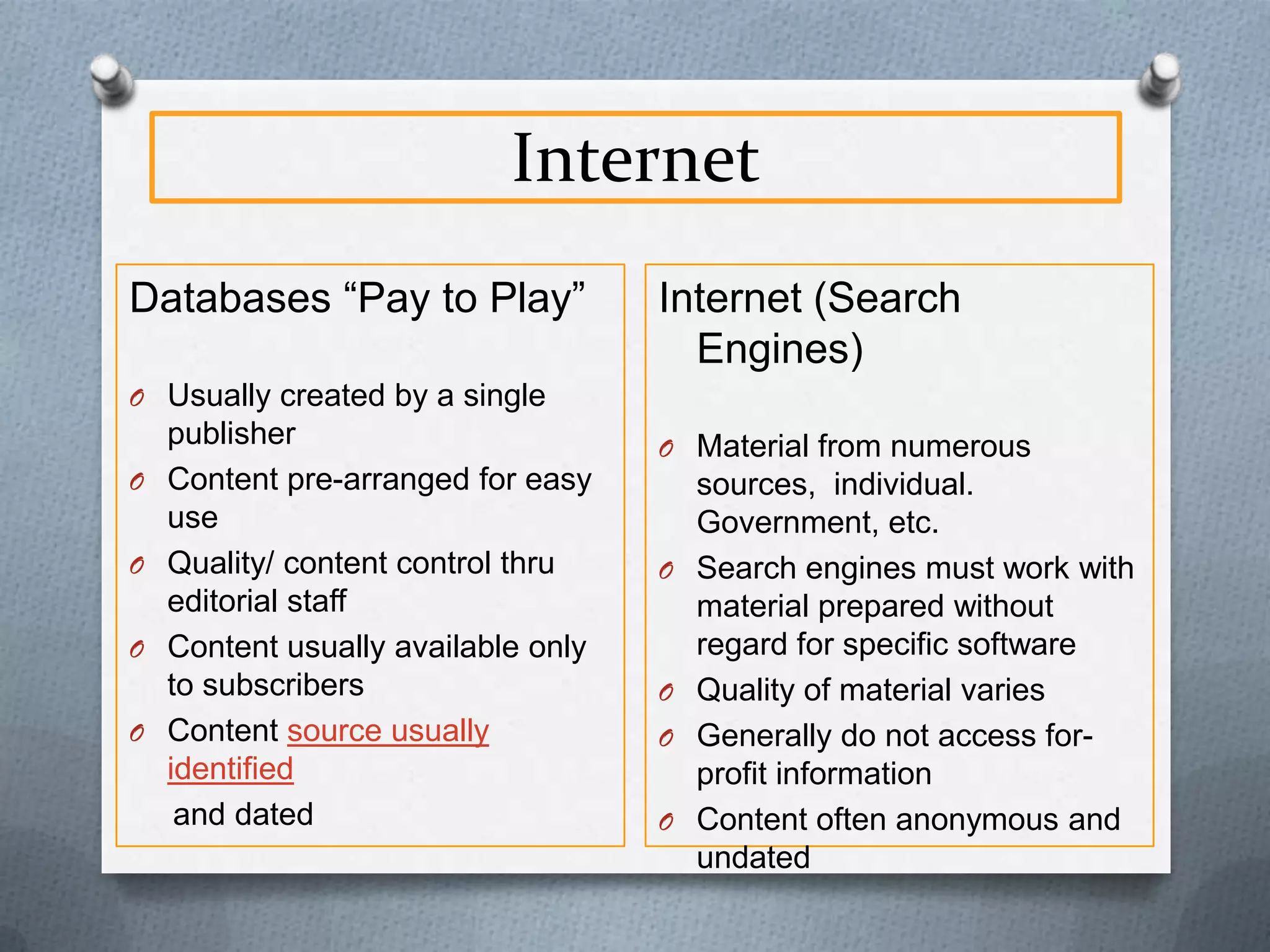
Databases “Pay to Play”

Internet (Search
Engines)

O Usually created by a single
O
O
O
O

publisher
Content pre-arranged for easy
use
Quality/ content control thru
editorial staff
Content usually available only
to subscribers
Content source usually
identified
and dated

O Material from numerous

O

O
O
O

sources, individual.
Government, etc.
Search engines must work with
material prepared without
regard for specific software
Quality of material varies
Generally do not access forprofit information
Content often anonymous and
undated
Internet
O
O
O
O
O
O
O

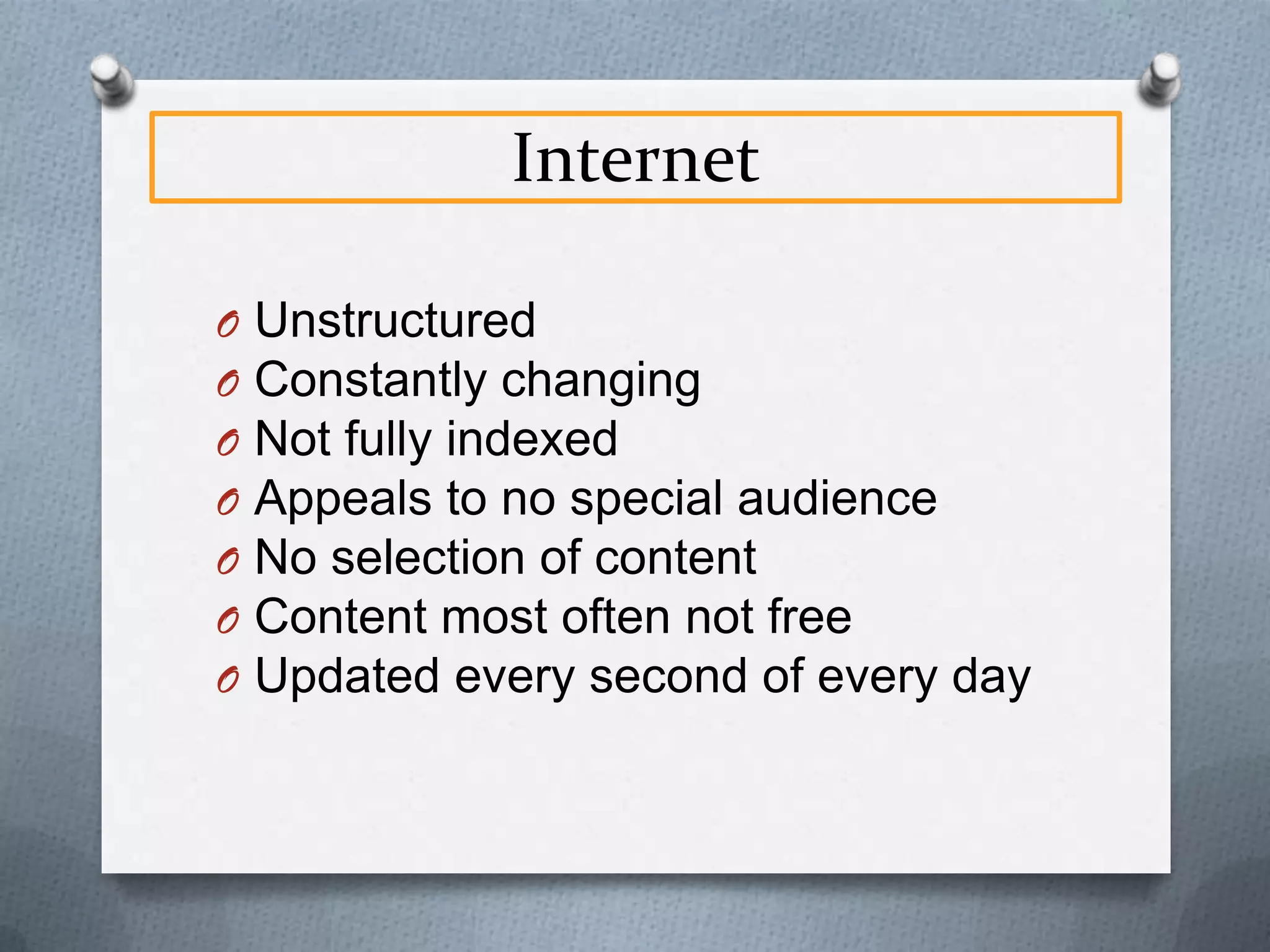
Unstructured
Constantly changing
Not fully indexed
Appeals to no special audience
No selection of content
Content most often not free
Updated every second of every day
Internet
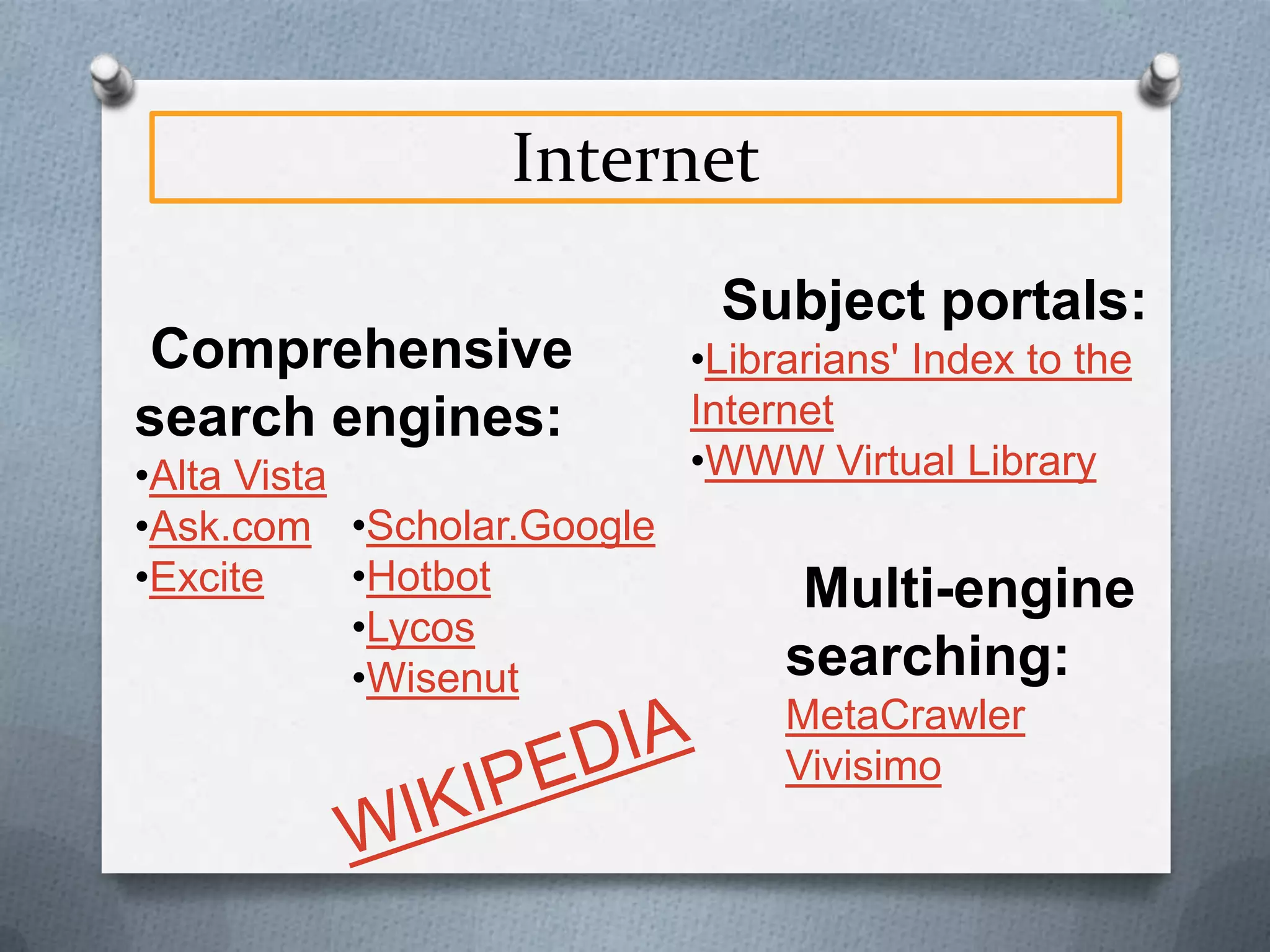
Comprehensive
search engines:
•Alta Vista
•Ask.com •Scholar.Google
•Hotbot
•Excite
•Lycos
•Wisenut

Subject portals:
•Librarians' Index to the
Internet
•WWW Virtual Library

Multi-engine
searching:
MetaCrawler
Vivisimo
Internet

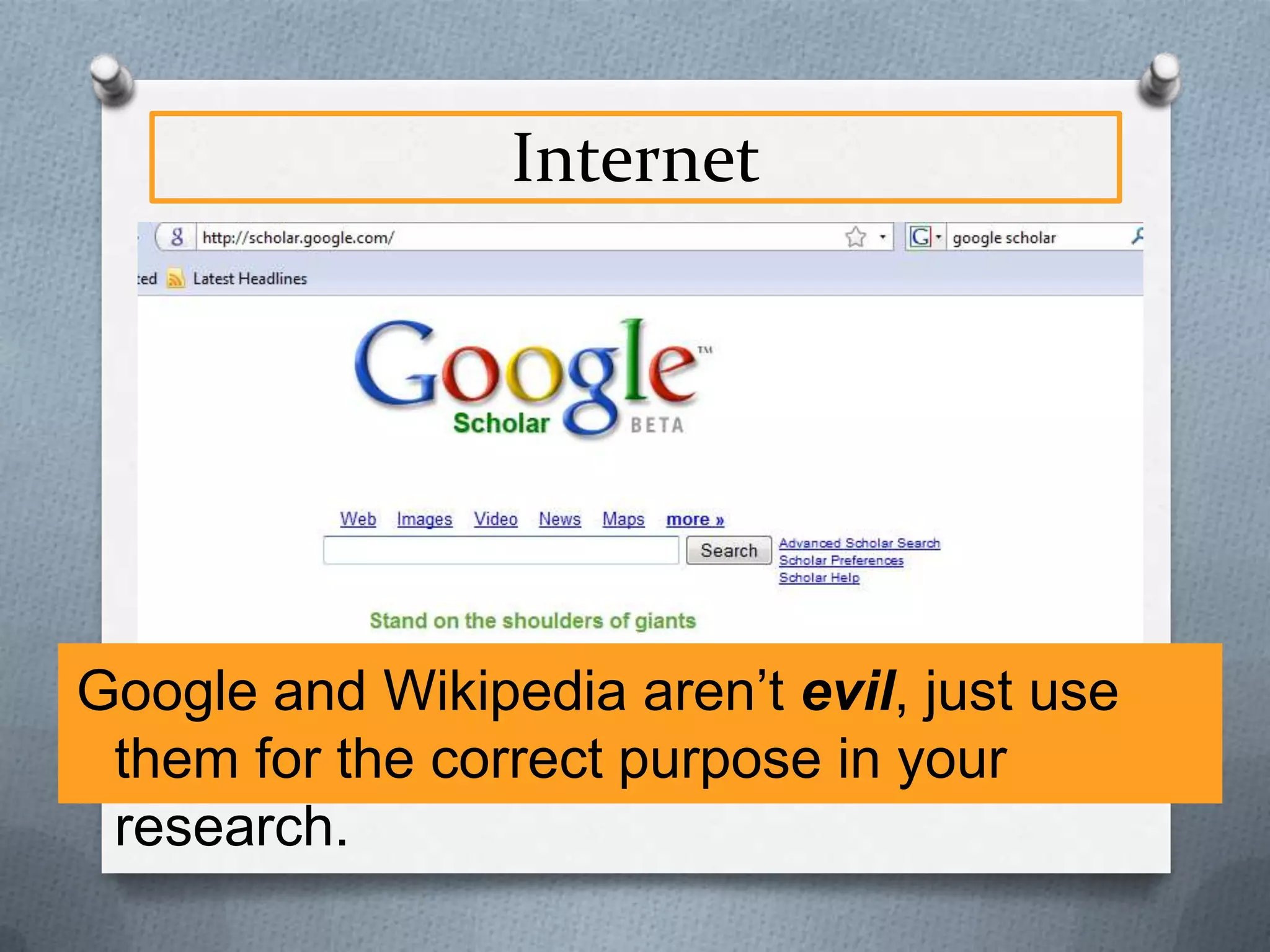
Google and Wikipedia aren’t evil, just use
them for the correct purpose in your
research.
Internet
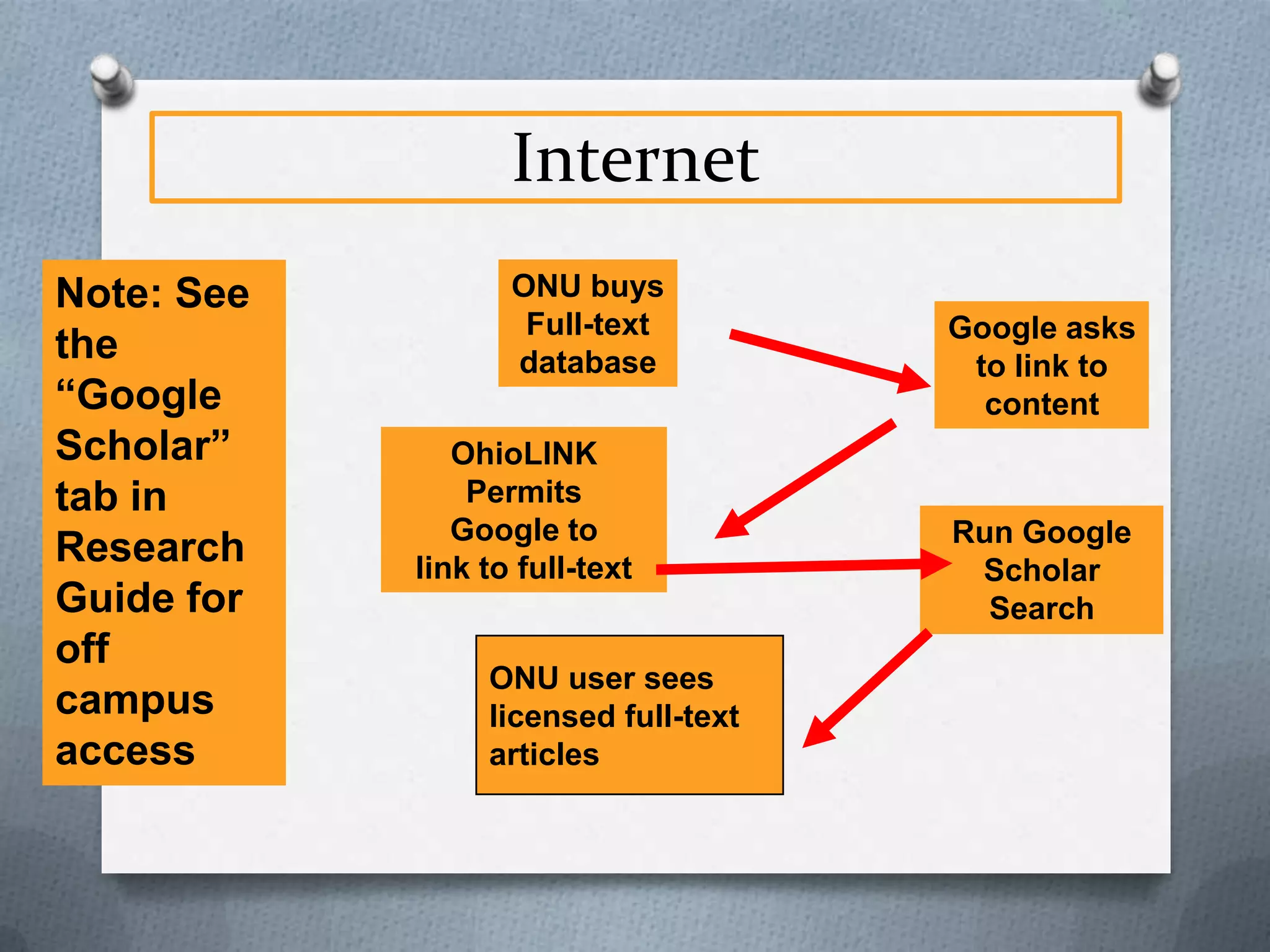
Note: See
the
“Google
Scholar”
tab in
Research
Guide for
off
campus
access

ONU buys
Full-text
database
OhioLINK
Permits
Google to
link to full-text

ONU user sees
licensed full-text
articles

Google asks
to link to
content

Run Google
Scholar
Search
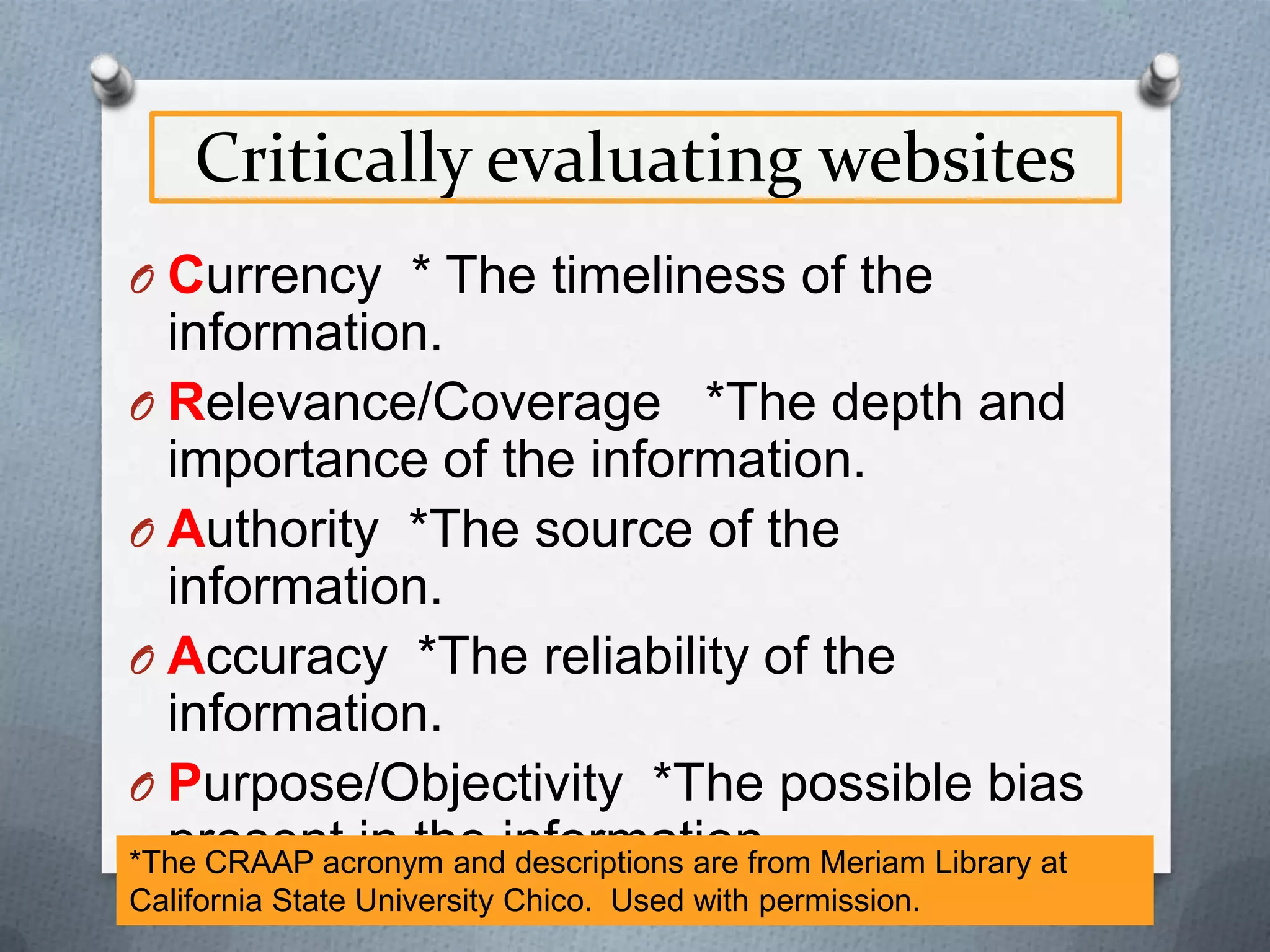
Critically evaluating websites
O Currency * The timeliness of the

information.
O Relevance/Coverage *The depth and
importance of the information.
O Authority *The source of the
information.
O Accuracy *The reliability of the
information.
O Purpose/Objectivity *The possible bias
present in the descriptions are from
*The CRAAP acronym andinformation. Meriam Library at
California State University Chico. Used with permission.
The Invisible Web
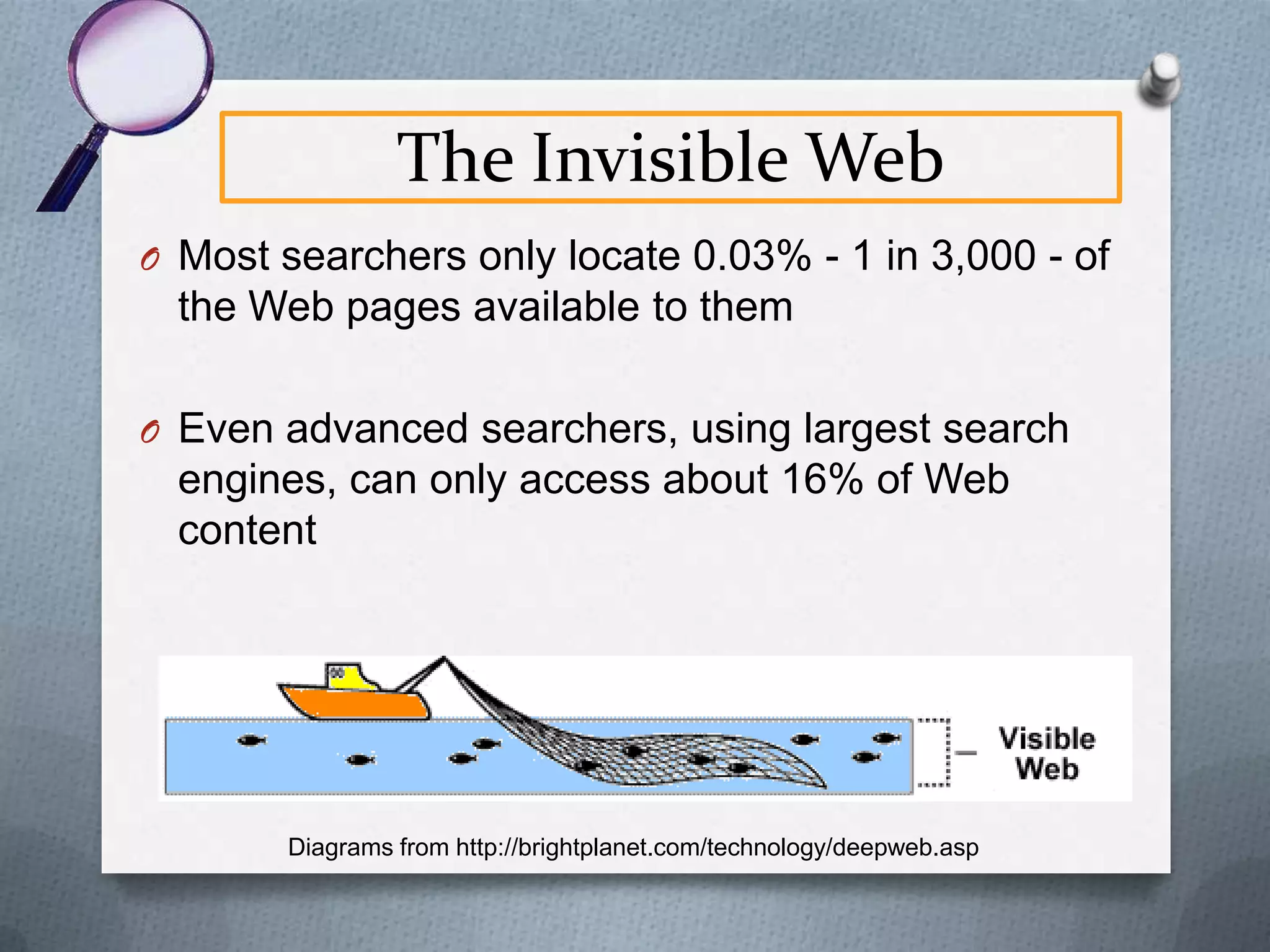
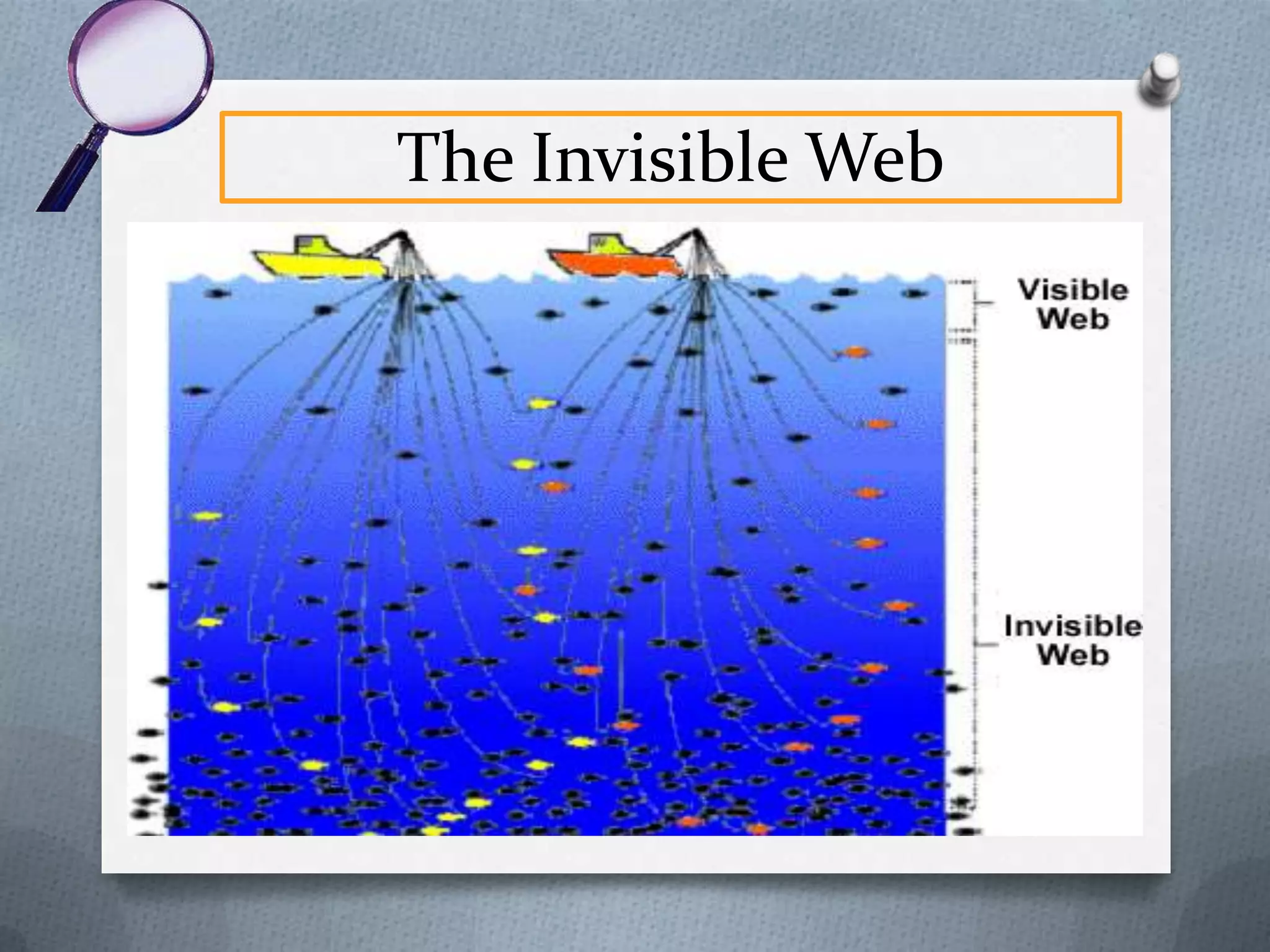
O Most searchers only locate 0.03% - 1 in 3,000 - of

the Web pages available to them
O Even advanced searchers, using largest search

engines, can only access about 16% of Web
content

Diagrams from http://brightplanet.com/technology/deepweb.asp
The Invisible Web
The Invisible Web
O WHY?
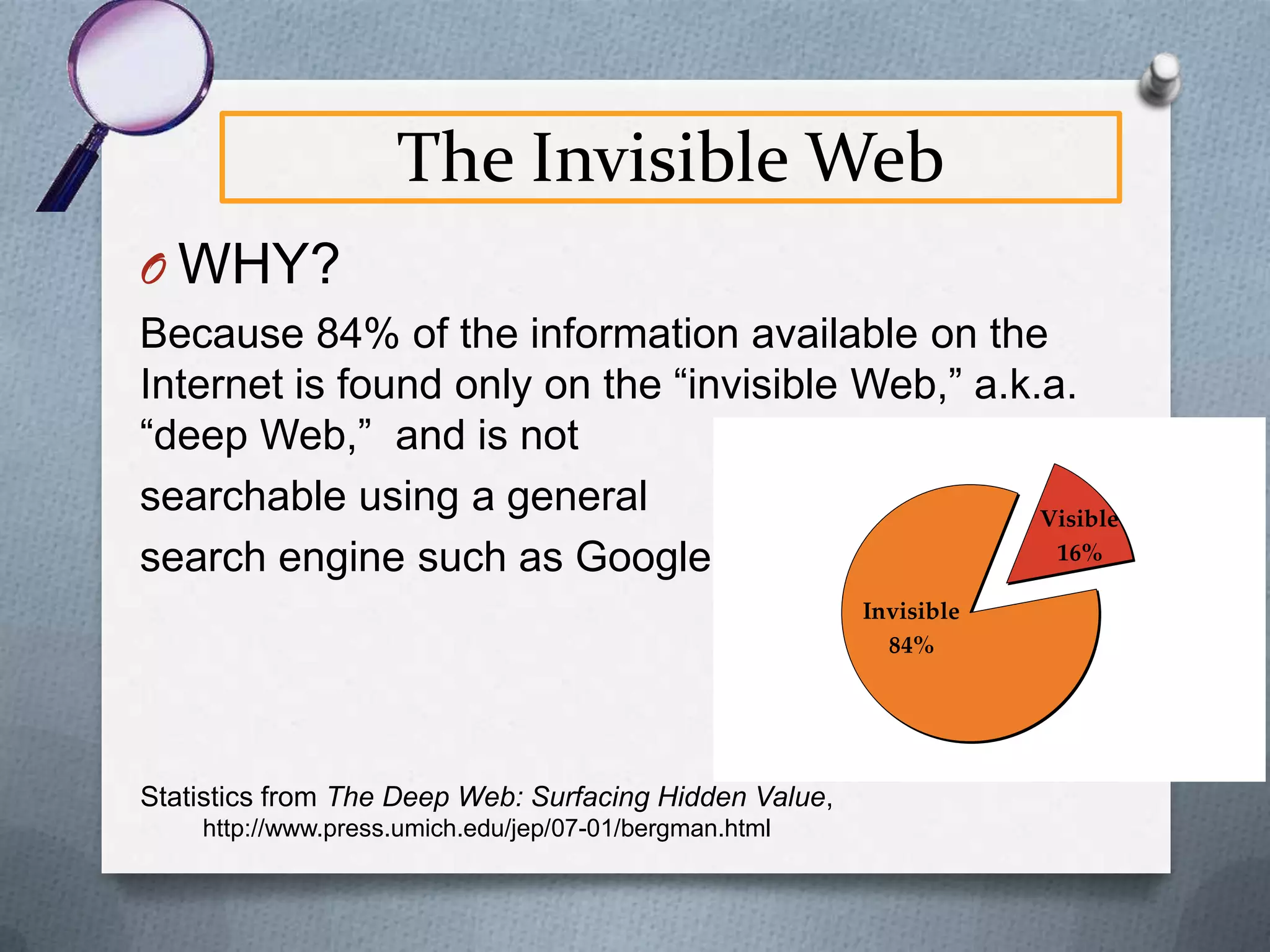
Because 84% of the information available on the
Internet is found only on the “invisible Web,” a.k.a.
“deep Web,” and is not
searchable using a general
Visible
16%
search engine such as Google
Invisible
84%

Statistics from The Deep Web: Surfacing Hidden Value,
http://www.press.umich.edu/jep/07-01/bergman.html
The Invisible Web
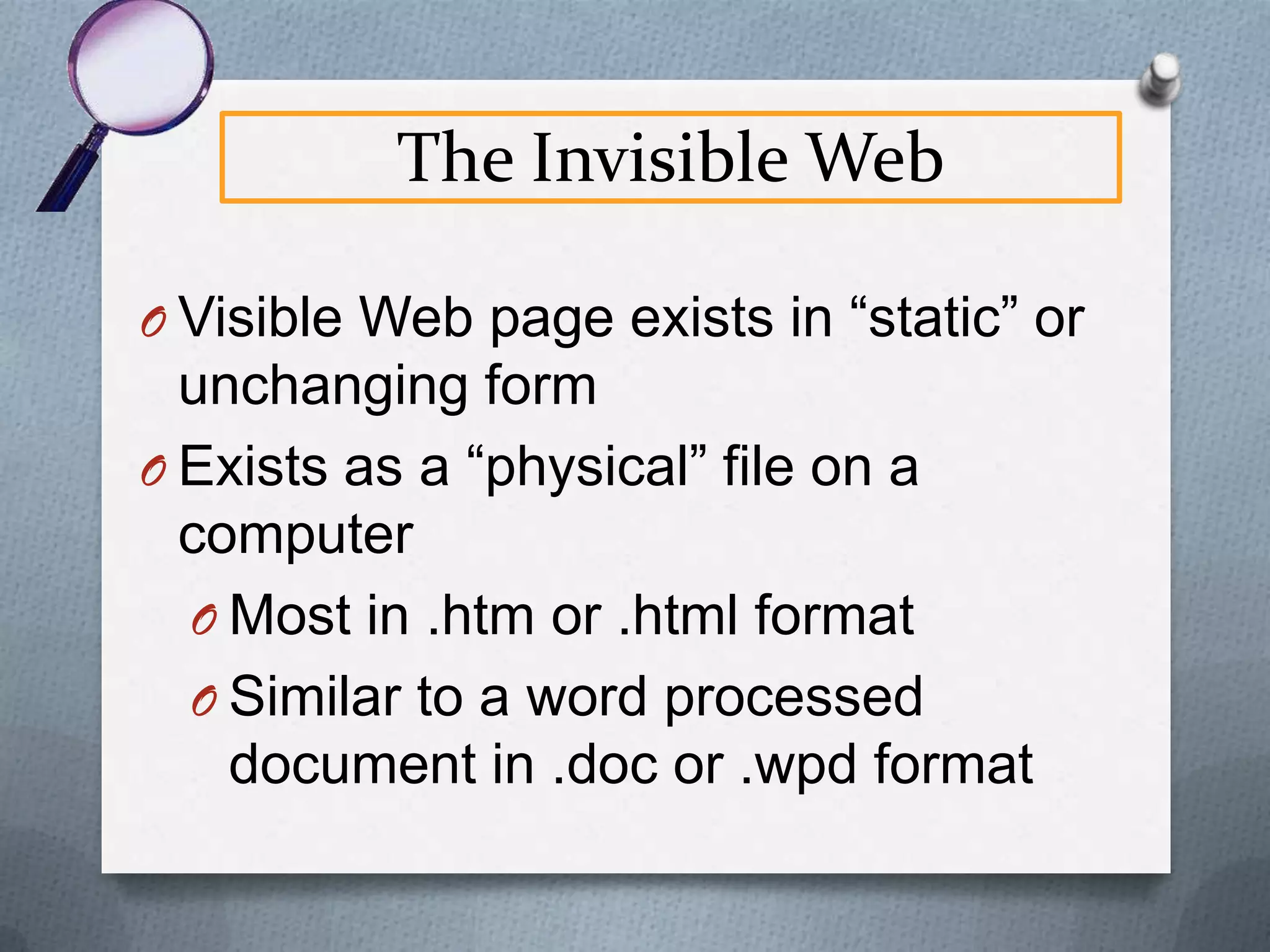
O Visible Web page exists in “static” or

unchanging form
O Exists as a “physical” file on a
computer
O Most in .htm or .html format
O Similar to a word processed
document in .doc or .wpd format
The Invisible Web
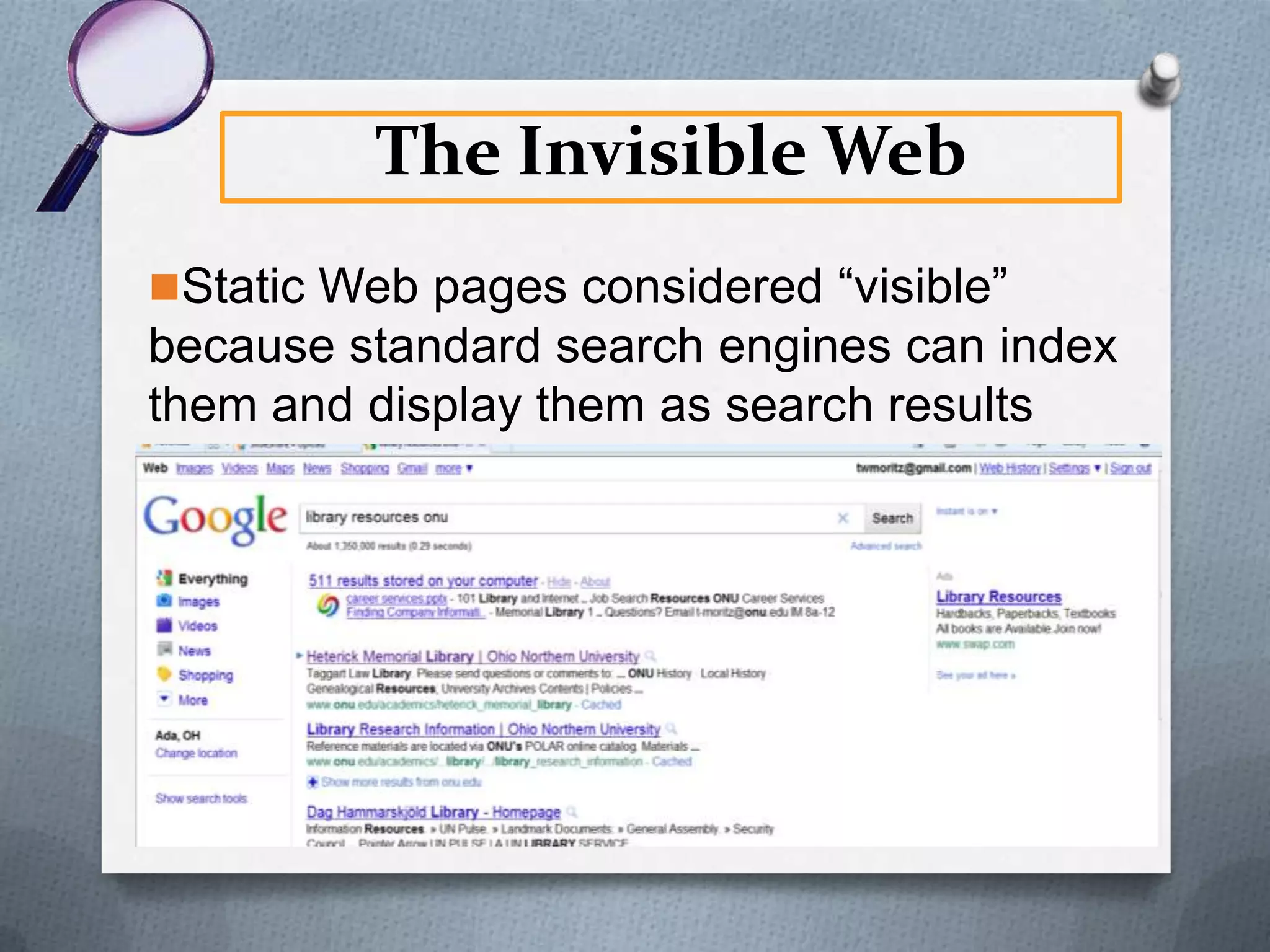
Static Web pages considered “visible”

because standard search engines can index
them and display them as search results
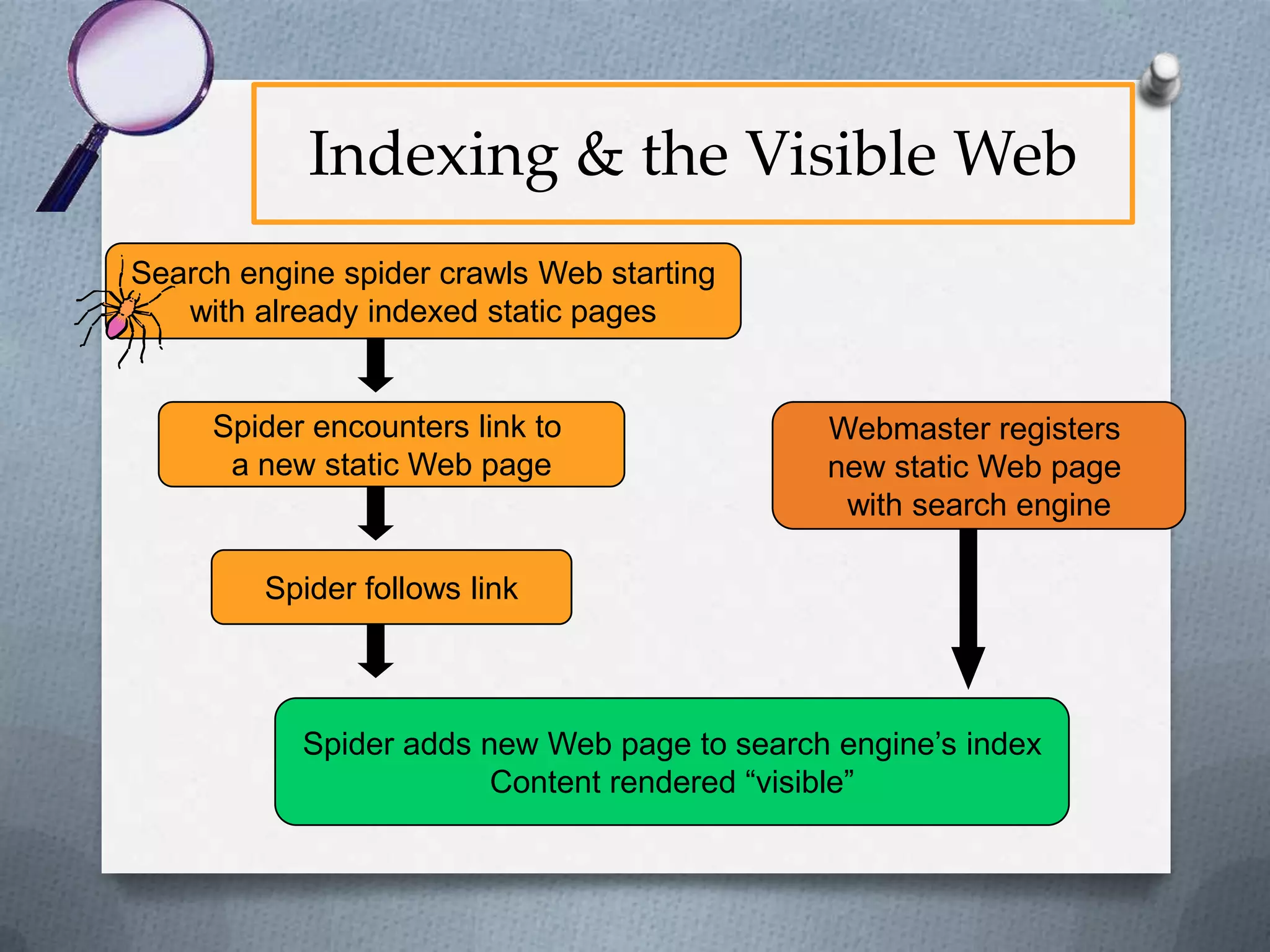
Indexing & the Visible Web
Search engine spider crawls Web starting
with already indexed static pages

Spider encounters link to
a new static Web page

Webmaster registers
new static Web page
with search engine

Spider follows link

Spider adds new Web page to search engine’s index
Content rendered “visible”
The Invisible Web
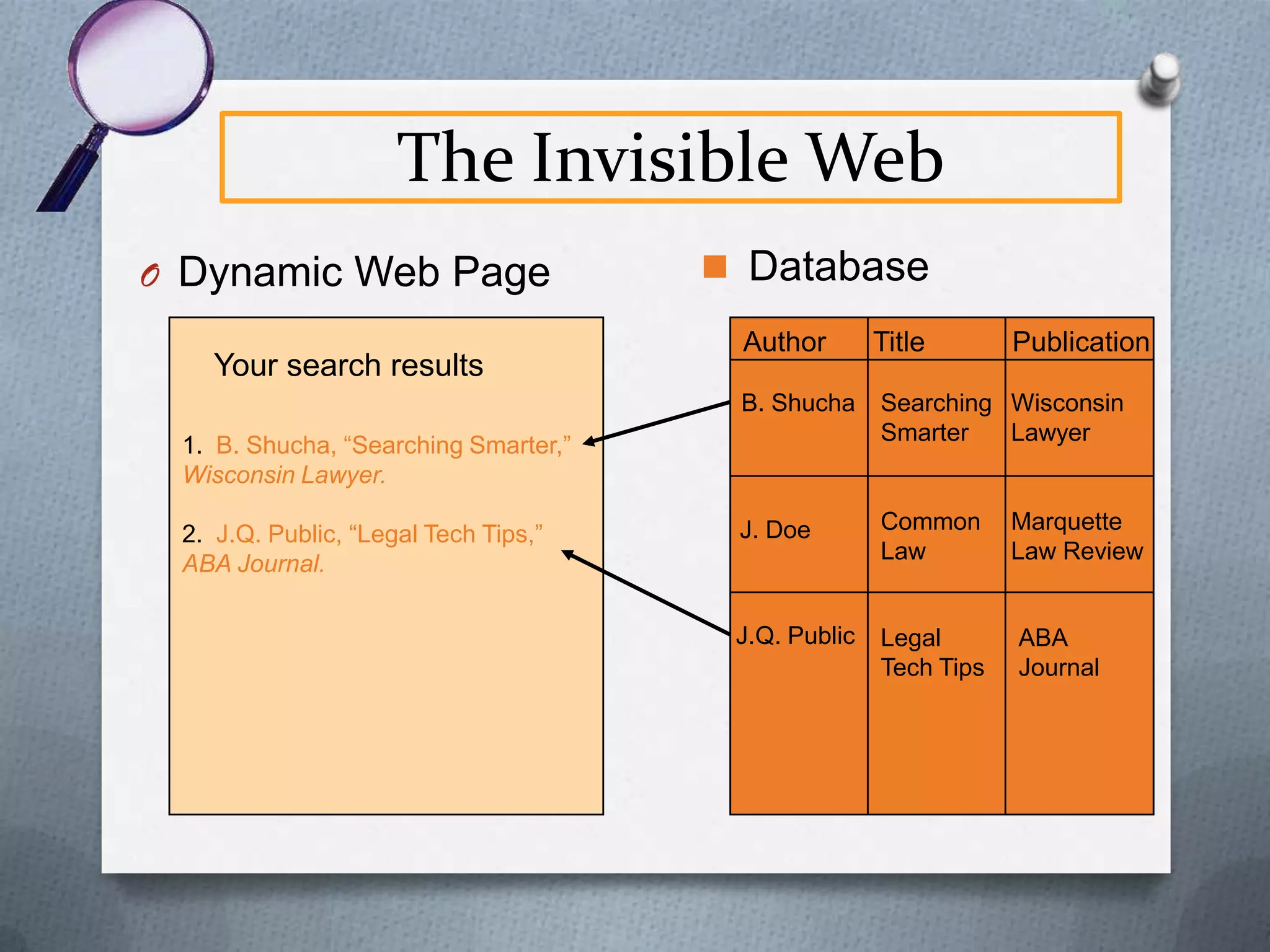
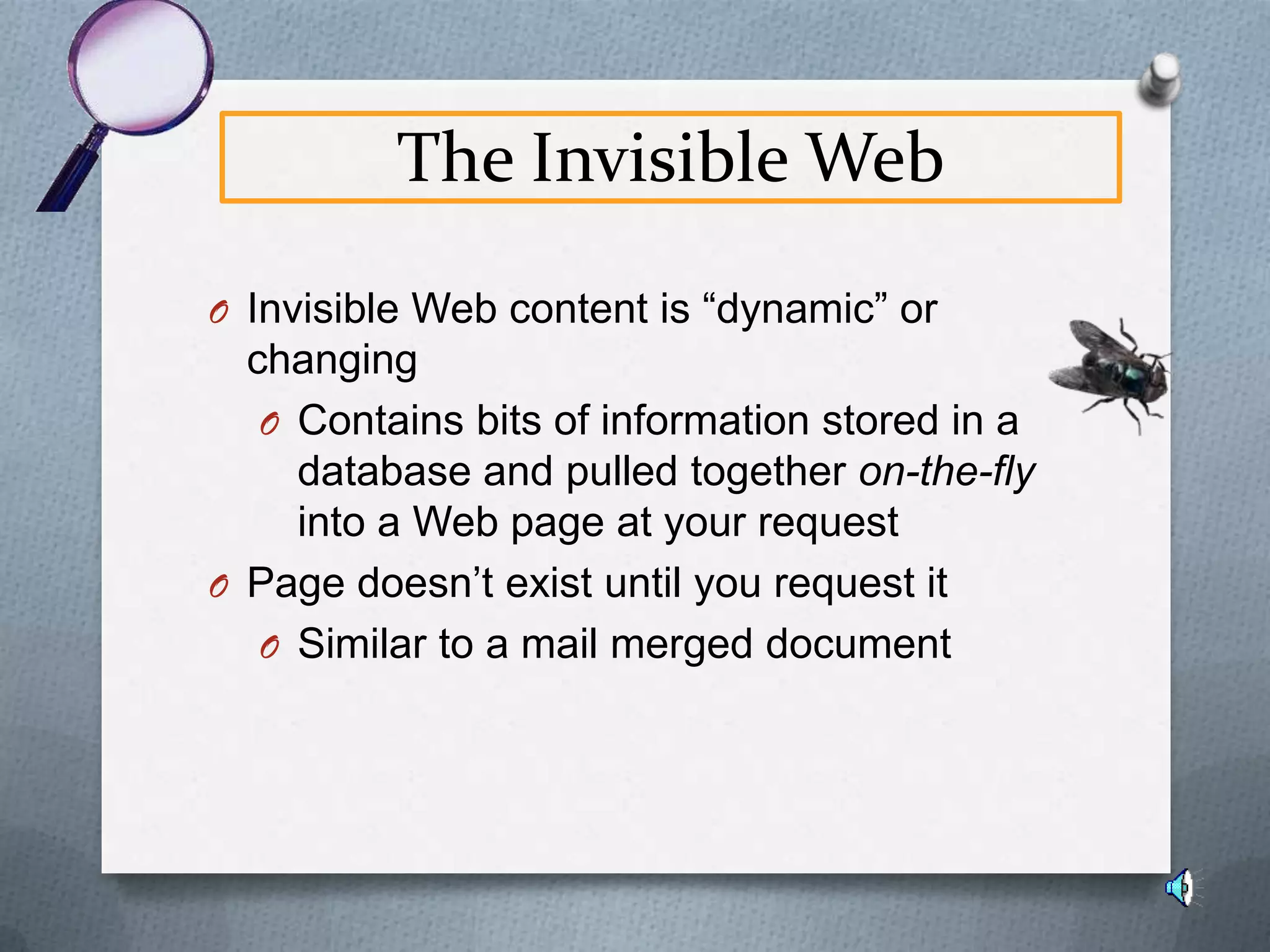
O Invisible Web content is “dynamic” or

changing
O Contains bits of information stored in a
database and pulled together on-the-fly
into a Web page at your request
O Page doesn’t exist until you request it
O Similar to a mail merged document
The Invisible Web
O Dynamic Web Page
Your search results

 Database
Author

Title

Publication

B. Shucha

Searching Wisconsin
Smarter
Lawyer

J. Doe

Common
Law

J.Q. Public

Legal
Tech Tips

1. B. Shucha, “Searching Smarter,”
Wisconsin Lawyer.
2. J.Q. Public, “Legal Tech Tips,”
ABA Journal.

Marquette
Law Review

ABA
Journal
The Invisible Web
O Because this content is dynamic, or

“physically” nonexistent, most search
engines are unable to retrieve it, thereby
rendering it “invisible”.
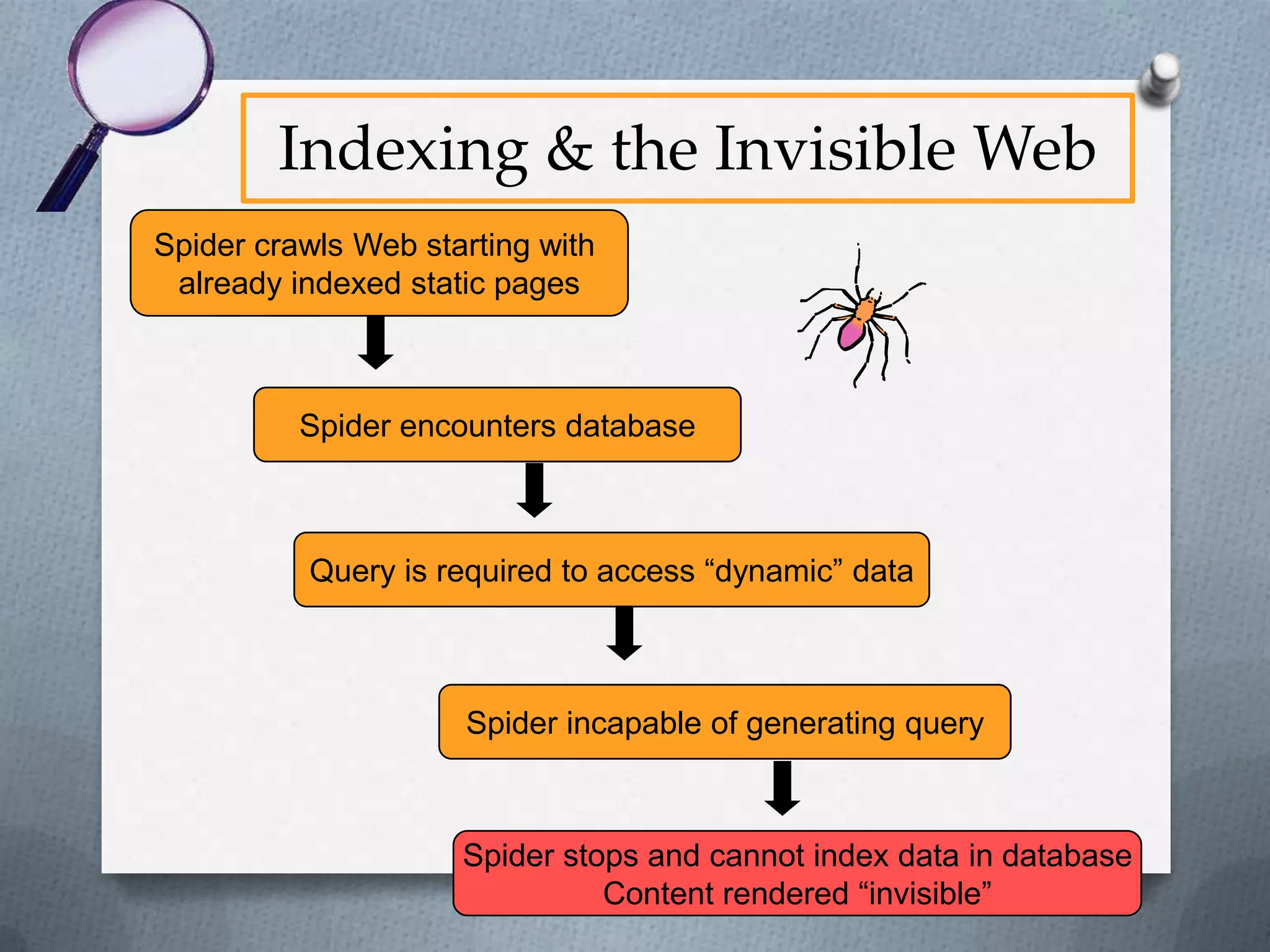
Indexing & the Invisible Web
Spider crawls Web starting with
already indexed static pages

Spider encounters database

Query is required to access “dynamic” data

Spider incapable of generating query

Spider stops and cannot index data in database
Content rendered “invisible”
The Invisible Web
O Other types of Invisible Web Content
O Very recent static pages which

haven’t yet been indexed
O Password protected data
The Invisible Web Content
O 95% of invisible Web content is free and available

to the public
O Quality of content often exceeds that of visible
Web content

From The Deep Web: Surfacing Hidden Value,
http://www.press.umich.edu/jep/07-01/bergman.html
The Invisible Web Content
O Legal & Governmental Materials Available in the

Public Domain
O Case law
O Statutes
O Bills
O Regulations
O Patents
O Briefs
O Census Data
O Government Reports
The Invisible Web Content
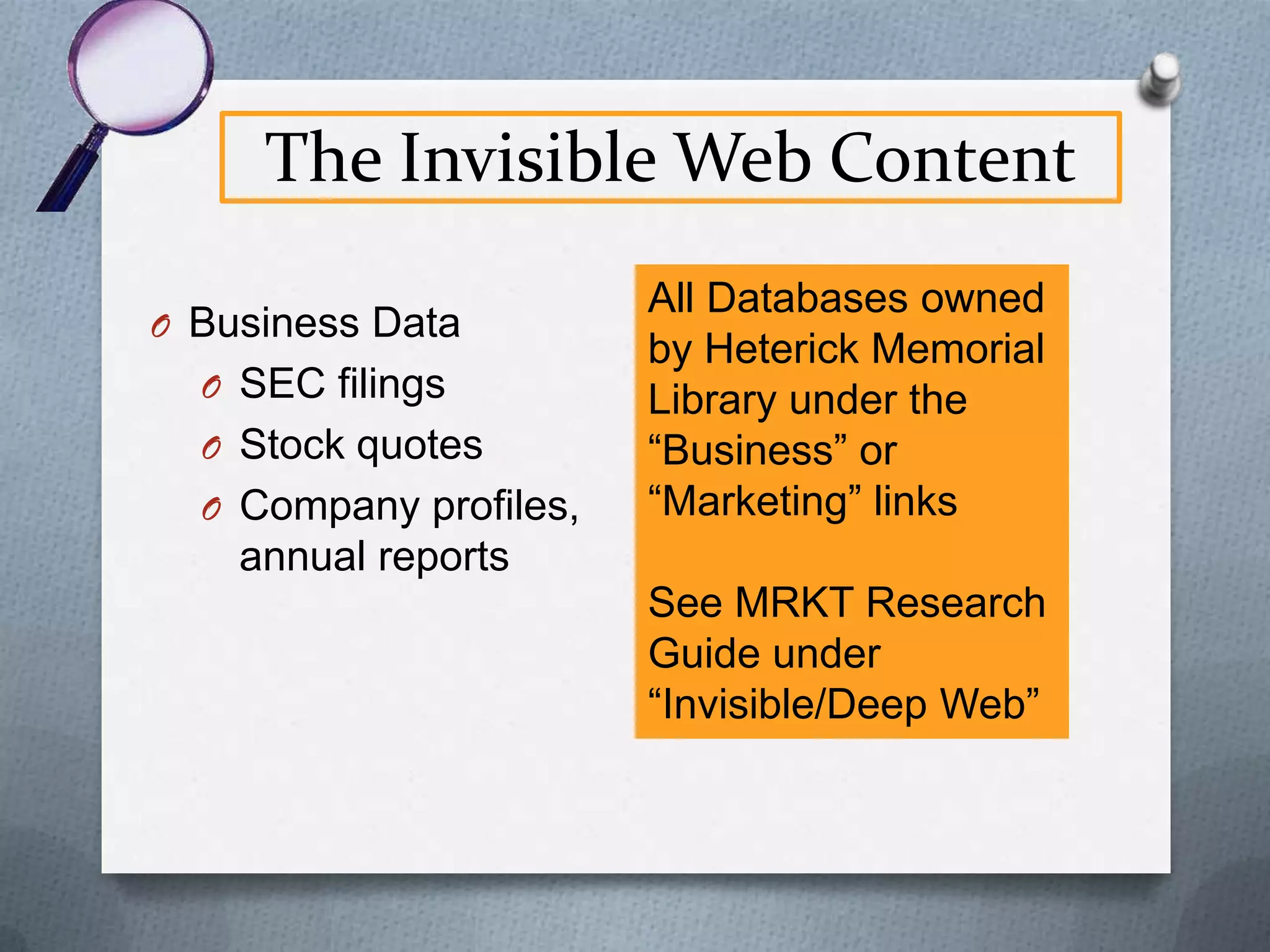
O Business Data
O SEC filings
O Stock quotes
O Company profiles,

All Databases owned
by Heterick Memorial
Library under the
“Business” or
“Marketing” links

annual reports
See MRKT Research
Guide under
“Invisible/Deep Web”
The Invisible Web Content
O General Information
O Address & phone directories
O Flight schedules
O Dictionaries
O Maps
The Invisible Web Content
O NOT freely available on Web (usually)
O For Profit Publications
O Public domain documents with editorial

enhancements
O Other material that is someone’s
intellectual property
Finding Invisible Web Content
O To find ANY information, consider where an

authoritative source might be found
O Print?
O Visible Web?
O Invisible Web?
O Subscription Database?
O Phone Call?
O Next, consider the quickest, most cost-effective

way to get the information
Finding Invisible Web Content
O If you determine that it may be available on the

invisible Web, how do you find it?

By knowing
where to look!
Finding Invisible Web Content
A great deal of excellent legal and business
information is freely available on the Internet

Much of it is contained within databases and is,
therefore, invisible to most conventional search engines
Finding Invisible Web Content
The most effective way to access this information
is using the database’s own search box

The search box is usually found on a static, visible Web
page that is accessible using a conventional search engine
Finding Invisible Web Content
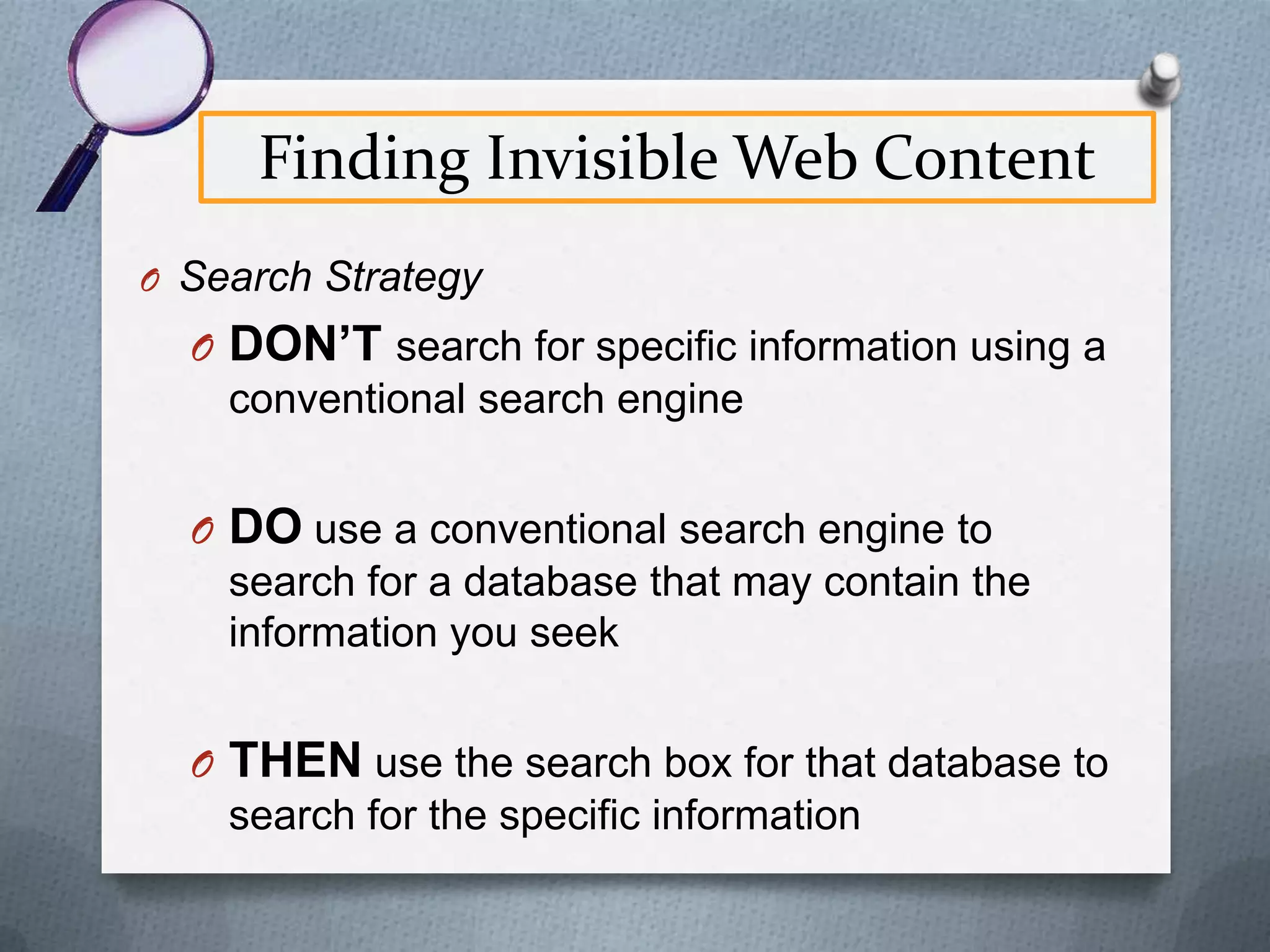
O Search Strategy

O DON’T search for specific information using a
conventional search engine
O DO use a conventional search engine to
search for a database that may contain the
information you seek

O THEN use the search box for that database to
search for the specific information
Finding Invisible Web Content
“The point is that often the key
to the answer is not locating the
answer itself as the first step, but
locating the right database in
which to search for it.”
Diana Botluk, Mining Deeper into the Invisible Web,
http://www.llrx.com/features/mining.htm
Finding Invisible Web Content
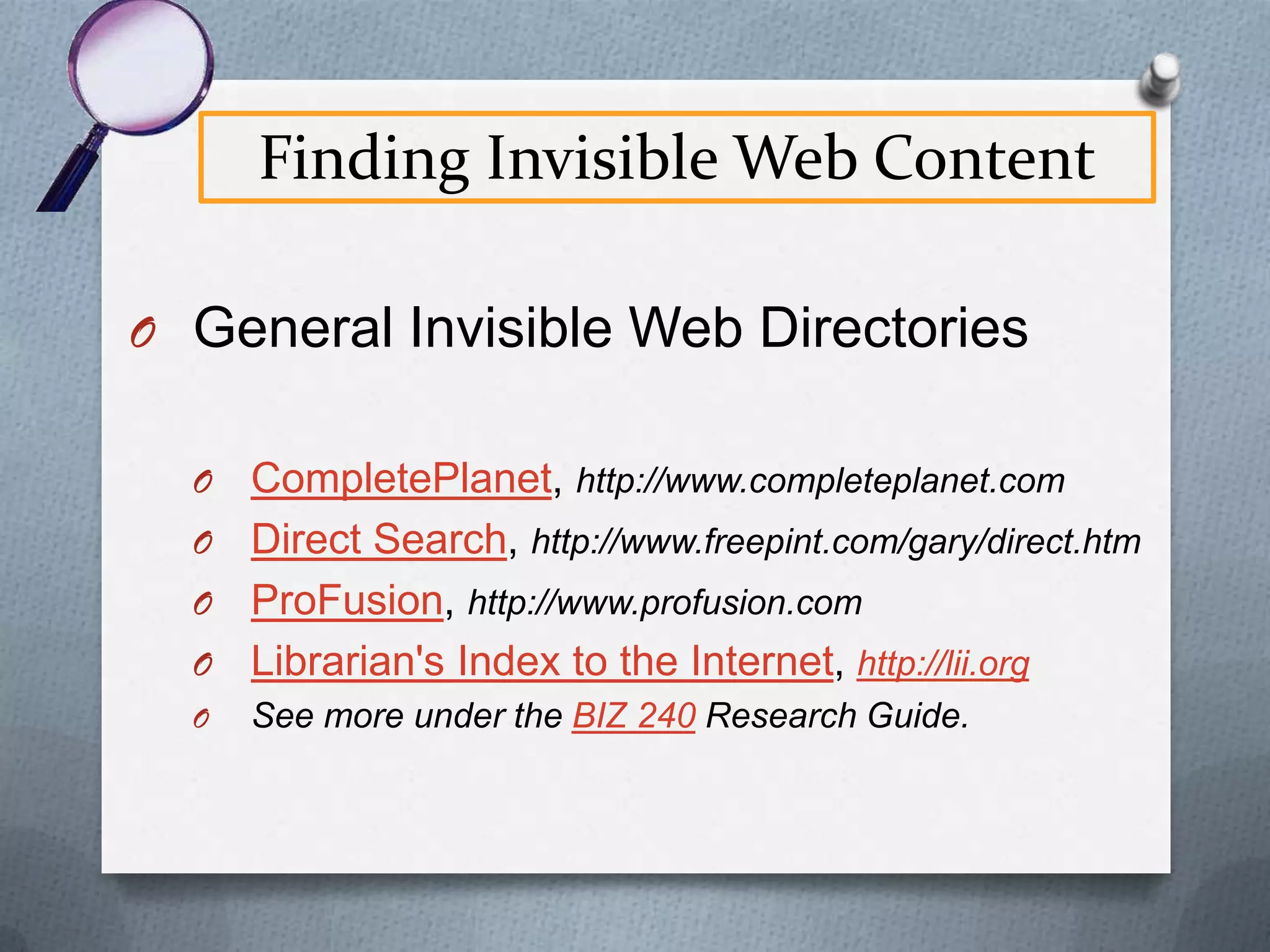
O General Invisible Web Directories
O

CompletePlanet, http://www.completeplanet.com
O Direct Search, http://www.freepint.com/gary/direct.htm
O ProFusion, http://www.profusion.com
O Librarian's Index to the Internet, http://lii.org
O

See more under the BIZ 240 Research Guide.
Acknowledgement
Presentation based on the article:
O

Bonnie Shucha, Searching Smarter: Finding Legal Resources
on the Invisible Web, Wisconsin Lawyer, September 2004, at
19, at http://tinyurl.com/dthen.

© Bonnie Shucha
Used with
permission of
Bonnie Shucha
03/15/2011

Reference & Electronic Services Librarian
University of Wisconsin Law Library
bjshucha@wisc.edu
http://wisblawg.blogspot.com
End of Library Class #1
O Questions?

Professor Traci Welch Moritz
Public Services Librarian/Assistant Professor
Heterick Memorial Library

O Email t-moritz@onu.edu

O IM 8a-12:30p M-F
O Ext. 2473
O Reference desk most days

8a-12:30p

BIZ 2401 First Class

  • 1.
    BIZ 2401 andthe Library World of resources at your fingertips Professor Traci Welch Moritz Public Services Librarian/Assistant Professor Heterick Memorial Library
  • 2.
    Who are youand how am I to remember all this stuff?
  • 3.
    Goals for Today 1.Overview of library information systems 2. Specific tools for accessing information • Catalogs • Databases • Internet • Bibliographic citation software 3. Accessing periodicals
  • 4.
    Accessing Information O Catalogs– for locating books, maps, musical scores, govt. documents, etc. O Databases – usually for locating magazine and newspaper articles, but may cover other materials as well O Internet – digital content, mostly in the public domain (not commercial materials)
  • 5.
    Catalogs O Massive collectionsof data which allow for retrieval O Organized O Fully indexed O Allows for sophisticated searching O Target audience O Shows access points O Updated every second of every day
  • 6.
  • 7.
    Databases O Massive collectionsof data which allow for O O O O O O O retrieval Organized Fully indexed Allows for sophisticated searching Target audience Selected content Not free to the library but free to users Updated periodically
  • 8.
  • 9.
  • 10.
  • 11.
    What is included? OPOLAR O Article-level searching for all EBSCO databases O Article-level searching for a variety of other databases: JSTOR, Hoover’s, AccessPharmacy, etc. O Title-level searching for most other databases: IEEE, CIAO, Proquest Nursing & Allied Health O OhioLink central catalog
  • 12.
  • 13.
  • 14.
  • 15.
  • 16.
  • 17.
    Things to Remember OFacets are your Friend: After you search, limit your results to what you really want O A tool not a solution: This is not the solution to everything O Ask the librarians for help O There will still be some small changes coming
  • 18.
  • 19.
    Off Campus Access Besure to click on the “Off campus access tab” to the right of the database title to begin First and last name exactly as it appears on ONU ID + all 11 digits of university ID Click on “submit”
  • 20.
    Library App nowavailable
  • 21.
    Finding Journals atHML O If looking for a specific journal, type in title at library catalog Print Back issues on microfiche Back issues available electronically
  • 22.
    Fortune, print Own titlefrom 1969 to latest received copy. Click on “latest received” to find out where all issues are housed
  • 23.
    Fortune, print BND PRP meansthese issues are at bindery and so unavailable Copies from 1969 through September 2010 are on 2nd floor bound periodical collection or in microforms ARRIVED means just that and because the location is “Reserve”, these are ones behind the desk.
  • 24.
  • 25.
  • 26.
    Finding Journals atHML Also see what is accessible electronically through the “Electronic Journal Finder.”
  • 27.
    Electronic Journal Finder Clickon “Electronic Journals” and type in title or as much as you know of it.
  • 28.
  • 29.
    Electronic Journal Finder Ableto search within specific journal for subject.
  • 30.
    Electronic Journal Finder Clickon html, pdf or “find it” icon to access the article.
  • 31.
    Options for articles OSave it O Email it O Print it O Export it O (check for citation information)
  • 32.
  • 34.
    Internet Databases “Pay toPlay” Internet (Search Engines) O Usually created by a single O O O O publisher Content pre-arranged for easy use Quality/ content control thru editorial staff Content usually available only to subscribers Content source usually identified and dated O Material from numerous O O O O sources, individual. Government, etc. Search engines must work with material prepared without regard for specific software Quality of material varies Generally do not access forprofit information Content often anonymous and undated
  • 35.
    Internet O O O O O O O Unstructured Constantly changing Not fullyindexed Appeals to no special audience No selection of content Content most often not free Updated every second of every day
  • 36.
    Internet Comprehensive search engines: •Alta Vista •Ask.com•Scholar.Google •Hotbot •Excite •Lycos •Wisenut Subject portals: •Librarians' Index to the Internet •WWW Virtual Library Multi-engine searching: MetaCrawler Vivisimo
  • 37.
    Internet Google and Wikipediaaren’t evil, just use them for the correct purpose in your research.
  • 38.
    Internet Note: See the “Google Scholar” tab in Research Guidefor off campus access ONU buys Full-text database OhioLINK Permits Google to link to full-text ONU user sees licensed full-text articles Google asks to link to content Run Google Scholar Search
  • 39.
    Critically evaluating websites OCurrency * The timeliness of the information. O Relevance/Coverage *The depth and importance of the information. O Authority *The source of the information. O Accuracy *The reliability of the information. O Purpose/Objectivity *The possible bias present in the descriptions are from *The CRAAP acronym andinformation. Meriam Library at California State University Chico. Used with permission.
  • 40.
    The Invisible Web OMost searchers only locate 0.03% - 1 in 3,000 - of the Web pages available to them O Even advanced searchers, using largest search engines, can only access about 16% of Web content Diagrams from http://brightplanet.com/technology/deepweb.asp
  • 41.
  • 42.
    The Invisible Web OWHY? Because 84% of the information available on the Internet is found only on the “invisible Web,” a.k.a. “deep Web,” and is not searchable using a general Visible 16% search engine such as Google Invisible 84% Statistics from The Deep Web: Surfacing Hidden Value, http://www.press.umich.edu/jep/07-01/bergman.html
  • 43.
    The Invisible Web OVisible Web page exists in “static” or unchanging form O Exists as a “physical” file on a computer O Most in .htm or .html format O Similar to a word processed document in .doc or .wpd format
  • 44.
    The Invisible Web StaticWeb pages considered “visible” because standard search engines can index them and display them as search results
  • 45.
    Indexing & theVisible Web Search engine spider crawls Web starting with already indexed static pages Spider encounters link to a new static Web page Webmaster registers new static Web page with search engine Spider follows link Spider adds new Web page to search engine’s index Content rendered “visible”
  • 46.
    The Invisible Web OInvisible Web content is “dynamic” or changing O Contains bits of information stored in a database and pulled together on-the-fly into a Web page at your request O Page doesn’t exist until you request it O Similar to a mail merged document
  • 47.
    The Invisible Web ODynamic Web Page Your search results  Database Author Title Publication B. Shucha Searching Wisconsin Smarter Lawyer J. Doe Common Law J.Q. Public Legal Tech Tips 1. B. Shucha, “Searching Smarter,” Wisconsin Lawyer. 2. J.Q. Public, “Legal Tech Tips,” ABA Journal. Marquette Law Review ABA Journal
  • 48.
    The Invisible Web OBecause this content is dynamic, or “physically” nonexistent, most search engines are unable to retrieve it, thereby rendering it “invisible”.
  • 49.
    Indexing & theInvisible Web Spider crawls Web starting with already indexed static pages Spider encounters database Query is required to access “dynamic” data Spider incapable of generating query Spider stops and cannot index data in database Content rendered “invisible”
  • 50.
    The Invisible Web OOther types of Invisible Web Content O Very recent static pages which haven’t yet been indexed O Password protected data
  • 51.
    The Invisible WebContent O 95% of invisible Web content is free and available to the public O Quality of content often exceeds that of visible Web content From The Deep Web: Surfacing Hidden Value, http://www.press.umich.edu/jep/07-01/bergman.html
  • 52.
    The Invisible WebContent O Legal & Governmental Materials Available in the Public Domain O Case law O Statutes O Bills O Regulations O Patents O Briefs O Census Data O Government Reports
  • 53.
    The Invisible WebContent O Business Data O SEC filings O Stock quotes O Company profiles, All Databases owned by Heterick Memorial Library under the “Business” or “Marketing” links annual reports See MRKT Research Guide under “Invisible/Deep Web”
  • 54.
    The Invisible WebContent O General Information O Address & phone directories O Flight schedules O Dictionaries O Maps
  • 55.
    The Invisible WebContent O NOT freely available on Web (usually) O For Profit Publications O Public domain documents with editorial enhancements O Other material that is someone’s intellectual property
  • 56.
    Finding Invisible WebContent O To find ANY information, consider where an authoritative source might be found O Print? O Visible Web? O Invisible Web? O Subscription Database? O Phone Call? O Next, consider the quickest, most cost-effective way to get the information
  • 57.
    Finding Invisible WebContent O If you determine that it may be available on the invisible Web, how do you find it? By knowing where to look!
  • 58.
    Finding Invisible WebContent A great deal of excellent legal and business information is freely available on the Internet Much of it is contained within databases and is, therefore, invisible to most conventional search engines
  • 59.
    Finding Invisible WebContent The most effective way to access this information is using the database’s own search box The search box is usually found on a static, visible Web page that is accessible using a conventional search engine
  • 60.
    Finding Invisible WebContent O Search Strategy O DON’T search for specific information using a conventional search engine O DO use a conventional search engine to search for a database that may contain the information you seek O THEN use the search box for that database to search for the specific information
  • 61.
    Finding Invisible WebContent “The point is that often the key to the answer is not locating the answer itself as the first step, but locating the right database in which to search for it.” Diana Botluk, Mining Deeper into the Invisible Web, http://www.llrx.com/features/mining.htm
  • 62.
    Finding Invisible WebContent O General Invisible Web Directories O CompletePlanet, http://www.completeplanet.com O Direct Search, http://www.freepint.com/gary/direct.htm O ProFusion, http://www.profusion.com O Librarian's Index to the Internet, http://lii.org O See more under the BIZ 240 Research Guide.
  • 63.
    Acknowledgement Presentation based onthe article: O Bonnie Shucha, Searching Smarter: Finding Legal Resources on the Invisible Web, Wisconsin Lawyer, September 2004, at 19, at http://tinyurl.com/dthen. © Bonnie Shucha Used with permission of Bonnie Shucha 03/15/2011 Reference & Electronic Services Librarian University of Wisconsin Law Library bjshucha@wisc.edu http://wisblawg.blogspot.com
  • 64.
    End of LibraryClass #1 O Questions? Professor Traci Welch Moritz Public Services Librarian/Assistant Professor Heterick Memorial Library O Email t-moritz@onu.edu O IM 8a-12:30p M-F O Ext. 2473 O Reference desk most days 8a-12:30p