THESIS PRESENTATION
FAQS
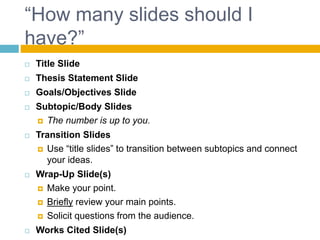
“How many slides should I
have?”
 Title Slide
 Thesis Statement Slide
 Goals/Objectives Slide
 Subtopic/Body Slides
 The number is up to you.
 Transition Slides
 Use “title slides” to transition between subtopics and connect
your ideas.
 Wrap-Up Slide(s)
 Make your point.
 Briefly review your main points.
 Solicit questions from the audience.
 Works Cited Slide(s)
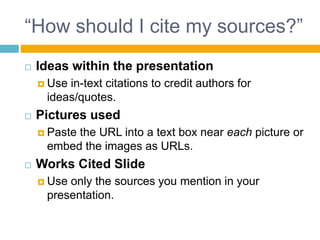
“How should I cite my sources?”
 Ideas within the presentation
 Use in-text citations to credit authors for
ideas/quotes.
 Pictures used
 Paste the URL into a text box near each picture or
embed the images as URLs.
 Works Cited Slide
 Use only the sources you mention in your
presentation.
“How long does my presentation
have to be?”
 At least 5 minutes, but no more than 10.
 Be sure to practice your presentation before
you stand up in front of the class.
“Should I use a video?”
 Probably not.
 In rare cases, it’s necessary to use a video to
explain a concept or demonstrate an action. If this
applies to you, be sure that you:
 Incorporate the video
 Introduce it
 Analyze it
 Do not allow it to control your presentation.
 Keep it SHORT.
 No more than one minute.
 Cite the video
“How can I make my presentation
stand out?”
 Engage the audience.
 Use your PPT as support.
 Make it visually appealing.
 Be professional.
 Dress the part.
 Act the part.
 Do something different, but relevant and
appropriate.
 Bring in artifacts, include a demonstration, draw a
diagram, etc.

Thesis Presentation FAQs

  • 1.
  • 2.
    “How many slidesshould I have?”  Title Slide  Thesis Statement Slide  Goals/Objectives Slide  Subtopic/Body Slides  The number is up to you.  Transition Slides  Use “title slides” to transition between subtopics and connect your ideas.  Wrap-Up Slide(s)  Make your point.  Briefly review your main points.  Solicit questions from the audience.  Works Cited Slide(s)
  • 3.
    “How should Icite my sources?”  Ideas within the presentation  Use in-text citations to credit authors for ideas/quotes.  Pictures used  Paste the URL into a text box near each picture or embed the images as URLs.  Works Cited Slide  Use only the sources you mention in your presentation.
  • 4.
    “How long doesmy presentation have to be?”  At least 5 minutes, but no more than 10.  Be sure to practice your presentation before you stand up in front of the class.
  • 5.
    “Should I usea video?”  Probably not.  In rare cases, it’s necessary to use a video to explain a concept or demonstrate an action. If this applies to you, be sure that you:  Incorporate the video  Introduce it  Analyze it  Do not allow it to control your presentation.  Keep it SHORT.  No more than one minute.  Cite the video
  • 6.
    “How can Imake my presentation stand out?”  Engage the audience.  Use your PPT as support.  Make it visually appealing.  Be professional.  Dress the part.  Act the part.  Do something different, but relevant and appropriate.  Bring in artifacts, include a demonstration, draw a diagram, etc.