Productive Searching
Finding Sources for Your Paper
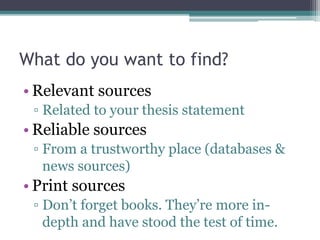
What do you want to find?
• Relevant sources
▫ Related to your thesis statement
• Reliable sources
▫ From a trustworthy place (databases &
news sources)
• Recent sources
▫ Information gets old quickly these days.
Find the most up-to-date info you can.
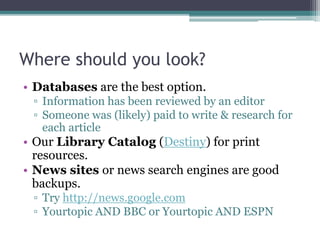
Where should you look?
• Books are excellent resources.
• Databases are also a good option.
▫ Information has been reviewed by an editor
▫ Someone was (likely) paid to write & research for
each article
• News sites and search engines are good backups.
▫ Try http://news.google.com
How do you find it?
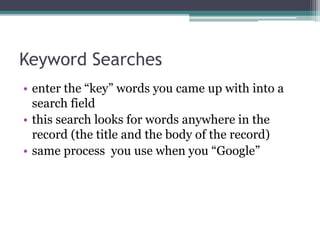
Keyword Searches
• user enters the words they’ve come up with
• search looks for words anywhere in the record
• same process you use when you “Google”
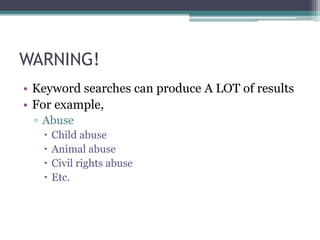
WARNING!
• Keyword searches can produce A LOT of results.
Keyword Search Strategies
to Focus Results
• Use quotation marks.
▫ Surround words with them to search for exact
phrases.
 i.e. “global warming” instead of global warming
Keyword Search Strategies
to Focus Results
• Use Boolean operators (AND, OR, NOT)
▫ AND will search for entries that contain both
keywords
▫ OR will search for entries that contain one of, the
other, or both keywords
▫ NOT will return results that have the first
keyword, but not the second
How would the results of these
searches be different from each other?
1. Teens and pregnancy
2. Teens or pregnancy
3. Teens not pregnancy
Subject Heading searches
• User clicks on or searches Subject Headings,
which are predetermined categories in which
databases place each article
• Subject headings must use terms as they are
found in the Library of Congress Subject
Headings (LCSH) list
Subject Heading Search Strategies
• Select Subject from the search options and type the
beginning of the subject heading.
• Subheadings are listed alphabetically after a main
heading:
Examples:
france--history--revolution
women--italy
censorship--united states—encyclopedia
Subject Heading Search Strategies
• If you don't know the correct subject heading…
▫ find at least one record relevant to your topic by
doing a Keyword search.
▫ Select a record from your search results and look
at the Full record display.
▫ Then use the subject heading(s) found in the
record that most closely matches your topic for
additional subject heading searches.
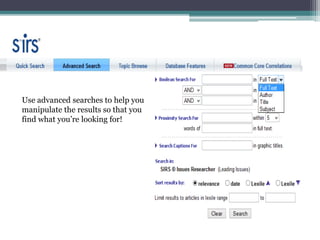
Use advanced searches to help you
manipulate the results so that you
find what you’re looking for!
What do you do once you’ve
found it?
Cite it!
• Use your planner, easybib.com, or Noodle Tools.
• Use MLA format.
• And, as a reminder, use in-text citations to point
your reader to the source of your information.
Works Cited
“Keyword Search.” Columbia University Libraries
Online Catalog. Columbia University. Web. 29
Jan. 2013.
“Subject Search.” Columbia University Libraries
Online Catalog. Columbia University. Web. 29
Jan. 2013.

Productive Searching

  • 1.
  • 2.
    What do youwant to find? • Relevant sources ▫ Related to your thesis statement • Reliable sources ▫ From a trustworthy place (databases & news sources) • Recent sources ▫ Information gets old quickly these days. Find the most up-to-date info you can.
  • 3.
    Where should youlook? • Books are excellent resources. • Databases are also a good option. ▫ Information has been reviewed by an editor ▫ Someone was (likely) paid to write & research for each article • News sites and search engines are good backups. ▫ Try http://news.google.com
  • 4.
    How do youfind it?
  • 5.
    Keyword Searches • userenters the words they’ve come up with • search looks for words anywhere in the record • same process you use when you “Google”
  • 6.
    WARNING! • Keyword searchescan produce A LOT of results.
  • 7.
    Keyword Search Strategies toFocus Results • Use quotation marks. ▫ Surround words with them to search for exact phrases.  i.e. “global warming” instead of global warming
  • 8.
    Keyword Search Strategies toFocus Results • Use Boolean operators (AND, OR, NOT) ▫ AND will search for entries that contain both keywords ▫ OR will search for entries that contain one of, the other, or both keywords ▫ NOT will return results that have the first keyword, but not the second
  • 9.
    How would theresults of these searches be different from each other? 1. Teens and pregnancy 2. Teens or pregnancy 3. Teens not pregnancy
  • 10.
    Subject Heading searches •User clicks on or searches Subject Headings, which are predetermined categories in which databases place each article • Subject headings must use terms as they are found in the Library of Congress Subject Headings (LCSH) list
  • 11.
    Subject Heading SearchStrategies • Select Subject from the search options and type the beginning of the subject heading. • Subheadings are listed alphabetically after a main heading: Examples: france--history--revolution women--italy censorship--united states—encyclopedia
  • 12.
    Subject Heading SearchStrategies • If you don't know the correct subject heading… ▫ find at least one record relevant to your topic by doing a Keyword search. ▫ Select a record from your search results and look at the Full record display. ▫ Then use the subject heading(s) found in the record that most closely matches your topic for additional subject heading searches.
  • 13.
    Use advanced searchesto help you manipulate the results so that you find what you’re looking for!
  • 14.
    What do youdo once you’ve found it?
  • 15.
    Cite it! • Useyour planner, easybib.com, or Noodle Tools. • Use MLA format. • And, as a reminder, use in-text citations to point your reader to the source of your information.
  • 16.
    Works Cited “Keyword Search.”Columbia University Libraries Online Catalog. Columbia University. Web. 29 Jan. 2013. “Subject Search.” Columbia University Libraries Online Catalog. Columbia University. Web. 29 Jan. 2013.