The Power of Likeand other social sharing toolsMarch 30, 2011Debra Askanase, Community Engagement Manager, FirstGivingAndrew Urban, Head of Sales and Business Development
How this webinar worksA link to the slides and a recording will be sentafter the webinarIf you’d like to ask a question during the webinar, you can type it in the box on the right side of your screenUse the hashtag #fgwebinar to tweet about this webinar
Upcoming webinarsApril 21The New Ecology of Online Giving and The Giving EvolutionMay 19 Introduction to Location Based Marketing for Nonprofits with Estrella RosenbergAll webinars are 1pm EST/ 10am PST
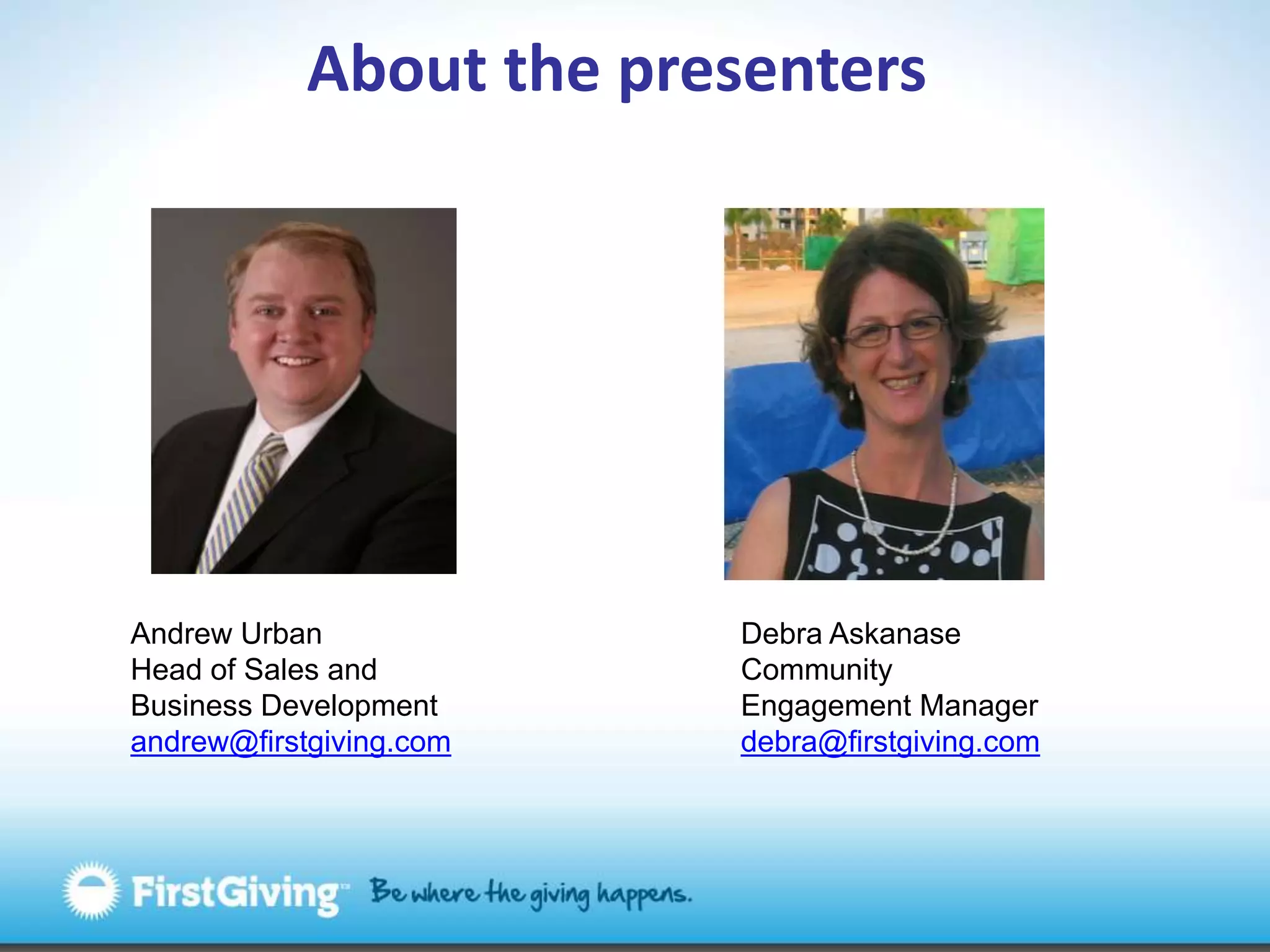
About the presentersAndrew UrbanHead of Sales and Business Developmentandrew@firstgiving.comDebra AskanaseCommunity Engagement Managerdebra@firstgiving.com
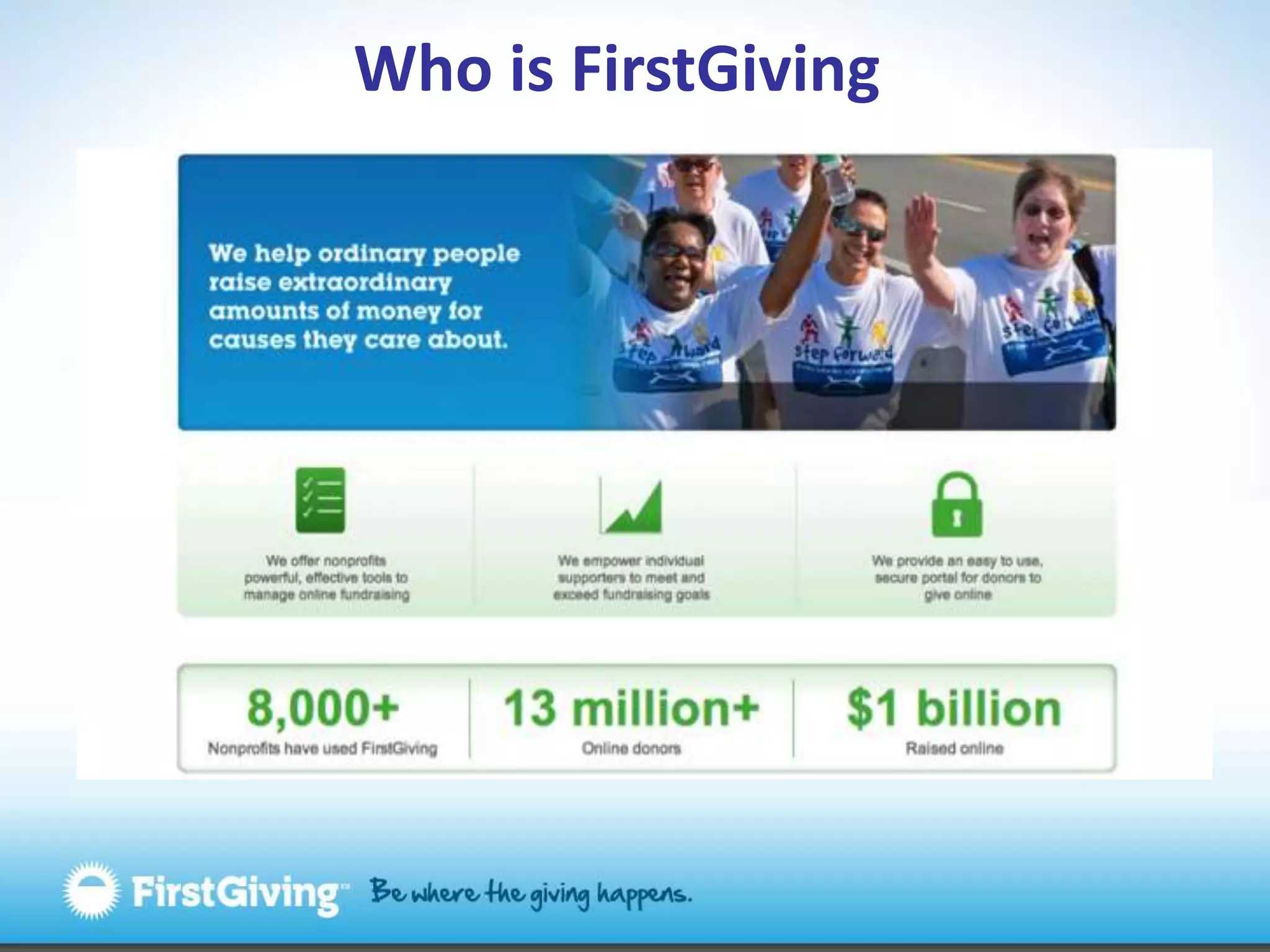
Who is FirstGiving
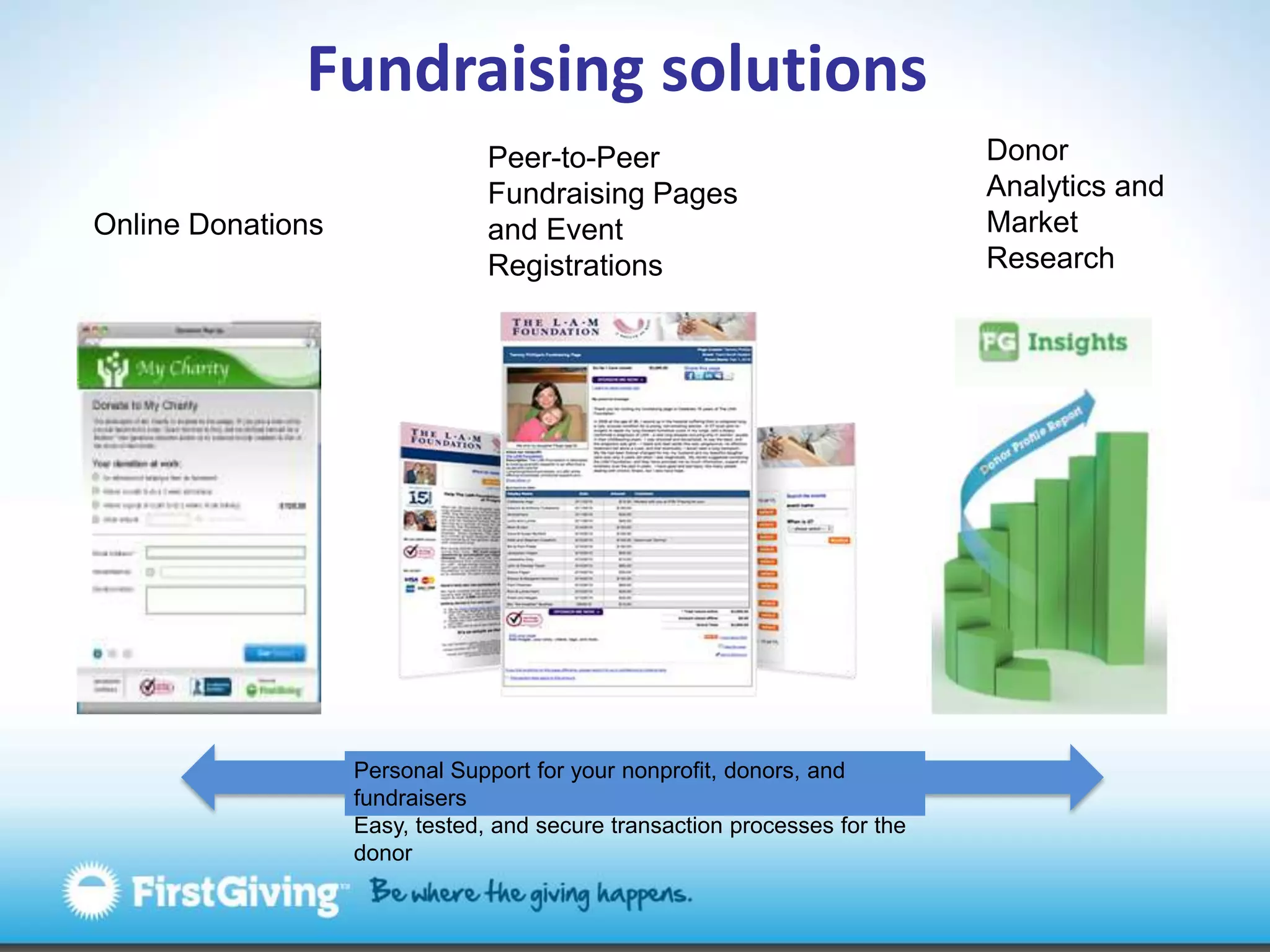
Fundraising solutionsDonor Analytics and Market ResearchPeer-to-Peer Fundraising Pagesand Event RegistrationsOnline DonationsPersonal Support for your nonprofit, donors, and fundraisersEasy, tested, and secure transaction processes for the donor
Today’s webinarFacebook Social PluginsThe Power of LikeNews Feed Optimization             Social Sharing ToolsAddThisSharing ToolbarsDisquscommentingWrap-up
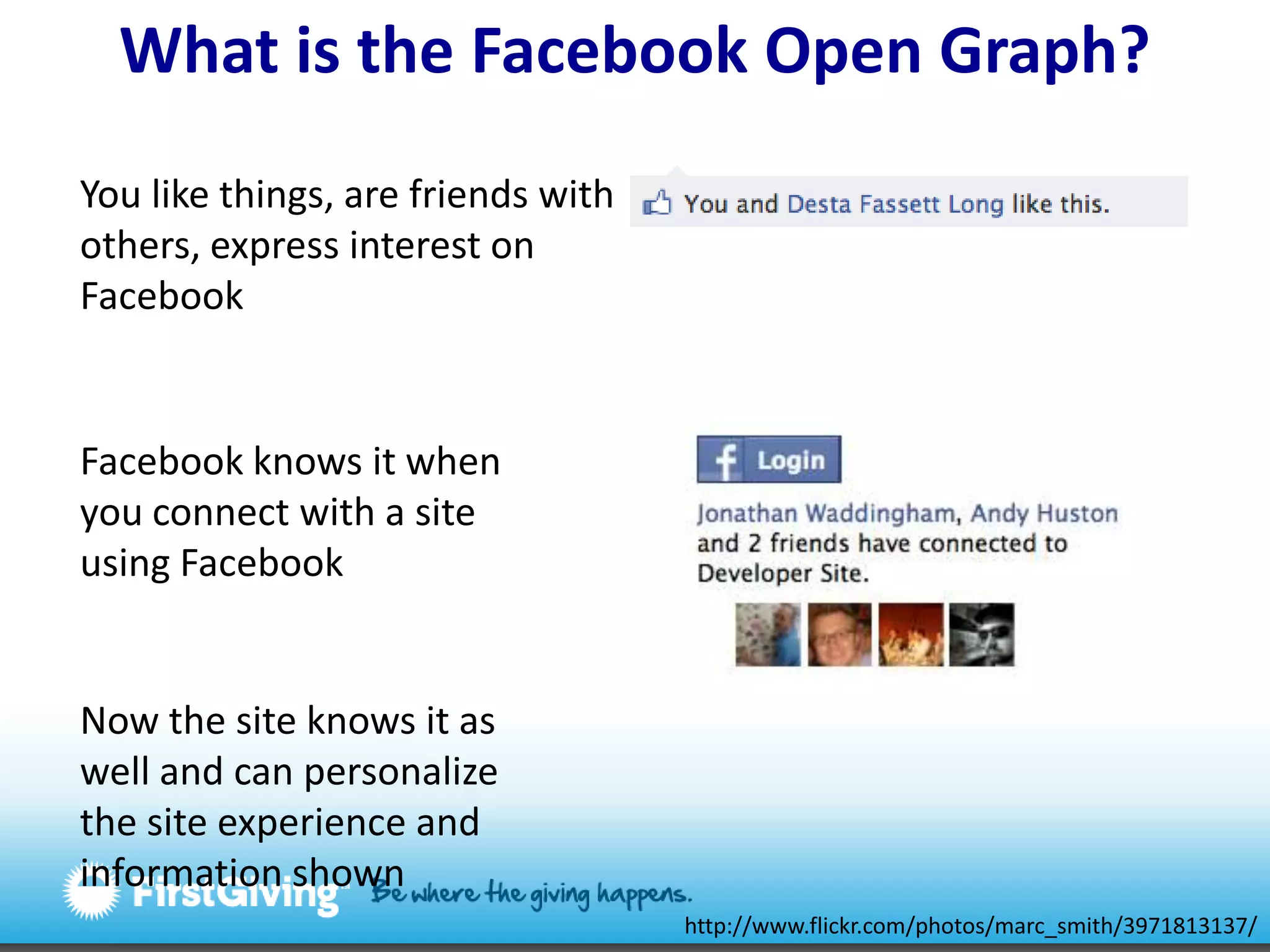
What is the Facebook Open Graph? You like things, are friends with others, express interest on FacebookFacebook knows it when you connect with a site using FacebookNow the site knows it as well and can personalize the site experience and information shownhttp://www.flickr.com/photos/marc_smith/3971813137/
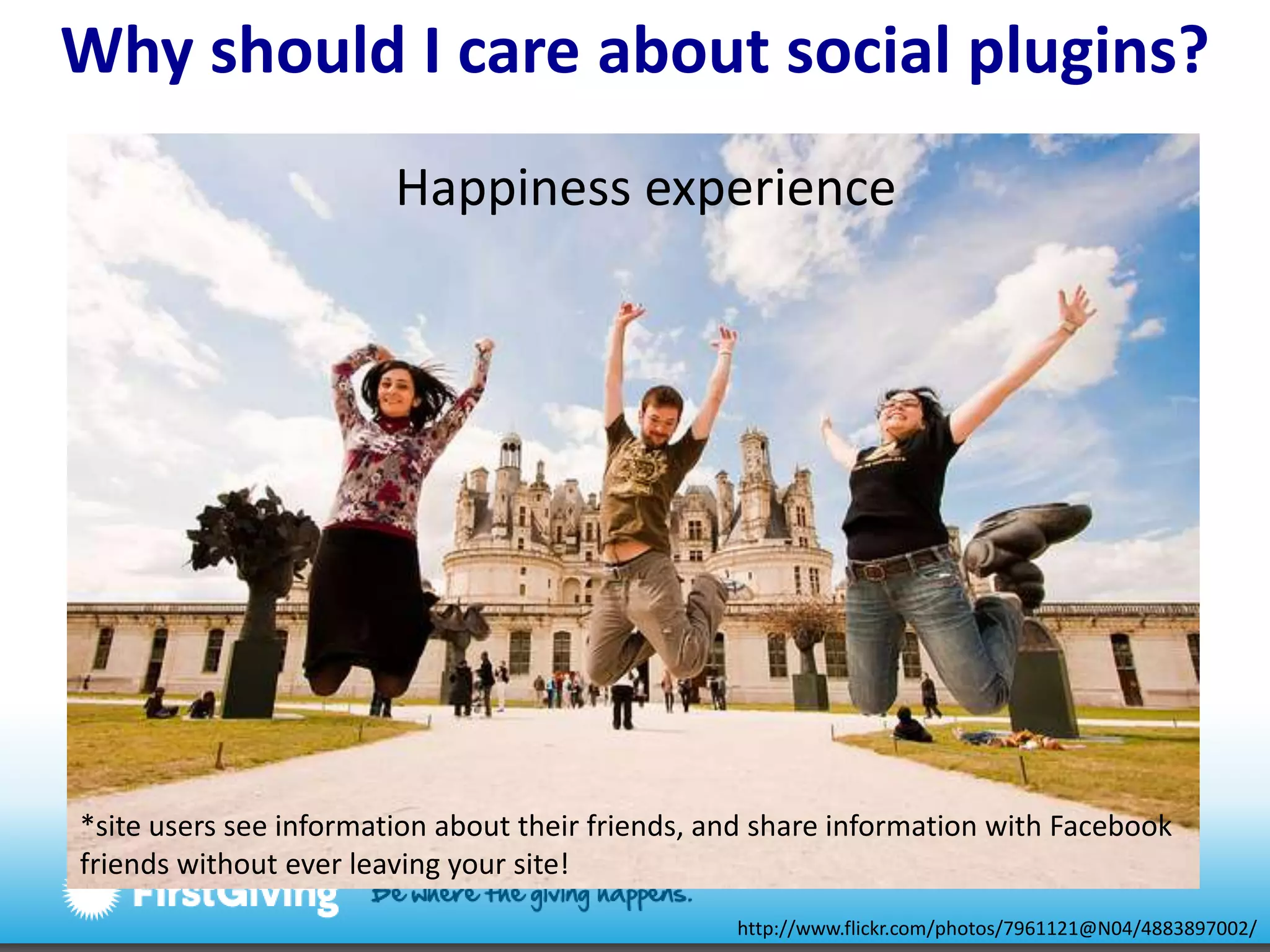
Why should I careabout social plugins?Happiness experience*site users see information about their friends, and share information with Facebook friends without ever leaving your site!http://www.flickr.com/photos/7961121@N04/4883897002/
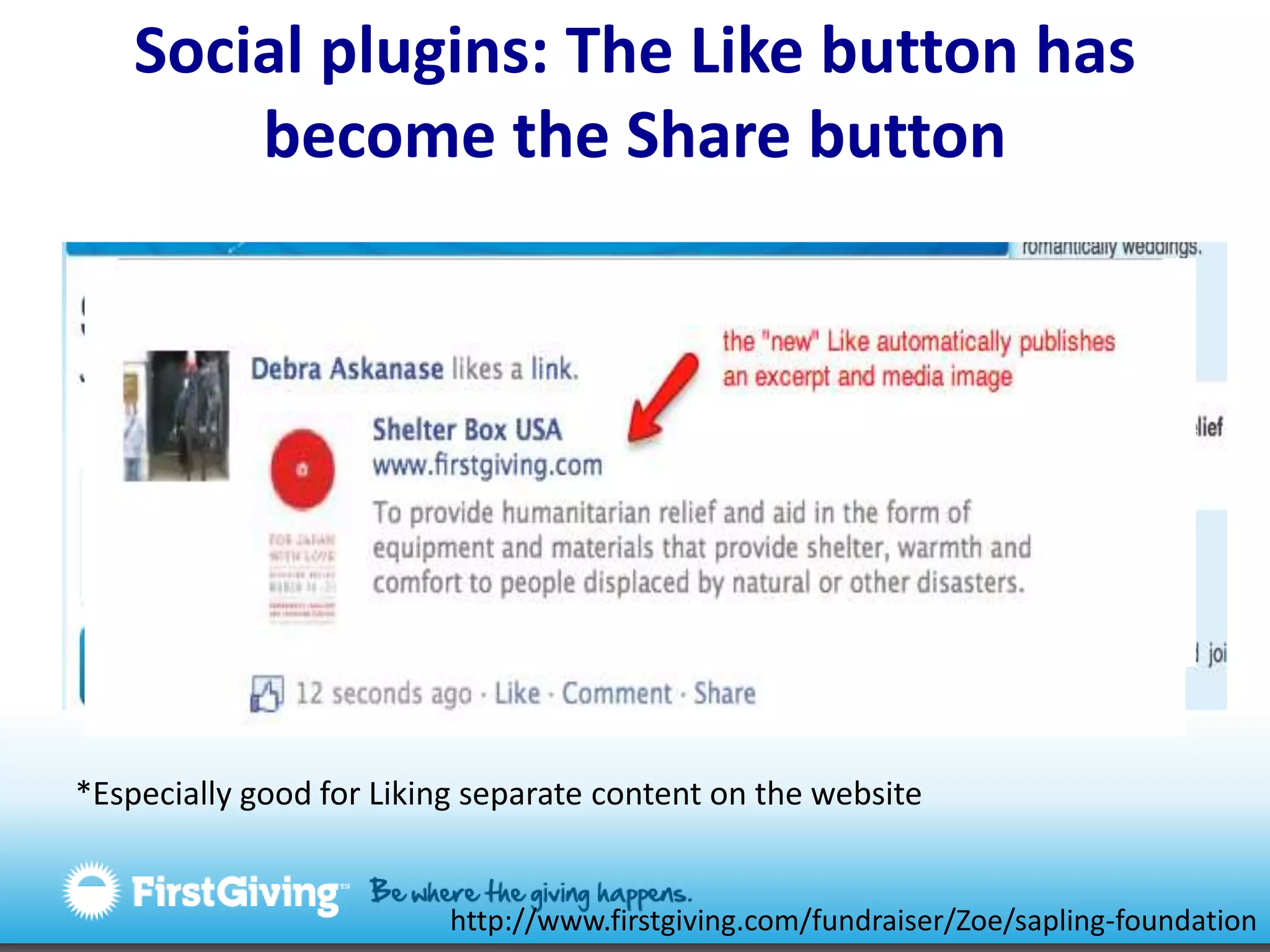
Social plugins: The Like button has become the Share button*Especially good for Liking separate content on the websitehttp://www.firstgiving.com/fundraiser/Zoe/sapling-foundation
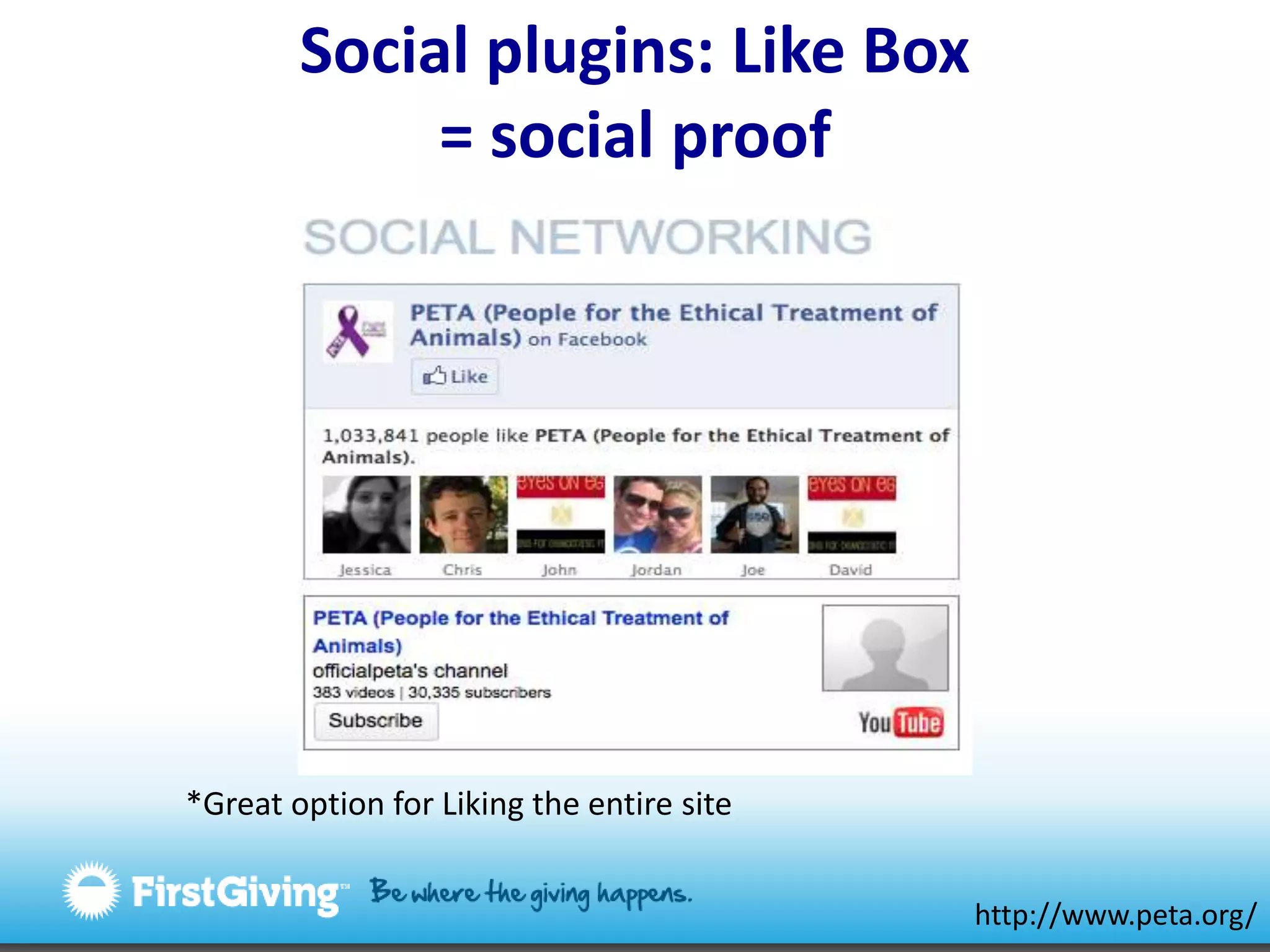
Social plugins: Like Box= social proof*Great option for Liking the entire sitehttp://www.peta.org/
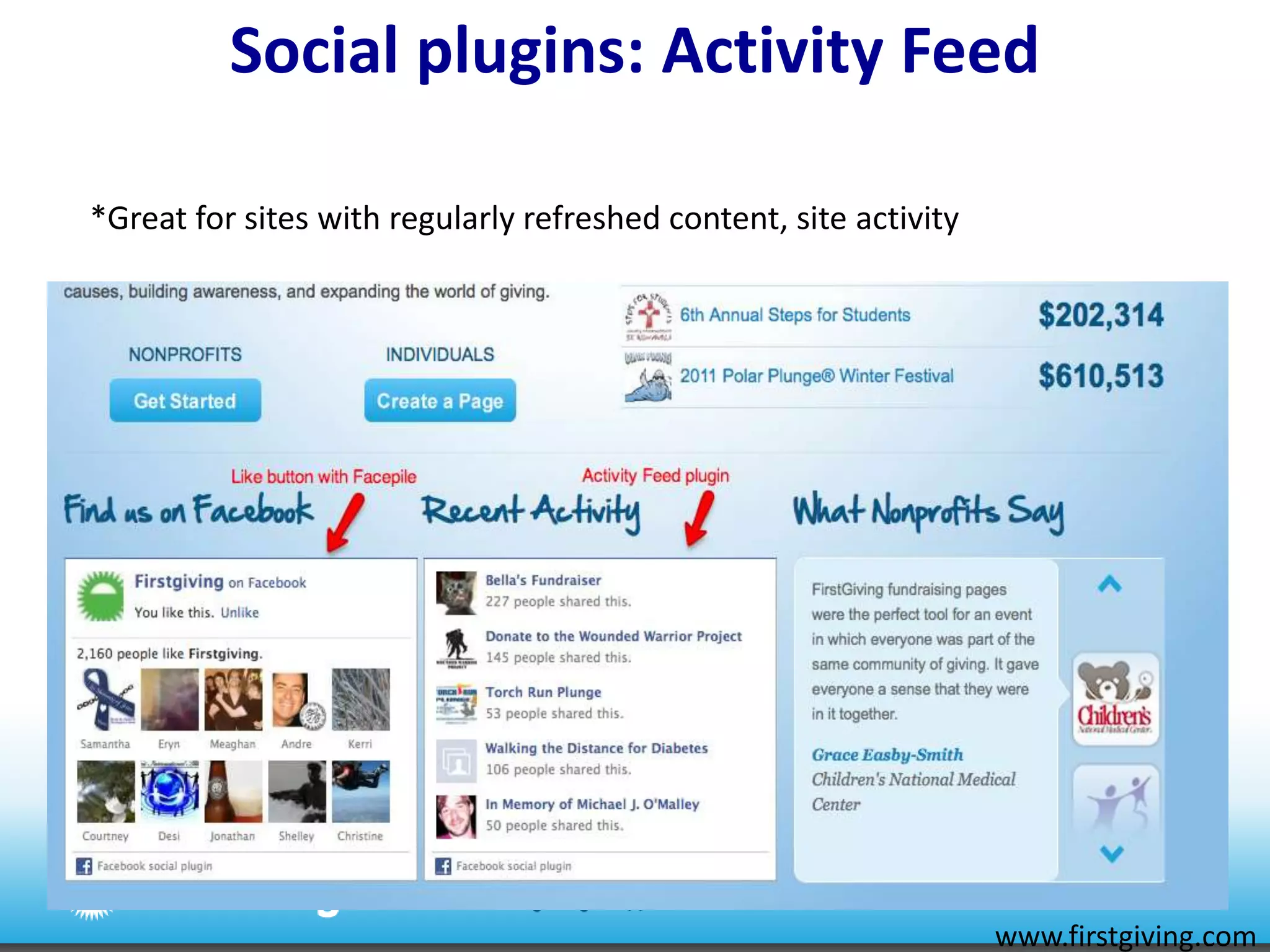
Social plugins: Activity Feed*Great for sites with regularly refreshed content, site activitywww.firstgiving.com
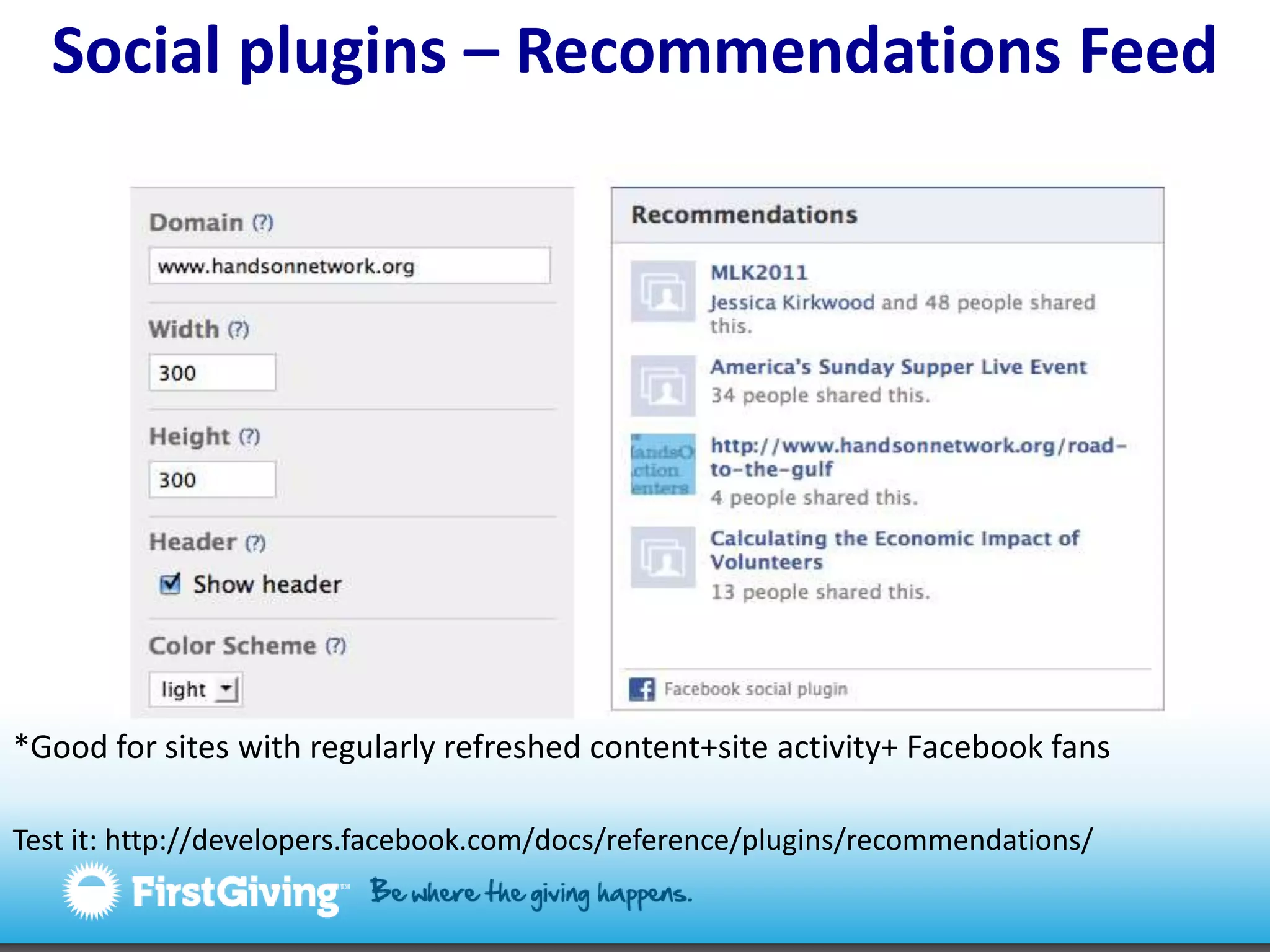
Social plugins – Recommendations Feed*Good for sites with regularly refreshed content+site activity+ Facebook fansTest it: http://developers.facebook.com/docs/reference/plugins/recommendations/
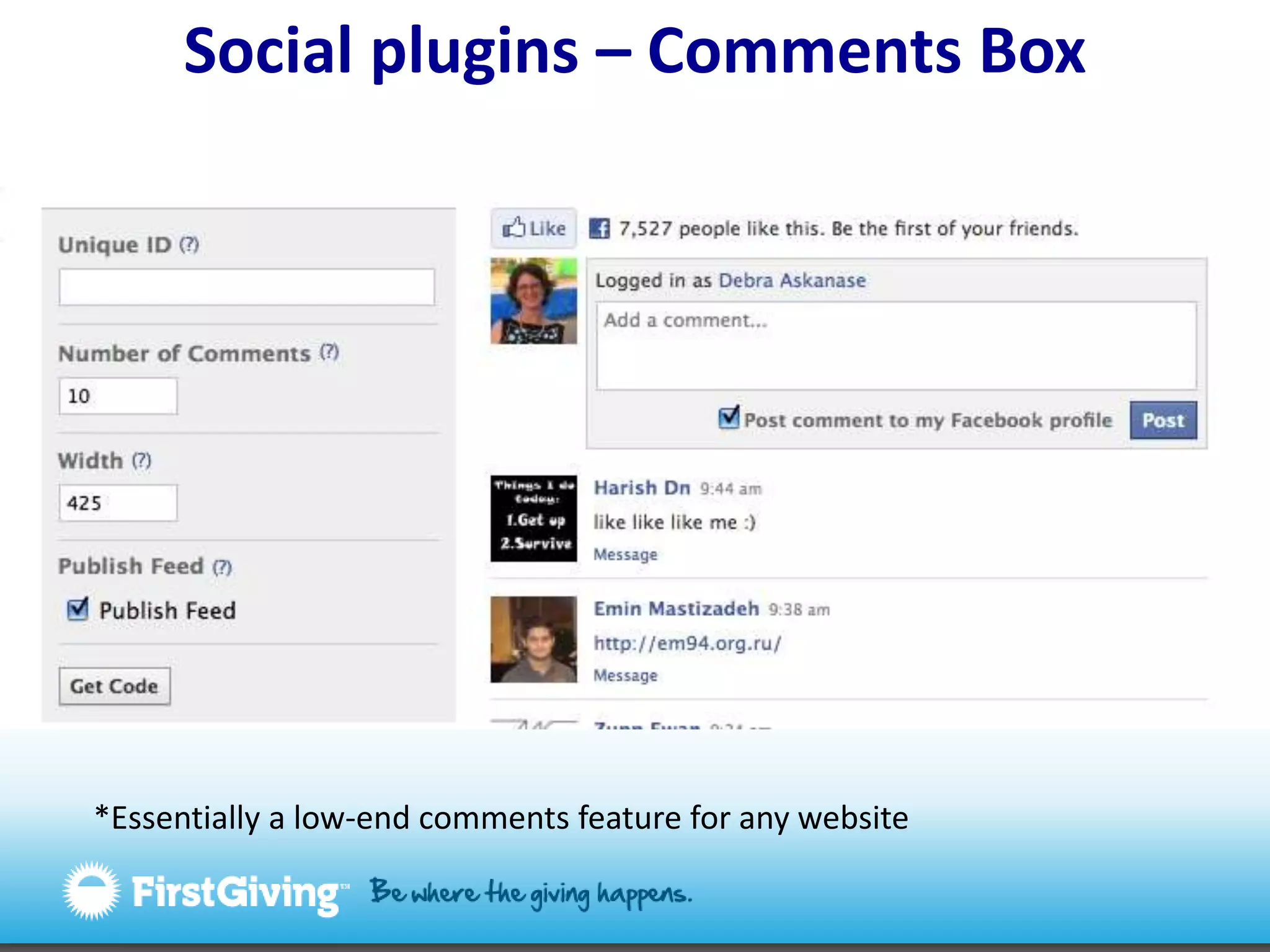
Social plugins – Comments Box*Essentially a low-end comments feature for any website
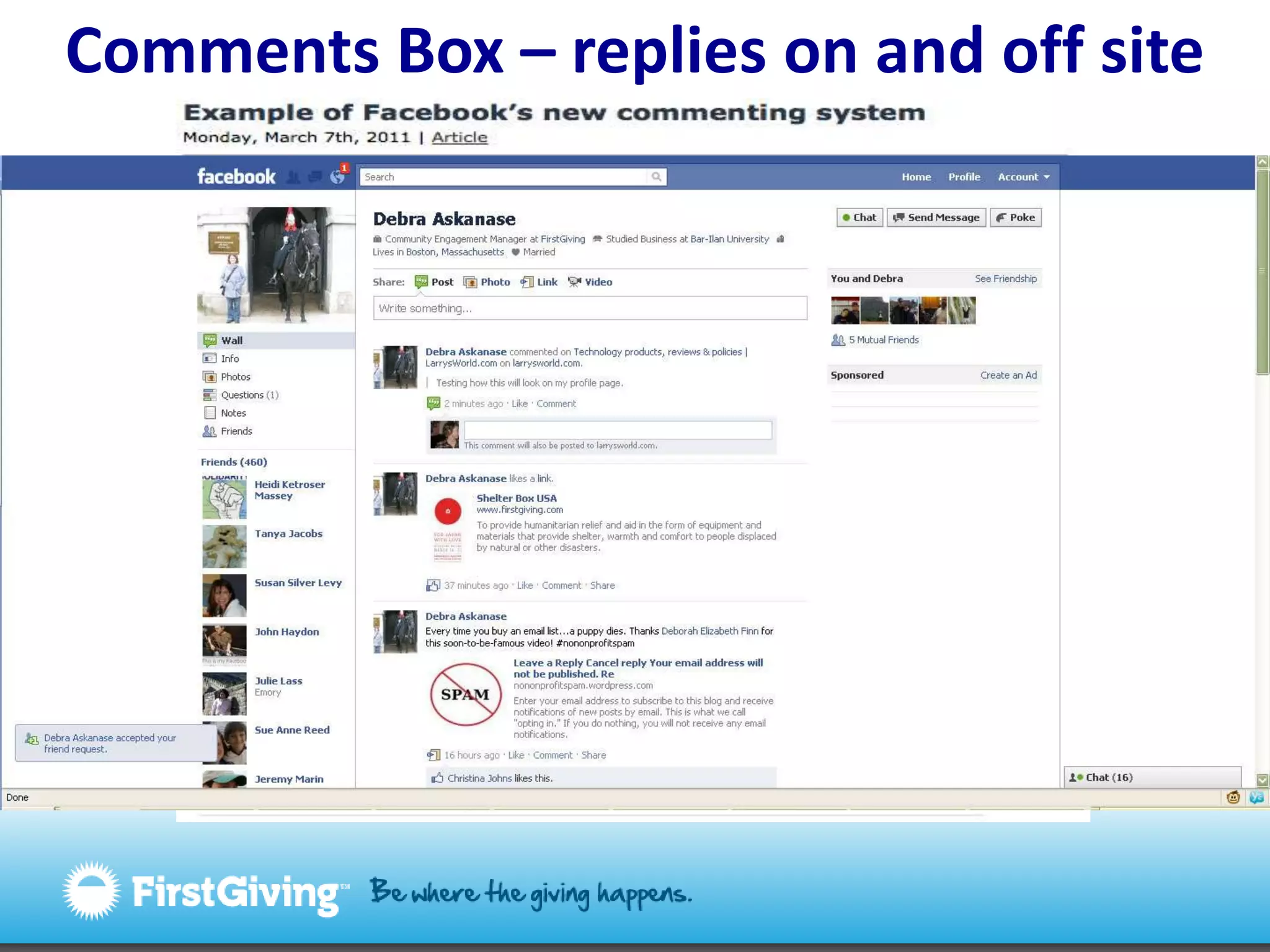
Comments Box – replies on and off site
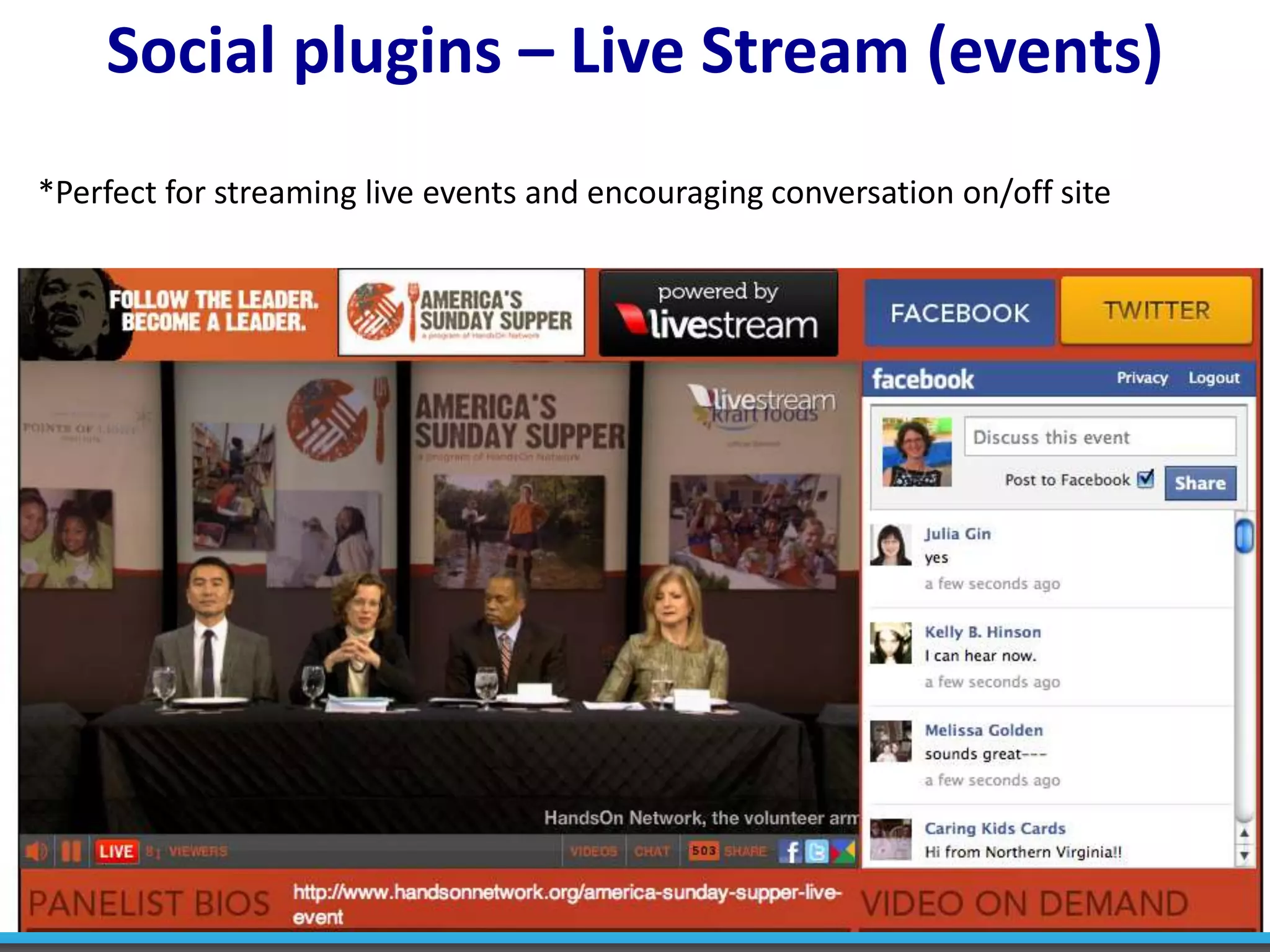
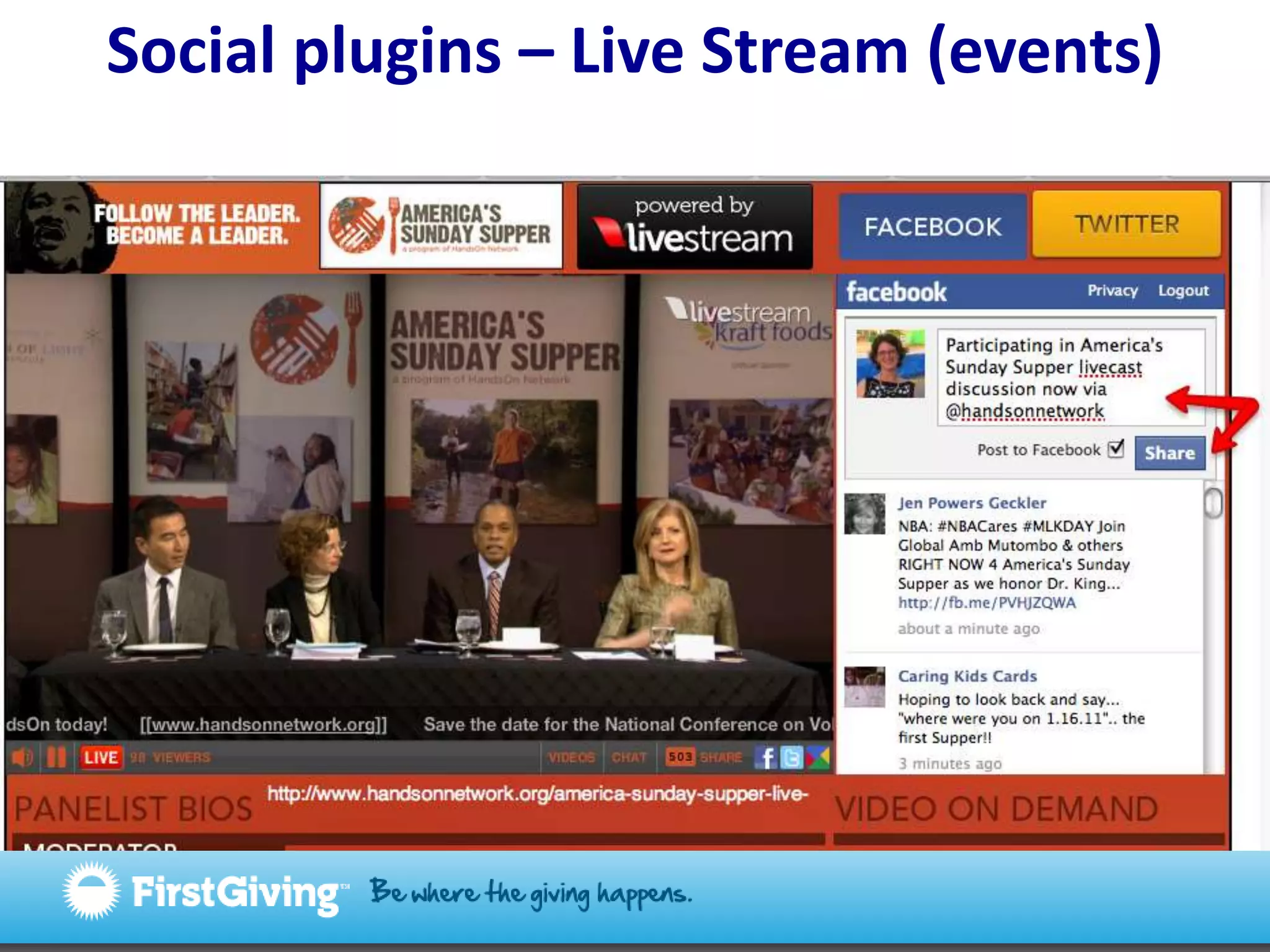
Social plugins – Live Stream (events)*Perfect for streaming live events and encouraging conversation on/off site
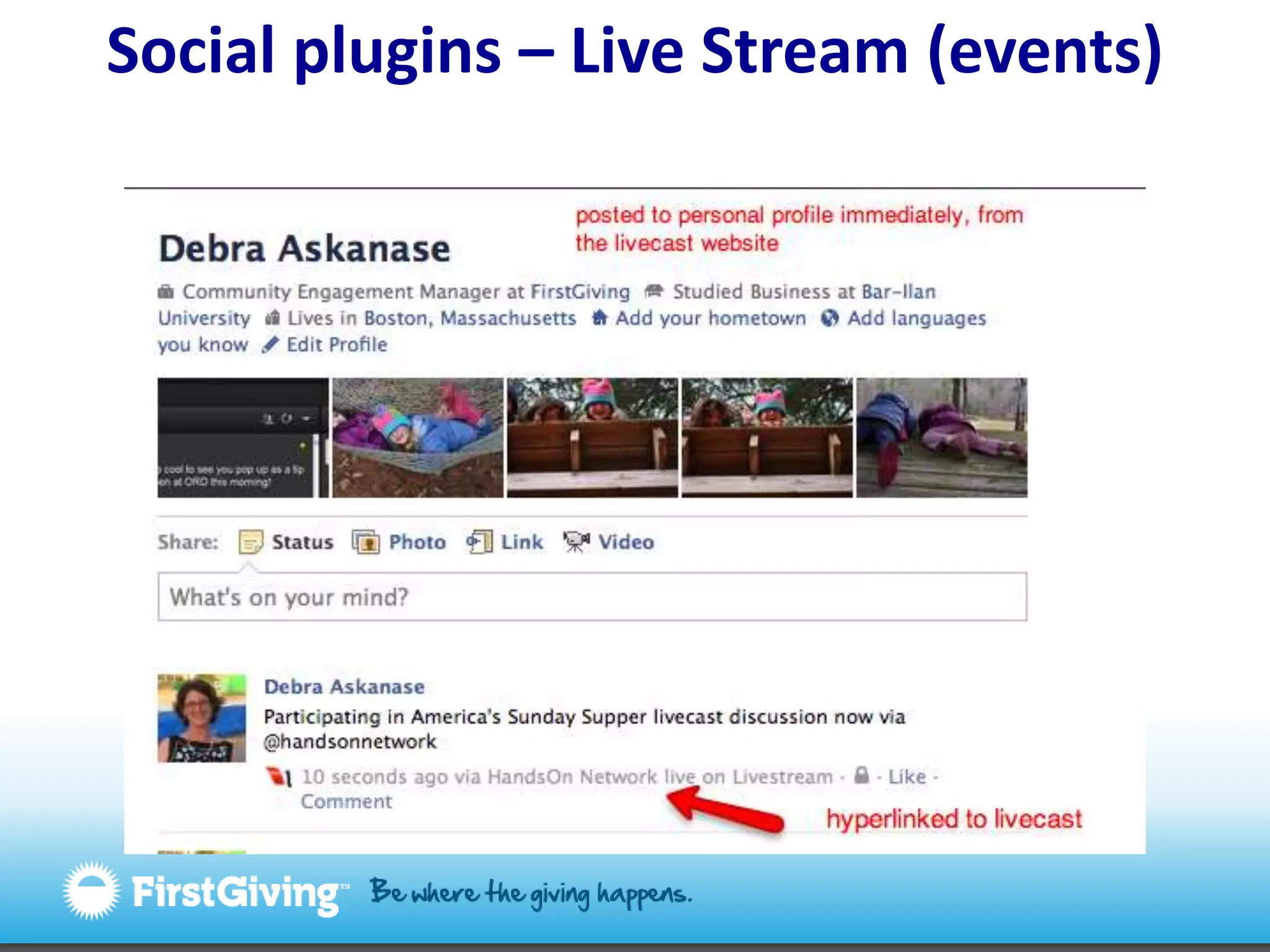
Social plugins – Live Stream (events)
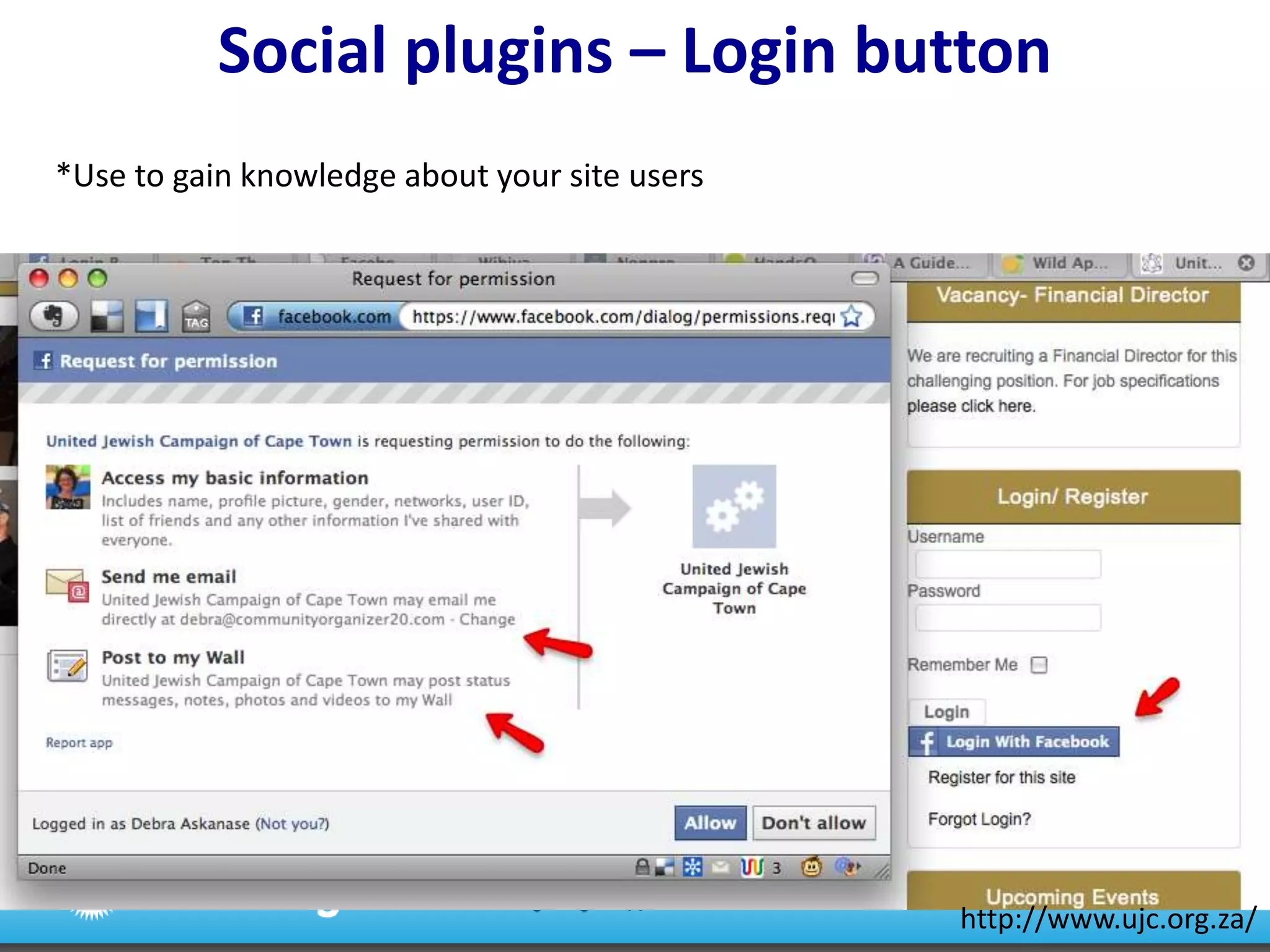
Social plugins – Login button*Use to gain knowledge about your site usershttp://www.ujc.org.za/
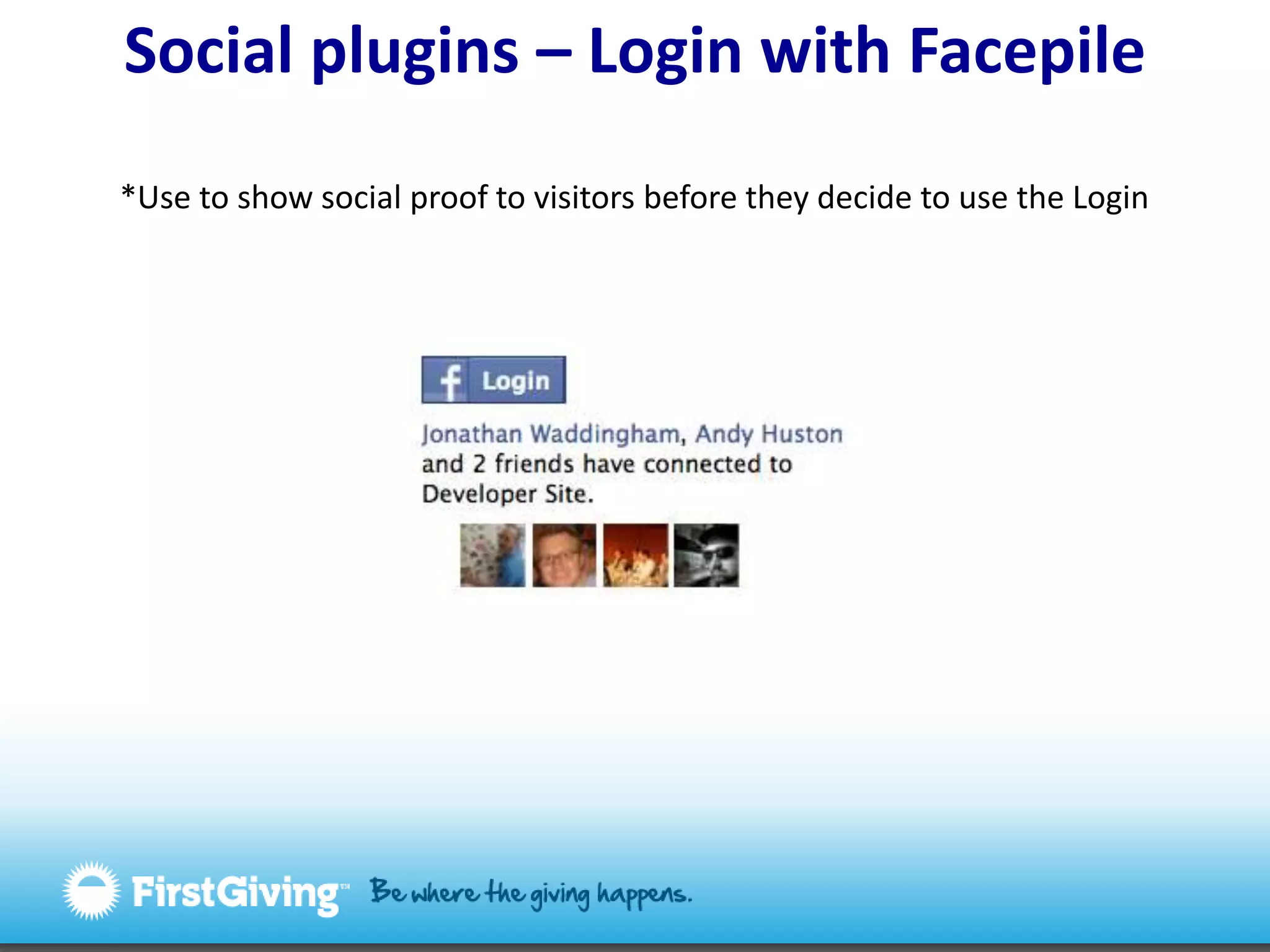
Social plugins – Login with Facepile*Use to show social proof to visitors before they decide to use the Login
Desert Island Facebook PluginsFacebook Like buttonFacebook LoginFacebook Recommendations     orFacebook Activity Streamhttp://www.flickr.com/photos/49503002894@N01/4581466161/
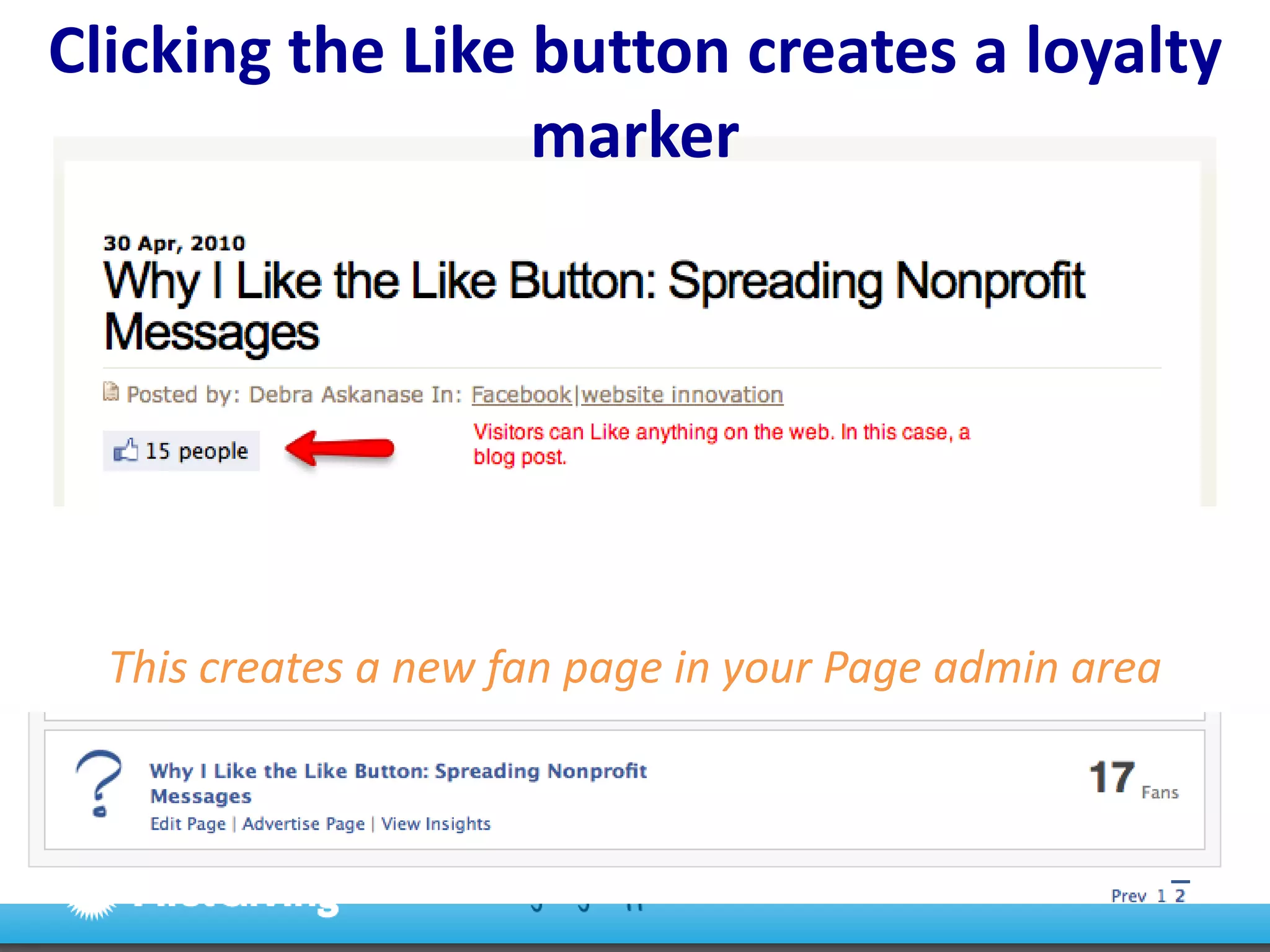
Clicking the Like button creates a loyalty markerThis creates a new fan page in your Page admin area
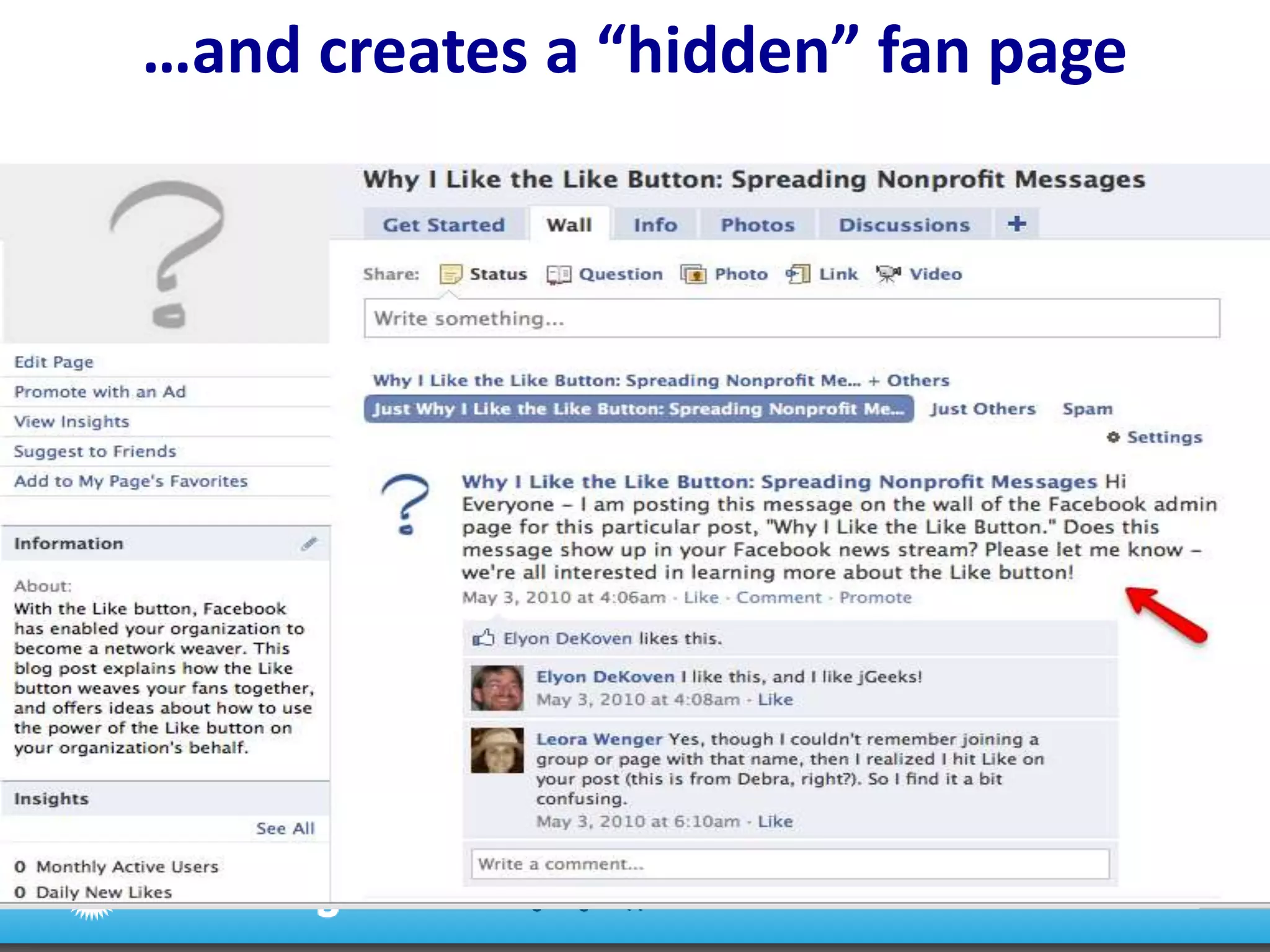
…and creates a “hidden” fan page
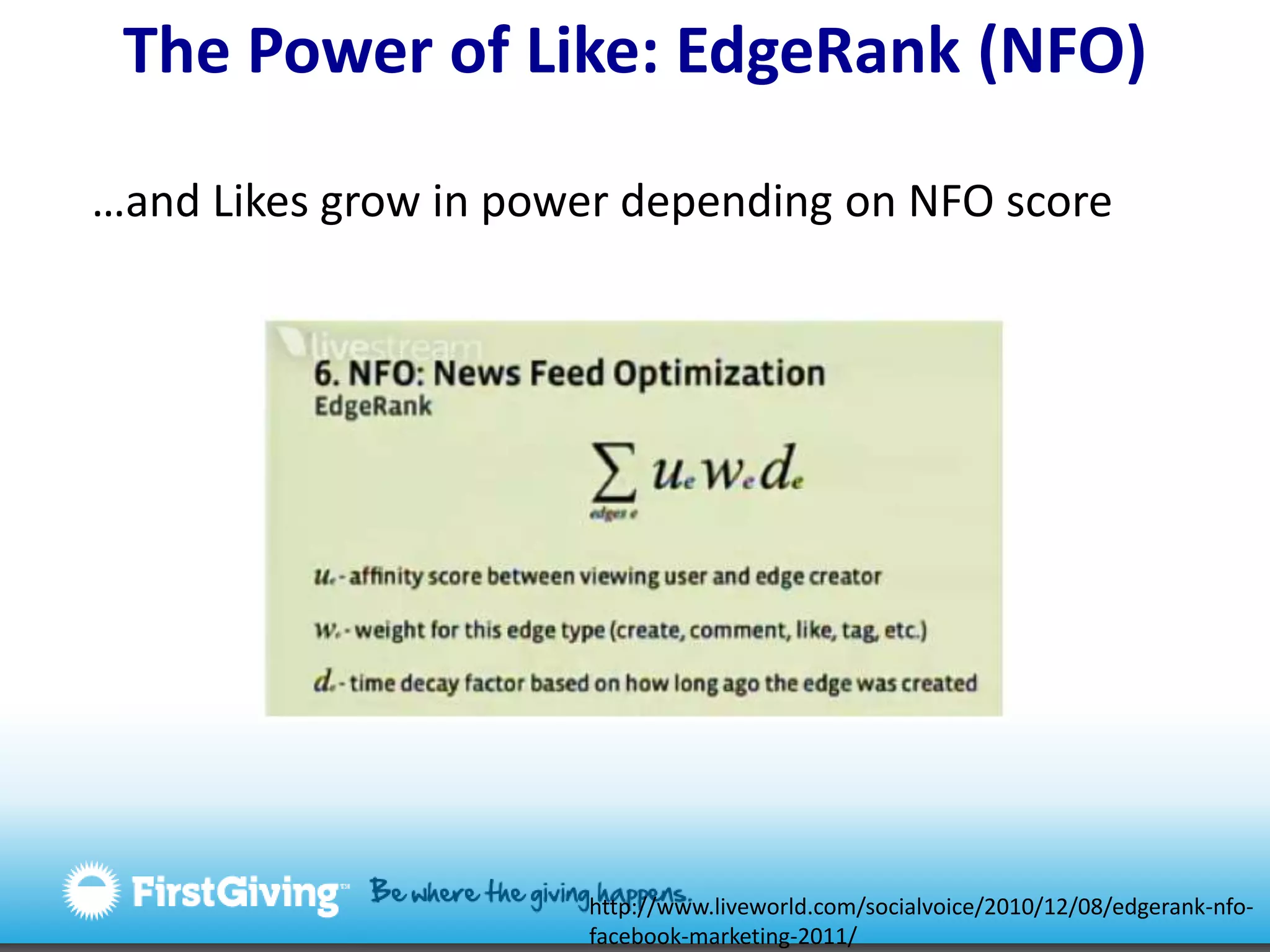
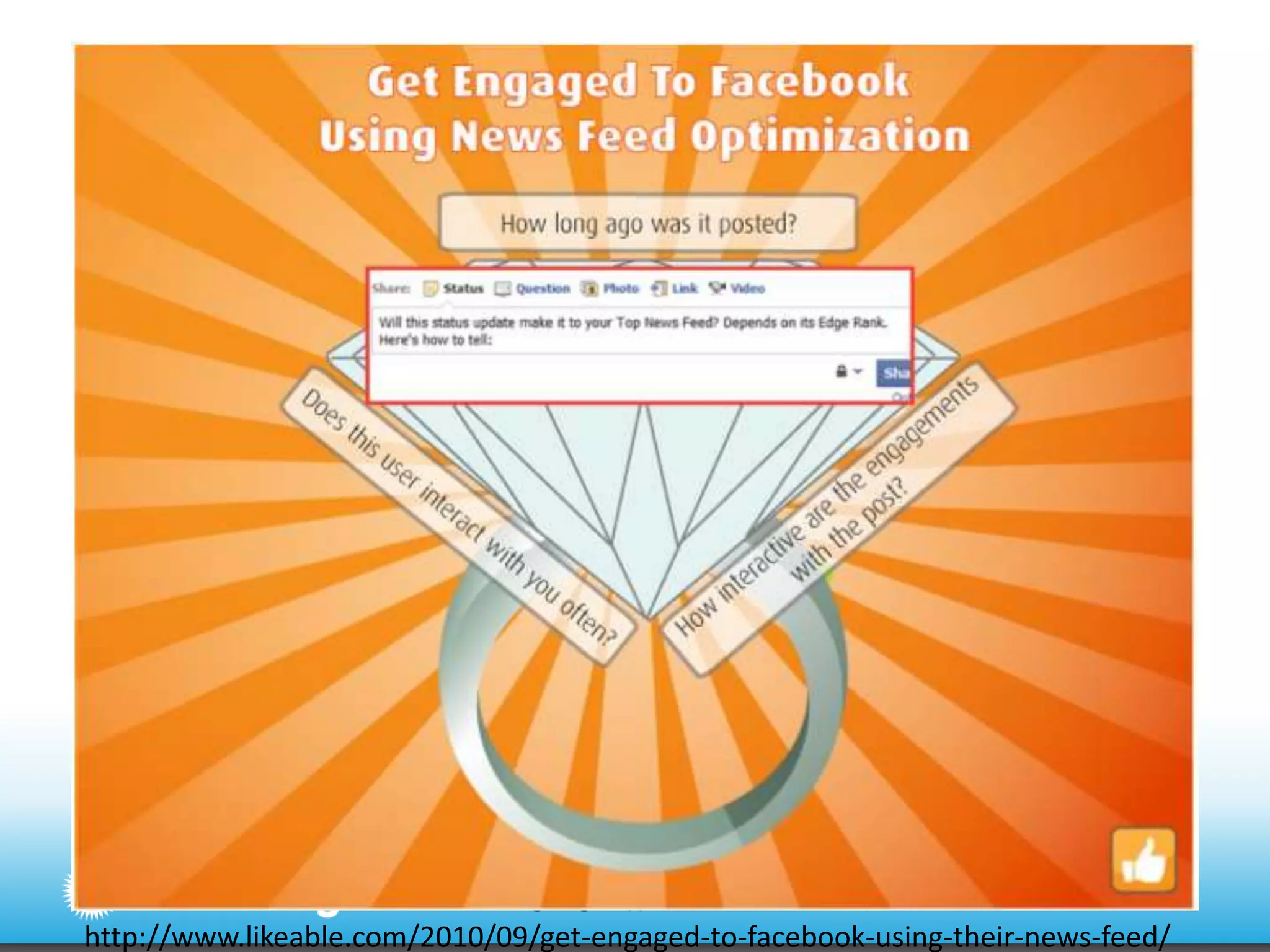
The Power of Like: EdgeRank (NFO) …and Likes grow in power depending on NFO scorehttp://www.liveworld.com/socialvoice/2010/12/08/edgerank-nfo-facebook-marketing-2011/
The Power of Like: EdgeRank NFO weight Lightweight– Likes have little notice in the news streamMiddleweight- Likes that are “upgraded” to a comment have more weightHeavyweight- The more interactions with the news stream item (tags, comments, likes, shares) the higher it will show in search and on the user’s Pages** same principle at work with Facebook updates on your Page
http://www.likeable.com/2010/09/get-engaged-to-facebook-using-their-news-feed/
EdgeRanktakeaways1. Ask users to Like your content – offer opportunities2. Find ways to get users to return – the more often they like, comment, share your content, the higher it will show in their news feeds3. Always offer fresh content – higher EdgeRank weight
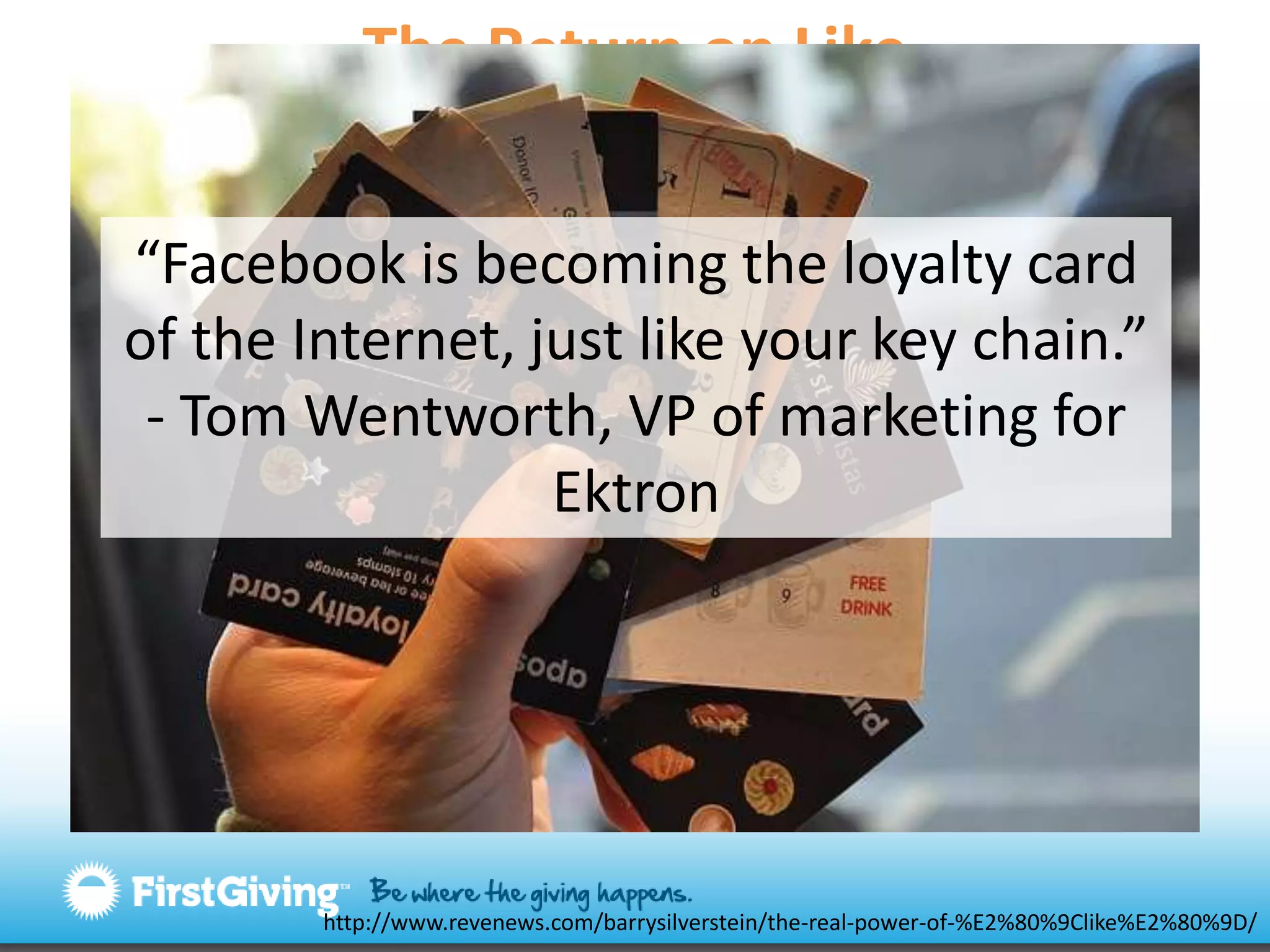
The Return on Like “Facebook is becoming the loyalty card of the Internet, just like your key chain.”- Tom Wentworth, VP of marketing for Ektronhttp://www.revenews.com/barrysilverstein/the-real-power-of-%E2%80%9Clike%E2%80%9D/
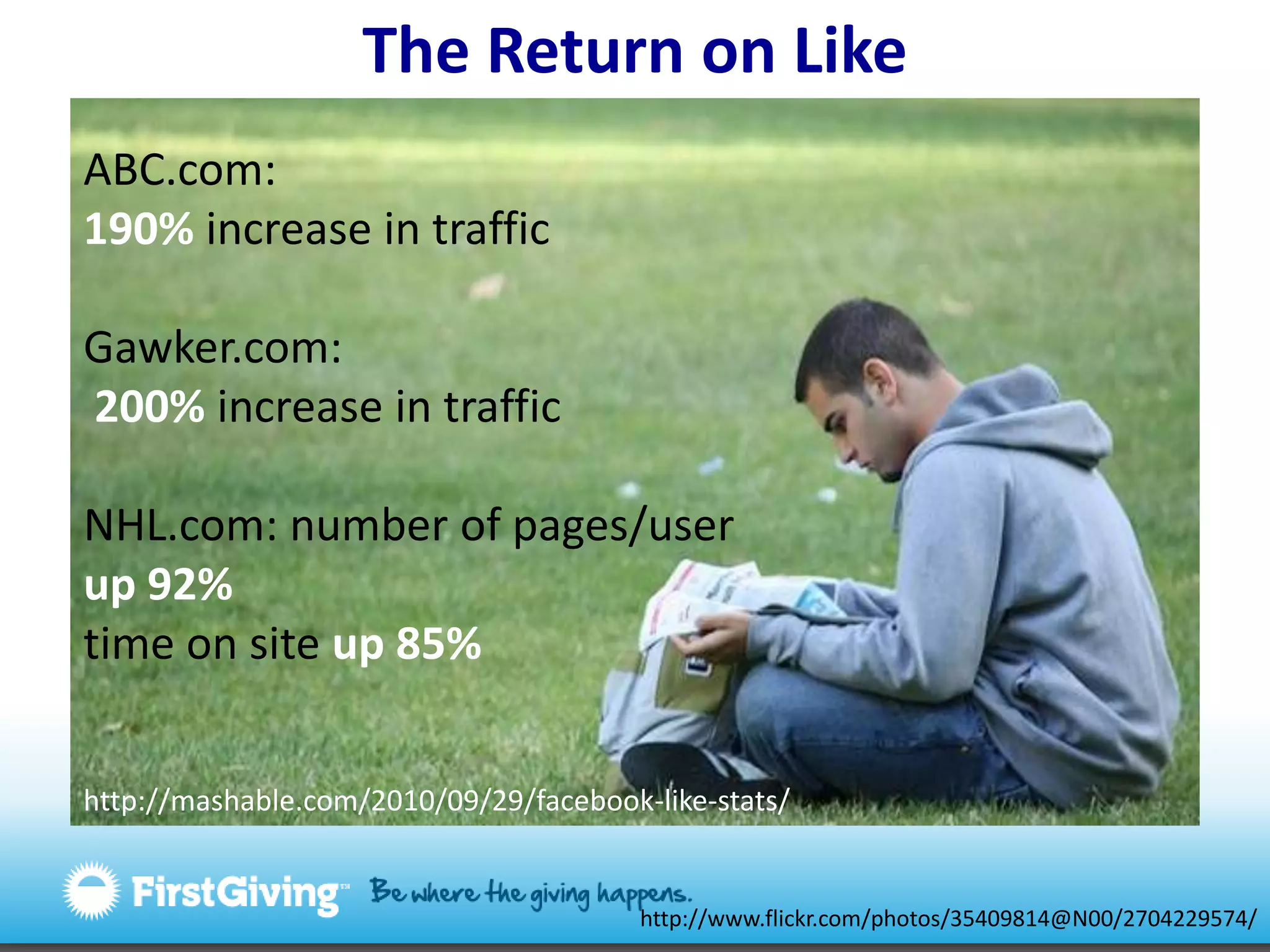
The Return on LikeABC.com: 190% increase in trafficGawker.com: 200% increase in trafficNHL.com: number of pages/user up 92%time on site up 85%http://mashable.com/2010/09/29/facebook-like-stats/http://www.flickr.com/photos/35409814@N00/2704229574/
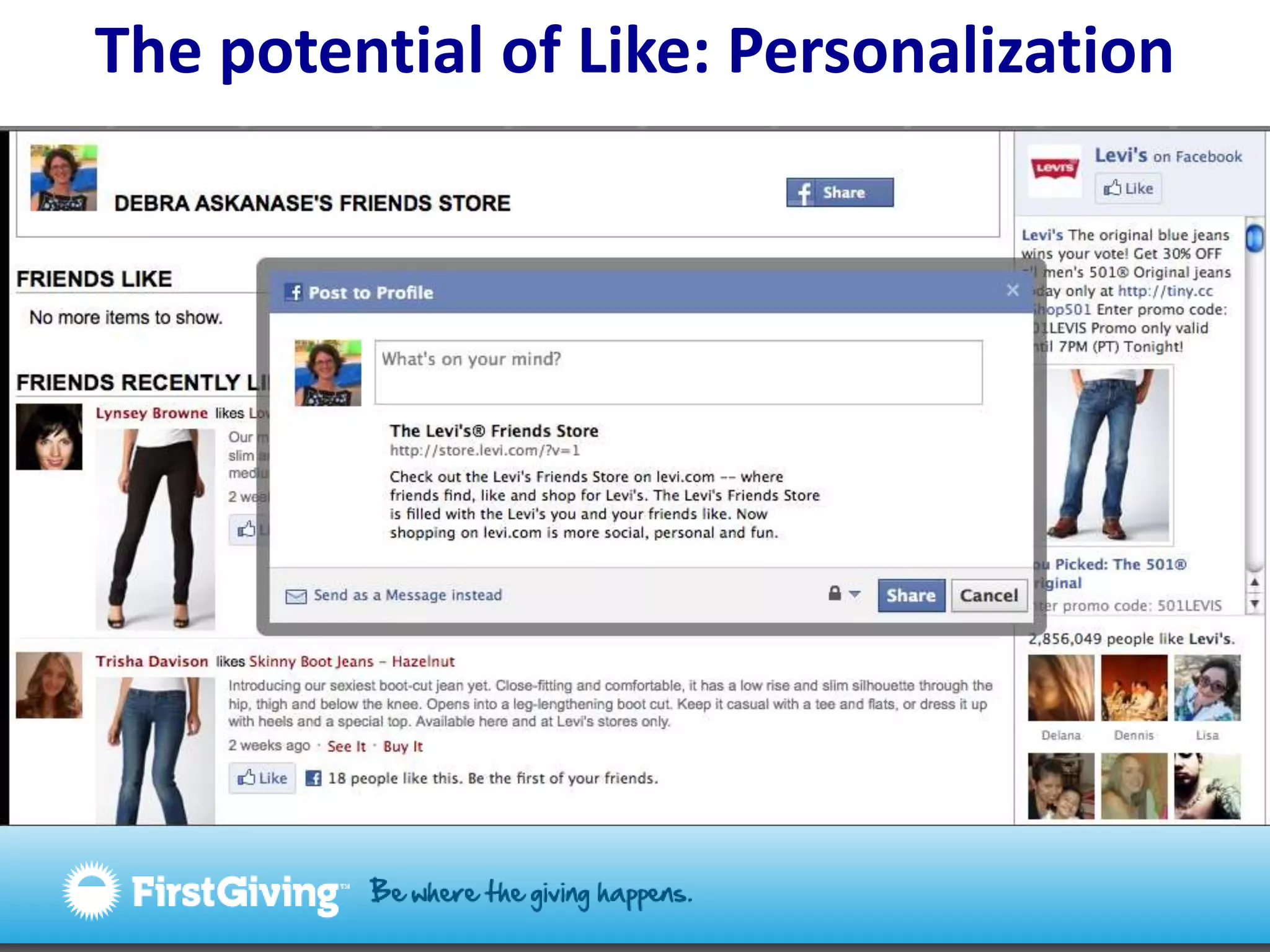
The potential of Like: Personalization
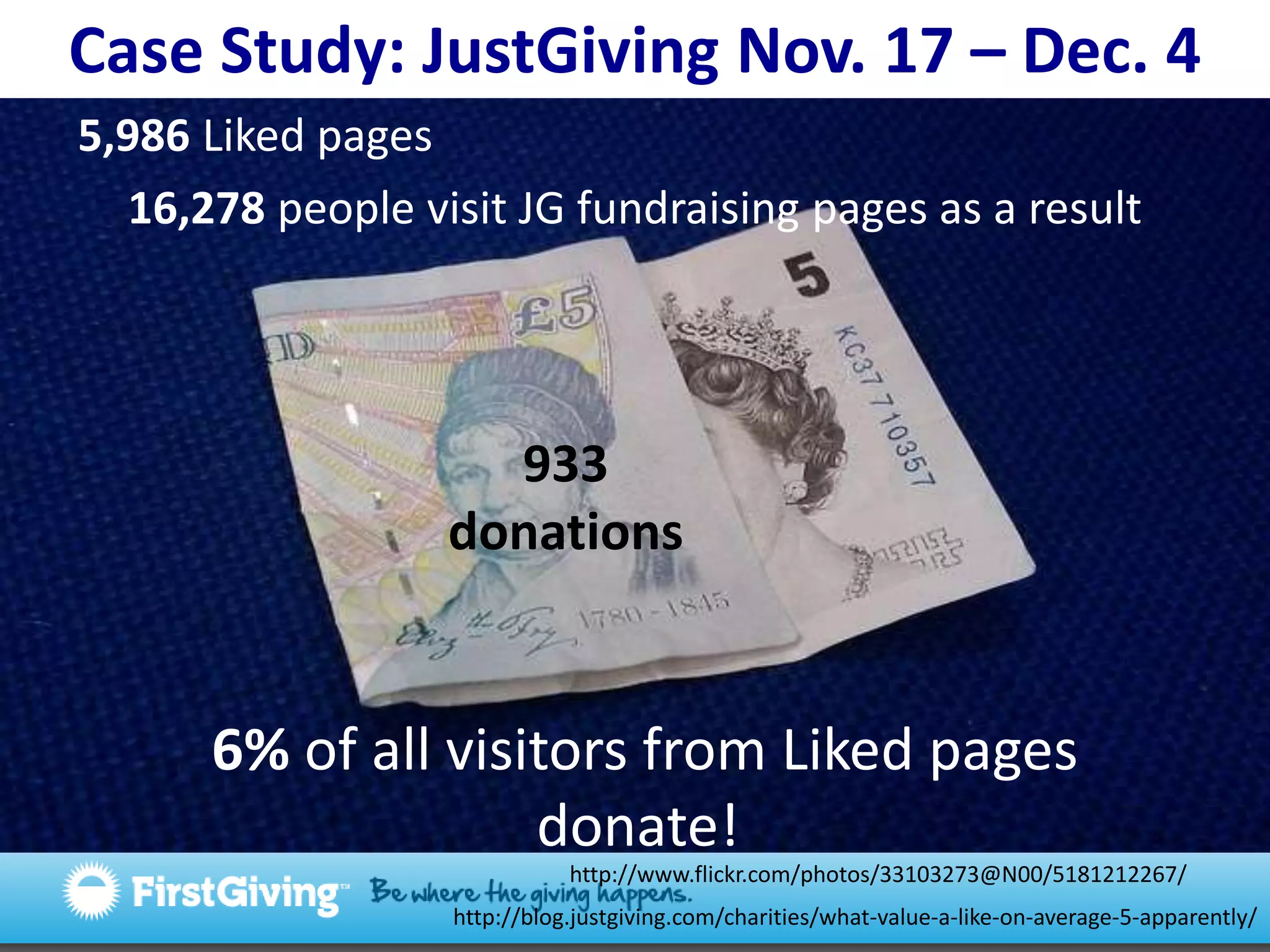
Case Study: JustGiving Nov. 17 – Dec. 45,986 Liked pages 16,278 people visit JG fundraising pages as a result933 donations 6% of all visitors from Liked pages donate!http://www.flickr.com/photos/33103273@N00/5181212267/http://blog.justgiving.com/charities/what-value-a-like-on-average-5-apparently/
Social sharing http://www.flickr.com/photos/36113507@N00/177926979/
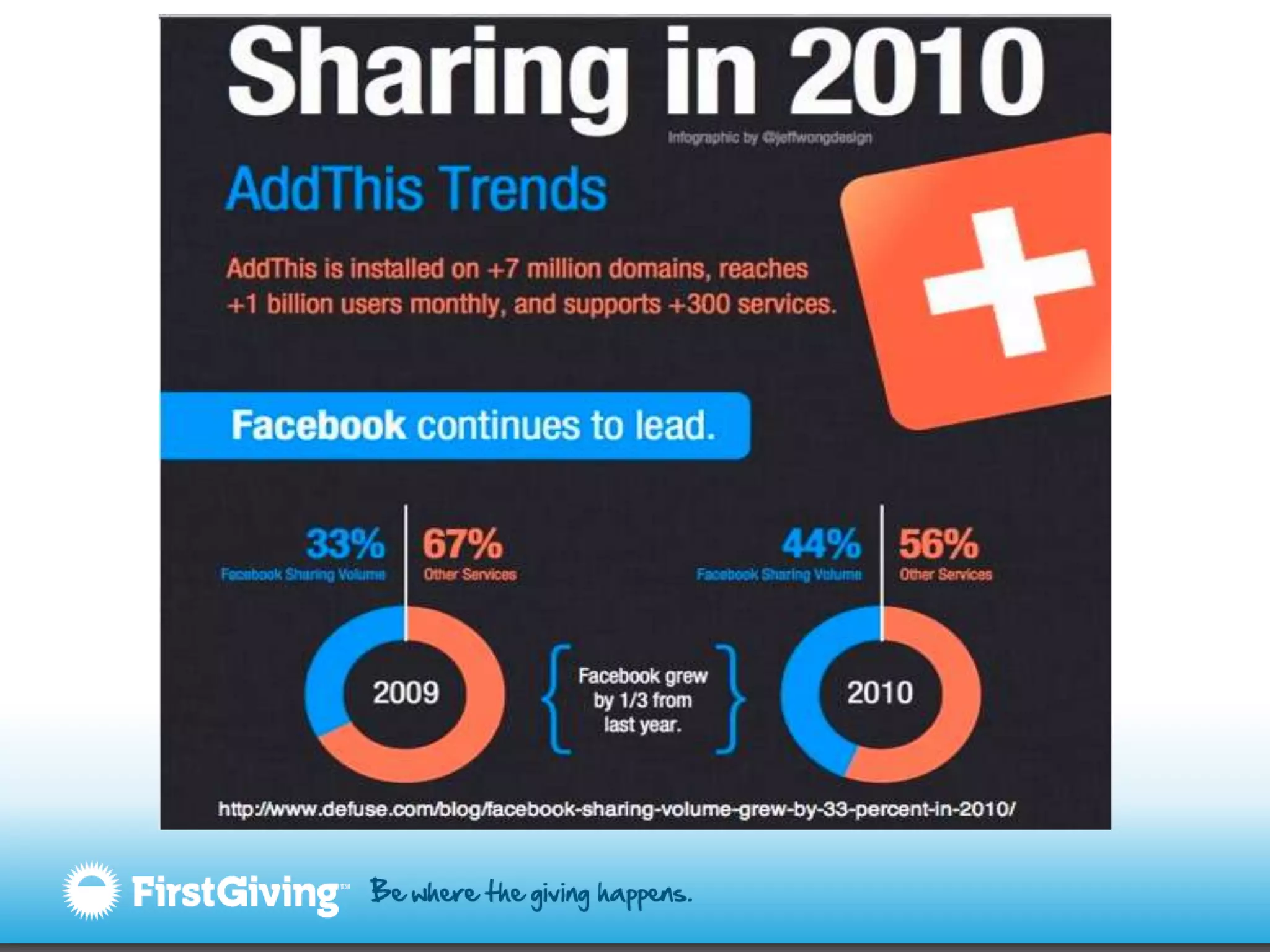
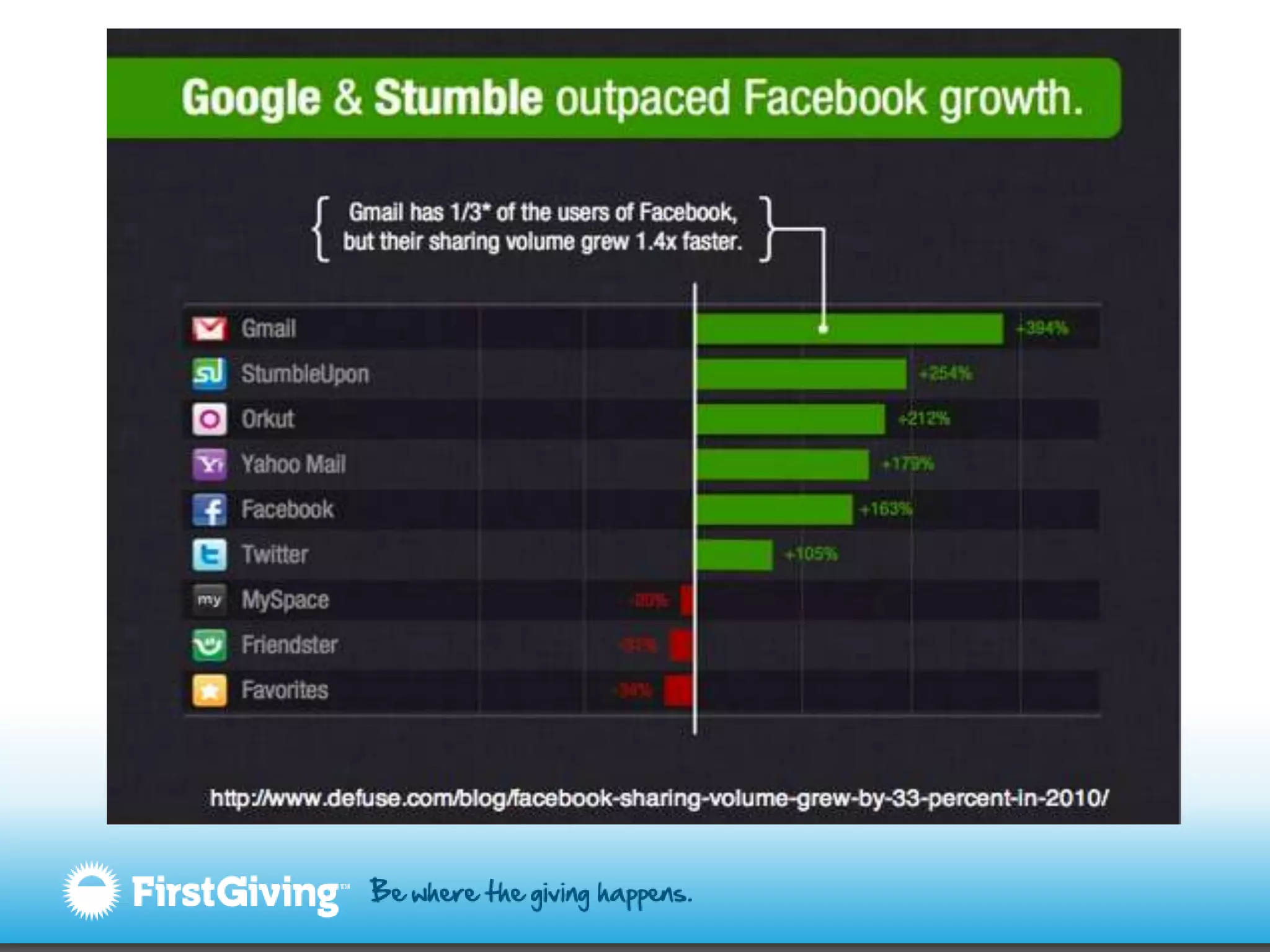
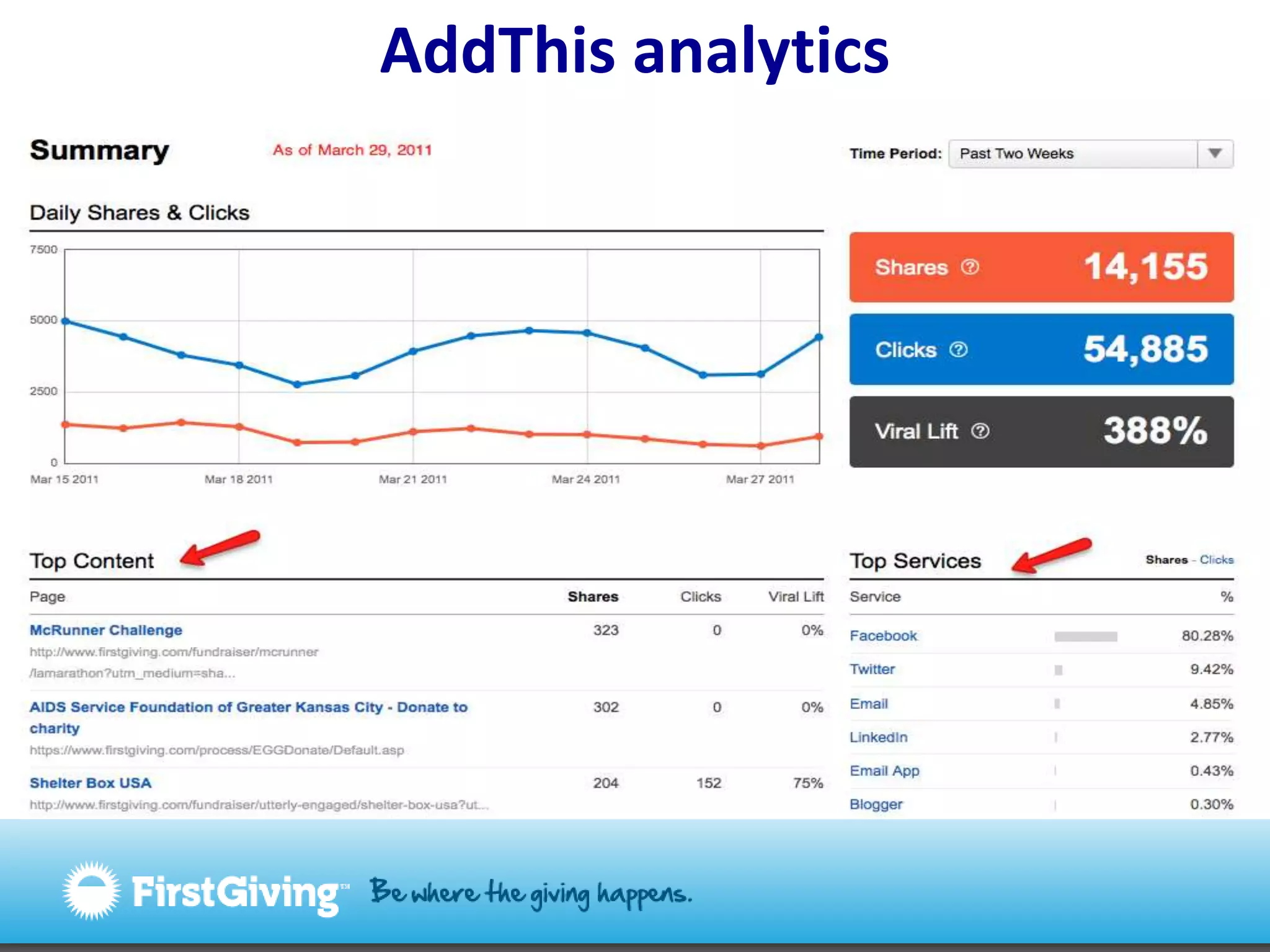
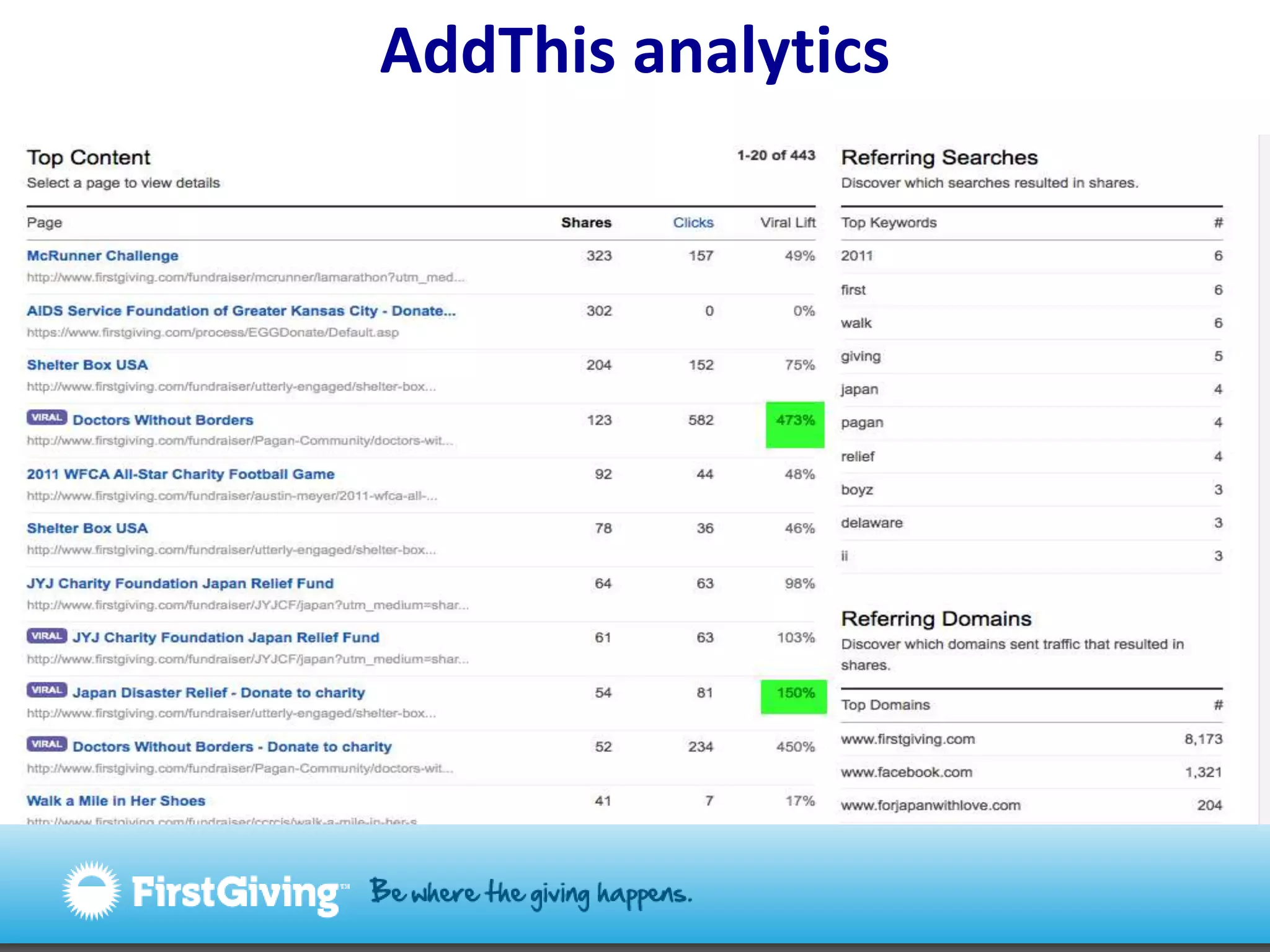
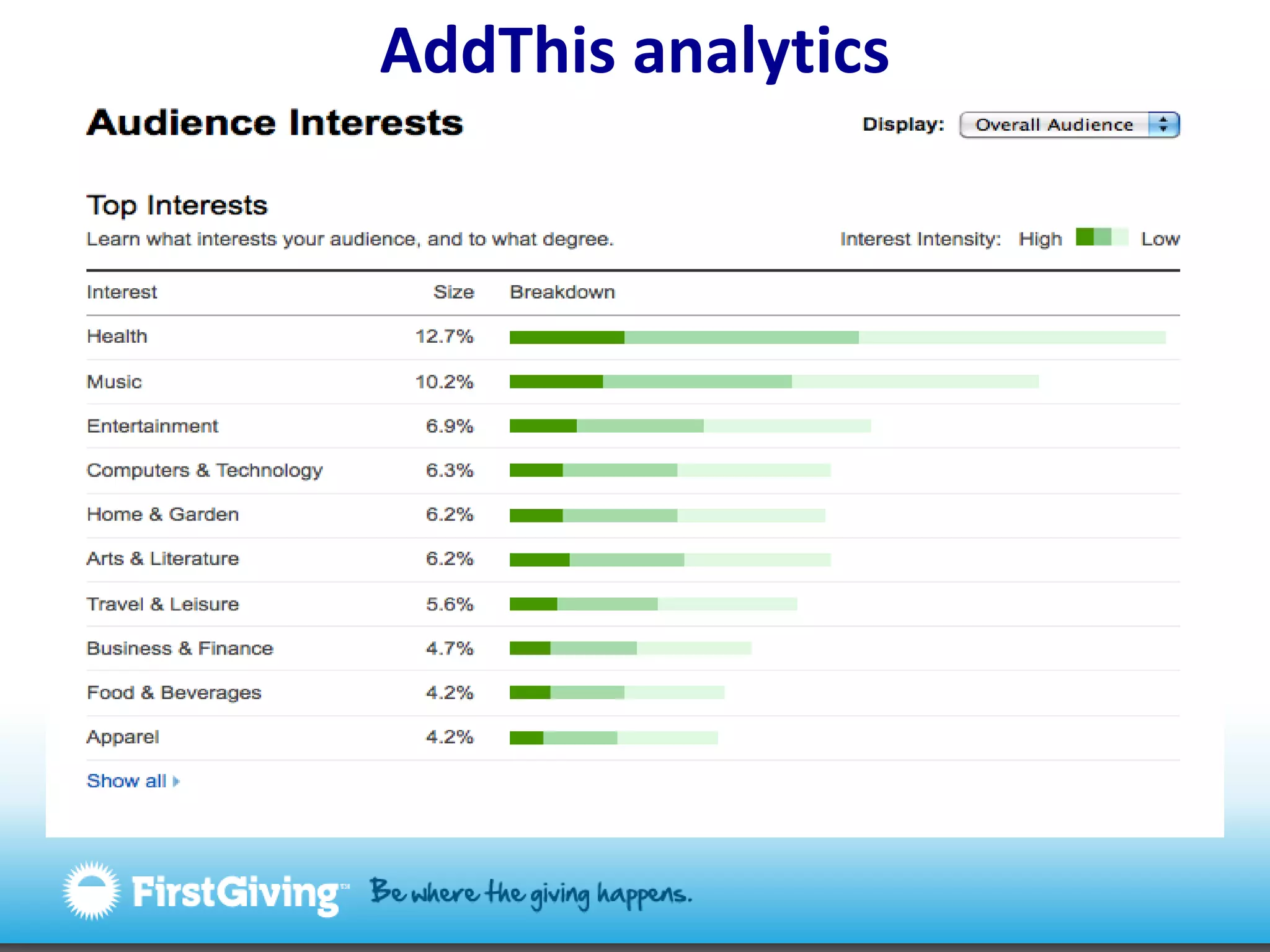
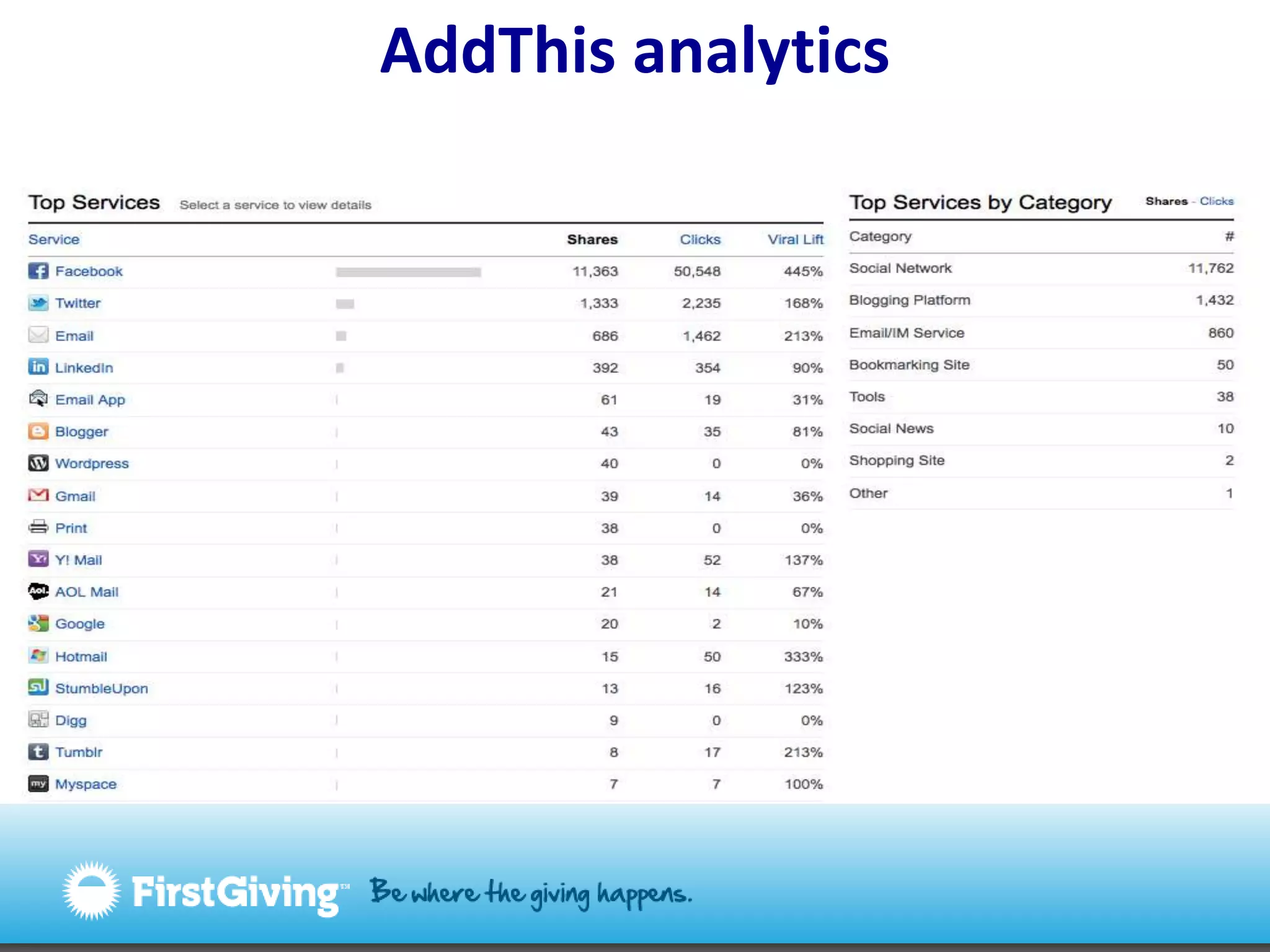
Why should you care about social sharing?You get valuable information about your site visitors and usersYour content is spread by people who careUnique visitors return as a result of a shareThe initial share will result in a ROI – but you have to determine the ROI
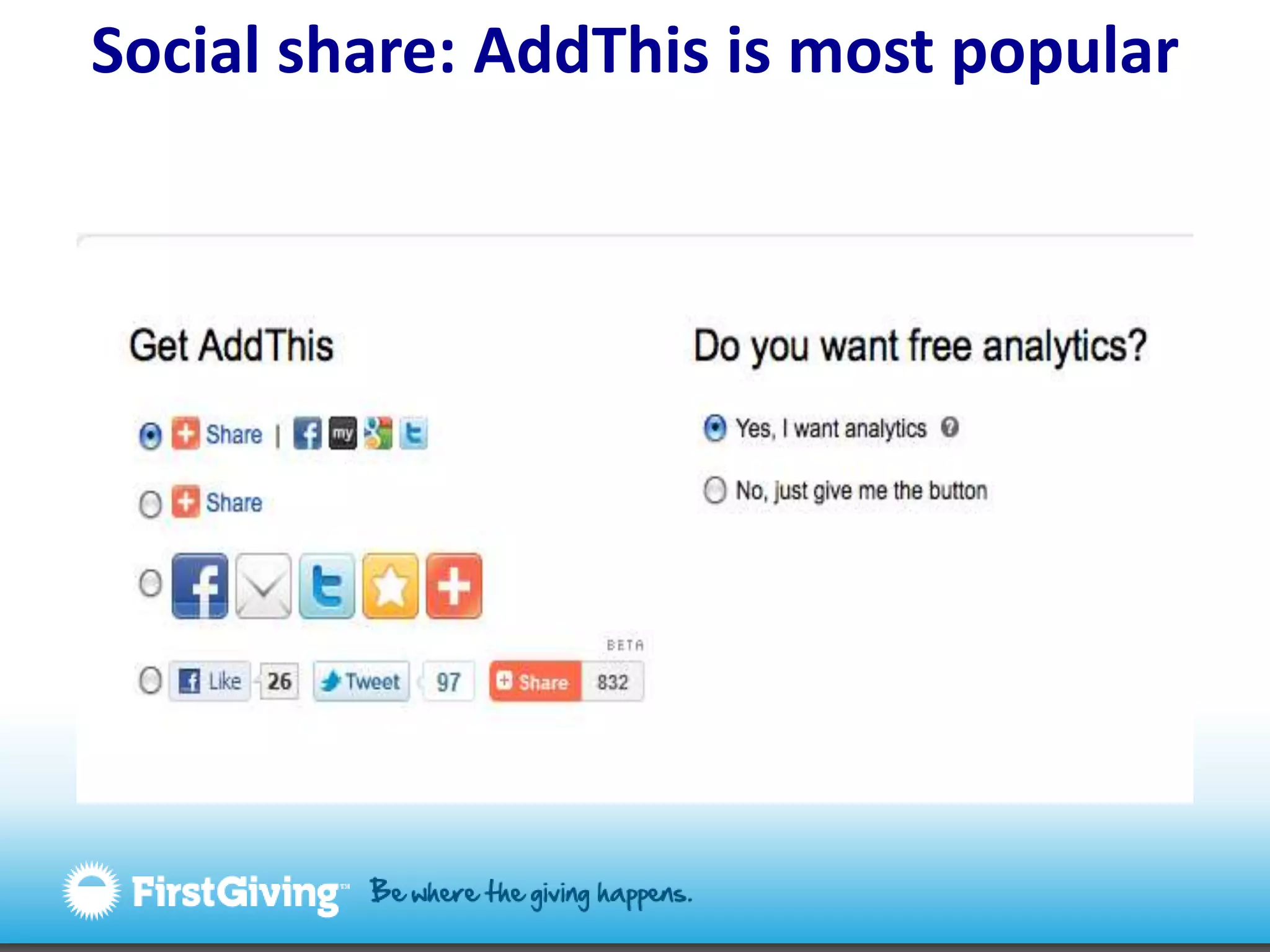
Social share: AddThis is most popular
AddThis analytics
AddThis analytics
AddThis analytics
AddThis analytics
Case Study: FirstGiving Nov. 8 – Dec. 5  11,233 shares from FG to Facebook via Gigya55,335 visitors returned as a result of a share= 5:1 ration share to returning visitor!3,416 returning visitors made a donation295 people created fundraising pagesValue of a share to Facebook?$10.87*Value of a site visitor overall? $4.07http://www.flickr.com/photos/pixelcore/1929817712/sizes/m/in/photostream/
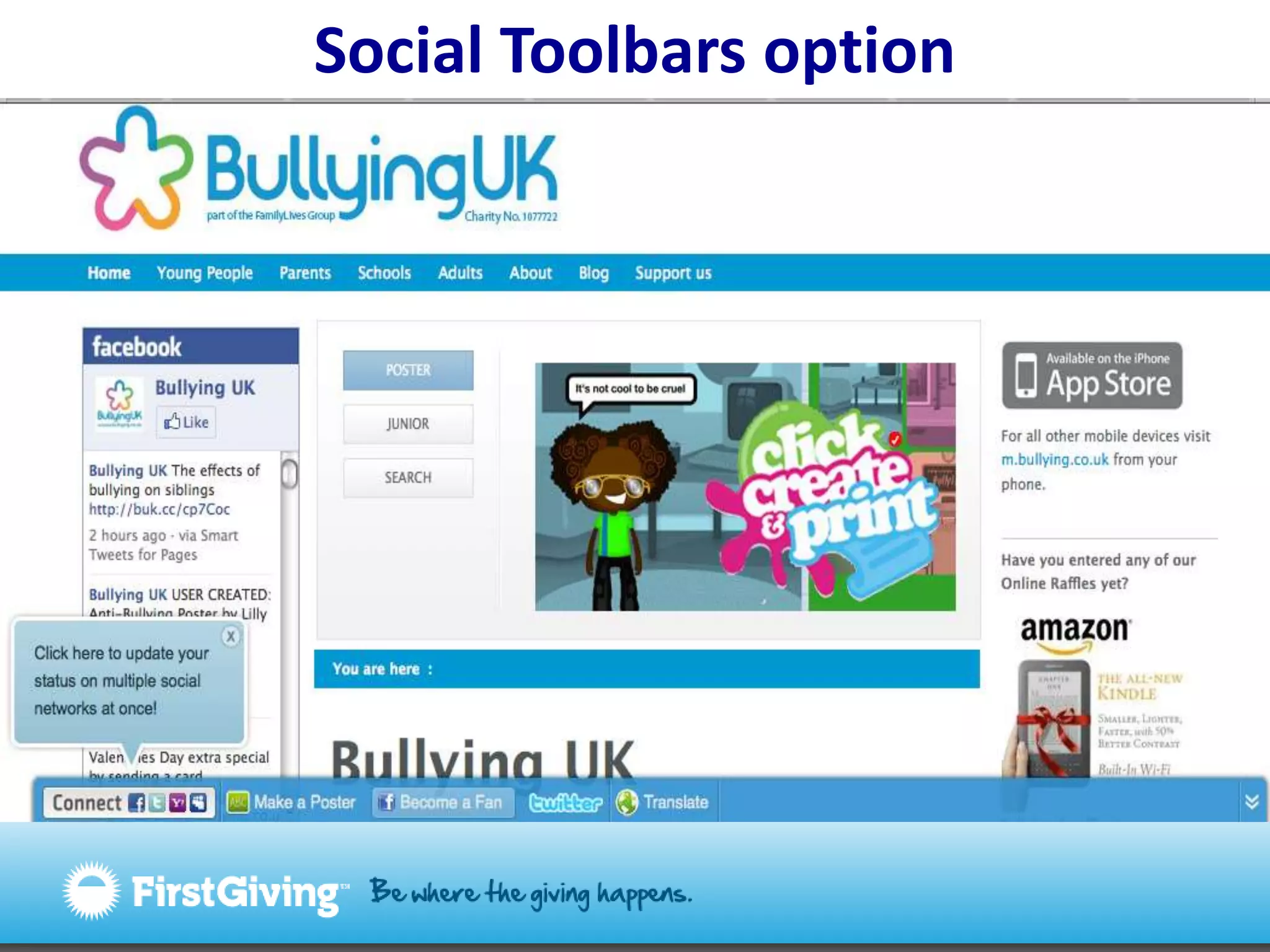
Social Toolbars option
Why should you care about toolbars?Highly customizable toolbarGenerally lowers bounce rateIncreases sharingEspecially good for social bookmarking (to StumbleUpon, Delicious, Reddit, Digg)Good analytics = site feedback
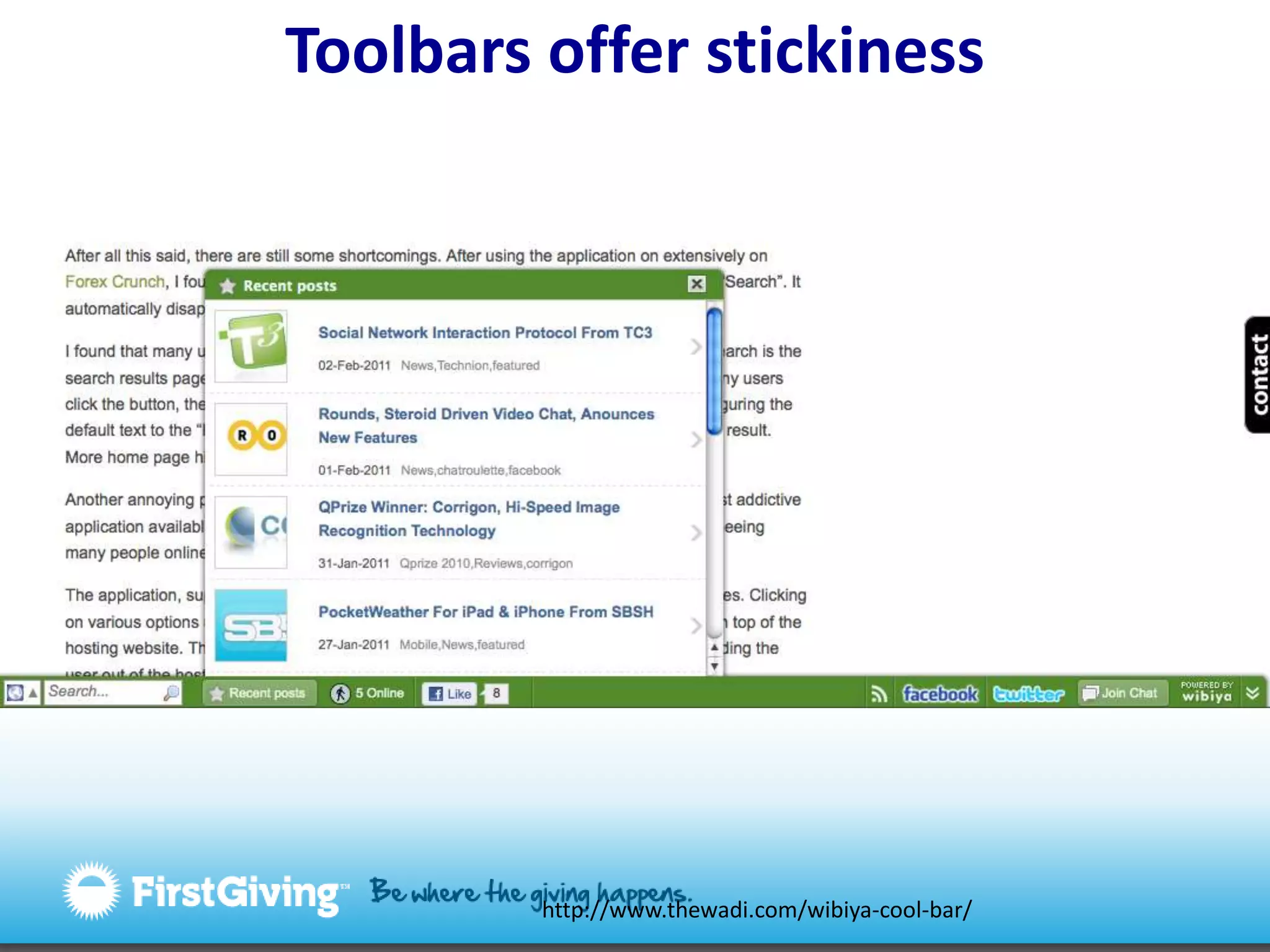
Toolbars offer stickinesshttp://www.thewadi.com/wibiya-cool-bar/
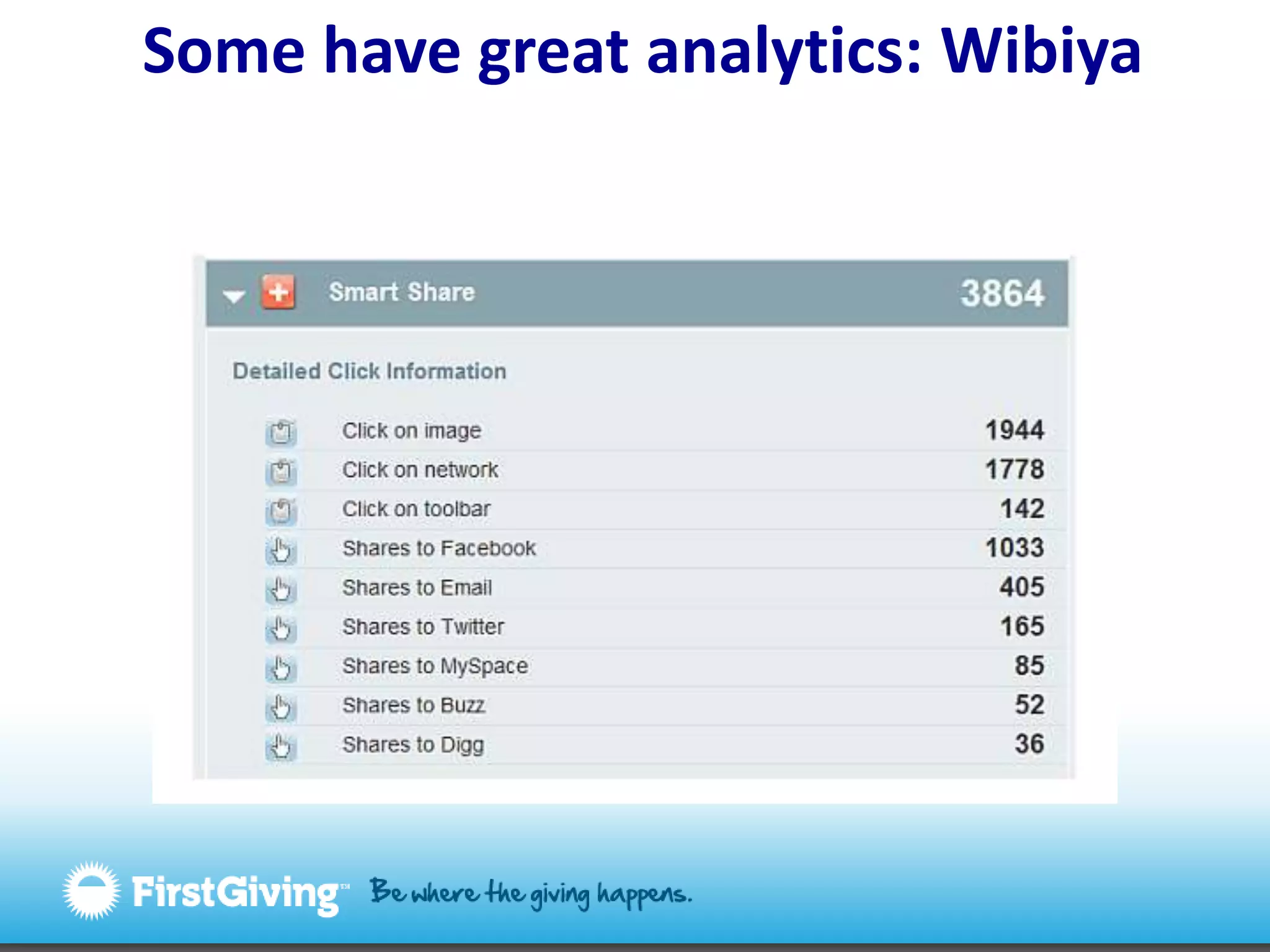
 Some have great analytics: Wibiya
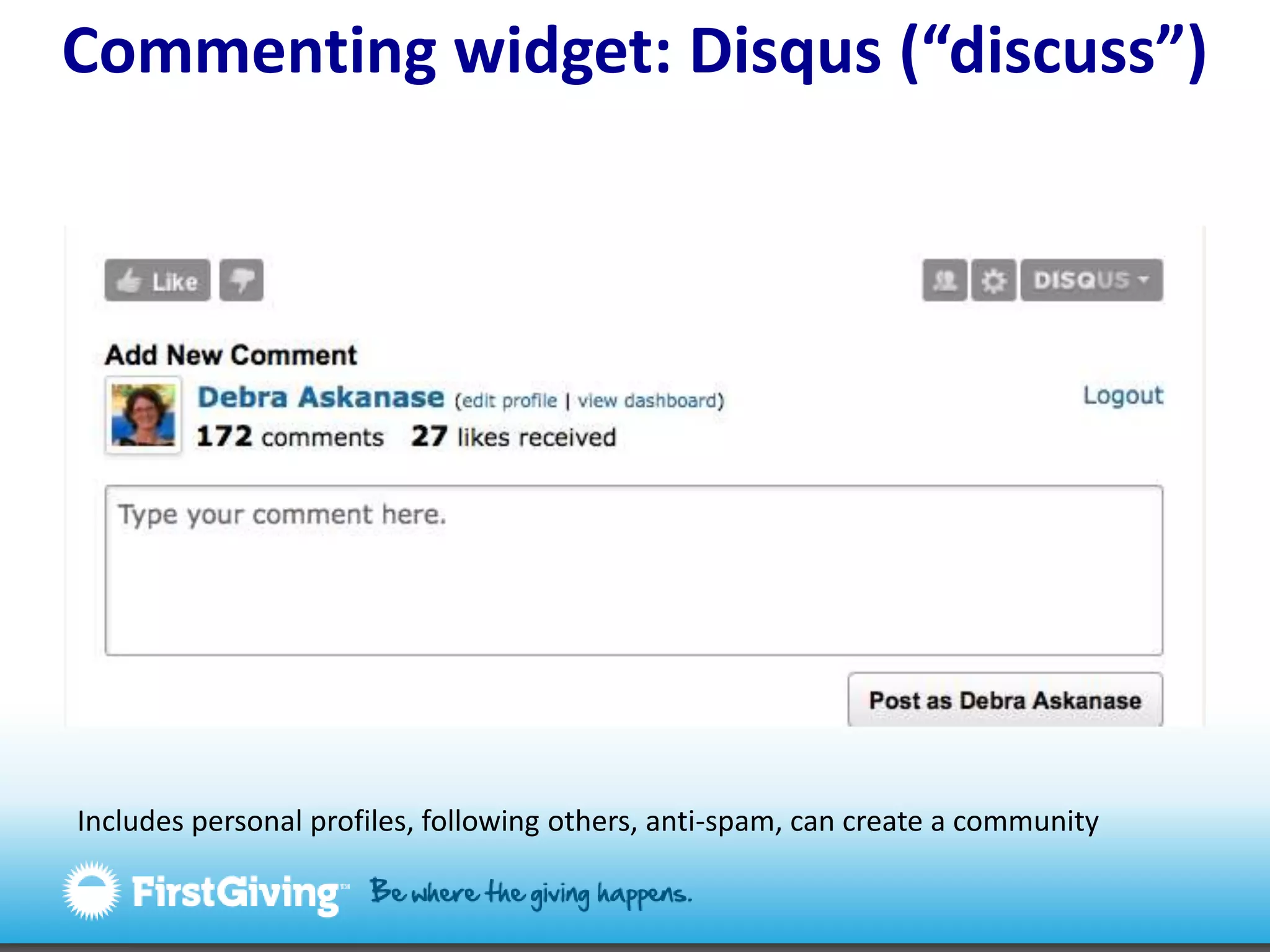
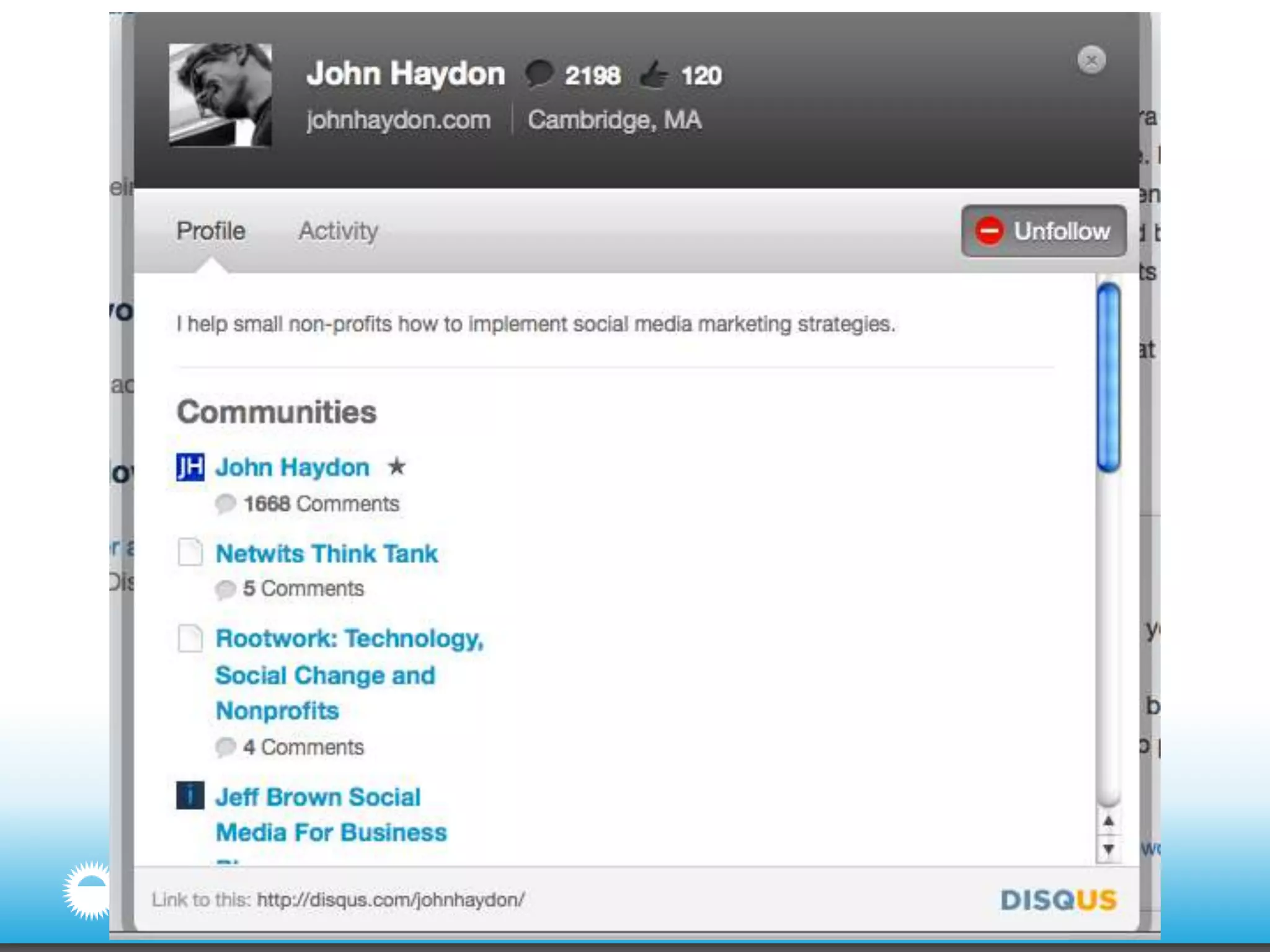
Commenting widget: Disqus (“discuss”)Includes personal profiles, following others, anti-spam, can create a community
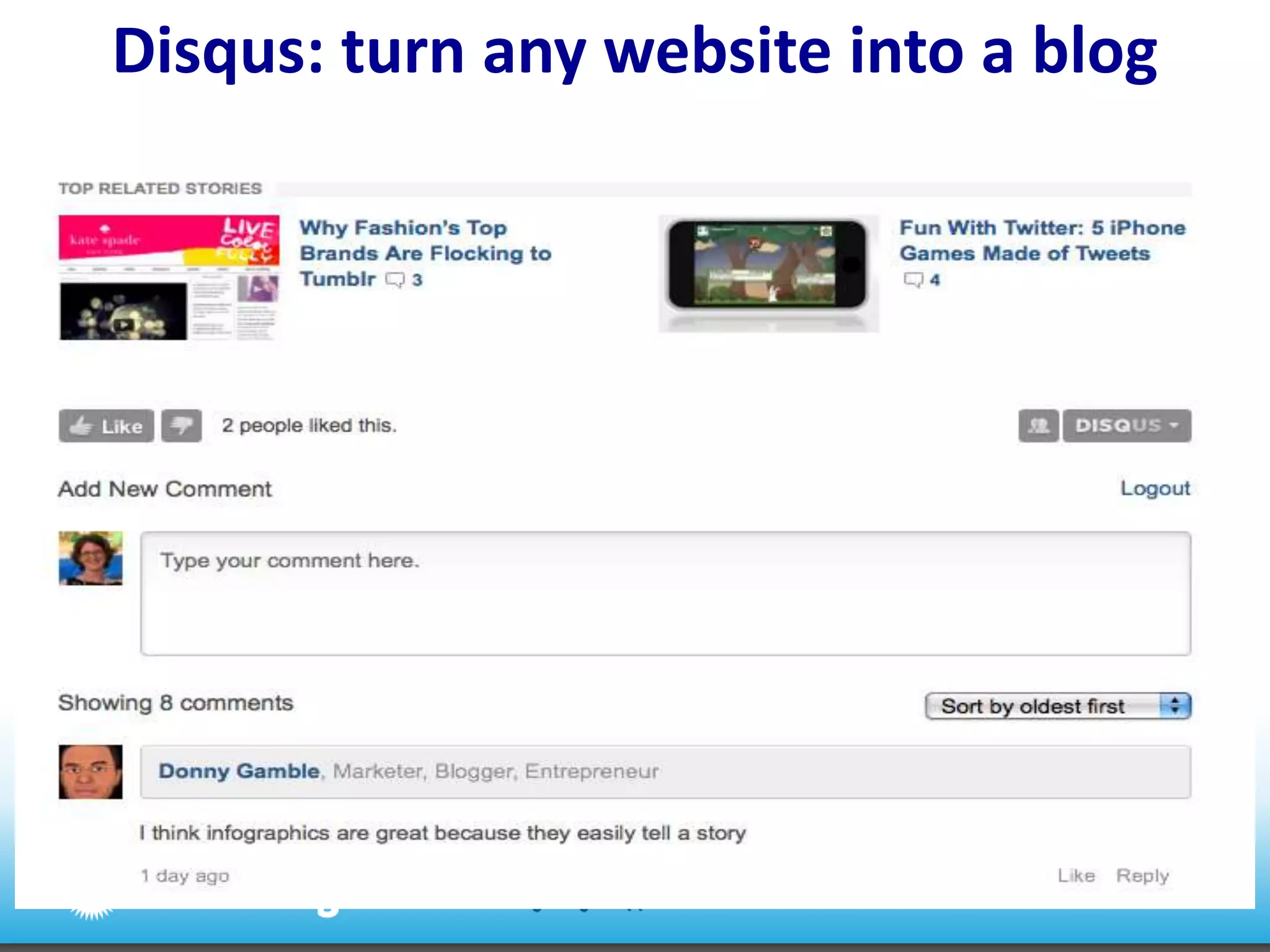
Disqus: turn any website into a blog
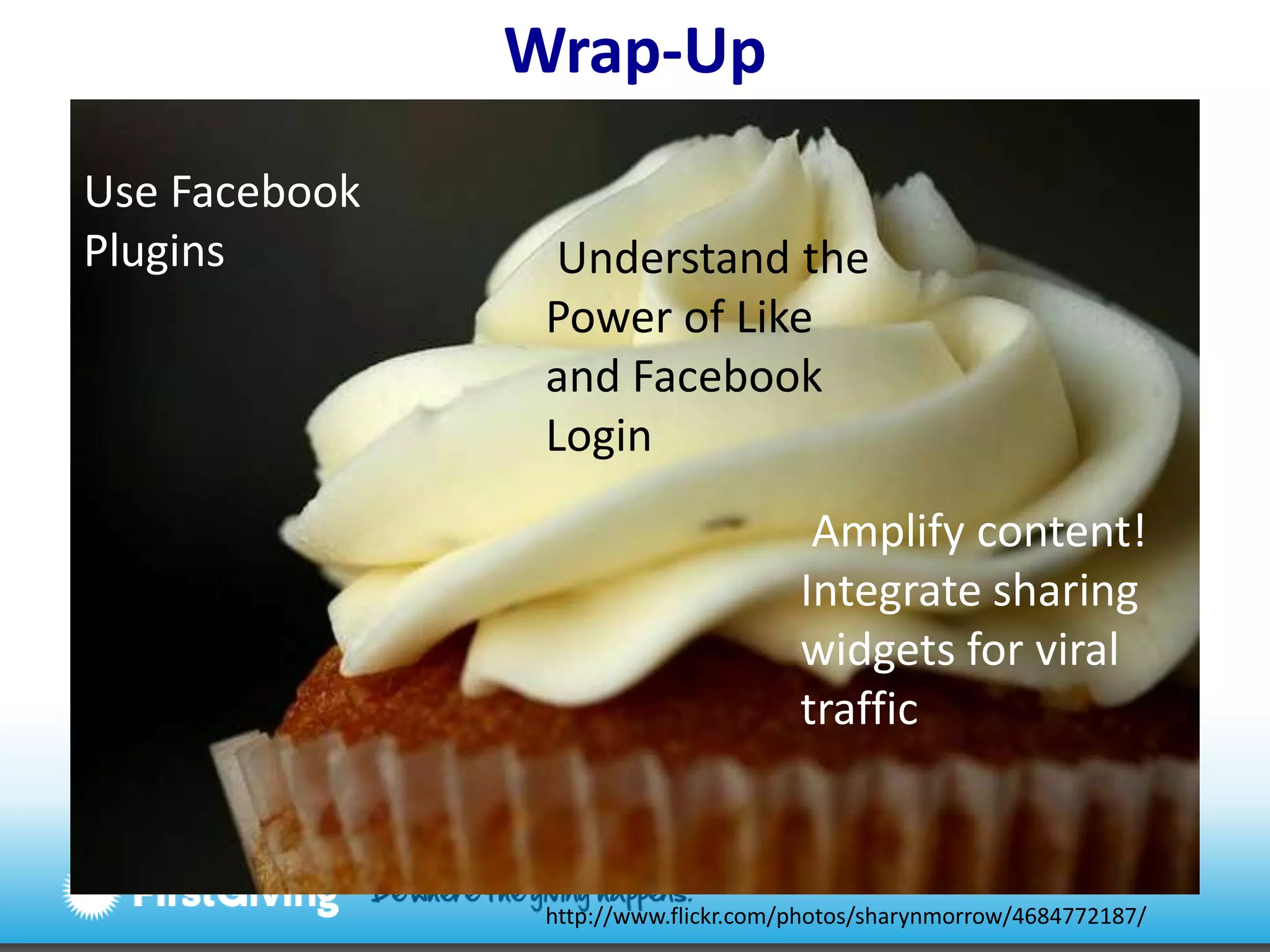
Wrap-UpUse Facebook Plugins  Understand the Power of Like and Facebook Login Amplify content! Integrate sharing widgets for viral traffichttp://www.flickr.com/photos/sharynmorrow/4684772187/
Upcoming webinarsApril 21The New Ecology of Online Giving and The Giving Evolution. Register now: http://bitly.com/eYW2xcMay 19 Introduction to Location Based Marketing for Nonprofits with Estrella RosenbergAll webinars are 1pm EST/ 10am PST
Connect with us in our social spacesFacebook: facebook.com/firstgivingTwitter: twitter.com/firstgivingFirstGiving Insights blog: http://insights.firstgiving.comOnline Fundraising blog: http://blog.firstgiving.comFirstGiving for Runners blog:http://runners.firstgiving.com
Thank you!Interested in working with FirstGiving?Andrew UrbanEmail: andrew@firstgiving.comTwitter: @NPBuyerTelephone: (512) 751-2241Connect with DebraDebra AskanaseEmail: debra@firstgiving.comTwitter: @askdebra, @firstgivingTelephone: (617) 963-5120

The Power of Like and Other Social Sharing Tools

  • 1.
    The Power ofLikeand other social sharing toolsMarch 30, 2011Debra Askanase, Community Engagement Manager, FirstGivingAndrew Urban, Head of Sales and Business Development
  • 2.
    How this webinarworksA link to the slides and a recording will be sentafter the webinarIf you’d like to ask a question during the webinar, you can type it in the box on the right side of your screenUse the hashtag #fgwebinar to tweet about this webinar
  • 3.
    Upcoming webinarsApril 21TheNew Ecology of Online Giving and The Giving EvolutionMay 19 Introduction to Location Based Marketing for Nonprofits with Estrella RosenbergAll webinars are 1pm EST/ 10am PST
  • 4.
    About the presentersAndrewUrbanHead of Sales and Business Developmentandrew@firstgiving.comDebra AskanaseCommunity Engagement Managerdebra@firstgiving.com
  • 5.
  • 6.
    Fundraising solutionsDonor Analyticsand Market ResearchPeer-to-Peer Fundraising Pagesand Event RegistrationsOnline DonationsPersonal Support for your nonprofit, donors, and fundraisersEasy, tested, and secure transaction processes for the donor
  • 7.
    Today’s webinarFacebook SocialPluginsThe Power of LikeNews Feed Optimization Social Sharing ToolsAddThisSharing ToolbarsDisquscommentingWrap-up
  • 8.
    What is theFacebook Open Graph? You like things, are friends with others, express interest on FacebookFacebook knows it when you connect with a site using FacebookNow the site knows it as well and can personalize the site experience and information shownhttp://www.flickr.com/photos/marc_smith/3971813137/
  • 9.
    Why should Icareabout social plugins?Happiness experience*site users see information about their friends, and share information with Facebook friends without ever leaving your site!http://www.flickr.com/photos/7961121@N04/4883897002/
  • 10.
    Social plugins: TheLike button has become the Share button*Especially good for Liking separate content on the websitehttp://www.firstgiving.com/fundraiser/Zoe/sapling-foundation
  • 11.
    Social plugins: LikeBox= social proof*Great option for Liking the entire sitehttp://www.peta.org/
  • 12.
    Social plugins: ActivityFeed*Great for sites with regularly refreshed content, site activitywww.firstgiving.com
  • 13.
    Social plugins –Recommendations Feed*Good for sites with regularly refreshed content+site activity+ Facebook fansTest it: http://developers.facebook.com/docs/reference/plugins/recommendations/
  • 14.
    Social plugins –Comments Box*Essentially a low-end comments feature for any website
  • 15.
    Comments Box –replies on and off site
  • 16.
    Social plugins –Live Stream (events)*Perfect for streaming live events and encouraging conversation on/off site
  • 17.
    Social plugins –Live Stream (events)
  • 18.
    Social plugins –Live Stream (events)
  • 19.
    Social plugins –Login button*Use to gain knowledge about your site usershttp://www.ujc.org.za/
  • 20.
    Social plugins –Login with Facepile*Use to show social proof to visitors before they decide to use the Login
  • 21.
    Desert Island FacebookPluginsFacebook Like buttonFacebook LoginFacebook Recommendations orFacebook Activity Streamhttp://www.flickr.com/photos/49503002894@N01/4581466161/
  • 22.
    Clicking the Likebutton creates a loyalty markerThis creates a new fan page in your Page admin area
  • 23.
    …and creates a“hidden” fan page
  • 24.
    The Power ofLike: EdgeRank (NFO) …and Likes grow in power depending on NFO scorehttp://www.liveworld.com/socialvoice/2010/12/08/edgerank-nfo-facebook-marketing-2011/
  • 25.
    The Power ofLike: EdgeRank NFO weight Lightweight– Likes have little notice in the news streamMiddleweight- Likes that are “upgraded” to a comment have more weightHeavyweight- The more interactions with the news stream item (tags, comments, likes, shares) the higher it will show in search and on the user’s Pages** same principle at work with Facebook updates on your Page
  • 26.
  • 27.
    EdgeRanktakeaways1. Ask usersto Like your content – offer opportunities2. Find ways to get users to return – the more often they like, comment, share your content, the higher it will show in their news feeds3. Always offer fresh content – higher EdgeRank weight
  • 28.
    The Return onLike “Facebook is becoming the loyalty card of the Internet, just like your key chain.”- Tom Wentworth, VP of marketing for Ektronhttp://www.revenews.com/barrysilverstein/the-real-power-of-%E2%80%9Clike%E2%80%9D/
  • 29.
    The Return onLikeABC.com: 190% increase in trafficGawker.com: 200% increase in trafficNHL.com: number of pages/user up 92%time on site up 85%http://mashable.com/2010/09/29/facebook-like-stats/http://www.flickr.com/photos/35409814@N00/2704229574/
  • 30.
    The potential ofLike: Personalization
  • 31.
    Case Study: JustGivingNov. 17 – Dec. 45,986 Liked pages 16,278 people visit JG fundraising pages as a result933 donations 6% of all visitors from Liked pages donate!http://www.flickr.com/photos/33103273@N00/5181212267/http://blog.justgiving.com/charities/what-value-a-like-on-average-5-apparently/
  • 32.
  • 33.
    Why should youcare about social sharing?You get valuable information about your site visitors and usersYour content is spread by people who careUnique visitors return as a result of a shareThe initial share will result in a ROI – but you have to determine the ROI
  • 36.
    Social share: AddThisis most popular
  • 37.
  • 38.
  • 39.
  • 40.
  • 41.
    Case Study: FirstGivingNov. 8 – Dec. 5 11,233 shares from FG to Facebook via Gigya55,335 visitors returned as a result of a share= 5:1 ration share to returning visitor!3,416 returning visitors made a donation295 people created fundraising pagesValue of a share to Facebook?$10.87*Value of a site visitor overall? $4.07http://www.flickr.com/photos/pixelcore/1929817712/sizes/m/in/photostream/
  • 42.
  • 43.
    Why should youcare about toolbars?Highly customizable toolbarGenerally lowers bounce rateIncreases sharingEspecially good for social bookmarking (to StumbleUpon, Delicious, Reddit, Digg)Good analytics = site feedback
  • 44.
  • 45.
    Some havegreat analytics: Wibiya
  • 46.
    Commenting widget: Disqus(“discuss”)Includes personal profiles, following others, anti-spam, can create a community
  • 48.
    Disqus: turn anywebsite into a blog
  • 49.
    Wrap-UpUse Facebook Plugins Understand the Power of Like and Facebook Login Amplify content! Integrate sharing widgets for viral traffichttp://www.flickr.com/photos/sharynmorrow/4684772187/
  • 50.
    Upcoming webinarsApril 21TheNew Ecology of Online Giving and The Giving Evolution. Register now: http://bitly.com/eYW2xcMay 19 Introduction to Location Based Marketing for Nonprofits with Estrella RosenbergAll webinars are 1pm EST/ 10am PST
  • 51.
    Connect with usin our social spacesFacebook: facebook.com/firstgivingTwitter: twitter.com/firstgivingFirstGiving Insights blog: http://insights.firstgiving.comOnline Fundraising blog: http://blog.firstgiving.comFirstGiving for Runners blog:http://runners.firstgiving.com
  • 52.
    Thank you!Interested inworking with FirstGiving?Andrew UrbanEmail: andrew@firstgiving.comTwitter: @NPBuyerTelephone: (512) 751-2241Connect with DebraDebra AskanaseEmail: debra@firstgiving.comTwitter: @askdebra, @firstgivingTelephone: (617) 963-5120

Editor's Notes

  • #8 http://www.flickr.com/photos/camdiluv/4441155157/sizes/m/in/photostream/
  • #11 Good background reading: http://www.openforum.com/idea-hub/topics/marketing/article/facebook-likes-and-shares-what-they-mean-for-your-website-timothy-mccue
  • #13 The Activity Feed plugin displays the most interesting recent activity taking place on your site. Since the content is hosted by Facebook, the plugin can display personalized content whether or not the user has logged into your site. The activity feed displays stories both when users like content on your site and when users share content from your site back to Facebook. If a user is logged into Facebook, the plugin will be personalized to highlight content from their friends. If the user is logged out, the activity feed will show recommendations from your site, and give the user the option to log in to Facebook.The plugin is filled with activity from the user's friends. If there isn't enough friend activity to fill the plugin, it is backfilled with recommendations.
  • #14 Shows most Liked things on the site. The Recommendations plugin shows personalized recommendations to your users. Since the content is hosted by Facebook, the plugin can display personalized recommendations whether or not the user has logged into your site. To generate the recommendations, the plugin considers all the social interactions with URLs from your site. For a logged in Facebook user, the plugin will give preference to and highlight objects her friends have interacted with.
  • #15 The Comments Box easily enables your users to comment on your site's content — whether it's for a web page, article, photo, or other piece of content. Then the user can share the comment on Facebook on their Wall and in their friends' streams.
  • #16 The Comments Box easily enables your users to comment on your site's content — whether it's for a web page, article, photo, or other piece of content. Then the user can share the comment on Facebook on their Wall and in their friends' streams.
  • #17 The Live Stream plugin lets users visiting your site or application share activity and comments in real time. Live Stream works best when you are running a real-time event, like live streaming video for concerts, speeches, or webcasts, live Web chats, webinars, massively multiplayer games.
  • #20 The Login Button shows profile pictures of the user's friends who have already signed up for your site in addition to a login button. By default the Login button prompts users for their public information. If your application needs to access other parts of the user's profile that may be private, your application can request extended permissions. A complete list of extended permissions can be found at http://developers.facebook.com/docs/authentication/permissions/.
  • #25 But first, some definitions: every item that shows up in your News Feed is considered an Object. If you have an Object in the News Feed (say, a status update), whenever another user interacts with that Object they’re creating what Facebook calls an Edge, which includes actions like tags and comments. EdgeRank is Facebook’s formula for determining which content items from all of those friends and Pages are most relevant to you at any one time. Those posts will then display in your News Feed.
  • #27 The more interactive through likes, tags, comments, more likely it is to show up in Top News feeds. Likes can turn into Shares with a comment. Shares have more weight.
  • #32 http://blog.justgiving.com/charities/what-value-a-like-on-average-5-apparently/http://www.flickr.com/photos/33103273@N00/5181212267/
  • #42 Tracked avg. donation on our site for same time period was $60.55. Average Facebook donation was $35.74. $35.74 x number of returning visitors. Divide that number by total shares (11,233) = $10.87
  • #43 Stay on site, share more content
  • #48 Find out more about your commenters
  • #49 Mashable.com