Digital Storytelling for Students
Digital Storytelling Workshop What is Digital Storytelling? Personal and Academic Narratives Three formats for Digital Storytelling Video Format- MovieMaker/iMovie Still Images- Animoto/Flixtime Animations-GoAnimate Digital Storytelling Process Using the Flip Camera Editing/Publishing Resource:http://retapedia.pbworks.com
What is Digital Storytelling? Digital Storytelling is the process of writing about a story, and adding the multimedia elements of voice, imagery, and music to create a visual story. Personal or Academic Narratives: A personal story is one that involves a personal change or realization. This could be a family story about the value of a childhood experience, a reunion in which you reconnect with a long lost friend, a hero in your family,  Digital storytelling can also be used in the content areas as an academic story or "unit of instruction" story. This can be a story about any concept, unit or idea from any area of the curriculum, from math to social studies. Watch “Digital Storytelling in Plain English”
Why Digital Storytelling… YouTube uploads 200,000 videos a day 85% of all upolads are from teens Is their focus on the power of the technology or the power of the story?
What are your favorite movies? Why?
Elements of Digital Storytelling The Overall Purpose of the Story The Narrator’s Point of View A Dramatic Question or Questions (capture the viewer’s attention) The Choice of Content Clarity of Voice Pacing of the Narrative
Elements of Digital Storytelling Use of a Meaningful Audio Soundtrack Quality of the Images, Video & other Multimedia Elements Economy of the Story Detail Good Grammar and Language Usage  Adapted from: The Center for Digital Storytelling (http://www.storycenter.org)
 
Digital Storytelling Examples ICAN: The Chase Apple Learning Interchange Silent Movie Literature (Edgar Allen Poe)
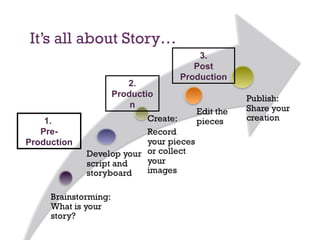
It’s all about Story… 1.  Pre-Production 2. Production 3. Post Production
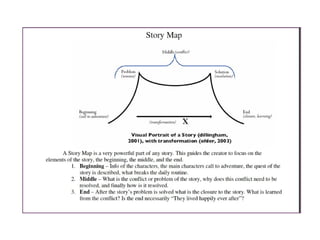
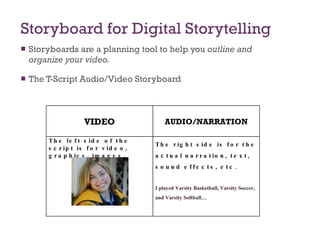
Storyboard for Digital Storytelling Storyboards are a planning tool to help you  outline and organize your video.   The T-Script Audio/Video Storyboard VIDEO AUDIO/NARRATION The left side of the script is for video, graphics, images. The right side is for the actual narration, text, sound effects, etc. I played Varsity Basketball, Varsity Soccer, and Varsity Softball…
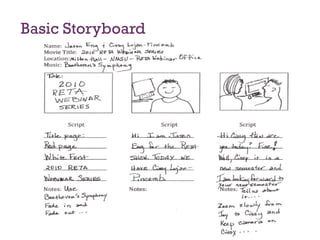
Basic Storyboard
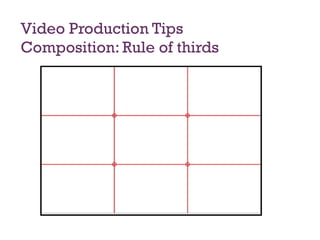
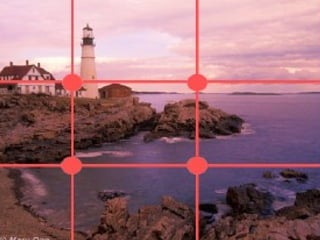
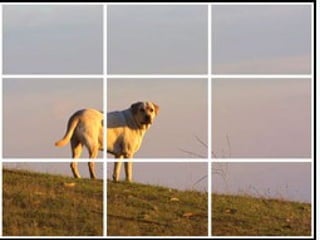
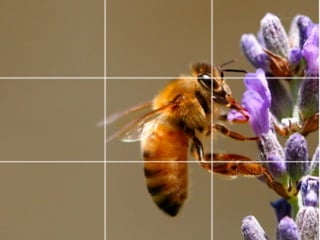
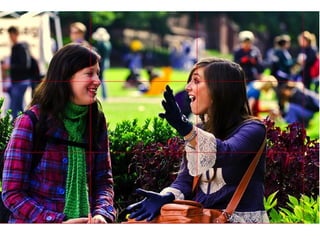
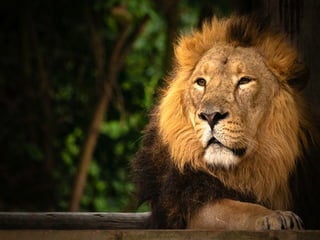
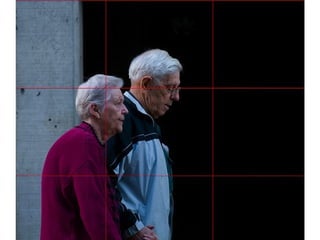
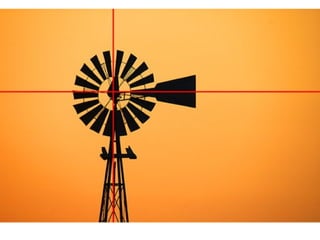
Video Production Tips Composition: Rule of thirds


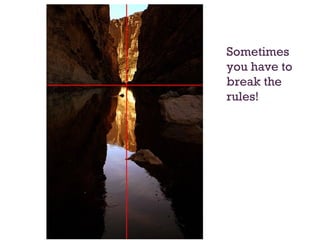
Sometimes you have to break the rules!
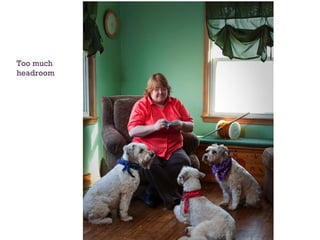
Too much headroom
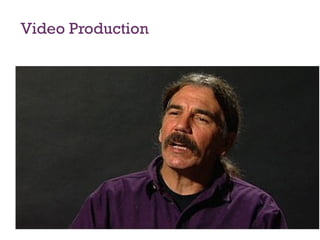
Video Production
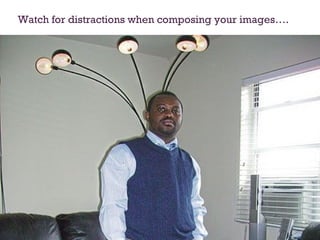
Watch for distractions when composing your images….
Video Tips When shooting outdoors, keep the sun behind you. Beware of windows. Plan your shoot. Shoot to edit.  Use a tripod or other image stabilization device.  For handheld stability, imagine that your camcorder is a very full cup of hot coffee. Use a silent backcount: 5-4-3-2-1
Video Tips Use the zoom to compose your shot. Avoid zooming while the tape is rolling. Move the camera only when necessary. Pan from left to right slowly! Keep your average shot length between 5 and 10 seconds. Keep the shot steady (no zoom or pan) for at least 10 seconds. Watch for distractions behind the talent.  Seven Deadly Sins of Video Work:  http://www.youtube.com/watch?v=A-6tWTPTmcE
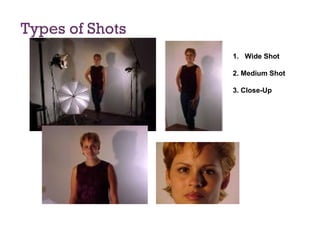
Types of Shots Wide Shot 2. Medium Shot 3. Close-Up
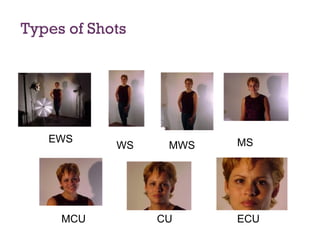
Types of Shots EWS WS MWS MS MCU CU ECU
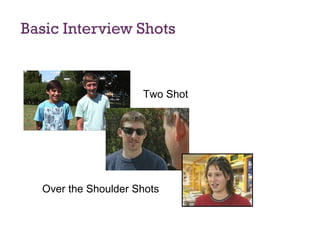
Basic Interview Shots Two Shot Over the Shoulder Shots
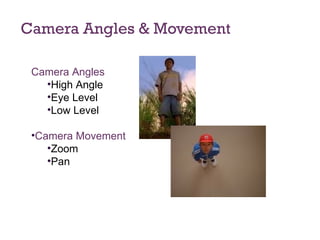
Camera Angles & Movement Camera Angles High Angle Eye Level Low Level Camera Movement Zoom Pan
Resources… RETAPEDIA: http://retapedia.pbworks.com Copyright Free Images Creative commons:  http://creativecommons.org/ Flickr-  http://flickr.com Wikipedia Public Domain Image Resources:  http://en.wikipedia.org/wiki/Wikipedia:Public_domain_image_resources Pics for Learning:  http://pics.tech4learning.com/ Davis Audio & Video clips:  http://www.djusd.k12.ca.us/technology/images.htm Royalty Free Sound Sources Internet Archive:  http://www.archive.org/details/audio   Creative Commons:  http://creativecommons.org The Free Sound Project:  http://www.freesound.org/ Stonewashed Sound Effects:  http://www.stonewashed.net/sfx.html Macloops:  www.macloops.com Audacity Audio Editor :  http://audacity.sourceforge.net/download/
Next Steps…. Introduction to the FlipVideo camera You will use one of the scenarios or create one of your own choosing Educators will break for script and storyboarding…. Create your digital story using the FlipVideo Camera and have lunch…

Studentdigstorywkshop

  • 1.
  • 2.
    Digital Storytelling WorkshopWhat is Digital Storytelling? Personal and Academic Narratives Three formats for Digital Storytelling Video Format- MovieMaker/iMovie Still Images- Animoto/Flixtime Animations-GoAnimate Digital Storytelling Process Using the Flip Camera Editing/Publishing Resource:http://retapedia.pbworks.com
  • 3.
    What is DigitalStorytelling? Digital Storytelling is the process of writing about a story, and adding the multimedia elements of voice, imagery, and music to create a visual story. Personal or Academic Narratives: A personal story is one that involves a personal change or realization. This could be a family story about the value of a childhood experience, a reunion in which you reconnect with a long lost friend, a hero in your family, Digital storytelling can also be used in the content areas as an academic story or "unit of instruction" story. This can be a story about any concept, unit or idea from any area of the curriculum, from math to social studies. Watch “Digital Storytelling in Plain English”
  • 4.
    Why Digital Storytelling…YouTube uploads 200,000 videos a day 85% of all upolads are from teens Is their focus on the power of the technology or the power of the story?
  • 5.
    What are yourfavorite movies? Why?
  • 6.
    Elements of DigitalStorytelling The Overall Purpose of the Story The Narrator’s Point of View A Dramatic Question or Questions (capture the viewer’s attention) The Choice of Content Clarity of Voice Pacing of the Narrative
  • 7.
    Elements of DigitalStorytelling Use of a Meaningful Audio Soundtrack Quality of the Images, Video & other Multimedia Elements Economy of the Story Detail Good Grammar and Language Usage Adapted from: The Center for Digital Storytelling (http://www.storycenter.org)
  • 8.
  • 9.
    Digital Storytelling ExamplesICAN: The Chase Apple Learning Interchange Silent Movie Literature (Edgar Allen Poe)
  • 10.
    It’s all aboutStory… 1. Pre-Production 2. Production 3. Post Production
  • 11.
    Storyboard for DigitalStorytelling Storyboards are a planning tool to help you outline and organize your video. The T-Script Audio/Video Storyboard VIDEO AUDIO/NARRATION The left side of the script is for video, graphics, images. The right side is for the actual narration, text, sound effects, etc. I played Varsity Basketball, Varsity Soccer, and Varsity Softball…
  • 12.
  • 13.
    Video Production TipsComposition: Rule of thirds
  • 14.
  • 15.
  • 16.
  • 17.
  • 18.
  • 19.
  • 20.
  • 21.
    Sometimes you haveto break the rules!
  • 22.
  • 23.
  • 24.
    Watch for distractionswhen composing your images….
  • 25.
    Video Tips Whenshooting outdoors, keep the sun behind you. Beware of windows. Plan your shoot. Shoot to edit. Use a tripod or other image stabilization device. For handheld stability, imagine that your camcorder is a very full cup of hot coffee. Use a silent backcount: 5-4-3-2-1
  • 26.
    Video Tips Usethe zoom to compose your shot. Avoid zooming while the tape is rolling. Move the camera only when necessary. Pan from left to right slowly! Keep your average shot length between 5 and 10 seconds. Keep the shot steady (no zoom or pan) for at least 10 seconds. Watch for distractions behind the talent. Seven Deadly Sins of Video Work: http://www.youtube.com/watch?v=A-6tWTPTmcE
  • 27.
    Types of ShotsWide Shot 2. Medium Shot 3. Close-Up
  • 28.
    Types of ShotsEWS WS MWS MS MCU CU ECU
  • 29.
    Basic Interview ShotsTwo Shot Over the Shoulder Shots
  • 30.
    Camera Angles &Movement Camera Angles High Angle Eye Level Low Level Camera Movement Zoom Pan
  • 31.
    Resources… RETAPEDIA: http://retapedia.pbworks.comCopyright Free Images Creative commons: http://creativecommons.org/ Flickr- http://flickr.com Wikipedia Public Domain Image Resources: http://en.wikipedia.org/wiki/Wikipedia:Public_domain_image_resources Pics for Learning: http://pics.tech4learning.com/ Davis Audio & Video clips: http://www.djusd.k12.ca.us/technology/images.htm Royalty Free Sound Sources Internet Archive: http://www.archive.org/details/audio Creative Commons: http://creativecommons.org The Free Sound Project: http://www.freesound.org/ Stonewashed Sound Effects: http://www.stonewashed.net/sfx.html Macloops: www.macloops.com Audacity Audio Editor : http://audacity.sourceforge.net/download/
  • 32.
    Next Steps…. Introductionto the FlipVideo camera You will use one of the scenarios or create one of your own choosing Educators will break for script and storyboarding…. Create your digital story using the FlipVideo Camera and have lunch…

Editor's Notes

  • #2 Show Presidents’ Animoto We just had Presidents’ Day on Monday Animoto is a mashup web 2.0 tool to create an online video slideshow Once you have completed your story, script and storyboard and compiled your images your animoto video should take no more than 10-15 minutes to create. This ease of use and flashy MTV style video makes this application a great tool for both teachers and students.
  • #11 In addition to visual literacy, Animoto is just a tool that helps us tell a story. When using digital media I have found that to construct a digital story works much better when we go through the following steps: We begin with the brainstorming, we then collaborate this allows our students to be critical thinkers as they must be able to analyze images to text. There must still be a story. One of the benefi ts of digital storytelling is that precisely written brief texts can generate a compelling digital story. A script can then be written and then the student is ready to storyboard.
  • #32 The storyboard is great way to compile and organize graphics and as a teacher we can begin teaching about copyright and fair use. I have compiled a few resources that are copyright free for images and for sound. I include a sound effect url. This can be fun… I also want to remind you that we are going only through the very basics of Animoto if you would like to narration with your animoto such as the animoto that we use to intoduce our webinars we use an audio editor such as Audacity and then this audio clip is then imported to your animoto.