Computers Are
Your Future
Week 5
Slide 2
Computers Are Your Future
Storage Devices
Slide 3
What You Will Learn About
 How data is stored on both hard and floppy disks
 The various optical storage media available for personal
computers
Slide 4
Floppy and Zip Disks and Drives
 A disk or diskette is a portable storage medium.
 High-density floppy disks that are commonly
used today store 1.44 MB of data for PC and 1.2
for Mac.
 Disks work with a disk drive.
 Zip disks is a magnetic portable storage
medium store up to 750 MB of data and are not
downwardly compatible with floppy disks.
Zip Drive
Floppy Drive
Floppy Disk
Slide 5
Protecting the Data on Your Disks
 Don’t touch the surface of the disk.
 Don’t expose disk to magnetic fields.
 Avoid contamination (food, drink).
 Avoid condensation.
 Avoid excessive temperatures.
Slide 6
Optical Storage Devices
Uses laser beams to read patterns (pits / land) of data
encoded on the surface of plastic disc
Pit = 0 land = 1
Slide 7
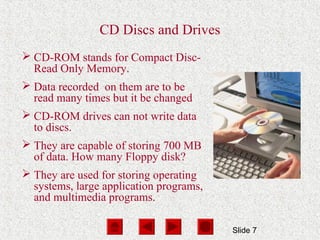
CD Discs and Drives
 CD-ROM stands for Compact Disc-
Read Only Memory.
 Data recorded on them are to be
read many times but it be changed
 CD-ROM drives can not write data
to discs.
 They are capable of storing 700 MB
of data. How many Floppy disk?
 They are used for storing operating
systems, large application programs,
and multimedia programs.
Slide 8
CD-R and CD-RW Discs and Recorders
CD-R
 Discs can be read and
written to.
 Discs can only be
written to “once.”
 CD-R drives are capable
of reading and writing
data.
CD-RW
 Discs can be read and
written to.
 Discs are erasable.
 Discs can be written to
many times.
 CD-RW drives are
capable of reading,
writing, and erasing data.
Slide 9
DVD Discs and Drives
 DVD stands for Digital Video
Disc.
 DVD technology is similar to
CD-ROM technology.
 DVDs are capable of storing up to
17GB of data.
 The data transfer rate of DVD
drives is comparable to that of
hard disk drives.
Slide 10
DVD-RW and DVD+RW Discs
 DVD-R and DVD+R drives have the ability to
read/write data.
 DVD-RW and DVD+RW drives allow you to
write, erase, and read from a disc many times.
Slide 11
Protecting Data on Discs
 Do not expose discs to excessive heat.
 Do not touch underside of discs.
 Do not write on the label side of discs with a
hard instrument.
 Do not stack discs.
 Store discs in original
boxes.
Slide 12
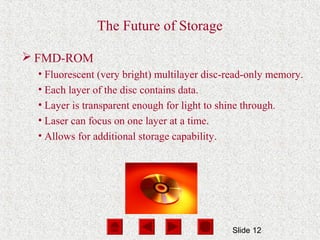
The Future of Storage
 FMD-ROM
• Fluorescent (very bright) multilayer disc-read-only memory.
• Each layer of the disc contains data.
• Layer is transparent enough for light to shine through.
• Laser can focus on one layer at a time.
• Allows for additional storage capability.
Slide 13
Solid State Storage Devices
 Solid state storage devices use nonvolatile memory
chips to retain data.
 They do not have moving parts.
 They are small, lightweight, reliable, and portable.
Slide 14
Compact
Flash
Memory
Flash
Memory
Smart
Card
Micro
Drive
Memory
Stick
PC
Card
Solid State Storage Devices
Slide 15
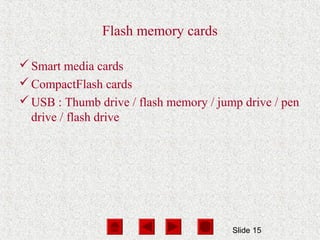
Flash memory cards
Smart media cards
CompactFlash cards
USB : Thumb drive / flash memory / jump drive / pen
drive / flash drive
Slide 16
Smart card
Is a credit card sized device that combines flash
memory with a tiny microprocessor enabling the card
to process as well as save information
Digital cash system
User can purchase a prepaid amount of electronically
stored money. Used in many systems as parking, tools,
transport fares, …

Storage

  • 1.
  • 2.
    Slide 2 Computers AreYour Future Storage Devices
  • 3.
    Slide 3 What YouWill Learn About  How data is stored on both hard and floppy disks  The various optical storage media available for personal computers
  • 4.
    Slide 4 Floppy andZip Disks and Drives  A disk or diskette is a portable storage medium.  High-density floppy disks that are commonly used today store 1.44 MB of data for PC and 1.2 for Mac.  Disks work with a disk drive.  Zip disks is a magnetic portable storage medium store up to 750 MB of data and are not downwardly compatible with floppy disks. Zip Drive Floppy Drive Floppy Disk
  • 5.
    Slide 5 Protecting theData on Your Disks  Don’t touch the surface of the disk.  Don’t expose disk to magnetic fields.  Avoid contamination (food, drink).  Avoid condensation.  Avoid excessive temperatures.
  • 6.
    Slide 6 Optical StorageDevices Uses laser beams to read patterns (pits / land) of data encoded on the surface of plastic disc Pit = 0 land = 1
  • 7.
    Slide 7 CD Discsand Drives  CD-ROM stands for Compact Disc- Read Only Memory.  Data recorded on them are to be read many times but it be changed  CD-ROM drives can not write data to discs.  They are capable of storing 700 MB of data. How many Floppy disk?  They are used for storing operating systems, large application programs, and multimedia programs.
  • 8.
    Slide 8 CD-R andCD-RW Discs and Recorders CD-R  Discs can be read and written to.  Discs can only be written to “once.”  CD-R drives are capable of reading and writing data. CD-RW  Discs can be read and written to.  Discs are erasable.  Discs can be written to many times.  CD-RW drives are capable of reading, writing, and erasing data.
  • 9.
    Slide 9 DVD Discsand Drives  DVD stands for Digital Video Disc.  DVD technology is similar to CD-ROM technology.  DVDs are capable of storing up to 17GB of data.  The data transfer rate of DVD drives is comparable to that of hard disk drives.
  • 10.
    Slide 10 DVD-RW andDVD+RW Discs  DVD-R and DVD+R drives have the ability to read/write data.  DVD-RW and DVD+RW drives allow you to write, erase, and read from a disc many times.
  • 11.
    Slide 11 Protecting Dataon Discs  Do not expose discs to excessive heat.  Do not touch underside of discs.  Do not write on the label side of discs with a hard instrument.  Do not stack discs.  Store discs in original boxes.
  • 12.
    Slide 12 The Futureof Storage  FMD-ROM • Fluorescent (very bright) multilayer disc-read-only memory. • Each layer of the disc contains data. • Layer is transparent enough for light to shine through. • Laser can focus on one layer at a time. • Allows for additional storage capability.
  • 13.
    Slide 13 Solid StateStorage Devices  Solid state storage devices use nonvolatile memory chips to retain data.  They do not have moving parts.  They are small, lightweight, reliable, and portable.
  • 14.
  • 15.
    Slide 15 Flash memorycards Smart media cards CompactFlash cards USB : Thumb drive / flash memory / jump drive / pen drive / flash drive
  • 16.
    Slide 16 Smart card Isa credit card sized device that combines flash memory with a tiny microprocessor enabling the card to process as well as save information Digital cash system User can purchase a prepaid amount of electronically stored money. Used in many systems as parking, tools, transport fares, …