At the end of this topic, students
should be able to:
a)
b)
c)
Identify storage media
Explain the functions of storage media
Differentiate between memory (RAM) and
storage
1
Computer System
2.5.5 Storage
Chapter
PDT - 2017/2018
Storage
Storage holds data, instructions, and
information for future use
A storage medium / media is the physical
material on which a computer keeps data,
instructions, and information
2
2
Define Storage Device
● A storage device is the computer hardware that records and/or
retrieves items to and from storage media
● It’s function is to store data and programs when they are not
being processed
● Stores data permanently
● Available in the form of hard disk, CD, USB drive. etc
7
3
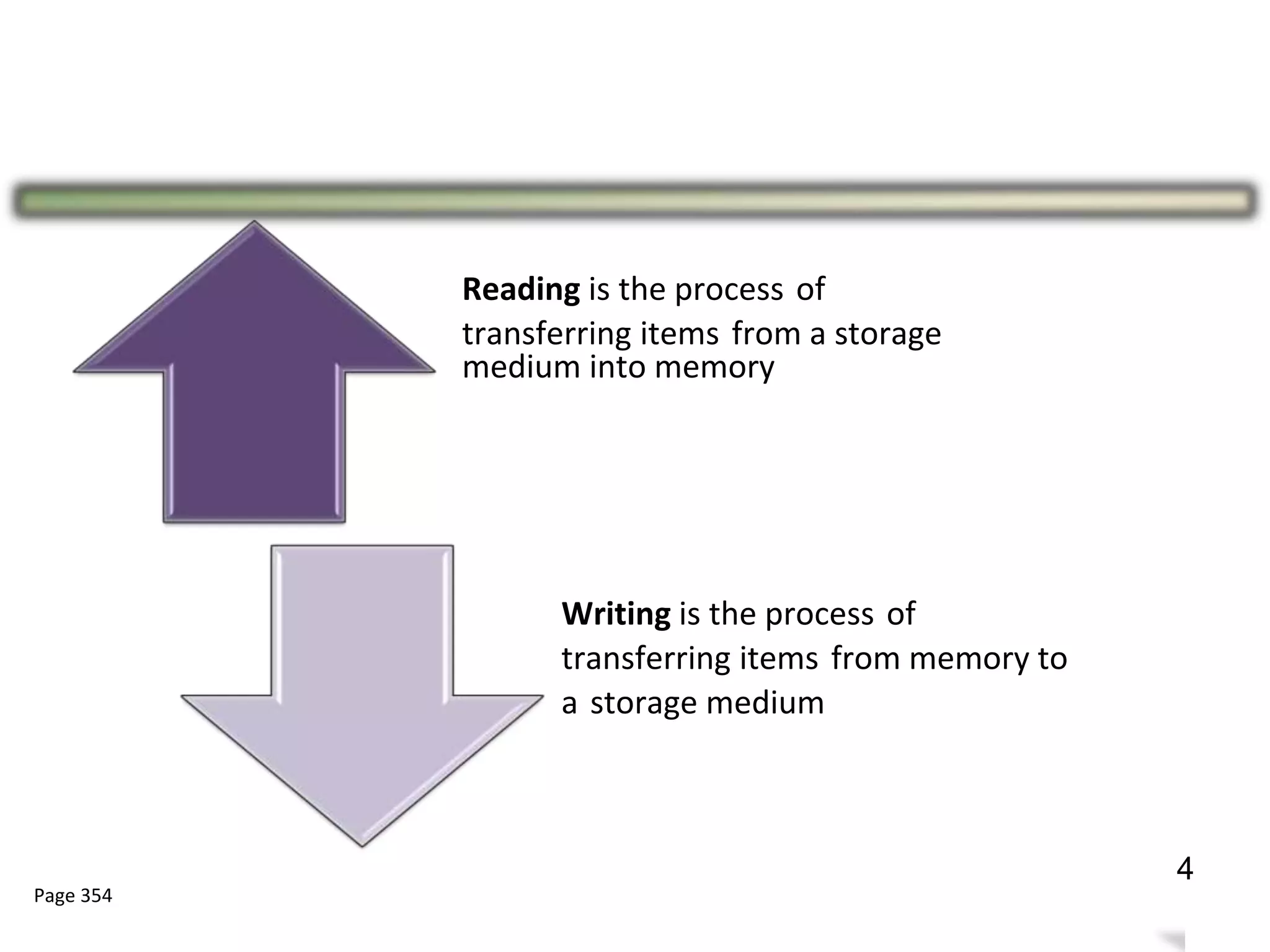
Reading is the process of
transferring items from a storage
medium into memory
Writing is the process of
transferring items from memory to
a storage medium
Page 354
8
4
Types of Storage
9
● Magnetic Storage
● Optical Storage
● Flash Memory
5
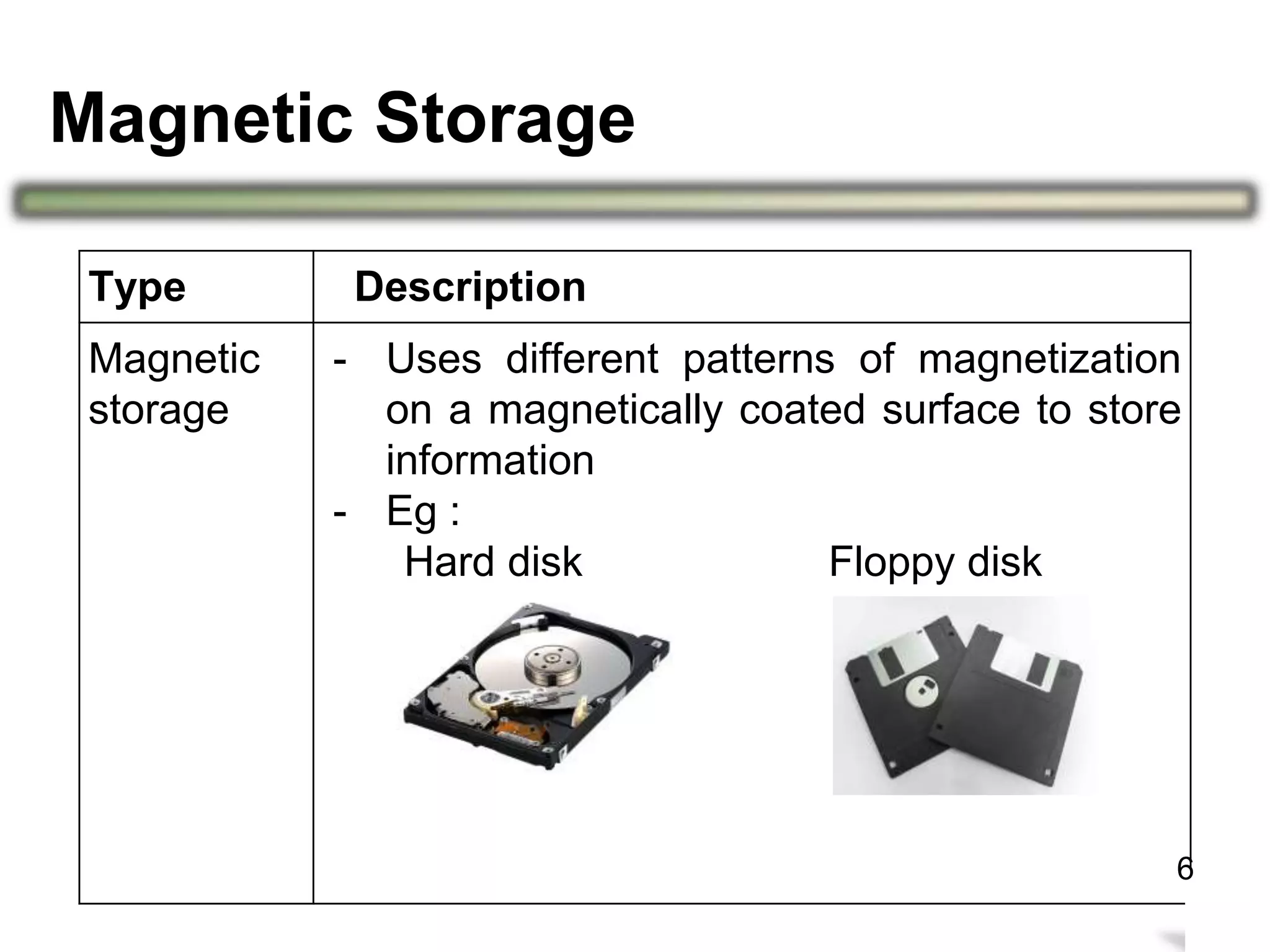
Magnetic Storage
10
Type Description
Magnetic
storage
- Uses different patterns of magnetization
on a magnetically coated surface to store
information
- Eg :
Hard disk Floppy disk
6
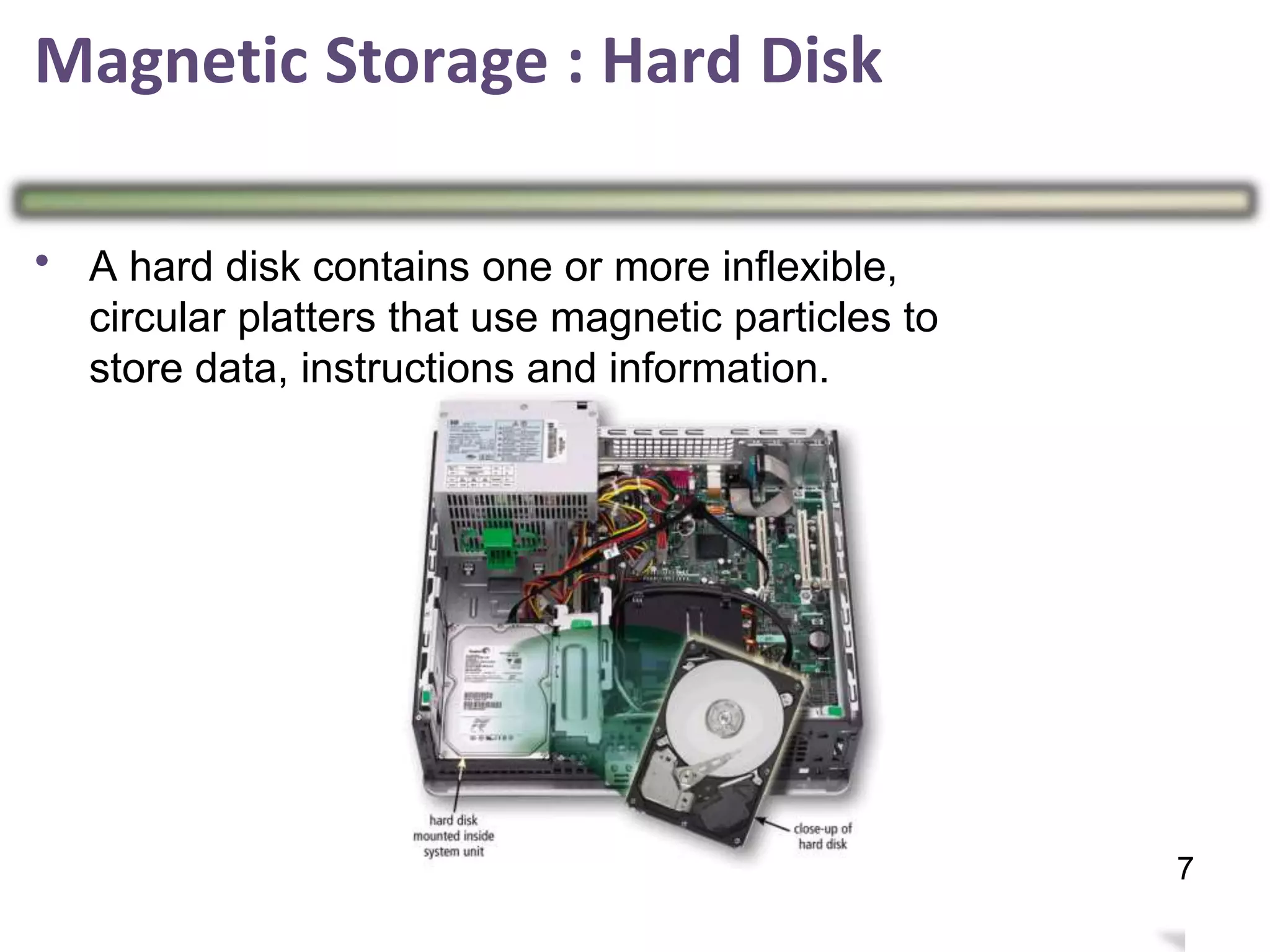
Magnetic Storage : Hard Disk
•
11
7
A hard disk contains one or more inflexible,
circular platters that use magnetic particles to
store data, instructions and information.
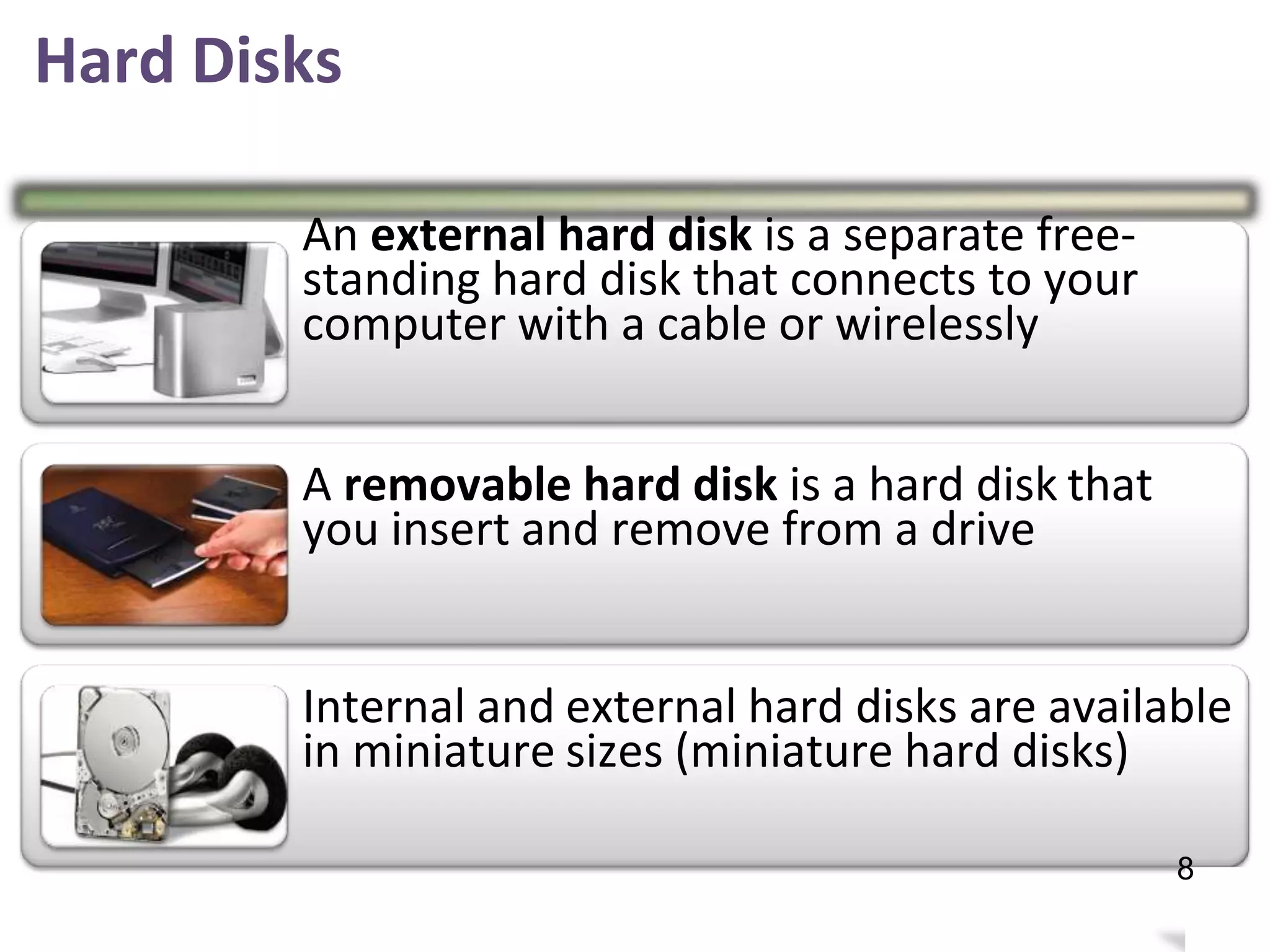
Hard Disks
An external hard disk is a separate free-
standing hard disk that connects to your
computer with a cable or wirelessly
A removable hard disk is a hard disk
you insert and remove from a drive
that
Internal and
in miniature
external hard disks are available
sizes (miniature hard disks)
12
8
– Stores information in deformities on the surface of
a circular disc and reads this information by
andilluminating the surface with a laser diode
observing the reflection.
– Types of optical disc are:
» Compact Disc (CD)
» Digital Video Disc
» Blu-ray Disc (BD)
(DVD)
13
Optical Discs Storage
9
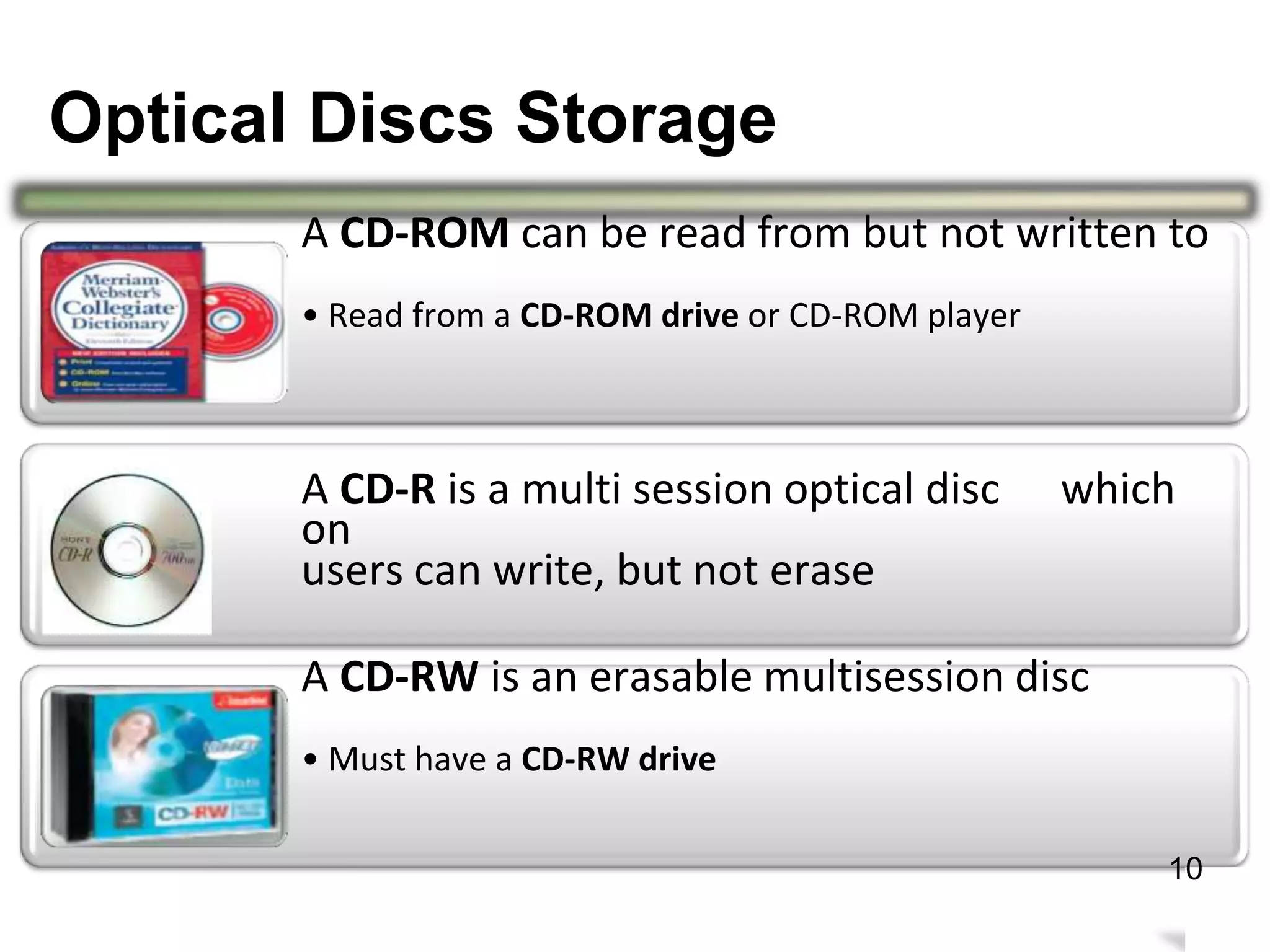
A CD-ROM can be read from but not written to
• Read from a CD-ROM drive or CD-ROM player
A CD-R is a multi session optical disc
on
users can write, but not erase
which
A CD-RW is an erasable multisession
• Must have a CD-RW drive
disc
14
10
Optical Discs Storage
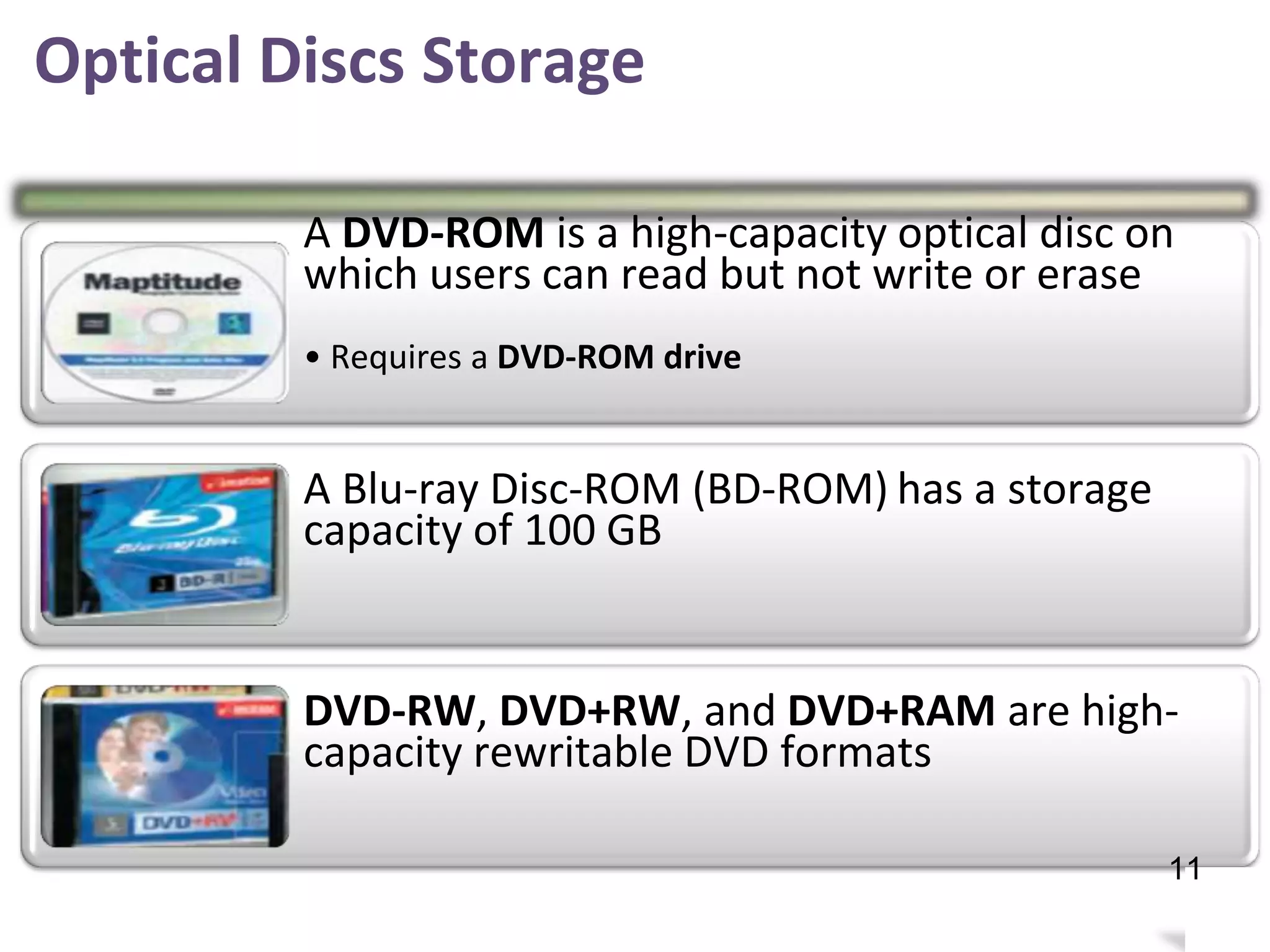
A DVD-ROM is a high-capacity optical disc on
which users can read but not write or erase
• Requires a DVD-ROM drive
A Blu-ray Disc-ROM (BD-ROM)
capacity of 100 GB
has a storage
DVD-RW, DVD+RW, and DVD+RAM are high-
capacity rewritable DVD formats
15
11
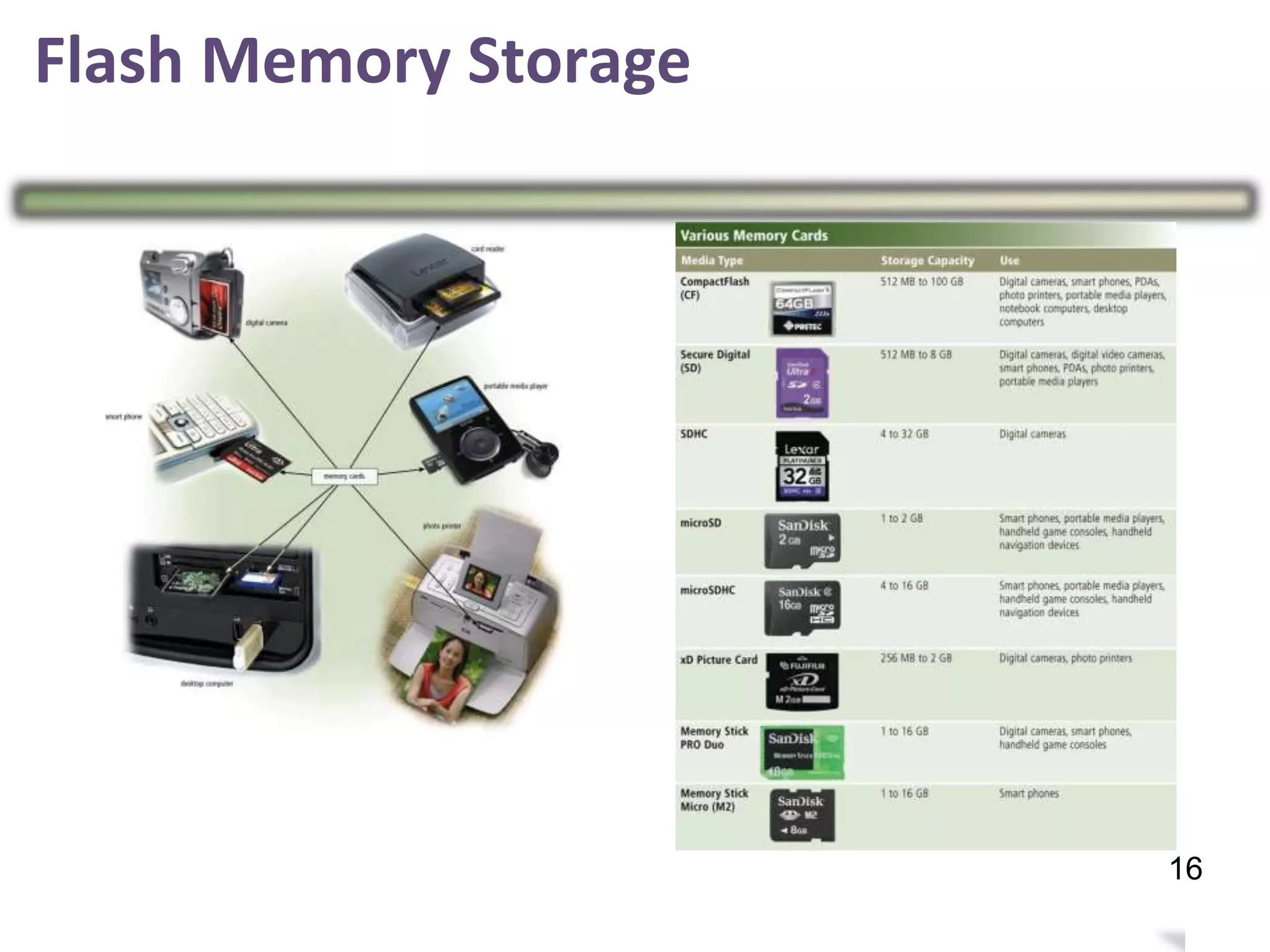
Flash Memory Storage
•
Flash memory chips are a type of solid state
media and contain no moving parts
Examples of flash
» Solid state drives
» Memory card
memory storage are:–
» USB flash drives
16
12
Solid State
Drives
•
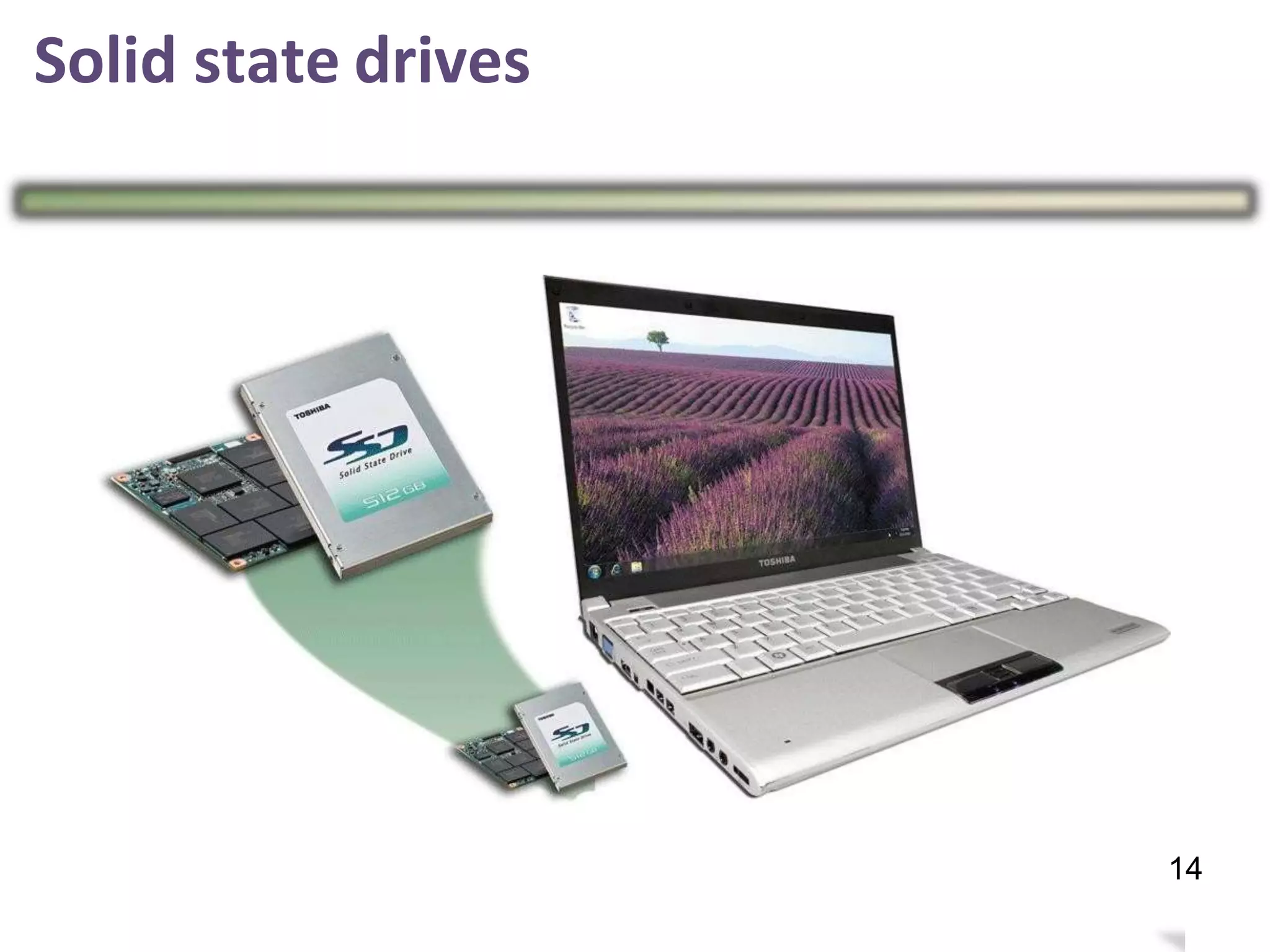
Solid state drives (SSDs) have several
over magnetic hard disks:
advantages
Generate less heat and
consume less powerFaster access time Faster transfer rates Last longer
17
13
Solid state drives
18
14
Memory card
•
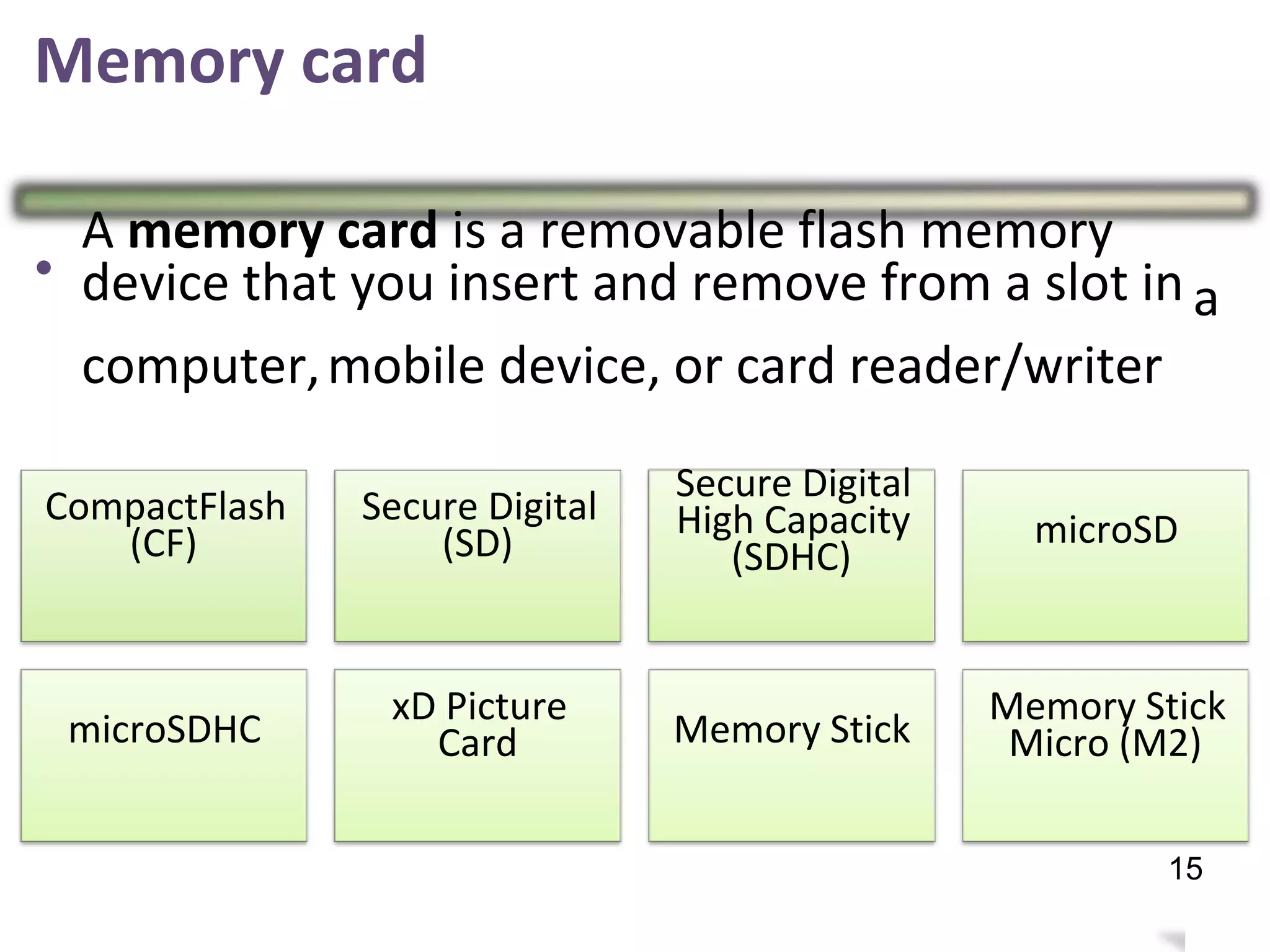
A memory card is a removable flash memory
device that you insert and remove from a slot in a
computer,mobile device, or card reader/writer
Secure Digital
High Capacity
(SDHC)
CompactFlash
(CF)
Secure Digital
(SD) microSD
xD Picture
Card
Memory Stick
Micro (M2)microSDHC Memory Stick
19
15
Flash Memory Storage
20
16
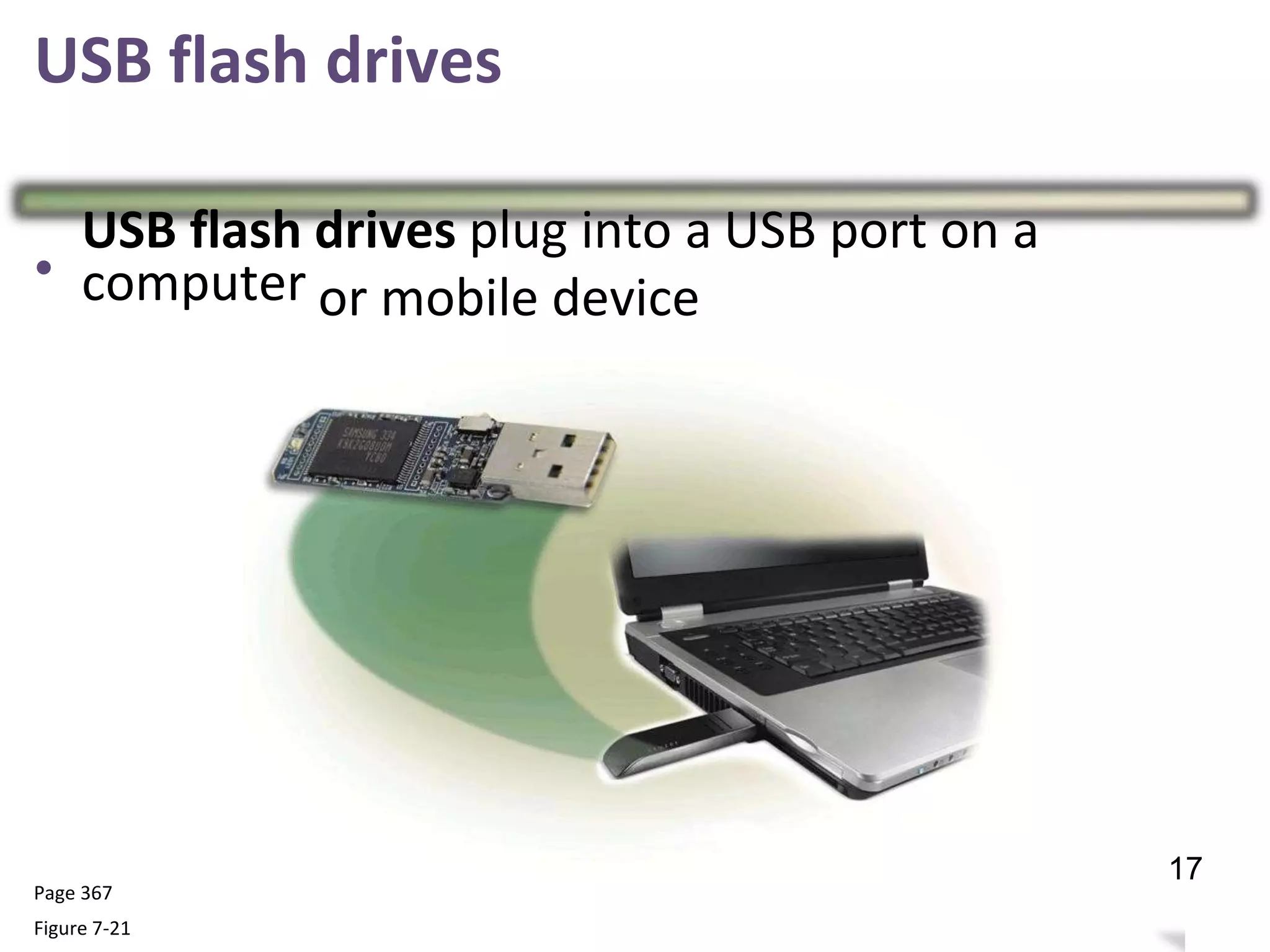
USB flash drives
•
USB flash
computer
drives plug into a USB port on a
or mobile device
Page 367
Figure 7-21
21
17
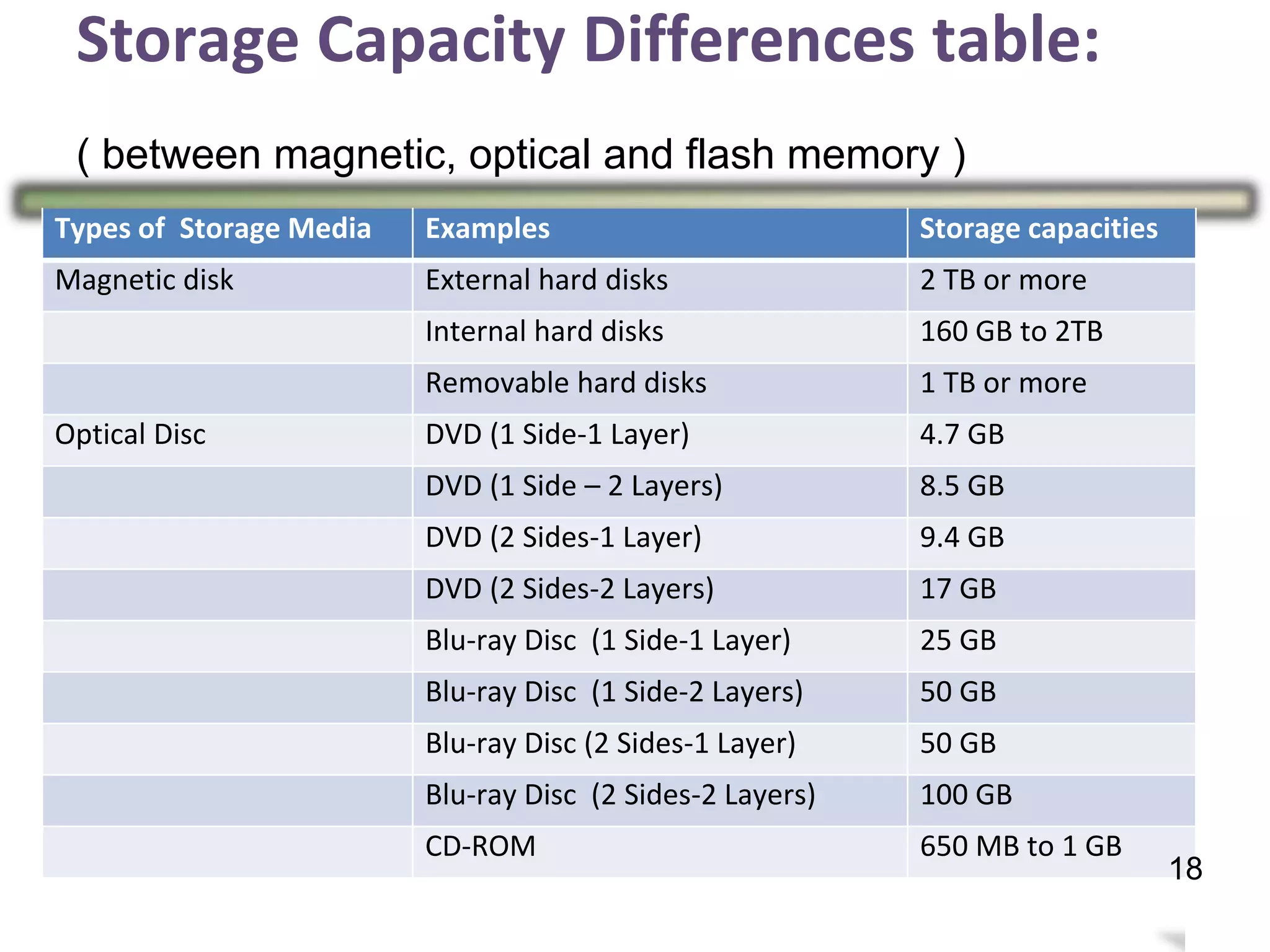
Storage Capacity Differences table:
( between magnetic, optical and flash memory )
22
Types of Storage Media Examples Storage capacities
Magnetic disk External hard disks 2 TB or more
Internal hard disks 160 GB to 2TB
Removable hard disks 1 TB or more
Optical Disc DVD (1 Side-1 Layer) 4.7 GB
DVD (1 Side – 2 Layers) 8.5 GB
DVD (2 Sides-1 Layer) 9.4 GB
DVD (2 Sides-2 Layers) 17 GB
Blu-ray Disc (1 Side-1 Layer) 25 GB
Blu-ray Disc (1 Side-2 Layers) 50 GB
Blu-ray Disc (2 Sides-1 Layer) 50 GB
Blu-ray Disc (2 Sides-2 Layers) 100 GB
CD-ROM 650 MB to 1 GB
18
23
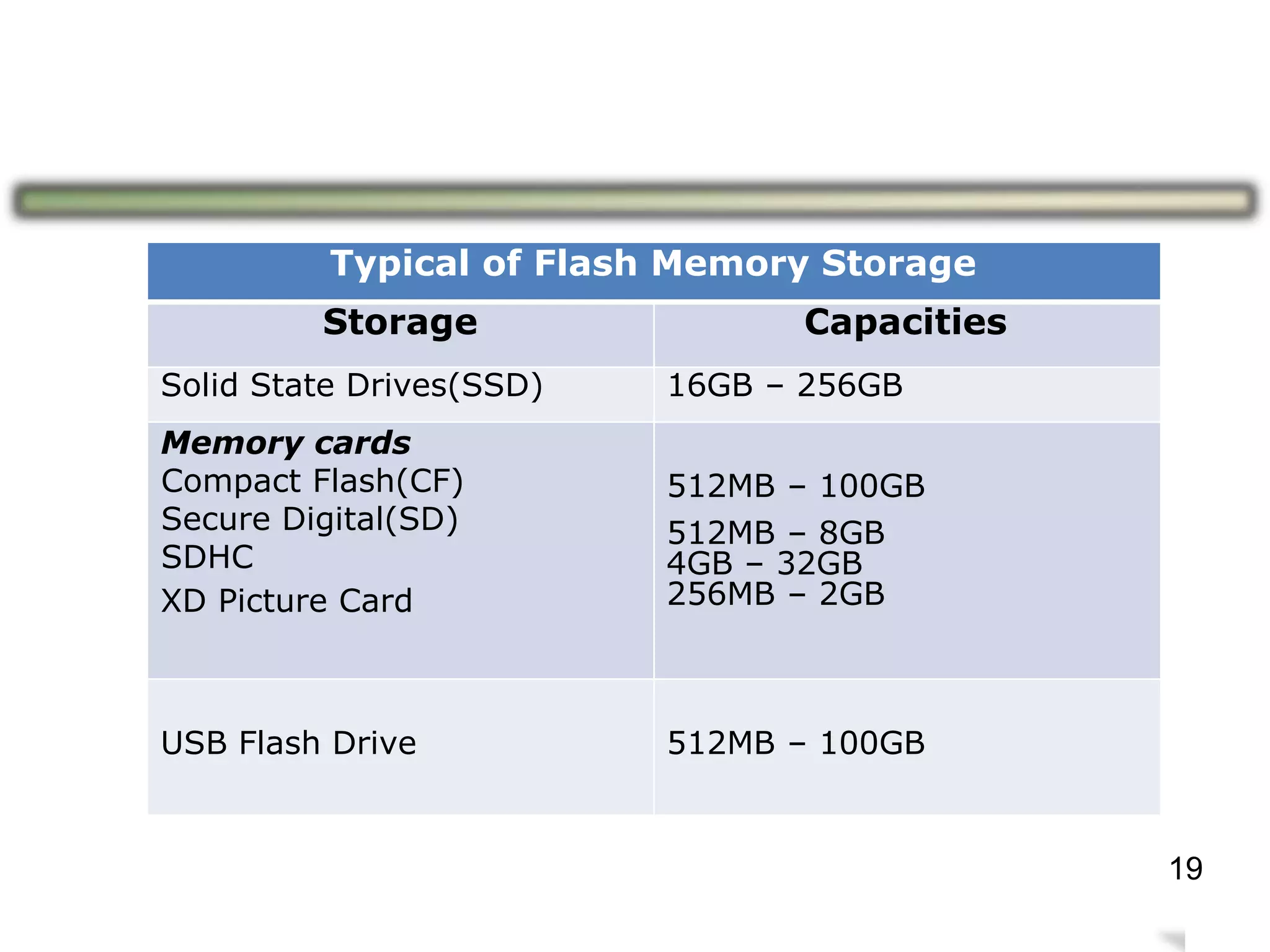
Typical of Flash Memory Storage
Storage Capacities
Solid State Drives(SSD) 16GB – 256GB
Memory cards
Compact Flash(CF)
Secure Digital(SD)
SDHC
XD Picture Card
512MB – 100GB
512MB – 8GB
4GB – 32GB
256MB – 2GB
USB Flash Drive 512MB – 100GB
19
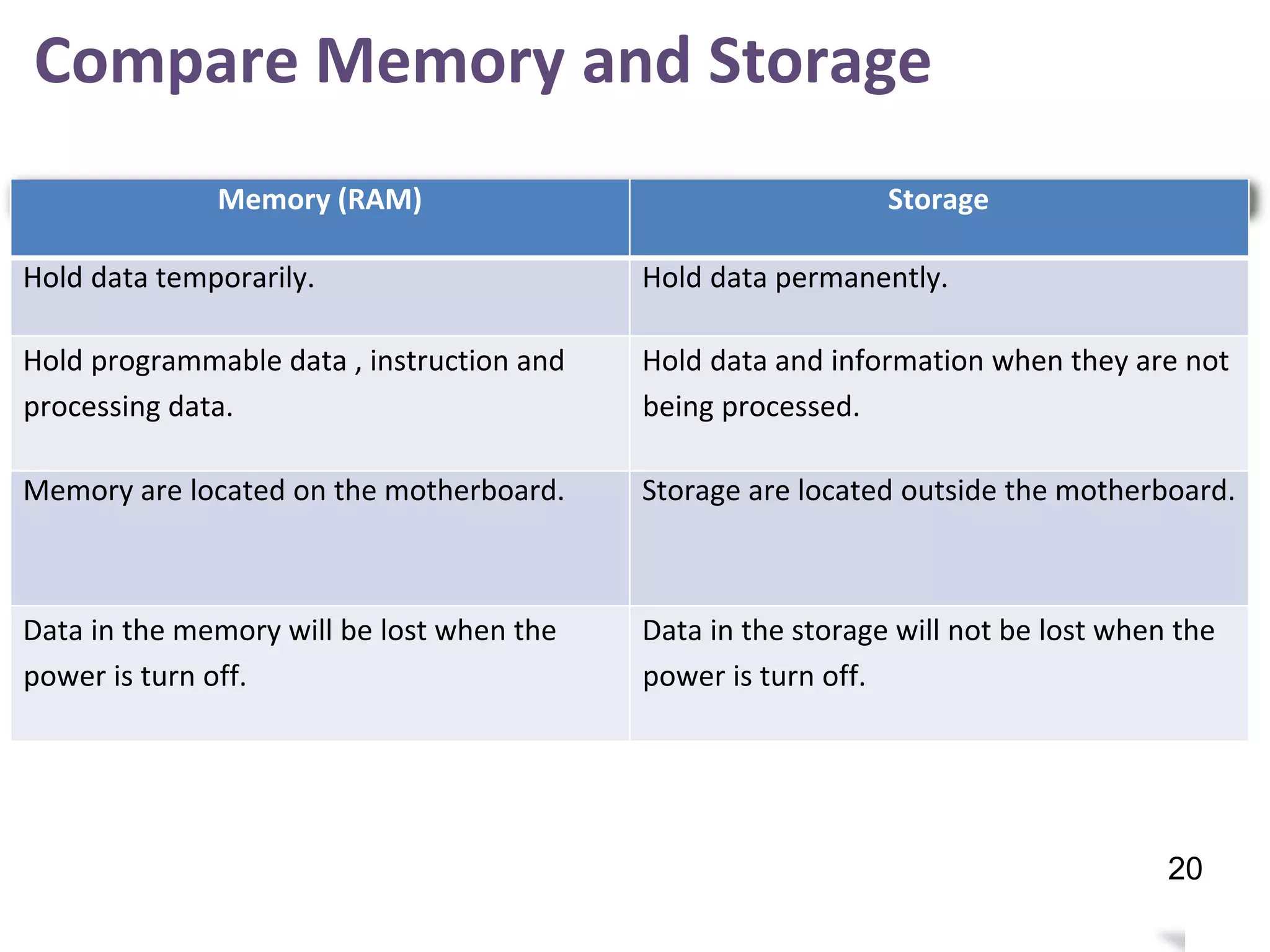
Compare Memory and Storage
24
Memory (RAM) Storage
Hold data temporarily. Hold data permanently.
Hold programmable data , instruction and
processing data.
Hold data and information when they are not
being processed.
Memory are located on the motherboard. Storage are located outside the motherboard.
Data in the memory will be lost when the
power is turn off.
Data in the storage will not be lost when the
power is turn off.
20

PDT DC015 Chapter 2 Computer System 2017/2018 (k)

  • 1.
    At the endof this topic, students should be able to: a) b) c) Identify storage media Explain the functions of storage media Differentiate between memory (RAM) and storage 1 Computer System 2.5.5 Storage Chapter PDT - 2017/2018
  • 2.
    Storage Storage holds data,instructions, and information for future use A storage medium / media is the physical material on which a computer keeps data, instructions, and information 2 2
  • 3.
    Define Storage Device ●A storage device is the computer hardware that records and/or retrieves items to and from storage media ● It’s function is to store data and programs when they are not being processed ● Stores data permanently ● Available in the form of hard disk, CD, USB drive. etc 7 3
  • 4.
    Reading is theprocess of transferring items from a storage medium into memory Writing is the process of transferring items from memory to a storage medium Page 354 8 4
  • 5.
    Types of Storage 9 ●Magnetic Storage ● Optical Storage ● Flash Memory 5
  • 6.
    Magnetic Storage 10 Type Description Magnetic storage -Uses different patterns of magnetization on a magnetically coated surface to store information - Eg : Hard disk Floppy disk 6
  • 7.
    Magnetic Storage :Hard Disk • 11 7 A hard disk contains one or more inflexible, circular platters that use magnetic particles to store data, instructions and information.
  • 8.
    Hard Disks An externalhard disk is a separate free- standing hard disk that connects to your computer with a cable or wirelessly A removable hard disk is a hard disk you insert and remove from a drive that Internal and in miniature external hard disks are available sizes (miniature hard disks) 12 8
  • 9.
    – Stores informationin deformities on the surface of a circular disc and reads this information by andilluminating the surface with a laser diode observing the reflection. – Types of optical disc are: » Compact Disc (CD) » Digital Video Disc » Blu-ray Disc (BD) (DVD) 13 Optical Discs Storage 9
  • 10.
    A CD-ROM canbe read from but not written to • Read from a CD-ROM drive or CD-ROM player A CD-R is a multi session optical disc on users can write, but not erase which A CD-RW is an erasable multisession • Must have a CD-RW drive disc 14 10 Optical Discs Storage
  • 11.
    Optical Discs Storage ADVD-ROM is a high-capacity optical disc on which users can read but not write or erase • Requires a DVD-ROM drive A Blu-ray Disc-ROM (BD-ROM) capacity of 100 GB has a storage DVD-RW, DVD+RW, and DVD+RAM are high- capacity rewritable DVD formats 15 11
  • 12.
    Flash Memory Storage • Flashmemory chips are a type of solid state media and contain no moving parts Examples of flash » Solid state drives » Memory card memory storage are:– » USB flash drives 16 12
  • 13.
    Solid State Drives • Solid statedrives (SSDs) have several over magnetic hard disks: advantages Generate less heat and consume less powerFaster access time Faster transfer rates Last longer 17 13
  • 14.
  • 15.
    Memory card • A memorycard is a removable flash memory device that you insert and remove from a slot in a computer,mobile device, or card reader/writer Secure Digital High Capacity (SDHC) CompactFlash (CF) Secure Digital (SD) microSD xD Picture Card Memory Stick Micro (M2)microSDHC Memory Stick 19 15
  • 16.
  • 17.
    USB flash drives • USBflash computer drives plug into a USB port on a or mobile device Page 367 Figure 7-21 21 17
  • 18.
    Storage Capacity Differencestable: ( between magnetic, optical and flash memory ) 22 Types of Storage Media Examples Storage capacities Magnetic disk External hard disks 2 TB or more Internal hard disks 160 GB to 2TB Removable hard disks 1 TB or more Optical Disc DVD (1 Side-1 Layer) 4.7 GB DVD (1 Side – 2 Layers) 8.5 GB DVD (2 Sides-1 Layer) 9.4 GB DVD (2 Sides-2 Layers) 17 GB Blu-ray Disc (1 Side-1 Layer) 25 GB Blu-ray Disc (1 Side-2 Layers) 50 GB Blu-ray Disc (2 Sides-1 Layer) 50 GB Blu-ray Disc (2 Sides-2 Layers) 100 GB CD-ROM 650 MB to 1 GB 18
  • 19.
    23 Typical of FlashMemory Storage Storage Capacities Solid State Drives(SSD) 16GB – 256GB Memory cards Compact Flash(CF) Secure Digital(SD) SDHC XD Picture Card 512MB – 100GB 512MB – 8GB 4GB – 32GB 256MB – 2GB USB Flash Drive 512MB – 100GB 19
  • 20.
    Compare Memory andStorage 24 Memory (RAM) Storage Hold data temporarily. Hold data permanently. Hold programmable data , instruction and processing data. Hold data and information when they are not being processed. Memory are located on the motherboard. Storage are located outside the motherboard. Data in the memory will be lost when the power is turn off. Data in the storage will not be lost when the power is turn off. 20