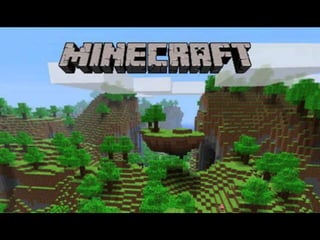
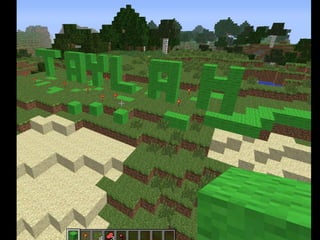
Using Scratch and Minecraft in
Middle Years Maths
Britt Gow, 2015
Science and Maths teacher
Hawkesdale P12 College
SW Victoria
Technomaths blog since 2010
Twitter @brittgow
brittgow@gmail.com
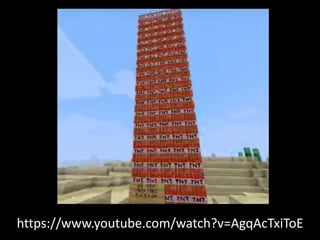
https://www.youtube.com/watch?v=AgqAcTxiToE
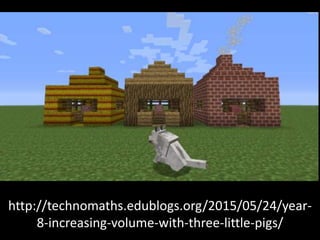
http://technomaths.edublogs.org/2015/05/24/year-
8-increasing-volume-with-three-little-pigs/
https://scratch.mit.edu/
What is Scratch?
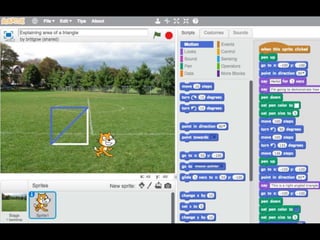
• ‘Scratch’ is an online website and offline
software that can be used to create simple
animations. It has a range of characters (called
‘sprites’) and backgrounds that can be
combined in a multitude of ways. The ‘sprite’
performs on a stage, which is based on the
Cartesian co-ordinate system, with (0,0) at the
centre. The user creates an animation using
simple drag-and-drop commands, such as ‘go
to (x,y)’; ‘move 100 steps’ or ‘turn 90 degrees’.
General, transferable skills
• Logical and creative thinking
• Systematic reasoning with instant feedback
• Communication and collaboration with peers
• Problem solving
• Developing patience and persistence
• Greater sense of control and responsibility for
the learning process
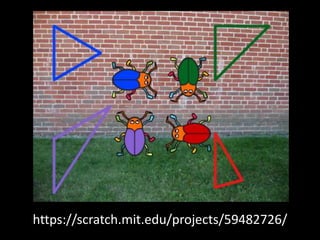
https://scratch.mit.edu/projects/59482726/
What Maths concepts can you learn?
• Cartesian co-ordinate system
• Identifying, creating and naming angles
(acute, right, obtuse, straight and reflex)
• Identifying, creating and naming polygons
• How to calculate the perimeter of polygons
• How to calculate the area of polygons
Scratch Resources
• Scratch for Parents
https://scratch.mit.edu/parents/
•
• Why Learn Scratch?
http://learnscratch.org/resources/why-learn-
scratch
•
• Why Kids Should Learn Scratch
https://thecoderfactory.com/posts/Why-Kids-
Should-Learn-Scratch
Victorian F-10 Curriculum
• Creating symmetrical patterns, pictures and shapes
with (and without) digital technologies (Year 4);
• Applying the enlargement transformation to familiar
two-dimensional shapes and exploring the properties
of the resulting image compared with the original (Year
5);
• Introducing the Cartesian Co-ordinate system using all
four quadrats (Year 6);
• Describing translations, reflections in an axis and
rotations of multiples of 90 degrees on the Cartesian
plane using co-ordinates (Year 7); and
• Plotting linear relationships on the Cartesian plane
with (and without) the use of digital technologies (Year
8).
Thanks for your participation in
this session!
Feel free to contact me by email
or Twitter @brittgow
Please complete the Evaluation form at
http://digitaltoolbox.wikispaces.com/Ev
aluation+Form

Using Scratch and Minecraft in Middle Years Maths

  • 1.
    Using Scratch andMinecraft in Middle Years Maths Britt Gow, 2015
  • 2.
    Science and Mathsteacher Hawkesdale P12 College SW Victoria Technomaths blog since 2010 Twitter @brittgow brittgow@gmail.com
  • 6.
  • 10.
  • 11.
  • 12.
    What is Scratch? •‘Scratch’ is an online website and offline software that can be used to create simple animations. It has a range of characters (called ‘sprites’) and backgrounds that can be combined in a multitude of ways. The ‘sprite’ performs on a stage, which is based on the Cartesian co-ordinate system, with (0,0) at the centre. The user creates an animation using simple drag-and-drop commands, such as ‘go to (x,y)’; ‘move 100 steps’ or ‘turn 90 degrees’.
  • 14.
    General, transferable skills •Logical and creative thinking • Systematic reasoning with instant feedback • Communication and collaboration with peers • Problem solving • Developing patience and persistence • Greater sense of control and responsibility for the learning process
  • 15.
  • 16.
    What Maths conceptscan you learn? • Cartesian co-ordinate system • Identifying, creating and naming angles (acute, right, obtuse, straight and reflex) • Identifying, creating and naming polygons • How to calculate the perimeter of polygons • How to calculate the area of polygons
  • 17.
    Scratch Resources • Scratchfor Parents https://scratch.mit.edu/parents/ • • Why Learn Scratch? http://learnscratch.org/resources/why-learn- scratch • • Why Kids Should Learn Scratch https://thecoderfactory.com/posts/Why-Kids- Should-Learn-Scratch
  • 18.
    Victorian F-10 Curriculum •Creating symmetrical patterns, pictures and shapes with (and without) digital technologies (Year 4); • Applying the enlargement transformation to familiar two-dimensional shapes and exploring the properties of the resulting image compared with the original (Year 5); • Introducing the Cartesian Co-ordinate system using all four quadrats (Year 6); • Describing translations, reflections in an axis and rotations of multiples of 90 degrees on the Cartesian plane using co-ordinates (Year 7); and • Plotting linear relationships on the Cartesian plane with (and without) the use of digital technologies (Year 8).
  • 19.
    Thanks for yourparticipation in this session! Feel free to contact me by email or Twitter @brittgow Please complete the Evaluation form at http://digitaltoolbox.wikispaces.com/Ev aluation+Form