SSH Brute Force Attack On AWS
Blockchain Instance
GROOTS AWS.
1. Continuously CPU utilization
increased by kswap0 process.
2. It breached 100% CPU
utilization.
3. Un-necessary SSH attempts get
increased.
Impact
One of the malware trying to penetrate the network of our customer who used
aws blockchain server.
That malware is known as “Shellbot”. The botnet uses brute force and SSH
exploit (exploit Shellshock Flaw and vulnerability) to achieve remote access to
the target systems, including blockchain server.
Summary
Technical Observation
In next slide attached brute attack diagram, it shows SSH brute force attack.
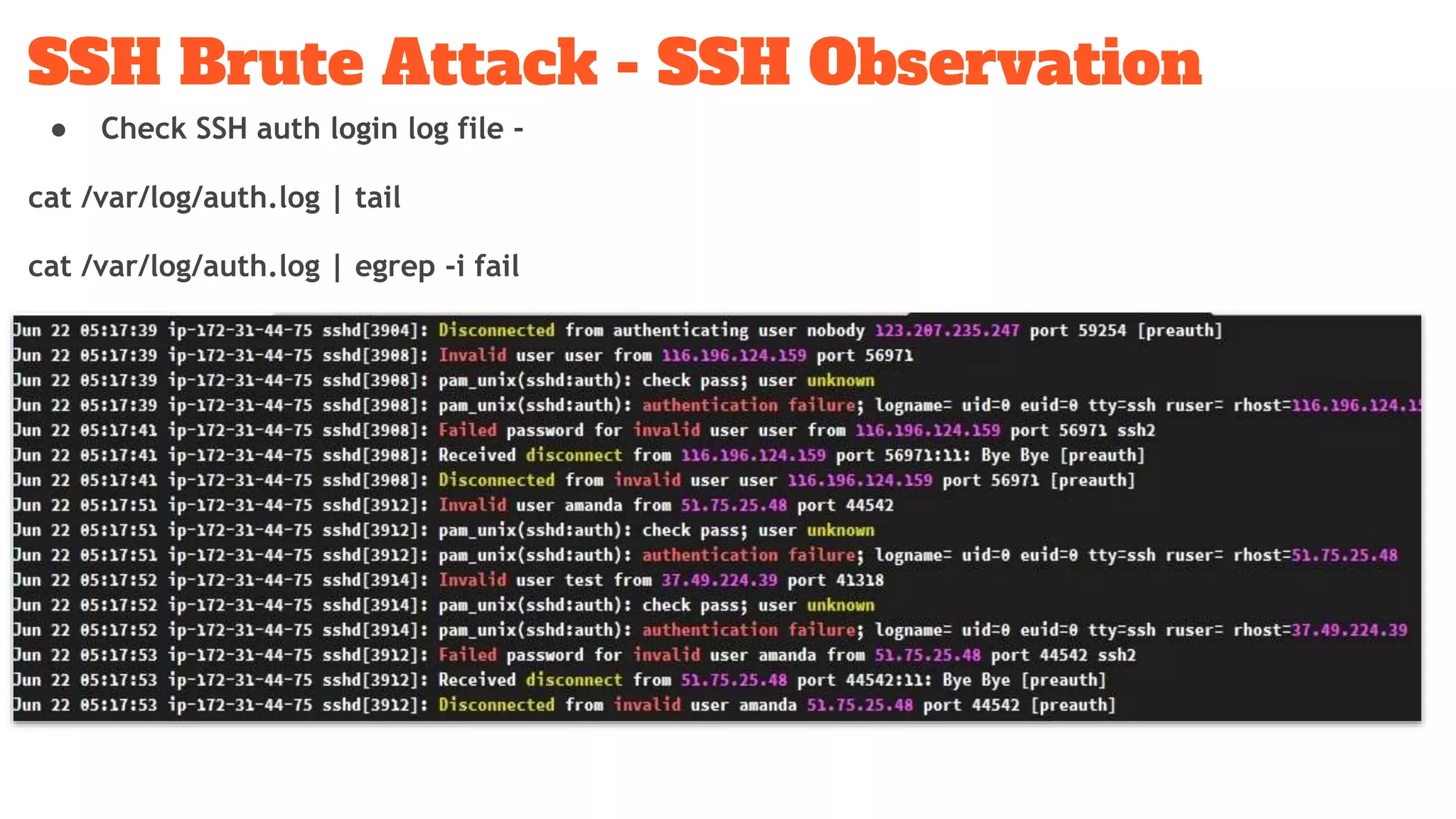
The SSH access or auth log shows request come from different IP’s and user’s.
Using this trick, brute force is able to bypass lockout login mechanism such as
Fail2ban. Once instance is fully compromised, attacker installed hacking suite.
All the malicious logic is managed by bash or perl scripts.
SSH Brute Attack - SSH Observation
● Check SSH auth login log file -
cat /var/log/auth.log | tail
cat /var/log/auth.log | egrep -i fail
Malicious directory
SSH Brute Attack - SSH Observation
● Check SSH auth login log file -
$ cat /var/log/auth.log | tail
$ cat /var/log/auth.log | egrep -i fail
● Get the total SSH user login attempts.
$ cat /var/log/auth.log | egrep -i fail | egrep -i “invalid user” | wc -l
● Get the SSH user login name list & count.
$ cat /var/log/auth.log | egrep -i fail | egrep -i “invalid user” | cut -d ‘ ‘ -f11 | sort | uniq -c
| sort -nr | head
● Find out un-necessary cron jobs of all system users & remove it.
$ sed 's/^([^:]*):.*$/crontab -u 1 -l 2>&1/' /etc/passwd | grep -v "no crontab for" | sh
Expected output -
1 1 */2 * * /var/lib/postgresql/.configrc/a/upd>/dev/null 2>&1
@reboot /var/lib/postgresql/.configrc/a/upd>/dev/null 2>&1
5 8 * * 0 /var/lib/postgresql/.configrc/b/sync>/dev/null 2>&1
@reboot /var/lib/postgresql/.configrc/b/sync>/dev/null 2>&1
0 0 */3 * * /tmp/.X25-unix/.rsync/c/aptitude>/dev/null 2>&1
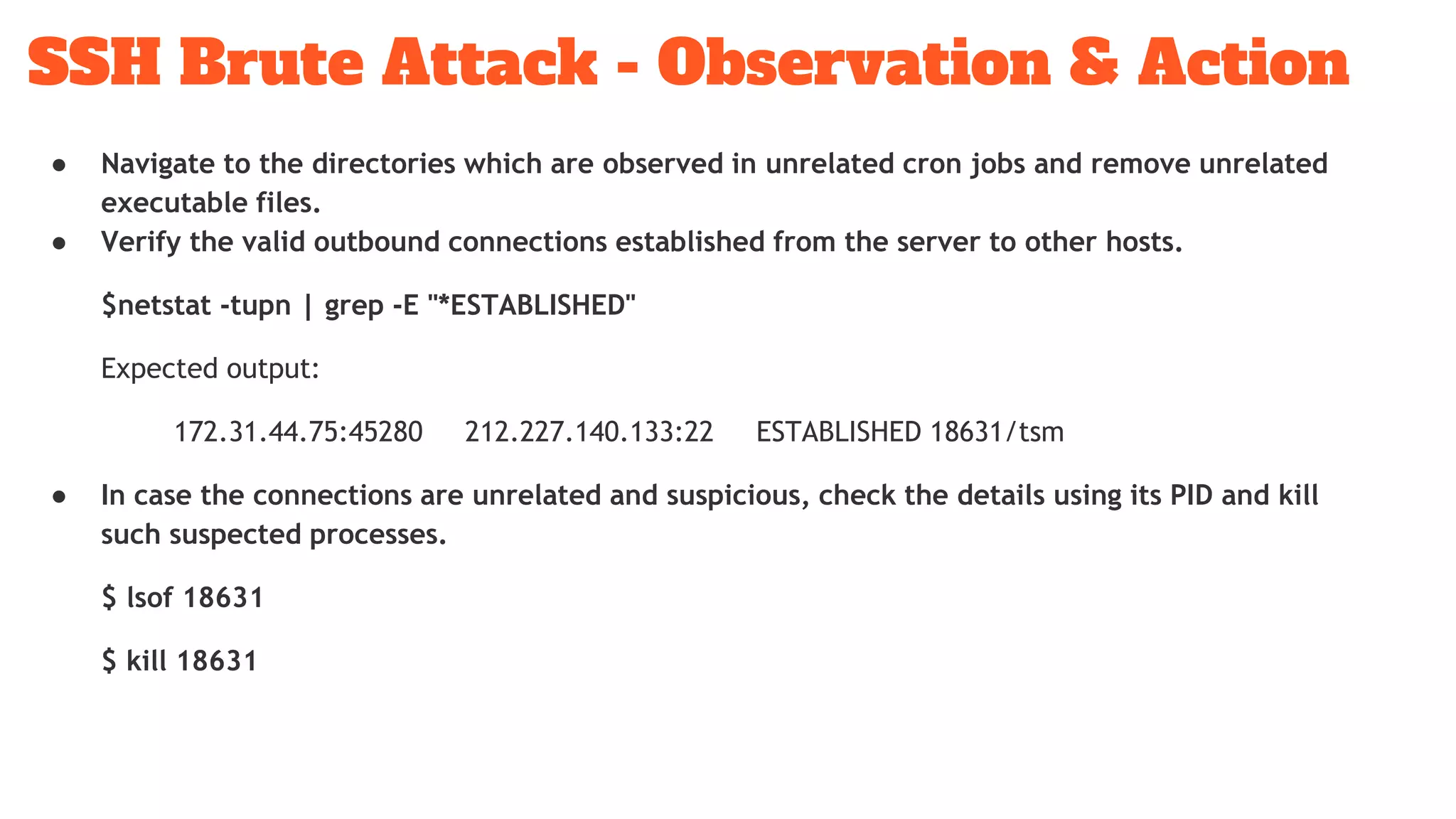
SSH Brute Attack - Observation & Action
● Navigate to the directories which are observed in unrelated cron jobs and remove unrelated
executable files.
● Verify the valid outbound connections established from the server to other hosts.
$netstat -tupn | grep -E "*ESTABLISHED"
Expected output:
172.31.44.75:45280 212.227.140.133:22 ESTABLISHED 18631/tsm
● In case the connections are unrelated and suspicious, check the details using its PID and kill
such suspected processes.
$ lsof 18631
$ kill 18631
SSH Brute Attack - Observation & Action
Thank you !!!
Groots Software Technologies.
Would you recommend this solution?
Write your review here.

SSH Brute Force Attack

  • 1.
    SSH Brute ForceAttack On AWS Blockchain Instance GROOTS AWS.
  • 2.
    1. Continuously CPUutilization increased by kswap0 process. 2. It breached 100% CPU utilization. 3. Un-necessary SSH attempts get increased. Impact
  • 3.
    One of themalware trying to penetrate the network of our customer who used aws blockchain server. That malware is known as “Shellbot”. The botnet uses brute force and SSH exploit (exploit Shellshock Flaw and vulnerability) to achieve remote access to the target systems, including blockchain server. Summary
  • 4.
    Technical Observation In nextslide attached brute attack diagram, it shows SSH brute force attack. The SSH access or auth log shows request come from different IP’s and user’s. Using this trick, brute force is able to bypass lockout login mechanism such as Fail2ban. Once instance is fully compromised, attacker installed hacking suite. All the malicious logic is managed by bash or perl scripts.
  • 5.
    SSH Brute Attack- SSH Observation ● Check SSH auth login log file - cat /var/log/auth.log | tail cat /var/log/auth.log | egrep -i fail
  • 6.
  • 7.
    SSH Brute Attack- SSH Observation ● Check SSH auth login log file - $ cat /var/log/auth.log | tail $ cat /var/log/auth.log | egrep -i fail ● Get the total SSH user login attempts. $ cat /var/log/auth.log | egrep -i fail | egrep -i “invalid user” | wc -l ● Get the SSH user login name list & count. $ cat /var/log/auth.log | egrep -i fail | egrep -i “invalid user” | cut -d ‘ ‘ -f11 | sort | uniq -c | sort -nr | head
  • 8.
    ● Find outun-necessary cron jobs of all system users & remove it. $ sed 's/^([^:]*):.*$/crontab -u 1 -l 2>&1/' /etc/passwd | grep -v "no crontab for" | sh Expected output - 1 1 */2 * * /var/lib/postgresql/.configrc/a/upd>/dev/null 2>&1 @reboot /var/lib/postgresql/.configrc/a/upd>/dev/null 2>&1 5 8 * * 0 /var/lib/postgresql/.configrc/b/sync>/dev/null 2>&1 @reboot /var/lib/postgresql/.configrc/b/sync>/dev/null 2>&1 0 0 */3 * * /tmp/.X25-unix/.rsync/c/aptitude>/dev/null 2>&1 SSH Brute Attack - Observation & Action
  • 9.
    ● Navigate tothe directories which are observed in unrelated cron jobs and remove unrelated executable files. ● Verify the valid outbound connections established from the server to other hosts. $netstat -tupn | grep -E "*ESTABLISHED" Expected output: 172.31.44.75:45280 212.227.140.133:22 ESTABLISHED 18631/tsm ● In case the connections are unrelated and suspicious, check the details using its PID and kill such suspected processes. $ lsof 18631 $ kill 18631 SSH Brute Attack - Observation & Action
  • 10.
    Thank you !!! GrootsSoftware Technologies. Would you recommend this solution? Write your review here.