Software Languages
and Devices
Contents of the presentation:
• Software concepts: Application Software, System Software
• Language Classification
• Compilers and interpreters
Software concepts
Software refers to the set of instructions fed in form of programs to
govern the computer system and process the hardware components.
Example: The antivirus is a type of Software.
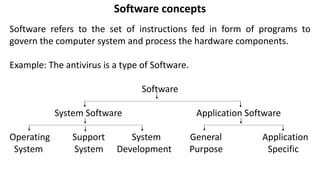
Software
System Software Application Software
Operating Support System General Application
System System Development Purpose Specific
Application Software
• Application software (application or app)
is a program or group of programs
designed for end-users.
• While system software consists of low-
level programs that interact with
computers at a basic level.
• Application software may be bundled
with system software or published alone.
Types of application software
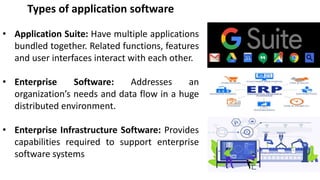
• Application Suite: Have multiple applications
bundled together. Related functions, features
and user interfaces interact with each other.
• Enterprise Software: Addresses an
organization’s needs and data flow in a huge
distributed environment.
• Enterprise Infrastructure Software: Provides
capabilities required to support enterprise
software systems
Types of application software
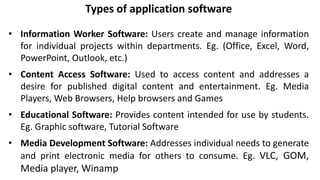
• Information Worker Software: Users create and manage information
for individual projects within departments. Eg. (Office, Excel, Word,
PowerPoint, Outlook, etc.)
• Content Access Software: Used to access content and addresses a
desire for published digital content and entertainment. Eg. Media
Players, Web Browsers, Help browsers and Games
• Educational Software: Provides content intended for use by students.
Eg. Graphic software, Tutorial Software
• Media Development Software: Addresses individual needs to generate
and print electronic media for others to consume. Eg. VLC, GOM,
Media player, Winamp
System Software
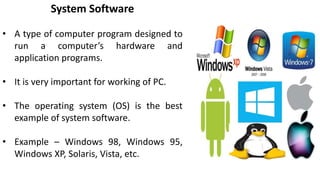
• A type of computer program designed to
run a computer’s hardware and
application programs.
• It is very important for working of PC.
• The operating system (OS) is the best
example of system software.
• Example – Windows 98, Windows 95,
Windows XP, Solaris, Vista, etc.
Network software
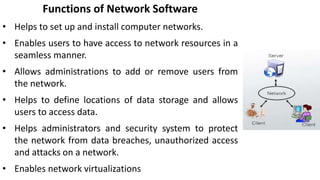
• Network software encompasses a broad
range of software used for the design,
implementation, and operation and
monitoring of computer networks.
• Traditional networks were hardware-
based with software embedded.
Functions of Network Software
• Helps to set up and install computer networks.
• Enables users to have access to network resources in a
seamless manner.
• Allows administrations to add or remove users from
the network.
• Helps to define locations of data storage and allows
users to access data.
• Helps administrators and security system to protect
the network from data breaches, unauthorized access
and attacks on a network.
• Enables network virtualizations
Classification of Computer Languages
Programming language
A programming language is an artificial language that can be used to write
programs that control the behaviour of a machine, particularly a computer.
There are two levels of language:
1. High-level programming language: These languages are normal, English
like. Easy to understand statements to pass the instruction to the computer.
It offers: ● Readability ● Easy Debugging ● Portability ● Easy software
Development
Example: – BASIC, COBOL, FORTRAN, PASCAL, and C.
2. Low-level programming language
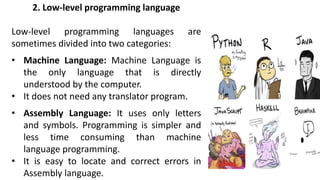
Low-level programming languages are
sometimes divided into two categories:
• Machine Language: Machine Language is
the only language that is directly
understood by the computer.
• It does not need any translator program.
• Assembly Language: It uses only letters
and symbols. Programming is simpler and
less time consuming than machine
language programming.
• It is easy to locate and correct errors in
Assembly language.
Other types of languages
• System languages: Designed for low-level tasks, like memory and process
management
• Scripting languages: These tend to be high-level and very powerful
• Domain-specific languages: These are only used in very specific contexts
• Visual languages: Languages that are not text-based
• Esoteric languages: Languages that are jokes or are not intended for
serious use Language is a means of communication.
• Normally every language has its grammatical rules; similarly, every
computer language is bound by rules known as the SYNTAX of the
language.
Compilers and Interpreters in Computer
Compilers
• Besides the application software and the
system software, there is a third kind of
software called the compiler software.
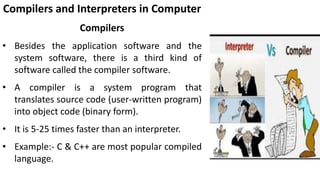
• A compiler is a system program that
translates source code (user-written program)
into object code (binary form).
• It is 5-25 times faster than an interpreter.
• Example:- C & C++ are most popular compiled
language.
Interpreter
• An Interpreter is a contrast to a compiler,
analyzes & executes the source code line-
by – line without looking at the entire
program.
• It is a slow process.
• It is used in the FORTRAN program.
• Ex- JavaScript & VBScript are interpreted
language.

Software languages and devices

  • 1.
  • 2.
    Contents of thepresentation: • Software concepts: Application Software, System Software • Language Classification • Compilers and interpreters
  • 3.
    Software concepts Software refersto the set of instructions fed in form of programs to govern the computer system and process the hardware components. Example: The antivirus is a type of Software. Software System Software Application Software Operating Support System General Application System System Development Purpose Specific
  • 4.
    Application Software • Applicationsoftware (application or app) is a program or group of programs designed for end-users. • While system software consists of low- level programs that interact with computers at a basic level. • Application software may be bundled with system software or published alone.
  • 5.
    Types of applicationsoftware • Application Suite: Have multiple applications bundled together. Related functions, features and user interfaces interact with each other. • Enterprise Software: Addresses an organization’s needs and data flow in a huge distributed environment. • Enterprise Infrastructure Software: Provides capabilities required to support enterprise software systems
  • 6.
    Types of applicationsoftware • Information Worker Software: Users create and manage information for individual projects within departments. Eg. (Office, Excel, Word, PowerPoint, Outlook, etc.) • Content Access Software: Used to access content and addresses a desire for published digital content and entertainment. Eg. Media Players, Web Browsers, Help browsers and Games • Educational Software: Provides content intended for use by students. Eg. Graphic software, Tutorial Software • Media Development Software: Addresses individual needs to generate and print electronic media for others to consume. Eg. VLC, GOM, Media player, Winamp
  • 7.
    System Software • Atype of computer program designed to run a computer’s hardware and application programs. • It is very important for working of PC. • The operating system (OS) is the best example of system software. • Example – Windows 98, Windows 95, Windows XP, Solaris, Vista, etc.
  • 8.
    Network software • Networksoftware encompasses a broad range of software used for the design, implementation, and operation and monitoring of computer networks. • Traditional networks were hardware- based with software embedded.
  • 9.
    Functions of NetworkSoftware • Helps to set up and install computer networks. • Enables users to have access to network resources in a seamless manner. • Allows administrations to add or remove users from the network. • Helps to define locations of data storage and allows users to access data. • Helps administrators and security system to protect the network from data breaches, unauthorized access and attacks on a network. • Enables network virtualizations
  • 10.
    Classification of ComputerLanguages Programming language A programming language is an artificial language that can be used to write programs that control the behaviour of a machine, particularly a computer. There are two levels of language: 1. High-level programming language: These languages are normal, English like. Easy to understand statements to pass the instruction to the computer. It offers: ● Readability ● Easy Debugging ● Portability ● Easy software Development Example: – BASIC, COBOL, FORTRAN, PASCAL, and C.
  • 11.
    2. Low-level programminglanguage Low-level programming languages are sometimes divided into two categories: • Machine Language: Machine Language is the only language that is directly understood by the computer. • It does not need any translator program. • Assembly Language: It uses only letters and symbols. Programming is simpler and less time consuming than machine language programming. • It is easy to locate and correct errors in Assembly language.
  • 12.
    Other types oflanguages • System languages: Designed for low-level tasks, like memory and process management • Scripting languages: These tend to be high-level and very powerful • Domain-specific languages: These are only used in very specific contexts • Visual languages: Languages that are not text-based • Esoteric languages: Languages that are jokes or are not intended for serious use Language is a means of communication. • Normally every language has its grammatical rules; similarly, every computer language is bound by rules known as the SYNTAX of the language.
  • 13.
    Compilers and Interpretersin Computer Compilers • Besides the application software and the system software, there is a third kind of software called the compiler software. • A compiler is a system program that translates source code (user-written program) into object code (binary form). • It is 5-25 times faster than an interpreter. • Example:- C & C++ are most popular compiled language.
  • 14.
    Interpreter • An Interpreteris a contrast to a compiler, analyzes & executes the source code line- by – line without looking at the entire program. • It is a slow process. • It is used in the FORTRAN program. • Ex- JavaScript & VBScript are interpreted language.