
Operating System
Prepared By: K.Brijendra Shanker (BCA 4th Sem)
WHAT IS AN OPERATING SYSTEM?
 The operating system is the most important program that
runs on a computer. Every general-purpose computer must have
an operating system to run other programs. Operating systems
perform basic tasks, such as recognizing input from
the keyboard, sending output to the display screen, keeping
track of files and directories on the disk, and
controlling peripheral devices such as disk drives and printers.
 An interface between users and hardware - an environment
"architecture
 For large systems, the operating system has even greater
responsibilities and powers. It is like a traffic cop -- it makes sure
that different programs and users running at the same time do
not interfere with each other. The operating system is also
responsible for security, ensuring that unauthorized users do
not access the system.
Need of Operating System
 In earlier day’s user had to design the application
according to the internal structure of the hardware.
Operating System was needed to enable the user to
design the application without concerning the details
of the computer’s internal structure. In general the
boundary between the hardware & software is
transparent to the user.
Usage of Operating System
 Easy interaction between the human & computer.
 Starting computer operation automatically when
power in turned on.
 Loading & scheduling users program.
 Controlling input & output.
 Controlling program execution.
 Managing use of main memory.
 Providing security to users program.
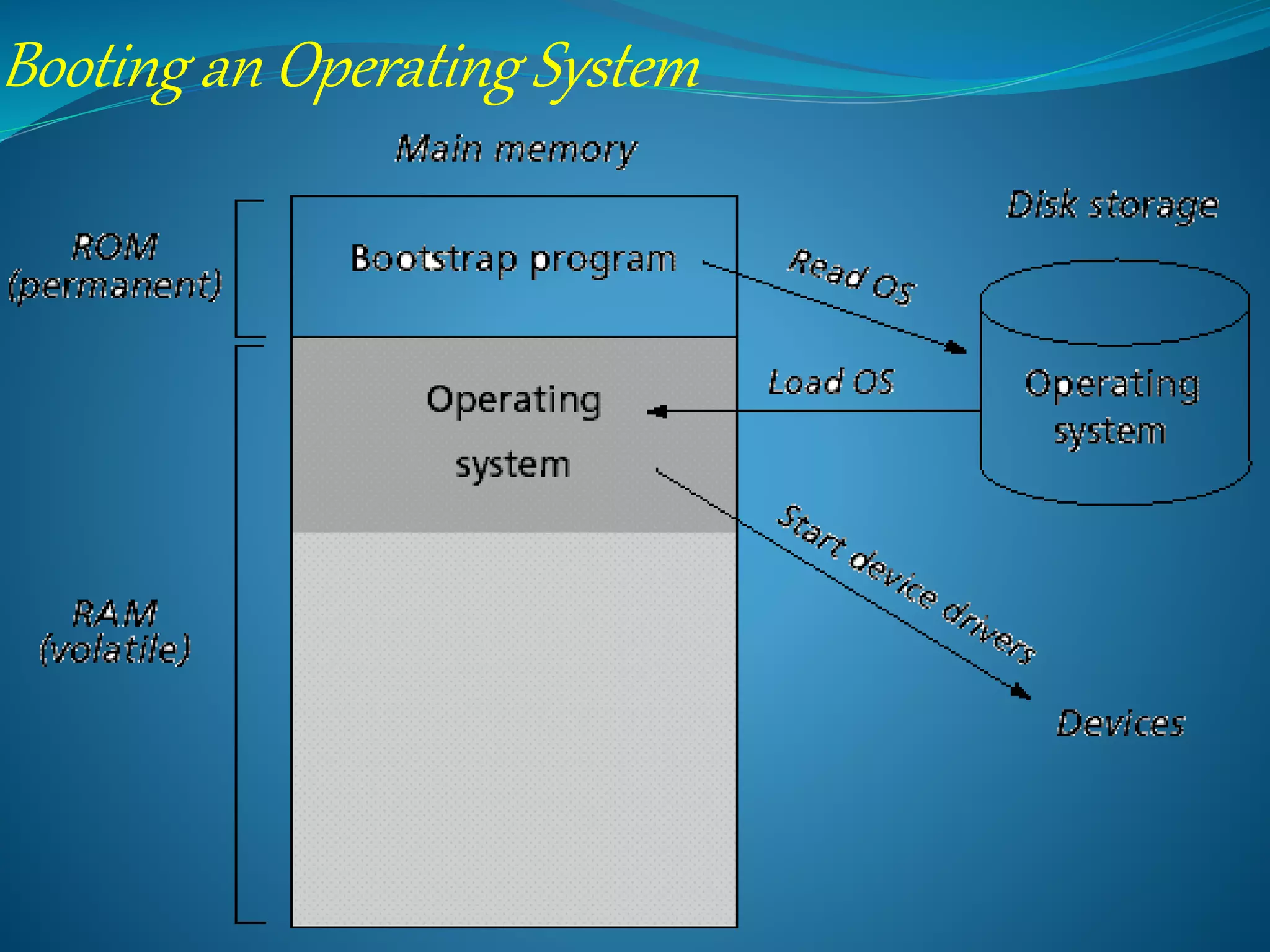
Starting up an operating system:
• Read boot strap program from ROM:
==> enables access to floppy and hard drives.
==>look for the core OS
(DOS: COMMAND.COM )
• Load the core OS into RAM.
• Run a sequence of jobs in batch mode.
Booting an Operating System
 Classification of operation systems
 Multi-user: Allows two or more users to run programs
at the same time. Some operating systems permit
hundreds or even thousands of concurrent users.
 Multiprocessing : Supports running a program on more
than one CPU.
 Multitasking : Allows more than one program to run
concurrently.
 Multithreading : Allows different parts of a single
program to run concurrently.
 Real time: Responds to input instantly. General-
purpose operating systems, such as DOS and UNIX,
are not real-time.
-hard real time system
-soft real time system
CLASSIFICATION OF OPERATION SYSTEMS
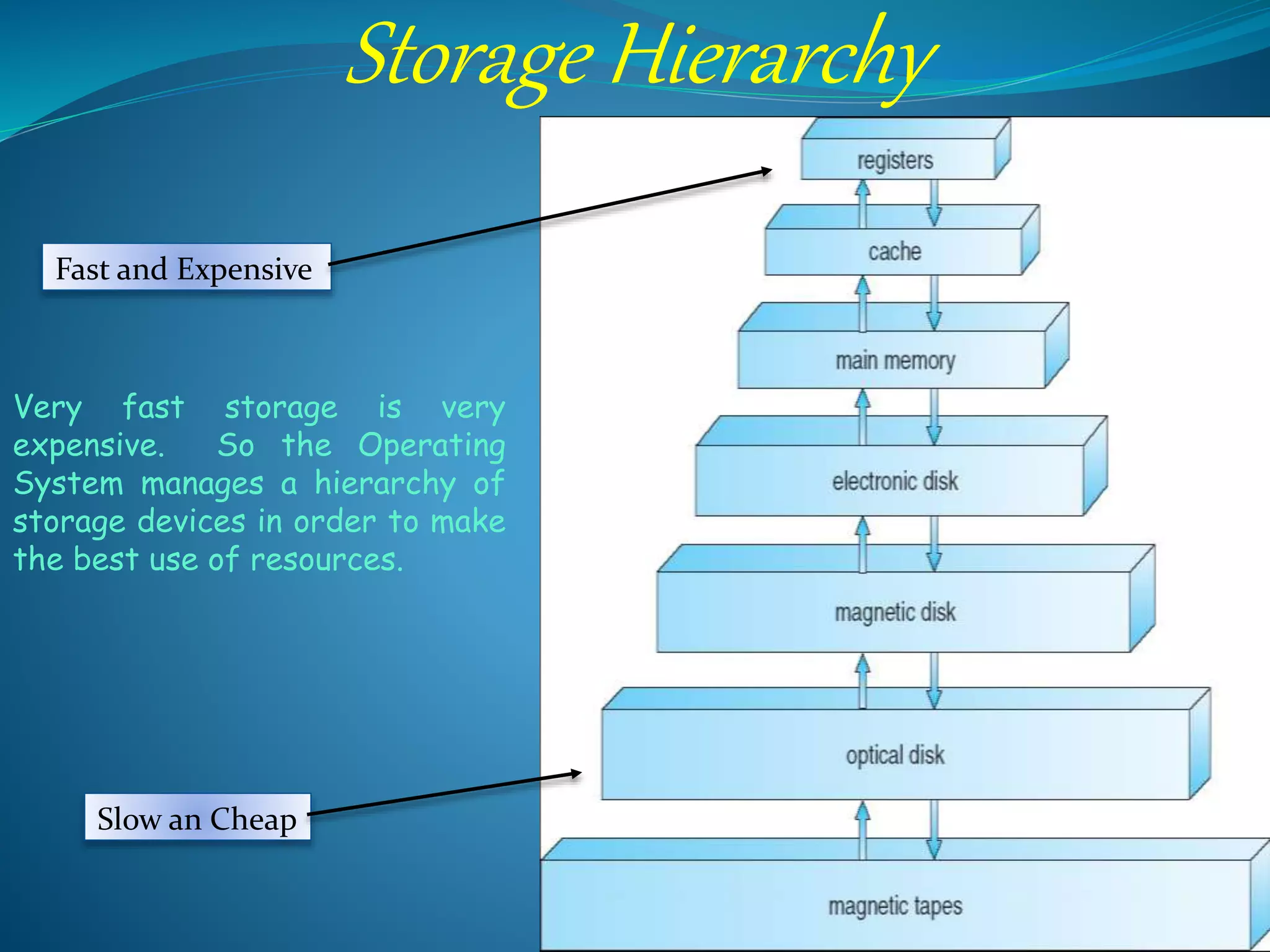
Storage Hierarchy
Fast and Expensive
Slow an Cheap
Very fast storage is very
expensive. So the Operating
System manages a hierarchy of
storage devices in order to make
the best use of resources.
advantages of windows
 Language support.
 Ease of use
 Word processors
 Backup and restore.
 Accessibility
 Encryption
 Device management
 Sticky notes
 Internet games
 Security features.
disadvantages of windows
 Price: Microsoft windows is costly compared to
Linux
 Security: When compared to linux it is much more
prone to viruses and other attacks.
 Reliability: It needs to be rebooted periodically
else there is a possibility of hang up of the
system.
 Software Cost: Even though the windows have
softwares, games for free most of the programs
will cost more than 200$.
LINUX
ADVANTAGES OF LINUX
 OS is a free of Cost
 Security
 Choice (Freedom)
 Software
 LINUX IS VERY STABLE
 Reliable
 Extremely powerful
Disadvantages of Linux
 Understanding
 Compatibility
 Alternative Programs
 Linux does not run most commercial software
 Less off-line help is available for Linux
 Some re-training can be required
 Linux does currently not play Blu-ray discs
 Not all hardware is supported
Advantages Android
 Multitasking:
 Easy access to thousands of applications via the
Google Android Android App Market
 Can install a modified ROM
 Phone options are diverse
 Ease of notification
 Widget
 OS Updates
 Cost Effective
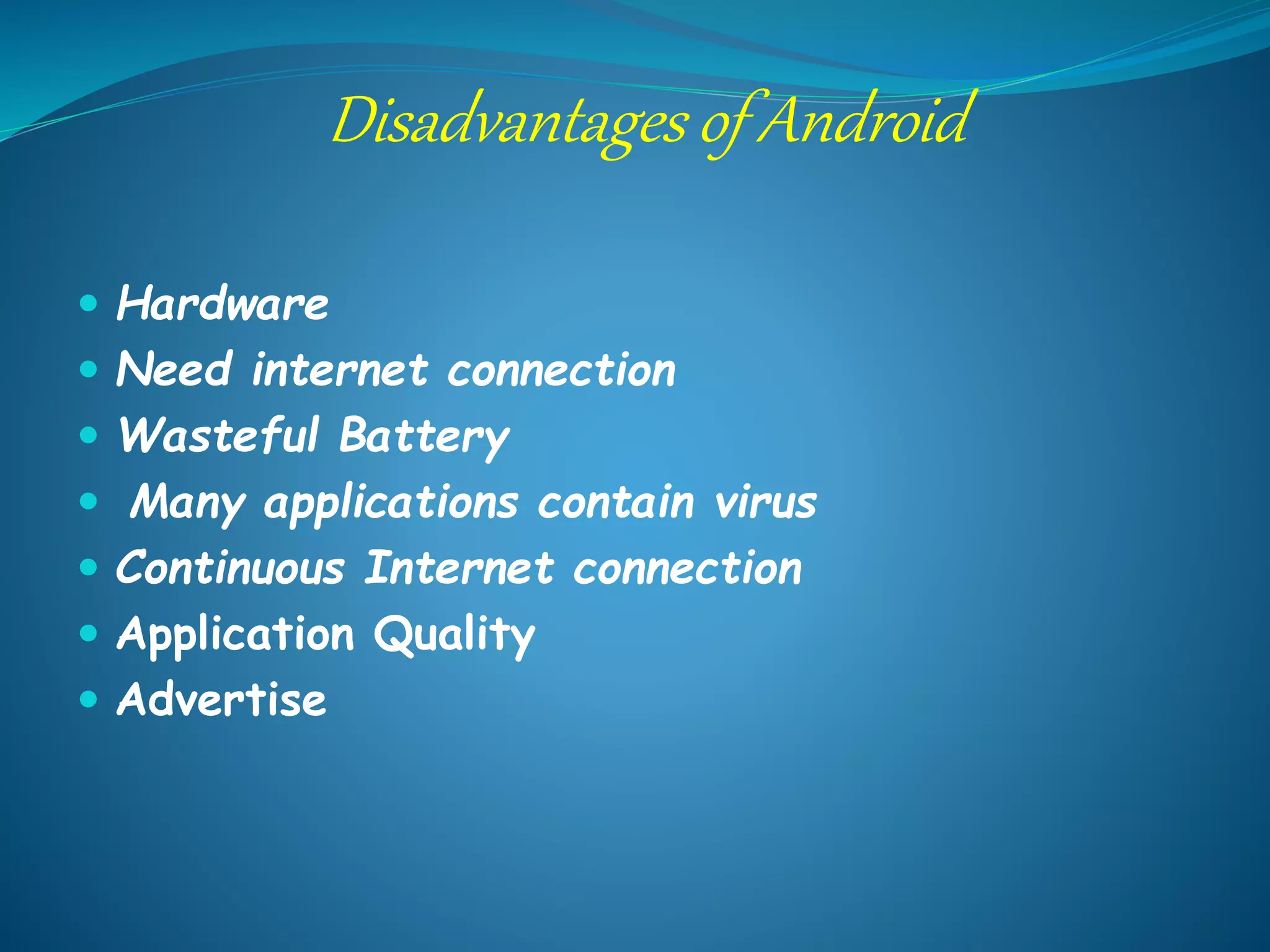
Disadvantages of Android
 Hardware
 Need internet connection
 Wasteful Battery
 Many applications contain virus
 Continuous Internet connection
 Application Quality
 Advertise
what is Operating system

what is Operating system

  • 1.
    Operating System Prepared By:K.Brijendra Shanker (BCA 4th Sem)
  • 2.
    WHAT IS ANOPERATING SYSTEM?  The operating system is the most important program that runs on a computer. Every general-purpose computer must have an operating system to run other programs. Operating systems perform basic tasks, such as recognizing input from the keyboard, sending output to the display screen, keeping track of files and directories on the disk, and controlling peripheral devices such as disk drives and printers.  An interface between users and hardware - an environment "architecture  For large systems, the operating system has even greater responsibilities and powers. It is like a traffic cop -- it makes sure that different programs and users running at the same time do not interfere with each other. The operating system is also responsible for security, ensuring that unauthorized users do not access the system.
  • 3.
    Need of OperatingSystem  In earlier day’s user had to design the application according to the internal structure of the hardware. Operating System was needed to enable the user to design the application without concerning the details of the computer’s internal structure. In general the boundary between the hardware & software is transparent to the user.
  • 4.
    Usage of OperatingSystem  Easy interaction between the human & computer.  Starting computer operation automatically when power in turned on.  Loading & scheduling users program.  Controlling input & output.  Controlling program execution.  Managing use of main memory.  Providing security to users program.
  • 5.
    Starting up anoperating system: • Read boot strap program from ROM: ==> enables access to floppy and hard drives. ==>look for the core OS (DOS: COMMAND.COM ) • Load the core OS into RAM. • Run a sequence of jobs in batch mode.
  • 6.
  • 7.
     Classification ofoperation systems  Multi-user: Allows two or more users to run programs at the same time. Some operating systems permit hundreds or even thousands of concurrent users.  Multiprocessing : Supports running a program on more than one CPU.  Multitasking : Allows more than one program to run concurrently.  Multithreading : Allows different parts of a single program to run concurrently.  Real time: Responds to input instantly. General- purpose operating systems, such as DOS and UNIX, are not real-time. -hard real time system -soft real time system CLASSIFICATION OF OPERATION SYSTEMS
  • 8.
    Storage Hierarchy Fast andExpensive Slow an Cheap Very fast storage is very expensive. So the Operating System manages a hierarchy of storage devices in order to make the best use of resources.
  • 10.
    advantages of windows Language support.  Ease of use  Word processors  Backup and restore.  Accessibility  Encryption  Device management  Sticky notes  Internet games  Security features.
  • 11.
    disadvantages of windows Price: Microsoft windows is costly compared to Linux  Security: When compared to linux it is much more prone to viruses and other attacks.  Reliability: It needs to be rebooted periodically else there is a possibility of hang up of the system.  Software Cost: Even though the windows have softwares, games for free most of the programs will cost more than 200$.
  • 12.
  • 13.
    ADVANTAGES OF LINUX OS is a free of Cost  Security  Choice (Freedom)  Software  LINUX IS VERY STABLE  Reliable  Extremely powerful
  • 14.
    Disadvantages of Linux Understanding  Compatibility  Alternative Programs  Linux does not run most commercial software  Less off-line help is available for Linux  Some re-training can be required  Linux does currently not play Blu-ray discs  Not all hardware is supported
  • 16.
    Advantages Android  Multitasking: Easy access to thousands of applications via the Google Android Android App Market  Can install a modified ROM  Phone options are diverse  Ease of notification  Widget  OS Updates  Cost Effective
  • 17.
    Disadvantages of Android Hardware  Need internet connection  Wasteful Battery  Many applications contain virus  Continuous Internet connection  Application Quality  Advertise