Search MarketingDavid LiemSenior Consultant, Happy Marketerdavid@happymarketer.comTwitter - @daveliem
Our Clients
David’s  Profile
ATTENTION…is fleeting.
Our Job is to Create…Relevance ContentContext
Search MarketingDavid LiemSenior Consultant, Happy Marketerdavid@happymarketer.comTwitter - @daveliem
Most Helpful = Most Relevant
Search Marketing is Cost Effective
3 Simple Things …What Is Search MarketingThe Most Important Thing About ItHow To Sell Search Marketing To Your Boss
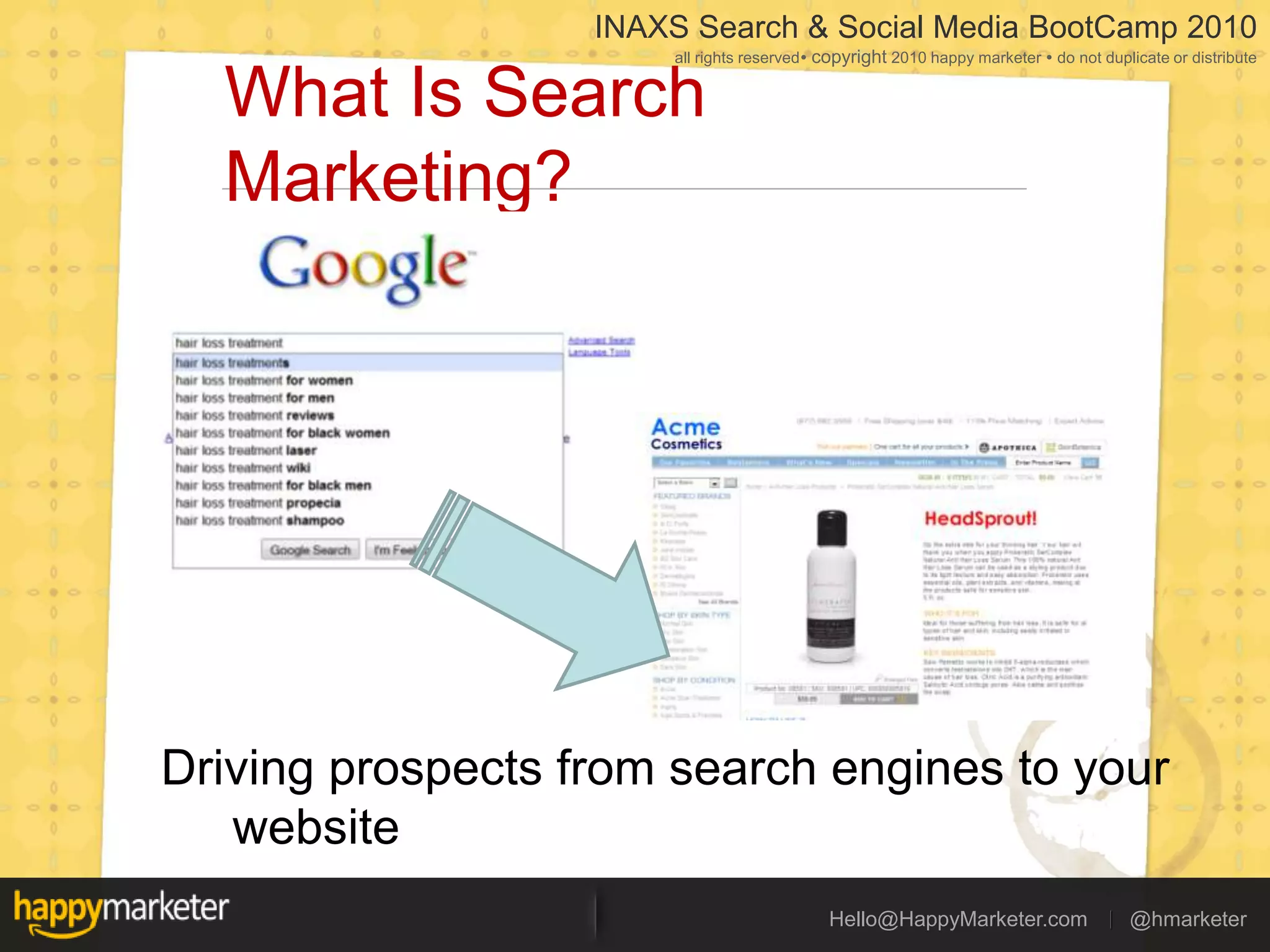
My Fictional Clients TodayAcme Cosmetics InternationalOne of the fastest growing companies in the sectorKiller Product:HeadSprout!Finally a solution for hair loss treatment
What Is Search Marketing?
What Is Search Marketing?Driving prospects from search engines to your website
What’s In the Search Results Page?
Natural Search Results10 Relevant Results / LinksWebsitesVideosImagesNewsShoppingBased on quality of content, can’t be bought
Sponsored Links6-11 Ads on the Top/SideKnown as Search AdvertisingAdvertisers bid on different keywordsOnly pay when someone clicks (PPC)
What Is Search Marketing?Get Better Rankings(SEO)Show More Targeted Ads(SEM)
The Most Important Thing About Search Marketing
Picking The Right KeywordsThe keywords you select, defineYour costsYour competitionYour resultsYour ROIYour brand valueYour success on search engines
Case Study: HeadSprout!Good KeywordsHair loss treatmentsHair loss serumBaldnessBaldness solutionsHair growth cosmeticsBad Keywords
Hair
Treatment
Shampoo
Serums
Beta carotineWhat Make Good KeywordsProblems your customers faceSolutions your customers are looking forBuzz words & industry specific wordsPopular (enough searches)
What Makes Bad KeywordsGeneric, broad phrases (e.g. health tips)Most single word phrases (e.g. hair or bald)Too few searchesWords that aren’t in the customer’s dictionaryAnything with a celebrity’s name in it
Your Must Have KeywordsYour company nameYour brand namesYour management teamYour proprietary IPIt’s not optional to market to these keywords!
Selling Search Marketing To Your Boss
Everybody Has a Boss
Selling Search Marketing …Bring out your …PJMAS
5 Ways To Sell It InternallyPJMASPride – Paint a picture of #1Jealousy – Show competitorsMoney – Cheaper than offlineAwe – Show ‘em other expertsStatistics – Real search statistics
Statistics – Most Powerfulhttps://adwords.google.com/select/KeywordToolExternal
3 Simple Things … RecapWhat Is Search MarketingGetting relevant traffic from search enginesThe Most Important Thing About ItPicking good keywords, avoiding badHow To Sell Search Marketing To Your BossBring out your PJAMS, back up with statistics
Google Analytics
If a tree falls in a forest …And no one is there to hear it …Does it make a sound?
The Need for Web AnalyticsIf you have a lot of activities dedicated to sending traffic to your site …But you can’t accurately measure the results of those activities …Did that effort just go to waste??
“If you can’t measure it, you can’t manage it.”
What is Google Analytics?
Provides Answers to Difficult Questions
Powerful Features in a Simple UIMap Overlay
Goal Tracking
AdWords Integration
Internal Site Search
Benchmarking
Funnel VisualizationHow Google Analytics Works
Web Analytics Principles
Visitor (or Absolute Unique Visitor)A visitor is uniquely identified by a Google Analytics visitor cookie
VisitA visit (or session) is a period of interaction between a browser and website. Closing the browser or staying inactive for 30 minutes ends the session.
PageviewA pageview is counted every time a page on your website loads
Pageviews, Visits & Visitors
New vs Returning VisitorsNew Visitors have visited for the first timeRepeat Visitors have previously visited the site
Bounce RateA bounce occurs when a visitor only views one pageThe bounce rate is the percentage of visitors who left after viewing just one page.
Time on Site
Google Analytics Tracking Code (GATC)
Traffic Report – Measure SEM, SEO & SMO
Content Report – Measure How Compelling
What Does A Tagged URL Look Like?http://www.kittensupply.com/?utm_source=youtube&utm_medium=social&utm_campaign=cutestkitten
Google Analytics URL BuilderGoogle Has a Free URL builder tool to track campaigns effectively - http://www.google.com/support/googleanalytics/bin/answer.py?hl=en&answer=55578
What is a Goal?A URL Destination goalA Time on Site goalA Pages/Visit goal
Examples of Goals
Goals in Reports
Funnels – Why Define Them?A series of pages through which a visitor must pass before reaching the goalA funnel allows you to:Examine where visitors enter and exit the conversion processEliminate bottlenecks in your processIdentify which site paths lead to most goal completionsUse your findings to test changes on the site
Search Engine OptimizationKarateSEO© is Happy Marketer’s SEO Methodology for Medium/Large Businesses
What is Search Engine Optimization?Search Engine Optimization is the process of creating or updating a website to improve the site’s ranking in organic search results, with the objective of increasing the volume of quality traffic. This must be done on-page (site architecture, link structure, content, keywords, title tags, etc.) and off page (link building.)
Recap – SEO vs SEM
SEO – Trusted So Much More!
How to Kill The Google Spider
Flash Websites
Sites with Frames
URLs / Page Titles that don’t change
Complicated LinksURLs with 2+ dynamic  parameters: http://www.thedailyanchor.com/page.php?id=4&CK=34rr&User=%Tom% Pages with more than 100 unique links to other pages on the site (spiders may not follow each link.)
Things That Will Confuse A Spider‘Deep Linked’ PagesPages requiring a “Session ID” or Cookie to enable navigation “frames”
Things That Will Kill A Spider (1 of 2)Pages accessible only via a select form and submit buttonPages requiring a drop down menu to access themDocuments accessible only via a search box Documents blocked purposefully
Things That Will Kill A Spider (1 of 2)Pages requiring a login.Pages that re-direct before showing content Having an excessively slow page load time.  (Greater than 30 seconds)
Spiders Hate Black Hat SEOReciprocal Link TradingCloakingPromoting Keywords not related to your Web SiteKeyword StackingKeyword StuffingHidden TextTiny TextHidden Links
Spiders Hate Black Hat SEOArtificial Link FarmsRedirectsMirror or Duplicate PagesDoorway Pages, Gateway Pages or Hallway PagesDomain spam & Mirror SitesTypo spam and CybersquattingAutomated Blog Spam
KarateSEO© - The Six FactorsKeywords ArchitectureRelevant Content Authority & External LinksTrouble SignsExperience on Site
Search Engine MarketingOnline Advertising Trends & Stats
Search – Largest shareGrowth Of Search: Marketers Voting With Their DollarsSearch most dominant form of web advertising3X growth every year since 200145 searches per month, per user
Search – Most Cost Effective
What is Google AdWords
Sample Ads on Google Search
… And The Google Content Network
Sample Ads on Content Network
Your Campaign Structure
Sample Campaign – Flower Shop
Sample Campaign – Hotel in London
The Sweet Spot for Keywords
Why use AdWords?
Highly TargetedOnly shows on relevant searches or content
Vast Reach & AudienceReach billions of people, across the world – with just one advertising platform#1 search engine in 17 out of 20 countries measuredYour customerssearch Google in their own language“Google is arguably the most global commercial Web site ever built.”– John Yunker, Chief Analyst, Byte Level Research
Affordable & Cost ControlNo minimum spendYou decide the daily budgetChoose how much to pay for each keywordOnly pay when users click your adMore cost effective than Banner ads, Direct mail, Offline advertisingCompletely trackable – Shows how profitable each keyword is
Fast & FlexibleStart advertising within 15 minutesStart & Stop whenever you wantUnlimited changes, no chargesTarget ads by location, language & topicAbility to test multiple ads at once
AdWords Terminologies
A Typical Text Ad Ad Title (25 character limit) Ad Text (35 character limit) Display URL (35 character limit)
ClicksPeople who click on your advertisementsCost you $$$, everytime somebody clicks
ImpressionsNumber of times you ad showsOn Google SearchContent Partners (Gmail, NY Times, About.com etc)Popular keywords: 1000s of impressions/dayRare keywords: <100 impressions/month
CTR – Click Through RateFor every 100 people that see your adHow many click it?Example1000 impressions34 clicks3.4% CTR
CPC – Cost Per ClickWhen somebody clicks on your adYou payBetween SGD .02 and SGD 20 (every time)Different CPC for search, content & placement
Conversions – the Magic JuiceConversionAn action by your website visitor that makes you money (E.g. Sale or Email opt-in)Conversion RateFor every 100 visitors, how many conversionsCost Per ConversionHow many $$$ does it cost per conversion?
Google Adwords Tool: Priceless!https://adwords.google.com/select/KeywordToolExternal
How to set your SEM Budget
The right expectation for your budgetVery much depends on your keyword competitionCost of Ads $$: #1 Google, #2 Yahoo #3 Bing etc…If possible, proportionally match to seasonal businessSeasonal adjustments? More competitive on off-season periods?Degree of exposure?Continuously optimizing?
Calculating your SEM budget:No. of SalesConversion Rate (%)No. ofVisitorsCost Per Click ($)Budget
Calculating your SEM budget: An ExampleYour marketing goal is to sell 1000 Creative Sounds Systems globally every monthCPC for “Creative Sound Systems” = $1.16Your website converts2%of its visitorsEach sale would cost $58 or 1 sale per 50 visitors1000 systems sold would cost you $5800/ month
Facebook.com/happymarketer
“Create Relevance” David LiemSenior Consultant, Happy Marketerdavid@happymarketer.comTwitter - @daveliem
Effective WebsitesSeven ways to convert visitors into buyers
1. Make The Home Page Useful
Reaffirm your brand and site purposeAssure the visitor that  they have landed at the right site - clearly display your brand and any  unique selling points.
Avoid long introductions as customers will seek  this information in the ‘about us’ section.Find the optimal page layoutShow visitors a clean and easy  to understand homepage which isn’t cluttered and has all relevant information available on the top of the page.Test product promotionsMirror any offers promoted in your offline advertising, and let customers know of any compelling deals.
Popular or seasonal products that are profitable for you should be visible  on the homepage.Make it easy to navigate furtherYou want visitors to proceed beyond your homepage.
With so many potential routes a visitor could take, make sure they don’t get lost.
Options on where to navigate next  should be clear and simple e.g. using site search, top/side navigation, and/or product links.1. Top Tips for Home PagesReaffirm your brand and site purpose: Assure the visitor that  they have landed at the right site - clearly display your brand and any  unique selling points. Avoid long introductions as customers will seek  this information in the ‘about us’ section. Find the optimal page layout: Show visitors a clean and easy  to understand homepage which isn’t cluttered and has all relevant information available on the top of the page.   Test product promotions: Mirror any offers promoted in your offline advertising, and let customers know of any compelling deals. Popular or seasonal products that are profitable for you should be visible  on the homepage.Make it easy to navigate further: You want visitors to proceed beyond your homepage. With so many potential routes a visitor could take, make sure they don’t get lost. Options on where to navigate next  should be clear and simple e.g. using site search, top/side navigation, and/or product links.
2. Bring Me To The Right Page
Link ads to the right pageProduct-specific ads and keywords should link to product specific pages;
More general ads about  a product or service category should link to more general pages.  
Avoid directing visitors to search results pages.Mirror your ad titleTry mirroring the headline or title of your ad on your landing page – this way, the customer will feel immediately reassured they’ve been directed to the right page.Ensure selling points are visibleIf you include compelling prices, special offers or delivery options in your ad text, a customer will expect to see these on your site.
Make sure selling points from your  ad are clearly visible on your landing page.2. Top Tips for Landing PagesLink ads to the right page: Product-specific ads and keywords should link to specific pages; More general ads about  a product or service category should link to more general pages.  Mirror your ad title: Try mirroring the headline or title of your ad on your landing page – this way, the customer will feel immediately reassured they’ve been directed to the right page.Ensure selling points are visible: If you include compelling prices, special offers or delivery options in your ad text, a customer will expect to see these on your site. Ensure selling points from your  ad are visible on your landing page.
3. Help Me Navigate
Make product/service categories visiblePeople need to see how to navigate in order to do so.
Use clear labels/titles to show what products and services you offer.
Build a navigation structure that is intuitive and not too complex.Use easy-to-understand termsWhen labeling the product/service categories you offer, make sure you use terms that your customers will understand and find appealing.
Avoid jargon where possible.Highlight where to go nextHelp the user understand how they can get from A to B in the easiest possible way.
Experiment with call  to action buttons, or click-able links and images to find out what works best to direct the customer onwards.3. Top Tips for NavigationMake product/service categories visible: People need to see how to navigate in order to do so. Use clear labels/titles that show what product and service categories you offer. Build a navigation structure that is intuitive and not too complex.Use easy-to-understand terms: When labeling the product/service categories you offer, make sure you use terms that your customers will understand and find appealing. Avoid jargon where possible.Highlight where to go next: Help the user understand how they can get from A to B in the easiest possible way. Experiment with call  to action buttons, or click-able links and images to find out what works best to direct the customer onwards.
4. Give Me The Right Search Results
Check quality of resultsIs your site’s search function working well?
Ensure visitors are getting relevant results, even when they search  on synonyms or misspellings. Make site search visibleVisitors to your site should be able to see, at a glance, where to search.
Consider enlarging your search box  or making it more prominent.
Ideally 27 characters wide.Allow customers to sort resultsPeople like to be able to sort through search results. Allow visitors to order what they see  by anything from price or popularity to colour, style etc.
Lay out search results clearlyEnsure visitors can glance through search results and compare listings easily to decide where to click next. 4. Top Tips for Site SearchCheck quality of results: Is your site’s search function working well? Ensure visitors are getting relevant results, even when they search  on synonyms or misspellings. Make site search visible: Visitors to your site should be able to see, at a glance, where to search. Consider enlarging your search box  or making it more prominent.Allow customers to sort results: People like to be able to sort through search results. Allow visitors to order what they see  by anything from price or popularity to colour, style etc.Lay out search results clearly: Ensure visitors can glance through search results and compare listings easily to decide where to click next.
5. Make Registration Optional
Allow purchase without registrationLet customers buy from you without creating an account.
You can still capture details like their email address in your payment details form;
You can also offer them the opportunity to register post-sale.Make registration easyTry to reduce the amount of information required to register.
Stick to the details you really need.Highlight the benefitsIf you want to encourage customers to register, let them know how this will benefit them.5. Top Tips for RegistrationAllow purchase without registration: Let customers buy from you without creating an account. You can still capture details like their email address in your payment details form; you can also offer them the opportunity to register post-sale.Make registration easy: Try to reduce the amount of information required to register. Stick to the details you really need.Highlight the benefits: If you want to encourage customers to register, let them know how this will benefit them.
6. Make It Easy To Enquire
Don’t ask for unnecessary detailsReduce the number of fields and steps in your checkout or enquiry process. Only ask the customer for information that’s really needed.Show transparent stepsUse a status bar to show what stage a customer is at in the checkout process.
This sets expectations and makes the process seem manageable. Expedite the processHelp the customer to complete forms by auto-populating fields where possible e.g. suggesting a delivery address based on the billing address in a checkout form.Avoid distractionsYou may want to remove advertising and unnecessary navigation bars from your checkout process.
Minimize distractions that might lead a customer to move elsewhere.6. Top Tips for EnquiriesDon’t ask for unnecessary details: Reduce the number of fields and steps in your checkout or enquiry process. Only ask the customer for information that’s really needed.Show transparent steps: Use a status bar to show what stage a customer is at in the checkout process. This sets expectations and makes the process seem manageable. Expedite the process: Help the customer to complete forms by auto-populating fields where possible e.g. suggesting a delivery address based on the billing address in a checkout form.Avoid distractions: You may want to remove advertising and unnecessary navigation bars from your checkout process. Minimize distractions that might lead a customer to move elsewhere.
7. Reassure Me
Offer transparency on risks & priceBe transparent about total costs and inform customers early on about any extra charges.
It can also be beneficial in the checkout process to offer downloadable information.Clarify what happens after purchaseMake sure a customer knows how long the next step will take.
You should have immediate online email confirmation, and set expectations for an offline reply.Offer securityMake sure your pages are secure, and include known symbols to indicate this e.g. padlock symbol.
Ensure there’s a privacy policy, billing policy and compliance policy clearly accessible.7. Top Tips To ReassureOffer transparency on risks & price: Be transparent about total costs and inform customers early on about any extra charges. It can also be beneficial in the checkout process to offer downloadable information.Clarify what happens after purchase: Make sure a customer knows how long the next step will take. You should have immediate online email confirmation, and set expectations for an offline reply.Offer security: Make sure your pages are secure, and include known symbols to indicate this e.g. padlock symbol. Ensure there’s a privacy policy, billing policy and compliance policy clearly accessible.
Website PrinciplesHome pageLanding PageNavigation Site SearchRegistrationEnquiry FormsTrust
Social Media MarketingHow it will completely transform your business
Social Media OutlineSocial Media Success StoriesOnline Reputation Management (ORM) Tools KPI’s for Social Media CampaignsSocial Media Measurement Tools  B2B MarketingBlog Marketing Twitter MarketingFacebook MarketingViral MarketingWhat / What Not to Outsource in Social Media
Land of Govt Campaigns
City of Brotherly Love
Consumer power
Social Media Success in Asia
The results? 3 millionsocial media views19,000 Likes9000 comments88thmost watched video on Youtube.
Online Reputation Tools
websitegrader.com/site/www.idrc.org.sg/
Alexa
YoutubeMarketing
Viral Videoshttp://www.blendtec.com/willitblend/
Setting up a Youtube channel
Objectives Brand awarenessRecruitment Product Training Product advertising Direct Sales
Customer experienceAir Asia
DemonstrationCnet - Product and service demo
Video BlogsAsk a Ninja
Ads and Viral Videos
Facebook MarketingGroups, Pages, and Website Integration
Customer Servicehttp://www.facebook.com/AirAsia
How to Make an Engaging Fan PageWelcome PageSocial Profiles and Contact InformationTestimonial PageNewsletter and Opt-In FormSecret Membership AreaContests and Special EventsArticle LinksJob BoardAnalytics
#1 Welcome Page
#2 Social Profiles and Contact Information
#3 Testimonial Page
#4 Newsletter and Opt-In Form
#5 Secret Membership Area
#6 Contests and Special Events
#7 Article Links
#8 Job Board
#9 AnalyticsYou can track  the interactions on each of your FBML pages using Google AnalyticsDecide which tabs should stay or which should go
Pringles
ASPCA
Pepsi
Integrating Facebook to your WebsiteWidgets – Promote your fan pageOpen Graph - Enables you to integrate your web pages into the social graph.
Twitter MarketingBuild your business one tweet at time
Twitter Marketing Made EasySign up at Twitter.com. It’s free!Create a profile for your business.Use the search feature to find messages about your company, products, or services.
Take Action!Click the Reply button.Send the person who posted the message a brief helpful response.Look at the next message you found about your company or products.Repeat steps 1 through 3.
B2B Marketing
B2B Marketing Tips	Be a thought leader Blog, publish articles on other sites, speak, videos, podcast, discussion forumsCollaborate with others in your industryShare expertise/content for better customer experienceBe HumanOnline + Offline Networking
KPI’s for Social Media Campaigns
Company Website & Blogs Metrics Number of posts, comments Audience growth—unique and repeat visits Number of conversions – Adwords, site goalsConversion rate Subscribers Incoming links Technorati, Alltop and other directory listings SEO improvements, keyword rankings, and # ranked words The Definitive Guide to B2B Social Media, by Marketo
Social Media Networking MetricsQuantitative Fans, followers, page viewsAuthorityVelocityChannel performanceConversionsComments/postsPages ranking on search enginesROI on Money and Time spent
Social Media Networking MetricsQualitativeInfluencer sharing behavior Quality of conversationEnhancement of relationships with key audiencesEnhancement of company reputationIdentification & value of InfluencersFan likelihood to promote or offline event etc
Measurement ToolsFacebook, Twitter, YouTube, Listening Tools
Facebook Insights
Facebook Insights
Facebook Insights
Twitter Toolshttp://www.wchingya.com/2009/03/killer-apps-for-successful-network-in.html
Twitter Clients
Lots of other quality tools to choose!http://www.interactiveinsightsgroup.com/blog1/social-media-metrics-superlist-measurement-roi-key-statistics-resources/orhttp://bit.ly/SMtools
Blog Marketing
Types of BlogsWordpress
Types of BlogsBlogger
Types of Blogstumblr
Types of BlogsPosterousInternal Blogs (Integrated with Website)Fits into the look & feel of your websiteNo any additional expenses for domain names and hostingBuilt-in audience of your website visitorsTone should be similar to website content’s toneLinks from other bloggers help your PageRankMore content helps increase your SEO, as the size of your site increases
External blogHosted on it’s own domain or Blogger / WordpressGives the blog its own identity, separate from siteCan have a different tone & purpose from the main websiteAim to reach a new audience Expand your company branding by making it edgier, more fun or less fun!  Lots of extra effort in marketing a brand new website

Social Media Training Singapore, Malaysia

  • 1.
    Search MarketingDavid LiemSeniorConsultant, Happy Marketerdavid@happymarketer.comTwitter - @daveliem
  • 2.
  • 3.
  • 14.
  • 16.
    Our Job isto Create…Relevance ContentContext
  • 17.
    Search MarketingDavid LiemSeniorConsultant, Happy Marketerdavid@happymarketer.comTwitter - @daveliem
  • 18.
    Most Helpful =Most Relevant
  • 19.
    Search Marketing isCost Effective
  • 20.
    3 Simple Things…What Is Search MarketingThe Most Important Thing About ItHow To Sell Search Marketing To Your Boss
  • 21.
    My Fictional ClientsTodayAcme Cosmetics InternationalOne of the fastest growing companies in the sectorKiller Product:HeadSprout!Finally a solution for hair loss treatment
  • 22.
    What Is SearchMarketing?
  • 23.
    What Is SearchMarketing?Driving prospects from search engines to your website
  • 24.
    What’s In theSearch Results Page?
  • 25.
    Natural Search Results10Relevant Results / LinksWebsitesVideosImagesNewsShoppingBased on quality of content, can’t be bought
  • 26.
    Sponsored Links6-11 Adson the Top/SideKnown as Search AdvertisingAdvertisers bid on different keywordsOnly pay when someone clicks (PPC)
  • 27.
    What Is SearchMarketing?Get Better Rankings(SEO)Show More Targeted Ads(SEM)
  • 28.
    The Most ImportantThing About Search Marketing
  • 30.
    Picking The RightKeywordsThe keywords you select, defineYour costsYour competitionYour resultsYour ROIYour brand valueYour success on search engines
  • 31.
    Case Study: HeadSprout!GoodKeywordsHair loss treatmentsHair loss serumBaldnessBaldness solutionsHair growth cosmeticsBad Keywords
  • 32.
  • 33.
  • 34.
  • 35.
  • 36.
    Beta carotineWhat MakeGood KeywordsProblems your customers faceSolutions your customers are looking forBuzz words & industry specific wordsPopular (enough searches)
  • 37.
    What Makes BadKeywordsGeneric, broad phrases (e.g. health tips)Most single word phrases (e.g. hair or bald)Too few searchesWords that aren’t in the customer’s dictionaryAnything with a celebrity’s name in it
  • 38.
    Your Must HaveKeywordsYour company nameYour brand namesYour management teamYour proprietary IPIt’s not optional to market to these keywords!
  • 39.
  • 40.
  • 41.
    Selling Search Marketing…Bring out your …PJMAS
  • 42.
    5 Ways ToSell It InternallyPJMASPride – Paint a picture of #1Jealousy – Show competitorsMoney – Cheaper than offlineAwe – Show ‘em other expertsStatistics – Real search statistics
  • 43.
    Statistics – MostPowerfulhttps://adwords.google.com/select/KeywordToolExternal
  • 44.
    3 Simple Things… RecapWhat Is Search MarketingGetting relevant traffic from search enginesThe Most Important Thing About ItPicking good keywords, avoiding badHow To Sell Search Marketing To Your BossBring out your PJAMS, back up with statistics
  • 45.
  • 46.
    If a treefalls in a forest …And no one is there to hear it …Does it make a sound?
  • 47.
    The Need forWeb AnalyticsIf you have a lot of activities dedicated to sending traffic to your site …But you can’t accurately measure the results of those activities …Did that effort just go to waste??
  • 48.
    “If you can’tmeasure it, you can’t manage it.”
  • 49.
    What is GoogleAnalytics?
  • 50.
    Provides Answers toDifficult Questions
  • 51.
    Powerful Features ina Simple UIMap Overlay
  • 52.
  • 53.
  • 54.
  • 55.
  • 56.
  • 57.
  • 58.
    Visitor (or AbsoluteUnique Visitor)A visitor is uniquely identified by a Google Analytics visitor cookie
  • 59.
    VisitA visit (orsession) is a period of interaction between a browser and website. Closing the browser or staying inactive for 30 minutes ends the session.
  • 60.
    PageviewA pageview iscounted every time a page on your website loads
  • 61.
  • 62.
    New vs ReturningVisitorsNew Visitors have visited for the first timeRepeat Visitors have previously visited the site
  • 63.
    Bounce RateA bounceoccurs when a visitor only views one pageThe bounce rate is the percentage of visitors who left after viewing just one page.
  • 64.
  • 65.
  • 66.
    Traffic Report –Measure SEM, SEO & SMO
  • 67.
    Content Report –Measure How Compelling
  • 68.
    What Does ATagged URL Look Like?http://www.kittensupply.com/?utm_source=youtube&utm_medium=social&utm_campaign=cutestkitten
  • 69.
    Google Analytics URLBuilderGoogle Has a Free URL builder tool to track campaigns effectively - http://www.google.com/support/googleanalytics/bin/answer.py?hl=en&answer=55578
  • 70.
    What is aGoal?A URL Destination goalA Time on Site goalA Pages/Visit goal
  • 71.
  • 72.
  • 73.
    Funnels – WhyDefine Them?A series of pages through which a visitor must pass before reaching the goalA funnel allows you to:Examine where visitors enter and exit the conversion processEliminate bottlenecks in your processIdentify which site paths lead to most goal completionsUse your findings to test changes on the site
  • 74.
    Search Engine OptimizationKarateSEO©is Happy Marketer’s SEO Methodology for Medium/Large Businesses
  • 75.
    What is SearchEngine Optimization?Search Engine Optimization is the process of creating or updating a website to improve the site’s ranking in organic search results, with the objective of increasing the volume of quality traffic. This must be done on-page (site architecture, link structure, content, keywords, title tags, etc.) and off page (link building.)
  • 76.
  • 77.
    SEO – TrustedSo Much More!
  • 78.
    How to KillThe Google Spider
  • 79.
  • 80.
  • 81.
    URLs / PageTitles that don’t change
  • 82.
    Complicated LinksURLs with2+ dynamic parameters: http://www.thedailyanchor.com/page.php?id=4&CK=34rr&User=%Tom% Pages with more than 100 unique links to other pages on the site (spiders may not follow each link.)
  • 83.
    Things That WillConfuse A Spider‘Deep Linked’ PagesPages requiring a “Session ID” or Cookie to enable navigation “frames”
  • 84.
    Things That WillKill A Spider (1 of 2)Pages accessible only via a select form and submit buttonPages requiring a drop down menu to access themDocuments accessible only via a search box Documents blocked purposefully
  • 85.
    Things That WillKill A Spider (1 of 2)Pages requiring a login.Pages that re-direct before showing content Having an excessively slow page load time. (Greater than 30 seconds)
  • 86.
    Spiders Hate BlackHat SEOReciprocal Link TradingCloakingPromoting Keywords not related to your Web SiteKeyword StackingKeyword StuffingHidden TextTiny TextHidden Links
  • 87.
    Spiders Hate BlackHat SEOArtificial Link FarmsRedirectsMirror or Duplicate PagesDoorway Pages, Gateway Pages or Hallway PagesDomain spam & Mirror SitesTypo spam and CybersquattingAutomated Blog Spam
  • 89.
    KarateSEO© - TheSix FactorsKeywords ArchitectureRelevant Content Authority & External LinksTrouble SignsExperience on Site
  • 90.
    Search Engine MarketingOnlineAdvertising Trends & Stats
  • 92.
    Search – LargestshareGrowth Of Search: Marketers Voting With Their DollarsSearch most dominant form of web advertising3X growth every year since 200145 searches per month, per user
  • 93.
    Search – MostCost Effective
  • 94.
  • 95.
    Sample Ads onGoogle Search
  • 96.
    … And TheGoogle Content Network
  • 97.
    Sample Ads onContent Network
  • 98.
  • 99.
  • 100.
    Sample Campaign –Hotel in London
  • 101.
    The Sweet Spotfor Keywords
  • 102.
  • 103.
    Highly TargetedOnly showson relevant searches or content
  • 104.
    Vast Reach &AudienceReach billions of people, across the world – with just one advertising platform#1 search engine in 17 out of 20 countries measuredYour customerssearch Google in their own language“Google is arguably the most global commercial Web site ever built.”– John Yunker, Chief Analyst, Byte Level Research
  • 105.
    Affordable & CostControlNo minimum spendYou decide the daily budgetChoose how much to pay for each keywordOnly pay when users click your adMore cost effective than Banner ads, Direct mail, Offline advertisingCompletely trackable – Shows how profitable each keyword is
  • 106.
    Fast & FlexibleStartadvertising within 15 minutesStart & Stop whenever you wantUnlimited changes, no chargesTarget ads by location, language & topicAbility to test multiple ads at once
  • 107.
  • 108.
    A Typical TextAd Ad Title (25 character limit) Ad Text (35 character limit) Display URL (35 character limit)
  • 109.
    ClicksPeople who clickon your advertisementsCost you $$$, everytime somebody clicks
  • 110.
    ImpressionsNumber of timesyou ad showsOn Google SearchContent Partners (Gmail, NY Times, About.com etc)Popular keywords: 1000s of impressions/dayRare keywords: <100 impressions/month
  • 111.
    CTR – ClickThrough RateFor every 100 people that see your adHow many click it?Example1000 impressions34 clicks3.4% CTR
  • 112.
    CPC – CostPer ClickWhen somebody clicks on your adYou payBetween SGD .02 and SGD 20 (every time)Different CPC for search, content & placement
  • 113.
    Conversions – theMagic JuiceConversionAn action by your website visitor that makes you money (E.g. Sale or Email opt-in)Conversion RateFor every 100 visitors, how many conversionsCost Per ConversionHow many $$$ does it cost per conversion?
  • 114.
    Google Adwords Tool:Priceless!https://adwords.google.com/select/KeywordToolExternal
  • 115.
    How to setyour SEM Budget
  • 116.
    The right expectationfor your budgetVery much depends on your keyword competitionCost of Ads $$: #1 Google, #2 Yahoo #3 Bing etc…If possible, proportionally match to seasonal businessSeasonal adjustments? More competitive on off-season periods?Degree of exposure?Continuously optimizing?
  • 117.
    Calculating your SEMbudget:No. of SalesConversion Rate (%)No. ofVisitorsCost Per Click ($)Budget
  • 118.
    Calculating your SEMbudget: An ExampleYour marketing goal is to sell 1000 Creative Sounds Systems globally every monthCPC for “Creative Sound Systems” = $1.16Your website converts2%of its visitorsEach sale would cost $58 or 1 sale per 50 visitors1000 systems sold would cost you $5800/ month
  • 119.
  • 120.
    “Create Relevance” DavidLiemSenior Consultant, Happy Marketerdavid@happymarketer.comTwitter - @daveliem
  • 121.
    Effective WebsitesSeven waysto convert visitors into buyers
  • 122.
    1. Make TheHome Page Useful
  • 123.
    Reaffirm your brandand site purposeAssure the visitor that they have landed at the right site - clearly display your brand and any unique selling points.
  • 124.
    Avoid long introductionsas customers will seek this information in the ‘about us’ section.Find the optimal page layoutShow visitors a clean and easy to understand homepage which isn’t cluttered and has all relevant information available on the top of the page.Test product promotionsMirror any offers promoted in your offline advertising, and let customers know of any compelling deals.
  • 125.
    Popular or seasonalproducts that are profitable for you should be visible on the homepage.Make it easy to navigate furtherYou want visitors to proceed beyond your homepage.
  • 126.
    With so manypotential routes a visitor could take, make sure they don’t get lost.
  • 127.
    Options on whereto navigate next should be clear and simple e.g. using site search, top/side navigation, and/or product links.1. Top Tips for Home PagesReaffirm your brand and site purpose: Assure the visitor that they have landed at the right site - clearly display your brand and any unique selling points. Avoid long introductions as customers will seek this information in the ‘about us’ section. Find the optimal page layout: Show visitors a clean and easy to understand homepage which isn’t cluttered and has all relevant information available on the top of the page. Test product promotions: Mirror any offers promoted in your offline advertising, and let customers know of any compelling deals. Popular or seasonal products that are profitable for you should be visible on the homepage.Make it easy to navigate further: You want visitors to proceed beyond your homepage. With so many potential routes a visitor could take, make sure they don’t get lost. Options on where to navigate next should be clear and simple e.g. using site search, top/side navigation, and/or product links.
  • 128.
    2. Bring MeTo The Right Page
  • 129.
    Link ads tothe right pageProduct-specific ads and keywords should link to product specific pages;
  • 130.
    More general adsabout a product or service category should link to more general pages.  
  • 131.
    Avoid directing visitorsto search results pages.Mirror your ad titleTry mirroring the headline or title of your ad on your landing page – this way, the customer will feel immediately reassured they’ve been directed to the right page.Ensure selling points are visibleIf you include compelling prices, special offers or delivery options in your ad text, a customer will expect to see these on your site.
  • 132.
    Make sure sellingpoints from your ad are clearly visible on your landing page.2. Top Tips for Landing PagesLink ads to the right page: Product-specific ads and keywords should link to specific pages; More general ads about a product or service category should link to more general pages.  Mirror your ad title: Try mirroring the headline or title of your ad on your landing page – this way, the customer will feel immediately reassured they’ve been directed to the right page.Ensure selling points are visible: If you include compelling prices, special offers or delivery options in your ad text, a customer will expect to see these on your site. Ensure selling points from your ad are visible on your landing page.
  • 133.
    3. Help MeNavigate
  • 134.
    Make product/service categoriesvisiblePeople need to see how to navigate in order to do so.
  • 135.
    Use clear labels/titlesto show what products and services you offer.
  • 136.
    Build a navigationstructure that is intuitive and not too complex.Use easy-to-understand termsWhen labeling the product/service categories you offer, make sure you use terms that your customers will understand and find appealing.
  • 137.
    Avoid jargon wherepossible.Highlight where to go nextHelp the user understand how they can get from A to B in the easiest possible way.
  • 138.
    Experiment with call to action buttons, or click-able links and images to find out what works best to direct the customer onwards.3. Top Tips for NavigationMake product/service categories visible: People need to see how to navigate in order to do so. Use clear labels/titles that show what product and service categories you offer. Build a navigation structure that is intuitive and not too complex.Use easy-to-understand terms: When labeling the product/service categories you offer, make sure you use terms that your customers will understand and find appealing. Avoid jargon where possible.Highlight where to go next: Help the user understand how they can get from A to B in the easiest possible way. Experiment with call to action buttons, or click-able links and images to find out what works best to direct the customer onwards.
  • 139.
    4. Give MeThe Right Search Results
  • 140.
    Check quality ofresultsIs your site’s search function working well?
  • 141.
    Ensure visitors aregetting relevant results, even when they search on synonyms or misspellings. Make site search visibleVisitors to your site should be able to see, at a glance, where to search.
  • 142.
    Consider enlarging yoursearch box or making it more prominent.
  • 143.
    Ideally 27 characterswide.Allow customers to sort resultsPeople like to be able to sort through search results. Allow visitors to order what they see by anything from price or popularity to colour, style etc.
  • 144.
    Lay out searchresults clearlyEnsure visitors can glance through search results and compare listings easily to decide where to click next. 4. Top Tips for Site SearchCheck quality of results: Is your site’s search function working well? Ensure visitors are getting relevant results, even when they search on synonyms or misspellings. Make site search visible: Visitors to your site should be able to see, at a glance, where to search. Consider enlarging your search box or making it more prominent.Allow customers to sort results: People like to be able to sort through search results. Allow visitors to order what they see by anything from price or popularity to colour, style etc.Lay out search results clearly: Ensure visitors can glance through search results and compare listings easily to decide where to click next.
  • 145.
  • 146.
    Allow purchase withoutregistrationLet customers buy from you without creating an account.
  • 147.
    You can stillcapture details like their email address in your payment details form;
  • 148.
    You can alsooffer them the opportunity to register post-sale.Make registration easyTry to reduce the amount of information required to register.
  • 149.
    Stick to thedetails you really need.Highlight the benefitsIf you want to encourage customers to register, let them know how this will benefit them.5. Top Tips for RegistrationAllow purchase without registration: Let customers buy from you without creating an account. You can still capture details like their email address in your payment details form; you can also offer them the opportunity to register post-sale.Make registration easy: Try to reduce the amount of information required to register. Stick to the details you really need.Highlight the benefits: If you want to encourage customers to register, let them know how this will benefit them.
  • 150.
    6. Make ItEasy To Enquire
  • 151.
    Don’t ask forunnecessary detailsReduce the number of fields and steps in your checkout or enquiry process. Only ask the customer for information that’s really needed.Show transparent stepsUse a status bar to show what stage a customer is at in the checkout process.
  • 152.
    This sets expectationsand makes the process seem manageable. Expedite the processHelp the customer to complete forms by auto-populating fields where possible e.g. suggesting a delivery address based on the billing address in a checkout form.Avoid distractionsYou may want to remove advertising and unnecessary navigation bars from your checkout process.
  • 153.
    Minimize distractions thatmight lead a customer to move elsewhere.6. Top Tips for EnquiriesDon’t ask for unnecessary details: Reduce the number of fields and steps in your checkout or enquiry process. Only ask the customer for information that’s really needed.Show transparent steps: Use a status bar to show what stage a customer is at in the checkout process. This sets expectations and makes the process seem manageable. Expedite the process: Help the customer to complete forms by auto-populating fields where possible e.g. suggesting a delivery address based on the billing address in a checkout form.Avoid distractions: You may want to remove advertising and unnecessary navigation bars from your checkout process. Minimize distractions that might lead a customer to move elsewhere.
  • 154.
  • 155.
    Offer transparency onrisks & priceBe transparent about total costs and inform customers early on about any extra charges.
  • 156.
    It can alsobe beneficial in the checkout process to offer downloadable information.Clarify what happens after purchaseMake sure a customer knows how long the next step will take.
  • 157.
    You should haveimmediate online email confirmation, and set expectations for an offline reply.Offer securityMake sure your pages are secure, and include known symbols to indicate this e.g. padlock symbol.
  • 158.
    Ensure there’s aprivacy policy, billing policy and compliance policy clearly accessible.7. Top Tips To ReassureOffer transparency on risks & price: Be transparent about total costs and inform customers early on about any extra charges. It can also be beneficial in the checkout process to offer downloadable information.Clarify what happens after purchase: Make sure a customer knows how long the next step will take. You should have immediate online email confirmation, and set expectations for an offline reply.Offer security: Make sure your pages are secure, and include known symbols to indicate this e.g. padlock symbol. Ensure there’s a privacy policy, billing policy and compliance policy clearly accessible.
  • 159.
    Website PrinciplesHome pageLandingPageNavigation Site SearchRegistrationEnquiry FormsTrust
  • 160.
    Social Media MarketingHowit will completely transform your business
  • 161.
    Social Media OutlineSocialMedia Success StoriesOnline Reputation Management (ORM) Tools KPI’s for Social Media CampaignsSocial Media Measurement Tools B2B MarketingBlog Marketing Twitter MarketingFacebook MarketingViral MarketingWhat / What Not to Outsource in Social Media
  • 162.
    Land of GovtCampaigns
  • 163.
  • 168.
  • 169.
  • 170.
    The results? 3millionsocial media views19,000 Likes9000 comments88thmost watched video on Youtube.
  • 171.
  • 174.
  • 177.
  • 178.
  • 179.
  • 180.
    Setting up aYoutube channel
  • 181.
    Objectives Brand awarenessRecruitmentProduct Training Product advertising Direct Sales
  • 182.
  • 183.
  • 184.
  • 185.
  • 186.
    Facebook MarketingGroups, Pages,and Website Integration
  • 187.
  • 188.
    How to Makean Engaging Fan PageWelcome PageSocial Profiles and Contact InformationTestimonial PageNewsletter and Opt-In FormSecret Membership AreaContests and Special EventsArticle LinksJob BoardAnalytics
  • 189.
  • 190.
    #2 Social Profilesand Contact Information
  • 191.
  • 192.
  • 193.
  • 194.
    #6 Contests andSpecial Events
  • 195.
  • 196.
  • 197.
    #9 AnalyticsYou cantrack the interactions on each of your FBML pages using Google AnalyticsDecide which tabs should stay or which should go
  • 198.
  • 199.
  • 200.
  • 201.
    Integrating Facebook toyour WebsiteWidgets – Promote your fan pageOpen Graph - Enables you to integrate your web pages into the social graph.
  • 202.
    Twitter MarketingBuild yourbusiness one tweet at time
  • 203.
    Twitter Marketing MadeEasySign up at Twitter.com. It’s free!Create a profile for your business.Use the search feature to find messages about your company, products, or services.
  • 204.
    Take Action!Click theReply button.Send the person who posted the message a brief helpful response.Look at the next message you found about your company or products.Repeat steps 1 through 3.
  • 205.
  • 206.
    B2B Marketing Tips Bea thought leader Blog, publish articles on other sites, speak, videos, podcast, discussion forumsCollaborate with others in your industryShare expertise/content for better customer experienceBe HumanOnline + Offline Networking
  • 207.
    KPI’s for SocialMedia Campaigns
  • 208.
    Company Website &Blogs Metrics Number of posts, comments Audience growth—unique and repeat visits Number of conversions – Adwords, site goalsConversion rate Subscribers Incoming links Technorati, Alltop and other directory listings SEO improvements, keyword rankings, and # ranked words The Definitive Guide to B2B Social Media, by Marketo
  • 209.
    Social Media NetworkingMetricsQuantitative Fans, followers, page viewsAuthorityVelocityChannel performanceConversionsComments/postsPages ranking on search enginesROI on Money and Time spent
  • 210.
    Social Media NetworkingMetricsQualitativeInfluencer sharing behavior Quality of conversationEnhancement of relationships with key audiencesEnhancement of company reputationIdentification & value of InfluencersFan likelihood to promote or offline event etc
  • 211.
    Measurement ToolsFacebook, Twitter,YouTube, Listening Tools
  • 212.
  • 213.
  • 214.
  • 215.
  • 216.
  • 217.
    Lots of otherquality tools to choose!http://www.interactiveinsightsgroup.com/blog1/social-media-metrics-superlist-measurement-roi-key-statistics-resources/orhttp://bit.ly/SMtools
  • 218.
  • 219.
  • 220.
  • 221.
  • 222.
    Types of BlogsPosterousInternalBlogs (Integrated with Website)Fits into the look & feel of your websiteNo any additional expenses for domain names and hostingBuilt-in audience of your website visitorsTone should be similar to website content’s toneLinks from other bloggers help your PageRankMore content helps increase your SEO, as the size of your site increases
  • 223.
    External blogHosted onit’s own domain or Blogger / WordpressGives the blog its own identity, separate from siteCan have a different tone & purpose from the main websiteAim to reach a new audience Expand your company branding by making it edgier, more fun or less fun! Lots of extra effort in marketing a brand new website
  • 224.
  • 225.
    Relevant Content toSpecific Interests
  • 226.
  • 227.
    Viral MarketingMake peoplefeel something (joy, love, hate)Do something unexpectedDo not try to make advertisements Have a great storyAllow Sharing, comments, downloading and embeddinghttp://mashable.com/2010/05/12/cheeseburger-ceo-on-memes/
  • 228.
  • 229.
    Outsourcing Social MediaWhatShould You Outsource?Any technical that doesn’t require your personality or involvement. Facebook/Twitter, Automated MessagesSo What Shouldn’t You Outsource?The bottom line is that social media networking is about the conversation—so don’t outsource that!

Editor's Notes

  • #46 Google Analytics is a free Web Analytics / Statistics tool that is hosted by Google. Google Analytics shows you how visitors actually find and use your site, so you’ll be able to make informed decisions about the site design and site content, improve your site’s ability to convert more visitors into customers, track the performance of your keywords, ad and other marketing campaigns
  • #78 Pages requiring a login.Pages that re-direct before showing content (search engines call this cloaking or bait-and-switch and may actually ban sites that use this tactic.)Having an excessively slow page load time. A few seconds won’t make a difference, but if it takes 20 seconds for your site to load the spider may bounce. They’re kind of a big deal.
  • #82 Keywords Picking the Right Keywords to Market toArchitecturePlanning a site architecture rich with content &amp; keywordsRelevant Content Optimizing specific pages for the right keywordsAuthority &amp; External LinksHaving the right sites link to you, and using the right keywordsTrouble SignsAvoid these common problems &amp; mistakesExperience on SiteMaking sure users are satisfied with their experience with your site