SOCIAL MEDIA
What is Your Social
Media IQ?
Novice or Expert
WHAT IS SOCIAL MEDIA?
It’s an ‘ONLINE COCKTAIL PARTY’
 Social = the instinctual need humans have to
connect with other humans
 Media = the tools we use to make those
connections with other human beings
 Defined = how we use technology to effectively
reach out and connect with other human beings,
create relationships, build trust and be there when
the people in those relationships are ready to buy
our products
FUN FACTS
 Most people aren’t using multiple social networks. Over
50% of Internet users either don’t use any social
networks, or use just one.
 Facebook and Instagram users are the most engaged.
Around 60% of their users sign in every day (compared
to 46% of Twitter users)
 Pinterest and LinkedIn are stand-alone networks. There
is much less crossover usage with other networks
(except Facebook).
 Pinterest and LinkedIn users are wealthier than the
other networks with a high percentage earning over
$75000 PA.
CATEGORIES
 Social Networking
 Publish
 Photo Sharing
 Audio
 Video
 Microblogging
 Livecasting
 Virtual Worlds
 Gaming
 Productivity Applications
 Aggregators
 RSS
 Search
 Mobile
 Interpersonal
SOCIAL MEDIA PHASES
LURKERS NOVICES INSIDERS LEADERS ELDERS
Fundamental Shift in Power
Customers are now controlling brands and messages
It’s word of mouth at the speed of light
Everyone can be a publisher
OLD RULES OF MARKETING
 Advertising – push strategy
 Needed to appeal to the masses
 Relied on interrupting people
 One-way communication
 Creativity was the most important piece
 Was important for ad agencies to win awards
 Advertising and PR were separate divisions run by
different people
NEW RULES OF MARKETING
 It’s more than advertising – pull strategy
 PR is more than just a mainstream media audience
 You are what you publish
 People want participation, not propaganda
 People want authenticity, not spin
 It’s about delivering content at just the precise
moment your audience needs it
RULES FOR THE NEW GAME
 Treat people well
 They will treat you well back
 Build a big network
 Your network = your net worth
 The wider your network, the easier it is to get things
done
 The more personal the relationship, the more
straightforward you can be
SOCIAL MEDIA AT WORK
Should we use it at work?
If so, for what?
SOCIAL MEDIA AT WORK
ADVANTAGES
 Facilitates open communication.
 Employees are able to discuss ideas, post
news, ask questions and share links.
 Provides an opportunity to widen
business contacts.
 Targets a wide audience, making it a
useful and effective recruitment tool.
 Improves business reputation and client
base with minimal use of advertising.
 Expands market research, implements
marketing campaigns, delivers
communications and directs interested
people to specific web sites.
DISADVANTAGES
 Opens up the possibility for hackers to
commit fraud and launch spam and
virus attacks.
 Increases the risk of people falling
prey to online scams that seem
genuine, resulting in data or identity
theft.
 Potentially results in negative
comments from employees about the
company or potential legal
consequences if employees use these
sites to view objectionable, illicit or
offensive material.
 Potentially results in lost productivity,
especially if employees are busy
updating profiles, etc.
OPEN LEADERSHIP
 Respect your customers
and employees have
power
 Share constantly to build
trust
 Nurture curiosity and
humility
 Hold openness
accountable
 Forgive failure
OPEN CULTURE
 Must let go to succeed
 Greater transparency can
lead to significant
changes
 Being open requires more
rigor and effort than being
in control
 People will push back
ANALYZE EXSISTING MEDIA
 Is it working?
 Expense/Conversion (ROI)
 Amount spent on marketing last year/total # of new
customers
 Who is doing it?
 Who are you reaching?
 Demographics
 Analyze your current demographics
 Identify future demographic groups
5 STEPS TO INTEGRATION
Implement
& Measure
Identify
Resources
Integrate
Medias
Social
Media
Trinity
Analyze
SOCIAL MEDIA CAN…
 Attract customers
 Educate buyers
 Overcome resistance and address objections
 Establish your credibility, trust and authority
 Build buzz via social networks
 Build fan base and inspire customers to love you
 Inspire impulse buys
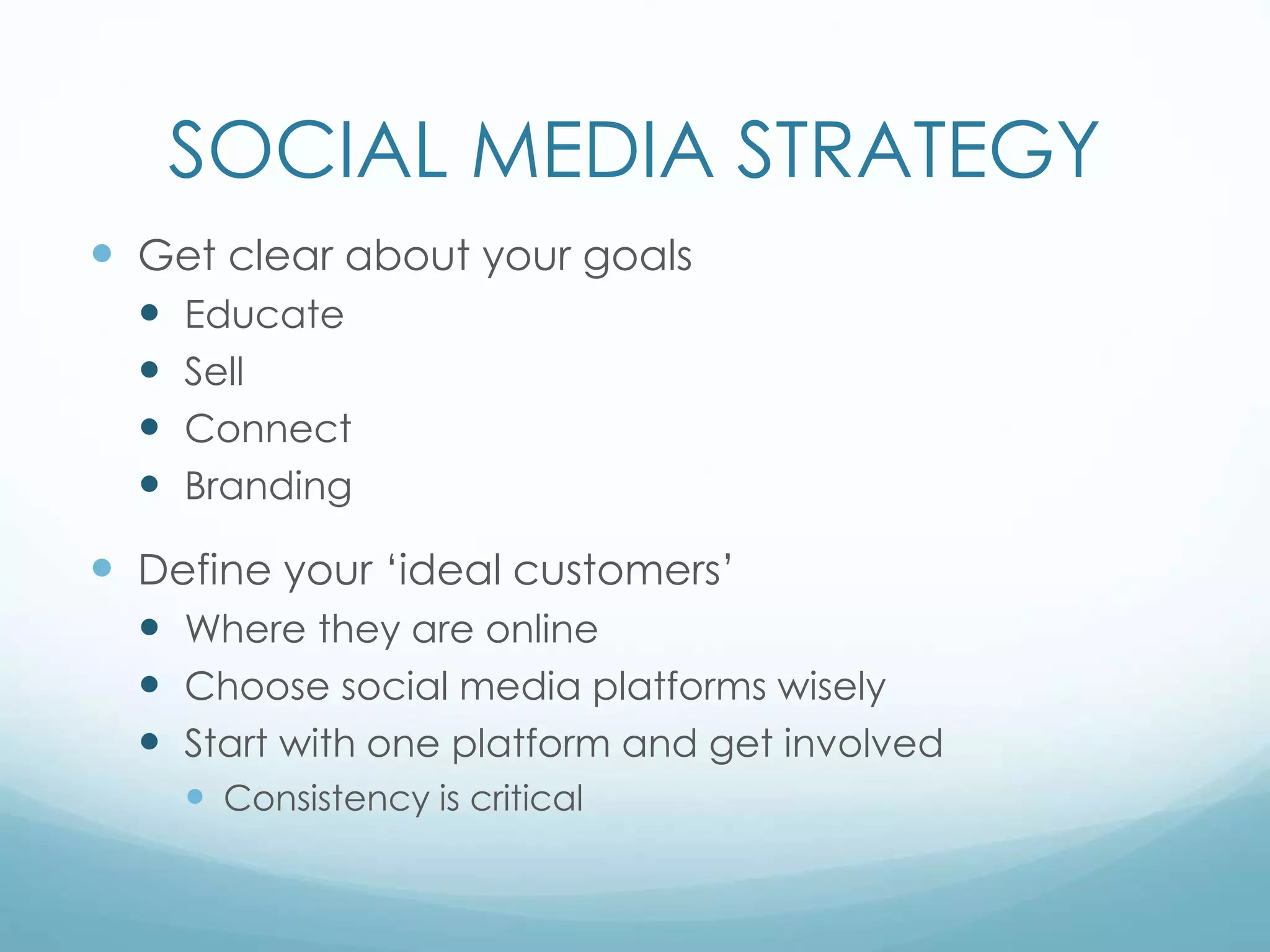
SOCIAL MEDIA STRATEGY
 Get clear about your goals
 Educate
 Sell
 Connect
 Branding
 Define your ‘ideal customers’
 Where they are online
 Choose social media platforms wisely
 Start with one platform and get involved
 Consistency is critical
SOCIAL MEDIA STRATEGY
 Follow the 80/20 RULE
 80% of posts must be things of value
 Tips, photos, quotes, humor, etc…
 Articles, Blogs, new items
 20% of posts promote your business or cause
 Coupons, specials, web links, promotions
 Invites to events
SOCIAL MEDIA STRATEGY
 Listening
 Industry
 Competitors
 Target market
 Potential customers/followers
 Monitoring
 Is it working?
 How do you know?
 ROI
 Monetary vs. Branding
SOCIAL MEDIA PLAN
 Engage the company and/or team
 Describe the business
 Perform a SWOT analysis of the companies current
marketing strategies
 Define goals and objectives
 Clarify your marketing message
 Coordinate all marketing efforts
SOCIAL MEDIA PLAN
 Identify tools to match goals
 Identify listening priorities
 Create a publishing and implementation schedule
 Implement consistently
 Measure
 Review and adjust as necessary
SUCCESSFUL ONLINE MARKETING
Convert
Transform
Attract
ATTRACT
• Brand
• Outcome
• Differentiator
***Start with a solid
foundation
CONVERT
Consumption of Content +
Time = Client
• Social media works best
as a tool for attracting
traffic and attention it
does not work well for
converting strangers
into clients
• Best conversion tool is
your own website
TRANSFORM
• Built on social proof
• You must do a good job
• Use success to attract more
success
• Testimonials
• Case studies
• Videos
• Audios
• photos
SOCIAL MEDIA TRINITY
Twitter
Social
Media
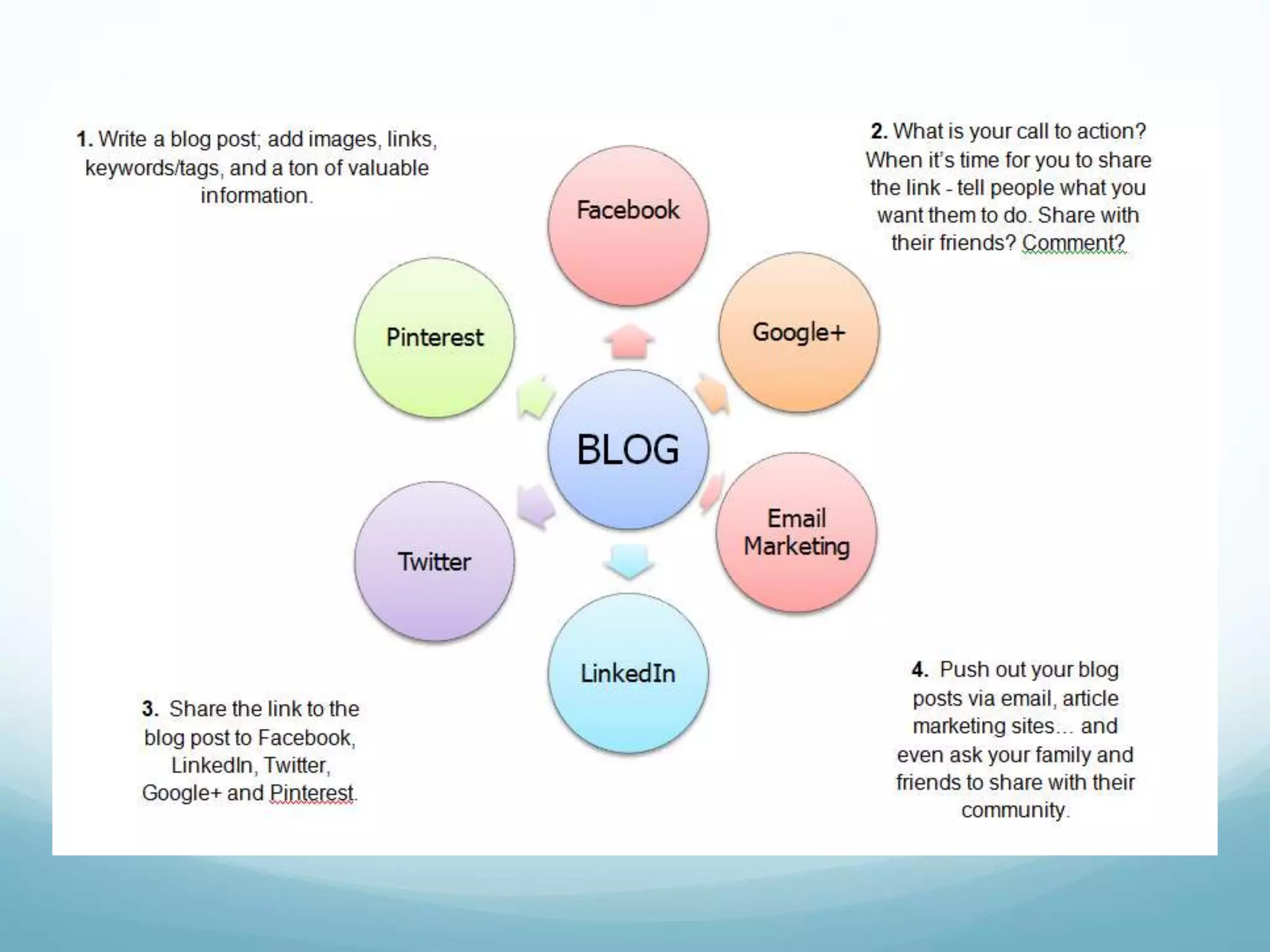
Blogs
BLOG PLATFORMS
 Wordpress
 Tumblr
 Website
 Blog Searches
 http://blogsearch.google.com
 www.technorati.com
 Follow industry blogs
BLOGS
 Who
 Should blog for your company?
 Who else is blogging in your industry?
 What
 Should you blog about?
 What are others blogging about?
 Where
 Will it reside?
 When
 How often?
BLOGS
 Why
 What are your goals?
 Why are you blogging?
 What do you want your readers to gain?
 How
 How will you find the time to start and stay
committed?
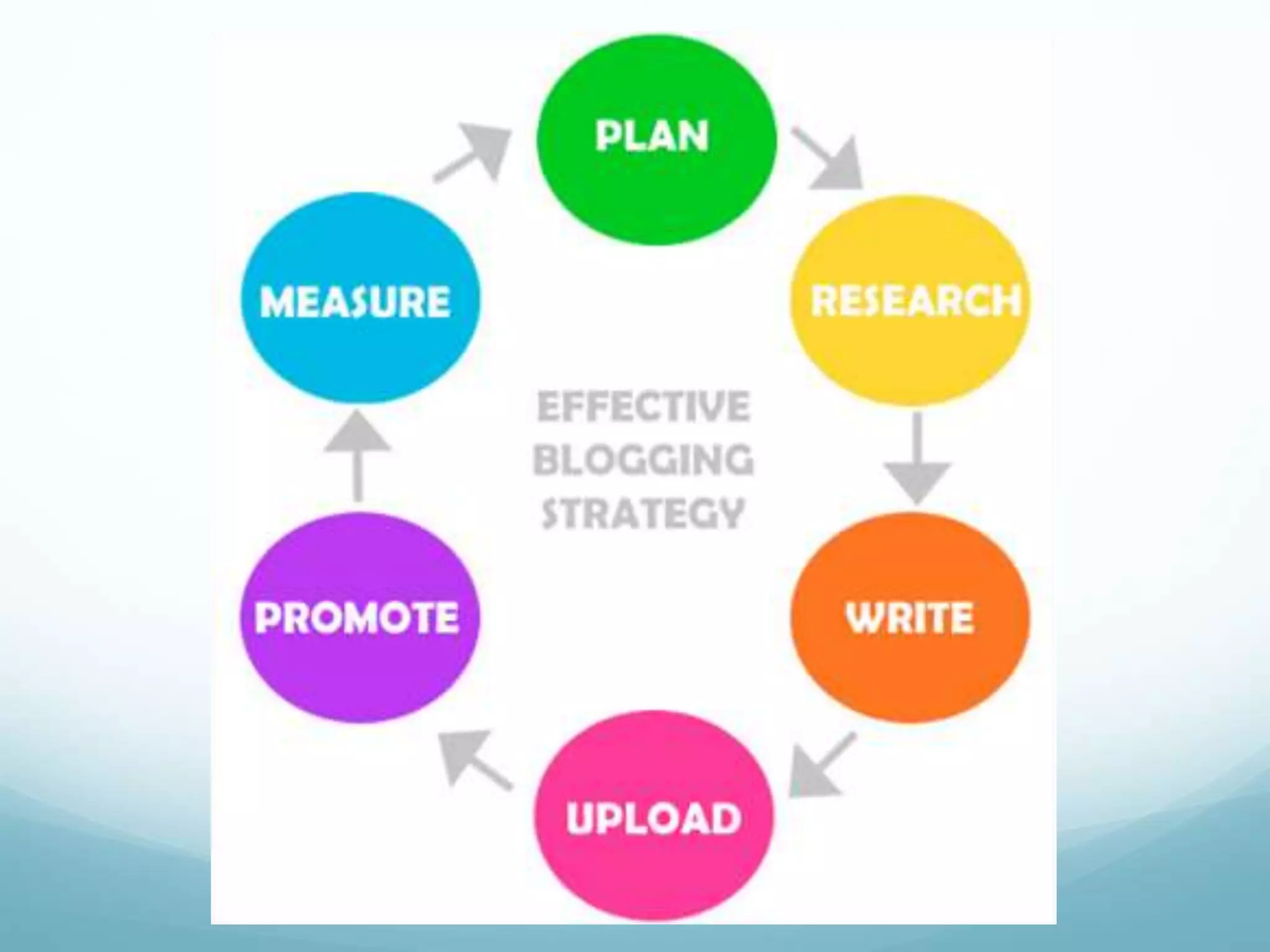
BLOGS
 Identify tools
 Identify content
 Identify plug-ins and widgets
 SEO advantages
 RSS and Readers
 Interconnection
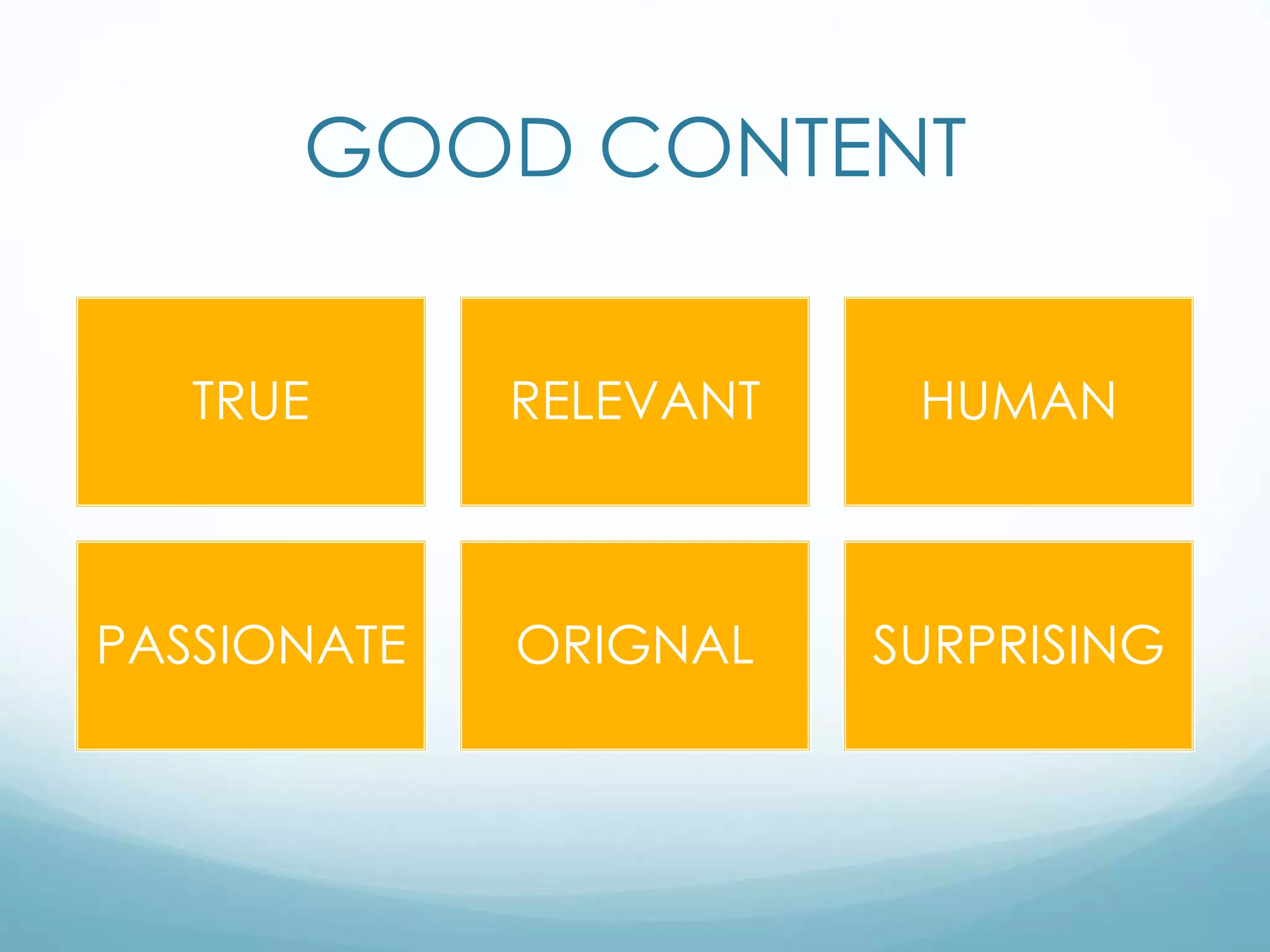
GOOD CONTENT
TRUE RELEVANT HUMAN
PASSIONATE ORIGNAL SURPRISING
CONTENT RULES
 Embrace publishing
 Insight inspires originality
- know yourself
 Build momentum
 Speak human
 Reimagine, don't
recycle
 Be authentic
 Know the industry
 Share or solve, don't
shill
 Show, don't tell
 Do something
unexpected
 Stoke the campfire
 Create wings and
roots
 Play to your strengths
BLOG POST TEMPLATE
 Post title
 Let readers know how the blog will be useful to them, use an
element of surprise
 First sentence
 Hook the reader
 Next paragraph
 Begins to answer the question you raised earlier or explain your initial
statement
 Bulleted or numbered lists
 Create a list of your key points
 Add an image
 Close with a question
TWITTER
 Microblogging site
 Text-based posts up to 140 characters
 Connects in real time
 Great for SEO [Search Engine Optimization]
 Able to create business pages
 Can have multiple pages
TWITTER
 Largest penetration in the US
 5,700 tweets happen every second
 560 million users
 People use it for media consumption
 Twitter grew 44% from 2012-2013
 Twitter Search
 www.search.twitter.com then click on the Advanced
 Search to get specific keywords and regions. You don't
have to have a twitter account to find out what people
are talking about.
TWITTER JARGON
 @reply
Used to directly talk to someone or mention them.
 DM or Direct Message.
This is a private message.
 # or hashtag
This is a way to break a conversation out into a
type of “chat room”.
 RT or Retweet
A way to pass along information from one person
you are following to all your followers.
WAYS TO USE TWITTER
 Connecting with current
clients
 Finding new customers
Forming joint ventures
 Watching the competition
 Get instant market
feedback
 Share your followers
respect
 Let people sample your
style and work
 Generate quality traffic
 Build trust
 Generate content
 Generate ideas
 Find people
 Manage your
reputation
FACEBOOK
 A billion users worldwide
 Largest opportunities with consumers
 2.5 billion pieces of information shared each day
 Facebook is ageing. 45% of Internet users aged
65+ use Facebook65+ use Facebook
FACEBOOK
 Personal Profiles
 Groups
 Pages
 Insights
 Advertising
FACEBOOK
 23% of users log in at least 5 times a day
 47% of Americans say Facebook is their #1
influencer of purchases
 70% of marketers used Facebook to gain new
customers
 Facebook Search
 www.Facebook.com/Search Select Pages to limit
your search to just Pages. Search on keywords in
your niche to see what people are doing.
WAYS TO USE FB PAGES
 Company page
 Build audience
 Use FB as “ ___”
 Understanding insights
 Advertising
 Promote post
 Ad promoting page or website
 Follow others
 Settings
LINKEDIN
“Relationships Matter”
 Professional network
 Interest groups
 Job search tool
 Online resume
 Recruiting tool
 Recommendations
 Company pages
LINKEDIN
 79% over the age of 35
 250 million users
 Used by corporate brands
 Gives smaller companies an opportunity to network
and connect
 The best time to post on LinkedIn is Tuesday
through Thursday, when professionals are either
beginning or finishing their workday.
WAYS TO USE LINKEDIN
 Share professional information
 Establish your expertise
 Identify industry trends
 Highlight blog
 Showcase work samples
 See who has viewed you
 Build a powerful network
GOOGLE+
 Interacts with all Google apps
 Must have a Google account
 Run by the #1 search engine
in the world
 Content can rank in search
results
 Circles
 Hangouts
 Integrates easily with other platforms
GOOGLE+
 925,000 new users every day
 400 million active users
 Not as many brands participating but the ones
that are find strong followings
 45 to 54 year old bracket increased its usage on
Google+ by 56% since 2012
PINTEREST
Mission is to “connect everyone in the world through
the ‘things’ they find interesting“
 Pinboard-style social
photo sharing website
 Pinboards are themed so that
pins can easily be organized,
categorized and discovered by
other users.
PINTEREST
 All about discovery
 68% female
 Largest opportunities
 Fashion, home décor, babies, wedding and recipes
 70 million active users
 Poised to become one of the top four platforms
INSTAGRAM
 Online photo-sharing, video-sharing and social
networking
 Able to apply photo filters
 Share photos on other networks
 No advertising
 Follower model like Twitter
 Easy to use
INSTAGRAM
 All about pictures and now short [15 second]
videos
 Brands are participating using #hashtags and
posting pictures consumers can relate to
 Most followed brand is MTV
 150 million active users
 Most users under the age of 35
YOU TUBE
 Over 2 billion video views per day
 Over 35 hours of video uploaded per minute
 70% of YouTube traffic comes from outside the U.S.
 2 billion video views per week are monetized
 Every auto-shared tweet results in six new YouTube.com
browsing sessions.
 YouTube was initially funded by bonuses received
following the eBay buy-out of PayPal
 Google paid $1.65 billion for YouTube in November
2006
BEST VIDEOS FOR BUSINESS
 How to videos – make sure title them “How to ___”
 Frequently asked questions video about your
business.
 Describe how your business is different. What is
your unique offering to your clients?
 Customer Testimonials
BEFORE YOU FILM
 Watch some of the most shared videos
 Practice creating some videos for fun
 Do NOT spend lots of money – there is no need
 Research your industry
 Decide to give it a try
YOU TUBE
‘Video is 50 times more likely to appear on the first
page of a search result than standard text based
content’ recent Forrester Research report
Every minute 24 hours where the video was
uploaded to YouTube alone
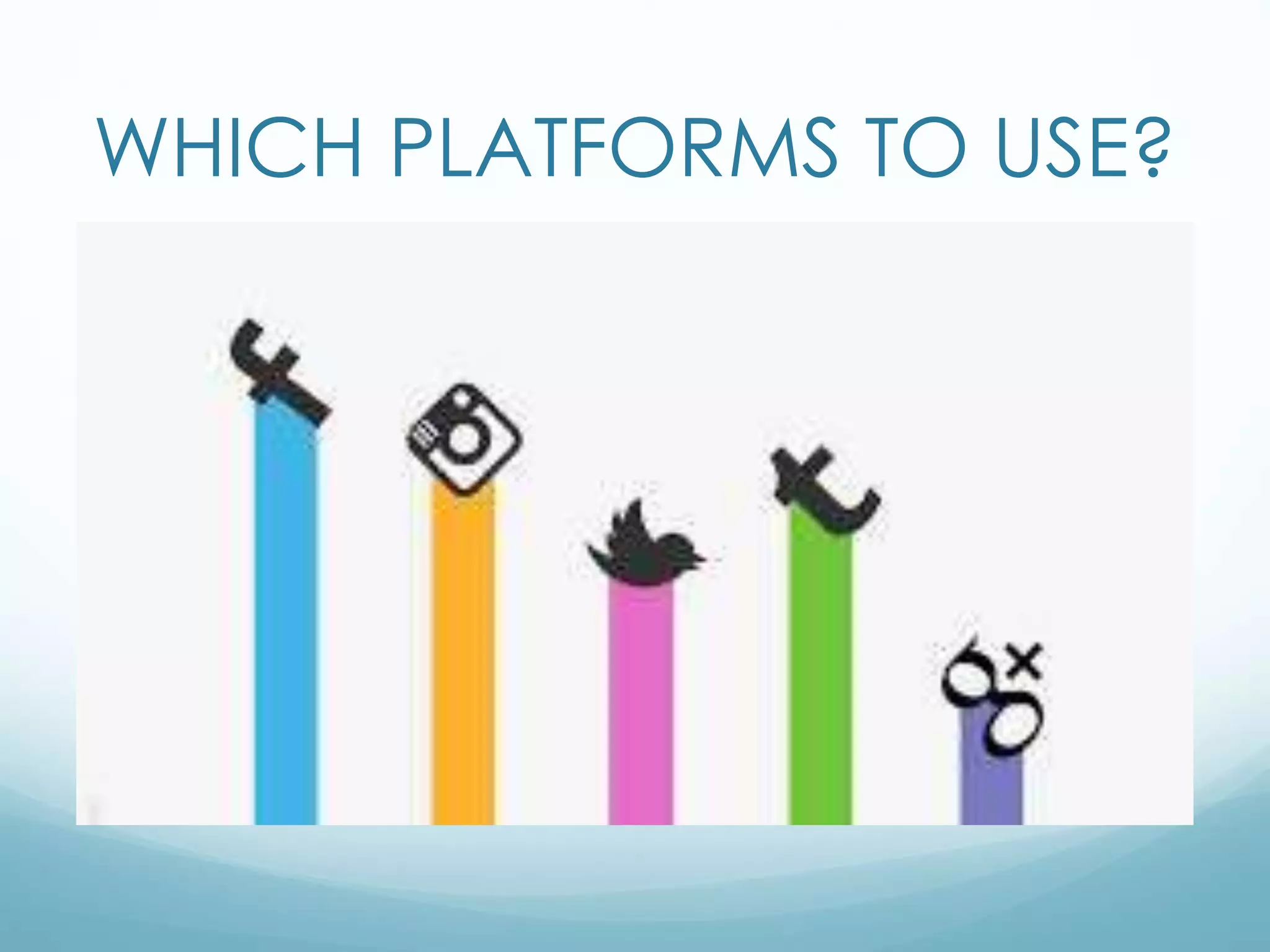
WHICH PLATFORMS TO USE?
GOOGLE ALERTS
 Create alerts against your searches
 Six categories
 News
 Web
 Blogs
 Images
 Videos
 Groups
Creating a Social Media Policy
 In today's virtual working world, social media will
inevitably come up. It's critical to define what your
company expects early on, so you can benefit
from the positive aspects of the medium rather
than try to fight against them.
SOCIAL MEDIA POLICY
 Examine corporate culture and social media goals
 Get buy in at the appropriate levels
 Define the scope
 One policy for the entire company? Or separate policies
for different departments?
 Research state and federal laws
 Clarify policy rules
 Address personal vs. professional
 Keep in short
#1 The Strict Policy
 Employees often must state disclaimers separating
themselves from their company
 Their workers are not able to ever communicate as
customer service unless granted permission
 Employees cannot share logos of the company
 Social media is not allowed or tolerated in the
workplace at all
#2 The Common Sense Policy
 Users should be respectful and courteous
 Employees are expected to be honest about who
they are
 Workers can't publish any confidential company
information
 Expected to respect the privacy of other
coworkers and clients
#3 The Balanced Policy
 Allowed to promote company events and
integrate the company respectfully
 Avoid controversial topics to steer clear of bad
press and labeling
 Encouraged to interact with marketing online
 Allowed to state what company they work for and
talk about the company, within reason
Ford’s Social Media Policy
 Use your common sense.
 Beware of privacy issues.
 Play nice, and be honest.
LEGAL IMPLICATIONS
 Disclosure of Confidential
Information
 Unauthorized Use of
Trademarks
 Unauthorized Use of
Copyright-Protected
Works
 Defamation Issues
 Electronic Discovery
 Dynamic Information
 Human Resources Issues
 Securities
 Privacy/Publicity
 Endorsements
 Employee safety
 Computer hacking
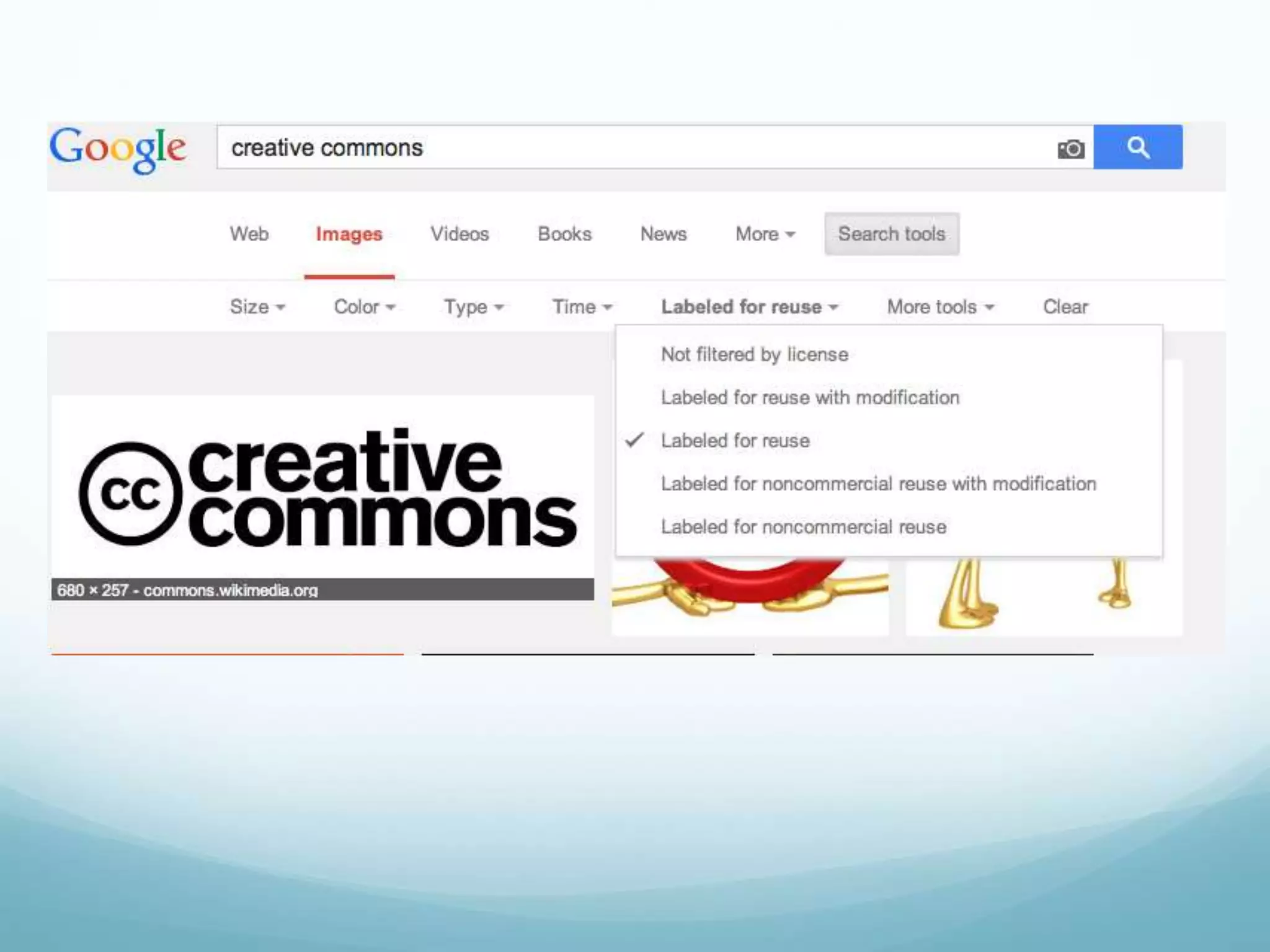
CREATIVE COMMONS
Creative Commons (CC) has
released several copyright-
licenses known as Creative
Commons licenses free of
charge to the public. These
licenses allow creators to
communicate which rights
they reserve, and which
rights they waive for the
benefit of recipients or other
creators.
PUBLISHING CALENDAR
PUBLISHING CALENDAR
DAILY
 Twitter 5-20 times per day
 Facebook 1-2 posts per day
 Pineterest
 LinkedIn
 Respond to news items
 Respond to blog comments
 User generated content on your own site
PUBLISHING CALENDAR
Weekly
 One new blog post, two or three if you can
manage
 Short video
 How-to article
 Participation in related forums
 Update your primary websites pages or sections
 Add all new contacts on LinkedIn
PUBLISHING CALENDAR
MONTHLY
 A meatier blog or article based on deeper research
 Create and mail an e-mail newsletter
 Produce a short video
 Produce an audio podcast
 Produce a PowerPoint presentation and post it to SlideShare
 Organize and promote a meet up
 Contribute a guest post or article to another blog
 Produce a webinar
 Publish a case study or customer success story
PUBLISHING CALENDAR
QUARTERLY
 Research-based white paper
 Create a case study collection
 E-book
 Video series
 Special addition E-news letter
 Contest or sweepstakes
PUBLISHING CALENDAR
Annual:
 Live or virtual event
 Executive Roundtable
 Industry White paper
 Speak at an annual conference
 Announce and launch a contest or sweepstakes
 iPhone app
 Update your web presence with a new story feature
 Produce a game
TIME MANAGEMENT
 Consistency is key
 One platform at a time
 Enlist others
 Set a timer
 Set aside technology-free
zones and/or times
 Use Hootsuite
HOOTSUITE
 Site allowing you to post to multiple social media
sites
 Facebook, Twitter, LinkedIn, Etc..
 Schedule posts for later dates
 Great for organizing multiple
channel social media campaigns
 Time management tool
 Measure campaigns across platforms
www.smccme.edu
Michelle Neujahr
mneujahr@smccme.edu

Social Media Basics

  • 1.
  • 2.
    What is YourSocial Media IQ? Novice or Expert
  • 3.
    WHAT IS SOCIALMEDIA? It’s an ‘ONLINE COCKTAIL PARTY’  Social = the instinctual need humans have to connect with other humans  Media = the tools we use to make those connections with other human beings  Defined = how we use technology to effectively reach out and connect with other human beings, create relationships, build trust and be there when the people in those relationships are ready to buy our products
  • 4.
    FUN FACTS  Mostpeople aren’t using multiple social networks. Over 50% of Internet users either don’t use any social networks, or use just one.  Facebook and Instagram users are the most engaged. Around 60% of their users sign in every day (compared to 46% of Twitter users)  Pinterest and LinkedIn are stand-alone networks. There is much less crossover usage with other networks (except Facebook).  Pinterest and LinkedIn users are wealthier than the other networks with a high percentage earning over $75000 PA.
  • 5.
    CATEGORIES  Social Networking Publish  Photo Sharing  Audio  Video  Microblogging  Livecasting  Virtual Worlds  Gaming  Productivity Applications  Aggregators  RSS  Search  Mobile  Interpersonal
  • 6.
    SOCIAL MEDIA PHASES LURKERSNOVICES INSIDERS LEADERS ELDERS
  • 7.
    Fundamental Shift inPower Customers are now controlling brands and messages It’s word of mouth at the speed of light Everyone can be a publisher
  • 8.
    OLD RULES OFMARKETING  Advertising – push strategy  Needed to appeal to the masses  Relied on interrupting people  One-way communication  Creativity was the most important piece  Was important for ad agencies to win awards  Advertising and PR were separate divisions run by different people
  • 9.
    NEW RULES OFMARKETING  It’s more than advertising – pull strategy  PR is more than just a mainstream media audience  You are what you publish  People want participation, not propaganda  People want authenticity, not spin  It’s about delivering content at just the precise moment your audience needs it
  • 10.
    RULES FOR THENEW GAME  Treat people well  They will treat you well back  Build a big network  Your network = your net worth  The wider your network, the easier it is to get things done  The more personal the relationship, the more straightforward you can be
  • 11.
    SOCIAL MEDIA ATWORK Should we use it at work? If so, for what?
  • 15.
    SOCIAL MEDIA ATWORK ADVANTAGES  Facilitates open communication.  Employees are able to discuss ideas, post news, ask questions and share links.  Provides an opportunity to widen business contacts.  Targets a wide audience, making it a useful and effective recruitment tool.  Improves business reputation and client base with minimal use of advertising.  Expands market research, implements marketing campaigns, delivers communications and directs interested people to specific web sites. DISADVANTAGES  Opens up the possibility for hackers to commit fraud and launch spam and virus attacks.  Increases the risk of people falling prey to online scams that seem genuine, resulting in data or identity theft.  Potentially results in negative comments from employees about the company or potential legal consequences if employees use these sites to view objectionable, illicit or offensive material.  Potentially results in lost productivity, especially if employees are busy updating profiles, etc.
  • 16.
    OPEN LEADERSHIP  Respectyour customers and employees have power  Share constantly to build trust  Nurture curiosity and humility  Hold openness accountable  Forgive failure
  • 17.
    OPEN CULTURE  Mustlet go to succeed  Greater transparency can lead to significant changes  Being open requires more rigor and effort than being in control  People will push back
  • 18.
    ANALYZE EXSISTING MEDIA Is it working?  Expense/Conversion (ROI)  Amount spent on marketing last year/total # of new customers  Who is doing it?  Who are you reaching?  Demographics  Analyze your current demographics  Identify future demographic groups
  • 19.
    5 STEPS TOINTEGRATION Implement & Measure Identify Resources Integrate Medias Social Media Trinity Analyze
  • 20.
    SOCIAL MEDIA CAN… Attract customers  Educate buyers  Overcome resistance and address objections  Establish your credibility, trust and authority  Build buzz via social networks  Build fan base and inspire customers to love you  Inspire impulse buys
  • 21.
    SOCIAL MEDIA STRATEGY Get clear about your goals  Educate  Sell  Connect  Branding  Define your ‘ideal customers’  Where they are online  Choose social media platforms wisely  Start with one platform and get involved  Consistency is critical
  • 22.
    SOCIAL MEDIA STRATEGY Follow the 80/20 RULE  80% of posts must be things of value  Tips, photos, quotes, humor, etc…  Articles, Blogs, new items  20% of posts promote your business or cause  Coupons, specials, web links, promotions  Invites to events
  • 23.
    SOCIAL MEDIA STRATEGY Listening  Industry  Competitors  Target market  Potential customers/followers  Monitoring  Is it working?  How do you know?  ROI  Monetary vs. Branding
  • 24.
    SOCIAL MEDIA PLAN Engage the company and/or team  Describe the business  Perform a SWOT analysis of the companies current marketing strategies  Define goals and objectives  Clarify your marketing message  Coordinate all marketing efforts
  • 25.
    SOCIAL MEDIA PLAN Identify tools to match goals  Identify listening priorities  Create a publishing and implementation schedule  Implement consistently  Measure  Review and adjust as necessary
  • 26.
  • 27.
    ATTRACT • Brand • Outcome •Differentiator ***Start with a solid foundation
  • 28.
    CONVERT Consumption of Content+ Time = Client • Social media works best as a tool for attracting traffic and attention it does not work well for converting strangers into clients • Best conversion tool is your own website
  • 29.
    TRANSFORM • Built onsocial proof • You must do a good job • Use success to attract more success • Testimonials • Case studies • Videos • Audios • photos
  • 30.
  • 31.
    BLOG PLATFORMS  Wordpress Tumblr  Website  Blog Searches  http://blogsearch.google.com  www.technorati.com  Follow industry blogs
  • 33.
    BLOGS  Who  Shouldblog for your company?  Who else is blogging in your industry?  What  Should you blog about?  What are others blogging about?  Where  Will it reside?  When  How often?
  • 34.
    BLOGS  Why  Whatare your goals?  Why are you blogging?  What do you want your readers to gain?  How  How will you find the time to start and stay committed?
  • 35.
    BLOGS  Identify tools Identify content  Identify plug-ins and widgets  SEO advantages  RSS and Readers  Interconnection
  • 36.
    GOOD CONTENT TRUE RELEVANTHUMAN PASSIONATE ORIGNAL SURPRISING
  • 38.
    CONTENT RULES  Embracepublishing  Insight inspires originality - know yourself  Build momentum  Speak human  Reimagine, don't recycle  Be authentic  Know the industry  Share or solve, don't shill  Show, don't tell  Do something unexpected  Stoke the campfire  Create wings and roots  Play to your strengths
  • 39.
    BLOG POST TEMPLATE Post title  Let readers know how the blog will be useful to them, use an element of surprise  First sentence  Hook the reader  Next paragraph  Begins to answer the question you raised earlier or explain your initial statement  Bulleted or numbered lists  Create a list of your key points  Add an image  Close with a question
  • 40.
    TWITTER  Microblogging site Text-based posts up to 140 characters  Connects in real time  Great for SEO [Search Engine Optimization]  Able to create business pages  Can have multiple pages
  • 41.
    TWITTER  Largest penetrationin the US  5,700 tweets happen every second  560 million users  People use it for media consumption  Twitter grew 44% from 2012-2013  Twitter Search  www.search.twitter.com then click on the Advanced  Search to get specific keywords and regions. You don't have to have a twitter account to find out what people are talking about.
  • 42.
    TWITTER JARGON  @reply Usedto directly talk to someone or mention them.  DM or Direct Message. This is a private message.  # or hashtag This is a way to break a conversation out into a type of “chat room”.  RT or Retweet A way to pass along information from one person you are following to all your followers.
  • 43.
    WAYS TO USETWITTER  Connecting with current clients  Finding new customers Forming joint ventures  Watching the competition  Get instant market feedback  Share your followers respect  Let people sample your style and work  Generate quality traffic  Build trust  Generate content  Generate ideas  Find people  Manage your reputation
  • 44.
    FACEBOOK  A billionusers worldwide  Largest opportunities with consumers  2.5 billion pieces of information shared each day  Facebook is ageing. 45% of Internet users aged 65+ use Facebook65+ use Facebook
  • 45.
    FACEBOOK  Personal Profiles Groups  Pages  Insights  Advertising
  • 46.
    FACEBOOK  23% ofusers log in at least 5 times a day  47% of Americans say Facebook is their #1 influencer of purchases  70% of marketers used Facebook to gain new customers  Facebook Search  www.Facebook.com/Search Select Pages to limit your search to just Pages. Search on keywords in your niche to see what people are doing.
  • 47.
    WAYS TO USEFB PAGES  Company page  Build audience  Use FB as “ ___”  Understanding insights  Advertising  Promote post  Ad promoting page or website  Follow others  Settings
  • 48.
    LINKEDIN “Relationships Matter”  Professionalnetwork  Interest groups  Job search tool  Online resume  Recruiting tool  Recommendations  Company pages
  • 49.
    LINKEDIN  79% overthe age of 35  250 million users  Used by corporate brands  Gives smaller companies an opportunity to network and connect  The best time to post on LinkedIn is Tuesday through Thursday, when professionals are either beginning or finishing their workday.
  • 50.
    WAYS TO USELINKEDIN  Share professional information  Establish your expertise  Identify industry trends  Highlight blog  Showcase work samples  See who has viewed you  Build a powerful network
  • 51.
    GOOGLE+  Interacts withall Google apps  Must have a Google account  Run by the #1 search engine in the world  Content can rank in search results  Circles  Hangouts  Integrates easily with other platforms
  • 52.
    GOOGLE+  925,000 newusers every day  400 million active users  Not as many brands participating but the ones that are find strong followings  45 to 54 year old bracket increased its usage on Google+ by 56% since 2012
  • 53.
    PINTEREST Mission is to“connect everyone in the world through the ‘things’ they find interesting“  Pinboard-style social photo sharing website  Pinboards are themed so that pins can easily be organized, categorized and discovered by other users.
  • 54.
    PINTEREST  All aboutdiscovery  68% female  Largest opportunities  Fashion, home décor, babies, wedding and recipes  70 million active users  Poised to become one of the top four platforms
  • 55.
    INSTAGRAM  Online photo-sharing,video-sharing and social networking  Able to apply photo filters  Share photos on other networks  No advertising  Follower model like Twitter  Easy to use
  • 56.
    INSTAGRAM  All aboutpictures and now short [15 second] videos  Brands are participating using #hashtags and posting pictures consumers can relate to  Most followed brand is MTV  150 million active users  Most users under the age of 35
  • 57.
    YOU TUBE  Over2 billion video views per day  Over 35 hours of video uploaded per minute  70% of YouTube traffic comes from outside the U.S.  2 billion video views per week are monetized  Every auto-shared tweet results in six new YouTube.com browsing sessions.  YouTube was initially funded by bonuses received following the eBay buy-out of PayPal  Google paid $1.65 billion for YouTube in November 2006
  • 58.
    BEST VIDEOS FORBUSINESS  How to videos – make sure title them “How to ___”  Frequently asked questions video about your business.  Describe how your business is different. What is your unique offering to your clients?  Customer Testimonials
  • 59.
    BEFORE YOU FILM Watch some of the most shared videos  Practice creating some videos for fun  Do NOT spend lots of money – there is no need  Research your industry  Decide to give it a try
  • 60.
    YOU TUBE ‘Video is50 times more likely to appear on the first page of a search result than standard text based content’ recent Forrester Research report Every minute 24 hours where the video was uploaded to YouTube alone
  • 61.
  • 62.
    GOOGLE ALERTS  Createalerts against your searches  Six categories  News  Web  Blogs  Images  Videos  Groups
  • 63.
    Creating a SocialMedia Policy  In today's virtual working world, social media will inevitably come up. It's critical to define what your company expects early on, so you can benefit from the positive aspects of the medium rather than try to fight against them.
  • 64.
    SOCIAL MEDIA POLICY Examine corporate culture and social media goals  Get buy in at the appropriate levels  Define the scope  One policy for the entire company? Or separate policies for different departments?  Research state and federal laws  Clarify policy rules  Address personal vs. professional  Keep in short
  • 65.
    #1 The StrictPolicy  Employees often must state disclaimers separating themselves from their company  Their workers are not able to ever communicate as customer service unless granted permission  Employees cannot share logos of the company  Social media is not allowed or tolerated in the workplace at all
  • 66.
    #2 The CommonSense Policy  Users should be respectful and courteous  Employees are expected to be honest about who they are  Workers can't publish any confidential company information  Expected to respect the privacy of other coworkers and clients
  • 67.
    #3 The BalancedPolicy  Allowed to promote company events and integrate the company respectfully  Avoid controversial topics to steer clear of bad press and labeling  Encouraged to interact with marketing online  Allowed to state what company they work for and talk about the company, within reason
  • 68.
    Ford’s Social MediaPolicy  Use your common sense.  Beware of privacy issues.  Play nice, and be honest.
  • 69.
    LEGAL IMPLICATIONS  Disclosureof Confidential Information  Unauthorized Use of Trademarks  Unauthorized Use of Copyright-Protected Works  Defamation Issues  Electronic Discovery  Dynamic Information  Human Resources Issues  Securities  Privacy/Publicity  Endorsements  Employee safety  Computer hacking
  • 70.
    CREATIVE COMMONS Creative Commons(CC) has released several copyright- licenses known as Creative Commons licenses free of charge to the public. These licenses allow creators to communicate which rights they reserve, and which rights they waive for the benefit of recipients or other creators.
  • 72.
  • 73.
    PUBLISHING CALENDAR DAILY  Twitter5-20 times per day  Facebook 1-2 posts per day  Pineterest  LinkedIn  Respond to news items  Respond to blog comments  User generated content on your own site
  • 74.
    PUBLISHING CALENDAR Weekly  Onenew blog post, two or three if you can manage  Short video  How-to article  Participation in related forums  Update your primary websites pages or sections  Add all new contacts on LinkedIn
  • 75.
    PUBLISHING CALENDAR MONTHLY  Ameatier blog or article based on deeper research  Create and mail an e-mail newsletter  Produce a short video  Produce an audio podcast  Produce a PowerPoint presentation and post it to SlideShare  Organize and promote a meet up  Contribute a guest post or article to another blog  Produce a webinar  Publish a case study or customer success story
  • 76.
    PUBLISHING CALENDAR QUARTERLY  Research-basedwhite paper  Create a case study collection  E-book  Video series  Special addition E-news letter  Contest or sweepstakes
  • 77.
    PUBLISHING CALENDAR Annual:  Liveor virtual event  Executive Roundtable  Industry White paper  Speak at an annual conference  Announce and launch a contest or sweepstakes  iPhone app  Update your web presence with a new story feature  Produce a game
  • 79.
    TIME MANAGEMENT  Consistencyis key  One platform at a time  Enlist others  Set a timer  Set aside technology-free zones and/or times  Use Hootsuite
  • 80.
    HOOTSUITE  Site allowingyou to post to multiple social media sites  Facebook, Twitter, LinkedIn, Etc..  Schedule posts for later dates  Great for organizing multiple channel social media campaigns  Time management tool  Measure campaigns across platforms
  • 81.

Editor's Notes

  • #4 WHY SOCIAL MEDIA: It’s all about two- way communication, We no longer control the corporate or company message, People want information from people they KNOW, New way to sell is to not sell at all, Everyone is now a publisher] People are saying what you need to hear, A more natural and comfortable way to sell, 20 people can quickly become 20,000, Become part of the real-time culture, The rules of marketing have changed, Customer behavior and expectations have changed SOCIAL MEDIA CAN: Attract customers Educate buyers Overcome resistance and address objections Establish your credibility, trust and authority Build buzz via social networks Build a base of fans and inspire customers to love you Inspire impulse buys SOCIAL MEDIA CATEGORIES: Social Networking, Publishing, Photo Sharing, Audio, Video, Microblogging, Livecasting, Virtual Worlds, Gaming, Productivity Applications, Aggregators, RSS, Search, Mobile, Interpersonal
  • #22 NEW RULES OF MARKETING: It’s more than advertising PR is more than just a mainstream media audience You are what you publish People want participation, not propaganda People want authenticity, not spin It’s about delivering content at just the precise moment your audience needs it It’s not about the masses PR is not about your boss seeing your company on TV – it’s about your buyers senior company on the web It’s not about winning awards it’s about winning business Companies drive people into purchasing through great online content It’s direct communication with customers The lines between PR and marketing are now blurred
  • #27 What are you doing to ATTRACT? How can you CONVERT potential buyers? What will it take to TRANSFORM customers into lifelong buyers?
  • #41 STATS: Over 1 billion tweets per week, Twitter’s most-followed user, Lady Gaga, is rapidly closing in on 20 million followers, 69 percent of users follow others based on recommendations from friends, 34% of marketers have generated leads using Twitter 55% of Twitter users access the platform via their mobile WHY USE TWITER: Share information, Create buzz, Listen to and learn from any industry, Get feedback in real time, Tell your story, Increase SEO, find new customers, form joint ventures, real time, global human search engine TERMS: tweet(ing): the act of posting to Twitter tweets: posts on Twitter by twitterers tweeps: Twitter people that follow each other from one social media/network to another tweetup: when twitterers meet in person – a Twitter meet up Twittosphere: the collective group of people who tweet. ReTweet or RT is a re-posting of someone else's Tweet DM is a Direct Message sent to a twitter user @ sign is used to call out usernames in Tweets # People use the hashtag symbol before relevant keywords (no spaces) in their Tweet to categorize those Tweets and help them show more easily in Twitter Search. 
  • #46 STATS: 500+ million active users, Average user has 130 friends, Average user spends an average 15+ hours FB per month. WHY USE FACEBOOK for BUSINESS: Easy to use, its where people are, access to many different demographics, develop brand awareness, build and maintain relationships, targeted ads and posts PERSONAL PROFILE: Must have a personal account to set up a business page, but you do not need to identify that you are connected with the business page. GROUPS: Facebook Groups are the place for small group communication and for people to share their common interests and express their opinion. Groups allow people to come together around a common cause, issue or activity to organize, express objectives, discuss issues, post photos and share related content. There are three types of groups, open, closed and private. Open groups are open to all and any can see the content posted, closed groups can be searched on FB but in order to see the content individuals must request to join the group, private groups are only visible to those in the group. PAGES:  Facebook Pages enable public figures, businesses, organizations and other entities to create an authentic and public presence on Facebook. Unlike your profile, Facebook Pages are visible to everyone on the internet by default. You can set up business page with multiple administrators [different people from the organization can have different levels of access to the page], people can like your page and you can invite people to like the page. INSIGHTS: Pages have an insights section that administrators can use to track results [i.e. demographics of your fans, when they are online and what they are most interested in] ADVERTISING: There are multiple ways to advertise on FB. You can target very specific target markets.
  • #49 STATS: More than 150 million members in over 200 countries LinkedIn members did nearly 4.2 billion professionally-oriented searches on the platform in 2011 More than 2 million companies have LinkedIn Company Pages More than one million LinkedIn Groups 50% of LinkedIn users have a bachelor’s degree or higher WHY USE LINKEDIN: Create an online resume Build professional network It’s a database you do not need to update Find a job Get connected in your industry Research tool PROFILE TIPS: Take time developing this Use your resume as a guide Have someone else critique it Look at others in your field Create a great headline Use a professional photo Fill in your specialties Update status weekly
  • #52 STATS: WHY USE GOOGLE+ FOR BUSINESS: Affects search results on Google,  Can improve your click through rates, Allows you to segment your audience, It’s easy to track , It’s real-time, Allows you to save searches, Share relevant content with the right people, Follow content posted by people you find interesting, Each piece of contents has its own URL – making content and its interaction able to rank in search results MORE INFO: *CIRCLES Circles are private No one in a circle can see who else is in the circle. They also don’t know what you’ve names the circle, or how many other people are in it. Groups are very different from circles in three important ways: Circles are not groups All Group members know the name of the group All Group members know the purpose of the group All members know who’s in the Group *PAGES Allows you to set up a business page to promote your business or cause Must have a personal page first Google+ Pages automatically unfollow you if you unfollow them. Pages don’t receive notifications via email, text, or in the Google bar.
  • #54 STATS: Over 10.4 million users, Pinterest is retaining and engaging users 2-3 times better than Twitter, 80% of users are women, Accounts for about 3.6% of referral traffic, Over 80% of Pinterest pins are ‘repins’, 30% of Pinterest users are between 25-34 years, 25% 35-44 & 17% 18-24 years old, American users spend an average of 1 hour 17 minutes on the site, 50% of users have kids WHY USE PINTEREST FOR BUSINESS: To create a visual resume, profile To promote your brand To connect with others To build your SEO and online presence Research industries and target groups MORE INFO: TERMS: Pin:  A Pin is an image added to Pinterest, A pin can be a added from a website using the ‘Pin It Button’, or you can upload images from your computer. Each pin added using the Pin It button links back to the site it came from. Repin: Is adding an image you find while browsing Pinterest to your own board. When you repin an image, the user who first pinned the image will also get credit. Repins maintain the source-link of the image no matter how many times it’s repinned.
  • #56 STATS: 200 million active monthly users, Over 90% of the 150 million people on Instagram are under the age of 35, 68% of users are women, Instagram is almost as popular as Facebook, 57% of Instagram users check their accounts daily compared with 63% of Facebook users, 55 million photos uploaded every day, 43% post more than once a day, engagement 15x that of Facebook WHY USE INSTAGRAM FOR BUSINESS: Take, share and find photos, Tell your story with photos, over 75% of leading brands already present on the platform, show your products, show how your product is made, go behind the scenes, make your followers feel special, take customers ‘with’ you, share your employees, MORE INFO: Instagram squares your photos, Polaroid-style, then applies your choice of filters to create a variety of interesting looks. Use Instagram badges – these are icons that allow you to link other social media accounts all with the click of a button. Instagram doesn’t have business-specific profiles, built-in visibility or engagement metrics, or paid advertising options. Instagram’s technology helps you easily create stunning images that you can easily use on your other social networks.
  • #81 STREAMS: Facebook, Twitter, LinkedIn, Foursquare, My Space, PingFM, WordPress and Mixi WHY USE HOOSUITE FOR BUSINESS: Manage multiple networks from one place Access social media sites from anywhere Assign tasks Monitor mentions and respond in real time Find new business Use to build relationships Grow reach Share blog feeds automatically FEATURES: Publisher Scheduler Analytics Assignments Contacts RSS Add Social Networks