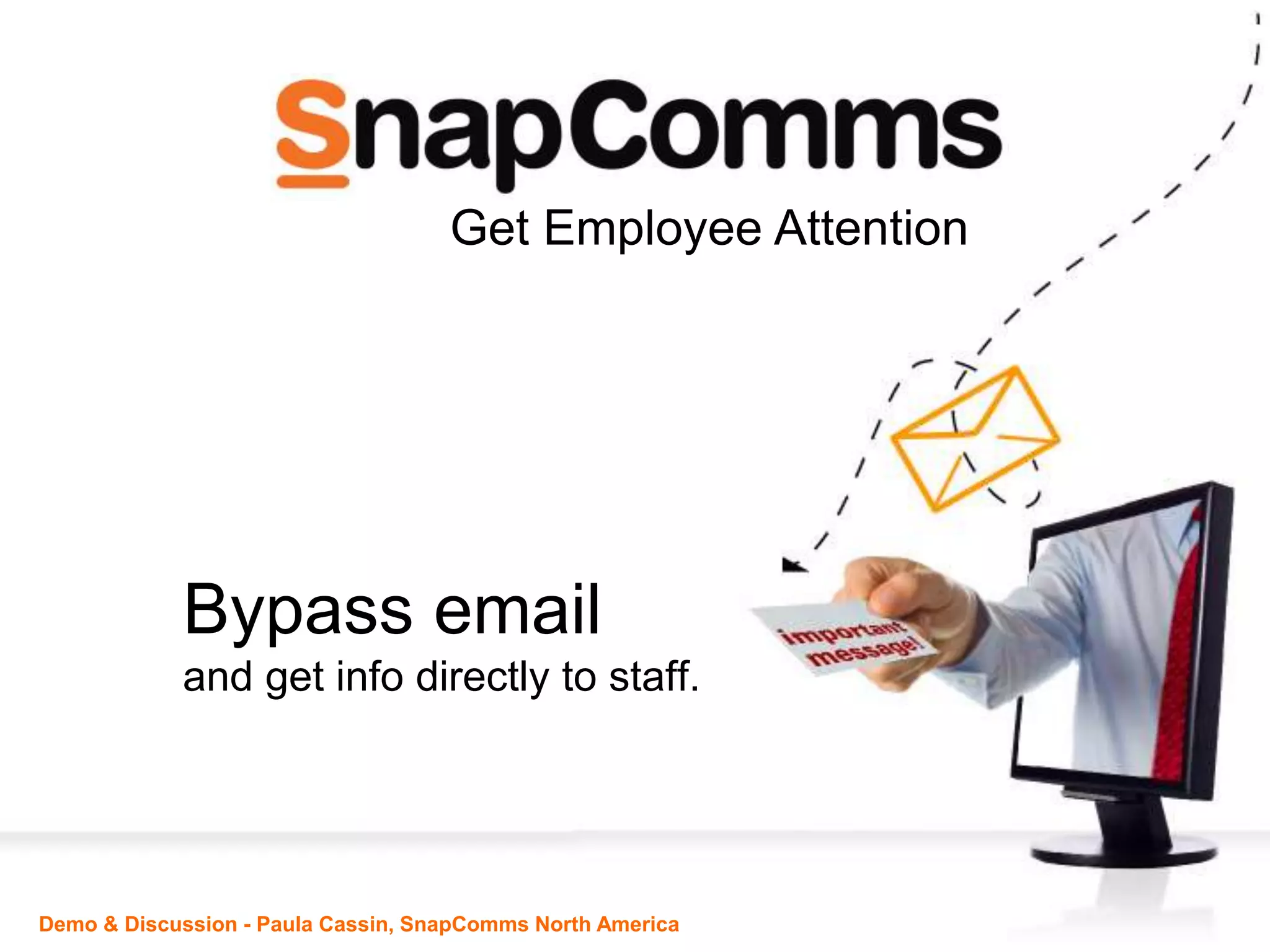



Bypass email
and get info directly to staff.
Demo & Discussion - Paula Cassin, SnapComms North America
Get Employee Attention
Information
Overload
means
Key info often
gets missed
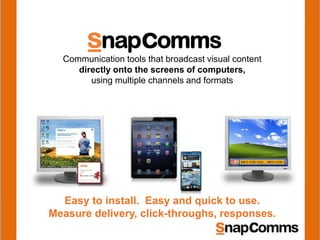
Communication tools that broadcast visual content
directly onto the screens of computers,
using multiple channels and formats
Easy to install. Easy and quick to use.
Measure delivery, click-throughs, responses.
INFO FOR YOU….INFO FOR Y
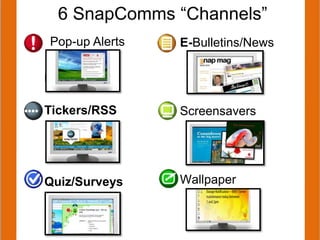
E-Bulletins/News
Screensavers
Wallpaper
6 SnapComms “Channels”
p
Tickers/RSS
Quiz/Surveys
Pop-up Alerts
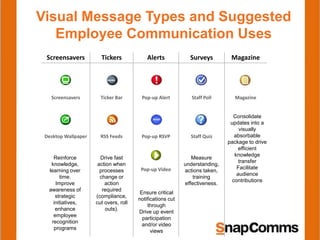
Visual Message Types and Suggested
Employee Communication Uses
Screensavers Tickers Alerts Surveys Magazine
Screensavers Ticker Bar Pop-up Alert Staff Poll Magazine
Desktop Wallpaper RSS Feeds Pop-up RSVP Staff Quiz
Pop-up Video
Reinforce
knowledge,
learning over
time.
Improve
awareness of
strategic
initiatives,
enhance
employee
recognition
programs
Measure
understanding,
actions taken,
training
effectiveness.
Drive fast
action when
processes
change or
action
required
(compliance,
cut overs, roll
outs).
Ensure critical
notifications cut
through
Drive up event
participation
and/or video
views
Consolidate
updates into a
visually
absorbable
package to drive
efficient
knowledge
transfer
Facilitate
audience
contributions
Organizations using
Organizations using
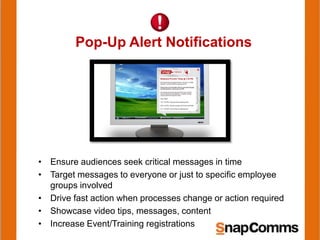
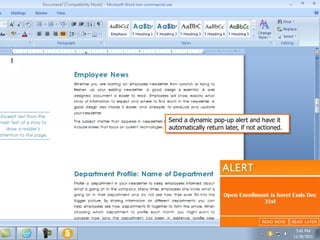
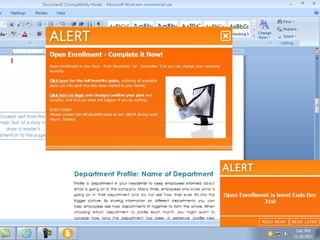
Pop-Up Alert Notifications
• Ensure audiences seek critical messages in time
• Target messages to everyone or just to specific employee
groups involved
• Drive fast action when processes change or action required
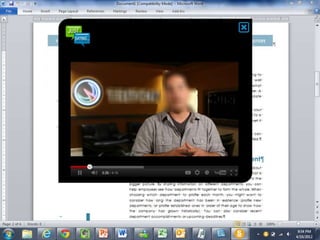
• Showcase video tips, messages, content
• Increase Event/Training registrations
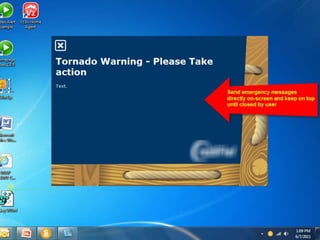
Send a dynamic pop-up alert and have it
automatically return later, if not actioned.
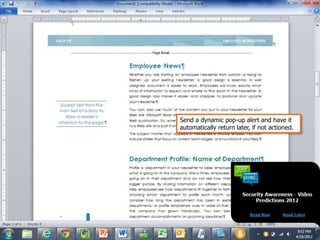
Send a dynamic pop-up alert and have it
automatically return later, if not actioned.
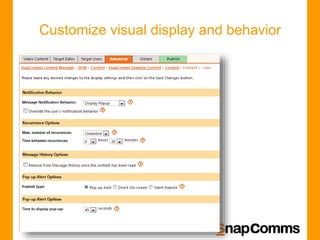
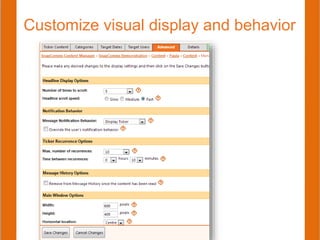
Customize visual display and behavior
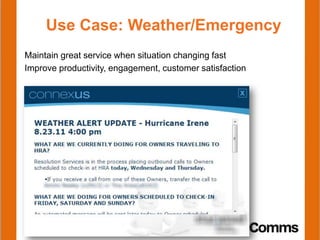
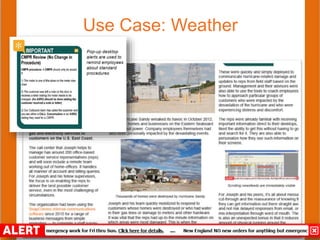
Use Case: Weather/Emergency
Maintain great service when situation changing fast
Improve productivity, engagement, customer satisfaction
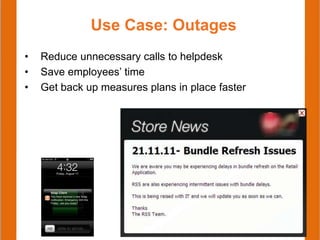
Use Case: Outages
• Reduce unnecessary calls to helpdesk
• Save employees’ time
• Get back up measures plans in place faster
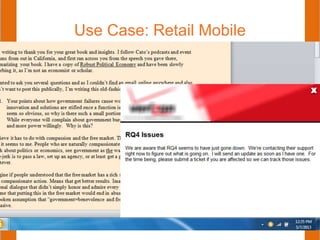
Use Case: Retail Mobile
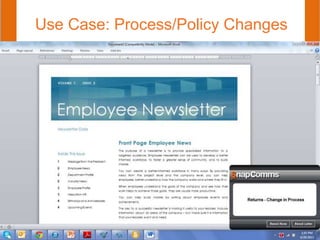
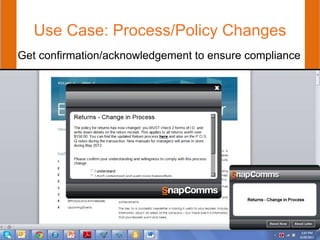
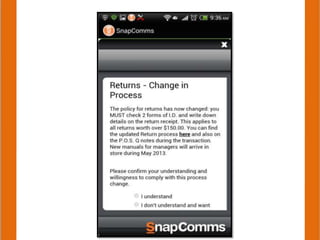
Use Case: Process/Policy Changes
Get confirmation/acknowledgement to ensure compliance
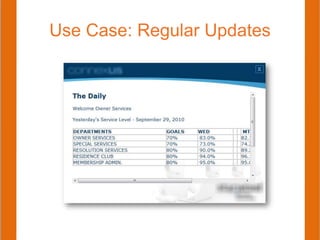
Use Case: Regular Updates
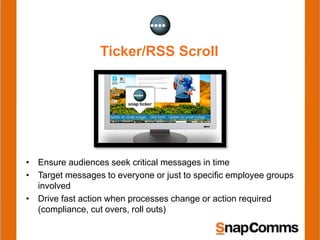
Ticker/RSS Scroll
• Ensure audiences seek critical messages in time
• Target messages to everyone or just to specific employee groups
involved
• Drive fast action when processes change or action required
(compliance, cut overs, roll outs)
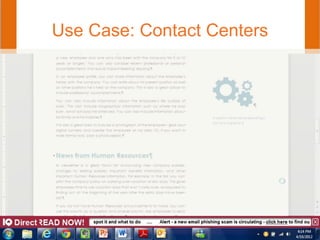
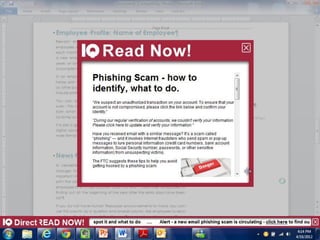
Use Case: Contact Centers
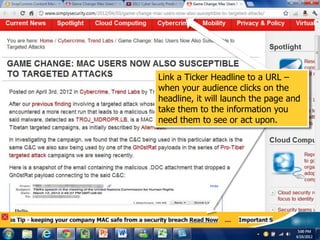
Link a Ticker Headline to a URL –
when your audience clicks on the
headline, it will launch the page and
take them to the information you
need them to see or act upon.
Use Case: Weather
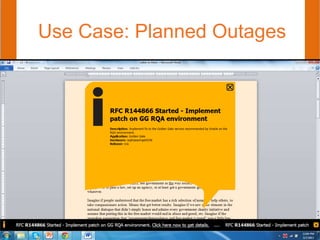
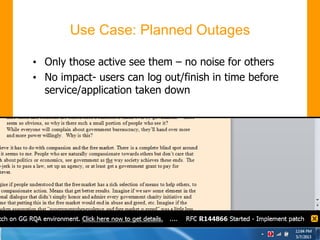
Use Case: Planned Outages
• Only those active see them – no noise for others
• No impact- users can log out/finish in time before
service/application taken down
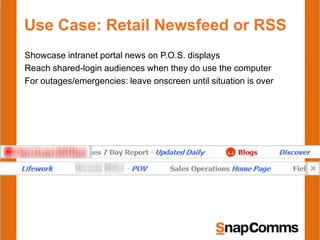
Use Case: Retail Newsfeed or RSS
Showcase intranet portal news on P.O.S. displays
Reach shared-login audiences when they do use the computer
For outages/emergencies: leave onscreen until situation is over
Customize visual display and behavior
How Does it Work?
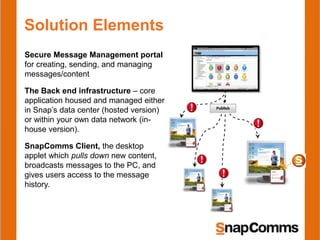
Solution Elements
Secure Message Management portal
for creating, sending, and managing
messages/content
The Back end infrastructure – core
application housed and managed either
in Snap’s data center (hosted version)
or within your own data network (in-
house version).
SnapComms Client, the desktop
applet which pulls down new content,
broadcasts messages to the PC, and
gives users access to the message
history.
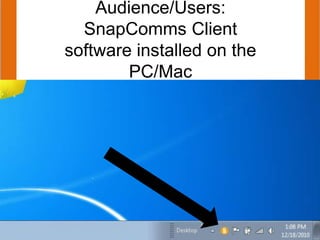
Audience/Users:
SnapComms Client
software installed on the
PC/Mac
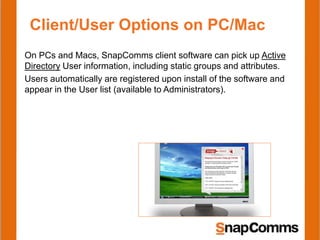
Client/User Options on PC/Mac
On PCs and Macs, SnapComms client software can pick up Active
Directory User information, including static groups and attributes.
Users automatically are registered upon install of the software and
appear in the User list (available to Administrators).
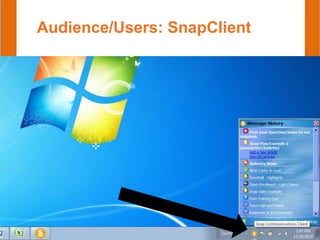
Audience/Users: SnapClient
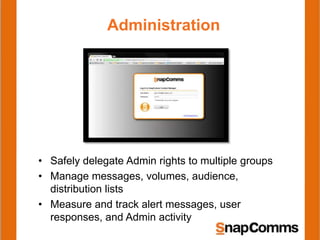
Administration
• Safely delegate Admin rights to multiple groups
• Manage messages, volumes, audience,
distribution lists
• Measure and track alert messages, user
responses, and Admin activity
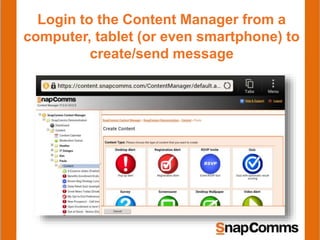
Login to the Content Manager from a
computer, tablet (or even smartphone) to
create/send message
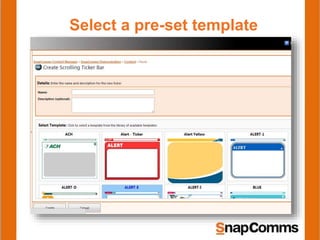
Select a pre-set template
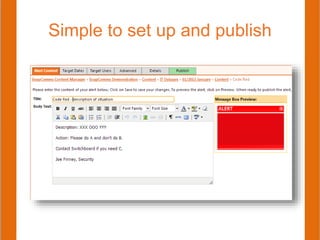
Simple to set up and publish
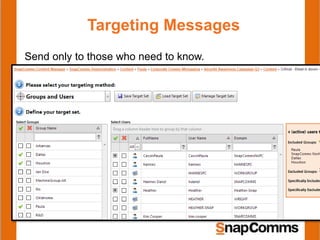
Targeting Messages
Send only to those who need to know.
•Active Directory sync = automatically makes AD groups available to
use in SnapComms
•Advanced upload csv function to sync group data from other sources
•Audience group registration = use special alert to confirm
location/role/BU etc. directly with your audience and automatically
populate target groups.
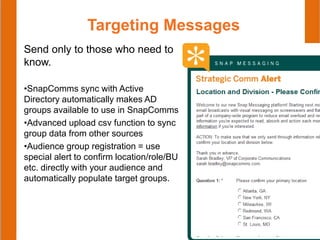
Targeting Messages
Send only to those who need to
know.
•SnapComms sync with Active
Directory automatically makes AD
groups available to use in SnapComms
•Advanced upload csv function to sync
group data from other sources
•Audience group registration = use
special alert to confirm location/role/BU
etc. directly with your audience and
automatically populate target groups.
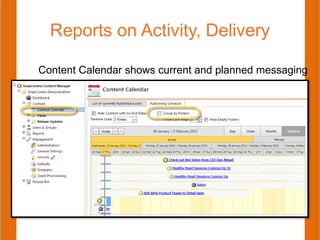
Reports on Activity, Delivery
Content Calendar shows current and planned messaging
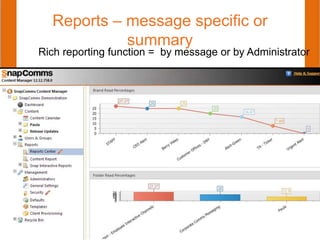
Reports – message specific or
summary
Rich reporting function = by message or by Administrator
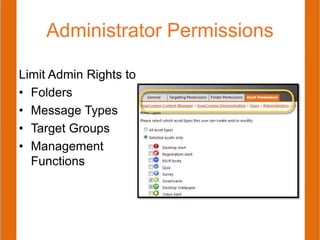
Administrator Permissions
Limit Admin Rights to
• Folders
• Message Types
• Target Groups
• Management
Functions
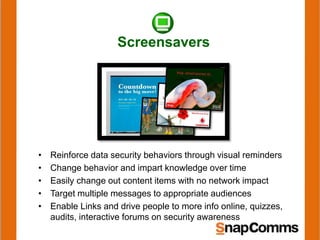
Screensavers
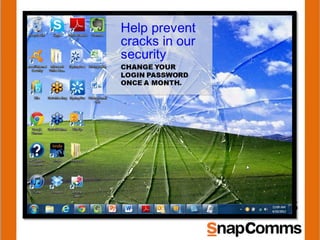
• Reinforce data security behaviors through visual reminders
• Change behavior and impart knowledge over time
• Easily change out content items with no network impact
• Target multiple messages to appropriate audiences
• Enable Links and drive people to more info online, quizzes,
audits, interactive forums on security awareness
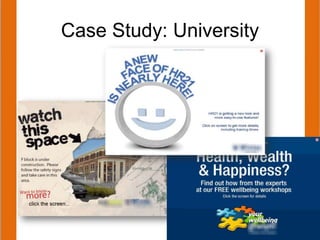
Case Study: University
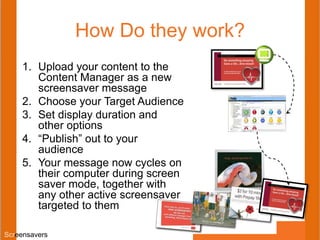
How Do they work?
1. Upload your content to the
Content Manager as a new
screensaver message
2. Choose your Target Audience
3. Set display duration and
other options
4. “Publish” out to your
audience
5. Your message now cycles on
their computer during screen
saver mode, together with
any other active screensaver
targeted to them
Screensavers
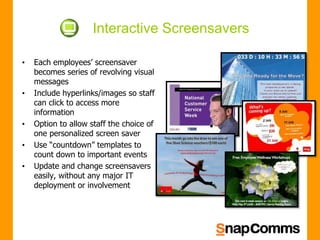
• Each employees’ screensaver
becomes series of revolving visual
messages
• Include hyperlinks/images so staff
can click to access more
information
• Option to allow staff the choice of
one personalized screen saver
• Use “countdown” templates to
count down to important events
• Update and change screensavers
easily, without any major IT
deployment or involvement
Interactive Screensavers
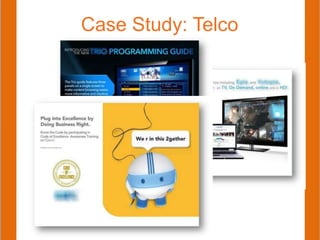
Case Study: Telco
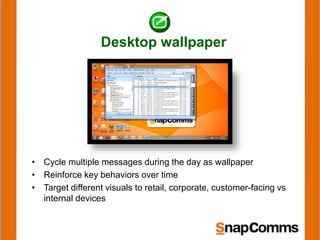
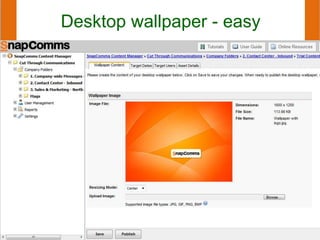
Desktop wallpaper
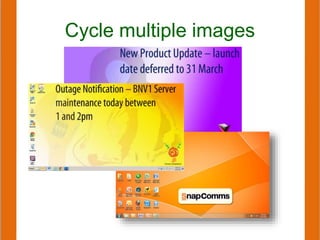
• Cycle multiple messages during the day as wallpaper
• Reinforce key behaviors over time
• Target different visuals to retail, corporate, customer-facing vs
internal devices
Desktop wallpaper - easy
Cycle multiple images
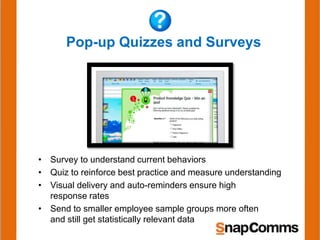
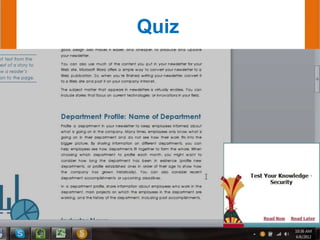
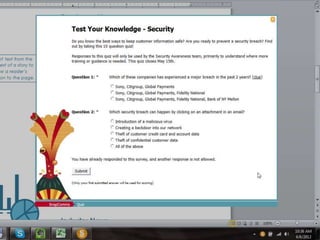
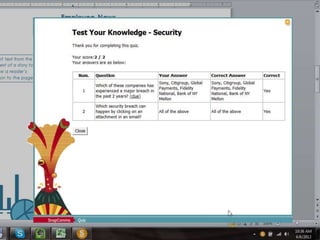
Pop-up Quizzes and Surveys
• Survey to understand current behaviors
• Quiz to reinforce best practice and measure understanding
• Visual delivery and auto-reminders ensure high
response rates
• Send to smaller employee sample groups more often
and still get statistically relevant data
Quiz
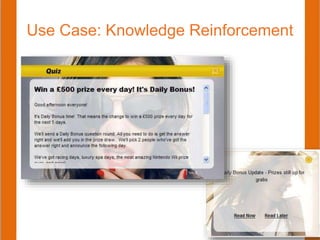
Use Case: Knowledge Reinforcement
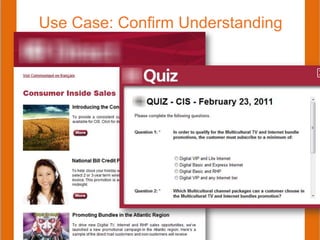
Use Case: Confirm Understanding
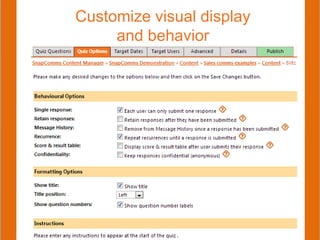
Customize visual display
and behavior
Snap Quiz
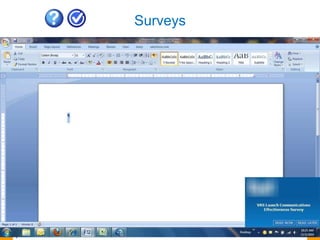
Surveys
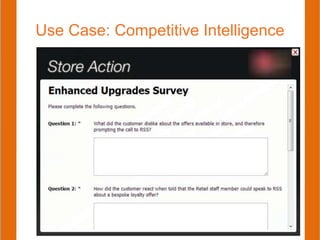
Use Case: Competitive Intelligence
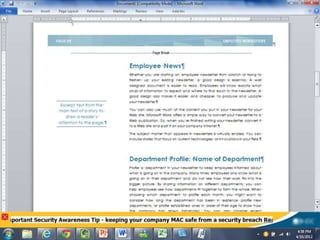
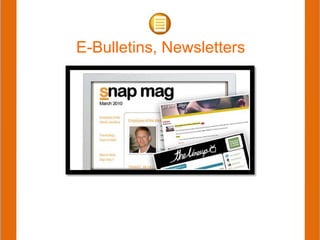
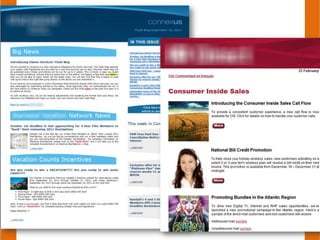
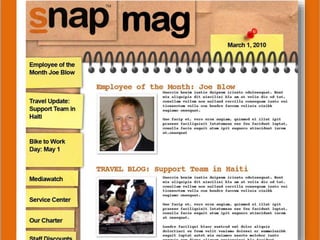
E-Bulletins, Newsletters
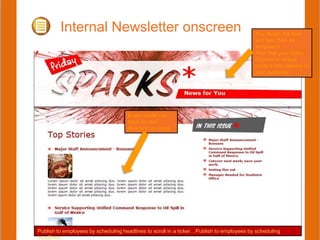
Internal Newsletter onscreen You design the look
and feel, then we
template it.
After that your Editor
focuses on actual
content and delivery to
your audience.
Every article can
have its own
lifespan/run dates.
Publish to employees by scheduling headlines to scroll in a ticker…Publish to employees by scheduling
headlines
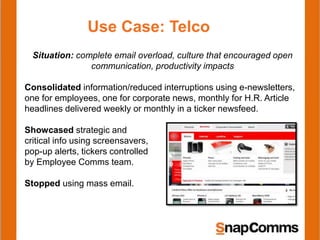
Use Case: Telco
Situation: complete email overload, culture that encouraged open
communication, productivity impacts
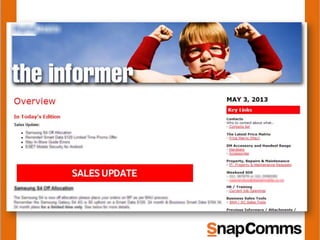
Consolidated information/reduced interruptions using e-newsletters,
one for employees, one for corporate news, monthly for H.R. Article
headlines delivered weekly or monthly in a ticker newsfeed.
Showcased strategic and
critical info using screensavers,
pop-up alerts, tickers controlled
by Employee Comms team.
Stopped using mass email.
Thank You!
Please Contact us to:
• Set up a free Trial
• Connect with a person to ask questions
• Get pricing or a quote
• Discuss a specific situation
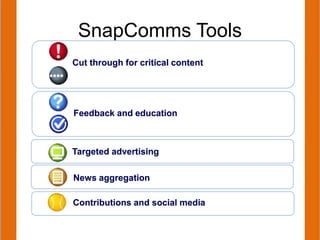
Contributions and social media
News aggregation
Targeted advertising
SnapComms Tools
Feedback and education
Cut through for critical content
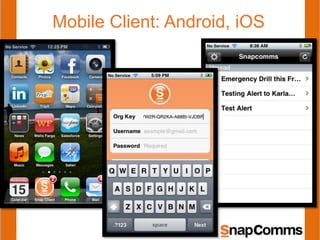
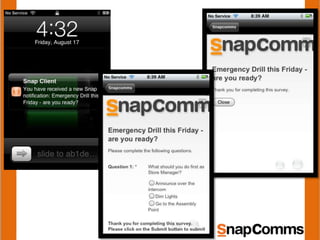
Mobile Client: Android, iOS
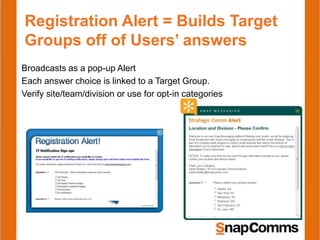
Registration Alert = Builds Target
Groups off of Users’ answers
Broadcasts as a pop-up Alert
Each answer choice is linked to a Target Group.
Verify site/team/division or use for opt-in categories
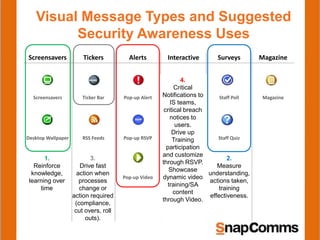
Visual Message Types and Suggested
Security Awareness Uses
Screensavers Tickers Alerts Interactive Surveys Magazine
Screensavers Ticker Bar Pop-up Alert Forums Staff Poll Magazine
Desktop Wallpaper RSS Feeds Pop-up RSVP Blogs Staff Quiz
Pop-up Video Helpdesk
Q&A
1.
Reinforce
knowledge,
learning over
time
2.
Measure
understanding,
actions taken,
training
effectiveness.
3.
Drive fast
action when
processes
change or
action required
(compliance,
cut overs, roll
outs).
4.
Critical
Notifications to
IS teams,
critical breach
notices to
users.
Drive up
Training
participation
and customize
through RSVP.
Showcase
dynamic video
training/SA
content
through Video.

Overview of SnapComms Internal Communication Software

  • 1.
    Bypass email and getinfo directly to staff. Demo & Discussion - Paula Cassin, SnapComms North America Get Employee Attention
  • 2.
  • 3.
    Communication tools thatbroadcast visual content directly onto the screens of computers, using multiple channels and formats Easy to install. Easy and quick to use. Measure delivery, click-throughs, responses. INFO FOR YOU….INFO FOR Y
  • 4.
  • 5.
    Visual Message Typesand Suggested Employee Communication Uses Screensavers Tickers Alerts Surveys Magazine Screensavers Ticker Bar Pop-up Alert Staff Poll Magazine Desktop Wallpaper RSS Feeds Pop-up RSVP Staff Quiz Pop-up Video Reinforce knowledge, learning over time. Improve awareness of strategic initiatives, enhance employee recognition programs Measure understanding, actions taken, training effectiveness. Drive fast action when processes change or action required (compliance, cut overs, roll outs). Ensure critical notifications cut through Drive up event participation and/or video views Consolidate updates into a visually absorbable package to drive efficient knowledge transfer Facilitate audience contributions
  • 6.
  • 7.
  • 8.
    Pop-Up Alert Notifications •Ensure audiences seek critical messages in time • Target messages to everyone or just to specific employee groups involved • Drive fast action when processes change or action required • Showcase video tips, messages, content • Increase Event/Training registrations
  • 9.
    Send a dynamicpop-up alert and have it automatically return later, if not actioned.
  • 11.
    Send a dynamicpop-up alert and have it automatically return later, if not actioned.
  • 13.
  • 15.
    Use Case: Weather/Emergency Maintaingreat service when situation changing fast Improve productivity, engagement, customer satisfaction
  • 16.
    Use Case: Outages •Reduce unnecessary calls to helpdesk • Save employees’ time • Get back up measures plans in place faster
  • 17.
  • 18.
  • 19.
    Use Case: Process/PolicyChanges Get confirmation/acknowledgement to ensure compliance
  • 21.
  • 22.
    Ticker/RSS Scroll • Ensureaudiences seek critical messages in time • Target messages to everyone or just to specific employee groups involved • Drive fast action when processes change or action required (compliance, cut overs, roll outs)
  • 23.
  • 26.
    Link a TickerHeadline to a URL – when your audience clicks on the headline, it will launch the page and take them to the information you need them to see or act upon.
  • 27.
  • 28.
  • 29.
    Use Case: PlannedOutages • Only those active see them – no noise for others • No impact- users can log out/finish in time before service/application taken down
  • 30.
    Use Case: RetailNewsfeed or RSS Showcase intranet portal news on P.O.S. displays Reach shared-login audiences when they do use the computer For outages/emergencies: leave onscreen until situation is over
  • 31.
  • 32.
  • 33.
    Solution Elements Secure MessageManagement portal for creating, sending, and managing messages/content The Back end infrastructure – core application housed and managed either in Snap’s data center (hosted version) or within your own data network (in- house version). SnapComms Client, the desktop applet which pulls down new content, broadcasts messages to the PC, and gives users access to the message history.
  • 34.
  • 35.
    Client/User Options onPC/Mac On PCs and Macs, SnapComms client software can pick up Active Directory User information, including static groups and attributes. Users automatically are registered upon install of the software and appear in the User list (available to Administrators).
  • 36.
  • 37.
    Administration • Safely delegateAdmin rights to multiple groups • Manage messages, volumes, audience, distribution lists • Measure and track alert messages, user responses, and Admin activity
  • 38.
    Login to theContent Manager from a computer, tablet (or even smartphone) to create/send message
  • 39.
  • 40.
    Simple to setup and publish
  • 41.
    Targeting Messages Send onlyto those who need to know. •Active Directory sync = automatically makes AD groups available to use in SnapComms •Advanced upload csv function to sync group data from other sources •Audience group registration = use special alert to confirm location/role/BU etc. directly with your audience and automatically populate target groups.
  • 42.
    Targeting Messages Send onlyto those who need to know. •SnapComms sync with Active Directory automatically makes AD groups available to use in SnapComms •Advanced upload csv function to sync group data from other sources •Audience group registration = use special alert to confirm location/role/BU etc. directly with your audience and automatically populate target groups.
  • 43.
    Reports on Activity,Delivery Content Calendar shows current and planned messaging
  • 44.
    Reports – messagespecific or summary Rich reporting function = by message or by Administrator
  • 45.
    Administrator Permissions Limit AdminRights to • Folders • Message Types • Target Groups • Management Functions
  • 46.
    Screensavers • Reinforce datasecurity behaviors through visual reminders • Change behavior and impart knowledge over time • Easily change out content items with no network impact • Target multiple messages to appropriate audiences • Enable Links and drive people to more info online, quizzes, audits, interactive forums on security awareness
  • 47.
  • 48.
    How Do theywork? 1. Upload your content to the Content Manager as a new screensaver message 2. Choose your Target Audience 3. Set display duration and other options 4. “Publish” out to your audience 5. Your message now cycles on their computer during screen saver mode, together with any other active screensaver targeted to them Screensavers
  • 49.
    • Each employees’screensaver becomes series of revolving visual messages • Include hyperlinks/images so staff can click to access more information • Option to allow staff the choice of one personalized screen saver • Use “countdown” templates to count down to important events • Update and change screensavers easily, without any major IT deployment or involvement Interactive Screensavers
  • 50.
  • 54.
    Desktop wallpaper • Cyclemultiple messages during the day as wallpaper • Reinforce key behaviors over time • Target different visuals to retail, corporate, customer-facing vs internal devices
  • 55.
  • 56.
  • 58.
    Pop-up Quizzes andSurveys • Survey to understand current behaviors • Quiz to reinforce best practice and measure understanding • Visual delivery and auto-reminders ensure high response rates • Send to smaller employee sample groups more often and still get statistically relevant data
  • 59.
  • 62.
    Use Case: KnowledgeReinforcement
  • 63.
    Use Case: ConfirmUnderstanding
  • 64.
  • 65.
  • 66.
  • 67.
  • 68.
    Internal Newsletter onscreenYou design the look and feel, then we template it. After that your Editor focuses on actual content and delivery to your audience. Every article can have its own lifespan/run dates. Publish to employees by scheduling headlines to scroll in a ticker…Publish to employees by scheduling headlines
  • 69.
    Use Case: Telco Situation:complete email overload, culture that encouraged open communication, productivity impacts Consolidated information/reduced interruptions using e-newsletters, one for employees, one for corporate news, monthly for H.R. Article headlines delivered weekly or monthly in a ticker newsfeed. Showcased strategic and critical info using screensavers, pop-up alerts, tickers controlled by Employee Comms team. Stopped using mass email.
  • 74.
    Thank You! Please Contactus to: • Set up a free Trial • Connect with a person to ask questions • Get pricing or a quote • Discuss a specific situation
  • 75.
    Contributions and socialmedia News aggregation Targeted advertising SnapComms Tools Feedback and education Cut through for critical content
  • 76.
  • 78.
    Registration Alert =Builds Target Groups off of Users’ answers Broadcasts as a pop-up Alert Each answer choice is linked to a Target Group. Verify site/team/division or use for opt-in categories
  • 79.
    Visual Message Typesand Suggested Security Awareness Uses Screensavers Tickers Alerts Interactive Surveys Magazine Screensavers Ticker Bar Pop-up Alert Forums Staff Poll Magazine Desktop Wallpaper RSS Feeds Pop-up RSVP Blogs Staff Quiz Pop-up Video Helpdesk Q&A 1. Reinforce knowledge, learning over time 2. Measure understanding, actions taken, training effectiveness. 3. Drive fast action when processes change or action required (compliance, cut overs, roll outs). 4. Critical Notifications to IS teams, critical breach notices to users. Drive up Training participation and customize through RSVP. Showcase dynamic video training/SA content through Video.

Editor's Notes

  • #9 Pop-up Alerts. Sender can schedule when it appears and target specific distribution lists. Format can be branded to match company intranet/other communications channels.
  • #34 The other half of the story: the Snap Client. The SnapClient is essentially a widget installed on computers that manages the display of information. It reads the user’s details, checks for new messages, pulls down any messages targeted to them, and displays the messages as set by the sender. Employees cannot exit or turn off the software. Most companies will have their IT department centrally deploy the Snap Client, just as they would any other software application. (We provide it as an .msi package).
  • #36 The Snap Client icon sits in the task bar. If a viewer clicks on it, the Message History window appears, showing all current messages that have been delivered. Useful if you want to revisit a message later.
  • #37 SnapComms is a client-server software. The Content Manager Portal is where administrators login to create and send messages, view reports, track delivery, manage groups and users. The software can be provided as a hosted version (Snap hosts the Content Manager in the cloud and connects to PCs using encrypted, secure paths) or as an enterprise version (customer hosts the software on its own servers completely behind the firewall).
  • #51 Countdown screensaver example (set before and after image and links)
  • #53 Screensavers can be made INTERACTIVE – set hyperlinks and have employees click through to respond or find out more. (If interactive, hitting ESC key will allow exiting of screensavers without going to the URLs.)
  • #62 Virgin Mobile – Retail Communications in the UK across their cellphone/technology stores. Daily Bonus quiz testing sales knowledge. Gather market intelligence from Store Managers.
  • #66 Virgin Mobile – Retail Communications in the UK across their cellphone/technology stores. Daily Bonus quiz testing sales knowledge. Gather market intelligence from Store Managers.