channels that  push communications   onto  computer screens   using a range of different on-screen formats
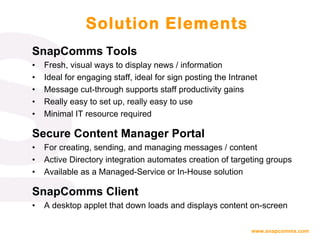
SnapComms Tools Fresh, visual ways to display news / information Ideal for engaging staff, ideal for sign posting the Intranet Message cut-through supports staff productivity gains  Really easy to set up, really easy to use Minimal IT resource required Secure Content Manager Portal For creating, sending, and managing messages / content Active Directory integration automates creation of targeting groups Available as a Managed-Service or In-House solution SnapComms Client A desktop applet that down loads and displays content on-screen Solution Elements
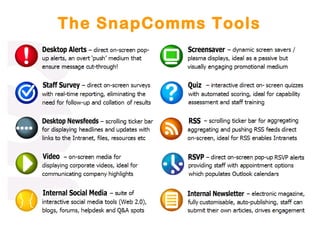
The SnapComms Tools
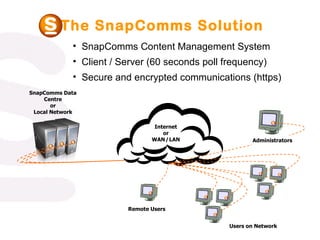
The SnapComms Solution Users on Network Remote Users Administrators SnapComms Data Centre or Local Network Internet or WAN   /   LAN SnapComms Content Management System  Client / Server (60 seconds poll frequency) Secure and encrypted communications (https)
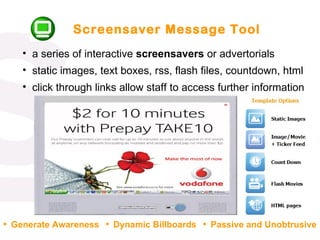
Screensaver Message Tool a series of interactive  screensavers  or advertorials static images, text boxes, rss, flash files, countdown, html click through links allow staff to access further information Generate Awareness Dynamic Billboards Passive and Unobtrusive
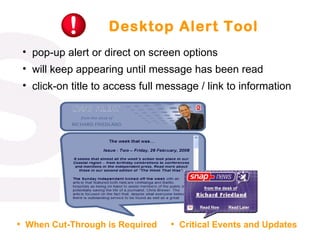
Desktop Alert Tool pop-up alert or direct on screen options will keep appearing until message has been read click-on title to access full message / link to information  When Cut-Through is Required Critical Events and Updates
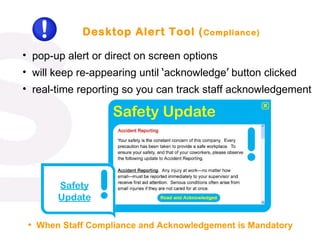
Desktop Alert Tool ( Compliance) pop-up alert or direct on screen options will keep re-appearing until  ‘ acknowledge ’  button clicked real-time reporting so you can track staff acknowledgement When Staff Compliance and Acknowledgement is Mandatory
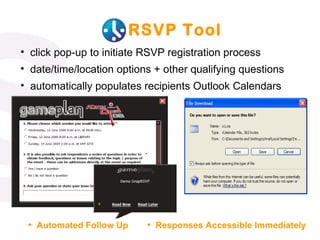
RSVP Tool click pop-up to initiate RSVP registration process date/time/location options + other qualifying questions automatically populates recipients Outlook Calendars Automated Follow Up Responses Accessible Immediately
Video Alert Tool links to networked video files which streams when clicked simple dissemination of corporate video out to staff  supports Windows Media, MPEG and QuickTime formats  Personalizes Senior Management Corporate Training Medium
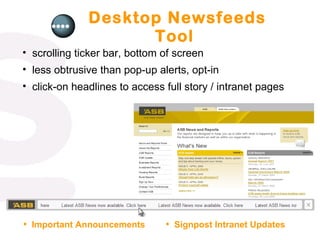
Desktop Newsfeeds Tool scrolling ticker bar, bottom of screen less obtrusive than pop-up alerts, opt-in click-on headlines to access full story / intranet pages  Important Announcements Signpost Intranet Updates
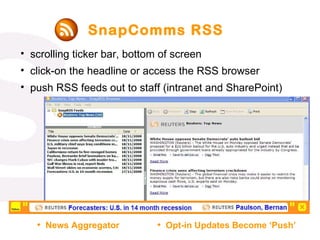
SnapComms RSS scrolling ticker bar, bottom of screen click-on the headline or access the RSS browser push RSS feeds out to staff (intranet and SharePoint)  News Aggregator Opt-in Updates Become ‘Push’
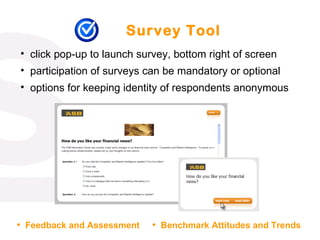
Survey Tool click pop-up to launch survey, bottom right of screen participation of surveys can be mandatory or optional options for keeping identity of respondents anonymous Feedback and Assessment Benchmark Attitudes and Trends
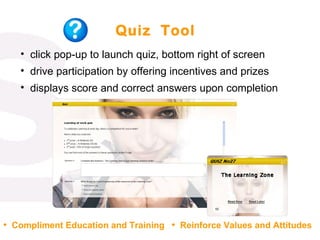
Quiz  Tool click pop-up to launch quiz, bottom right of screen drive participation by offering incentives and prizes displays score and correct answers upon completion  Compliment Education and Training Reinforce Values and Attitudes
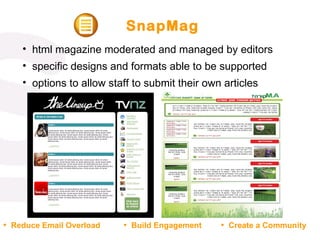
SnapMag html magazine moderated and managed by editors  specific designs and formats able to be supported options to allow staff to submit their own articles Reduce Email Overload Build Engagement Create a Community
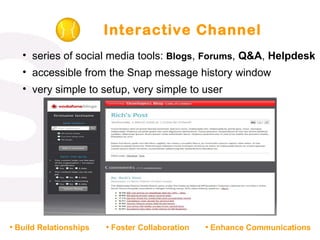
Interactive Channel series of social media tools:  Blogs ,  Forums ,  Q&A ,  Helpdesk   accessible from the Snap message history window very simple to setup, very simple to user Build Relationships Foster Collaboration Enhance Communications
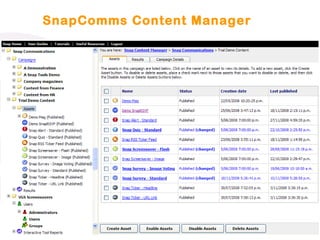
SnapComms Content Manager
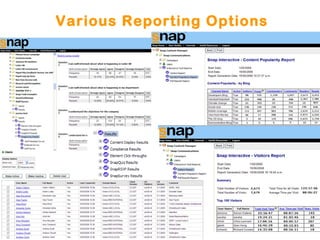
Various Reporting Options
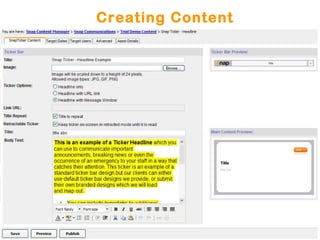
Creating Content
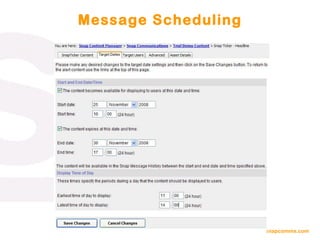
Message Scheduling
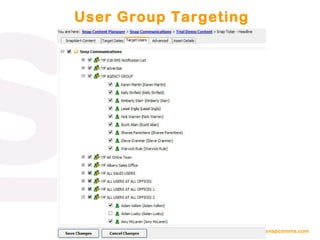
User Group Targeting
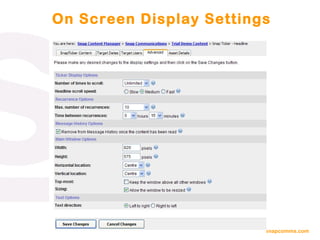
On Screen Display Settings
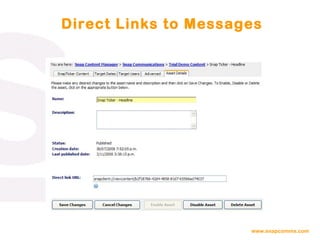
Direct Links to Messages
“ Only  one out of every five workers  today is giving full discretionary effort on the job… … .and this “ engagement gap ” posses serious risk for employers… … .because of the strong connection between  employee engagement  and  company financial performance ” Towers Perrin Global Workforce Study 2007 - 2008

SnapComms Internal Communication Channels

  • 1.
    channels that push communications onto computer screens using a range of different on-screen formats
  • 2.
    SnapComms Tools Fresh,visual ways to display news / information Ideal for engaging staff, ideal for sign posting the Intranet Message cut-through supports staff productivity gains Really easy to set up, really easy to use Minimal IT resource required Secure Content Manager Portal For creating, sending, and managing messages / content Active Directory integration automates creation of targeting groups Available as a Managed-Service or In-House solution SnapComms Client A desktop applet that down loads and displays content on-screen Solution Elements
  • 3.
  • 4.
    The SnapComms SolutionUsers on Network Remote Users Administrators SnapComms Data Centre or Local Network Internet or WAN / LAN SnapComms Content Management System Client / Server (60 seconds poll frequency) Secure and encrypted communications (https)
  • 5.
    Screensaver Message Toola series of interactive screensavers or advertorials static images, text boxes, rss, flash files, countdown, html click through links allow staff to access further information Generate Awareness Dynamic Billboards Passive and Unobtrusive
  • 6.
    Desktop Alert Toolpop-up alert or direct on screen options will keep appearing until message has been read click-on title to access full message / link to information When Cut-Through is Required Critical Events and Updates
  • 7.
    Desktop Alert Tool( Compliance) pop-up alert or direct on screen options will keep re-appearing until ‘ acknowledge ’ button clicked real-time reporting so you can track staff acknowledgement When Staff Compliance and Acknowledgement is Mandatory
  • 8.
    RSVP Tool clickpop-up to initiate RSVP registration process date/time/location options + other qualifying questions automatically populates recipients Outlook Calendars Automated Follow Up Responses Accessible Immediately
  • 9.
    Video Alert Toollinks to networked video files which streams when clicked simple dissemination of corporate video out to staff supports Windows Media, MPEG and QuickTime formats Personalizes Senior Management Corporate Training Medium
  • 10.
    Desktop Newsfeeds Toolscrolling ticker bar, bottom of screen less obtrusive than pop-up alerts, opt-in click-on headlines to access full story / intranet pages Important Announcements Signpost Intranet Updates
  • 11.
    SnapComms RSS scrollingticker bar, bottom of screen click-on the headline or access the RSS browser push RSS feeds out to staff (intranet and SharePoint) News Aggregator Opt-in Updates Become ‘Push’
  • 12.
    Survey Tool clickpop-up to launch survey, bottom right of screen participation of surveys can be mandatory or optional options for keeping identity of respondents anonymous Feedback and Assessment Benchmark Attitudes and Trends
  • 13.
    Quiz Toolclick pop-up to launch quiz, bottom right of screen drive participation by offering incentives and prizes displays score and correct answers upon completion Compliment Education and Training Reinforce Values and Attitudes
  • 14.
    SnapMag html magazinemoderated and managed by editors specific designs and formats able to be supported options to allow staff to submit their own articles Reduce Email Overload Build Engagement Create a Community
  • 15.
    Interactive Channel seriesof social media tools: Blogs , Forums , Q&A , Helpdesk accessible from the Snap message history window very simple to setup, very simple to user Build Relationships Foster Collaboration Enhance Communications
  • 16.
  • 17.
  • 18.
  • 19.
  • 20.
  • 21.
  • 22.
  • 23.
    “ Only one out of every five workers today is giving full discretionary effort on the job… … .and this “ engagement gap ” posses serious risk for employers… … .because of the strong connection between employee engagement and company financial performance ” Towers Perrin Global Workforce Study 2007 - 2008

Editor's Notes

  • #2 There is lots of clear evidence that shows that companies with effective internal communications perform significantly better. Other examples include: “ There is an empirical link between employee commitment, customer satisfaction and an increase in sales. Analysis of data from 65,000 employees and 25,000 customers showed that a one point increase in employee commitment (on a five point scale) represents a 9% increase in monthly sales.” Watson Wyatt Work USA 2002 Survey “ A significant improvement in communication effectiveness is associated with a 29.5% increase in market value ” Fortune magazine
  • #5 What are the key components to the Snap hosted solution? “ The Platform” and “The “Content Manager” The Snap solution is hosted and managed remotely. A good comparison is internet banking. With internet banking, after logging on with a user name and password, it is then possible to set up tools (such as automatic payments to people etc). In a similar way, “Snap Administrators” (e.g. nominated member(s) of the Internal Communications team with a company) go to the Snap website, logon with a user name and password, and can then set up their internal communications tools or “Content” (screen savers, tickers, alerts, quizzes, surveys, electronic magazines). “Content” is then delivered to specified “Users” within their organization via communication with the “Snap Client” over the Internet. “ The Client” In order to receive “Content” a “User” must have the “Snap Client” installed on their computer. The Snap Client is a small program (approx. 1.6M) whose sole purpose is to display and manage “Content” directed to it. The “Content” “ Content” consists of any of the snap tools (screen savers, tickers, alerts, quizzes, surveys, electronic magazines) customized (with text, display style, flash animation, images etc) to display the appropriate messages as specified by the “Content Manager”.