Google
Analytics for
Small Business
Presented by: Keidra Chaney
What we will cover
• Google Analytics Key Metrics
• What to Measure on your site
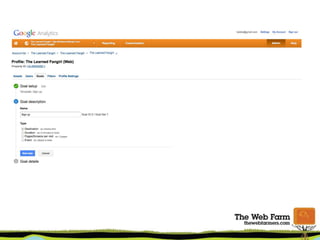
• Goals and Conversions
• More Resources
About Me
• Started as web content manager, knowledge of
HTML, CSS, PHP
• Google Analytics became my strategy tool
• Trained through books, courses and
experience.
• Became a web analytics evangelist (and nag)
at my workplace.
• Started consulting on analytics and website
optimization
(Kinda) Hands-On
Think before you do!
Getting Set Up
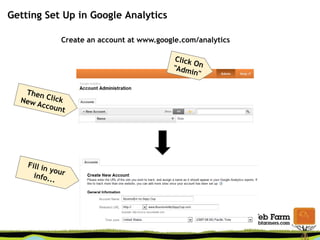
Getting Set Up in Google Analytics
Create an account at www.google.com/analytics
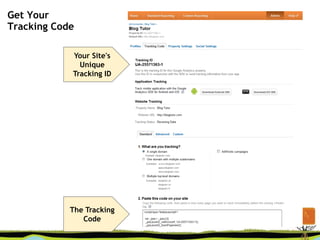
Get Your
Tracking Code
Your Site's
Unique
Tracking ID
The Tracking
Code
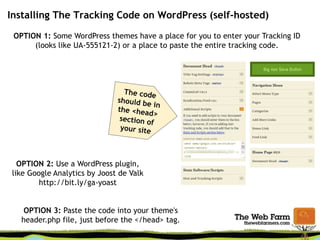
Installing The Tracking Code on WordPress (self-hosted)
OPTION 1: Some WordPress themes have a place for you to enter your Tracking ID
(looks like UA-555121-2) or a place to paste the entire tracking code.
OPTION 2: Use a WordPress plugin,
like Google Analytics by Joost de Valk
http://bit.ly/ga-yoast
OPTION 3: Paste the code into your theme's
header.php file, just before the </head> tag.
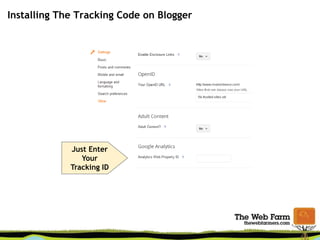
Installing The Tracking Code on Blogger
Just Enter
Your
Tracking ID
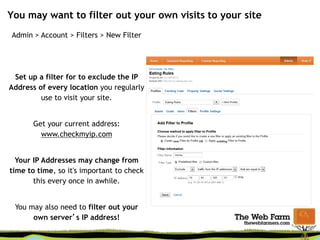
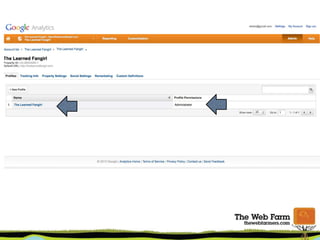
You may want to filter out your own visits to your site
Admin > Account > Filters > New Filter
Set up a filter for to exclude the IP
Address of every location you regularly
use to visit your site.
Get your current address:
www.checkmyip.com
Your IP Addresses may change from
time to time, so it's important to check
this every once in awhile.
You may also need to filter out your
own server’s IP address!
Google Analytics Key
Terms
Pageviews:
Every time a
visitor views a
web page on a
site
Unique Visitors:
The number of
individuals who
have been to
your site during
the date range
Average
Number of
Pages Viewed
per Visit
(2-3 is typical)
Bounce Rate:
Percentage of
visitors who
leave after
viewing only
one page
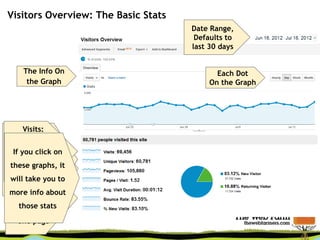
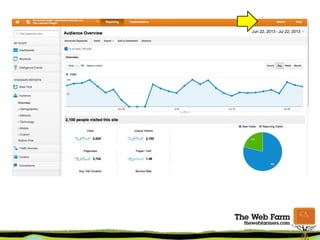
Visitors Overview: The Basic Stats
Date Range,
Defaults to
last 30 days
The Info On
the Graph
Each Dot
On the Graph
Visits:
Someone
comes to your
blog, views 1+
pages, then
leaves
If you click on
these graphs, it
will take you to
more info about
those stats
What to Measure on Your
Site
Avoid Data Overload!
Identify the key metrics that tell your how your site is
performing against your set goals.
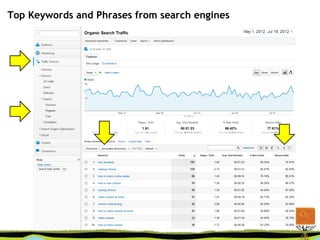
• Top Key Phrases from search engines
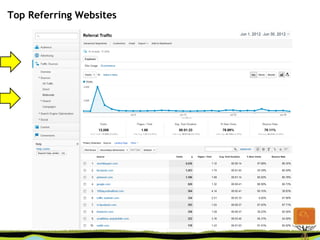
• Top Referring Websites
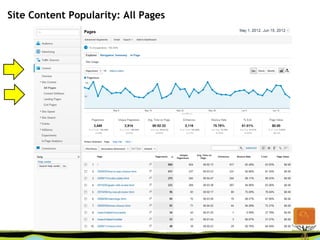
• Site Content Popularity
• Site Bounce Rate
Avoid Data Overload!
Identify the key metrics that tell your how your site is
performing against your set goals.
• Top Key Phrases from search engines
• Top Referring Websites
• Site Content Popularity
• Site Bounce Rate
Avoid Data Overload!
Identify the key metrics that tell your how your site is
performing against your set goals.
• Top Key Phrases from search engines
• Top Referring Websites
• Site Content Popularity
• Site Bounce Rate
Avoid Data Overload!
Identify the key metrics that tell your how your site is
performing against your set goals.
• Top Key Phrases from search engines
• Top Referring Websites
• Site Content Popularity
• Site Bounce Rate
Top Keywords and Phrases from search engines
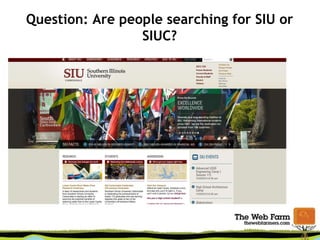
Question: Are people searching for SIU or
SIUC?
Top Referring Websites
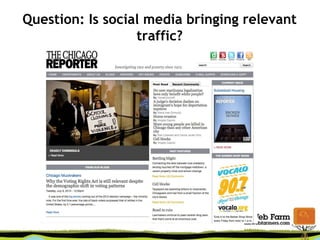
Question: Is social media bringing relevant
traffic?
Site Content Popularity: All Pages
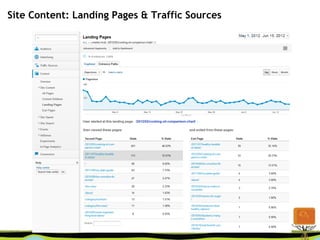
Site Content: Landing Pages & Traffic Sources
Question: Is our new content
focus performing well?
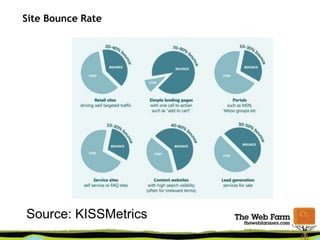
Site Bounce Rate
Source: KISSMetrics
The key is context
“What am I looking at?”
What question are you
trying to answer?
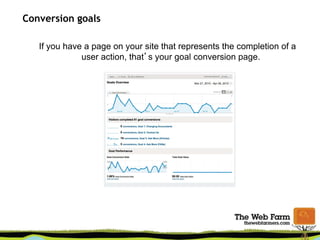
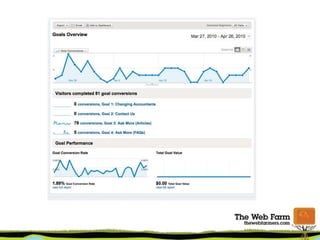
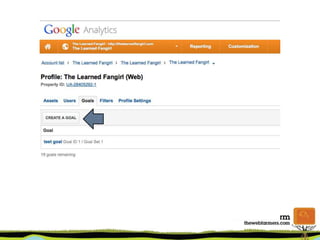
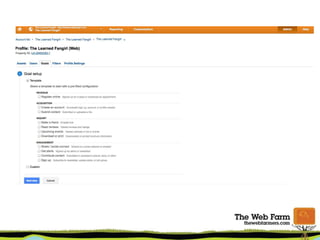
Conversion goals
If you have a page on your site that represents the completion of a
user action, that’s your goal conversion page.
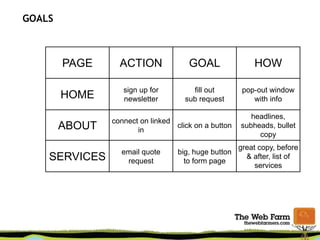
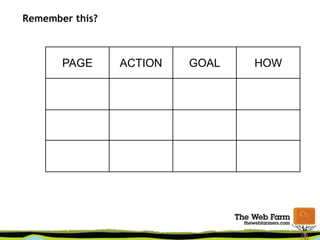
GOALS
PAGE ACTION GOAL HOW
HOME
sign up for
newsletter
fill out
sub request
pop-out window
with info
ABOUT
connect on linked
in
click on a button
headlines,
subheads, bullet
copy
SERVICES
email quote
request
big, huge button
to form page
great copy, before
& after, list of
services
Remember this?
PAGE ACTION GOAL HOW
Other metrics and
measurement tools
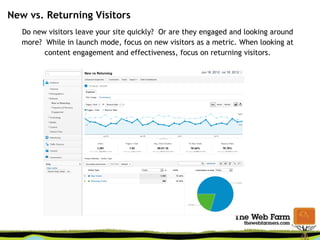
New vs. Returning Visitors
Do new visitors leave your site quickly? Or are they engaged and looking around
more? While in launch mode, focus on new visitors as a metric. When looking at
content engagement and effectiveness, focus on returning visitors.
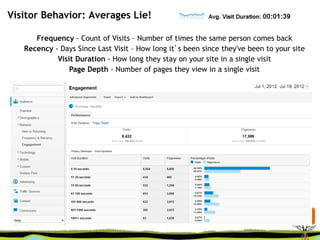
Visitor Behavior: Averages Lie!
Frequency - Count of Visits – Number of times the same person comes back
Recency - Days Since Last Visit – How long it’s been since they've been to your site
Visit Duration - How long they stay on your site in a single visit
Page Depth - Number of pages they view in a single visit
Google Analytics URL Builder (Google it!)
Add these tags to your links to track incoming traffic from
your e-mails, social media campaigns
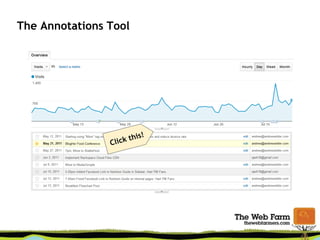
The Annotations Tool
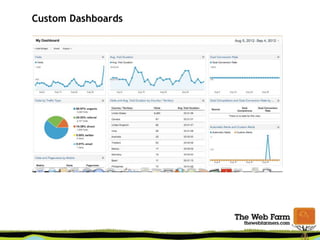
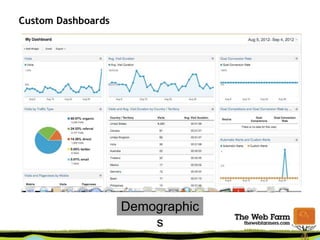
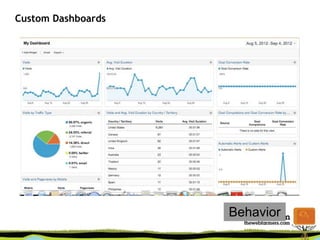
Custom Dashboards
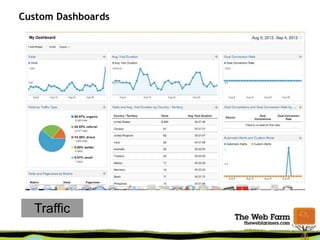
Custom Dashboards
Traffic
Custom Dashboards
Demographic
s
Custom Dashboards
Behavior
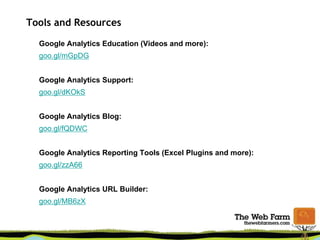
Tools and Resources
Google Analytics Education (Videos and more):
goo.gl/mGpDG
Google Analytics Support:
goo.gl/dKOkS
Google Analytics Blog:
goo.gl/fQDWC
Google Analytics Reporting Tools (Excel Plugins and more):
goo.gl/zzA66
Google Analytics URL Builder:
goo.gl/MB6zX
Thanks!
keidra@gmail.com
www.keidrachaney.com
@kdc

Google Analytics Dabble

  • 1.
  • 2.
    What we willcover • Google Analytics Key Metrics • What to Measure on your site • Goals and Conversions • More Resources
  • 3.
    About Me • Startedas web content manager, knowledge of HTML, CSS, PHP • Google Analytics became my strategy tool • Trained through books, courses and experience. • Became a web analytics evangelist (and nag) at my workplace. • Started consulting on analytics and website optimization
  • 4.
  • 5.
  • 6.
  • 7.
    Getting Set Upin Google Analytics Create an account at www.google.com/analytics
  • 8.
    Get Your Tracking Code YourSite's Unique Tracking ID The Tracking Code
  • 9.
    Installing The TrackingCode on WordPress (self-hosted) OPTION 1: Some WordPress themes have a place for you to enter your Tracking ID (looks like UA-555121-2) or a place to paste the entire tracking code. OPTION 2: Use a WordPress plugin, like Google Analytics by Joost de Valk http://bit.ly/ga-yoast OPTION 3: Paste the code into your theme's header.php file, just before the </head> tag.
  • 10.
    Installing The TrackingCode on Blogger Just Enter Your Tracking ID
  • 11.
    You may wantto filter out your own visits to your site Admin > Account > Filters > New Filter Set up a filter for to exclude the IP Address of every location you regularly use to visit your site. Get your current address: www.checkmyip.com Your IP Addresses may change from time to time, so it's important to check this every once in awhile. You may also need to filter out your own server’s IP address!
  • 12.
  • 13.
    Pageviews: Every time a visitorviews a web page on a site Unique Visitors: The number of individuals who have been to your site during the date range Average Number of Pages Viewed per Visit (2-3 is typical) Bounce Rate: Percentage of visitors who leave after viewing only one page Visitors Overview: The Basic Stats Date Range, Defaults to last 30 days The Info On the Graph Each Dot On the Graph Visits: Someone comes to your blog, views 1+ pages, then leaves If you click on these graphs, it will take you to more info about those stats
  • 14.
    What to Measureon Your Site
  • 15.
    Avoid Data Overload! Identifythe key metrics that tell your how your site is performing against your set goals. • Top Key Phrases from search engines • Top Referring Websites • Site Content Popularity • Site Bounce Rate
  • 16.
    Avoid Data Overload! Identifythe key metrics that tell your how your site is performing against your set goals. • Top Key Phrases from search engines • Top Referring Websites • Site Content Popularity • Site Bounce Rate
  • 17.
    Avoid Data Overload! Identifythe key metrics that tell your how your site is performing against your set goals. • Top Key Phrases from search engines • Top Referring Websites • Site Content Popularity • Site Bounce Rate
  • 18.
    Avoid Data Overload! Identifythe key metrics that tell your how your site is performing against your set goals. • Top Key Phrases from search engines • Top Referring Websites • Site Content Popularity • Site Bounce Rate
  • 19.
    Top Keywords andPhrases from search engines
  • 20.
    Question: Are peoplesearching for SIU or SIUC?
  • 21.
  • 22.
    Question: Is socialmedia bringing relevant traffic?
  • 23.
  • 24.
    Site Content: LandingPages & Traffic Sources
  • 25.
    Question: Is ournew content focus performing well?
  • 26.
  • 27.
    The key iscontext
  • 28.
    “What am Ilooking at?”
  • 29.
    What question areyou trying to answer?
  • 30.
    Conversion goals If youhave a page on your site that represents the completion of a user action, that’s your goal conversion page.
  • 32.
    GOALS PAGE ACTION GOALHOW HOME sign up for newsletter fill out sub request pop-out window with info ABOUT connect on linked in click on a button headlines, subheads, bullet copy SERVICES email quote request big, huge button to form page great copy, before & after, list of services
  • 40.
  • 41.
  • 42.
    New vs. ReturningVisitors Do new visitors leave your site quickly? Or are they engaged and looking around more? While in launch mode, focus on new visitors as a metric. When looking at content engagement and effectiveness, focus on returning visitors.
  • 43.
    Visitor Behavior: AveragesLie! Frequency - Count of Visits – Number of times the same person comes back Recency - Days Since Last Visit – How long it’s been since they've been to your site Visit Duration - How long they stay on your site in a single visit Page Depth - Number of pages they view in a single visit
  • 44.
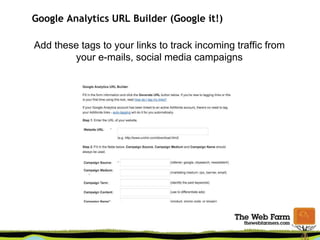
    Google Analytics URLBuilder (Google it!) Add these tags to your links to track incoming traffic from your e-mails, social media campaigns
  • 45.
  • 46.
  • 47.
  • 48.
  • 49.
  • 50.
    Tools and Resources GoogleAnalytics Education (Videos and more): goo.gl/mGpDG Google Analytics Support: goo.gl/dKOkS Google Analytics Blog: goo.gl/fQDWC Google Analytics Reporting Tools (Excel Plugins and more): goo.gl/zzA66 Google Analytics URL Builder: goo.gl/MB6zX
  • 51.

Editor's Notes

  • #8 www.eatingrules.com
  • #9 www.eatingrules.com
  • #10 www.eatingrules.com
  • #11 www.eatingrules.com
  • #12 www.eatingrules.com
  • #14 Sure, number of visitors is important… But so are a lot of other stats. Trends are even more important! The graphs can help you see if your site is growing over time, and if you reader engagement is growing over time. Is your bounce rate increasing or decreasing? How many pages per visit does your average visitor read? Looking at the “Big Picture” is much more important than simply looking at total number of visits or pageviews. (Even if you have advertising on your site.) Defaults to last 30 days. Click to change… Can also compare time periods. “ Bounce Rate” is the percentage of visitors who come to your site, view that one “landing” page, and then don’t view another page. Regular readers may also be “bouncers” because they will read your latest post and then leave. As such, bounce rates on blogs tend to be higher than other sites. Can view by day, week, or month. Choosing larger chunks can help identify trends. put in screenshot of whole dashboard, animate through all the definitions how to set date range definitions how to change the graph metric click on one of those graphs next to the overview metrics to get to a graph about that metric Visitor: An individual user of your site Visit/Session: Time from when a visitor enters and leaves your website Pageviews: Every time a visitor views a web page on a site Pages/Visit - 2 to 3 is typical Site Referrer: External web page that brought visitor to you Conversion: When a visitor completes an action (buys a product, subscribes to newsletter) Bounce Rate: Percentage of visitors that exit after only viewing one page of a website. Typical rate for a blog: 50% to 75% www.eatingrules.com
  • #20 www.eatingrules.com
  • #22 www.eatingrules.com
  • #24 www.eatingrules.com
  • #25 www.eatingrules.com
  • #43 www.eatingrules.com
  • #44 Not every visit lasts 1 minute and 31 seconds! Looking at the distribution curve helps us understand what ’s really happening. The blue bars below show you the percentage of visitors in each time-group. The distribution shows a completely different story than the overall average. 80% of my visits last less than 10 seconds! How can you reduce the % that are in the 0-10 second group? Start looking at the changes to this curve over time to gauge your progress and success. www.eatingrules.com