




Your Personal Brand and Social
              Media (part 2)
                     Scott Brown, Social Information Group – June 14, 2010
                         SLA Annual Conference, New Orleans, LA, USA


© 2010 Social Inf ormation Group
                                                 1
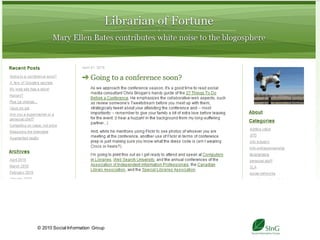
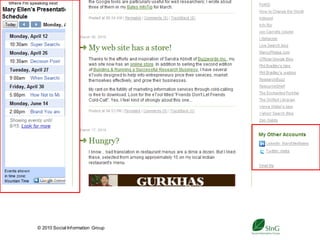
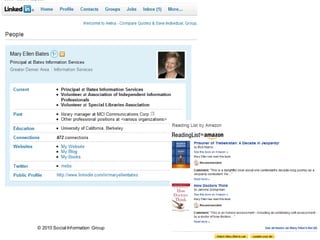
How are librarians and info pros using
         them successfully?


 © 2010 Social Inf ormation Group
                                    2
© 2010 Social Inf ormation Group
                                   3
© 2010 Social Inf ormation Group
                                   4
© 2010 Social Inf ormation Group
                                   5
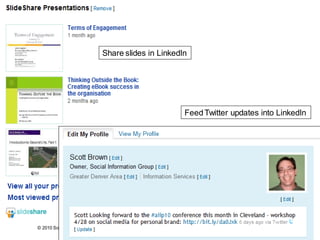
Share slides in LinkedIn


                                                     Feed Twitter updates into LinkedIn


© 2010 Social Inf ormation Group
                                                6
© 2010 Social Inf ormation Group
                                   7
Why does this work?
Online version of in-
 person networking
  Professional
  Employers
High level of participation
Easier for people to
 discover you
  © 2010 Social Inf ormation Group
                                     8
Brand and social tools
 Visibility, awareness, access
   Layers of presence and visibility
   Multiple access points to you
 Reinforce YOUR brand
   Demonstrate your expertise, knowledge,
    personality
 Enhance opportunities and “serendipity”
  Attract potential employers, partners and
   clients to you
  © 2010 Social Inf ormation Group
                                     9
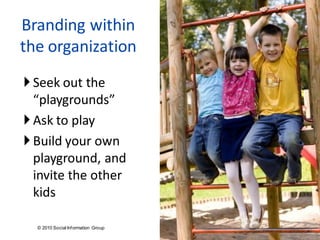
Branding within
the organization
 Seek out the
  “playgrounds”
 Ask to play
 Build your own
  playground, and
  invite the other
  kids

  © 2010 Social Inf ormation Group
                                     10
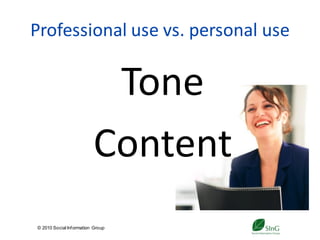
Professional use vs. personal use


                           Tone
                          Content
© 2010 Social Inf ormation Group
                                   11
Considerations
• Shift in thinking about yourself –
  and how you show up in the world
     • They seek me > I seek them
     • Gatekeeper > participant
     • You’re the authority on you
• Loss of control, more visibility,
  personal responsibility
      Can you handle that?
© 2010 Social Inf ormation Group
                                    12
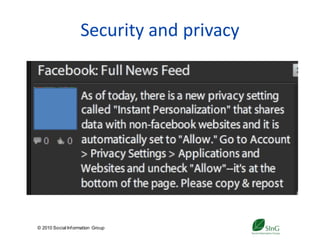
Security and privacy


© 2010 Social Inf ormation Group
                                   13
                                        State Library of New South Wales collection
Security and privacy


© 2010 Social Inf ormation Group
                                   14
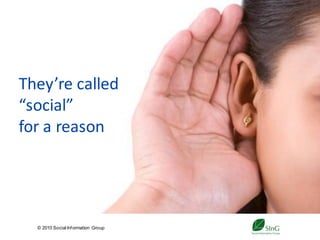
They’re called
“social”
for a reason


  © 2010 Social Inf ormation Group
                                     15
IT Dance Party, DC 2009


  © 2010 Social Inf ormation Group
                                     16
A deeper dive


                                   LinkedIn: http://www.linkedin.com
                                   Blogs
                                    WordPress: http://www.wordpress.com
                                    TypePad: http://www.typepad.com
                                    Blogger: http://www.blogger.com
                                   Twitter: http://www.twitter.com
© 2010 Social Inf ormation Group
                                             17
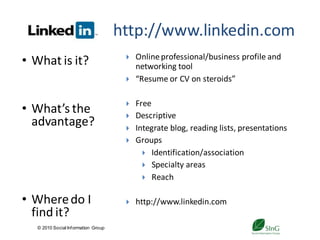
http://www.linkedin.com
• What is it?                             Online professional/business profile and
                                           networking tool
                                          “Resume or CV on steroids”

                                          Free
• What’s the                              Descriptive
  advantage?                              Integrate blog, reading lists, presentations
                                          Groups
                                              Identification/association
                                              Specialty areas
                                              Reach


• Where do I                              http://www.linkedin.com
  find it?
   © 2010 Social Inf ormation Group
                                                   18
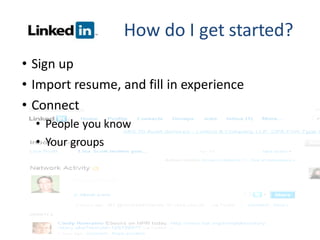
How do I get started?
• Sign up
• Import resume, and fill in experience
• Connect
  • People you know
  • Your groups


  © 2010 Social Inf ormation Group
                                         19
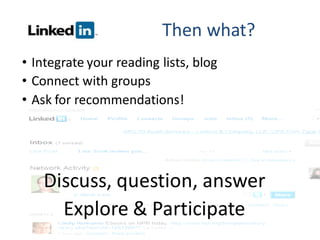
Then what?
• Integrate your reading lists, blog
• Connect with groups
• Ask for recommendations!


    Discuss, question, answer
      Explore & Participate
                  20
  © 2010 Social Inf ormation Group
Blogs
• What are                              Online journals – a place to share information,
                                         thought leadership, expertise, etc.
  they?                                 “Personal publishing”

                                        Generally free
                                        Great if you like to write – less formal
                                        “Testing ground” for articles, ideas, books
• What’s the                            Share about yourself:
  advantage?                                Professional /Expertise
                                            Interests
                                            Personality


                                        http://www.wordpress.com
 Where do I                            http://www.typepad.com
  find them?                            http://www.blogger.com

  © 2010 Social Inf ormation Group
                                               21
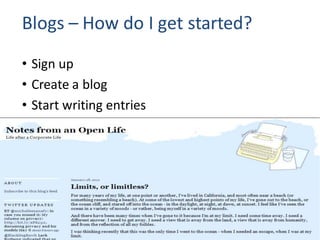
Blogs – How do I get started?
• Sign up
• Create a blog
• Start writing entries


  © 2010 Social Inf ormation Group
                                     22
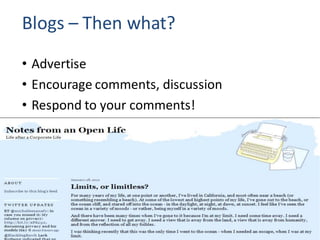
Blogs – Then what?
• Advertise
• Encourage comments, discussion
• Respond to your comments!


  © 2010 Social Inf ormation Group
                                     23
Twitter –                           http://www.twitter.com
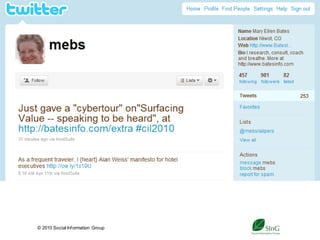
• What is it?                            “Microblogging” tool – like text messaging


                                         Free
                                         Find and “follow” peers, thought leaders
• What’s the                             Communicate (both ways)
  advantage?                             Share your own expertise
                                         Additional branding tool (“tweet” blog posts,
                                          conferences, workshops, etc.)


 Where do I                             http://www.twitter.com
  find it?
   © 2010 Social Inf ormation Group
                                                 24
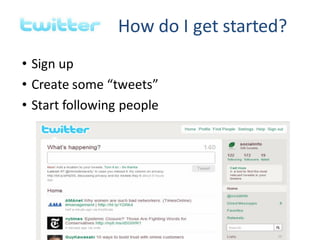
How do I get started?
• Sign up
• Create some “tweets”
• Start following people


  © 2010 Social Inf ormation Group
                                          25
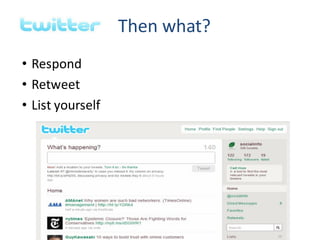
Then what?
• Respond
• Retweet
• List yourself


  © 2010 Social Inf ormation Group
                                         26
How do I integrate these as part of my
           personal brand?

Allow yourself the freedom to get used
 to them
Allow yourself the time to make them a
 habit
Don’t advertise them until you’re ready
Integrate with what you are already
 doing
  © 2010 Social Inf ormation Group
                                     27
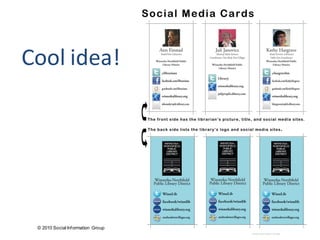
Cool idea!


 © 2010 Social Inf ormation Group
                                    28
Workflow
Make them a part of your “day”
  Establish a set day/time during the week
  Build into other processes
  Schedule in advance
Sustain
  Develop your own pace
  Evaluate

 © 2010 Social Inf ormation Group
                                        29
© 2010 Social Inf ormation Group
                                   30
Which is best for you?
LinkedIn
      Connection is key
Blogs
      Content is key
Twitter
      Connection, content and speed are key


 © 2010 Social Inf ormation Group
                                    31
Which is best for you?
 Which tool(s) would you choose?

 What would you share?

 How often – realistically – would you update
  it?


  © 2010 Social Inf ormation Group
                                     32
What’s my plan?


  © 2010 Social Inf ormation Group
                                     33
                                          © Sean Prior - Fotolia.com
Top 10 Online Branding Tips!
 Know what your brand is
 Build your personal brand outside of your
  employer
 Be professional…
 …and also make it authentic
 Leverage what others are doing


  © 2010 Social Inf ormation Group
                                     34
Top 10 Online Branding Tips!
 Don’t use social tools as your ONLY tool
 Start small
 Invite and involve others
 Experiment and play


  © 2010 Social Inf ormation Group
                                     35
“If you’re not prepared to be
           wrong, you’ll never come up
                 with anything original.”
                                        Sir Ken Robinson


© 2010 Social Inf ormation Group
                                   36
Have fun!


© 2010 Social Inf ormation Group
                                        37     Eric Benacek from Paris XII, France
© 2010 Social Inf ormation Group
                                   38
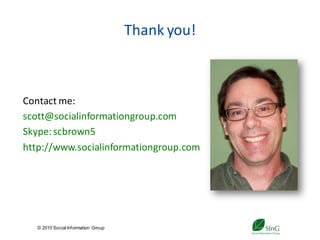
Thank you!


Contact me:
scott@socialinformationgroup.com
Skype: scbrown5
http://www.socialinformationgroup.com


   © 2010 Social Inf ormation Group
                                           39
References and resources
10 Apps to Schedule Future Tweets on Twitter (Social Times):
http://www.socialtimes.com/2010/02/10-apps-to-schedule-future-tweets-on-
twitter/?red=rb

Social Media Cards: A 2.0 Type of Business Card (The ‘M’ Word):
http://themwordblog.blogspot.com/2010/01/social-media-cards-20-type-of-business.html

Top 10 Rules for Having a Strong Personal Brand (Personal Branding Blog):
http://www.personalbrandingblog.com/top-10-rules-for-having-a-strong-personal-brand/

8 brand personalities Facebook and Twitter users hate (iMedia Connection):
http://www.imediaconnection.com/printpage/printpage.aspx?id=26460

10 ways to find new blog topics (TypePad):
http://www.typepad.com/tips/blog-topics-tips.html

Five Reasons I’m Not Quitting Facebook, May 20, 2010 (Peter Shankman):
http://shankman.com/five-reasons-im-not-quitting-facebook/


   © 2010 Social Inf ormation Group
                                           40

Your Personal Brand and Social Media

  • 1.
    Your Personal Brandand Social Media (part 2) Scott Brown, Social Information Group – June 14, 2010 SLA Annual Conference, New Orleans, LA, USA © 2010 Social Inf ormation Group 1
  • 2.
    How are librariansand info pros using them successfully? © 2010 Social Inf ormation Group 2
  • 3.
    © 2010 SocialInf ormation Group 3
  • 4.
    © 2010 SocialInf ormation Group 4
  • 5.
    © 2010 SocialInf ormation Group 5
  • 6.
    Share slides inLinkedIn Feed Twitter updates into LinkedIn © 2010 Social Inf ormation Group 6
  • 7.
    © 2010 SocialInf ormation Group 7
  • 8.
    Why does thiswork? Online version of in- person networking Professional Employers High level of participation Easier for people to discover you © 2010 Social Inf ormation Group 8
  • 9.
    Brand and socialtools  Visibility, awareness, access  Layers of presence and visibility  Multiple access points to you  Reinforce YOUR brand  Demonstrate your expertise, knowledge, personality  Enhance opportunities and “serendipity”  Attract potential employers, partners and clients to you © 2010 Social Inf ormation Group 9
  • 10.
    Branding within the organization Seek out the “playgrounds”  Ask to play  Build your own playground, and invite the other kids © 2010 Social Inf ormation Group 10
  • 11.
    Professional use vs.personal use Tone Content © 2010 Social Inf ormation Group 11
  • 12.
    Considerations • Shift inthinking about yourself – and how you show up in the world • They seek me > I seek them • Gatekeeper > participant • You’re the authority on you • Loss of control, more visibility, personal responsibility  Can you handle that? © 2010 Social Inf ormation Group 12
  • 13.
    Security and privacy ©2010 Social Inf ormation Group 13 State Library of New South Wales collection
  • 14.
    Security and privacy ©2010 Social Inf ormation Group 14
  • 15.
    They’re called “social” for areason © 2010 Social Inf ormation Group 15
  • 16.
    IT Dance Party,DC 2009 © 2010 Social Inf ormation Group 16
  • 17.
    A deeper dive LinkedIn: http://www.linkedin.com Blogs WordPress: http://www.wordpress.com TypePad: http://www.typepad.com Blogger: http://www.blogger.com Twitter: http://www.twitter.com © 2010 Social Inf ormation Group 17
  • 18.
    http://www.linkedin.com • What isit?  Online professional/business profile and networking tool  “Resume or CV on steroids”  Free • What’s the  Descriptive advantage?  Integrate blog, reading lists, presentations  Groups  Identification/association  Specialty areas  Reach • Where do I  http://www.linkedin.com find it? © 2010 Social Inf ormation Group 18
  • 19.
    How do Iget started? • Sign up • Import resume, and fill in experience • Connect • People you know • Your groups © 2010 Social Inf ormation Group 19
  • 20.
    Then what? • Integrateyour reading lists, blog • Connect with groups • Ask for recommendations! Discuss, question, answer Explore & Participate 20 © 2010 Social Inf ormation Group
  • 21.
    Blogs • What are  Online journals – a place to share information, thought leadership, expertise, etc. they?  “Personal publishing”  Generally free  Great if you like to write – less formal  “Testing ground” for articles, ideas, books • What’s the  Share about yourself: advantage?  Professional /Expertise  Interests  Personality  http://www.wordpress.com  Where do I  http://www.typepad.com find them?  http://www.blogger.com © 2010 Social Inf ormation Group 21
  • 22.
    Blogs – Howdo I get started? • Sign up • Create a blog • Start writing entries © 2010 Social Inf ormation Group 22
  • 23.
    Blogs – Thenwhat? • Advertise • Encourage comments, discussion • Respond to your comments! © 2010 Social Inf ormation Group 23
  • 24.
    Twitter – http://www.twitter.com • What is it?  “Microblogging” tool – like text messaging  Free  Find and “follow” peers, thought leaders • What’s the  Communicate (both ways) advantage?  Share your own expertise  Additional branding tool (“tweet” blog posts, conferences, workshops, etc.)  Where do I  http://www.twitter.com find it? © 2010 Social Inf ormation Group 24
  • 25.
    How do Iget started? • Sign up • Create some “tweets” • Start following people © 2010 Social Inf ormation Group 25
  • 26.
    Then what? • Respond •Retweet • List yourself © 2010 Social Inf ormation Group 26
  • 27.
    How do Iintegrate these as part of my personal brand? Allow yourself the freedom to get used to them Allow yourself the time to make them a habit Don’t advertise them until you’re ready Integrate with what you are already doing © 2010 Social Inf ormation Group 27
  • 28.
    Cool idea! ©2010 Social Inf ormation Group 28
  • 29.
    Workflow Make them apart of your “day”  Establish a set day/time during the week  Build into other processes  Schedule in advance Sustain  Develop your own pace  Evaluate © 2010 Social Inf ormation Group 29
  • 30.
    © 2010 SocialInf ormation Group 30
  • 31.
    Which is bestfor you? LinkedIn  Connection is key Blogs  Content is key Twitter  Connection, content and speed are key © 2010 Social Inf ormation Group 31
  • 32.
    Which is bestfor you?  Which tool(s) would you choose?  What would you share?  How often – realistically – would you update it? © 2010 Social Inf ormation Group 32
  • 33.
    What’s my plan? © 2010 Social Inf ormation Group 33 © Sean Prior - Fotolia.com
  • 34.
    Top 10 OnlineBranding Tips!  Know what your brand is  Build your personal brand outside of your employer  Be professional…  …and also make it authentic  Leverage what others are doing © 2010 Social Inf ormation Group 34
  • 35.
    Top 10 OnlineBranding Tips!  Don’t use social tools as your ONLY tool  Start small  Invite and involve others  Experiment and play © 2010 Social Inf ormation Group 35
  • 36.
    “If you’re notprepared to be wrong, you’ll never come up with anything original.” Sir Ken Robinson © 2010 Social Inf ormation Group 36
  • 37.
    Have fun! © 2010Social Inf ormation Group 37 Eric Benacek from Paris XII, France
  • 38.
    © 2010 SocialInf ormation Group 38
  • 39.
    Thank you! Contact me: scott@socialinformationgroup.com Skype:scbrown5 http://www.socialinformationgroup.com © 2010 Social Inf ormation Group 39
  • 40.
    References and resources 10Apps to Schedule Future Tweets on Twitter (Social Times): http://www.socialtimes.com/2010/02/10-apps-to-schedule-future-tweets-on- twitter/?red=rb Social Media Cards: A 2.0 Type of Business Card (The ‘M’ Word): http://themwordblog.blogspot.com/2010/01/social-media-cards-20-type-of-business.html Top 10 Rules for Having a Strong Personal Brand (Personal Branding Blog): http://www.personalbrandingblog.com/top-10-rules-for-having-a-strong-personal-brand/ 8 brand personalities Facebook and Twitter users hate (iMedia Connection): http://www.imediaconnection.com/printpage/printpage.aspx?id=26460 10 ways to find new blog topics (TypePad): http://www.typepad.com/tips/blog-topics-tips.html Five Reasons I’m Not Quitting Facebook, May 20, 2010 (Peter Shankman): http://shankman.com/five-reasons-im-not-quitting-facebook/ © 2010 Social Inf ormation Group 40