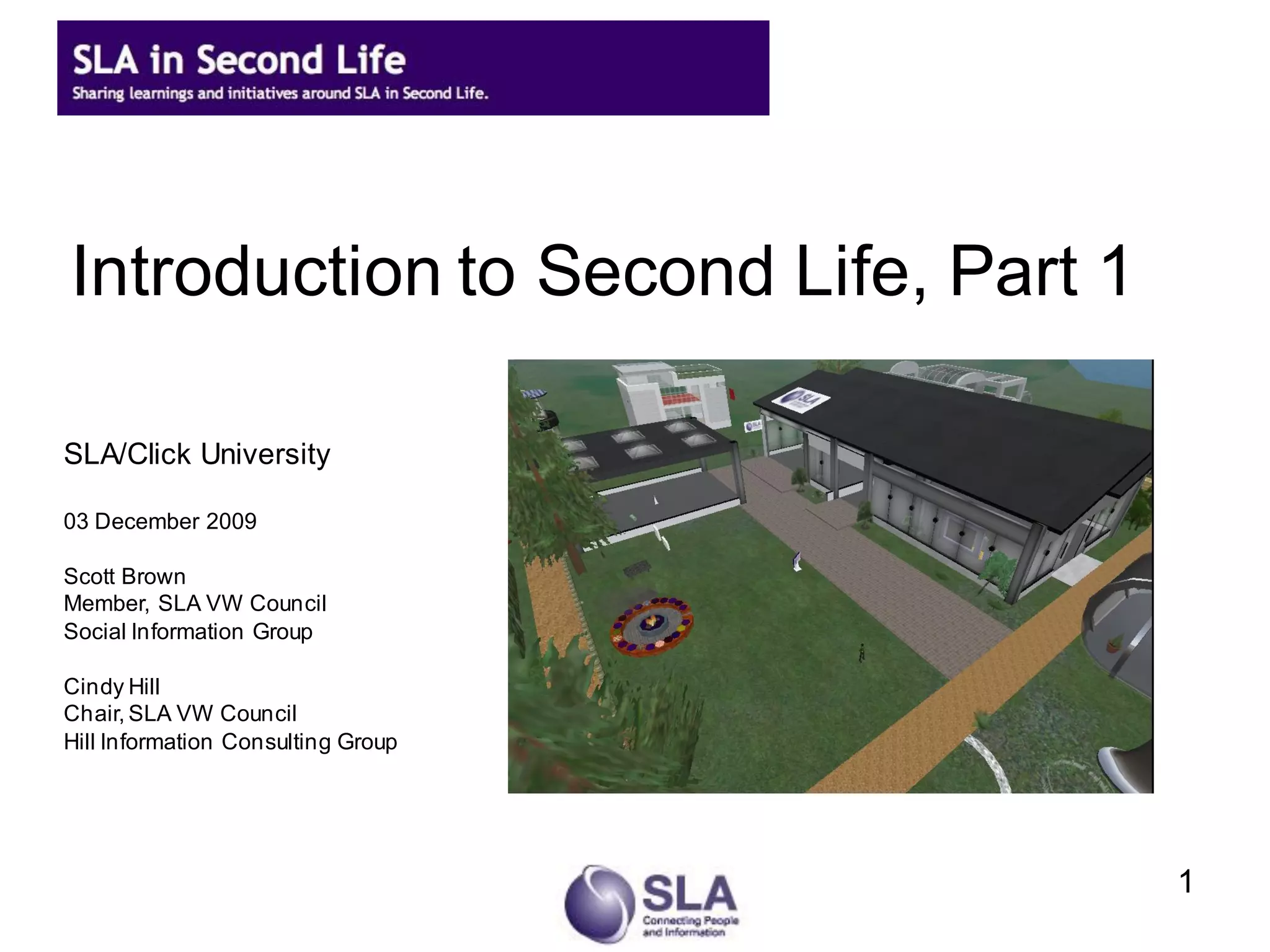
Introduction to Second Life, Part 1

SLA/Click University

03 December 2009

Scott Brown
Member, SLA VW Council
Social Information Group

Cindy Hill
Chair, SLA VW Council
Hill Information Consulting Group


                                      1
Agenda
   SLA Virtual Worlds Council
   Upcoming SLA virtual events
   Overview of virtual worlds and Second Life
   How to get started in Second Life
   Information for Part 2 – let’s meet in-world!
   Resources & more detail in the slide set


                                                    2
SLA Virtual Worlds Council
   Appointed by President Gloria Zamora
   Created to recommend short and long-term direction for
    SLA’s presence as an association in virtual worlds
   Develop and promote opportunities for members to learn
    more about virtual worlds
   Learn more at
    http://sla-divisions.typepad.com/sla_in_second_life/


                                                             3
Upcoming SLA Events in SL
   Library Buzz sessions
       Check for upcoming events in 2010:
        http://wiki.sla.org/display/SLASECONDLIFE/Upcoming+Events
   SLA Leadership Summit Highlights
       Feb 2, 4 and 10, 2010: Anne Caputo and Janice
        Lachance
   Possible SLA Annual Conference sessions in
    June


                                                                    7
Why virtual worlds?
   Long-standing interest
       “Snow Crash” by Neal Stephenson
       Tron
   Interactive, social environment
   “Next web”?
   New and emerging technologies


                                          4
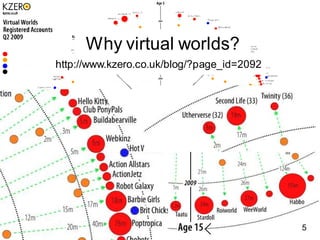
Why virtual worlds?
http://www.kzero.co.uk/blog/?page_id=2092


                                            3
                                                5
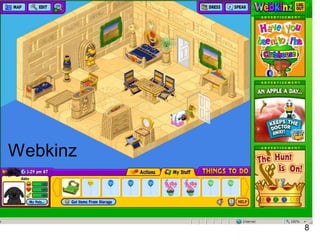
Webkinz


          8
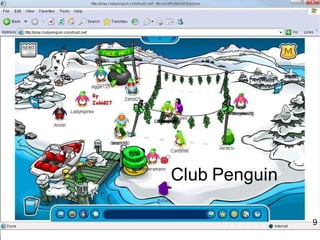
Club Penguin

               9
10
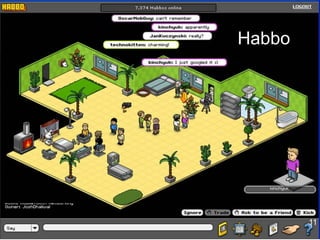
Habbo


        11
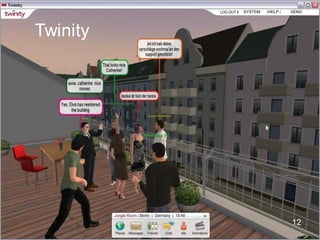
Twinity


          12
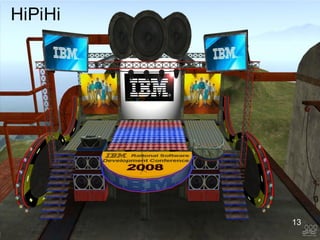
HiPiHi


         13
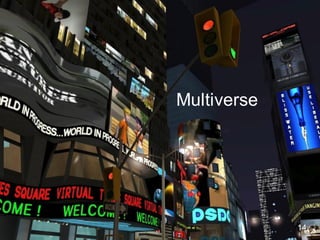
Multiverse


             4
             14
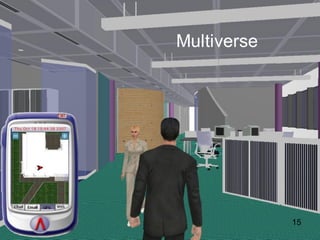
Multiverse


             15
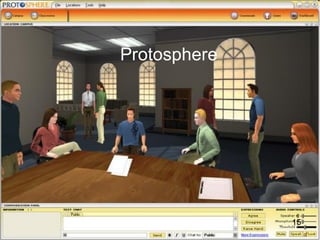
Protosphere


              15
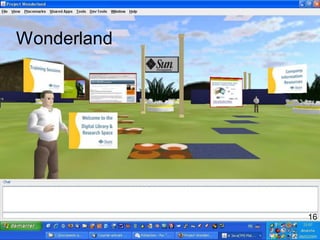
Wonderland


             16
Quick Survey

   Do you have an avatar – in any world?


                                            6
What is Second Life?
   Internet-based 3D virtual environment created by Linden
    Labs
   Users have avatars (called “Residents” within the
    universe) and can explore, learn, socialize, conduct
    business, participate in individual and group activities
   Linden Labs only provides the infrastructure; the entire
    contents are created and owned by its residents
   Second Life is not a game – unlike some virtual worlds


                                                               18
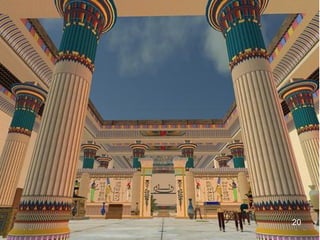
Environment


              19
Simulation


             20
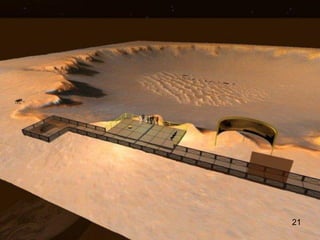
Government agencies


                      21
Simulation


             22
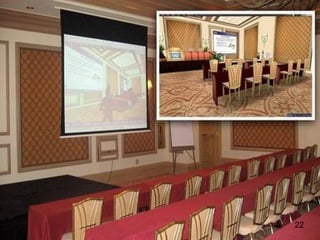
Connect remote employees


                           23
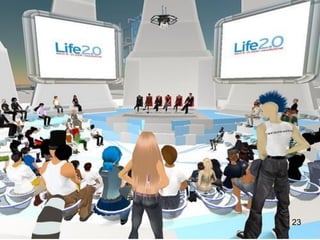
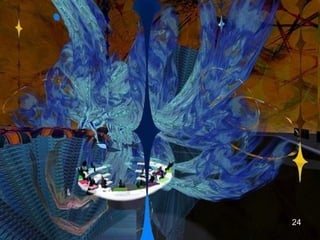
Simulation


             24
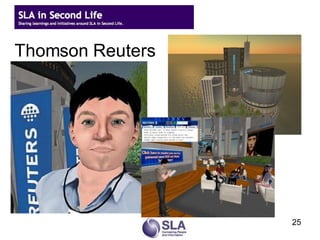
Thomson Reuters


                  25
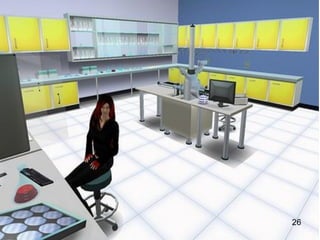
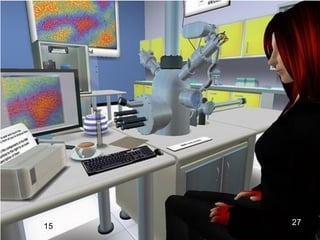
Active learning


                  26
15   27
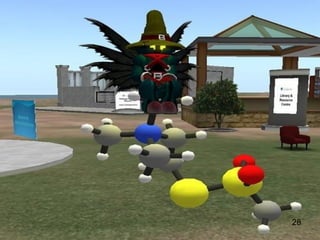
Modeling


           28
Play with scale


                  29
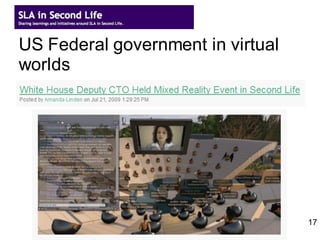
US Federal government in virtual
worlds


                                   17
Why virtual worlds?
    Virtual worlds hold great potential for learning and for
     organizations – and it’s starting to emerge
    ◦ Education, collaboration, eco-responsibility, global reach
    These environments are:
    ◦ Generally non-threatening
    ◦ Great ways to enhance and encourage knowledge
      sharing, collaboration
    ◦ Very dynamic and engaging – “just like being there”
    ◦ High-touch
    Conversations can be more open and honest
    Community can develop at a rapid rate

                                                             30
Quick Survey


   Have you spent time in Second Life?


                                          31
How does Second Life work?
   Download Second Life's software package onto
    your computer
    ◦   Currently clients for Windows, Mac OSX, Linux & Solaris x86
    ◦   Launch SL software and log in there – not on
        secondlife.com
   Create your avatar
    ◦   http://join.secondlife.com
   Must have a broadband Internet connection of
    some sort
    ◦   Cable, DSL, etc. - Dialup will not work


                                                                 32
How does Second Life work?
   Must have a fairly powerful computer and
    connection
    ◦   Windows XP 2000, XP, or Vista
    ◦   800MHz Pentium III or Athlon, or better; 256MB memory or better; nVidia
        GeForce 2, GeForce 4mx, or better video card ATI Radeon 8500, 9250, or
        better
    ◦   For Mac, Mac OS X 10.3.9 or better; 1 GHz G4 or better; 512MB memory
        or better
    ◦   Linux system requirements also available on Second Life site

    These are MINIMUM requirements; RECOMMEND even
     more power than this
    See http://secondlife.com/corporate/sysreqs.php for full
     requirements
                                                                             33
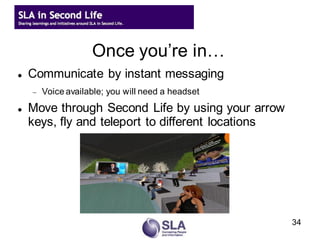
Once you’re in…
   Communicate by instant messaging
       Voice available; you will need a headset
   Move through Second Life by using your arrow
    keys, fly and teleport to different locations


                                                    34
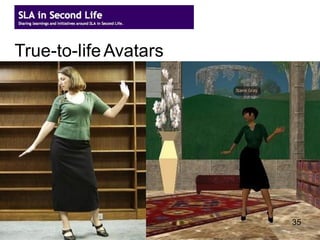
True-to-life Avatars


                       35
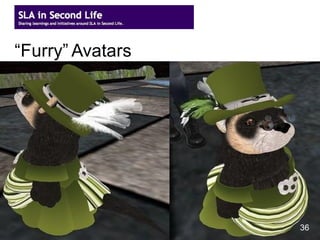
“Furry” Avatars


                  36
37
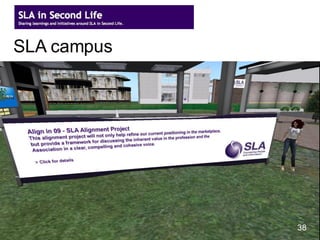
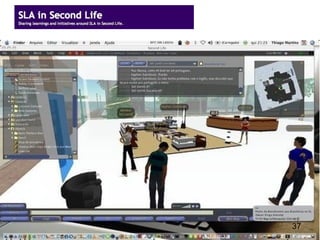
SLA campus


             27
              38
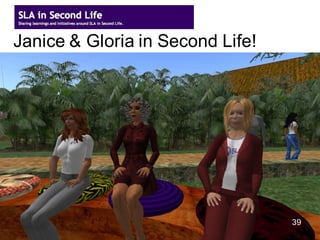
Janice & Gloria in Second Life!


                                  39
                                       3
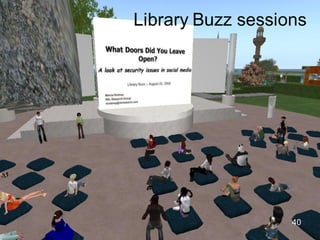
Library Buzz sessions


                   40
Quick Survey
   If you have a Second Life avatar, what is your
    Second Life name?


   If you don’t – what would you choose for a first
    name?


                                                     41
Getting ready to meet in-world
   Download the software at secondlife.com
   Create your avatar
    ◦   http://join.secondlife.com
    ◦   Create your basic look: gender, skin color
    ◦   Choose a name
          ◦ You get to choose your first name
          ◦ Choose your last name from a pre-determined list
    ◦   May register one avatar per email for no charge


                                                               42
Getting ready to meet in-world
   Register for ClickU’s Part 2 session
    ◦   This is how we’ll send you information on meeting in-
        world
   Get in-world and play around – a lot – before the
    session
    ◦   Launch SL software and log in there – not on secondlife.com
    ◦   Second Life takes getting used
         ◦ Walk by using arrow keys on keyboard
         ◦ Fly by clicking on “Fly” button (click again to stop flying)
         ◦ Teleport by searching for places and clicking “Teleport” button


                                                                         43
Second Life, Part 2 session
Remember to get your avatar before registering!
Last one of the year!
   Second Life: an introduction, part 2: Registration –
    Thursday, December 10, 2009, 8am PT
    http://www.sla.org/content/learn/members/webinars/webinarreg/secondlife1110.cfm


                                                                                      44
Upcoming SLA Events in SL
   Library Buzz sessions
       Check for upcoming events in 2010:
        http://wiki.sla.org/display/SLASECONDLIFE/Upcoming+Events
   SLA Leadership Summit Highlights
       Feb 2, 4 and 10, 2010: Anne Caputo and Janice
        Lachance
   Possible SLA Annual Conference sessions in
    June


                                                                    7
Thank you!


Cindy Hill (aka Sydney Delphin)   Scott Brown (aka Steven Source)
    Chair, SLA VW Council            Member, SLA VW Council
  Hill Information Consulting        Social Information Group
             Group
                                    scott_r_brown@comcast.net
    cindyvhill@yahoo.com                                            45
Resources: SLA in Second Life
   SLA Second Life wiki
       http://wiki.sla.org/display/SLASECONDLIFE/Home
   SLA in Second Life blog
       http://sla-divisions.typepad.com/sla_in_second_life
   SLA in Second Life: Google Calendar
       http://www.google.com/calendar/embed?src=slasecondlifecalendar%40gmail.com


                                                                                46
Resources: Second Life
   Second Life system requirements
        http://secondlife.com/support/sysreqs.php
   "The Mission of Linden Lab" by Philip Linden
        http://blog.secondlife.com/2006/11/06/the-mission-of-linden-lab/

   Build your own SLURL (Second Life URL)
        http://slurl.com/build.php
   “Second Life for Business: Ten Techniques”,
    FUMSI, October 2008
        http://web.fumsi.com/go/article/use/3326
                                                                        47
Resources: Islands in SL
   Cybrary City II (SLA area in SL)
       http://slurl.com/secondlife/Cybrary%20City%20II/59/100/22/

   Alliance Virtual Library: Info Island
       http://slurl.com/secondlife/Info%20Island/128/128/33/

   ALA Island
       http://slurl.com/secondlife/ALA%20Island/127/102/29/

   Virtual Ability


                                                                     48
Resources: Groups, listservs,
             newsletters, etc.
   The Immersive Internet: Make Tactical
    Moves Today For Strategic Advantage
    Tomorrow - ThinkBalm
       http://thinkbalm.files.wordpress.com/2008/11/thinkbalm-
        immersive-internet-report-nov-20084.pdf
   Virtual Worlds News
       http://www.virtualworldsnews.com/

   Clever Zebra: events, news, etc.
       http://cleverzebra.com/list
                                                                  49
Walking around
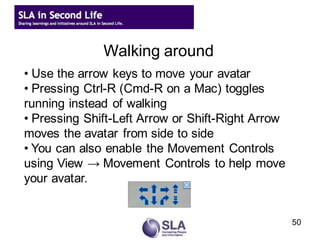
• Use the arrow keys to move your avatar
• Pressing Ctrl-R (Cmd-R on a Mac) toggles
running instead of walking
• Pressing Shift-Left Arrow or Shift-Right Arrow
moves the avatar from side to side
• You can also enable the Movement Controls
using View → Movement Controls to help move
your avatar.


                                                   50
Flying
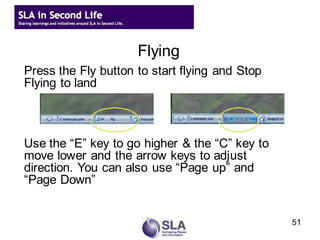
Press the Fly button to start flying and Stop
Flying to land


Use the “E” key to go higher & the “C” key to
move lower and the arrow keys to adjust
direction. You can also use “Page up” and
“Page Down”


                                                51
Sitting
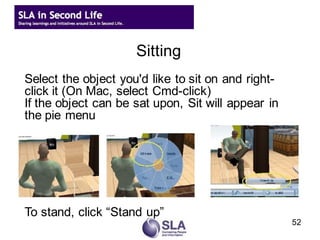
Select the object you'd like to sit on and right-
click it (On Mac, select Cmd-click)
If the object can be sat upon, Sit will appear in
the pie menu


To stand, click “Stand up”
                                                    52
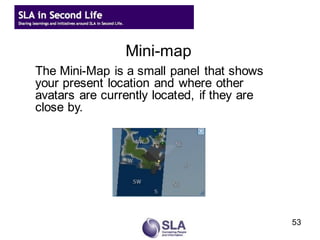
Mini-map
The Mini-Map is a small panel that shows
your present location and where other
avatars are currently located, if they are
close by.
the World Map Dialog


                                             53
Searching for places and other things
The search button on the bottom of your viewer
opens the Search Dialog
You can search for:
    Classifieds – things for sale
    Events – training, concerts, shows public meetings, etc
    Showcase - highlights some of the best in-world
    locations and resident creations
    Land sales – real estate for sale or rent
    Places – land whose owner allows searchable listings
    People – avatars with public listing (a profile option)
    Groups – groups that allow their listing in Search
the World Map Dialog
                                                          54
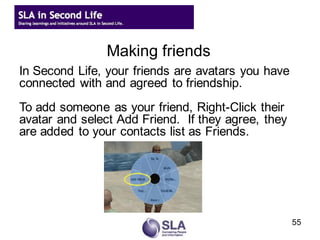
Making friends
In Second Life, your friends are avatars you have
connected with and agreed to friendship.
To add someone as your friend, Right-Click their
avatar and select Add Friend. If they agree, they
are added to your contacts list as Friends.
the World Map Dialog


                                                    55
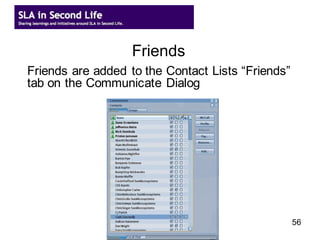
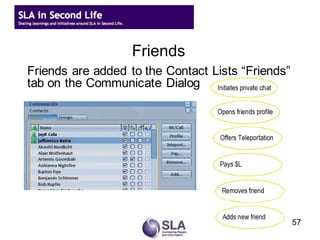
Friends
  Friends are added to the Contact Lists “Friends”
the World Map Dialog
  tab on the Communicate Dialog


                                                     56
Friends
  Friends are added to the Contact Lists “Friends”
the World Map Dialog
  tab on the Communicate Dialog


                                                     57
Communicating: Local Chat
Local chat is an “open channel” to everyone within
a 20 meter radius of your present location.
You can “shout” in local chat to reach avatars
within a 100 meter radius.
To say something in chat type your chat in the
text box provided in the Local Chat tab or
Send the chat by pressing Return


                                                 58
Profiles
Your profile contains information about your
avatar.
To open your profile either:
   Right-click your avatar and select Profile or
   Select Edit → Profile from the menu
To open another avatar's profile simply right-click
their avatar and select Profile


                                                      59
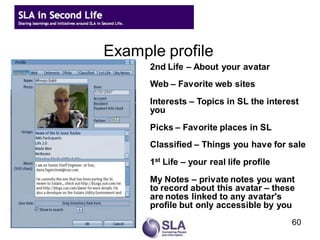
Example profile
      2nd Life – About your avatar
      Web – Favorite web sites
      Interests – Topics in SL the interest
      you
      Picks – Favorite places in SL
      Classified – Things you have for sale
      1st Life – your real life profile
      My Notes – private notes you want
      to record about this avatar – these
      are notes linked to any avatar's
      profile but only accessible by you
                                          60
Image credits


                61

Introduction to Second Life

  • 1.
    Introduction to SecondLife, Part 1 SLA/Click University 03 December 2009 Scott Brown Member, SLA VW Council Social Information Group Cindy Hill Chair, SLA VW Council Hill Information Consulting Group 1
  • 2.
    Agenda  SLA Virtual Worlds Council  Upcoming SLA virtual events  Overview of virtual worlds and Second Life  How to get started in Second Life  Information for Part 2 – let’s meet in-world!  Resources & more detail in the slide set 2
  • 3.
    SLA Virtual WorldsCouncil  Appointed by President Gloria Zamora  Created to recommend short and long-term direction for SLA’s presence as an association in virtual worlds  Develop and promote opportunities for members to learn more about virtual worlds  Learn more at http://sla-divisions.typepad.com/sla_in_second_life/ 3
  • 4.
    Upcoming SLA Eventsin SL  Library Buzz sessions  Check for upcoming events in 2010: http://wiki.sla.org/display/SLASECONDLIFE/Upcoming+Events  SLA Leadership Summit Highlights  Feb 2, 4 and 10, 2010: Anne Caputo and Janice Lachance  Possible SLA Annual Conference sessions in June 7
  • 5.
    Why virtual worlds?  Long-standing interest  “Snow Crash” by Neal Stephenson  Tron  Interactive, social environment  “Next web”?  New and emerging technologies 4
  • 6.
  • 7.
  • 8.
  • 9.
  • 10.
  • 11.
  • 12.
  • 13.
  • 14.
  • 15.
  • 16.
  • 17.
    Quick Survey  Do you have an avatar – in any world? 6
  • 18.
    What is SecondLife?  Internet-based 3D virtual environment created by Linden Labs  Users have avatars (called “Residents” within the universe) and can explore, learn, socialize, conduct business, participate in individual and group activities  Linden Labs only provides the infrastructure; the entire contents are created and owned by its residents  Second Life is not a game – unlike some virtual worlds 18
  • 19.
  • 20.
  • 21.
  • 22.
  • 23.
  • 24.
  • 25.
  • 26.
  • 27.
    15 27
  • 28.
  • 29.
  • 30.
    US Federal governmentin virtual worlds 17
  • 31.
    Why virtual worlds?  Virtual worlds hold great potential for learning and for organizations – and it’s starting to emerge ◦ Education, collaboration, eco-responsibility, global reach  These environments are: ◦ Generally non-threatening ◦ Great ways to enhance and encourage knowledge sharing, collaboration ◦ Very dynamic and engaging – “just like being there” ◦ High-touch  Conversations can be more open and honest  Community can develop at a rapid rate 30
  • 32.
    Quick Survey  Have you spent time in Second Life? 31
  • 33.
    How does SecondLife work?  Download Second Life's software package onto your computer ◦ Currently clients for Windows, Mac OSX, Linux & Solaris x86 ◦ Launch SL software and log in there – not on secondlife.com  Create your avatar ◦ http://join.secondlife.com  Must have a broadband Internet connection of some sort ◦ Cable, DSL, etc. - Dialup will not work 32
  • 34.
    How does SecondLife work?  Must have a fairly powerful computer and connection ◦ Windows XP 2000, XP, or Vista ◦ 800MHz Pentium III or Athlon, or better; 256MB memory or better; nVidia GeForce 2, GeForce 4mx, or better video card ATI Radeon 8500, 9250, or better ◦ For Mac, Mac OS X 10.3.9 or better; 1 GHz G4 or better; 512MB memory or better ◦ Linux system requirements also available on Second Life site These are MINIMUM requirements; RECOMMEND even more power than this See http://secondlife.com/corporate/sysreqs.php for full requirements 33
  • 35.
    Once you’re in…  Communicate by instant messaging  Voice available; you will need a headset  Move through Second Life by using your arrow keys, fly and teleport to different locations 34
  • 36.
  • 37.
  • 38.
  • 39.
  • 40.
    Janice & Gloriain Second Life! 39 3
  • 41.
  • 42.
    Quick Survey  If you have a Second Life avatar, what is your Second Life name?  If you don’t – what would you choose for a first name? 41
  • 43.
    Getting ready tomeet in-world  Download the software at secondlife.com  Create your avatar ◦ http://join.secondlife.com ◦ Create your basic look: gender, skin color ◦ Choose a name ◦ You get to choose your first name ◦ Choose your last name from a pre-determined list ◦ May register one avatar per email for no charge 42
  • 44.
    Getting ready tomeet in-world  Register for ClickU’s Part 2 session ◦ This is how we’ll send you information on meeting in- world  Get in-world and play around – a lot – before the session ◦ Launch SL software and log in there – not on secondlife.com ◦ Second Life takes getting used ◦ Walk by using arrow keys on keyboard ◦ Fly by clicking on “Fly” button (click again to stop flying) ◦ Teleport by searching for places and clicking “Teleport” button 43
  • 45.
    Second Life, Part2 session Remember to get your avatar before registering! Last one of the year!  Second Life: an introduction, part 2: Registration – Thursday, December 10, 2009, 8am PT http://www.sla.org/content/learn/members/webinars/webinarreg/secondlife1110.cfm 44
  • 46.
    Upcoming SLA Eventsin SL  Library Buzz sessions  Check for upcoming events in 2010: http://wiki.sla.org/display/SLASECONDLIFE/Upcoming+Events  SLA Leadership Summit Highlights  Feb 2, 4 and 10, 2010: Anne Caputo and Janice Lachance  Possible SLA Annual Conference sessions in June 7
  • 47.
    Thank you! Cindy Hill(aka Sydney Delphin) Scott Brown (aka Steven Source) Chair, SLA VW Council Member, SLA VW Council Hill Information Consulting Social Information Group Group scott_r_brown@comcast.net cindyvhill@yahoo.com 45
  • 48.
    Resources: SLA inSecond Life  SLA Second Life wiki  http://wiki.sla.org/display/SLASECONDLIFE/Home  SLA in Second Life blog  http://sla-divisions.typepad.com/sla_in_second_life  SLA in Second Life: Google Calendar  http://www.google.com/calendar/embed?src=slasecondlifecalendar%40gmail.com 46
  • 49.
    Resources: Second Life  Second Life system requirements  http://secondlife.com/support/sysreqs.php  "The Mission of Linden Lab" by Philip Linden  http://blog.secondlife.com/2006/11/06/the-mission-of-linden-lab/  Build your own SLURL (Second Life URL)  http://slurl.com/build.php  “Second Life for Business: Ten Techniques”, FUMSI, October 2008  http://web.fumsi.com/go/article/use/3326 47
  • 50.
    Resources: Islands inSL  Cybrary City II (SLA area in SL)  http://slurl.com/secondlife/Cybrary%20City%20II/59/100/22/  Alliance Virtual Library: Info Island  http://slurl.com/secondlife/Info%20Island/128/128/33/  ALA Island  http://slurl.com/secondlife/ALA%20Island/127/102/29/  Virtual Ability 48
  • 51.
    Resources: Groups, listservs, newsletters, etc.  The Immersive Internet: Make Tactical Moves Today For Strategic Advantage Tomorrow - ThinkBalm  http://thinkbalm.files.wordpress.com/2008/11/thinkbalm- immersive-internet-report-nov-20084.pdf  Virtual Worlds News  http://www.virtualworldsnews.com/  Clever Zebra: events, news, etc.  http://cleverzebra.com/list 49
  • 52.
    Walking around • Usethe arrow keys to move your avatar • Pressing Ctrl-R (Cmd-R on a Mac) toggles running instead of walking • Pressing Shift-Left Arrow or Shift-Right Arrow moves the avatar from side to side • You can also enable the Movement Controls using View → Movement Controls to help move your avatar. 50
  • 53.
    Flying Press the Flybutton to start flying and Stop Flying to land Use the “E” key to go higher & the “C” key to move lower and the arrow keys to adjust direction. You can also use “Page up” and “Page Down” 51
  • 54.
    Sitting Select the objectyou'd like to sit on and right- click it (On Mac, select Cmd-click) If the object can be sat upon, Sit will appear in the pie menu To stand, click “Stand up” 52
  • 55.
    Mini-map The Mini-Map isa small panel that shows your present location and where other avatars are currently located, if they are close by. the World Map Dialog 53
  • 56.
    Searching for placesand other things The search button on the bottom of your viewer opens the Search Dialog You can search for: Classifieds – things for sale Events – training, concerts, shows public meetings, etc Showcase - highlights some of the best in-world locations and resident creations Land sales – real estate for sale or rent Places – land whose owner allows searchable listings People – avatars with public listing (a profile option) Groups – groups that allow their listing in Search the World Map Dialog 54
  • 57.
    Making friends In SecondLife, your friends are avatars you have connected with and agreed to friendship. To add someone as your friend, Right-Click their avatar and select Add Friend. If they agree, they are added to your contacts list as Friends. the World Map Dialog 55
  • 58.
    Friends Friendsare added to the Contact Lists “Friends” the World Map Dialog tab on the Communicate Dialog 56
  • 59.
    Friends Friendsare added to the Contact Lists “Friends” the World Map Dialog tab on the Communicate Dialog 57
  • 60.
    Communicating: Local Chat Localchat is an “open channel” to everyone within a 20 meter radius of your present location. You can “shout” in local chat to reach avatars within a 100 meter radius. To say something in chat type your chat in the text box provided in the Local Chat tab or Send the chat by pressing Return 58
  • 61.
    Profiles Your profile containsinformation about your avatar. To open your profile either: Right-click your avatar and select Profile or Select Edit → Profile from the menu To open another avatar's profile simply right-click their avatar and select Profile 59
  • 62.
    Example profile 2nd Life – About your avatar Web – Favorite web sites Interests – Topics in SL the interest you Picks – Favorite places in SL Classified – Things you have for sale 1st Life – your real life profile My Notes – private notes you want to record about this avatar – these are notes linked to any avatar's profile but only accessible by you 60
  • 63.