GOOGLE + = ?
                                      Scott Brown, Owner

                                      Social Information
                                            Group

                                       January 19, 2012

                                       SLA San Francisco
                                            Chapter


                       1
    © 2012 Social Information Group
Google + = ?
          What makes it unique
 Some ideas on mining it for information
  Tracking people, organizations, topics
     Managing your own information

              What’s next?


AGENDA                           2
              © 2012 Social Information Group   2
GOOGLE + = ?


                               3
            © 2012 Social Information Group
© fotolia                                     3
• Google’s version of a social network
WHAT IS IT?   • “Professional Facebook”
              • Integrated with Google stuff – even
                more so now


  Kindle for iPad/iPhone
                                          4
                       © 2012 Social Information Group   4
WHAT IS IT?   A brief history
              •
           Launched June 2011
              •
           Quickly gained 40 million users
              •
           Originally focused on individuals
              •
           November 2011: Launched business
           pages
         • Estimates are 62 million users as of
           December 2011, with hundreds of
  Kindle for iPad/iPhone day
           thousands joining every
         • As of January 2012, results integrated
           into search
                          5
                   © 2012 Social Information Group   5
The latest – G+ results added to
WHAT IS IT?   Google search results


  Kindle for iPad/iPhone
                                         6
                      © 2012 Social Information Group   6
Why do people keep “adding me to
WHAT IS IT?   their circles”, dammit?
              • Any G+ user can an add anyone
                 else to their circles


  Kindle for iPad/iPhone
                                         7
                      © 2012 Social Information Group   7
Why do people keep “adding me to
WHAT IS IT?   their circles”, dammit?
              • Any G+ user can an add anyone
                 else to their circles – see?


  Kindle for iPad/iPhone
                                         8
                      © 2012 Social Information Group   8
WHAT MAKES IT
              UNIQUE?


                                   9
                © 2012 Social Information Group   9
© fotolia
FEATURES   • Profile


 Kindle for iPad/iPhone
                                    10
                   © 2012 Social Information Group   10
FEATURES   • Posts/discussions (aka Streams)
           • Photos


 Kindle for iPad/iPhone
                                    11
                   © 2012 Social Information Group   11
FEATURES   • “Hangouts”


 Kindle for iPad/iPhone
                                   12
                  © 2012 Social Information Group   12
FEATURES   •
           •
               “+1”
               Circles
                       The special stuff


           •   Pages (as opposed to Profiles)
           •   “Sparks”
           •   “Ripples”

 Kindle for iPad/iPhone
                                     13
                    © 2012 Social Information Group   13
+1   = Endorsement


                      14
     © 2012 Social Information Group   14
Circles


                 15
© 2012 Social Information Group   15
Circles


                 16
© 2012 Social Information Group   16
Google + Pages


                    17
   © 2012 Social Information Group   17
Google + Pages


                    18
   © 2012 Social Information Group   18
Google + Sparks


                    19
   © 2012 Social Information Group   19
Google + Ripples


                    20
   © 2012 Social Information Group   20
SOME IDEAS


                             21
            © 2012 Social Information Group   21
© fotolia
SOME IDEAS   • Use +1 as a new kind of social
               bookmarking service
                • Like Facebook with Delicious
                  capabilities

             • Sparks as an alternative news search
                • What’s being shared the most?

         • Ripples to see connections and
           influencers
  Kindle for Find and follow people and pages
            •  iPad/iPhone
              of interest
                          22
                      © 2012 Social Information Group   22
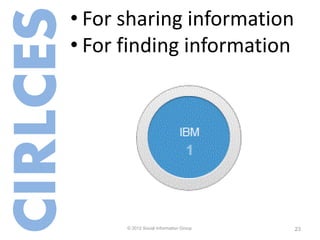
• For sharing information
CIRLCES
      • For finding information


Kindle for iPad/iPhone
                              23
             © 2012 Social Information Group   23
How are companies thinking about circles?


                                24
               © 2012 Social Information Group   24
TRACKING

                             25
            © 2012 Social Information Group   25
© fotolia
• Thought leaders
PEOPLE• Industry leaders
      • Organizational people


Kindle for iPad/iPhone
                              26
             © 2012 Social Information Group   26
ORGANIZATIONS   • Organizational page(s)
                • Competitor pages
                • Competitor employees


 Kindle for iPad/iPhone
                                       27
                      © 2012 Social Information Group   27
Tracking organizations


                       28
      © 2012 Social Information Group   28
• Thought leaders (again)
TOPICS• Saved searches
      • Industry circles


Kindle for iPad/iPhone
                              29
             © 2012 Social Information Group   29
MANAGING YOUR OWN
   INFORMATION                           unprofound - Jim


                       30
      © 2012 Social Information Group   30
MANAGING   Settings and privacy
           •   Circle visibility
           •   Profile visibility
           •   Sharing options
           •   Include personal
                   search results?


                                          31
                         © 2012 Social Information Group   31
MANAGING   Profile view


                                  32
                 © 2012 Social Information Group   32
WHAT’S NEXT?                          unprofound - Jim

                     33
    © 2012 Social Information Group      33
WHAT’S NEXT   Recent developments
              • Of course, G+ search results
              • Multiple administrators for
                organization pages
              • Watch for new developments


                                        34
                       © 2012 Social Information Group   34
THE BIG QUESTIONS
                    Will it last?
                    Impossible to say.


                        Remember 35
                                 Google Wave?
                              © 2012 Social Information Group   35
THE BIG QUESTIONS
                    Will it kill Facebook?
                    Impossible to say.


                                               36
                              © 2012 Social Information Group   36
THE BIG QUESTIONS   Finally:
                    Should I bother with it?
                    Yes.


                                            37
                           © 2012 Social Information Group   37
THE BIG QUESTIONS   Finally:
                    Should I bother with it?
                    Why?
                    •   Adoption is massive
                    •   Information is being shared – and you
                        can leverage it both for finding and
                        sharing
                    •   It’s still evolving
                                          38
                               © 2012 Social Information Group   38
TAKEAWAYS   Next steps
            •   Check it out – without logging in.
            •   Sign up.
            •   Create some circles of interest to you,
                and see how it works.
            •   Keep watching it.


                                         39
                        © 2012 Social Information Group   39
THANKS
Scott Brown
Social Information Group
Email: scott@socialinformationgroup.com
Twitter: @scbrown5 and @socialinfo
Google +: Scott Brown -
  stevensource5@gmail.com
LinkedIn:
http://www.linkedin.com/in/scottrbrown
http://www.socialinformationgroup.com

                                           40
                          © 2012 Social Information Group   40
SOURCES & READING   • Google + : http://plus.google.com
                    • Google + support (including “how tos”:
                      http://support.google.com/plus/?hl=en
                    • Google + social network lets firms have their
                      own pages:
                      http://www.bbc.co.uk/news/technology-
                      15625577
                    • With Facebook in crosshairs, Google + opens for
                      business: http://adage.com/article/digital/google-
                      open-business/230862/
                    • Google Plus pages for libraries:
                      http://joemurphylibraryfuture.com/google-pages-
                      for-libraries
                    • Is Google + a Plus for Information Pros? The
                      Information Advisor, September 2011
                                                    41
                                   © 2012 Social Information Group   41
SOURCES & READING   • Google’s results get more personal with
                      “Search Plus Your World”:
                      http://searchengineland.com/googles-results-
                      get-more-personal-with-search-plus-your-world-
                      107285
                    • Google to provide personal search results:
                      http://www.sfgate.com/cgi-
                      bin/article.cgi?f=/c/a/2012/01/11/BUM81MN9J
                      V.DTL
                    • 3 successful Google + pages and why they
                      work: http://www.socialmediaexaminer.com/3-
                      successful-google-pages-and-why-they-work/

                                                   42
                                  © 2012 Social Information Group   42

Google + = ?

  • 1.
    GOOGLE + =? Scott Brown, Owner Social Information Group January 19, 2012 SLA San Francisco Chapter 1 © 2012 Social Information Group
  • 2.
    Google + =? What makes it unique Some ideas on mining it for information Tracking people, organizations, topics Managing your own information What’s next? AGENDA 2 © 2012 Social Information Group 2
  • 3.
    GOOGLE + =? 3 © 2012 Social Information Group © fotolia 3
  • 4.
    • Google’s versionof a social network WHAT IS IT? • “Professional Facebook” • Integrated with Google stuff – even more so now Kindle for iPad/iPhone 4 © 2012 Social Information Group 4
  • 5.
    WHAT IS IT? A brief history • Launched June 2011 • Quickly gained 40 million users • Originally focused on individuals • November 2011: Launched business pages • Estimates are 62 million users as of December 2011, with hundreds of Kindle for iPad/iPhone day thousands joining every • As of January 2012, results integrated into search 5 © 2012 Social Information Group 5
  • 6.
    The latest –G+ results added to WHAT IS IT? Google search results Kindle for iPad/iPhone 6 © 2012 Social Information Group 6
  • 7.
    Why do peoplekeep “adding me to WHAT IS IT? their circles”, dammit? • Any G+ user can an add anyone else to their circles Kindle for iPad/iPhone 7 © 2012 Social Information Group 7
  • 8.
    Why do peoplekeep “adding me to WHAT IS IT? their circles”, dammit? • Any G+ user can an add anyone else to their circles – see? Kindle for iPad/iPhone 8 © 2012 Social Information Group 8
  • 9.
    WHAT MAKES IT UNIQUE? 9 © 2012 Social Information Group 9 © fotolia
  • 10.
    FEATURES • Profile Kindle for iPad/iPhone 10 © 2012 Social Information Group 10
  • 11.
    FEATURES • Posts/discussions (aka Streams) • Photos Kindle for iPad/iPhone 11 © 2012 Social Information Group 11
  • 12.
    FEATURES • “Hangouts” Kindle for iPad/iPhone 12 © 2012 Social Information Group 12
  • 13.
    FEATURES • • “+1” Circles The special stuff • Pages (as opposed to Profiles) • “Sparks” • “Ripples” Kindle for iPad/iPhone 13 © 2012 Social Information Group 13
  • 14.
    +1 = Endorsement 14 © 2012 Social Information Group 14
  • 15.
    Circles 15 © 2012 Social Information Group 15
  • 16.
    Circles 16 © 2012 Social Information Group 16
  • 17.
    Google + Pages 17 © 2012 Social Information Group 17
  • 18.
    Google + Pages 18 © 2012 Social Information Group 18
  • 19.
    Google + Sparks 19 © 2012 Social Information Group 19
  • 20.
    Google + Ripples 20 © 2012 Social Information Group 20
  • 21.
    SOME IDEAS 21 © 2012 Social Information Group 21 © fotolia
  • 22.
    SOME IDEAS • Use +1 as a new kind of social bookmarking service • Like Facebook with Delicious capabilities • Sparks as an alternative news search • What’s being shared the most? • Ripples to see connections and influencers Kindle for Find and follow people and pages • iPad/iPhone of interest 22 © 2012 Social Information Group 22
  • 23.
    • For sharinginformation CIRLCES • For finding information Kindle for iPad/iPhone 23 © 2012 Social Information Group 23
  • 24.
    How are companiesthinking about circles? 24 © 2012 Social Information Group 24
  • 25.
    TRACKING 25 © 2012 Social Information Group 25 © fotolia
  • 26.
    • Thought leaders PEOPLE•Industry leaders • Organizational people Kindle for iPad/iPhone 26 © 2012 Social Information Group 26
  • 27.
    ORGANIZATIONS • Organizational page(s) • Competitor pages • Competitor employees Kindle for iPad/iPhone 27 © 2012 Social Information Group 27
  • 28.
    Tracking organizations 28 © 2012 Social Information Group 28
  • 29.
    • Thought leaders(again) TOPICS• Saved searches • Industry circles Kindle for iPad/iPhone 29 © 2012 Social Information Group 29
  • 30.
    MANAGING YOUR OWN INFORMATION unprofound - Jim 30 © 2012 Social Information Group 30
  • 31.
    MANAGING Settings and privacy • Circle visibility • Profile visibility • Sharing options • Include personal search results? 31 © 2012 Social Information Group 31
  • 32.
    MANAGING Profile view 32 © 2012 Social Information Group 32
  • 33.
    WHAT’S NEXT? unprofound - Jim 33 © 2012 Social Information Group 33
  • 34.
    WHAT’S NEXT Recent developments • Of course, G+ search results • Multiple administrators for organization pages • Watch for new developments 34 © 2012 Social Information Group 34
  • 35.
    THE BIG QUESTIONS Will it last? Impossible to say. Remember 35 Google Wave? © 2012 Social Information Group 35
  • 36.
    THE BIG QUESTIONS Will it kill Facebook? Impossible to say. 36 © 2012 Social Information Group 36
  • 37.
    THE BIG QUESTIONS Finally: Should I bother with it? Yes. 37 © 2012 Social Information Group 37
  • 38.
    THE BIG QUESTIONS Finally: Should I bother with it? Why? • Adoption is massive • Information is being shared – and you can leverage it both for finding and sharing • It’s still evolving 38 © 2012 Social Information Group 38
  • 39.
    TAKEAWAYS Next steps • Check it out – without logging in. • Sign up. • Create some circles of interest to you, and see how it works. • Keep watching it. 39 © 2012 Social Information Group 39
  • 40.
    THANKS Scott Brown Social InformationGroup Email: scott@socialinformationgroup.com Twitter: @scbrown5 and @socialinfo Google +: Scott Brown - stevensource5@gmail.com LinkedIn: http://www.linkedin.com/in/scottrbrown http://www.socialinformationgroup.com 40 © 2012 Social Information Group 40
  • 41.
    SOURCES & READING • Google + : http://plus.google.com • Google + support (including “how tos”: http://support.google.com/plus/?hl=en • Google + social network lets firms have their own pages: http://www.bbc.co.uk/news/technology- 15625577 • With Facebook in crosshairs, Google + opens for business: http://adage.com/article/digital/google- open-business/230862/ • Google Plus pages for libraries: http://joemurphylibraryfuture.com/google-pages- for-libraries • Is Google + a Plus for Information Pros? The Information Advisor, September 2011 41 © 2012 Social Information Group 41
  • 42.
    SOURCES & READING • Google’s results get more personal with “Search Plus Your World”: http://searchengineland.com/googles-results- get-more-personal-with-search-plus-your-world- 107285 • Google to provide personal search results: http://www.sfgate.com/cgi- bin/article.cgi?f=/c/a/2012/01/11/BUM81MN9J V.DTL • 3 successful Google + pages and why they work: http://www.socialmediaexaminer.com/3- successful-google-pages-and-why-they-work/ 42 © 2012 Social Information Group 42