Mobile SharePoint:  Driving More Productivity & Collaboration with Windows® phone Sean PirtleMobility Solution SpecialistMicrosoft CorporationChip VollersSenior Product ManagerMicrosoft Corporation
AgendaMobile Trends TodayMicrosoft Mobility VisionWindows phone for BusinessSharePoint Access Options TodayCustomer ExamplesSharePoint Mobile PartnersSharePoint and Mobile Office FuturesWrap Up and Event CTAs
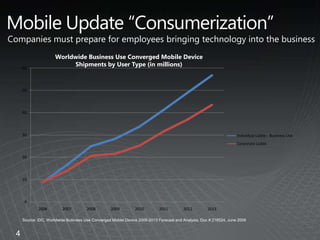
4Mobile Update “Consumerization”Companies must prepare for employees bringing technology into the businessWorldwide Business Use Converged Mobile DeviceShipments by User Type (in millions)Source: IDC, Worldwide Business Use Converged Mobile Device 2009-2013 Forecast and Analysis, Doc # 218524, June 2009
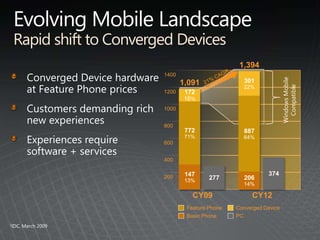
Evolving Mobile LandscapeRapid shift to Converged Devices1,394Windows Mobile Compatible140030122%Converged Device hardware at Feature Phone pricesCustomers demanding rich new experiencesExperiences require software + services21% CAGR1,091120017216%88764%77271%100080060040037414713%27720614%200Converged DeviceFeature PhoneCY09CY12PCBasic Phone1IDC, March 2009
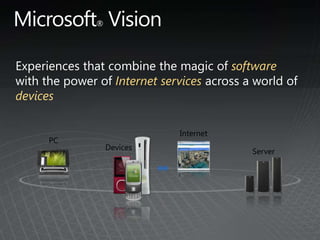
Experiences that combine the magic ofsoftwarewith the power of Internet services across a world of devicesInternetPCDevicesServerMicrosoft® Vision
Windows® phoneThe Windows phone for business provides a rich, flexible, cost-effective platform for increased productivity and improved mobile solutions.Be more efficient with improved user experience
Get the information you need with optimized mobile Web access
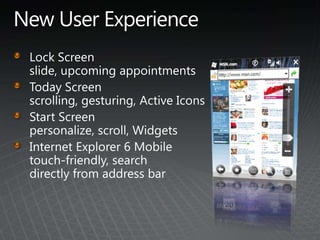
Do morewith enhanced productivity toolsNew User ExperienceLock Screen slide, upcoming appointmentsToday Screen scrolling, gesturing, Active IconsStart Screen personalize, scroll, WidgetsInternet Explorer 6 Mobile touch-friendly, search directly from address bar
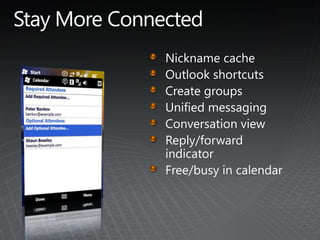
Stay More ConnectedNickname cacheOutlook shortcutsCreate groupsUnified messagingConversation viewReply/forward indicatorFree/busy in calendar
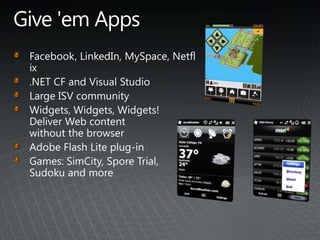
Give 'em AppsFacebook, LinkedIn, MySpace, Netflix.NET CF and Visual StudioLarge ISV communityWidgets, Widgets, Widgets! Deliver Web content without the browserAdobe Flash Lite plug-inGames: SimCity, Spore Trial, Sudoku and more
SharePoint & Mobile Office Access Today
So Why Mobile SharePointApplication Stores & Marketplaces are Everywhere (oh my)…“I Get Personal Productivity at Home”…But Nothing at Work!People Want the “Mobile Experience”SharePoint Will Be One of the Early RequestsEveryone in the Room Needs to Start Thinking About a SharePoint Mobile Strategy!
So What Happens Without a StrategyYou Have a Device Strategy, Not a “Mobile Strategy”
Three Levels of SharePoint Mobile IntegrationOffice Outlook 2007 and RSS feeds and extranet access.Microsoft® Exchange Server and Windows phone integration with SharePoint sitesBig ITOptimize SharePoint sitefor mobile access3Small BusinessMedium BusinessEnterprise BusinessSome IT	2 No IT IndividualsSmall BusinessMedium Business1IndividualsSmall Business
Optimizing SharePoint Sites for Use with Windows phones No IT The “/m” SolutionA good Starthttp://www.wssdemo.com/mDesign a SharePoint Site to Accommodate Windows Mobile UsersDesign GuidelinesBest Practices1IndividualsSmall Business
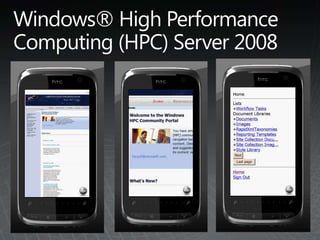
Windows® High Performance Computing (HPC) Server 2008
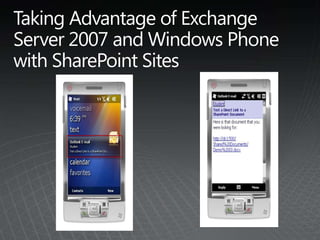
Exchange Linking to a DocumentDoesn’t Require the Document as Outlook Attachment (Save Size on In-Box)Gives User the Latest Version of DocumentBest PracticesSome IT2IndividualsSmall BusinessMedium Business
Taking Advantage of Exchange Server 2007 and Windows Phone with SharePoint Sites
SharePoint RSSMobile RSSChanges in WorkflowSearch String ChangesEtc…Pushed to Outlook Client on PCPrevents Clutter in the In-BoxSynchronize Outlook with Outlook MobileBig IT3Small BusinessMedium BusinessEnterprise Business
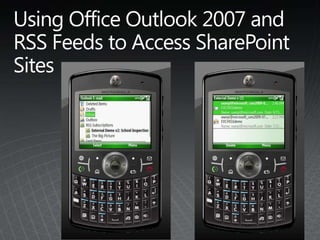
Using Office Outlook 2007 and RSS Feeds to Access SharePoint Sites
                   —Customer ExampleFingerhut Uses RSS Feeds to Alert Users on SharePoint Workflow ChangesUsers Sync the RSS Feeds via Mobile Devices and OWA on an SSL PortalRSS Feeds Reduce Clutter in the Outlook In BoxRSS Views Provide the Same Detail as the Outlook Alert
Mobile Extranet AccessRich Access to SharePointGreat for Mobile & Partner AccessSecurity Best PracticesArchitecture Best PracticesBig IT3Small BusinessMedium BusinessEnterprise Business
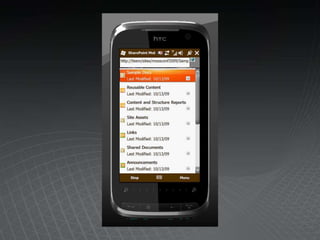
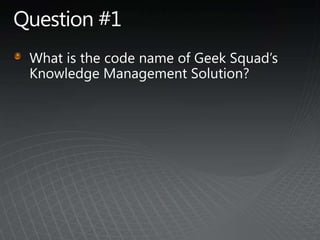
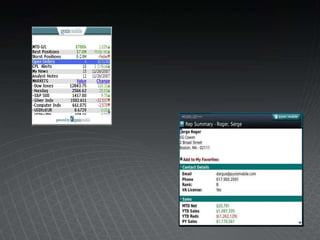
The Geek Squad ArmoryGeek Squad utilizes SharePoint 2007 as a technical knowledge management system, code named The Armory, to share information between their ~20,000 Agents.  Since many of  the Agents travel to client locations, The Armory is enabled outside the corporate network via an ISA authentication barrier.  These Agents carry a company provided Windows phone which they can use to connect to the Armory.The site uses the SharePoint BlackBand master page with very little customization.View an articleAuthenticationHome page navigation
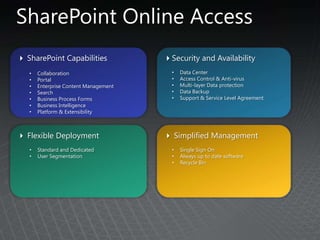
SharePoint Online AccessSharePoint Capabilities
Collaboration
Portal
Enterprise Content Management
Search
Business Process Forms
Business Intelligence
Platform & Extensibility
Security and Availability
Data Center
Access Control & Anti-virus
Multi-layer Data protection
Data Backup
Support & Service Level Agreement
Flexible Deployment
Standard and Dedicated
User Segmentation
Simplified Management
Single Sign On
Always up to date software
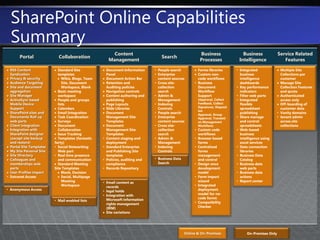
Recycle BinSharePoint Online Capabilities SummaryRSS Content Syndication
Privacy & security
Audience Targeting
Site and document aggregation
Site Manager
ActiveSync based Mobile Device Support
SharePoint sites and Documents Roll up web parts
Client integration
Integration with SharePoint designer (except site backup and restore)
Portal Site Templates
My Site Personal Site
Site Directory
Colleagues and memberships web parts
User Profiles import
Extranet Access
Standard Site templates
Wikis, Blogs, Team Site, Document Workspace, Blank
Basic meeting workspace
People and groups lists
Calendars
Email Integration
Task Coordination
Surveys
Document Collaboration
Issue Tracking
Templates (fantastic forty)
Social Networking Web part
Real time presence and communication
Standard Meeting Site Templates
Blank, Decision
Social, Multipage Meeting Workspace
Document Information Panel
Document Action Bar
Retention and Auditing policies
Navigation controls
Content authoring and publishing
Page Layouts
Slide Libraries
Document Management Site Templates
Content staging and deployment
Standard Enterprise  and Publishing Site templates
Policies, auditing and compliance
Records Repository
People search
Enterprise content sources
Cross site-collection search
Admin & Management
Indexing Controls
People search
Enterprise content sources
Cross site-collection search
Admin & Management
Indexing Controls
Forms libraries
Custom non-code workflows
Business Document Workflow Support (Approval, Collect Feedback, Collect Signatures, Disposition Approval, Group Approval, Translation Management Workflow)
Custom code workflows
Browser based forms
Centralized forms management and control
Design once development model
Form import wizard
Integrated deployment model for no-code forms
Compatibility Checker
Integrated business intelligence dashboards
Key performance indicators
Filter web parts
Integrated flexible spreadsheet publishing
Share manage and control spreadsheets
Web-based business intelligence using excel services
Data connection libraries
Business Data Catalog
Business data web parts
Business data actions
Report center

Sharepoint mobile by pirtle