SHAREPOINT MOBILE VERSION MJ Ferdous SharePoint Consultant
Agenda Microsoft Vision Why SharePoint? SharePoint 2010 Overview What SharePoint can do for you? Why Mobile SharePoint? SharePoint Mobile Extension Microsoft SharePoint on the iPhone Browser SharePoint & Office Mobile Access
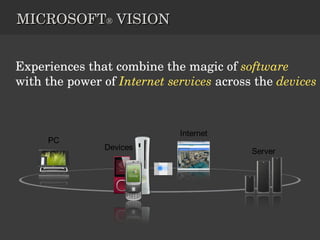
MICROSOFT ®  VISION Experiences that combine the magic of   software   with the power of  Internet services  across the  devices
Microsoft SharePoint makes life easier for people to work together. Using SharePoint  You can set up Web sites to share information with others.  Manage documents from start to finish. Publish reports to help everyone make better decisions.  And so .. Why SharePoint?
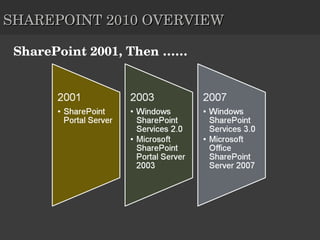
SHAREPOINT 2010 OVERVIEW SharePoint 2001, Then ……
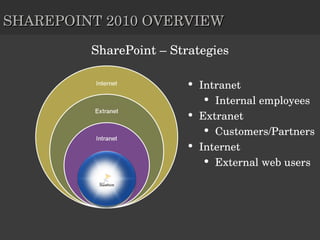
SharePoint – Strategies Intranet Internal employees  Extranet Customers/Partners Internet External web users  Intranet SHAREPOINT 2010 OVERVIEW
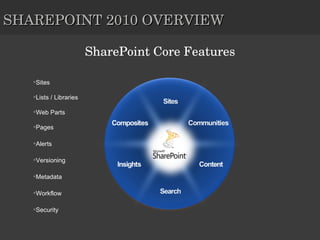
SHAREPOINT 2010 OVERVIEW SharePoint Core Features Sites Lists / Libraries Web Parts Pages Alerts Versioning Metadata Workflow Security
What SharePoint 2010 can do for you?
So why mobile SharePoint Application Stores & Marketplaces are Everywhere (oh my)… “ I Get Personal Productivity at Home”… But Nothing at Work! People Want the “Mobile Experience” SharePoint Will Be One of the Early Requests Everyone in the Room Needs to Start Thinking About a SharePoint Mobile Strategy!
Start Thinking about Mobile SharePoint Did you know that you can easily create custom-tailored SharePoint Mobile solutions in just a few minutes, without any code development at all? Create  rich mobile workforce business applications without writing a single line of code. SharePoint is very customizable and already has a mobile output format (/m) Deploy  applications securely over the air to one or hundreds of mobile phone users Connect  employees in the field with live business information and company workflows
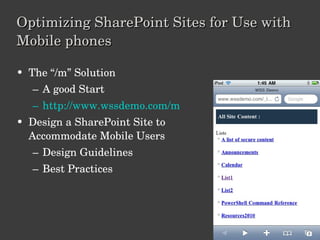
Optimizing SharePoint Sites for Use with Mobile phones The “/m” Solution A good Start http://www.wssdemo.com/m   Design a SharePoint Site to Accommodate Mobile Users Design Guidelines Best Practices
SharePoint mobile extensions In just a few minutes  you can produce a mobile interface that  answers your mobile users’ specific needs ! You have FULL control over your SharePoint Mobile application: You define the exact layout You define which menus and actions will be visible You define the exact logic Zero development!
Solution Concept A Form-based Application Generator Enables a  non-developer  to produce task-oriented mobile solutions which are based on existing SharePoint lists. These mobile applications will enable end-users perform faster by providing: Powerful forms  (field-level permissions, tabs, default values, field validation rules, field constraints) Context-sensitive, conditioned actions  (list-level, item-level) Auto-rendering to fit smart phones’ interface (1 st  version will support Blackberry and iPhone) Server-based solution , Zero deployment on smart phones. Template-based  – enables deploying solution templates across the organization! Fast response –  Thin HTML, CSS-based Small data plan–  because the interface is focuses, it requires minimum clicks and postbacks – minimum traffic
CUSTOM TASK MANAGEMENT MOBILE SOLUTION (WITHOUT THE “GENERIC” SHAREPOINT FEATURES)
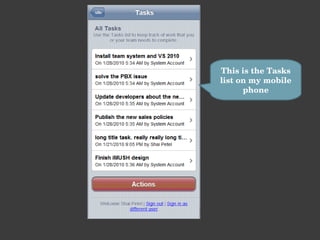
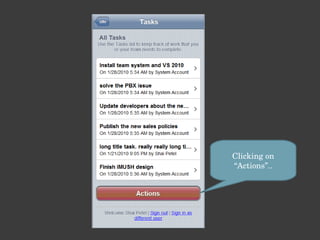
This is the Tasks list on my mobile phone
Clicking on “Actions”..
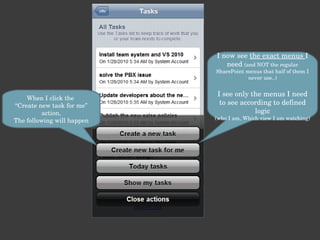
I now see  the exact menus  I need  (and NOT the regular SharePoint menus that half of them I never use..) I see only the menus I need to see according to defined logic (who I am, Which view I am watching) When I click the  “Create new task for me” action, The following will happen
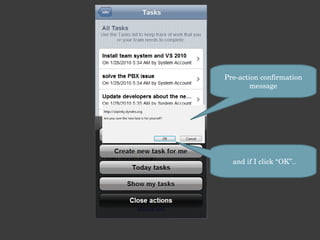
Pre-action confirmation message and if I click “OK”..
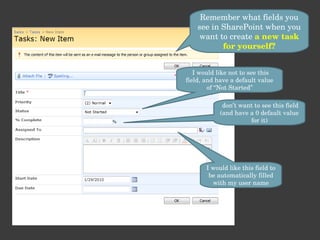
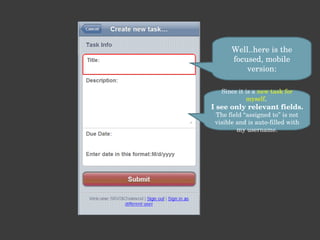
Remember what fields you see in SharePoint when you want to create  a new task for yourself? I would like not to see this field, and have a default value of “Not Started” don’t want to see this field (and have a 0 default value for it) I would like this field to be automatically filled with my user name
Well..here is the focused, mobile version: Since it is a  new task for myself ,  I see only relevant fields. The field “assigned to” is not visible and is auto-filled with my username.
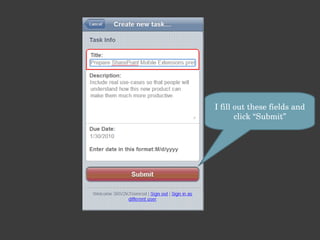
I fill out these fields and click “Submit”
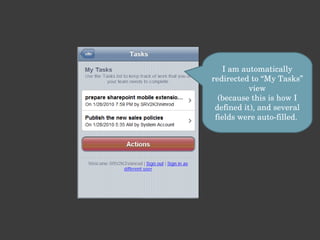
I am automatically redirected to “My Tasks” view (because this is how I defined it), and several fields were auto-filled.
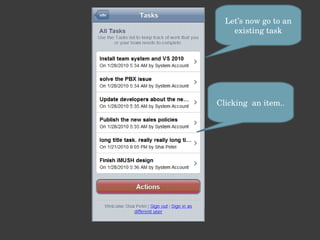
Let’s now go to an existing task Clicking  an item..
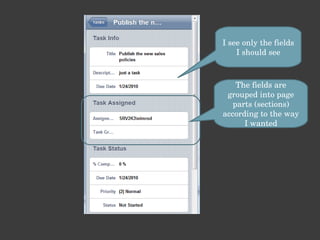
I see only the fields I should see The fields are grouped into page parts (sections) according to the way I wanted
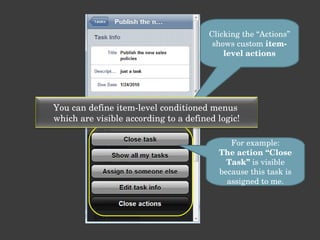
Clicking the “Actions” shows custom  item-level actions For example: The action “Close Task”  is visible because this task is assigned to me. You can define item-level conditioned menus  which are visible according to a defined logic!
Couldn’t our IT experts just create a simple  “ New Task for Myself ” button that opens a new task page without the irrelevant fields ?? Couldn’t they spare me from all these screen and allow me access directly the “New Task page”? I don’t care how SharePoint works..  I need to be able to work faster!!
SO… HOW DO I CREATE A CUSTOM MOBILE SOLUTION ?
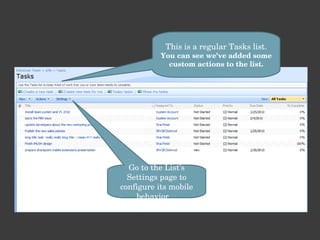
This is a regular Tasks list. You can see we’ve added some custom actions to the list. Go to the List’s Settings page to configure its mobile behavior…
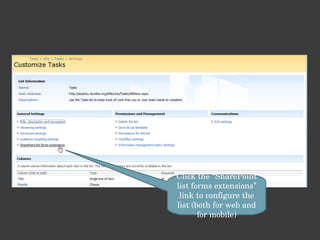
Click the “SharePoint list forms extensions” link to configure the list (both for web and for mobile)
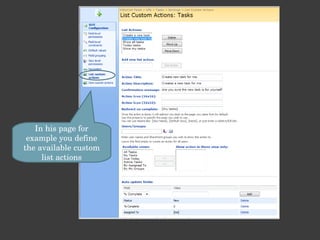
In his page for example you define the available custom list actions
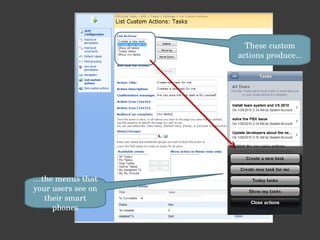
These custom actions produce... … the menus that your users see on their smart phones
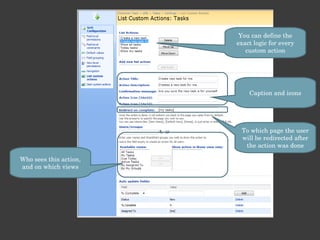
You can define the exact logic for every custom action Caption and icons To which page the user will be redirected after the action was done Who sees this action, and on which views
Define fields auto-update rules for each menu. (in our example: when creating a task for myself, make the “Assign To” field be equal to [me]) Define which field groups (tabs) will be visible for user input You can define which workflows should be initiated upon this action’s completion!
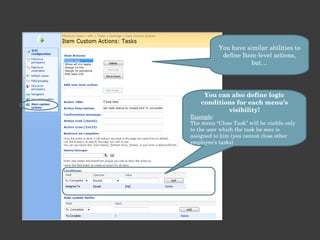
You have similar abilities to define Item-level actions, but… You can also define logic conditions for each menu’s visibility! Example : The menu “Close Task” will be visible only to the user which the task he sees is assigned to him (you cannot close other employee’s tasks)
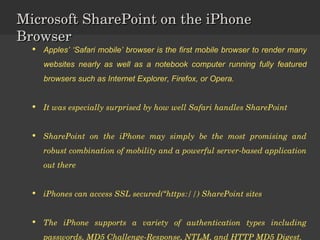
Microsoft SharePoint on the iPhone Browser Apples’ ‘Safari mobile’ browser is the first mobile browser to render many websites nearly as well as a notebook computer running fully featured browsers such as Internet Explorer, Firefox, or Opera.  It was especially surprised by how well Safari handles SharePoint SharePoint on the iPhone may simply be the most promising and robust combination of mobility and a powerful server-based application out there iPhones can access SSL secured(“https://) SharePoint sites The iPhone supports a variety of authentication types including passwords, MD5 Challenge-Response, NTLM, and HTTP MD5 Digest.
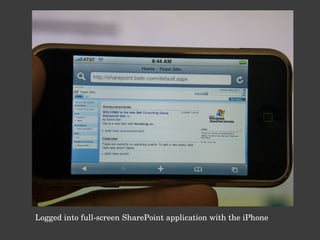
Logged into full-screen SharePoint application with the iPhone
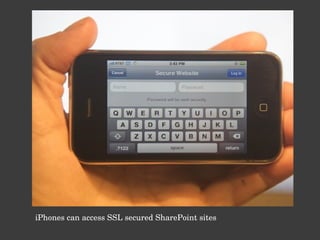
iPhones can access SSL secured SharePoint sites
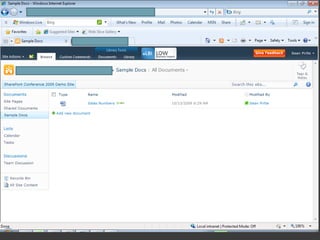
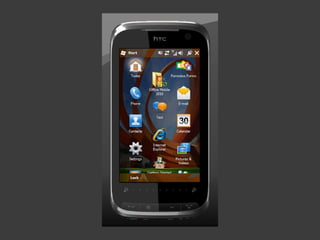
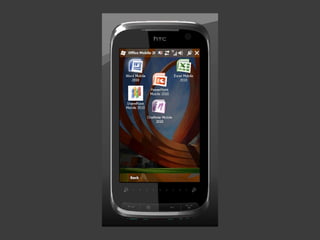
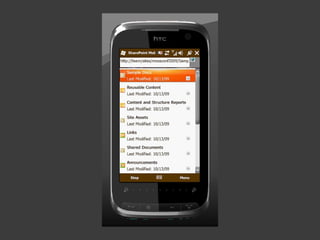
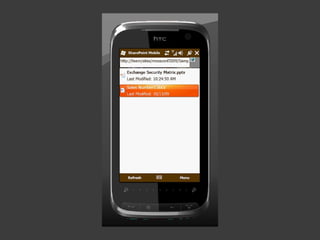
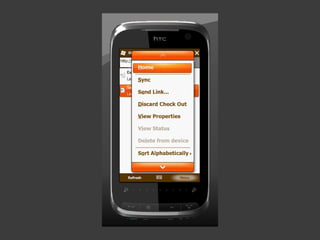
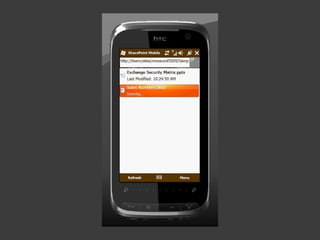
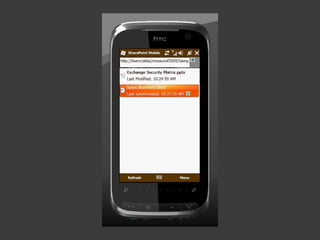
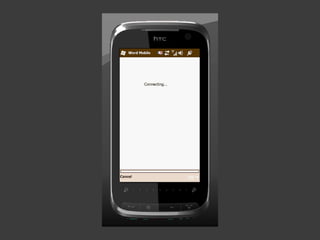
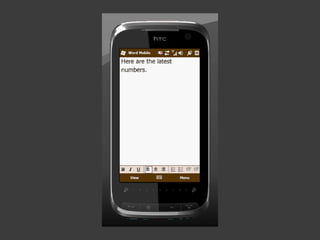
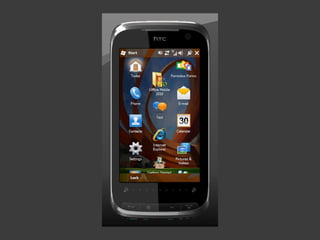
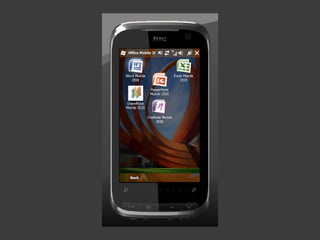
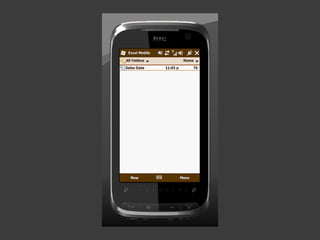
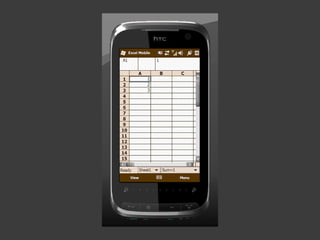
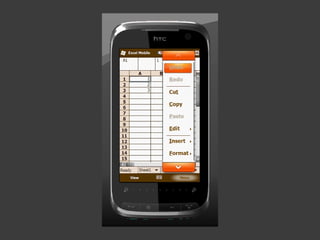
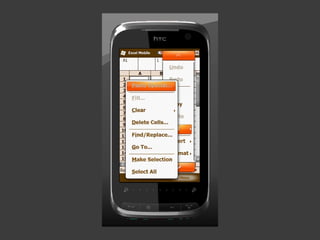
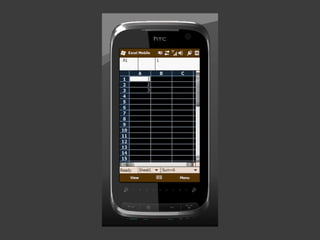
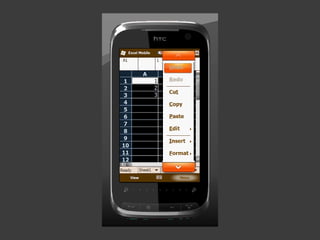
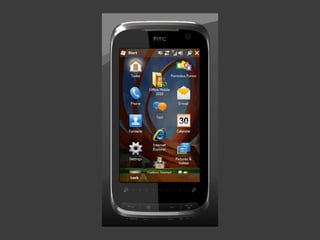
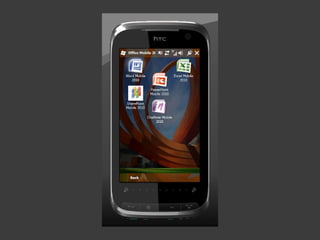
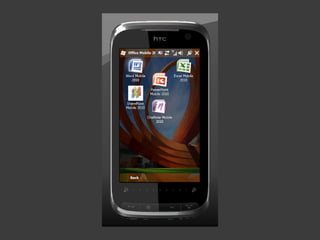
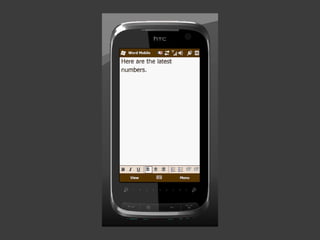
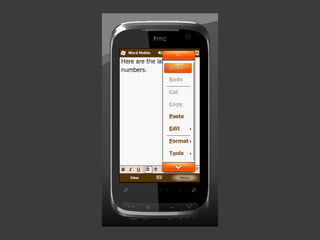
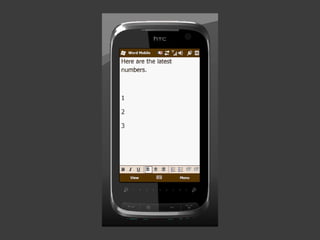
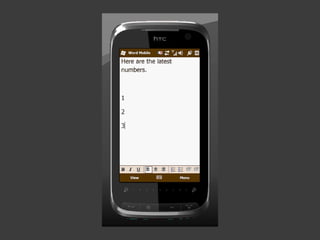
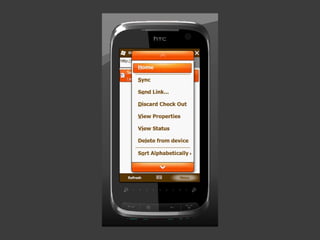
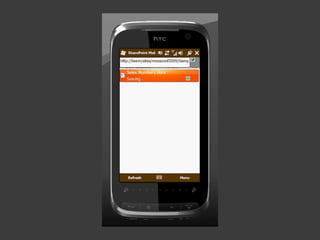
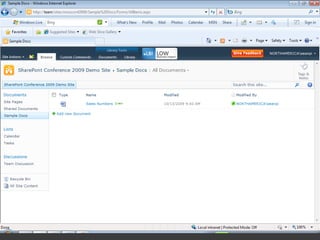
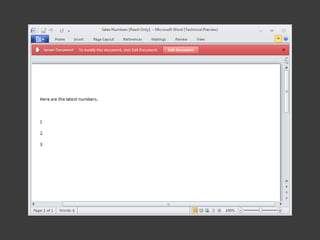
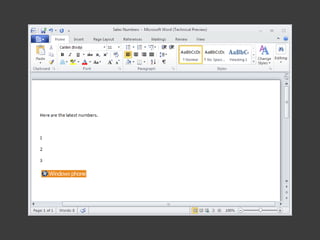
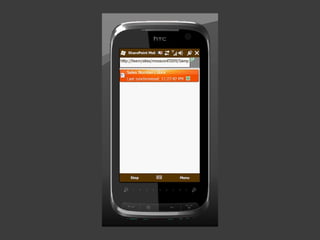
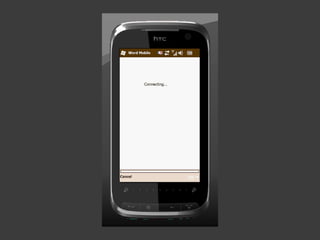
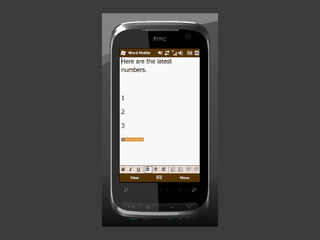
SharePoint & Office Mobile Access Demo Screenshot


Summary… Start Thinking about Mobile SharePoint Create mobile extension of your SharePoint Enterprise Application Test from your Smart Phone  
Contact Contact with me at  [email_address] Blog:  http://geekswithblogs.net/ferdous References http://www.wssdemo.com http://sharepoint.microsoft.com


Sharepoint mobile version v2

  • 1.
    SHAREPOINT MOBILE VERSIONMJ Ferdous SharePoint Consultant
  • 2.
    Agenda Microsoft VisionWhy SharePoint? SharePoint 2010 Overview What SharePoint can do for you? Why Mobile SharePoint? SharePoint Mobile Extension Microsoft SharePoint on the iPhone Browser SharePoint & Office Mobile Access
  • 3.
    MICROSOFT ® VISION Experiences that combine the magic of software with the power of Internet services across the devices
  • 4.
    Microsoft SharePoint makeslife easier for people to work together. Using SharePoint  You can set up Web sites to share information with others. Manage documents from start to finish. Publish reports to help everyone make better decisions. And so .. Why SharePoint?
  • 5.
    SHAREPOINT 2010 OVERVIEWSharePoint 2001, Then ……
  • 6.
    SharePoint – StrategiesIntranet Internal employees Extranet Customers/Partners Internet External web users Intranet SHAREPOINT 2010 OVERVIEW
  • 7.
    SHAREPOINT 2010 OVERVIEWSharePoint Core Features Sites Lists / Libraries Web Parts Pages Alerts Versioning Metadata Workflow Security
  • 8.
    What SharePoint 2010can do for you?
  • 9.
    So why mobileSharePoint Application Stores & Marketplaces are Everywhere (oh my)… “ I Get Personal Productivity at Home”… But Nothing at Work! People Want the “Mobile Experience” SharePoint Will Be One of the Early Requests Everyone in the Room Needs to Start Thinking About a SharePoint Mobile Strategy!
  • 10.
    Start Thinking aboutMobile SharePoint Did you know that you can easily create custom-tailored SharePoint Mobile solutions in just a few minutes, without any code development at all? Create rich mobile workforce business applications without writing a single line of code. SharePoint is very customizable and already has a mobile output format (/m) Deploy applications securely over the air to one or hundreds of mobile phone users Connect employees in the field with live business information and company workflows
  • 11.
    Optimizing SharePoint Sitesfor Use with Mobile phones The “/m” Solution A good Start http://www.wssdemo.com/m Design a SharePoint Site to Accommodate Mobile Users Design Guidelines Best Practices
  • 12.
    SharePoint mobile extensionsIn just a few minutes you can produce a mobile interface that answers your mobile users’ specific needs ! You have FULL control over your SharePoint Mobile application: You define the exact layout You define which menus and actions will be visible You define the exact logic Zero development!
  • 13.
    Solution Concept AForm-based Application Generator Enables a non-developer to produce task-oriented mobile solutions which are based on existing SharePoint lists. These mobile applications will enable end-users perform faster by providing: Powerful forms (field-level permissions, tabs, default values, field validation rules, field constraints) Context-sensitive, conditioned actions (list-level, item-level) Auto-rendering to fit smart phones’ interface (1 st version will support Blackberry and iPhone) Server-based solution , Zero deployment on smart phones. Template-based – enables deploying solution templates across the organization! Fast response – Thin HTML, CSS-based Small data plan– because the interface is focuses, it requires minimum clicks and postbacks – minimum traffic
  • 14.
    CUSTOM TASK MANAGEMENTMOBILE SOLUTION (WITHOUT THE “GENERIC” SHAREPOINT FEATURES)
  • 15.
    This is theTasks list on my mobile phone
  • 16.
  • 17.
    I now see the exact menus I need (and NOT the regular SharePoint menus that half of them I never use..) I see only the menus I need to see according to defined logic (who I am, Which view I am watching) When I click the “Create new task for me” action, The following will happen
  • 18.
    Pre-action confirmation messageand if I click “OK”..
  • 19.
    Remember what fieldsyou see in SharePoint when you want to create a new task for yourself? I would like not to see this field, and have a default value of “Not Started” don’t want to see this field (and have a 0 default value for it) I would like this field to be automatically filled with my user name
  • 20.
    Well..here is thefocused, mobile version: Since it is a new task for myself , I see only relevant fields. The field “assigned to” is not visible and is auto-filled with my username.
  • 21.
    I fill outthese fields and click “Submit”
  • 22.
    I am automaticallyredirected to “My Tasks” view (because this is how I defined it), and several fields were auto-filled.
  • 23.
    Let’s now goto an existing task Clicking an item..
  • 24.
    I see onlythe fields I should see The fields are grouped into page parts (sections) according to the way I wanted
  • 25.
    Clicking the “Actions”shows custom item-level actions For example: The action “Close Task” is visible because this task is assigned to me. You can define item-level conditioned menus which are visible according to a defined logic!
  • 26.
    Couldn’t our ITexperts just create a simple “ New Task for Myself ” button that opens a new task page without the irrelevant fields ?? Couldn’t they spare me from all these screen and allow me access directly the “New Task page”? I don’t care how SharePoint works.. I need to be able to work faster!!
  • 27.
    SO… HOW DOI CREATE A CUSTOM MOBILE SOLUTION ?
  • 28.
    This is aregular Tasks list. You can see we’ve added some custom actions to the list. Go to the List’s Settings page to configure its mobile behavior…
  • 29.
    Click the “SharePointlist forms extensions” link to configure the list (both for web and for mobile)
  • 30.
    In his pagefor example you define the available custom list actions
  • 31.
    These custom actionsproduce... … the menus that your users see on their smart phones
  • 32.
    You can definethe exact logic for every custom action Caption and icons To which page the user will be redirected after the action was done Who sees this action, and on which views
  • 33.
    Define fields auto-updaterules for each menu. (in our example: when creating a task for myself, make the “Assign To” field be equal to [me]) Define which field groups (tabs) will be visible for user input You can define which workflows should be initiated upon this action’s completion!
  • 34.
    You have similarabilities to define Item-level actions, but… You can also define logic conditions for each menu’s visibility! Example : The menu “Close Task” will be visible only to the user which the task he sees is assigned to him (you cannot close other employee’s tasks)
  • 35.
    Microsoft SharePoint onthe iPhone Browser Apples’ ‘Safari mobile’ browser is the first mobile browser to render many websites nearly as well as a notebook computer running fully featured browsers such as Internet Explorer, Firefox, or Opera. It was especially surprised by how well Safari handles SharePoint SharePoint on the iPhone may simply be the most promising and robust combination of mobility and a powerful server-based application out there iPhones can access SSL secured(“https://) SharePoint sites The iPhone supports a variety of authentication types including passwords, MD5 Challenge-Response, NTLM, and HTTP MD5 Digest.
  • 36.
    Logged into full-screenSharePoint application with the iPhone
  • 37.
    iPhones can accessSSL secured SharePoint sites
  • 38.
    SharePoint & OfficeMobile Access Demo Screenshot
  • 39.
  • 40.
  • 41.
  • 42.
  • 43.
  • 44.
  • 45.
  • 46.
  • 47.
  • 48.
  • 49.
  • 50.
  • 51.
  • 52.
  • 53.
  • 54.
  • 55.
  • 56.
  • 57.
  • 58.
  • 59.
  • 60.
  • 61.
  • 62.
  • 63.
  • 64.
  • 65.
  • 66.
  • 67.
  • 68.
  • 69.
  • 70.
  • 71.
  • 72.
  • 73.
  • 74.
  • 75.
  • 76.
  • 77.
  • 78.
    Summary… Start Thinkingabout Mobile SharePoint Create mobile extension of your SharePoint Enterprise Application Test from your Smart Phone 
  • 79.
    Contact Contact withme at [email_address] Blog: http://geekswithblogs.net/ferdous References http://www.wssdemo.com http://sharepoint.microsoft.com
  • 80.
  • 81.

Editor's Notes

  • #15 Reduce errors of users
  • #82 07/17/10 © 2009 Microsoft Corporation. All rights reserved. Microsoft, Windows, Windows Vista and other product names are or may be registered trademarks and/or trademarks in the U.S. and/or other countries. The information herein is for informational purposes only and represents the current view of Microsoft Corporation as of the date of this presentation. Because Microsoft must respond to changing market conditions, it should not be interpreted to be a commitment on the part of Microsoft, and Microsoft cannot guarantee the accuracy of any information provided after the date of this presentation. MICROSOFT MAKES NO WARRANTIES, EXPRESS, IMPLIED OR STATUTORY, AS TO THE INFORMATION IN THIS PRESENTATION. Microsoft SharePoint Conference 2009