DATA INPUT AND OUTPUT
• As we know that any c program is made up of 1 or
  more then 1 function.

• Likewise it use some functions for input output
  process. The most common function
      1) printf()
      2) scanf().
printf() Function
• printf() function is use to display something on the
  console or to display the value of some variable on
  the console.
• The general syntax for printf() function is as
  follows
      printf(<”format string”>,<list of variables>);

• To print some message on the screen
            printf(“God is great”);
  This will print message “God is great” on the
  screen or console.
printf() Function


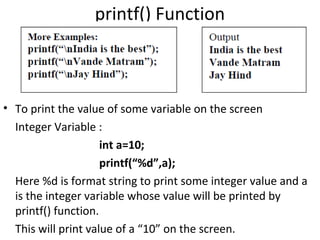
• To print the value of some variable on the screen
  Integer Variable :
                     int a=10;
                     printf(“%d”,a);
  Here %d is format string to print some integer value and a
  is the integer variable whose value will be printed by
  printf() function.
  This will print value of a “10” on the screen.
printf() function
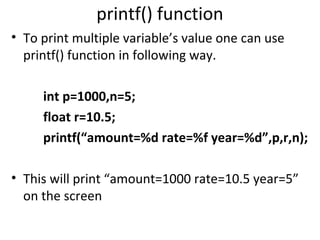
• To print multiple variable’s value one can use
  printf() function in following way.

     int p=1000,n=5;
     float r=10.5;
     printf(“amount=%d rate=%f year=%d”,p,r,n);

• This will print “amount=1000 rate=10.5 year=5”
  on the screen
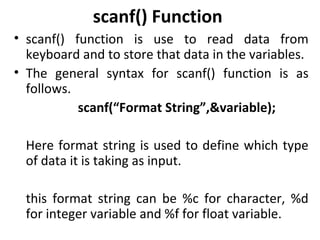
scanf() Function
• scanf() function is use to read data from
  keyboard and to store that data in the variables.
• The general syntax for scanf() function is as
  follows.
           scanf(“Format String”,&variable);

  Here format string is used to define which type
  of data it is taking as input.

  this format string can be %c for character, %d
  for integer variable and %f for float variable.
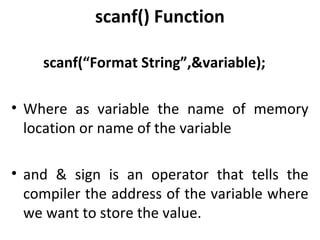
scanf() Function

    scanf(“Format String”,&variable);

• Where as variable the name of memory
  location or name of the variable

• and & sign is an operator that tells the
  compiler the address of the variable where
  we want to store the value.
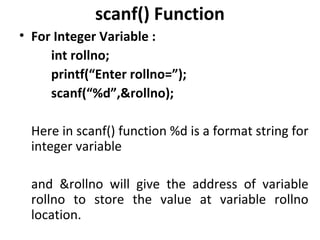
scanf() Function
• For Integer Variable :
     int rollno;
     printf(“Enter rollno=”);
     scanf(“%d”,&rollno);

  Here in scanf() function %d is a format string for
  integer variable

  and &rollno will give the address of variable
  rollno to store the value at variable rollno
  location.
scanf() Function
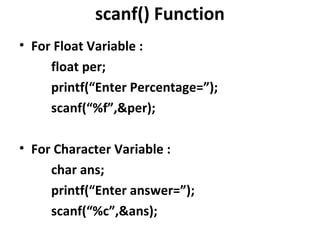
• For Float Variable :
     float per;
     printf(“Enter Percentage=”);
     scanf(“%f”,&per);

• For Character Variable :
     char ans;
     printf(“Enter answer=”);
     scanf(“%c”,&ans);
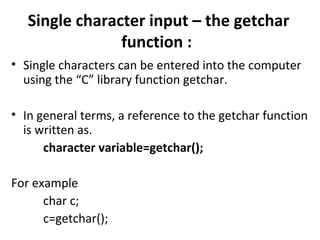
Single character input – the getchar
                function :
• Single characters can be entered into the computer
  using the “C” library function getchar.

• In general terms, a reference to the getchar function
  is written as.
      character variable=getchar();

For example
      char c;
      c=getchar();
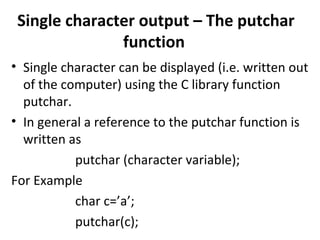
Single character output – The putchar
               function
• Single character can be displayed (i.e. written out
  of the computer) using the C library function
  putchar.
• In general a reference to the putchar function is
  written as
           putchar (character variable);
For Example
           char c=’a’;
           putchar(c);
Control Flow In C
• Objectives of the module is

  1) How to direct the sequence of execution
  using Decision control Structure

  2) Have an understanding of the iterative
  process using Loop Control Structure
Decision Control Structure
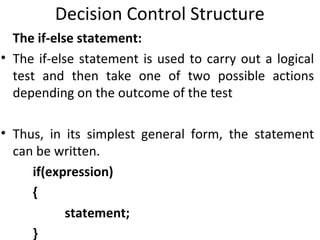
  The if-else statement:
• The if-else statement is used to carry out a logical
  test and then take one of two possible actions
  depending on the outcome of the test

• Thus, in its simplest general form, the statement
  can be written.
     if(expression)
     {
           statement;
     }
Decision Control Structure
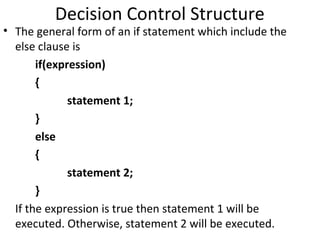
• The general form of an if statement which include the
  else clause is
       if(expression)
       {
              statement 1;
       }
       else
       {
              statement 2;
       }
  If the expression is true then statement 1 will be
  executed. Otherwise, statement 2 will be executed.
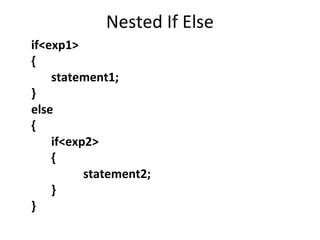
Nested If Else
if<exp1>
{
    statement1;
}
else
{
    if<exp2>
    {
          statement2;
    }
}
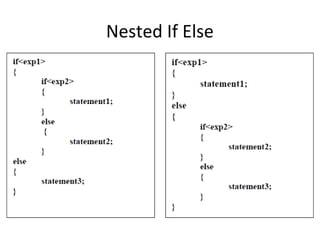
Nested If Else
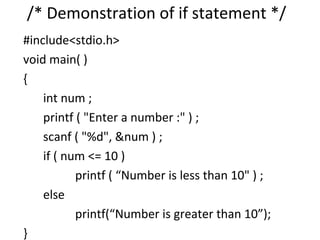
/* Demonstration of if statement */
#include<stdio.h>
void main( )
{
    int num ;
    printf ( "Enter a number :" ) ;
    scanf ( "%d", &num ) ;
    if ( num <= 10 )
           printf ( “Number is less than 10" ) ;
    else
           printf(“Number is greater than 10”);
}
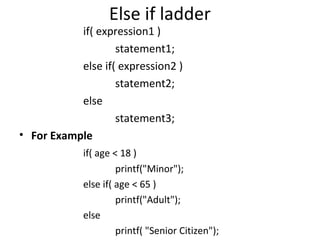
Else if ladder
           if( expression1 )
                   statement1;
           else if( expression2 )
                   statement2;
           else
                   statement3;
• For Example
            if( age < 18 )
                     printf("Minor");
            else if( age < 65 )
                     printf("Adult");
            else
                     printf( "Senior Citizen");
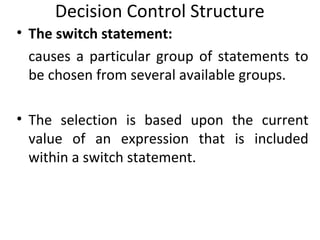
Decision Control Structure
• The switch statement:
  causes a particular group of statements to
  be chosen from several available groups.

• The selection is based upon the current
  value of an expression that is included
  within a switch statement.
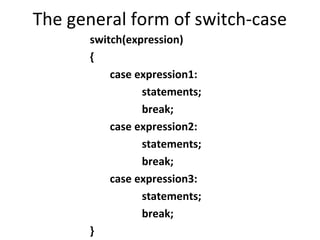
The general form of switch-case
      switch(expression)
      {
          case expression1:
                statements;
                break;
          case expression2:
                statements;
                break;
          case expression3:
                statements;
                break;
      }
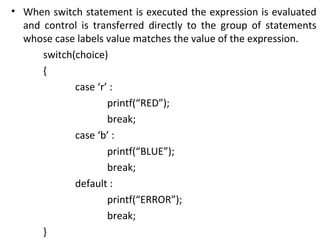
• When switch statement is executed the expression is evaluated
  and control is transferred directly to the group of statements
  whose case labels value matches the value of the expression.
      switch(choice)
      {
             case ‘r’ :
                     printf(“RED”);
                     break;
             case ‘b’ :
                     printf(“BLUE”);
                     break;
             default :
                     printf(“ERROR”);
                     break;
      }
LOOP CONTROL STRUCTURE
• If we want to perform certain action for no of
  times or we want to execute same statement or a
  group of statement repeatedly then we can use
  different type of loop structure available in C.

• Basically there are 3 types of loop structure
  available in C
     (1) While loop
     (2) Do..while
     (3) For loop
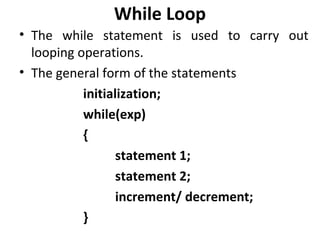
While Loop
• The while statement is used to carry out
  looping operations.
• The general form of the statements
           initialization;
           while(exp)
           {
                  statement 1;
                  statement 2;
                  increment/ decrement;
           }
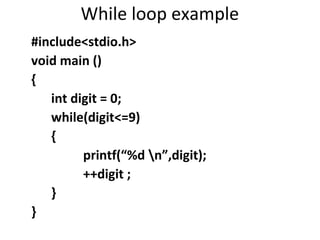
While loop example
#include<stdio.h>
void main ()
{
   int digit = 0;
   while(digit<=9)
   {
         printf(“%d n”,digit);
         ++digit ;
   }
}
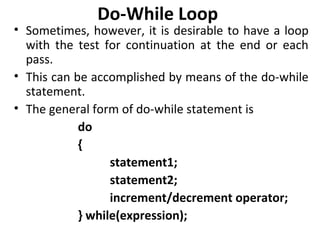
Do-While Loop
• Sometimes, however, it is desirable to have a loop
  with the test for continuation at the end or each
  pass.
• This can be accomplished by means of the do-while
  statement.
• The general form of do-while statement is
            do
            {
                  statement1;
                  statement2;
                  increment/decrement operator;
            } while(expression);
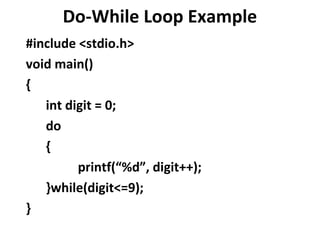
Do-While Loop Example
#include <stdio.h>
void main()
{
   int digit = 0;
   do
   {
         printf(“%d”, digit++);
   }while(digit<=9);
}
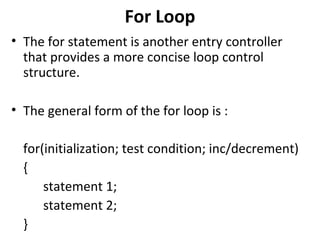
For Loop
• The for statement is another entry controller
  that provides a more concise loop control
  structure.

• The general form of the for loop is :

  for(initialization; test condition; inc/decrement)
  {
      statement 1;
      statement 2;
  }
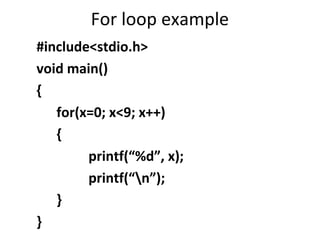
For loop example
#include<stdio.h>
void main()
{
   for(x=0; x<9; x++)
   {
        printf(“%d”, x);
        printf(“n”);
   }
}
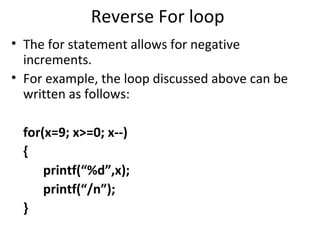
Reverse For loop
• The for statement allows for negative
  increments.
• For example, the loop discussed above can be
  written as follows:

 for(x=9; x>=0; x--)
 {
     printf(“%d”,x);
     printf(“/n”);
 }
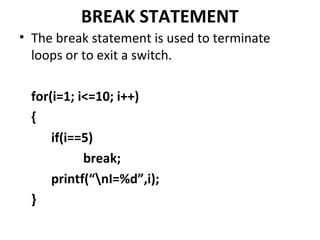
BREAK STATEMENT
• The break statement is used to terminate
  loops or to exit a switch.

  for(i=1; i<=10; i++)
  {
      if(i==5)
            break;
      printf(“nI=%d”,i);
  }
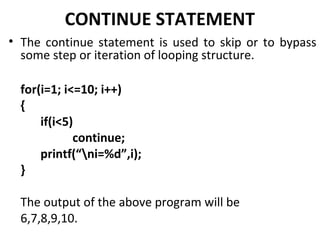
CONTINUE STATEMENT
• The continue statement is used to skip or to bypass
  some step or iteration of looping structure.

  for(i=1; i<=10; i++)
  {
      if(i<5)
             continue;
      printf(“ni=%d”,i);
  }

  The output of the above program will be
  6,7,8,9,10.
THE GOTO STATEMENT
• The goto statement is used to alter the normal
  sequence of program execution by transferring
  control to some other part of the program.

• In its general form the goto statement is written
  as
                  goto label;
• Where label is an identifier used to label the
  target statement to which control will be
  transferred.
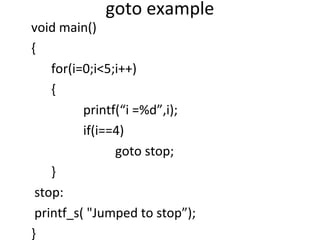
goto example
void main()
{
    for(i=0;i<5;i++)
    {
          printf(“i =%d”,i);
          if(i==4)
                goto stop;
    }
 stop:
 printf_s( "Jumped to stop”);
}

Session 3

  • 1.
    DATA INPUT ANDOUTPUT • As we know that any c program is made up of 1 or more then 1 function. • Likewise it use some functions for input output process. The most common function 1) printf() 2) scanf().
  • 2.
    printf() Function • printf()function is use to display something on the console or to display the value of some variable on the console. • The general syntax for printf() function is as follows printf(<”format string”>,<list of variables>); • To print some message on the screen printf(“God is great”); This will print message “God is great” on the screen or console.
  • 3.
    printf() Function • Toprint the value of some variable on the screen Integer Variable : int a=10; printf(“%d”,a); Here %d is format string to print some integer value and a is the integer variable whose value will be printed by printf() function. This will print value of a “10” on the screen.
  • 4.
    printf() function • Toprint multiple variable’s value one can use printf() function in following way. int p=1000,n=5; float r=10.5; printf(“amount=%d rate=%f year=%d”,p,r,n); • This will print “amount=1000 rate=10.5 year=5” on the screen
  • 5.
    scanf() Function • scanf()function is use to read data from keyboard and to store that data in the variables. • The general syntax for scanf() function is as follows. scanf(“Format String”,&variable); Here format string is used to define which type of data it is taking as input. this format string can be %c for character, %d for integer variable and %f for float variable.
  • 6.
    scanf() Function scanf(“Format String”,&variable); • Where as variable the name of memory location or name of the variable • and & sign is an operator that tells the compiler the address of the variable where we want to store the value.
  • 7.
    scanf() Function • ForInteger Variable : int rollno; printf(“Enter rollno=”); scanf(“%d”,&rollno); Here in scanf() function %d is a format string for integer variable and &rollno will give the address of variable rollno to store the value at variable rollno location.
  • 8.
    scanf() Function • ForFloat Variable : float per; printf(“Enter Percentage=”); scanf(“%f”,&per); • For Character Variable : char ans; printf(“Enter answer=”); scanf(“%c”,&ans);
  • 9.
    Single character input– the getchar function : • Single characters can be entered into the computer using the “C” library function getchar. • In general terms, a reference to the getchar function is written as. character variable=getchar(); For example char c; c=getchar();
  • 10.
    Single character output– The putchar function • Single character can be displayed (i.e. written out of the computer) using the C library function putchar. • In general a reference to the putchar function is written as putchar (character variable); For Example char c=’a’; putchar(c);
  • 11.
    Control Flow InC • Objectives of the module is 1) How to direct the sequence of execution using Decision control Structure 2) Have an understanding of the iterative process using Loop Control Structure
  • 12.
    Decision Control Structure The if-else statement: • The if-else statement is used to carry out a logical test and then take one of two possible actions depending on the outcome of the test • Thus, in its simplest general form, the statement can be written. if(expression) { statement; }
  • 13.
    Decision Control Structure •The general form of an if statement which include the else clause is if(expression) { statement 1; } else { statement 2; } If the expression is true then statement 1 will be executed. Otherwise, statement 2 will be executed.
  • 14.
    Nested If Else if<exp1> { statement1; } else { if<exp2> { statement2; } }
  • 15.
  • 16.
    /* Demonstration ofif statement */ #include<stdio.h> void main( ) { int num ; printf ( "Enter a number :" ) ; scanf ( "%d", &num ) ; if ( num <= 10 ) printf ( “Number is less than 10" ) ; else printf(“Number is greater than 10”); }
  • 17.
    Else if ladder if( expression1 ) statement1; else if( expression2 ) statement2; else statement3; • For Example if( age < 18 ) printf("Minor"); else if( age < 65 ) printf("Adult"); else printf( "Senior Citizen");
  • 18.
    Decision Control Structure •The switch statement: causes a particular group of statements to be chosen from several available groups. • The selection is based upon the current value of an expression that is included within a switch statement.
  • 19.
    The general formof switch-case switch(expression) { case expression1: statements; break; case expression2: statements; break; case expression3: statements; break; }
  • 20.
    • When switchstatement is executed the expression is evaluated and control is transferred directly to the group of statements whose case labels value matches the value of the expression. switch(choice) { case ‘r’ : printf(“RED”); break; case ‘b’ : printf(“BLUE”); break; default : printf(“ERROR”); break; }
  • 21.
    LOOP CONTROL STRUCTURE •If we want to perform certain action for no of times or we want to execute same statement or a group of statement repeatedly then we can use different type of loop structure available in C. • Basically there are 3 types of loop structure available in C (1) While loop (2) Do..while (3) For loop
  • 22.
    While Loop • Thewhile statement is used to carry out looping operations. • The general form of the statements initialization; while(exp) { statement 1; statement 2; increment/ decrement; }
  • 23.
    While loop example #include<stdio.h> voidmain () { int digit = 0; while(digit<=9) { printf(“%d n”,digit); ++digit ; } }
  • 24.
    Do-While Loop • Sometimes,however, it is desirable to have a loop with the test for continuation at the end or each pass. • This can be accomplished by means of the do-while statement. • The general form of do-while statement is do { statement1; statement2; increment/decrement operator; } while(expression);
  • 25.
    Do-While Loop Example #include<stdio.h> void main() { int digit = 0; do { printf(“%d”, digit++); }while(digit<=9); }
  • 26.
    For Loop • Thefor statement is another entry controller that provides a more concise loop control structure. • The general form of the for loop is : for(initialization; test condition; inc/decrement) { statement 1; statement 2; }
  • 27.
    For loop example #include<stdio.h> voidmain() { for(x=0; x<9; x++) { printf(“%d”, x); printf(“n”); } }
  • 28.
    Reverse For loop •The for statement allows for negative increments. • For example, the loop discussed above can be written as follows: for(x=9; x>=0; x--) { printf(“%d”,x); printf(“/n”); }
  • 29.
    BREAK STATEMENT • Thebreak statement is used to terminate loops or to exit a switch. for(i=1; i<=10; i++) { if(i==5) break; printf(“nI=%d”,i); }
  • 30.
    CONTINUE STATEMENT • Thecontinue statement is used to skip or to bypass some step or iteration of looping structure. for(i=1; i<=10; i++) { if(i<5) continue; printf(“ni=%d”,i); } The output of the above program will be 6,7,8,9,10.
  • 31.
    THE GOTO STATEMENT •The goto statement is used to alter the normal sequence of program execution by transferring control to some other part of the program. • In its general form the goto statement is written as goto label; • Where label is an identifier used to label the target statement to which control will be transferred.
  • 32.
    goto example void main() { for(i=0;i<5;i++) { printf(“i =%d”,i); if(i==4) goto stop; } stop: printf_s( "Jumped to stop”); }