Canvas Based Presentation using
Scalable Vector Graphics and
JavaScript
S. Srikrishnan, V. Vishal Gautham
31508104099, 31508104120
Guided By
Dr. R. S. Milton
Professor
Department of Computer Science and Engineering
SSN College of Engineering
Second Review - 23rd February, 2012
Outline
1 Recap
2 Using jQuery SVG
3 Architecture
4 Implementation
5 Future enhancements
6 References
Recap
Slide based paradigm
Information is organized into slides
Each slide typically consists of a list of bulleted points
Disadvantage
Single pre-set path
Tendency to skip slides – distracts the audience
Edward Tufte’s views
Canvas based paradigm
The material to be presented is laid out in a large canvas
without any page (slide) boundaries
Advantages
Reflects the presenter’s flow of thought process
Emphasis more on the central idea
Technological Aspects
Scalable Vector Graphics (SVG)
Animates the presentation elements
Open standard
Supported by modern browsers
JavaScript
Programmatically manipulate the components of the
presentation
W3 Compliant web browser as presentation tool
Upto Second Review
Work done till Zeroth review:
Collection of background data
Exploring design possibilities
Work done till First review:
Decision on design technique
Study of various JavaScript libraries
Implementation
Work done till Second review:
Further implementation
Using jQuery SVG
Written as a plugin to jQuery library
Lets you interact with an SVG canvas
Advantages
Provides native access to the elements — what we wanted!
Has an extensible architecture — plugins can be added
Suitable for complex implementation
Code can be easily written if SVG elements and their
attributes are known
More on jQuery SVG
Main package for drawing primitives: jquery.svg.js
Many extensions also available for jQuery SVG
jquery.svganim.js
jquery.svgfilter.js
jquery.svggraphs.js
Using jQuery plugin is simple
Include the CSS and the Javascript file
Add any extension package needed
Attach a SVG canvas to <div> using its selector
Once loaded, retrieve the SVG instance to use it
Additional parameters may be passed to the initial attachment
call — supports overloading
SVG and jQuerySVG
SVG
<rect x="20" y="50" width="100" height="50"
fill="yellow" stroke="navy" stroke-width="5">
<g transform="translate(175 220)>"
jQuery SVG
svg.rect(20, 50, 100, 50,{fill: ’yellow’,
stroke: ’navy’, strokeWidth: 5});
var g = svg.group({transform: ’translate(175 220)’});
Building Canscape
The presentation editor is a combination of the following
Graphics Editor: To add shapes, perform operations on it such
as rotate, resize etc.
Text Editor: To add text, perform formatting operations such
as styling, aligning, bulleting, etc.
Animation Editor: To pan and zoom the viewport to focus on
the region of interest
Libraries Used
jQuery
jQueryUI
Panzoom
jQuerySVG
jQuery SVG anim
jWYSIWYG
Farbtastic
Architecture Diagram
Workflow Diagram
Implementation
Viewport panning and zooming
Shapes and lines insertion and drag and drop
Adding text by WYSIWYM
Adding color picker to change shapes/text color
Viewport transformation required during presentation
Server side scripting
Adding image to the canvas
Exporting presentation
Screenshot - User Interface
Screenshot - Element Insertion, Color picker
Screenshot - Adding text to canvas
Screenshot - Adding image to canvas
Screenshot - Rotating elements
Screenshot - Presentation Paths
Screenshot - Exporting presentation
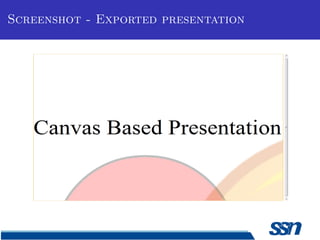
Screenshot - Exported presentation
Future enhancements
Text popups on images
Grouping of elements
Inserting graphs and charts
Inserting tables
Export as PDF
References
[1] Edward R. Tufte, The Visual Display of Quantitative
Information, Second Edition, Graphics Press LLC, 2001.
[2] W3C Recommendations, Scalable Vector Graphics (SVG) 1.1
(Second Edition), http://www.w3.org/TR/SVG/
[3] Raphael.js, a cross-browser JavaScript library for drawing vector
graphics, http://www.raphaeljs.com
[4] Apache Batik, Java classes for manipulating SVG,
http://xmlgraphics.apache.org/batik/javadoc/
[5] Prezi, a cloud based SaaS presentation software,
http://www.prezi.com
References
[6] jQuery, a JavaScript library to simplify scripting in HTML,
http://www.jquery.com/
[7] jQuery UI, a jQuery user interface library,
http://www.jqueryui.com/
[8] jQuery SVG, a jQuery plugin to interact with SVG,
http://keithwood.name/svg.html
[9] Farbtastic, a jQuery plugin for color picker,
http://acko.net/blog/farbtasticjquery-color-picker-plug-in/
[10] jWysiwyg, a jQuery plugin for inline content editor,
http://akzhan.github.com/jwysiwyg/

Second review presentation

  • 1.
    Canvas Based Presentationusing Scalable Vector Graphics and JavaScript S. Srikrishnan, V. Vishal Gautham 31508104099, 31508104120 Guided By Dr. R. S. Milton Professor Department of Computer Science and Engineering SSN College of Engineering Second Review - 23rd February, 2012
  • 2.
    Outline 1 Recap 2 UsingjQuery SVG 3 Architecture 4 Implementation 5 Future enhancements 6 References
  • 3.
    Recap Slide based paradigm Informationis organized into slides Each slide typically consists of a list of bulleted points Disadvantage Single pre-set path Tendency to skip slides – distracts the audience Edward Tufte’s views Canvas based paradigm The material to be presented is laid out in a large canvas without any page (slide) boundaries Advantages Reflects the presenter’s flow of thought process Emphasis more on the central idea
  • 4.
    Technological Aspects Scalable VectorGraphics (SVG) Animates the presentation elements Open standard Supported by modern browsers JavaScript Programmatically manipulate the components of the presentation W3 Compliant web browser as presentation tool
  • 5.
    Upto Second Review Workdone till Zeroth review: Collection of background data Exploring design possibilities Work done till First review: Decision on design technique Study of various JavaScript libraries Implementation Work done till Second review: Further implementation
  • 6.
    Using jQuery SVG Writtenas a plugin to jQuery library Lets you interact with an SVG canvas Advantages Provides native access to the elements — what we wanted! Has an extensible architecture — plugins can be added Suitable for complex implementation Code can be easily written if SVG elements and their attributes are known
  • 7.
    More on jQuerySVG Main package for drawing primitives: jquery.svg.js Many extensions also available for jQuery SVG jquery.svganim.js jquery.svgfilter.js jquery.svggraphs.js Using jQuery plugin is simple Include the CSS and the Javascript file Add any extension package needed Attach a SVG canvas to <div> using its selector Once loaded, retrieve the SVG instance to use it Additional parameters may be passed to the initial attachment call — supports overloading
  • 8.
    SVG and jQuerySVG SVG <rectx="20" y="50" width="100" height="50" fill="yellow" stroke="navy" stroke-width="5"> <g transform="translate(175 220)>" jQuery SVG svg.rect(20, 50, 100, 50,{fill: ’yellow’, stroke: ’navy’, strokeWidth: 5}); var g = svg.group({transform: ’translate(175 220)’});
  • 9.
    Building Canscape The presentationeditor is a combination of the following Graphics Editor: To add shapes, perform operations on it such as rotate, resize etc. Text Editor: To add text, perform formatting operations such as styling, aligning, bulleting, etc. Animation Editor: To pan and zoom the viewport to focus on the region of interest
  • 10.
  • 11.
  • 12.
  • 13.
    Implementation Viewport panning andzooming Shapes and lines insertion and drag and drop Adding text by WYSIWYM Adding color picker to change shapes/text color Viewport transformation required during presentation Server side scripting Adding image to the canvas Exporting presentation
  • 14.
  • 15.
    Screenshot - ElementInsertion, Color picker
  • 16.
    Screenshot - Addingtext to canvas
  • 17.
    Screenshot - Addingimage to canvas
  • 18.
    Screenshot - Addingimage to canvas
  • 19.
  • 20.
  • 21.
  • 22.
  • 23.
    Future enhancements Text popupson images Grouping of elements Inserting graphs and charts Inserting tables Export as PDF
  • 24.
    References [1] Edward R.Tufte, The Visual Display of Quantitative Information, Second Edition, Graphics Press LLC, 2001. [2] W3C Recommendations, Scalable Vector Graphics (SVG) 1.1 (Second Edition), http://www.w3.org/TR/SVG/ [3] Raphael.js, a cross-browser JavaScript library for drawing vector graphics, http://www.raphaeljs.com [4] Apache Batik, Java classes for manipulating SVG, http://xmlgraphics.apache.org/batik/javadoc/ [5] Prezi, a cloud based SaaS presentation software, http://www.prezi.com
  • 25.
    References [6] jQuery, aJavaScript library to simplify scripting in HTML, http://www.jquery.com/ [7] jQuery UI, a jQuery user interface library, http://www.jqueryui.com/ [8] jQuery SVG, a jQuery plugin to interact with SVG, http://keithwood.name/svg.html [9] Farbtastic, a jQuery plugin for color picker, http://acko.net/blog/farbtasticjquery-color-picker-plug-in/ [10] jWysiwyg, a jQuery plugin for inline content editor, http://akzhan.github.com/jwysiwyg/