Search Strategies – Subject Searching
•   Subject Searching is a research strategy that incorporates both subject terms and
    keywords into your search. This will allow you to create a result list with a more
    specific and detailed results.

•   Keywords, are words, ideas, and phrases that you use to describe your topic.
     – These words are often discovered while reading about your topic, during class
       discussions, and in databases.

•   Subject terms, unlike keywords, are a “controlled vocabulary.” A controlled
    vocabulary allows databases to consistently organize articles into the proper
    subject group or groups regardless of the possible variations in keywords.

•   The subject term “World War, 1940-1945” will search for all of the following
    keywords: WWII, World War Two, Second World War.

•   This prevents you from having to perform three separate keyword searches.
Search Strategies – Subject Searching
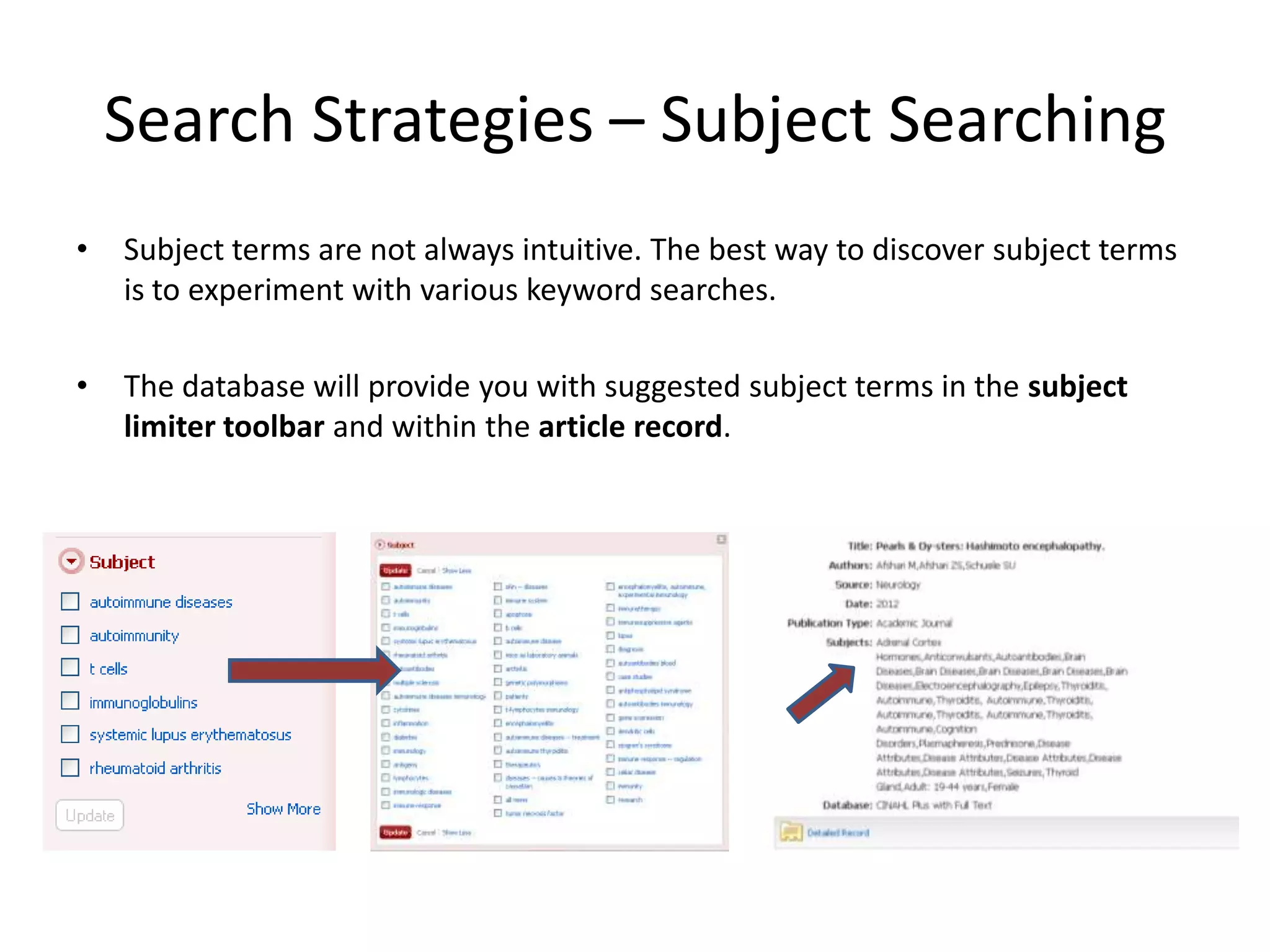
•   Subject terms are not always intuitive. The best way to discover subject terms
    is to experiment with various keyword searches.

•   The database will provide you with suggested subject terms in the subject
    limiter toolbar and within the article record.
Search Strategies – Subject Searching
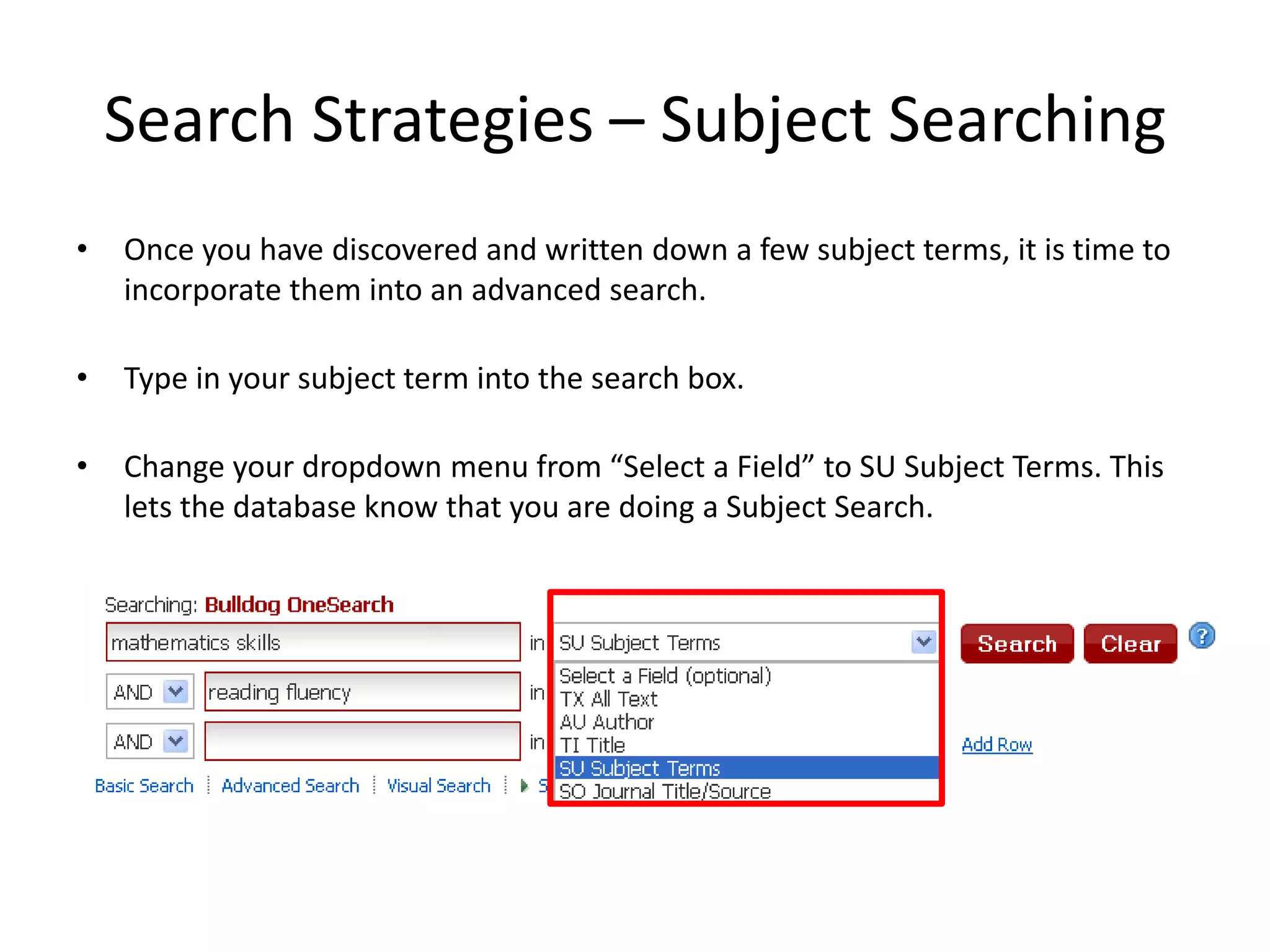
•   Once you have discovered and written down a few subject terms, it is time to
    incorporate them into an advanced search.

•   Type in your subject term into the search box.

•   Change your dropdown menu from “Select a Field” to SU Subject Terms. This
    lets the database know that you are doing a Subject Search.
Search Strategies – Subject Searching

• A great feature to subject searching is also being able to incorporate
  your keywords to create a more detailed search.

• This will also help you narrow down your result list.

• To combine a subject and keyword search, you will need
  incorporate the Boolean Operators AND / OR.
Search Strategies – Subject Searching
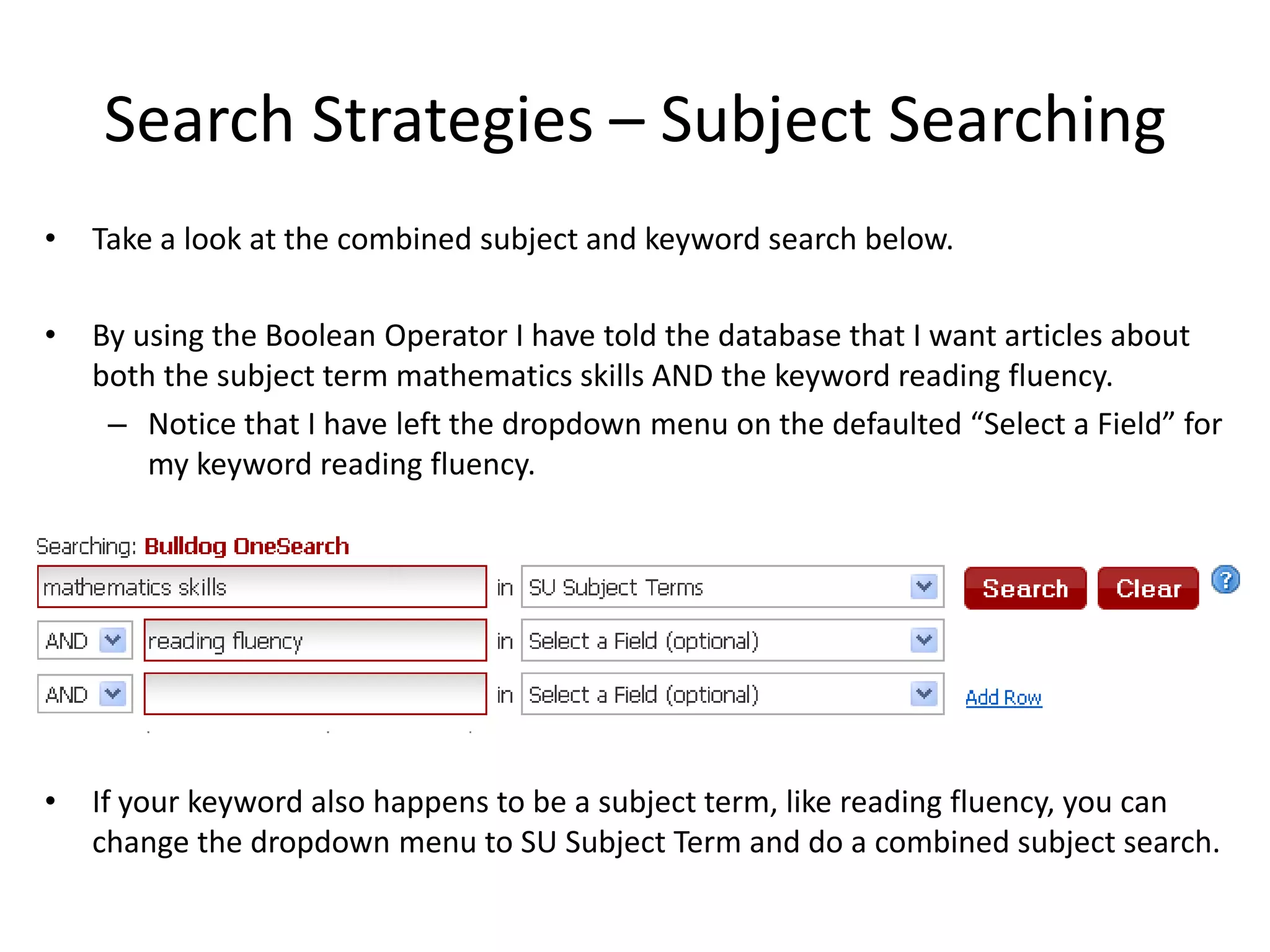
•   Take a look at the combined subject and keyword search below.

•   By using the Boolean Operator I have told the database that I want articles about
    both the subject term mathematics skills AND the keyword reading fluency.
     – Notice that I have left the dropdown menu on the defaulted “Select a Field” for
        my keyword reading fluency.


•   If your keyword also happens to be a subject term, like reading fluency, you can
    change the dropdown menu to SU Subject Term and do a combined subject search.

Search strategies – subject searching

  • 1.
    Search Strategies –Subject Searching • Subject Searching is a research strategy that incorporates both subject terms and keywords into your search. This will allow you to create a result list with a more specific and detailed results. • Keywords, are words, ideas, and phrases that you use to describe your topic. – These words are often discovered while reading about your topic, during class discussions, and in databases. • Subject terms, unlike keywords, are a “controlled vocabulary.” A controlled vocabulary allows databases to consistently organize articles into the proper subject group or groups regardless of the possible variations in keywords. • The subject term “World War, 1940-1945” will search for all of the following keywords: WWII, World War Two, Second World War. • This prevents you from having to perform three separate keyword searches.
  • 2.
    Search Strategies –Subject Searching • Subject terms are not always intuitive. The best way to discover subject terms is to experiment with various keyword searches. • The database will provide you with suggested subject terms in the subject limiter toolbar and within the article record.
  • 3.
    Search Strategies –Subject Searching • Once you have discovered and written down a few subject terms, it is time to incorporate them into an advanced search. • Type in your subject term into the search box. • Change your dropdown menu from “Select a Field” to SU Subject Terms. This lets the database know that you are doing a Subject Search.
  • 4.
    Search Strategies –Subject Searching • A great feature to subject searching is also being able to incorporate your keywords to create a more detailed search. • This will also help you narrow down your result list. • To combine a subject and keyword search, you will need incorporate the Boolean Operators AND / OR.
  • 5.
    Search Strategies –Subject Searching • Take a look at the combined subject and keyword search below. • By using the Boolean Operator I have told the database that I want articles about both the subject term mathematics skills AND the keyword reading fluency. – Notice that I have left the dropdown menu on the defaulted “Select a Field” for my keyword reading fluency. • If your keyword also happens to be a subject term, like reading fluency, you can change the dropdown menu to SU Subject Term and do a combined subject search.