Word Searching
Athens State University Library
To be covered…
• Subject Headings
• Keywords
• Boolean Operators
Subject Headings
• Subject Headings are terms drawn from a controlled
list of words or phrases, each carefully selected and
defined to describe a specific item or concept.
– act as categories
– also called descriptors, index terms, thesaurus terms, or
controlled vocabulary terms.
• Allows for easier searching of catalogs/databases
• A catalog record will always contain the proper subject
heading for the item.
Library of Congress Subject Headings
• Most libraries use the authorized list of
subject headings developed by the Library of
Congress.
– List updated every year
Library of Congress
Subject Headings website
Search for water bottle
Individual Record
• Notice the
– Variants
– Broader terms
– Exact Matching
– Closely Matching
Keywords
• Official Subject Headings are very useful, but
often you will also need to have a list of
Keywords available to add to your searches.
You want to make sure that you have found all
the best sources of information for your paper.
Activity: Branching (hot potato)
Keywords are…
• Flexible terms
• Easy to use
• Less accurate to search with
• The language we use in everyday speaking.
Identifying Keywords
• Take your topic and make it a question…
• Now in that question identify the significant
terms in your question.
• These terms are the keywords you will use to
search for sources.
Identifying multiple keywords allows
for more flexibility.
• Other ways to find
keywords:
• Identify the synonyms
and antonyms to your
keywords
• Use a thesaurus
• Use database tools like
descriptors and subjects
• Brainstorming
• Reading about your topic
in encyclopedias, books,
articles, online
Activity: Mystery Bag
• Your group will come up
with a list of one word
descriptors of what is in
your bag.
Searching with Keywords
• To search effectively you will need to use more
than one keyword.
• To use more than one keyword you will need
to us Boolean Operators.
Boolean Logic
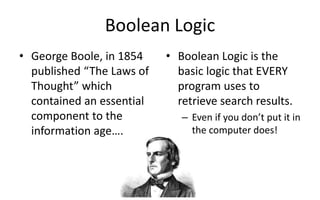
• George Boole, in 1854
published “The Laws of
Thought” which
contained an essential
component to the
information age….
• Boolean Logic is the
basic logic that EVERY
program uses to
retrieve search results.
– Even if you don’t put it in
the computer does!
Boolean Operators
• Three basic operators used are:
AND = Combine
OR = Broaden
NOT = Exclude
Automatic Use by Computers
• AND is automatically used by Google and other
search engines to combine terms.
• Sometimes a program will use a + or – to
substitute for AND or NOT
• Use the Keyword Worksheet to put together your
search BEFORE you sit down at the computer.
Adding Keywords
• Use keywords
– Descriptors:
• The words that are most
important to your search
• Use with Boolean
operators
– AND
– OR
– NOT
Exercise
• Shuffle and Deal

Word searching

  • 1.
    Word Searching Athens StateUniversity Library
  • 2.
    To be covered… •Subject Headings • Keywords • Boolean Operators
  • 3.
    Subject Headings • SubjectHeadings are terms drawn from a controlled list of words or phrases, each carefully selected and defined to describe a specific item or concept. – act as categories – also called descriptors, index terms, thesaurus terms, or controlled vocabulary terms. • Allows for easier searching of catalogs/databases • A catalog record will always contain the proper subject heading for the item.
  • 4.
    Library of CongressSubject Headings • Most libraries use the authorized list of subject headings developed by the Library of Congress. – List updated every year
  • 5.
  • 6.
  • 7.
    Individual Record • Noticethe – Variants – Broader terms – Exact Matching – Closely Matching
  • 8.
    Keywords • Official SubjectHeadings are very useful, but often you will also need to have a list of Keywords available to add to your searches. You want to make sure that you have found all the best sources of information for your paper.
  • 9.
  • 10.
    Keywords are… • Flexibleterms • Easy to use • Less accurate to search with • The language we use in everyday speaking.
  • 11.
    Identifying Keywords • Takeyour topic and make it a question… • Now in that question identify the significant terms in your question. • These terms are the keywords you will use to search for sources.
  • 12.
    Identifying multiple keywordsallows for more flexibility. • Other ways to find keywords: • Identify the synonyms and antonyms to your keywords • Use a thesaurus • Use database tools like descriptors and subjects • Brainstorming • Reading about your topic in encyclopedias, books, articles, online
  • 13.
    Activity: Mystery Bag •Your group will come up with a list of one word descriptors of what is in your bag.
  • 14.
    Searching with Keywords •To search effectively you will need to use more than one keyword. • To use more than one keyword you will need to us Boolean Operators.
  • 15.
    Boolean Logic • GeorgeBoole, in 1854 published “The Laws of Thought” which contained an essential component to the information age…. • Boolean Logic is the basic logic that EVERY program uses to retrieve search results. – Even if you don’t put it in the computer does!
  • 16.
    Boolean Operators • Threebasic operators used are: AND = Combine OR = Broaden NOT = Exclude
  • 17.
    Automatic Use byComputers • AND is automatically used by Google and other search engines to combine terms. • Sometimes a program will use a + or – to substitute for AND or NOT • Use the Keyword Worksheet to put together your search BEFORE you sit down at the computer.
  • 18.
    Adding Keywords • Usekeywords – Descriptors: • The words that are most important to your search • Use with Boolean operators – AND – OR – NOT
  • 19.