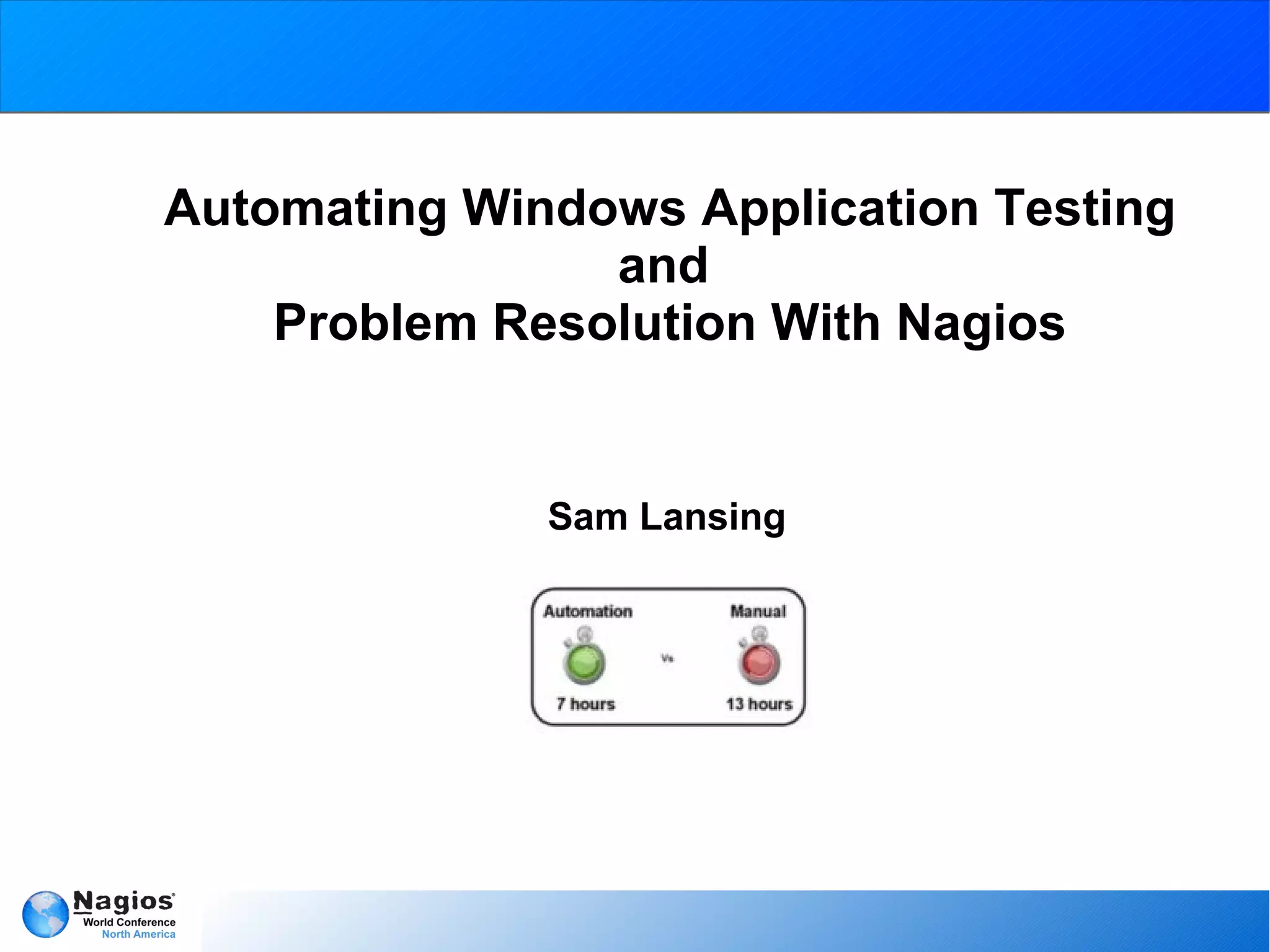
Automating Windows Application Testing
                and
    Problem Resolution With Nagios


              Sam Lansing
Introduction

   What I do at Nagios
          Member of the Technical Support team at Nagios.
          I work on documentation and quality assurance,
             implementation of automated problem solutions into the
             Nagios family of software.
   Example projects:
          AutoIT Timer Plugin, Program Timer, Host Service Restart
            Event Handler, Selenium integration, and Selenium Nagios
            XI interface checks.


                                 2012                                  2
What is this automation thing?

   Automation, the asset
          Eliminates the hassle of terminal usage when an issue
             occurs
          Precise and efficient testing
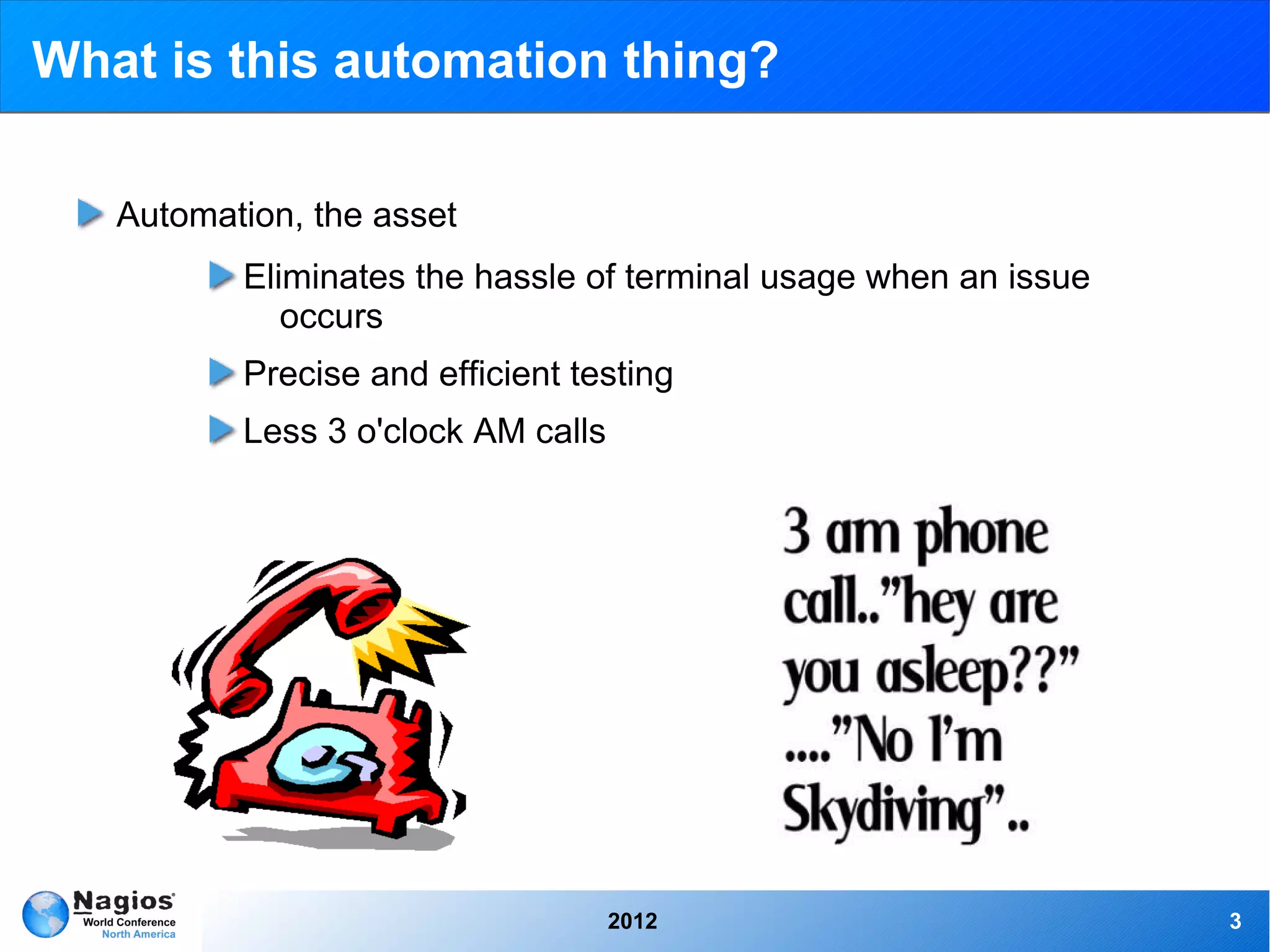
          Less 3 o'clock AM calls


                                    2012                          3
As far as the eye can see!

   Possibilities and limitations
         ➢   Autonomous problem solutions
         ➢   Usable for simple things such as service restarting, to
               intricate expansive uses such as mass distribution
         ➢   Main limitation is user interface interference
         ➢   Advisable to cron scripts as to not over lap actions


                                     2012                              4
Solutions, what works?

   AutoIT and Selenium
        ➢   Currently tested and implemented with maximum capability
        ➢   Large user base and support team
        ➢   Easily molded to your needs
   Triggered Scripts
        ➢   Event Handler driven
        ➢   Simple yet effective
        ➢   Easily Editable


                                   2012                                5
Event Handlers, what are they?

   Triggered when a Host or Service changes state
        ➢   Restarting a service
        ➢   Entering helpdesk tickets
        ➢   Logging database information
   Intermediary between Nagios and a remote host
        ➢   Can be used to run a script “if state is”
        ➢   Most efficient way to tie in AutoIT scripts otherwise the
             automation scripts may overlap, or continue running.


                                     2012                               6
Event Handler example

   Using XI Windows Monitoring Wizards
        ➢   A monitored service goes into a critical state and the
              servicerestart.sh script is triggered
        ➢   Servicerestart.sh sends a command directly to the Windows
              Host to net stop/start “service name”
        ➢   On the next check the service is determined to be running
             and the check returns to an OK state


                                    2012                                7
AutoIT What is it?

   AutoIT is actually has numerous parts
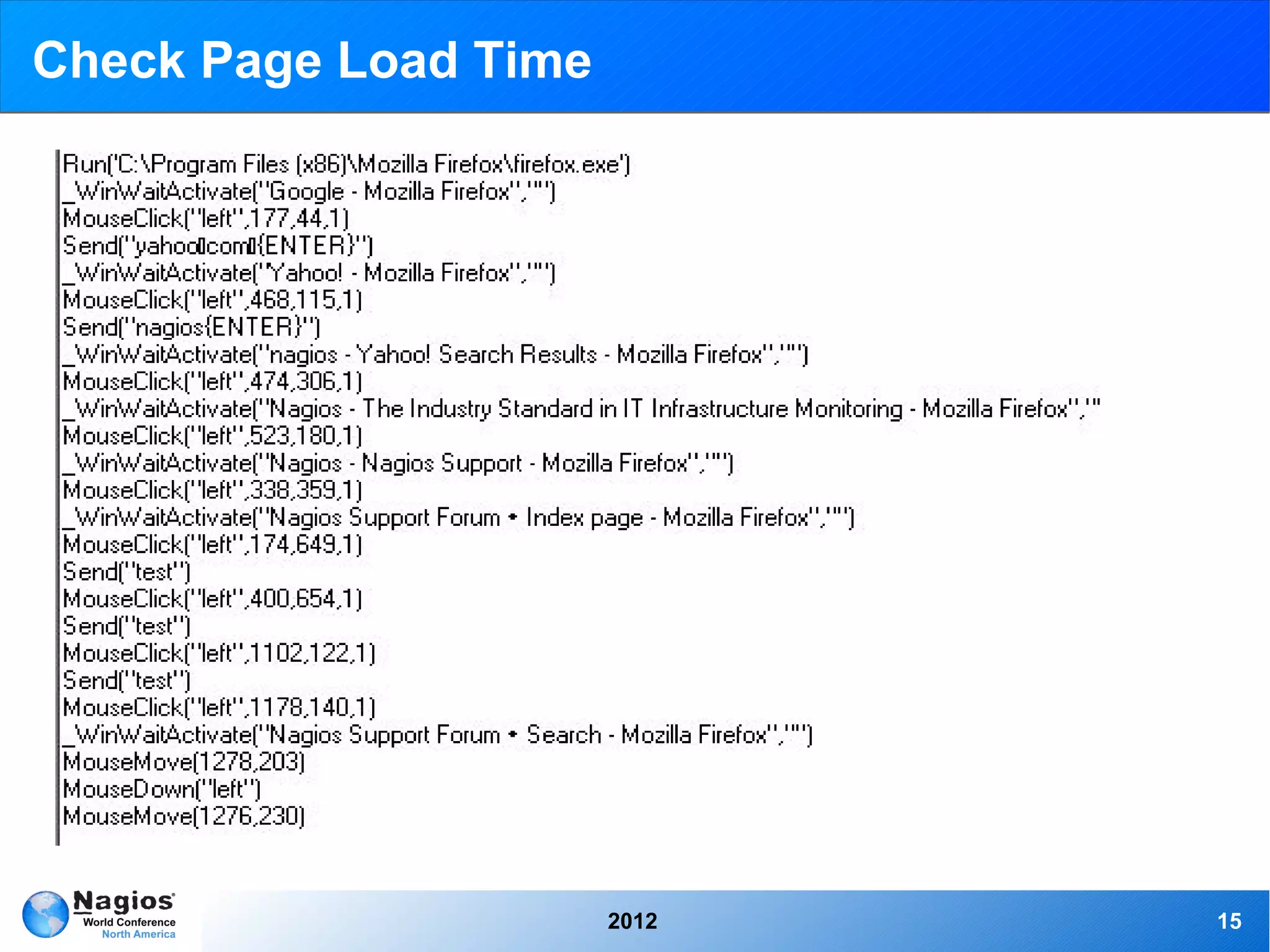
        ➢   AutoIt Recorder: Will record mouse gestures, and keyboard
              use and output as AutoIt script
        ➢   SciTE Editor: The provided program with which to create and
              edit AutoIt scripts
        ➢   Aut2Exe: A converter which may be used to create
              executable files from AutoIt scripts
        ➢   AutoItX: DLL and COM control, allowing you to add AutoIt
              features to your favorite scripting language.


                                  2012                                    8
AutoIT Purpose

   Originally designed to configure massive amounts of PCs, and has
   over time become a very powerful scripting language supporting
   complex expressions, loops, user functions, and just about everything
   in between.
        ➢   Easy to learn syntax
        ➢   Manipulation of processes and windows
        ➢   Use standard windows controls
        ➢   Creation of GUIs
        ➢   Unicode support
        ➢   Works with Windows User Account Control and much more


                                   2012                                    9
AutoIT Purpose Cont.

   Small and stand-alone, no registry entries or .dll's required which
   makes it easy to use on servers.
   Scripts can be compiled into stand-alone executables for security
   reasons.
   AutoIT is now fully Unicode aware and supports both 32, and 64-bit
   versions for it's main components.
   AutoIT gives you full window support, windows are referenced by title,
   text, size, position, class, and internal Win32 API handles.


                                   2012                                     10
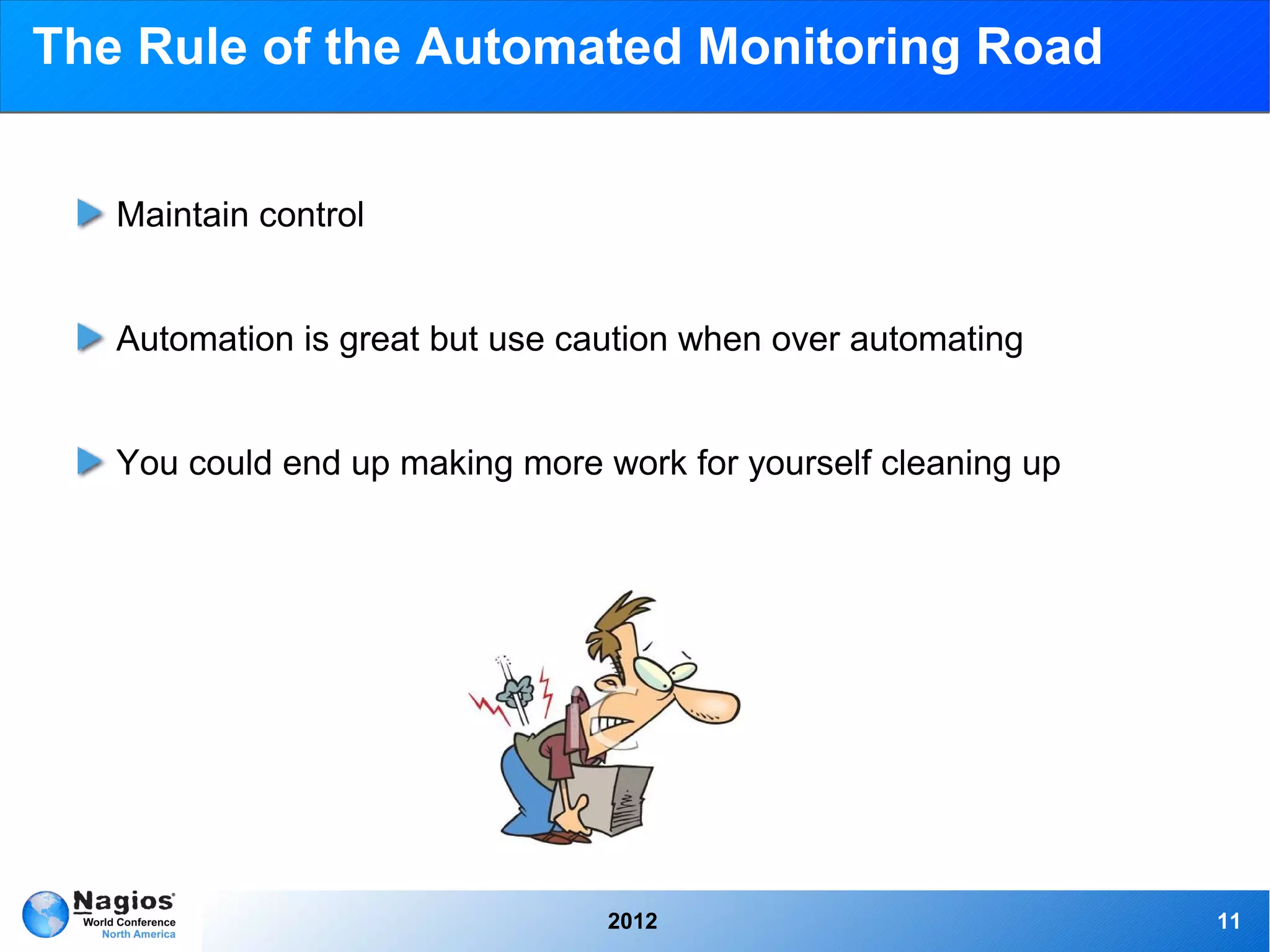
The Rule of the Automated Monitoring Road


   Maintain control


   Automation is great but use caution when over automating


   You could end up making more work for yourself cleaning up


                                 2012                           11
Integration With Nagios


          2012            12
Check Page Load Time

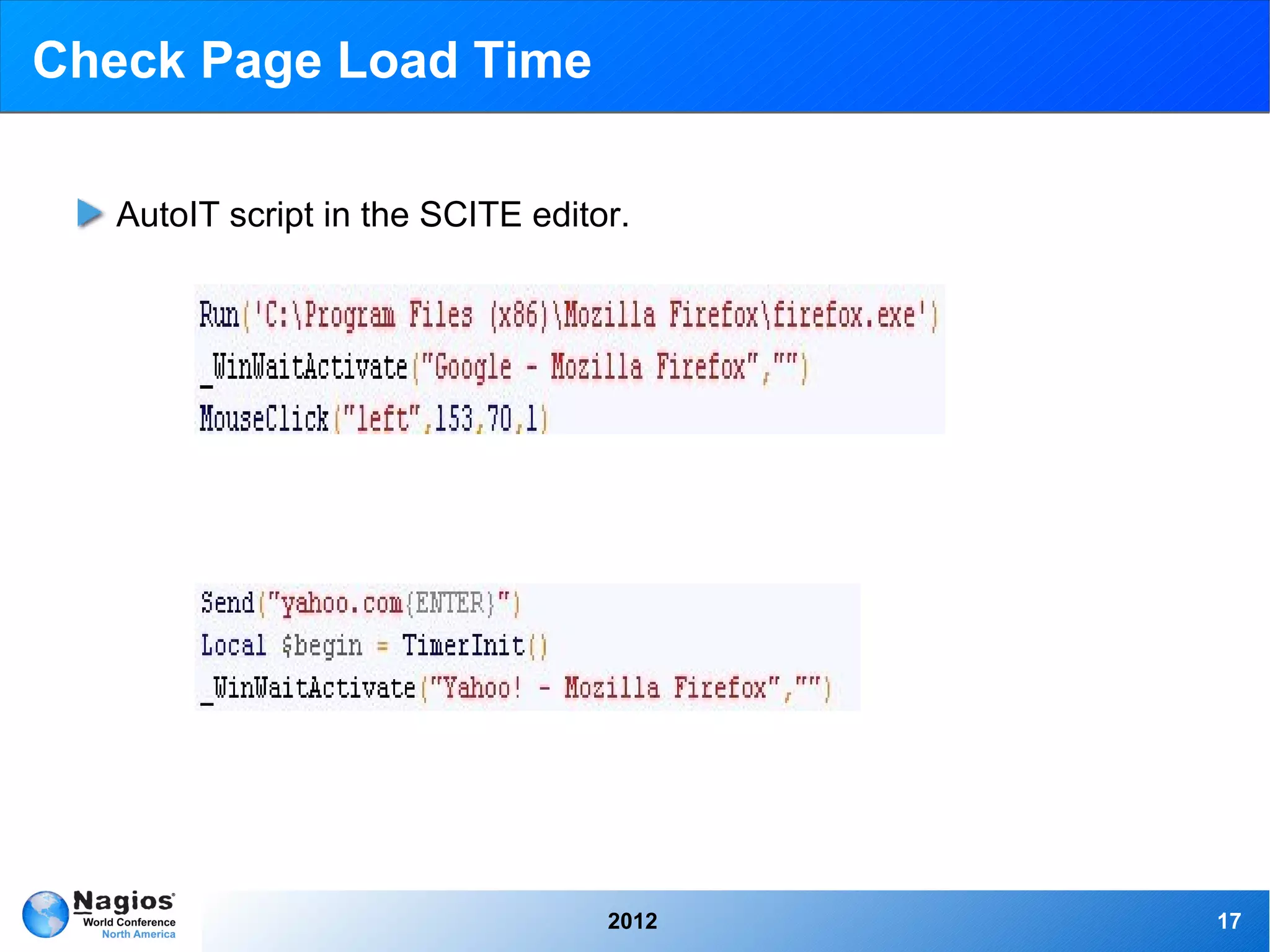
   Checks the complete time a web page takes to load from the firefox
   browser.
   Sends the data via NRPE through NSClient++ to Nagios
   Nagios outputs the data on the XI web UI in a clear format


                                  2012                                  13
Check Page Load Time


            Example video of AutoIT Recorder


                        2012                   14
Check Page Load Time


                       2012   15
The Good, The Batch, And The Ugly

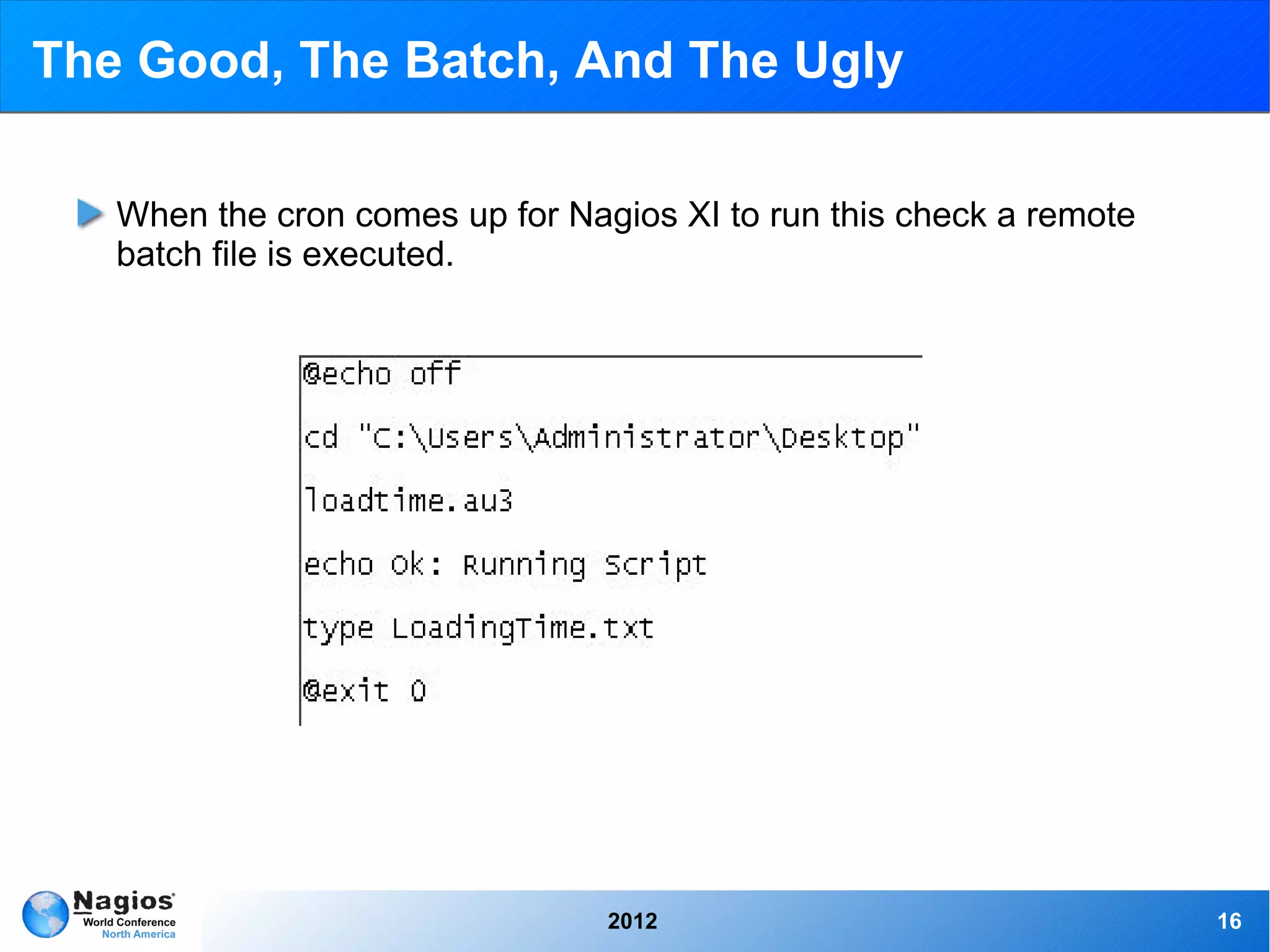
   When the cron comes up for Nagios XI to run this check a remote
   batch file is executed.


                                 2012                                16
Check Page Load Time

   AutoIT script in the SCITE editor.


                                   2012   17
Check Page Load Time

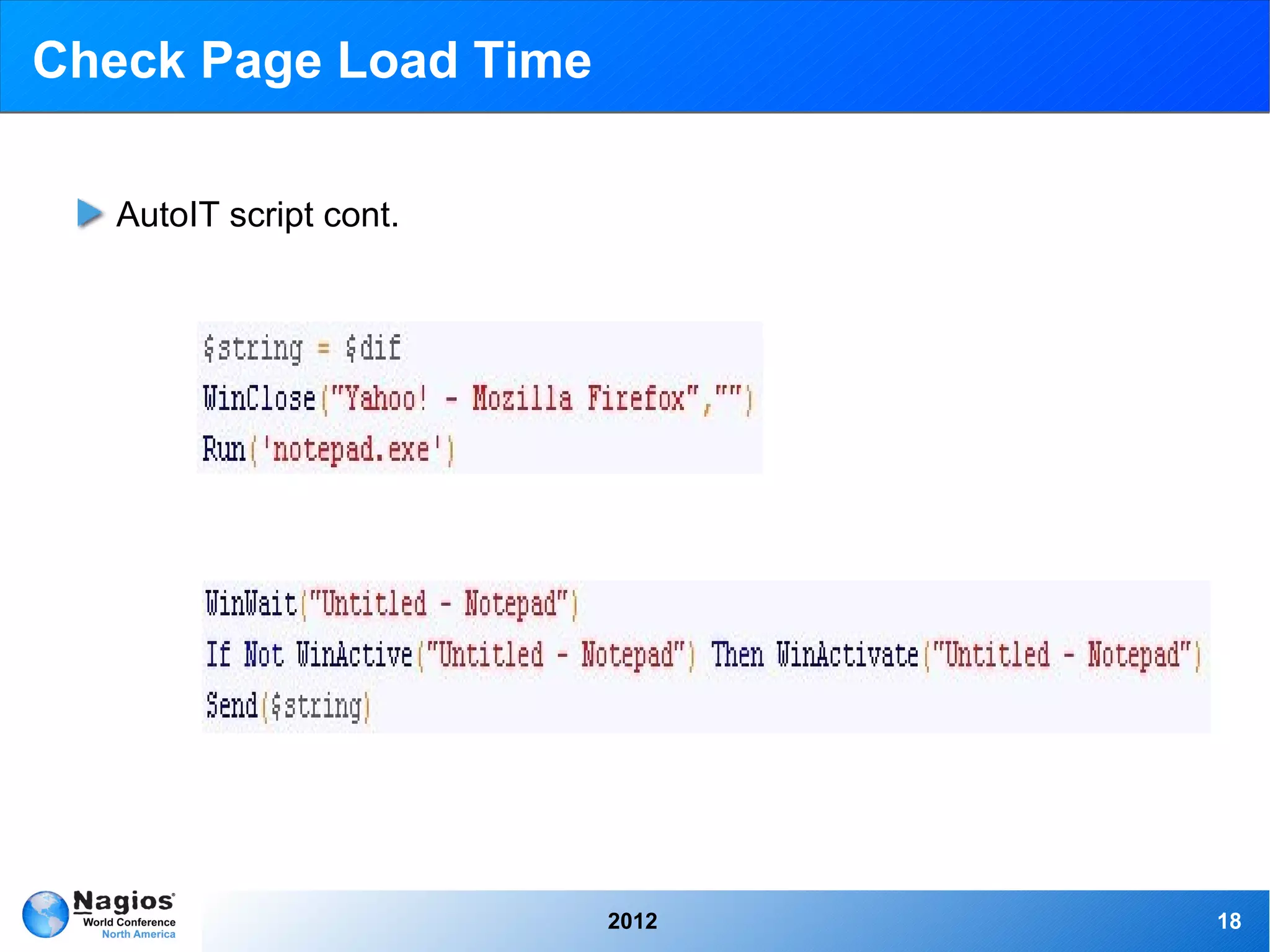
   AutoIT script cont.


                         2012   18
Check Page Load Time

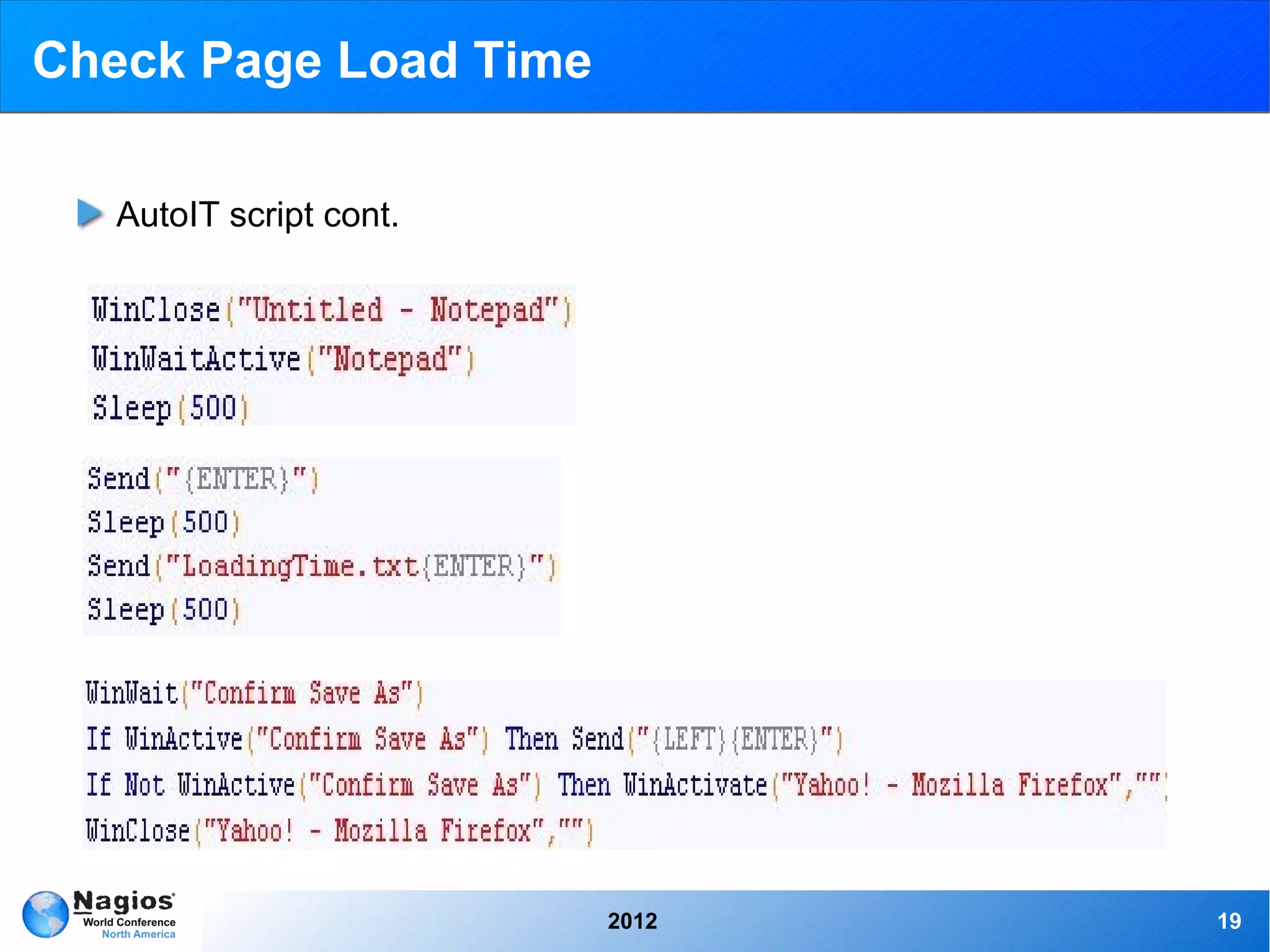
   AutoIT script cont.


                         2012   19
Check Page Load Time

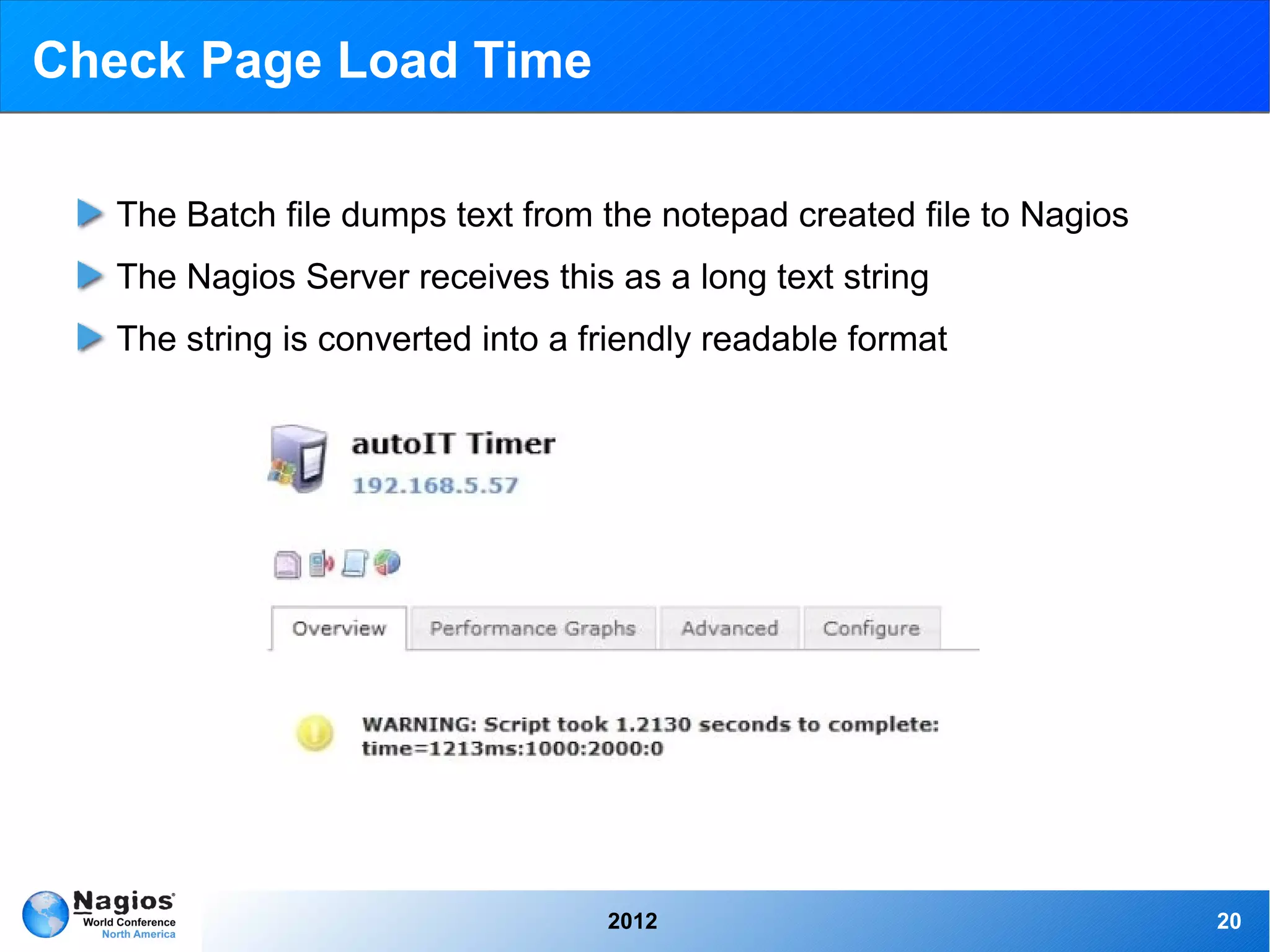
   The Batch file dumps text from the notepad created file to Nagios
   The Nagios Server receives this as a long text string
   The string is converted into a friendly readable format


                                   2012                                20
Check Page Load Time

   Check Program Load Time


   AutoIT Timer Plugin Exchange Page
   Integrating autoIT With Nagios Documentation


                                2012              21
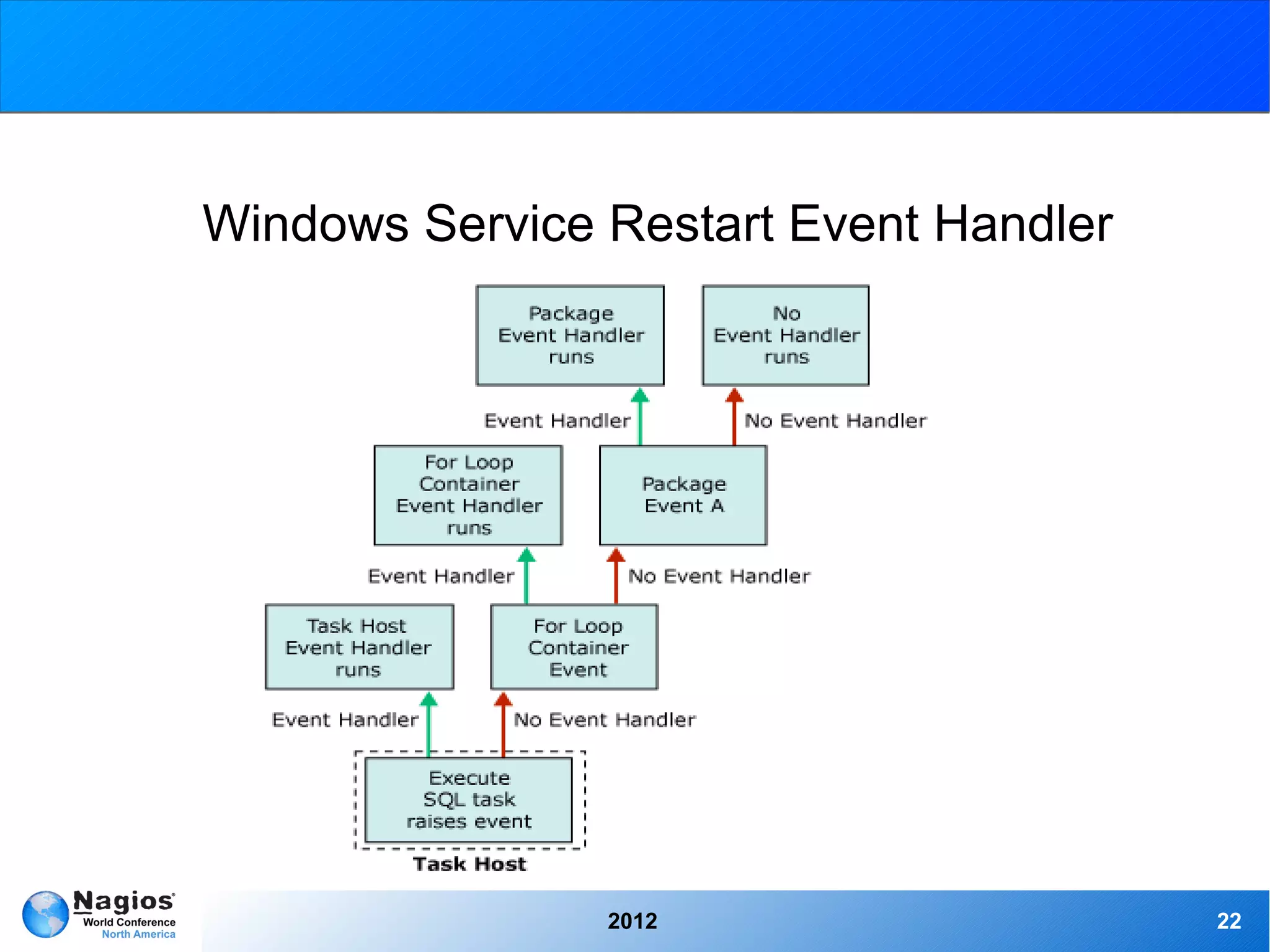
Windows Service Restart Event Handler


                2012                    22
Event Handlers, what are they?

   Triggered when a Host or Service changes state
        ➢   Restarting a service
        ➢   Entering helpdesk tickets
        ➢   Logging database information
   Intermediary between Nagios and a remote host
        ➢   Can be used to run a script “if state is”
        ➢   Most efficient way to tie in AutoIT scripts otherwise the
             automation scripts may overlap, or continue running.


                                     2012                               23
Service Restart Event Handler

   The Nagios Service is checking the existence of a running Windows
   Service
   The Service goes down and Nagios see's this on its routine check
   The Service was set up with a event handler to restart the Service
   and it is triggered
   The Windows Service is restarted and Nagios switches the Service
   back to an Ok status


                                  2012                                  24
Service Restart Event Handler

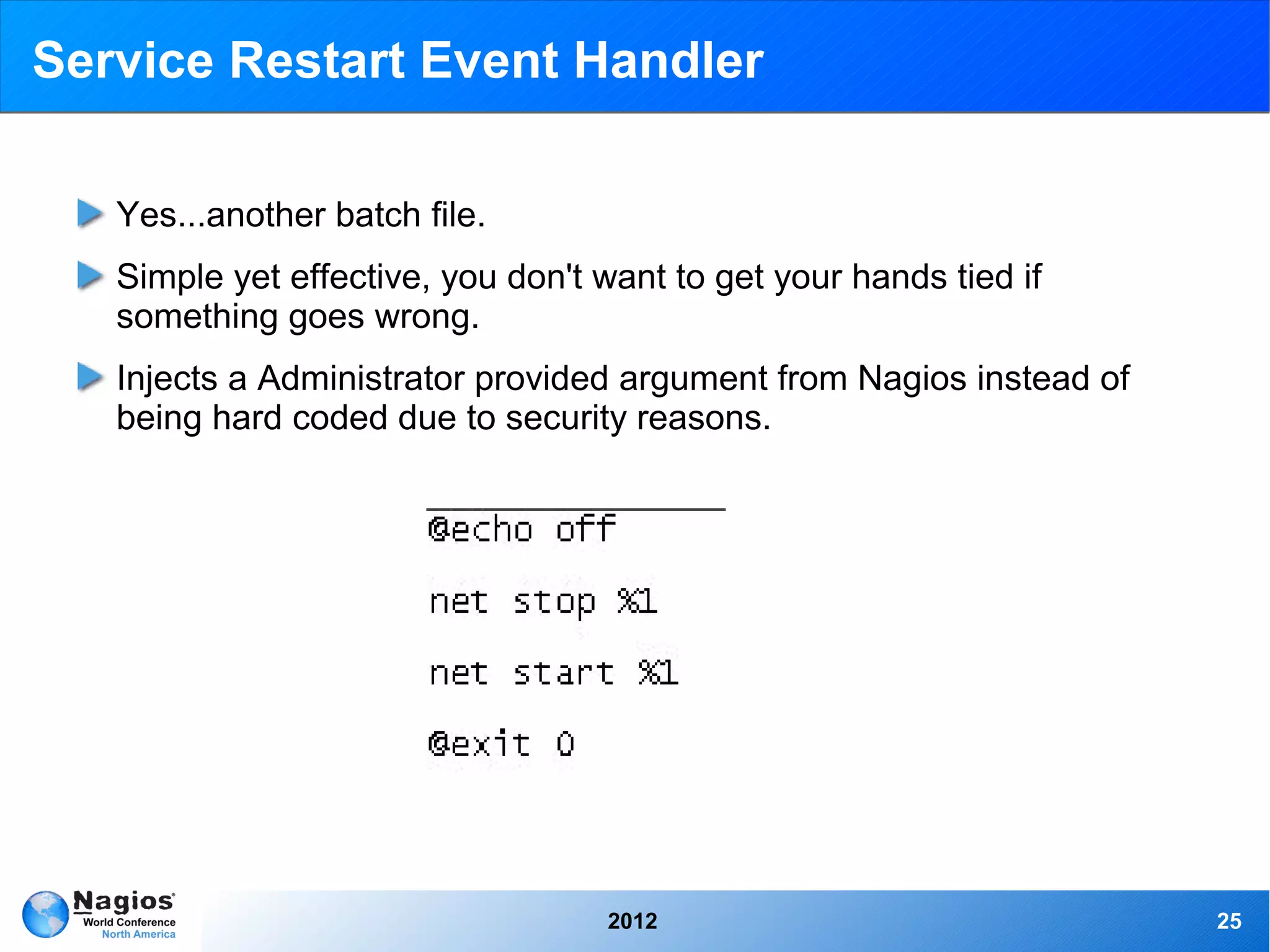
   Yes...another batch file.
   Simple yet effective, you don't want to get your hands tied if
   something goes wrong.
   Injects a Administrator provided argument from Nagios instead of
   being hard coded due to security reasons.


                                   2012                               25
Service Restart Event Handler

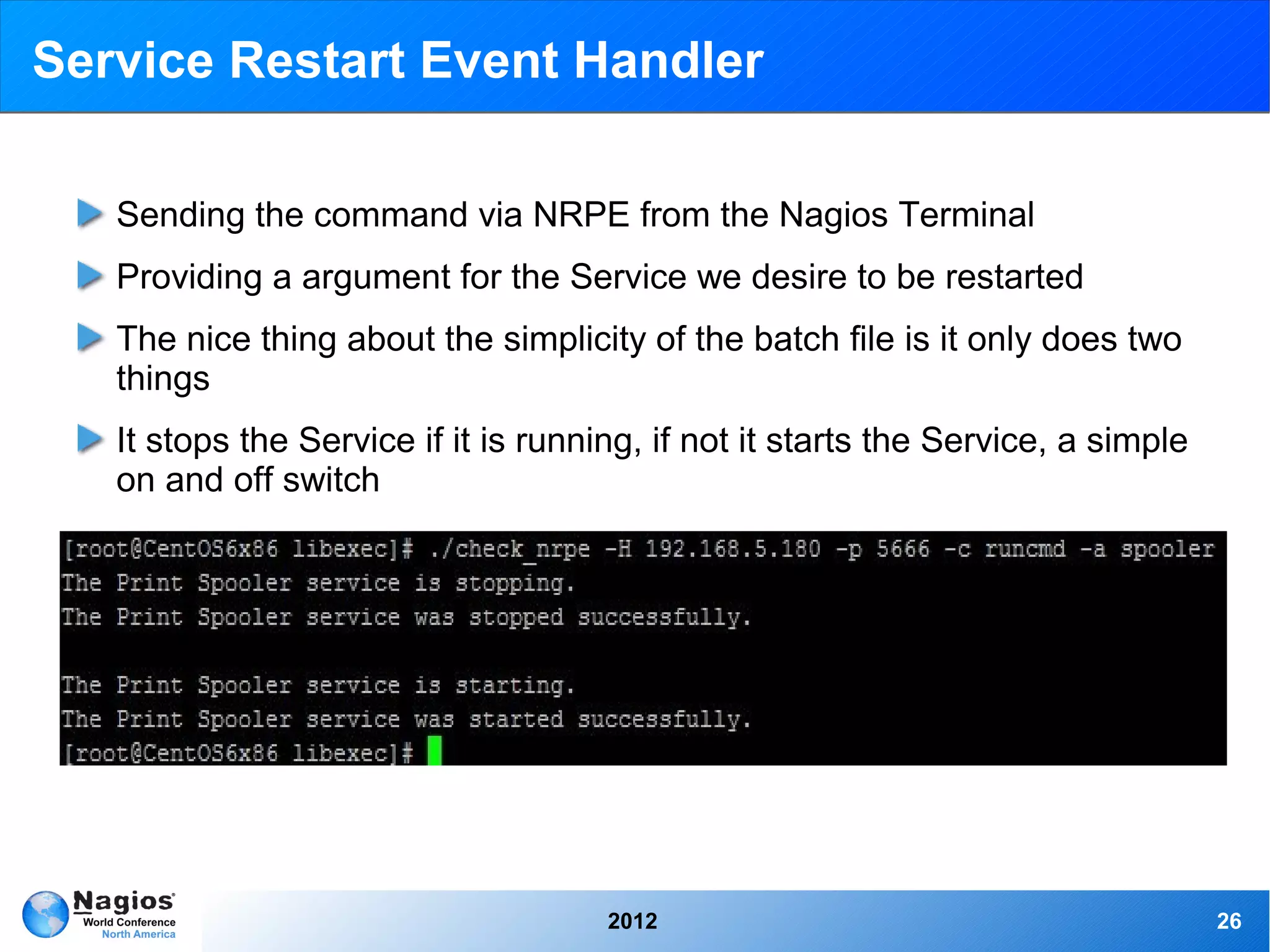
   Sending the command via NRPE from the Nagios Terminal
   Providing a argument for the Service we desire to be restarted
   The nice thing about the simplicity of the batch file is it only does two
   things
   It stops the Service if it is running, if not it starts the Service, a simple
   on and off switch


                                      2012                                         26
Service Restart Event Handler

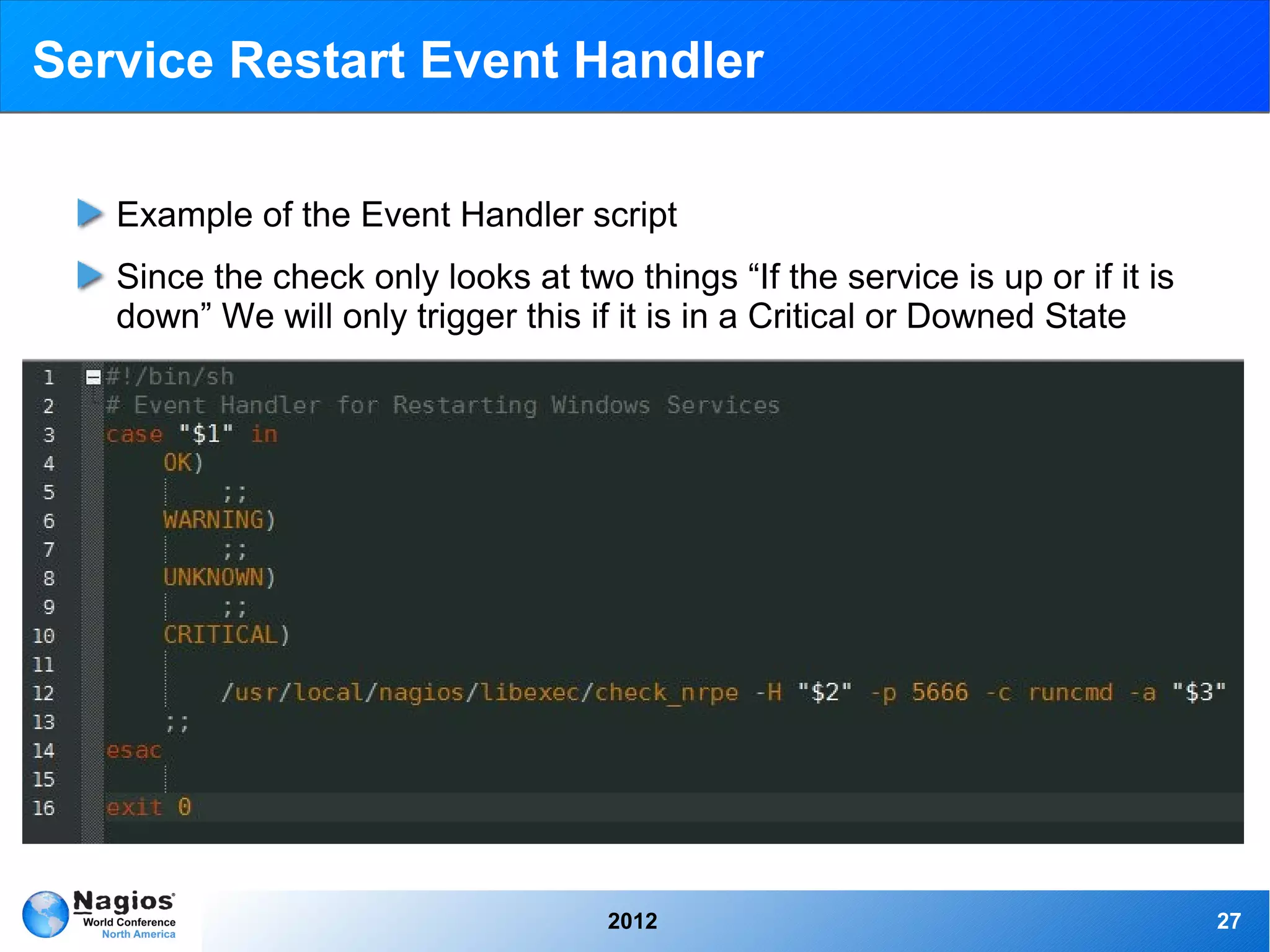
   Example of the Event Handler script
   Since the check only looks at two things “If the service is up or if it is
   down” We will only trigger this if it is in a Critical or Downed State


                                     2012                                       27
Possible uses for Event Handler driven AutoIT
                   scripts

 Using check_windowsupdates to check for new updates. When a
 certain value is met, say... 5 security updates, the event handler is
 triggered which starts an AutoIT script to update Windows
 Cron Windows to run a system defrag, then when it has been run an
 event handler triggers a script to open a performance graphing
 program to see the difference so it is ready for you Monday morning
 when you walk in with your coffee
 Since AutoIT is not available for Linux distributions, you could use a
 terminal running on Windows to send commands to a Linux system,
 if, say NRPE goes down and you want to tail a log after you restart it


                                 2012                                     28
Service Restart Event Handler

   Host Service Restart Event Handler


   Event Handler Exchange Page


   Service Restart Event Handler Documentation (Windows)
   Service Restart Event Handler Documentation (Linux) - Alex Griffin


                                  2012                                  29
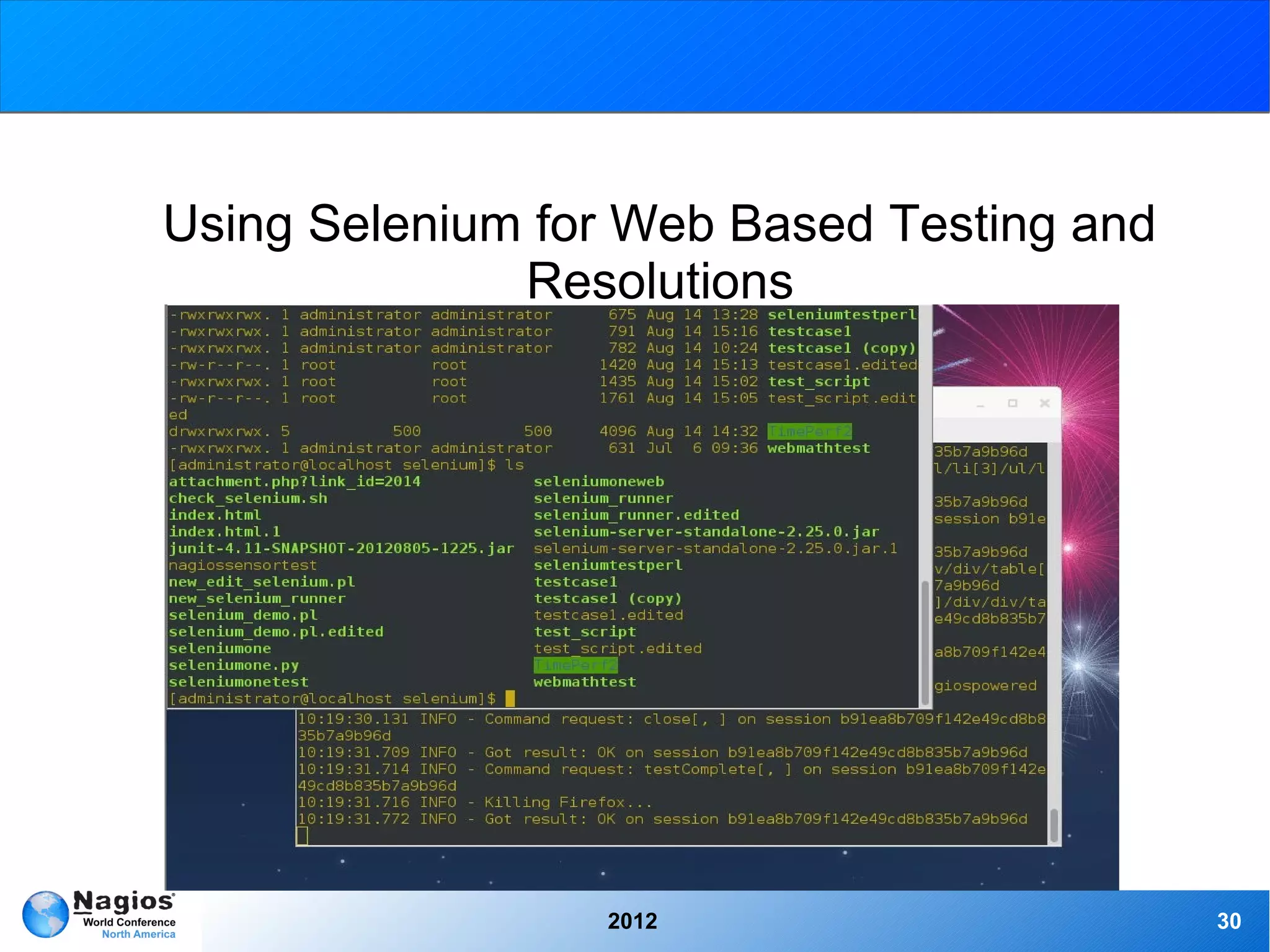
Using Selenium for Web Based Testing and
              Resolutions


                 2012                      30
Selenium

  Selenium automates browsers. What you do with that power is
  entirely up to you. Primarily it is for automating web applications for
  testing purposes, but is certainly not limited to just that. Boring web-
  based administration tasks can also be automated as well.
  Selenium has the support of some of the largest browser vendors
  who have taken (or are taking) steps to make Selenium a native part
  of their browser. It is also the core technology in countless other
  browser automation tools, APIs and frameworks.
  Support for over 10 different language packs such as Java, C#, Ruby,
  Python, and Perl.
  Selenium also includes an easy to use web recorder, with the ability
  to edit the script as you go.


                                   2012                                      31
Selenium

  The four core Selenium Projects:
       ➢   Selenium IDE: Firefox add-on for recording and playback of
             tests in Firefox 2+, also able to generate code to run tests
             with the RC
       ➢   Selenium Remote Control (RC): Server system for controlling
             browsers locally or remotely including almost every
             programming language and framework for testing
       ➢   WebDriver: Natively drive browsers remotely or locally
       ➢   Grid: Mass deployment of Selenium tests across multiple
             servers


                                   2012                                     32
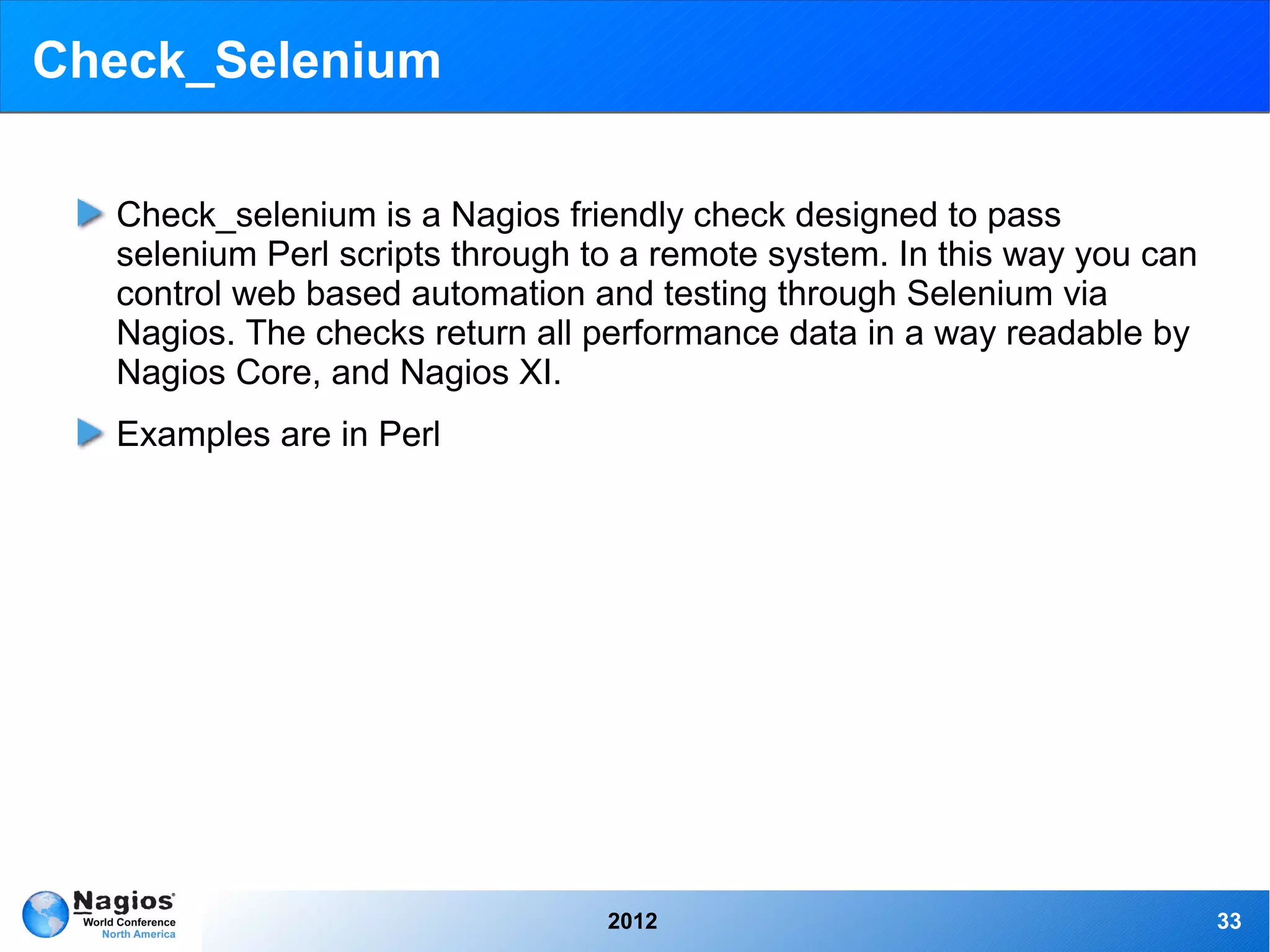
Check_Selenium

  Check_selenium is a Nagios friendly check designed to pass
  selenium Perl scripts through to a remote system. In this way you can
  control web based automation and testing through Selenium via
  Nagios. The checks return all performance data in a way readable by
  Nagios Core, and Nagios XI.
  Examples are in Perl


                                 2012                                     33
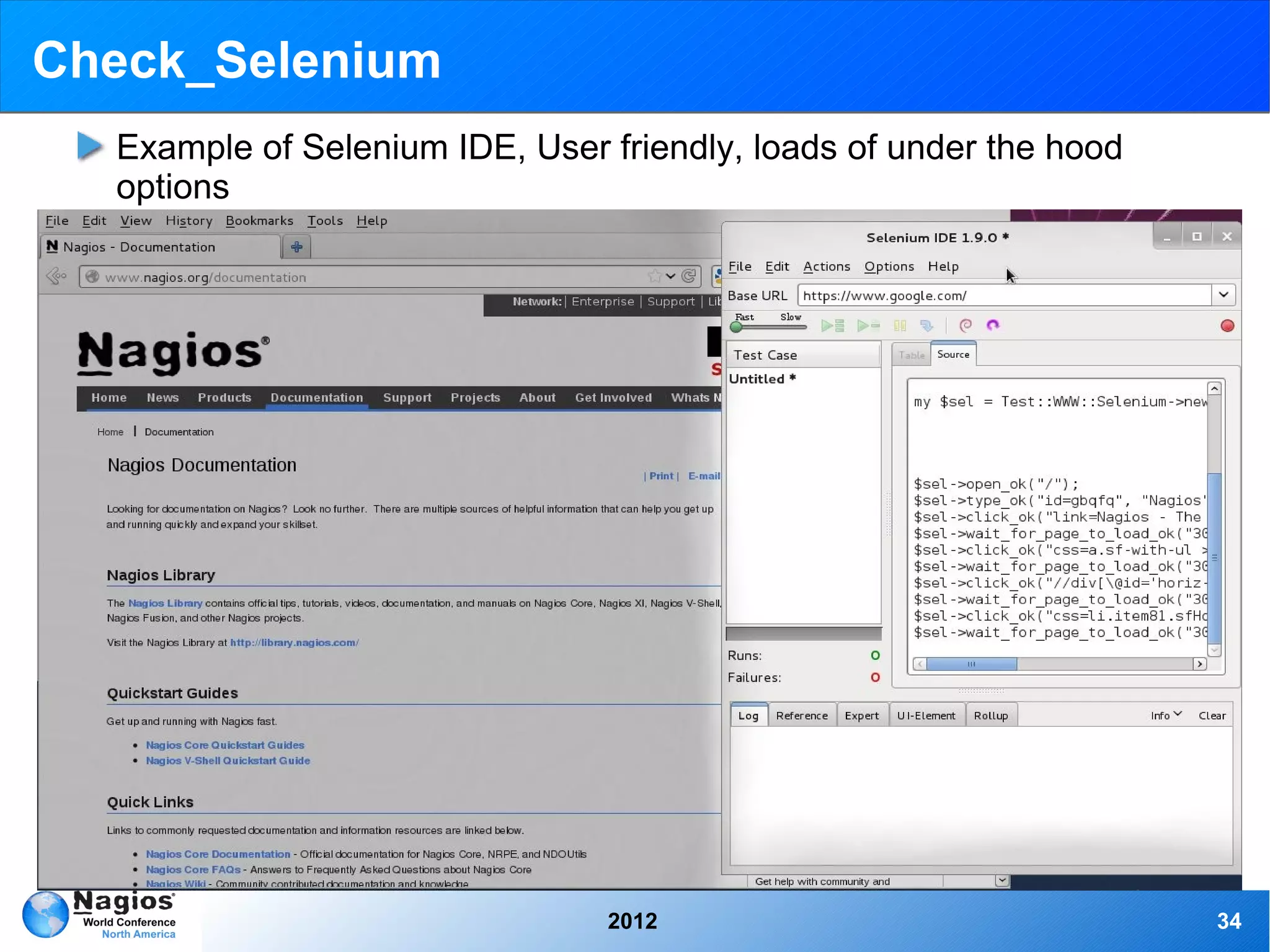
Check_Selenium
  Example of Selenium IDE, User friendly, loads of under the hood
  options


                                2012                                34
Check_Selenium

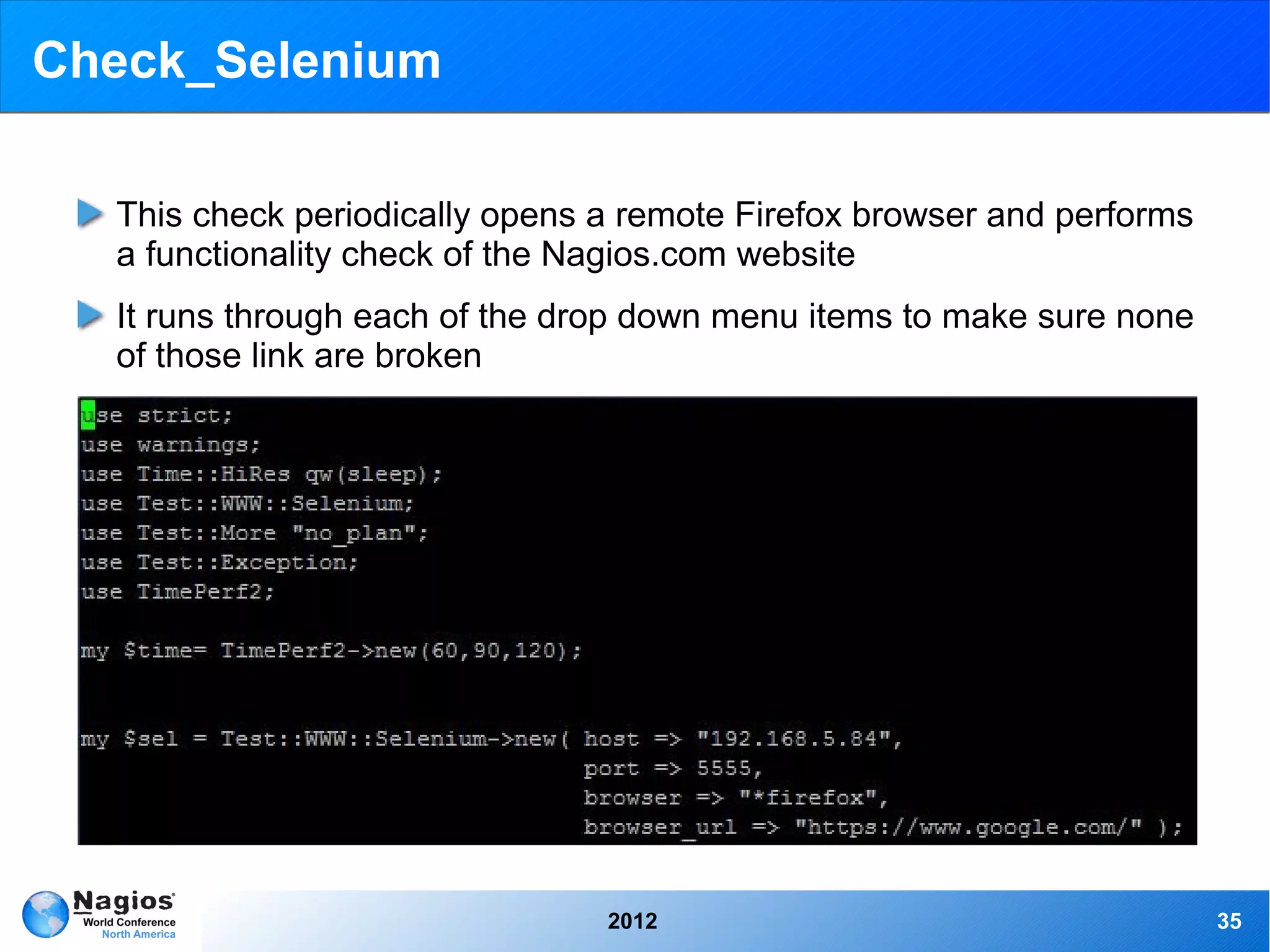
  This check periodically opens a remote Firefox browser and performs
  a functionality check of the Nagios.com website
  It runs through each of the drop down menu items to make sure none
  of those link are broken


                                2012                                    35
Check_Selenium

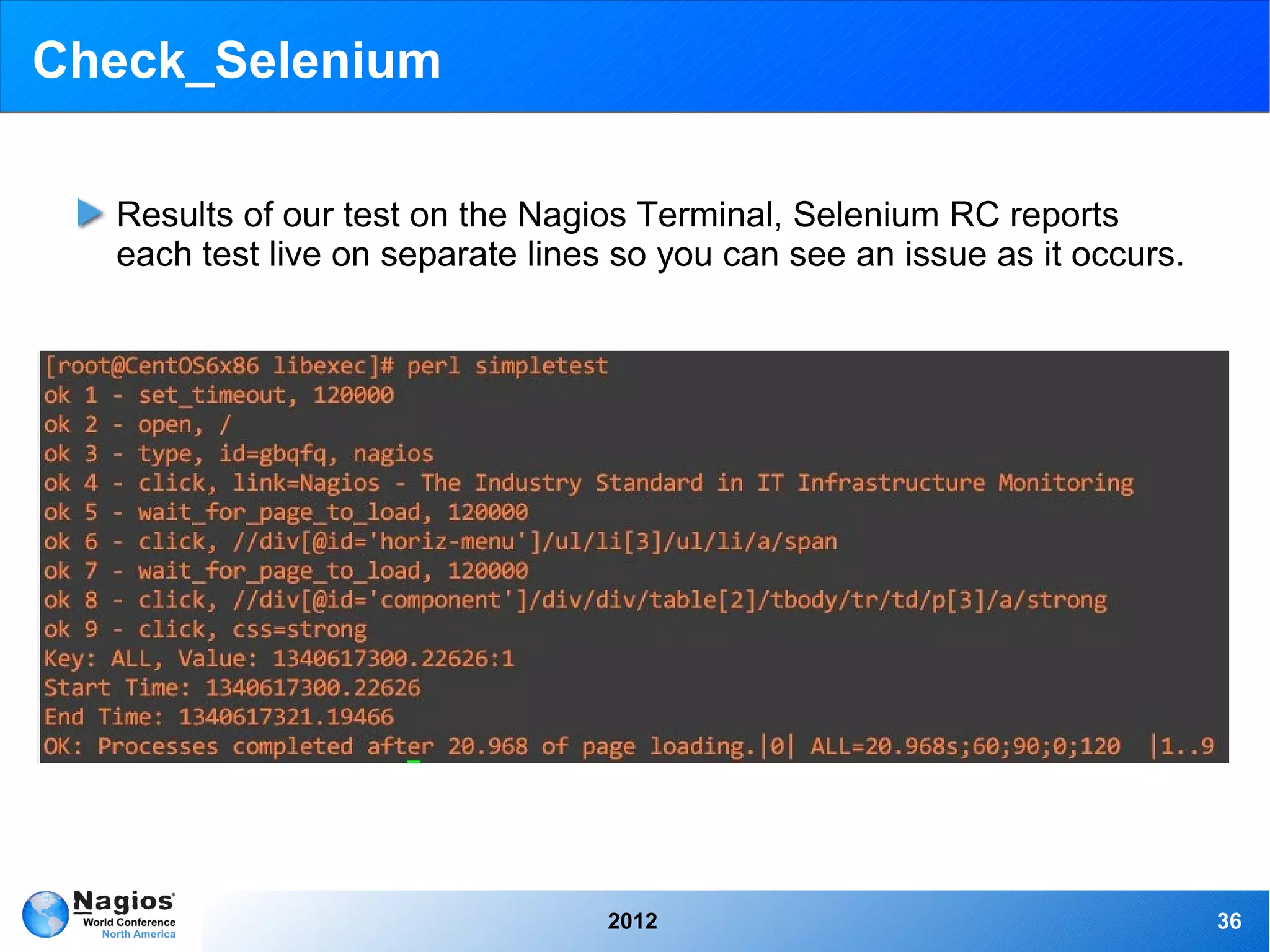
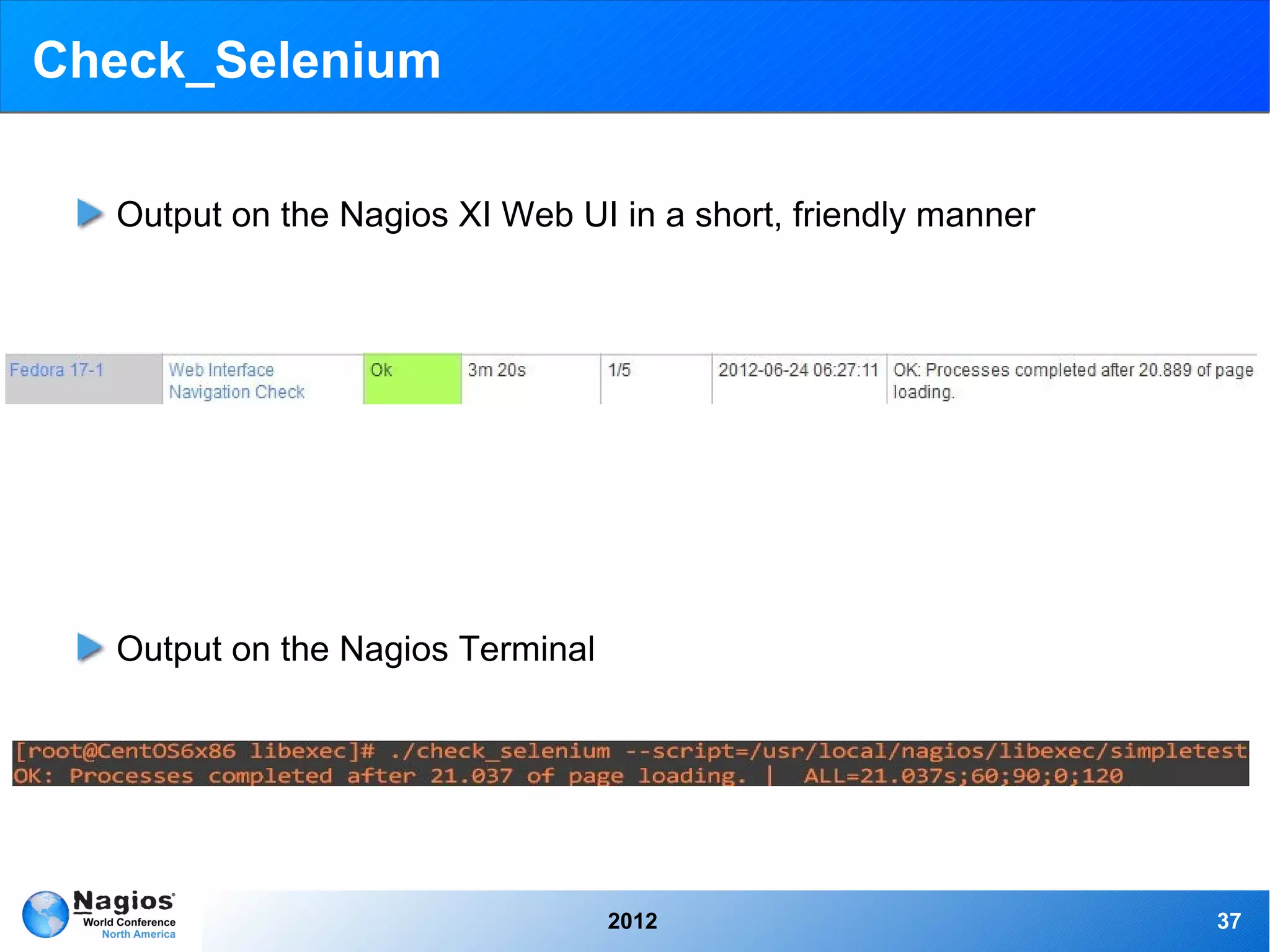
  Results of our test on the Nagios Terminal, Selenium RC reports
  each test live on separate lines so you can see an issue as it occurs.


                                  2012                                     36
Check_Selenium

  Output on the Nagios XI Web UI in a short, friendly manner


  Output on the Nagios Terminal


                                  2012                         37
Check_Selenium


           Selenium Example Video


                   2012             38
Check_Selenium

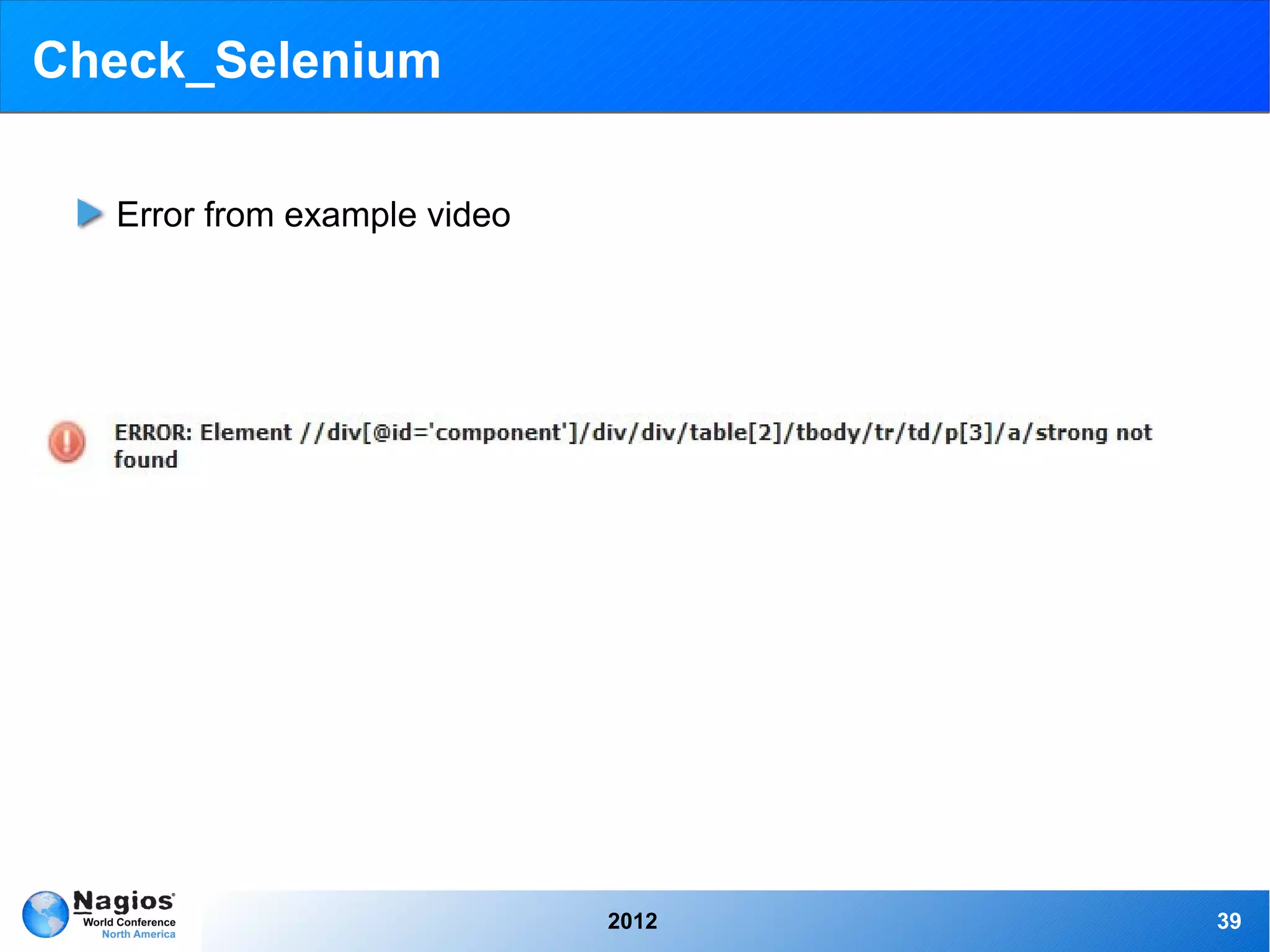
  Error from example video


                             2012   39
Check_Selenium

  Perl Selenium check


  Selenium Integration Document


  Perl check_selenium Exchange Page


                              2012    40
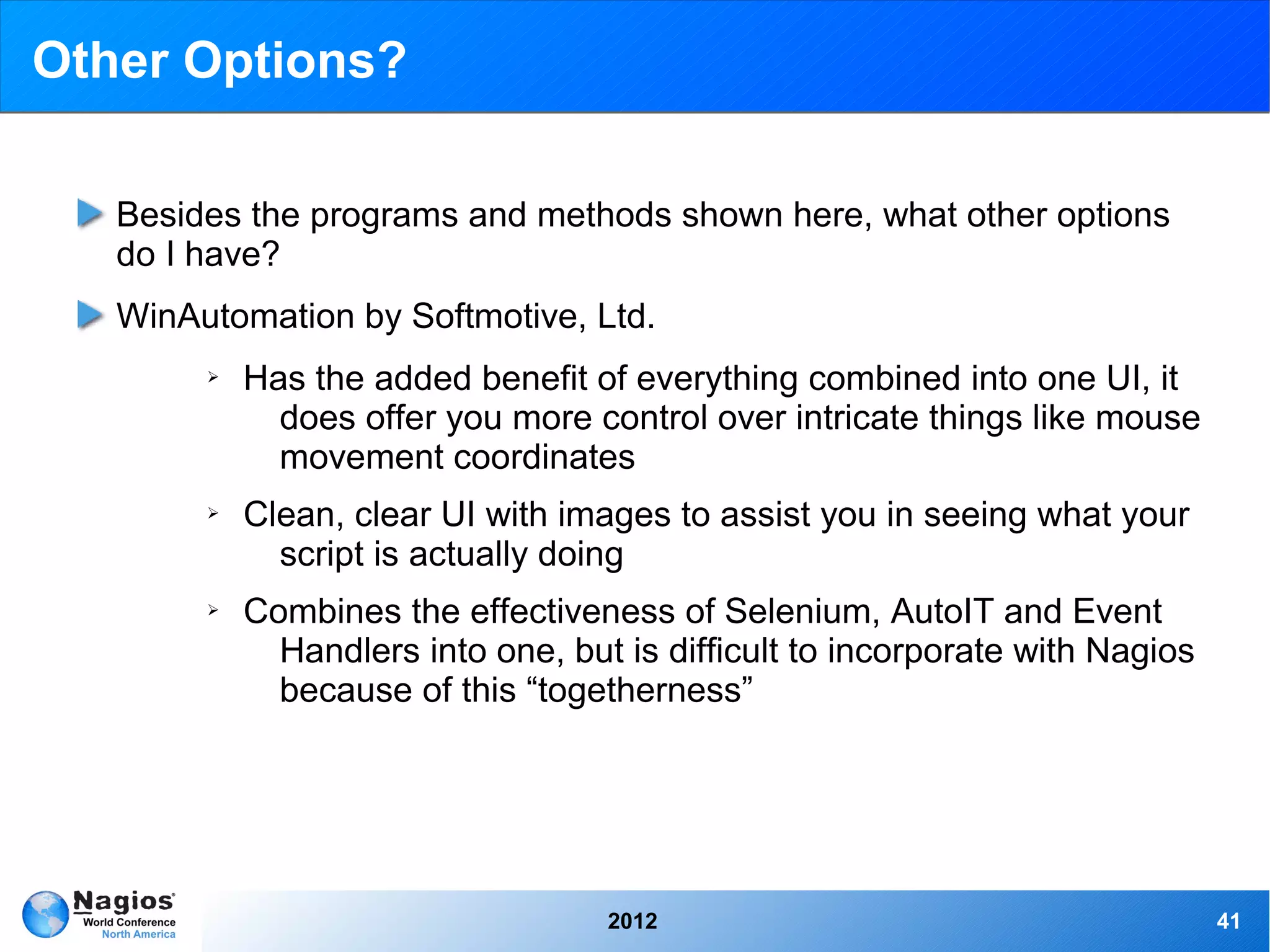
Other Options?

   Besides the programs and methods shown here, what other options
   do I have?
   WinAutomation by Softmotive, Ltd.
        ➢   Has the added benefit of everything combined into one UI, it
              does offer you more control over intricate things like mouse
              movement coordinates
        ➢   Clean, clear UI with images to assist you in seeing what your
              script is actually doing
        ➢   Combines the effectiveness of Selenium, AutoIT and Event
              Handlers into one, but is difficult to incorporate with Nagios
              because of this “togetherness”


                                    2012                                       41
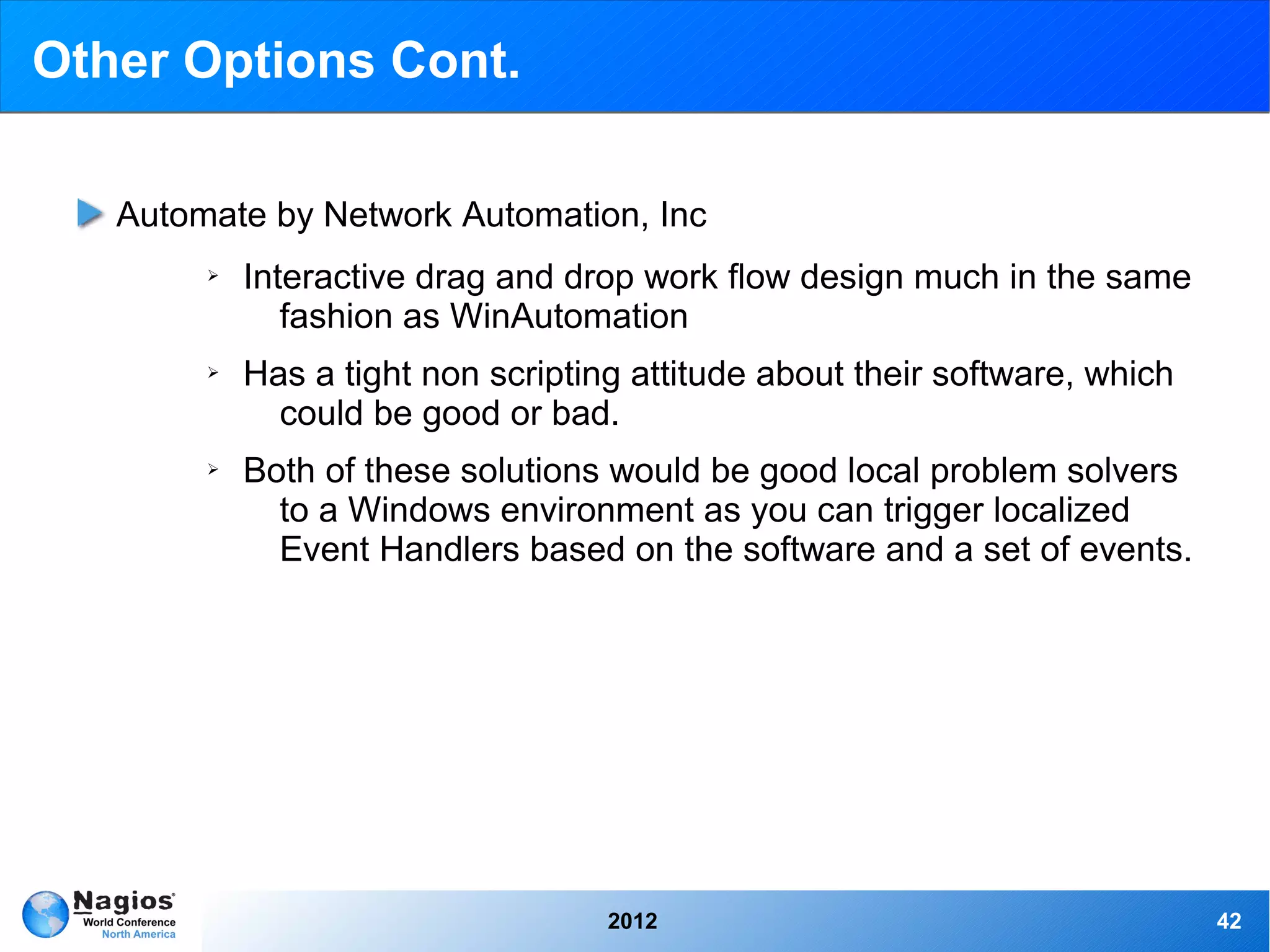
Other Options Cont.

   Automate by Network Automation, Inc
        ➢   Interactive drag and drop work flow design much in the same
               fashion as WinAutomation
        ➢   Has a tight non scripting attitude about their software, which
              could be good or bad.
        ➢   Both of these solutions would be good local problem solvers
              to a Windows environment as you can trigger localized
              Event Handlers based on the software and a set of events.


                                    2012                                     42
Thank you!


  2012       43

Nagios Conference 2012 - Sam Lansing - Automating Windows Application Testing and Problem Resolution With Nagios

  • 1.
    Automating Windows ApplicationTesting and Problem Resolution With Nagios Sam Lansing
  • 2.
    Introduction What I do at Nagios Member of the Technical Support team at Nagios. I work on documentation and quality assurance, implementation of automated problem solutions into the Nagios family of software. Example projects: AutoIT Timer Plugin, Program Timer, Host Service Restart Event Handler, Selenium integration, and Selenium Nagios XI interface checks. 2012 2
  • 3.
    What is thisautomation thing? Automation, the asset Eliminates the hassle of terminal usage when an issue occurs Precise and efficient testing Less 3 o'clock AM calls 2012 3
  • 4.
    As far asthe eye can see! Possibilities and limitations ➢ Autonomous problem solutions ➢ Usable for simple things such as service restarting, to intricate expansive uses such as mass distribution ➢ Main limitation is user interface interference ➢ Advisable to cron scripts as to not over lap actions 2012 4
  • 5.
    Solutions, what works? AutoIT and Selenium ➢ Currently tested and implemented with maximum capability ➢ Large user base and support team ➢ Easily molded to your needs Triggered Scripts ➢ Event Handler driven ➢ Simple yet effective ➢ Easily Editable 2012 5
  • 6.
    Event Handlers, whatare they? Triggered when a Host or Service changes state ➢ Restarting a service ➢ Entering helpdesk tickets ➢ Logging database information Intermediary between Nagios and a remote host ➢ Can be used to run a script “if state is” ➢ Most efficient way to tie in AutoIT scripts otherwise the automation scripts may overlap, or continue running. 2012 6
  • 7.
    Event Handler example Using XI Windows Monitoring Wizards ➢ A monitored service goes into a critical state and the servicerestart.sh script is triggered ➢ Servicerestart.sh sends a command directly to the Windows Host to net stop/start “service name” ➢ On the next check the service is determined to be running and the check returns to an OK state 2012 7
  • 8.
    AutoIT What isit? AutoIT is actually has numerous parts ➢ AutoIt Recorder: Will record mouse gestures, and keyboard use and output as AutoIt script ➢ SciTE Editor: The provided program with which to create and edit AutoIt scripts ➢ Aut2Exe: A converter which may be used to create executable files from AutoIt scripts ➢ AutoItX: DLL and COM control, allowing you to add AutoIt features to your favorite scripting language. 2012 8
  • 9.
    AutoIT Purpose Originally designed to configure massive amounts of PCs, and has over time become a very powerful scripting language supporting complex expressions, loops, user functions, and just about everything in between. ➢ Easy to learn syntax ➢ Manipulation of processes and windows ➢ Use standard windows controls ➢ Creation of GUIs ➢ Unicode support ➢ Works with Windows User Account Control and much more 2012 9
  • 10.
    AutoIT Purpose Cont. Small and stand-alone, no registry entries or .dll's required which makes it easy to use on servers. Scripts can be compiled into stand-alone executables for security reasons. AutoIT is now fully Unicode aware and supports both 32, and 64-bit versions for it's main components. AutoIT gives you full window support, windows are referenced by title, text, size, position, class, and internal Win32 API handles. 2012 10
  • 11.
    The Rule ofthe Automated Monitoring Road Maintain control Automation is great but use caution when over automating You could end up making more work for yourself cleaning up 2012 11
  • 12.
  • 13.
    Check Page LoadTime Checks the complete time a web page takes to load from the firefox browser. Sends the data via NRPE through NSClient++ to Nagios Nagios outputs the data on the XI web UI in a clear format 2012 13
  • 14.
    Check Page LoadTime Example video of AutoIT Recorder 2012 14
  • 15.
    Check Page LoadTime 2012 15
  • 16.
    The Good, TheBatch, And The Ugly When the cron comes up for Nagios XI to run this check a remote batch file is executed. 2012 16
  • 17.
    Check Page LoadTime AutoIT script in the SCITE editor. 2012 17
  • 18.
    Check Page LoadTime AutoIT script cont. 2012 18
  • 19.
    Check Page LoadTime AutoIT script cont. 2012 19
  • 20.
    Check Page LoadTime The Batch file dumps text from the notepad created file to Nagios The Nagios Server receives this as a long text string The string is converted into a friendly readable format 2012 20
  • 21.
    Check Page LoadTime Check Program Load Time AutoIT Timer Plugin Exchange Page Integrating autoIT With Nagios Documentation 2012 21
  • 22.
    Windows Service RestartEvent Handler 2012 22
  • 23.
    Event Handlers, whatare they? Triggered when a Host or Service changes state ➢ Restarting a service ➢ Entering helpdesk tickets ➢ Logging database information Intermediary between Nagios and a remote host ➢ Can be used to run a script “if state is” ➢ Most efficient way to tie in AutoIT scripts otherwise the automation scripts may overlap, or continue running. 2012 23
  • 24.
    Service Restart EventHandler The Nagios Service is checking the existence of a running Windows Service The Service goes down and Nagios see's this on its routine check The Service was set up with a event handler to restart the Service and it is triggered The Windows Service is restarted and Nagios switches the Service back to an Ok status 2012 24
  • 25.
    Service Restart EventHandler Yes...another batch file. Simple yet effective, you don't want to get your hands tied if something goes wrong. Injects a Administrator provided argument from Nagios instead of being hard coded due to security reasons. 2012 25
  • 26.
    Service Restart EventHandler Sending the command via NRPE from the Nagios Terminal Providing a argument for the Service we desire to be restarted The nice thing about the simplicity of the batch file is it only does two things It stops the Service if it is running, if not it starts the Service, a simple on and off switch 2012 26
  • 27.
    Service Restart EventHandler Example of the Event Handler script Since the check only looks at two things “If the service is up or if it is down” We will only trigger this if it is in a Critical or Downed State 2012 27
  • 28.
    Possible uses forEvent Handler driven AutoIT scripts Using check_windowsupdates to check for new updates. When a certain value is met, say... 5 security updates, the event handler is triggered which starts an AutoIT script to update Windows Cron Windows to run a system defrag, then when it has been run an event handler triggers a script to open a performance graphing program to see the difference so it is ready for you Monday morning when you walk in with your coffee Since AutoIT is not available for Linux distributions, you could use a terminal running on Windows to send commands to a Linux system, if, say NRPE goes down and you want to tail a log after you restart it 2012 28
  • 29.
    Service Restart EventHandler Host Service Restart Event Handler Event Handler Exchange Page Service Restart Event Handler Documentation (Windows) Service Restart Event Handler Documentation (Linux) - Alex Griffin 2012 29
  • 30.
    Using Selenium forWeb Based Testing and Resolutions 2012 30
  • 31.
    Selenium Seleniumautomates browsers. What you do with that power is entirely up to you. Primarily it is for automating web applications for testing purposes, but is certainly not limited to just that. Boring web- based administration tasks can also be automated as well. Selenium has the support of some of the largest browser vendors who have taken (or are taking) steps to make Selenium a native part of their browser. It is also the core technology in countless other browser automation tools, APIs and frameworks. Support for over 10 different language packs such as Java, C#, Ruby, Python, and Perl. Selenium also includes an easy to use web recorder, with the ability to edit the script as you go. 2012 31
  • 32.
    Selenium Thefour core Selenium Projects: ➢ Selenium IDE: Firefox add-on for recording and playback of tests in Firefox 2+, also able to generate code to run tests with the RC ➢ Selenium Remote Control (RC): Server system for controlling browsers locally or remotely including almost every programming language and framework for testing ➢ WebDriver: Natively drive browsers remotely or locally ➢ Grid: Mass deployment of Selenium tests across multiple servers 2012 32
  • 33.
    Check_Selenium Check_seleniumis a Nagios friendly check designed to pass selenium Perl scripts through to a remote system. In this way you can control web based automation and testing through Selenium via Nagios. The checks return all performance data in a way readable by Nagios Core, and Nagios XI. Examples are in Perl 2012 33
  • 34.
    Check_Selenium Exampleof Selenium IDE, User friendly, loads of under the hood options 2012 34
  • 35.
    Check_Selenium Thischeck periodically opens a remote Firefox browser and performs a functionality check of the Nagios.com website It runs through each of the drop down menu items to make sure none of those link are broken 2012 35
  • 36.
    Check_Selenium Resultsof our test on the Nagios Terminal, Selenium RC reports each test live on separate lines so you can see an issue as it occurs. 2012 36
  • 37.
    Check_Selenium Outputon the Nagios XI Web UI in a short, friendly manner Output on the Nagios Terminal 2012 37
  • 38.
    Check_Selenium Selenium Example Video 2012 38
  • 39.
    Check_Selenium Errorfrom example video 2012 39
  • 40.
    Check_Selenium PerlSelenium check Selenium Integration Document Perl check_selenium Exchange Page 2012 40
  • 41.
    Other Options? Besides the programs and methods shown here, what other options do I have? WinAutomation by Softmotive, Ltd. ➢ Has the added benefit of everything combined into one UI, it does offer you more control over intricate things like mouse movement coordinates ➢ Clean, clear UI with images to assist you in seeing what your script is actually doing ➢ Combines the effectiveness of Selenium, AutoIT and Event Handlers into one, but is difficult to incorporate with Nagios because of this “togetherness” 2012 41
  • 42.
    Other Options Cont. Automate by Network Automation, Inc ➢ Interactive drag and drop work flow design much in the same fashion as WinAutomation ➢ Has a tight non scripting attitude about their software, which could be good or bad. ➢ Both of these solutions would be good local problem solvers to a Windows environment as you can trigger localized Event Handlers based on the software and a set of events. 2012 42
  • 43.
    Thank you! 2012 43